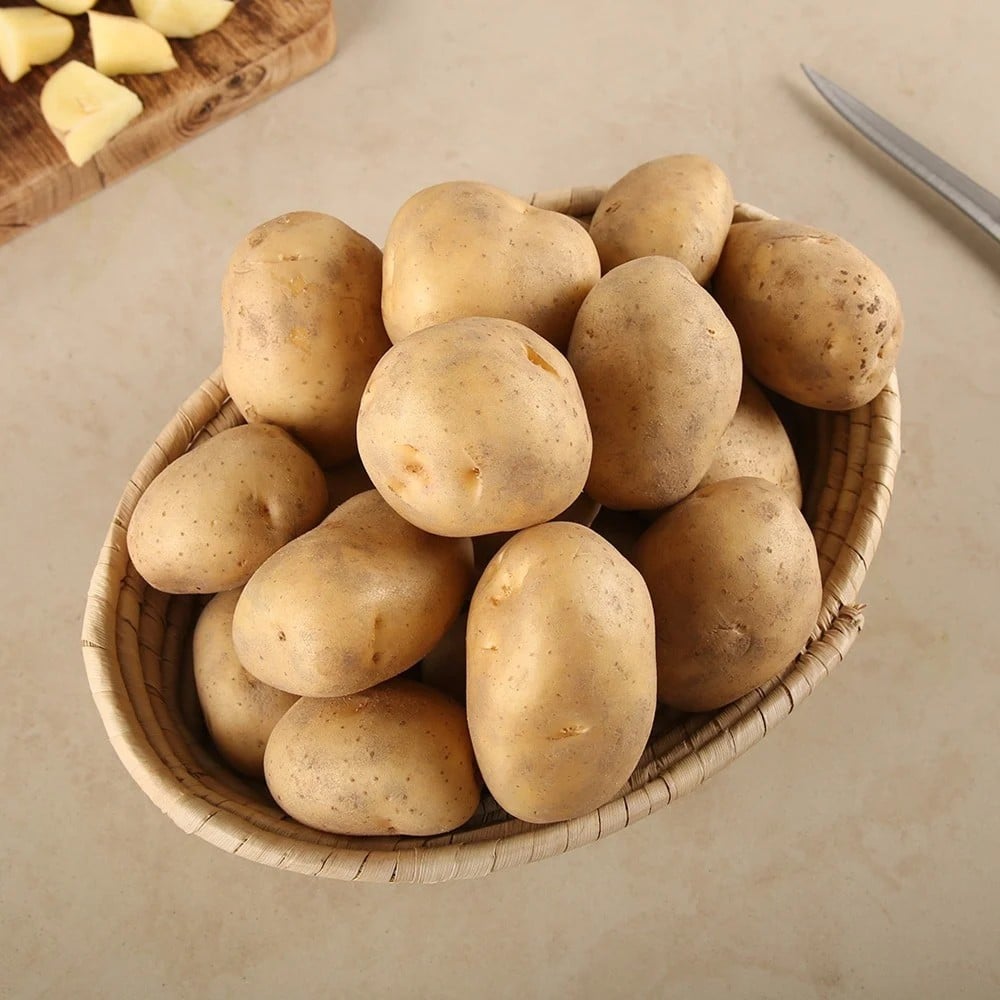
 | https://blinkit.com/prn/potato-aloo/prid/199435 | 199435 | Potato (Aloo) | 22 | 25 | INR | true | | 2026-08-20T10:43:43.130Z |
### How to scrape supported list pages
This Actor accepts individual product links in `productUrls`. It accepts category pages in `categoryUrls`.
1. Open a supported list page in your browser.
2. Choose a category you need.
3. Copy the final URL from the address bar and paste it into `categoryUrls`.
The Actor follows the products shown on that page.
### Features
- Scrapes detailed grocery product information from Blinkit product pages
- Accepts individual product URLs and category pages
- Lets you limit the number of saved products and choose whether to continue through additional result pages
- Returns structured prices, stock status, ingredients, product images, and customer-visible attributes for viewing, export, and analysis
### Pricing
This Actor uses pay-per-event pricing. Its running costs are included.
- **Actor start:** $0.03 once per run — One fixed charge for starting a run.
- **Result:** $0.00099 each ($0.99 per 1,000) — A product record collected directly from a supported list page.
- **Product detail:** $0.00399 each ($3.99 per 1,000) — A full product record collected from its product page.
The start charge applies once per run. Each saved product is charged either as a Result or a Product detail, never both.
| Results in one run | Result | Product detail |
| ---: | ---: | ---: |
| 100 | $0.13 | $0.43 |
| 1,000 | $1.02 | $4.02 |
[Apify's Free plan](https://apify.com/pricing) currently includes $5 in monthly usage credits. If the full $5 is available for this Actor, one run covers about 5,020 Results or 1,245 Product details. Other Apify usage reduces the available credit.
### Input
The Actor accepts the following input parameters:
| Field | Type | Description |
| --- | --- | --- |
| `productUrls` | array | Product URLs to scrape |
| `categoryUrls` | array | Supported list pages: category pages |
| `maxResultsPerScrape` | integer | Maximum number of product records to save |
| `usePagination` | boolean | Whether to continue through additional result pages |
| `scrapeProductDetails` | boolean | Enabled returns Product detail records with the product-page fields listed below. Disabled returns Result records with the list-level fields. |
### What data you get in each mode
Every saved product is stored as one record. `scrapeProductDetails` decides which mode you receive; the lists below name every field each mode can return. A field is empty when the website does not show that information.
#### Result
A list-level product record with 17 declared fields:
`url`, `product_id`, `name`, `price`, `regular_price`, `currency`, `in_stock`, `sku`, `brand`, `weight`, `main_image`, `images`, `canonical_url`, `scraped_at`, `promotion_text`, `delivery_promise`, `option_count`
#### Product detail
A full product record with 28 declared fields:
`url`, `product_id`, `name`, `price`, `regular_price`, `currency`, `in_stock`, `sku`, `brand`, `category`, `breadcrumbs`, `main_image`, `images`, `description`, `description_html`, `weight`, `features`, `attributes`, `canonical_url`, `scraped_at`, `country_of_origin`, `food_license`, `ingredients`, `manufacturer`, `shelf_life`, `promotion_text`, `delivery_promise`, `option_count`
### Output Example (full)
The Actor stores one structured record per product. Card-only records contain only fields available on the list; detail-only fields are omitted.
```json
{
"attributes": {
"Description": "Potatoes can be included in your daily meals. They are rich source of Carbohydrates.",
"Unit": "1 kg",
"Shelf Life": "3 days",
"Storage Tips": "Store the potatoes unwashed unless they are needed. Keep in wire baskets at room temperature.",
"Storage Temperature (degC)": "7-10 degC",
"Disclaimer": "Every effort is made to maintain the accuracy of all information. However, actual product packaging and materials may contain more and/or different information. It is recommended not to solely rely on the information presented.",
"Country of Origin": "India",
"Customer Care Details": "Email: info@blinkit.com",
"Return Policy": "The product is non-returnable. For a damaged, rotten or incorrect item, you can request a replacement within 48 hours of delivery.\nIn case of an incorrect item, you may raise a replacement or return request only if the item is sealed/ unopened/ unused and in original condition.",
"Health Benefits": "Contains Vitamin C, Potassium, starch, .Potato helps in reducing inflammation, promote digestion and are good for skin., Supports Weight Loss"
},
"brand": null,
"breadcrumbs": [],
"canonical_url": "https://blinkit.com/prn/potato-aloo/prid/199435",
"category": null,
"country_of_origin": "India",
"currency": "INR",
"description": "Potatoes can be included in your daily meals. They are rich source of Carbohydrates.",
"description_html": "
| https://blinkit.com/prn/potato-aloo/prid/199435 | 199435 | Potato (Aloo) | 22 | 25 | INR | true | | 2026-08-20T10:43:43.130Z |
### How to scrape supported list pages
This Actor accepts individual product links in `productUrls`. It accepts category pages in `categoryUrls`.
1. Open a supported list page in your browser.
2. Choose a category you need.
3. Copy the final URL from the address bar and paste it into `categoryUrls`.
The Actor follows the products shown on that page.
### Features
- Scrapes detailed grocery product information from Blinkit product pages
- Accepts individual product URLs and category pages
- Lets you limit the number of saved products and choose whether to continue through additional result pages
- Returns structured prices, stock status, ingredients, product images, and customer-visible attributes for viewing, export, and analysis
### Pricing
This Actor uses pay-per-event pricing. Its running costs are included.
- **Actor start:** $0.03 once per run — One fixed charge for starting a run.
- **Result:** $0.00099 each ($0.99 per 1,000) — A product record collected directly from a supported list page.
- **Product detail:** $0.00399 each ($3.99 per 1,000) — A full product record collected from its product page.
The start charge applies once per run. Each saved product is charged either as a Result or a Product detail, never both.
| Results in one run | Result | Product detail |
| ---: | ---: | ---: |
| 100 | $0.13 | $0.43 |
| 1,000 | $1.02 | $4.02 |
[Apify's Free plan](https://apify.com/pricing) currently includes $5 in monthly usage credits. If the full $5 is available for this Actor, one run covers about 5,020 Results or 1,245 Product details. Other Apify usage reduces the available credit.
### Input
The Actor accepts the following input parameters:
| Field | Type | Description |
| --- | --- | --- |
| `productUrls` | array | Product URLs to scrape |
| `categoryUrls` | array | Supported list pages: category pages |
| `maxResultsPerScrape` | integer | Maximum number of product records to save |
| `usePagination` | boolean | Whether to continue through additional result pages |
| `scrapeProductDetails` | boolean | Enabled returns Product detail records with the product-page fields listed below. Disabled returns Result records with the list-level fields. |
### What data you get in each mode
Every saved product is stored as one record. `scrapeProductDetails` decides which mode you receive; the lists below name every field each mode can return. A field is empty when the website does not show that information.
#### Result
A list-level product record with 17 declared fields:
`url`, `product_id`, `name`, `price`, `regular_price`, `currency`, `in_stock`, `sku`, `brand`, `weight`, `main_image`, `images`, `canonical_url`, `scraped_at`, `promotion_text`, `delivery_promise`, `option_count`
#### Product detail
A full product record with 28 declared fields:
`url`, `product_id`, `name`, `price`, `regular_price`, `currency`, `in_stock`, `sku`, `brand`, `category`, `breadcrumbs`, `main_image`, `images`, `description`, `description_html`, `weight`, `features`, `attributes`, `canonical_url`, `scraped_at`, `country_of_origin`, `food_license`, `ingredients`, `manufacturer`, `shelf_life`, `promotion_text`, `delivery_promise`, `option_count`
### Output Example (full)
The Actor stores one structured record per product. Card-only records contain only fields available on the list; detail-only fields are omitted.
```json
{
"attributes": {
"Description": "Potatoes can be included in your daily meals. They are rich source of Carbohydrates.",
"Unit": "1 kg",
"Shelf Life": "3 days",
"Storage Tips": "Store the potatoes unwashed unless they are needed. Keep in wire baskets at room temperature.",
"Storage Temperature (degC)": "7-10 degC",
"Disclaimer": "Every effort is made to maintain the accuracy of all information. However, actual product packaging and materials may contain more and/or different information. It is recommended not to solely rely on the information presented.",
"Country of Origin": "India",
"Customer Care Details": "Email: info@blinkit.com",
"Return Policy": "The product is non-returnable. For a damaged, rotten or incorrect item, you can request a replacement within 48 hours of delivery.\nIn case of an incorrect item, you may raise a replacement or return request only if the item is sealed/ unopened/ unused and in original condition.",
"Health Benefits": "Contains Vitamin C, Potassium, starch, .Potato helps in reducing inflammation, promote digestion and are good for skin., Supports Weight Loss"
},
"brand": null,
"breadcrumbs": [],
"canonical_url": "https://blinkit.com/prn/potato-aloo/prid/199435",
"category": null,
"country_of_origin": "India",
"currency": "INR",
"description": "Potatoes can be included in your daily meals. They are rich source of Carbohydrates.",
"description_html": "Potatoes can be included in your daily meals. They are rich source of Carbohydrates.
", "features": [], "food_license": null, "images": [ "https://cdn.grofers.com/da/cms-assets/cms/product/rc-upload-1779767007480-819.jpg", "https://cdn.grofers.com/da/cms-assets/cms/product/5bf9c1cd-605e-48b8-9a99-962a9237d22c.jpg", "https://cdn.grofers.com/da/cms-assets/cms/product/0799b520-8e5b-4698-8cec-535da72d585a.jpg" ], "in_stock": true, "ingredients": null, "manufacturer": null, "name": "Potato (Aloo)", "price": 22, "product_id": "199435", "regular_price": 25, "shelf_life": "3 days", "sku": "199435", "url": "https://blinkit.com/prn/potato-aloo/prid/199435", "weight": "1 kg", "main_image": "https://cdn.grofers.com/da/cms-assets/cms/product/rc-upload-1779767007480-819.jpg", "scraped_at": "2026-08-20T10:43:43.130Z" } ``` ### Use Cases - Monitor grocery prices and availability - Compare fresh-food assortments - Build structured grocery research datasets ### Integrate with AI and automation #### Use with AI through MCP Connect your AI assistant to the [Apify MCP server](https://docs.apify.com/integrations/mcp). It can discover and run Actors, then access the results in the same conversation. For example, ask your assistant to scrape a list of products from Blinkit, compare prices, or summarize the collected data. #### Run on a schedule After one successful run, use [Apify Schedules](https://docs.apify.com/actors/running/schedules) to repeat the same task hourly, daily, weekly, or with a custom cron schedule. Saved tasks are useful when you want to keep the same URLs and settings for every run. #### Connect with n8n [Create an n8n account](https://n8n.partnerlinks.io/ezvl1qy3f990) and add the verified Apify node to a workflow. Choose **Run an Actor and Get Dataset** when the workflow should start this Actor, wait for completion, and receive the product rows for the next node. See the [Apify integration for n8n](https://n8n.io/integrations/apify/). #### Connect with Make [Create a Make account](https://www.make.com/en/register?pc=vasarmilan) and add the Apify **Run an Actor** module. Follow it with **Get Dataset Items** to pass the product rows to Google Sheets, a database, email, or another Make module. For longer runs, use **Watch Actor Runs** followed by **Get Dataset Items**. [Read the Make integration guide](https://docs.apify.com/integrations/make). # Actor input Schema ## `productUrls` (type: `array`): Product URLs on Blinkit. ## `categoryUrls` (type: `array`): Category URLs on Blinkit. ## `maxResultsPerScrape` (type: `integer`): Maximum number of product records to save. ## `usePagination` (type: `boolean`): Enqueue the bounded pagination lookahead exposed by this actor. ## `scrapeProductDetails` (type: `boolean`): Enabled returns Product detail records with the product-page fields listed in the README. Disabled returns Result records with the list-level fields. ## Actor input object example ```json { "productUrls": [ "https://blinkit.com/prn/potato-aloo/prid/199435", "https://blinkit.com/prn/green-capsicum-shimla-mirch/prid/3888", "https://blinkit.com/prn/coriander-bunch-dhaniya-patta/prid/3889" ], "categoryUrls": [ "https://blinkit.com/cn/fruits-vegetables/cid/1487/1489" ], "maxResultsPerScrape": 20, "usePagination": true, "scrapeProductDetails": true } ``` # Actor output Schema ## `dataset` (type: `string`): No description # API You can run this Actor programmatically using our API. Below are code examples in JavaScript, Python, and CLI, as well as the OpenAPI specification and MCP server setup. ## JavaScript example ```javascript import { ApifyClient } from 'apify-client'; // Initialize the ApifyClient with your Apify API token // Replace the '