# IAA Scraper 🛒 $0.9/1k (`123webdata/iaa-vehicle-auction-scraper`) Actor
$0.9/1k 💰 | Fast ⚡️ | Quick Support 🚀 | Scrape IAA search and auction pages; get vehicle identity, damage and title facts, auction branch and timing, and high-resolution main images. Export JSON or CSV for vehicle auction research.
- **URL**: https://apify.com/123webdata/iaa-vehicle-auction-scraper.md
- **Developed by:** [123 Webdata](https://apify.com/123webdata) (community)
- **Stats:** 3 total users, 2 monthly users, 100.0% runs succeeded, 0 bookmarks
- **User rating**: No ratings yet
## Pricing
from $0.80 / 1,000 results
This Actor is paid per event. You are not charged for the Apify platform usage, but only a fixed price for specific events.
Since this Actor supports Apify Store discounts, the price gets lower the higher subscription plan you have.
Learn more: https://docs.apify.com/actors/running/actors-in-store.md#pay-per-event
## What's an Apify Actor?
An Actor is a serverless cloud program that runs on the Apify platform. It has two run modes.
In Batch mode, an Actor accepts a well-defined JSON input, performs an action which can take anything from a few seconds to a few hours,
and optionally produces a well-defined JSON output, datasets with results, or files in key-value store.
In Standby mode, an Actor provides a web server which can be used as a website, API, or an MCP server.
Apify vocabulary and the platform model are defined once, in the agent quickstart at https://apify.com/agents.md.
## How to integrate an Actor?
If asked about integration, you help developers integrate Actors into their projects.
You adapt to their stack and deliver integrations that are safe, well-documented, and production-ready.
Do not guess an integration path. Every one of them is in the agent quickstart at https://apify.com/agents.md: the Apify MCP server, Agent Skills with the Apify CLI, the JavaScript and Python clients, the REST API, and the account-free path for an agent with no human to sign in. It also carries the rule on stating cost before the first paid run.
For examples already wired to this Actor's own input schema, see the [API](#api) section below.
Each client library has reference documentation the quickstart does not restate: [JavaScript/TypeScript](https://docs.apify.com/api/client/js/docs.md) (`npm install apify-client`) and [Python](https://docs.apify.com/api/client/python/docs.md) (`pip install apify-client`).
# README
## IAA Vehicle Auction Scraper
Collect structured salvage and auction vehicle records from IAA product and search URLs. Very high data coverage: up to 14 fields are available for each product.
### Issues and feature requests
If you encounter an issue or need a field added, open an issue on the Actor page or write to hello@123webdata.com.
### Output Example (simplified)
The overview shows the most useful fields in a table. Product images are displayed as thumbnails when the website provides them.
| Image | Product URL | Product ID | Product name | Brand | Scraped at |
| --- | --- | --- | --- | --- | --- |
| 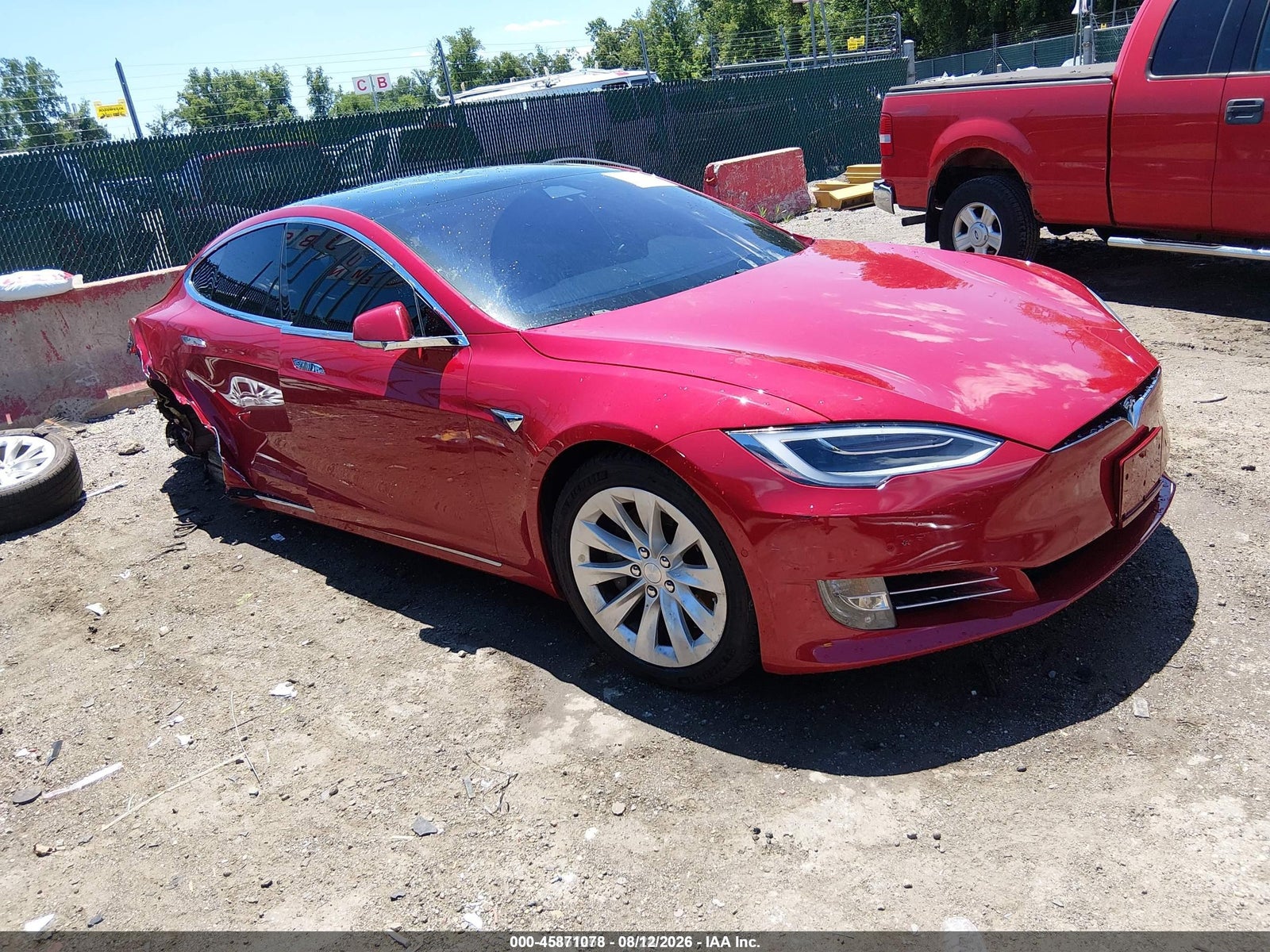 | https://www.iaai.com/VehicleDetail/46370074~US | 46370074 | 2018 TESLA MODEL S 100D/75D/P100D | TESLA | 2026-08-20T05:42:00.000Z |
### How to scrape supported list pages
This Actor accepts individual product links in `productUrls`. It accepts search result pages in `categoryUrls`.
1. Open a supported list page in your browser.
2. Run a search you need.
3. Copy the final URL from the address bar and paste it into `categoryUrls`.
The Actor follows the products shown on that page.
Add one or more List URLs to scrape. `categoryUrls` is labelled **List URLs** in the Console and accepts search result pages.
#### Scrape IAA Search Pages
Pass a search results URL and the Actor collects the products that match your query. Example: https://www.iaai.com/Search?Keyword=ford
The `scrapeProductDetails` option (labelled Include product details) decides what each List URL produces. When it is enabled, the Actor visits each product page and returns the full detail records; when it is disabled, the Actor returns one list-level record per product card with the fields that are always included.
### Features
- Scrapes detailed vehicle auction information from IAA product pages
- Accepts individual product URLs and search result pages
- Lets you limit the number of saved products and choose whether to continue through additional result pages
- Returns structured vehicle identity, damage and title facts, auction branch and timing, and high-resolution main images for viewing, export, and analysis
### Pricing
This Actor uses pay-per-event pricing. Its running costs are included.
- **Actor start:** $0.02 once per run — One fixed charge for starting a run.
- **Result:** $0.00089 each ($0.89 per 1,000) — A product record collected directly from a supported list page.
- **Product detail:** $0.00199 each ($1.99 per 1,000) — A full product record collected from its product page.
The start charge applies once per run. Each saved product is charged either as a Result or a Product detail, never both.
| Results in one run | Result | Product detail |
| ---: | ---: | ---: |
| 100 | $0.11 | $0.22 |
| 1,000 | $0.91 | $2.01 |
[Apify's Free plan](https://apify.com/pricing) currently includes $5 in monthly usage credits. If the full $5 is available for this Actor, one run covers about 5,595 Results or 2,502 Product details. Other Apify usage reduces the available credit.
### Input
The Actor accepts the following input parameters:
| Field | Type | Description |
| --- | --- | --- |
| `productUrls` | array | Product URLs to scrape |
| `categoryUrls` | array | Supported list pages: search result pages |
| `maxResultsPerScrape` | integer | Maximum number of product records to save |
| `usePagination` | boolean | Whether to continue through additional result pages |
| `scrapeProductDetails` | boolean | If the Include product details option is enabled, the Actor visits each product page for the full detail record; if it is disabled, the Actor returns one list-level result record per product card. Both field lists are in "What data you get in each mode" below. |
### What data you get in each mode
Every saved product is stored as one record. `scrapeProductDetails` decides which mode you receive; the lists below name every field each mode can return. A field is empty when the website does not show that information.
#### Result
A list-level product record with 14 declared fields:
`url`, `product_id`, `name`, `sku`, `brand`, `color`, `year`, `main_image`, `images`, `attributes`, `actual_cash_value`, `actual_cash_value_currency`, `canonical_url`, `scraped_at`
#### Product detail
A full product record with 14 declared fields:
`url`, `product_id`, `name`, `sku`, `brand`, `color`, `main_image`, `images`, `attributes`, `canonical_url`, `scraped_at`, `year`, `actual_cash_value`, `actual_cash_value_currency`
### Output Example (full)
The Actor stores one structured record per product. Card-only records contain only fields available on the list; detail-only fields are omitted.
```json
{
"url": "https://www.iaai.com/VehicleDetail/46370074~US",
"product_id": "46370074",
"name": "2018 TESLA MODEL S 100D/75D/P100D",
"sku": "45871078",
"brand": "TESLA",
"color": "RED",
"main_image": "https://vis.iaai.com/resizer?imageKeys=46370074%7ESID%7EI1&width=1600&height=1200",
"images": [
"https://vis.iaai.com/resizer?imageKeys=46370074%7ESID%7EI1&width=1600&height=1200"
],
"attributes": {
"Auction date": "8/20/2026 1:30:00 PM +00:00",
"Body style": "HATCHBACK",
"Branch": "Baltimore (MD)",
"Drivetrain": "AWD",
"Fuel type": "Electric",
"Keys": true,
"Loss type": "Collision",
"Odometer": "82,166 mi (Inoperable Digital Dash)",
"Primary damage": "RIGHT REAR",
"Run and drive": false,
"Secondary damage": "RIGHT SIDE",
"Title document": "REPAIRABLE BillOfSale - MD",
"Transmission": "Automatic",
"VIN": "5YJSA1E27JF******"
},
"canonical_url": "https://www.iaai.com/VehicleDetail/46370074~US",
"scraped_at": "2026-08-20T05:42:00.000Z",
"year": 2018
}
```
### Use Cases
- Compare salvage vehicle specifications and damage disclosures
- Track current IAA auction inventory
- Build vehicle-auction research datasets
### Integrate with AI and automation
#### Use with AI through MCP
Connect your AI assistant to the [Apify MCP server](https://docs.apify.com/integrations/mcp). It can discover and run Actors, then access the results in the same conversation. For example, ask your assistant to scrape a list of products from IAA, compare prices, or summarize the collected data.
#### Run on a schedule
After one successful run, use [Apify Schedules](https://docs.apify.com/actors/running/schedules) to repeat the same task hourly, daily, weekly, or with a custom cron schedule. Saved tasks are useful when you want to keep the same URLs and settings for every run.
#### Connect with n8n
[Create an n8n account](https://n8n.partnerlinks.io/ezvl1qy3f990) and add the verified Apify node to a workflow. Choose **Run an Actor and Get Dataset** when the workflow should start this Actor, wait for completion, and receive the product rows for the next node. See the [Apify integration for n8n](https://n8n.io/integrations/apify/).
#### Connect with Make
[Create a Make account](https://www.make.com/en/register?pc=vasarmilan) and add the Apify **Run an Actor** module. Follow it with **Get Dataset Items** to pass the product rows to Google Sheets, a database, email, or another Make module. For longer runs, use **Watch Actor Runs** followed by **Get Dataset Items**.
[Read the Make integration guide](https://docs.apify.com/integrations/make).
# Actor input Schema
## `productUrls` (type: `array`):
Add one or more product page URLs to scrape. Example product URLs:
- https://www.iaai.com/VehicleDetail/46370074~US
## `categoryUrls` (type: `array`):
Add one or more List URLs to scrape.
Supported page types with examples:
- Search page: https://www.iaai.com/Search?Keyword=ford
Leave blank if using direct product URLs instead.
The `scrapeProductDetails` option (labelled Include product details) decides what each List URL produces. When it is enabled, the Actor visits each product page and returns the full detail records; when it is disabled, the Actor returns one list-level record per product card with the fields that are always included.
## `maxResultsPerScrape` (type: `integer`):
Maximum number of product records to save.
## `usePagination` (type: `boolean`):
If this option is enabled and a List URL has more than one page, the Actor continues through the following pages until it reaches the Maximum results limit. If the option is disabled, the Actor only scrapes the first page of each List URL.
## `scrapeProductDetails` (type: `boolean`):
If this option is enabled, the Actor visits each product page and adds the full product details to every record. If it is disabled, the Actor returns one list-level result record per product card.
Fields that are always included:
- `url`
- `product_id`
- `name`
- `sku`
- `brand`
- `color`
- `year`
- `main_image`
- `images`
- `attributes`
- `actual_cash_value`
- `actual_cash_value_currency`
- `canonical_url`
- `scraped_at`
## Actor input object example
```json
{
"productUrls": [
"https://www.iaai.com/VehicleDetail/46370074~US"
],
"categoryUrls": [
"https://www.iaai.com/Search?Keyword=ford",
"https://www.iaai.com/Search"
],
"maxResultsPerScrape": 5,
"usePagination": true,
"scrapeProductDetails": true
}
```
# Actor output Schema
## `dataset` (type: `string`):
No description
# API
You can run this Actor programmatically using our API. Below are code examples in JavaScript, Python, and CLI, as well as the OpenAPI specification and MCP server setup.
## JavaScript example
```javascript
import { ApifyClient } from 'apify-client';
// Initialize the ApifyClient with your Apify API token
// Replace the '' with your token
const client = new ApifyClient({
token: '',
});
// Prepare Actor input
const input = {
"productUrls": [
"https://www.iaai.com/VehicleDetail/46370074~US"
],
"categoryUrls": [
"https://www.iaai.com/Search?Keyword=ford",
"https://www.iaai.com/Search"
],
"maxResultsPerScrape": 5,
"usePagination": false
};
// Run the Actor and wait for it to finish
const run = await client.actor("123webdata/iaa-vehicle-auction-scraper").call(input);
// Fetch and print Actor results from the run's dataset (if any)
console.log('Results from dataset');
console.log(`💾 Check your data here: https://console.apify.com/storage/datasets/${run.defaultDatasetId}`);
const { items } = await client.dataset(run.defaultDatasetId).listItems();
items.forEach((item) => {
console.dir(item);
});
// 📚 Want to learn more 📖? Go to → https://docs.apify.com/api/client/js/docs
```
## Python example
```python
from apify_client import ApifyClient
# Initialize the ApifyClient with your Apify API token
# Replace '' with your token.
client = ApifyClient("")
# Prepare the Actor input
run_input = {
"productUrls": ["https://www.iaai.com/VehicleDetail/46370074~US"],
"categoryUrls": [
"https://www.iaai.com/Search?Keyword=ford",
"https://www.iaai.com/Search",
],
"maxResultsPerScrape": 5,
"usePagination": False,
}
# Run the Actor and wait for it to finish
run = client.actor("123webdata/iaa-vehicle-auction-scraper").call(run_input=run_input)
# Fetch and print Actor results from the run's dataset (if there are any)
print(f"💾 Check your data here: https://console.apify.com/storage/datasets/{run.default_dataset_id}")
for item in client.dataset(run.default_dataset_id).iterate_items():
print(item)
# 📚 Want to learn more 📖? Go to → https://docs.apify.com/api/client/python/docs/quick-start
```
## CLI example
```bash
echo '{
"productUrls": [
"https://www.iaai.com/VehicleDetail/46370074~US"
],
"categoryUrls": [
"https://www.iaai.com/Search?Keyword=ford",
"https://www.iaai.com/Search"
],
"maxResultsPerScrape": 5,
"usePagination": false
}' |
apify call 123webdata/iaa-vehicle-auction-scraper --silent --output-dataset
```
## MCP server setup
```json
{
"mcpServers": {
"apify": {
"type": "http",
"url": "https://mcp.apify.com/?tools=fetch-actor-details,123webdata/iaa-vehicle-auction-scraper"
}
}
}
```
The hosted server signs you in with OAuth on first connect, so no API token belongs in this config. Clients without OAuth support can send an `Authorization: Bearer ` header instead, using a token from API & Integrations in Apify Console (https://console.apify.com/settings/integrations).
## OpenAPI specification
Download the OpenAPI definition: https://api.apify.com/v2/actors/NakSgqAdAip2EWRbO/builds/v9QHtaMm2tz33aywk/openapi.json
| https://www.iaai.com/VehicleDetail/46370074~US | 46370074 | 2018 TESLA MODEL S 100D/75D/P100D | TESLA | 2026-08-20T05:42:00.000Z |
### How to scrape supported list pages
This Actor accepts individual product links in `productUrls`. It accepts search result pages in `categoryUrls`.
1. Open a supported list page in your browser.
2. Run a search you need.
3. Copy the final URL from the address bar and paste it into `categoryUrls`.
The Actor follows the products shown on that page.
Add one or more List URLs to scrape. `categoryUrls` is labelled **List URLs** in the Console and accepts search result pages.
#### Scrape IAA Search Pages
Pass a search results URL and the Actor collects the products that match your query. Example: https://www.iaai.com/Search?Keyword=ford
The `scrapeProductDetails` option (labelled Include product details) decides what each List URL produces. When it is enabled, the Actor visits each product page and returns the full detail records; when it is disabled, the Actor returns one list-level record per product card with the fields that are always included.
### Features
- Scrapes detailed vehicle auction information from IAA product pages
- Accepts individual product URLs and search result pages
- Lets you limit the number of saved products and choose whether to continue through additional result pages
- Returns structured vehicle identity, damage and title facts, auction branch and timing, and high-resolution main images for viewing, export, and analysis
### Pricing
This Actor uses pay-per-event pricing. Its running costs are included.
- **Actor start:** $0.02 once per run — One fixed charge for starting a run.
- **Result:** $0.00089 each ($0.89 per 1,000) — A product record collected directly from a supported list page.
- **Product detail:** $0.00199 each ($1.99 per 1,000) — A full product record collected from its product page.
The start charge applies once per run. Each saved product is charged either as a Result or a Product detail, never both.
| Results in one run | Result | Product detail |
| ---: | ---: | ---: |
| 100 | $0.11 | $0.22 |
| 1,000 | $0.91 | $2.01 |
[Apify's Free plan](https://apify.com/pricing) currently includes $5 in monthly usage credits. If the full $5 is available for this Actor, one run covers about 5,595 Results or 2,502 Product details. Other Apify usage reduces the available credit.
### Input
The Actor accepts the following input parameters:
| Field | Type | Description |
| --- | --- | --- |
| `productUrls` | array | Product URLs to scrape |
| `categoryUrls` | array | Supported list pages: search result pages |
| `maxResultsPerScrape` | integer | Maximum number of product records to save |
| `usePagination` | boolean | Whether to continue through additional result pages |
| `scrapeProductDetails` | boolean | If the Include product details option is enabled, the Actor visits each product page for the full detail record; if it is disabled, the Actor returns one list-level result record per product card. Both field lists are in "What data you get in each mode" below. |
### What data you get in each mode
Every saved product is stored as one record. `scrapeProductDetails` decides which mode you receive; the lists below name every field each mode can return. A field is empty when the website does not show that information.
#### Result
A list-level product record with 14 declared fields:
`url`, `product_id`, `name`, `sku`, `brand`, `color`, `year`, `main_image`, `images`, `attributes`, `actual_cash_value`, `actual_cash_value_currency`, `canonical_url`, `scraped_at`
#### Product detail
A full product record with 14 declared fields:
`url`, `product_id`, `name`, `sku`, `brand`, `color`, `main_image`, `images`, `attributes`, `canonical_url`, `scraped_at`, `year`, `actual_cash_value`, `actual_cash_value_currency`
### Output Example (full)
The Actor stores one structured record per product. Card-only records contain only fields available on the list; detail-only fields are omitted.
```json
{
"url": "https://www.iaai.com/VehicleDetail/46370074~US",
"product_id": "46370074",
"name": "2018 TESLA MODEL S 100D/75D/P100D",
"sku": "45871078",
"brand": "TESLA",
"color": "RED",
"main_image": "https://vis.iaai.com/resizer?imageKeys=46370074%7ESID%7EI1&width=1600&height=1200",
"images": [
"https://vis.iaai.com/resizer?imageKeys=46370074%7ESID%7EI1&width=1600&height=1200"
],
"attributes": {
"Auction date": "8/20/2026 1:30:00 PM +00:00",
"Body style": "HATCHBACK",
"Branch": "Baltimore (MD)",
"Drivetrain": "AWD",
"Fuel type": "Electric",
"Keys": true,
"Loss type": "Collision",
"Odometer": "82,166 mi (Inoperable Digital Dash)",
"Primary damage": "RIGHT REAR",
"Run and drive": false,
"Secondary damage": "RIGHT SIDE",
"Title document": "REPAIRABLE BillOfSale - MD",
"Transmission": "Automatic",
"VIN": "5YJSA1E27JF******"
},
"canonical_url": "https://www.iaai.com/VehicleDetail/46370074~US",
"scraped_at": "2026-08-20T05:42:00.000Z",
"year": 2018
}
```
### Use Cases
- Compare salvage vehicle specifications and damage disclosures
- Track current IAA auction inventory
- Build vehicle-auction research datasets
### Integrate with AI and automation
#### Use with AI through MCP
Connect your AI assistant to the [Apify MCP server](https://docs.apify.com/integrations/mcp). It can discover and run Actors, then access the results in the same conversation. For example, ask your assistant to scrape a list of products from IAA, compare prices, or summarize the collected data.
#### Run on a schedule
After one successful run, use [Apify Schedules](https://docs.apify.com/actors/running/schedules) to repeat the same task hourly, daily, weekly, or with a custom cron schedule. Saved tasks are useful when you want to keep the same URLs and settings for every run.
#### Connect with n8n
[Create an n8n account](https://n8n.partnerlinks.io/ezvl1qy3f990) and add the verified Apify node to a workflow. Choose **Run an Actor and Get Dataset** when the workflow should start this Actor, wait for completion, and receive the product rows for the next node. See the [Apify integration for n8n](https://n8n.io/integrations/apify/).
#### Connect with Make
[Create a Make account](https://www.make.com/en/register?pc=vasarmilan) and add the Apify **Run an Actor** module. Follow it with **Get Dataset Items** to pass the product rows to Google Sheets, a database, email, or another Make module. For longer runs, use **Watch Actor Runs** followed by **Get Dataset Items**.
[Read the Make integration guide](https://docs.apify.com/integrations/make).
# Actor input Schema
## `productUrls` (type: `array`):
Add one or more product page URLs to scrape. Example product URLs:
- https://www.iaai.com/VehicleDetail/46370074~US
## `categoryUrls` (type: `array`):
Add one or more List URLs to scrape.
Supported page types with examples:
- Search page: https://www.iaai.com/Search?Keyword=ford
Leave blank if using direct product URLs instead.
The `scrapeProductDetails` option (labelled Include product details) decides what each List URL produces. When it is enabled, the Actor visits each product page and returns the full detail records; when it is disabled, the Actor returns one list-level record per product card with the fields that are always included.
## `maxResultsPerScrape` (type: `integer`):
Maximum number of product records to save.
## `usePagination` (type: `boolean`):
If this option is enabled and a List URL has more than one page, the Actor continues through the following pages until it reaches the Maximum results limit. If the option is disabled, the Actor only scrapes the first page of each List URL.
## `scrapeProductDetails` (type: `boolean`):
If this option is enabled, the Actor visits each product page and adds the full product details to every record. If it is disabled, the Actor returns one list-level result record per product card.
Fields that are always included:
- `url`
- `product_id`
- `name`
- `sku`
- `brand`
- `color`
- `year`
- `main_image`
- `images`
- `attributes`
- `actual_cash_value`
- `actual_cash_value_currency`
- `canonical_url`
- `scraped_at`
## Actor input object example
```json
{
"productUrls": [
"https://www.iaai.com/VehicleDetail/46370074~US"
],
"categoryUrls": [
"https://www.iaai.com/Search?Keyword=ford",
"https://www.iaai.com/Search"
],
"maxResultsPerScrape": 5,
"usePagination": true,
"scrapeProductDetails": true
}
```
# Actor output Schema
## `dataset` (type: `string`):
No description
# API
You can run this Actor programmatically using our API. Below are code examples in JavaScript, Python, and CLI, as well as the OpenAPI specification and MCP server setup.
## JavaScript example
```javascript
import { ApifyClient } from 'apify-client';
// Initialize the ApifyClient with your Apify API token
// Replace the '' with your token
const client = new ApifyClient({
token: '',
});
// Prepare Actor input
const input = {
"productUrls": [
"https://www.iaai.com/VehicleDetail/46370074~US"
],
"categoryUrls": [
"https://www.iaai.com/Search?Keyword=ford",
"https://www.iaai.com/Search"
],
"maxResultsPerScrape": 5,
"usePagination": false
};
// Run the Actor and wait for it to finish
const run = await client.actor("123webdata/iaa-vehicle-auction-scraper").call(input);
// Fetch and print Actor results from the run's dataset (if any)
console.log('Results from dataset');
console.log(`💾 Check your data here: https://console.apify.com/storage/datasets/${run.defaultDatasetId}`);
const { items } = await client.dataset(run.defaultDatasetId).listItems();
items.forEach((item) => {
console.dir(item);
});
// 📚 Want to learn more 📖? Go to → https://docs.apify.com/api/client/js/docs
```
## Python example
```python
from apify_client import ApifyClient
# Initialize the ApifyClient with your Apify API token
# Replace '' with your token.
client = ApifyClient("")
# Prepare the Actor input
run_input = {
"productUrls": ["https://www.iaai.com/VehicleDetail/46370074~US"],
"categoryUrls": [
"https://www.iaai.com/Search?Keyword=ford",
"https://www.iaai.com/Search",
],
"maxResultsPerScrape": 5,
"usePagination": False,
}
# Run the Actor and wait for it to finish
run = client.actor("123webdata/iaa-vehicle-auction-scraper").call(run_input=run_input)
# Fetch and print Actor results from the run's dataset (if there are any)
print(f"💾 Check your data here: https://console.apify.com/storage/datasets/{run.default_dataset_id}")
for item in client.dataset(run.default_dataset_id).iterate_items():
print(item)
# 📚 Want to learn more 📖? Go to → https://docs.apify.com/api/client/python/docs/quick-start
```
## CLI example
```bash
echo '{
"productUrls": [
"https://www.iaai.com/VehicleDetail/46370074~US"
],
"categoryUrls": [
"https://www.iaai.com/Search?Keyword=ford",
"https://www.iaai.com/Search"
],
"maxResultsPerScrape": 5,
"usePagination": false
}' |
apify call 123webdata/iaa-vehicle-auction-scraper --silent --output-dataset
```
## MCP server setup
```json
{
"mcpServers": {
"apify": {
"type": "http",
"url": "https://mcp.apify.com/?tools=fetch-actor-details,123webdata/iaa-vehicle-auction-scraper"
}
}
}
```
The hosted server signs you in with OAuth on first connect, so no API token belongs in this config. Clients without OAuth support can send an `Authorization: Bearer ` header instead, using a token from API & Integrations in Apify Console (https://console.apify.com/settings/integrations).
## OpenAPI specification
Download the OpenAPI definition: https://api.apify.com/v2/actors/NakSgqAdAip2EWRbO/builds/v9QHtaMm2tz33aywk/openapi.json