# LinkedIn Jobs Market Intelligence Scraper (`boukapp/linkedin-jobs-intelligence-scraper`) Actor

Track public LinkedIn job postings to find hiring companies, market demand, job leads, locations, apply URLs, and structured recruiting data.

- **URL**: https://apify.com/boukapp/linkedin-jobs-intelligence-scraper.md
- **Developed by:** [BOUKAPP](https://apify.com/boukapp) (community)
- **Categories:** Jobs, Social media, Lead generation
- **Stats:** 2 total users, 1 monthly users, 100.0% runs succeeded, 0 bookmarks
- **User rating**: 5.00 out of 5 stars

## Pricing

from $2.80 / 1,000 job results

This Actor is paid per event and usage. You are charged both the fixed price for specific events and for Apify platform usage.
Since this Actor supports Apify Store discounts, the price gets lower the higher subscription plan you have.

Learn more: https://docs.apify.com/platform/actors/running/actors-in-store#pay-per-event

## What's an Apify Actor?

Actors are a software tools running on the Apify platform, for all kinds of web data extraction and automation use cases.
In Batch mode, an Actor accepts a well-defined JSON input, performs an action which can take anything from a few seconds to a few hours,
and optionally produces a well-defined JSON output, datasets with results, or files in key-value store.
In Standby mode, an Actor provides a web server which can be used as a website, API, or an MCP server.
Actors are written with capital "A".

## How to integrate an Actor?

If asked about integration, you help developers integrate Actors into their projects.
You adapt to their stack and deliver integrations that are safe, well-documented, and production-ready.
The best way to integrate Actors is as follows.

In JavaScript/TypeScript projects, use official [JavaScript/TypeScript client](https://docs.apify.com/api/client/js.md):

```bash
npm install apify-client
```

In Python projects, use official [Python client library](https://docs.apify.com/api/client/python.md):

```bash
pip install apify-client
```

In shell scripts, use [Apify CLI](https://docs.apify.com/cli/docs.md):

````bash
# MacOS / Linux
curl -fsSL https://apify.com/install-cli.sh | bash
# Windows
irm https://apify.com/install-cli.ps1 | iex
```bash

In AI frameworks, you might use the [Apify MCP server](https://docs.apify.com/platform/integrations/mcp.md).

If your project is in a different language, use the [REST API](https://docs.apify.com/api/v2.md).

For usage examples, see the [API](#api) section below.

For more details, see Apify documentation as [Markdown index](https://docs.apify.com/llms.txt) and [Markdown full-text](https://docs.apify.com/llms-full.txt).


# README

### What does LinkedIn Jobs Market Intelligence Scraper do?

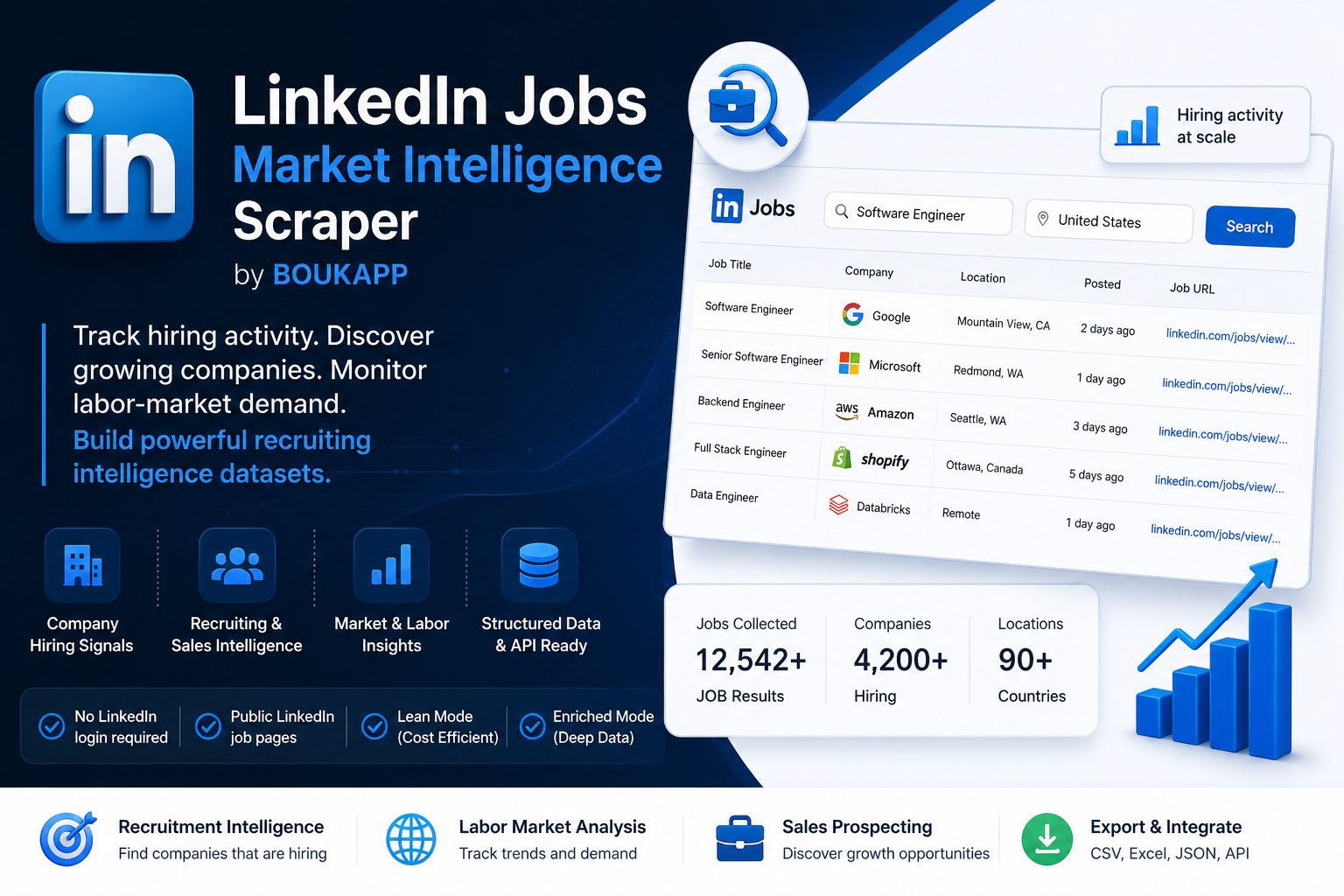
**LinkedIn Jobs Market Intelligence Scraper by BOUKAPP** helps recruiters, sales teams, and market researchers track hiring activity at scale, discover growing companies, monitor labor-market demand, and generate actionable business intelligence from public LinkedIn job postings. It extracts listings from [LinkedIn Jobs](https://www.linkedin.com/jobs/search/) and turns them into one structured dataset item per job, including hiring companies, roles, locations, posting dates, application links, and recruiting signals.

Use it to understand **which companies are hiring, what roles they need, where they are expanding, and how hiring demand changes over time**. Recruiters can monitor talent demand, sales teams can discover companies with active growth signals, analysts can track labor-market trends, and agencies can build focused prospecting or research datasets without manually copying LinkedIn search results.

On Apify, this Actor can be run manually, scheduled, connected to APIs and integrations, monitored in the Console, and combined with proxy rotation for public web data collection. BOUKAPP builds web scrapers, automation tools, and SaaS products for recruitment, lead generation, and business intelligence.

#### Ideal for

- Recruitment intelligence
- Hiring signal monitoring
- Sales prospecting
- Competitor tracking
- Labor market analysis
- Job board enrichment

### Preview

<img src="https://boukapp.net/wp-content/uploads/2026/06/readme-img-788255.png" alt="LinkedIn Jobs Market Intelligence Scraper preview" width="100%">

### Common Use Cases

#### Recruiters

Track demand for specific roles, locations, seniority levels, and industries. Use job postings as a signal for where talent demand is rising and which companies may need recruiting support.

#### Sales teams

Find companies that are actively hiring and may be expanding teams, opening new locations, adopting new tools, or increasing operational capacity. Turn hiring activity into account lists and outreach triggers.

#### Market intelligence

Monitor job volume, role mix, location trends, hiring velocity, and competitor activity. Build repeatable datasets for labor market reports, dashboards, and strategic research.

#### Startups and agencies

Validate market demand, identify growing accounts, enrich internal lead databases, and support client research with structured public hiring signals.

#### Job boards

Collect public job posting data for research, indexing, deduplication, and market coverage analysis. Optional enrichment can provide fuller descriptions and application links when available.

### Why This Actor?

- Market intelligence focused: highlights hiring signals, company activity, and trend analysis.
- Built for hiring intelligence and business research, not only job extraction.
- One row per JOB Result: each saved job is a separate dataset item.
- Structured recruiting dataset: consistent fields for jobs, companies, locations, criteria, and application data.
- Company hiring signals: identify organizations currently posting roles.
- Flexible filters: search by title, location, date range, company names, company IDs, work type, job type, and experience level.
- Optional enrichment: request deeper public job details only when your workflow needs them.
- No LinkedIn login or cookies required: the Actor works with public LinkedIn job pages.
- API-ready output: download results or connect them to CRMs, spreadsheets, databases, BI tools, and automations.

### Lean Mode (Recommended)

Lean Mode is the default and cheapest way to run the Actor. It collects the core job and company data while reducing runtime, extra public page requests, proxy traffic, and Platform Usage costs.

Recommended Lean Mode settings:

```json
{
  "includeJobDetails": false,
  "includeDescriptionHtml": false,
  "includePosterDetails": false,
  "includeCompanyNumericId": false
}
````

Use Lean Mode when you mainly need job IDs, titles, companies, locations, posting age, job URLs, company URLs, and other fields available from the search results. This is the best starting point for lead generation, hiring activity monitoring, competitor tracking, and cost-controlled market scans.

### Enriched Mode

Enable enrichment options when you need deeper public job data such as full descriptions, formatted HTML descriptions, richer apply data, poster details, or numeric company IDs. These fields are useful for job board workflows, AI summarization, detailed recruiting research, and company matching.

Enriched Mode options may require extra public page requests. They can increase runtime, proxy traffic, retries, and Platform Usage costs. Some enriched fields may still be empty when LinkedIn does not expose them publicly for a specific job.

### How to use LinkedIn Jobs Market Intelligence Scraper

1. Open the Actor on Apify.
2. In the Input tab, enter a job title, location, optional LinkedIn geo ID, company names, company IDs, and the number of rows you want.
3. Choose optional filters such as posting date, remote or on-site work type, job type, and experience level.
4. Keep Lean Mode enabled unless you specifically need enriched fields.
5. Start with 10 to 50 rows to validate the result quality and expected cost behavior.
6. Run the Actor and wait for the dataset to populate.
7. Download results as JSON, CSV, Excel, or connect the Actor to your workflow using Apify integrations or API access.

### Input

The Input tab accepts search, filtering, enrichment, and proxy settings. A recommended Lean Mode input looks like this:

```json
{
  "title": "Software Engineer",
  "location": "United States",
  "geoId": "",
  "companyName": [],
  "companyId": [],
  "publishedAt": "r86400",
  "rows": 200,
  "includeJobDetails": false,
  "includeDescriptionHtml": false,
  "includePosterDetails": false,
  "includeCompanyNumericId": false,
  "workType": "",
  "jobType": "F",
  "experienceLevel": "",
  "proxy": {
    "useApifyProxy": true,
    "apifyProxyGroups": ["RESIDENTIAL"]
  }
}
```

`title` is used as the LinkedIn jobs keyword search. `location` and `geoId` control geography, with `geoId` useful for precise LinkedIn location targeting. `companyName` and `companyId` limit the final dataset to selected companies. `publishedAt` can filter jobs from the past 24 hours, past week, past month, or any time. `rows` controls how many final records are saved.

Keep `includeJobDetails`, `includeDescriptionHtml`, `includePosterDetails`, and `includeCompanyNumericId` disabled for Lean Mode runs. Enable them only when the additional public data is important enough to justify potentially higher Platform Usage.

### Output

Each saved job is pushed to the default Apify dataset. Missing values are stored as empty strings, which makes the output easier to process in spreadsheets, CRMs, enrichment systems, and BI tools. You can download the dataset in various formats such as JSON, HTML, CSV, or Excel.

```json
[
  {
    "id": "1234567890",
    "publishedAt": "2026-06-06",
    "salary": "",
    "title": "Software Engineer",
    "jobUrl": "https://www.linkedin.com/jobs/view/1234567890/",
    "companyName": "Example Company",
    "companyUrl": "https://www.linkedin.com/company/example-company/",
    "location": "United States",
    "postedTime": "2 days ago",
    "applicationsCount": "25 applicants",
    "description": "Role description text...",
    "contractType": "Full-time",
    "experienceLevel": "Mid-Senior level",
    "workType": "Engineering and Information Technology",
    "sector": "Software Development",
    "applyType": "EXTERNAL",
    "applyUrl": "https://example.com/careers/job-123",
    "descriptionHtml": "<p>Role description HTML...</p>",
    "companyId": "12345",
    "companySlug": "example-company",
    "companyLogo": "https://media.licdn.com/...",
    "benefits": "",
    "posterProfileUrl": "",
    "posterFullName": ""
  }
]
```

### Data table

| Field | Description |
| --- | --- |
| `id` | LinkedIn job ID parsed from the job URL. |
| `publishedAt` | Detected posting date or fallback date. |
| `title` | Job title. |
| `jobUrl` | Public LinkedIn job detail URL. |
| `companyName` | Hiring company name. |
| `companyUrl` | Public LinkedIn company URL when available. |
| `companyId` | Numeric LinkedIn company ID when publicly detected. |
| `companySlug` | Public LinkedIn company slug. |
| `location` | Job location text. |
| `postedTime` | LinkedIn posting age text. |
| `applicationsCount` | Visible applicant count text when available. |
| `description` | Plain text job description when available. |
| `descriptionHtml` | Formatted job description HTML when enabled and available. |
| `contractType` | Employment type from LinkedIn job criteria when available. |
| `experienceLevel` | Seniority or experience level when available. |
| `workType` | Job function or workplace-related criteria from LinkedIn. |
| `sector` | Industry or sector text when available. |
| `applyType` | External apply or LinkedIn apply classification when available. |
| `applyUrl` | Best detected application URL when available. |
| `companyLogo` | Company logo image URL when available. |
| `posterProfileUrl` | Public poster profile URL when available and enabled. |
| `posterFullName` | Poster name when available and enabled. |

### What Makes This Different?

Unlike generic job scrapers that only collect listings, this Actor is designed for hiring intelligence and market research.

Use it to:

- Track company hiring activity.
- Discover expansion signals.
- Monitor labor-market trends.
- Build recruiting datasets.
- Generate prospecting opportunities from hiring activity.

Each result is normalized and structured for analytics, automation, dashboards, and downstream processing.

### Pricing Examples

This Actor uses **Pay Per Event + Usage** monetization. The primary paid event is the default dataset item event, renamed as **JOB Result**. One saved job equals one JOB Result, and JOB Result events are charged per dataset item.

Approximate Standard Pricing:

| Saved jobs | Actor event cost |
| ---: | ---: |
| 100 jobs | about $0.33 + Platform Usage |
| 1,000 jobs | about $3.30 + Platform Usage |
| 6,000 jobs | about $19.80 + Platform Usage |
| 10,000 jobs | about $33.00 + Platform Usage |

Discounted event pricing may apply by plan:

| Plan tier | Price per 1,000 JOB Result events |
| --- | ---: |
| Starter / Bronze | from $3.20 |
| Scale / Silver | from $3.00 |
| Business / Gold | from $2.80 |

Platform Usage is variable and charged separately because this Actor uses Pay Per Event + Usage. Usage depends on runtime, proxy traffic, retries, result volume, and Enriched Mode options.

### Pricing / Cost estimation

How much does it cost to collect public LinkedIn job postings? Cost has two parts:

1. **JOB Result events**: one saved job equals one JOB Result, charged per dataset item.
2. **Platform Usage**: compute, proxy traffic, retries, and other platform resources charged separately by Apify.

The Standard Pricing event price is $3.30 per 1,000 JOB Result events. Starter, Scale, and Business tiers may reduce the event price as shown above. Platform Usage is not fixed because broad searches, slow responses, retries, Residential proxy traffic, and Enriched Mode can all increase resource consumption.

To avoid expensive configurations, test with 10 to 50 rows before scaling. Focused filters are usually more cost-effective than very broad searches. For production monitoring, schedule smaller recurring runs with specific titles, locations, companies, or date ranges instead of one large unrestricted search.

The fastest and most cost-efficient setup is usually Lean Mode with only the enrichment fields you truly need.

### Tips or Advanced options

Use exact job titles for cleaner recruiting datasets and broader keywords for market research. Add company names or numeric company IDs when you want competitor tracking or account-based prospecting. Use `publishedAt` set to the past 24 hours for fresh hiring alerts, and use past week or past month for broader trend analysis.

Disable Enriched Mode options when speed and cost control matter. Enable `includeDescriptionHtml` only when formatted descriptions are important for downstream parsing, AI summaries, or job board workflows. Inspect a small sample before scaling so you can confirm that filters, locations, and output fields match your use case.

### FAQ, disclaimers, and support

Is this Actor affiliated with LinkedIn? No. This is an independent BOUKAPP Actor and is not affiliated with, endorsed by, or sponsored by LinkedIn.

Is it legal to scrape LinkedIn Jobs? Scraping public web data may be permitted in some contexts, but you are responsible for making sure your use case follows applicable laws, LinkedIn's terms, privacy rights, and data protection rules. Do not collect, store, or process personal or sensitive data unless you have a lawful basis.

Why are some fields empty? Public LinkedIn pages do not always expose salary, benefits, poster details, numeric company IDs, descriptions, criteria, or external apply URLs. The Actor keeps the output structure stable and stores unavailable fields as empty strings.

Does this Actor use LinkedIn login, cookies, or private data? No. It is designed for public LinkedIn job pages and does not provide access to private LinkedIn data, verified emails, phone numbers, or account-only information.

Can results vary between runs? Yes. Public websites can change their pages, availability, rate limits, and displayed fields. Use small tests, focused filters, and scheduled monitoring to validate the output for your workflow.

Need higher-volume monitoring, custom workflows, private deployments, CRM enrichment, or tailored scraping solutions? Contact BOUKAPP through the Issues tab or via [boukapp.net](https://boukapp.net).

# Actor input Schema

## `title` (type: `string`):

Search keywords used as the LinkedIn jobs keywords parameter.

## `location` (type: `string`):

LinkedIn jobs location search value.

## `geoId` (type: `string`):

Optional LinkedIn geoId for precise location targeting, for example Morocco is 102787409.

## `companyName` (type: `array`):

Only keep jobs whose company name matches one of these values, case-insensitive.

## `companyId` (type: `array`):

LinkedIn company IDs used in the search filter and for post-scrape filtering.

## `publishedAt` (type: `string`):

LinkedIn date filter for when the job was posted.

## `rows` (type: `integer`):

Maximum number of final jobs to save.

## `includeJobDetails` (type: `boolean`):

Fetch each public LinkedIn job detail page to extract descriptions, criteria, applications count, and richer apply data. Slower and more expensive, so disabled by default.

## `includeDescriptionHtml` (type: `boolean`):

Save the raw LinkedIn description HTML. Enabled by default because it requires job detail pages and preserves formatted descriptions.

## `includePosterDetails` (type: `boolean`):

Fetch an extra public LinkedIn jobs search page per job to try to extract poster profile and full name. Slower, so disabled by default.

## `includeCompanyNumericId` (type: `boolean`):

Fetch public company pages to try to extract numeric LinkedIn company IDs. Automatically used when company ID filters are provided. Slower, so disabled by default.

## `workType` (type: `string`):

LinkedIn workplace type filter.

## `jobType` (type: `string`):

LinkedIn employment type filter.

## `experienceLevel` (type: `string`):

LinkedIn experience level filter.

## `proxy` (type: `object`):

Use Apify Residential proxy by default for LinkedIn public pages.

## Actor input object example

```json
{
  "title": "",
  "location": "Morocco",
  "geoId": "",
  "companyName": [],
  "companyId": [],
  "publishedAt": "r86400",
  "rows": 200,
  "includeJobDetails": false,
  "includeDescriptionHtml": true,
  "includePosterDetails": false,
  "includeCompanyNumericId": false,
  "workType": "",
  "jobType": "",
  "experienceLevel": "",
  "proxy": {
    "useApifyProxy": true,
    "apifyProxyGroups": [
      "RESIDENTIAL"
    ]
  }
}
```

# Actor output Schema

## `results` (type: `string`):

No description

# API

You can run this Actor programmatically using our API. Below are code examples in JavaScript, Python, and CLI, as well as the OpenAPI specification and MCP server setup.

## JavaScript example

```javascript
import { ApifyClient } from 'apify-client';

// Initialize the ApifyClient with your Apify API token
// Replace the '<YOUR_API_TOKEN>' with your token
const client = new ApifyClient({
    token: '<YOUR_API_TOKEN>',
});

// Prepare Actor input
const input = {};

// Run the Actor and wait for it to finish
const run = await client.actor("boukapp/linkedin-jobs-intelligence-scraper").call(input);

// Fetch and print Actor results from the run's dataset (if any)
console.log('Results from dataset');
console.log(`💾 Check your data here: https://console.apify.com/storage/datasets/${run.defaultDatasetId}`);
const { items } = await client.dataset(run.defaultDatasetId).listItems();
items.forEach((item) => {
    console.dir(item);
});

// 📚 Want to learn more 📖? Go to → https://docs.apify.com/api/client/js/docs

```

## Python example

```python
from apify_client import ApifyClient

# Initialize the ApifyClient with your Apify API token
# Replace '<YOUR_API_TOKEN>' with your token.
client = ApifyClient("<YOUR_API_TOKEN>")

# Prepare the Actor input
run_input = {}

# Run the Actor and wait for it to finish
run = client.actor("boukapp/linkedin-jobs-intelligence-scraper").call(run_input=run_input)

# Fetch and print Actor results from the run's dataset (if there are any)
print("💾 Check your data here: https://console.apify.com/storage/datasets/" + run["defaultDatasetId"])
for item in client.dataset(run["defaultDatasetId"]).iterate_items():
    print(item)

# 📚 Want to learn more 📖? Go to → https://docs.apify.com/api/client/python/docs/quick-start

```

## CLI example

```bash
echo '{}' |
apify call boukapp/linkedin-jobs-intelligence-scraper --silent --output-dataset

```

## MCP server setup

```json
{
    "mcpServers": {
        "apify": {
            "command": "npx",
            "args": [
                "mcp-remote",
                "https://mcp.apify.com/?tools=boukapp/linkedin-jobs-intelligence-scraper",
                "--header",
                "Authorization: Bearer <YOUR_API_TOKEN>"
            ]
        }
    }
}

```

## OpenAPI specification

```json
{
    "openapi": "3.0.1",
    "info": {
        "title": "LinkedIn Jobs Market Intelligence Scraper",
        "description": "Track public LinkedIn job postings to find hiring companies, market demand, job leads, locations, apply URLs, and structured recruiting data.",
        "version": "0.0",
        "x-build-id": "54NRDUcMh9tE4Hdik"
    },
    "servers": [
        {
            "url": "https://api.apify.com/v2"
        }
    ],
    "paths": {
        "/acts/boukapp~linkedin-jobs-intelligence-scraper/run-sync-get-dataset-items": {
            "post": {
                "operationId": "run-sync-get-dataset-items-boukapp-linkedin-jobs-intelligence-scraper",
                "x-openai-isConsequential": false,
                "summary": "Executes an Actor, waits for its completion, and returns Actor's dataset items in response.",
                "tags": [
                    "Run Actor"
                ],
                "requestBody": {
                    "required": true,
                    "content": {
                        "application/json": {
                            "schema": {
                                "$ref": "#/components/schemas/inputSchema"
                            }
                        }
                    }
                },
                "parameters": [
                    {
                        "name": "token",
                        "in": "query",
                        "required": true,
                        "schema": {
                            "type": "string"
                        },
                        "description": "Enter your Apify token here"
                    }
                ],
                "responses": {
                    "200": {
                        "description": "OK"
                    }
                }
            }
        },
        "/acts/boukapp~linkedin-jobs-intelligence-scraper/runs": {
            "post": {
                "operationId": "runs-sync-boukapp-linkedin-jobs-intelligence-scraper",
                "x-openai-isConsequential": false,
                "summary": "Executes an Actor and returns information about the initiated run in response.",
                "tags": [
                    "Run Actor"
                ],
                "requestBody": {
                    "required": true,
                    "content": {
                        "application/json": {
                            "schema": {
                                "$ref": "#/components/schemas/inputSchema"
                            }
                        }
                    }
                },
                "parameters": [
                    {
                        "name": "token",
                        "in": "query",
                        "required": true,
                        "schema": {
                            "type": "string"
                        },
                        "description": "Enter your Apify token here"
                    }
                ],
                "responses": {
                    "200": {
                        "description": "OK",
                        "content": {
                            "application/json": {
                                "schema": {
                                    "$ref": "#/components/schemas/runsResponseSchema"
                                }
                            }
                        }
                    }
                }
            }
        },
        "/acts/boukapp~linkedin-jobs-intelligence-scraper/run-sync": {
            "post": {
                "operationId": "run-sync-boukapp-linkedin-jobs-intelligence-scraper",
                "x-openai-isConsequential": false,
                "summary": "Executes an Actor, waits for completion, and returns the OUTPUT from Key-value store in response.",
                "tags": [
                    "Run Actor"
                ],
                "requestBody": {
                    "required": true,
                    "content": {
                        "application/json": {
                            "schema": {
                                "$ref": "#/components/schemas/inputSchema"
                            }
                        }
                    }
                },
                "parameters": [
                    {
                        "name": "token",
                        "in": "query",
                        "required": true,
                        "schema": {
                            "type": "string"
                        },
                        "description": "Enter your Apify token here"
                    }
                ],
                "responses": {
                    "200": {
                        "description": "OK"
                    }
                }
            }
        }
    },
    "components": {
        "schemas": {
            "inputSchema": {
                "type": "object",
                "required": [
                    "location",
                    "rows"
                ],
                "properties": {
                    "title": {
                        "title": "Job title",
                        "type": "string",
                        "description": "Search keywords used as the LinkedIn jobs keywords parameter.",
                        "default": ""
                    },
                    "location": {
                        "title": "Job location",
                        "type": "string",
                        "description": "LinkedIn jobs location search value.",
                        "default": "Morocco"
                    },
                    "geoId": {
                        "title": "Geo ID",
                        "type": "string",
                        "description": "Optional LinkedIn geoId for precise location targeting, for example Morocco is 102787409.",
                        "default": ""
                    },
                    "companyName": {
                        "title": "Company name",
                        "type": "array",
                        "description": "Only keep jobs whose company name matches one of these values, case-insensitive.",
                        "items": {
                            "type": "string"
                        },
                        "default": []
                    },
                    "companyId": {
                        "title": "Company id",
                        "type": "array",
                        "description": "LinkedIn company IDs used in the search filter and for post-scrape filtering.",
                        "items": {
                            "type": "string"
                        },
                        "default": []
                    },
                    "publishedAt": {
                        "title": "Published at",
                        "enum": [
                            "",
                            "r86400",
                            "r604800",
                            "r2592000"
                        ],
                        "type": "string",
                        "description": "LinkedIn date filter for when the job was posted.",
                        "default": "r86400"
                    },
                    "rows": {
                        "title": "Total rows",
                        "minimum": 1,
                        "type": "integer",
                        "description": "Maximum number of final jobs to save.",
                        "default": 200
                    },
                    "includeJobDetails": {
                        "title": "Include job details",
                        "type": "boolean",
                        "description": "Fetch each public LinkedIn job detail page to extract descriptions, criteria, applications count, and richer apply data. Slower and more expensive, so disabled by default.",
                        "default": false
                    },
                    "includeDescriptionHtml": {
                        "title": "Include description HTML",
                        "type": "boolean",
                        "description": "Save the raw LinkedIn description HTML. Enabled by default because it requires job detail pages and preserves formatted descriptions.",
                        "default": true
                    },
                    "includePosterDetails": {
                        "title": "Include poster details",
                        "type": "boolean",
                        "description": "Fetch an extra public LinkedIn jobs search page per job to try to extract poster profile and full name. Slower, so disabled by default.",
                        "default": false
                    },
                    "includeCompanyNumericId": {
                        "title": "Include numeric company ID",
                        "type": "boolean",
                        "description": "Fetch public company pages to try to extract numeric LinkedIn company IDs. Automatically used when company ID filters are provided. Slower, so disabled by default.",
                        "default": false
                    },
                    "workType": {
                        "title": "On-site/Remote",
                        "enum": [
                            "",
                            "1",
                            "2",
                            "3"
                        ],
                        "type": "string",
                        "description": "LinkedIn workplace type filter.",
                        "default": ""
                    },
                    "jobType": {
                        "title": "Job type",
                        "enum": [
                            "",
                            "F",
                            "P",
                            "C",
                            "T",
                            "I",
                            "V",
                            "O"
                        ],
                        "type": "string",
                        "description": "LinkedIn employment type filter.",
                        "default": ""
                    },
                    "experienceLevel": {
                        "title": "Experience Level",
                        "enum": [
                            "",
                            "1",
                            "2",
                            "3",
                            "4",
                            "5",
                            "6"
                        ],
                        "type": "string",
                        "description": "LinkedIn experience level filter.",
                        "default": ""
                    },
                    "proxy": {
                        "title": "Proxy configuration",
                        "type": "object",
                        "description": "Use Apify Residential proxy by default for LinkedIn public pages.",
                        "default": {
                            "useApifyProxy": true,
                            "apifyProxyGroups": [
                                "RESIDENTIAL"
                            ]
                        }
                    }
                }
            },
            "runsResponseSchema": {
                "type": "object",
                "properties": {
                    "data": {
                        "type": "object",
                        "properties": {
                            "id": {
                                "type": "string"
                            },
                            "actId": {
                                "type": "string"
                            },
                            "userId": {
                                "type": "string"
                            },
                            "startedAt": {
                                "type": "string",
                                "format": "date-time",
                                "example": "2025-01-08T00:00:00.000Z"
                            },
                            "finishedAt": {
                                "type": "string",
                                "format": "date-time",
                                "example": "2025-01-08T00:00:00.000Z"
                            },
                            "status": {
                                "type": "string",
                                "example": "READY"
                            },
                            "meta": {
                                "type": "object",
                                "properties": {
                                    "origin": {
                                        "type": "string",
                                        "example": "API"
                                    },
                                    "userAgent": {
                                        "type": "string"
                                    }
                                }
                            },
                            "stats": {
                                "type": "object",
                                "properties": {
                                    "inputBodyLen": {
                                        "type": "integer",
                                        "example": 2000
                                    },
                                    "rebootCount": {
                                        "type": "integer",
                                        "example": 0
                                    },
                                    "restartCount": {
                                        "type": "integer",
                                        "example": 0
                                    },
                                    "resurrectCount": {
                                        "type": "integer",
                                        "example": 0
                                    },
                                    "computeUnits": {
                                        "type": "integer",
                                        "example": 0
                                    }
                                }
                            },
                            "options": {
                                "type": "object",
                                "properties": {
                                    "build": {
                                        "type": "string",
                                        "example": "latest"
                                    },
                                    "timeoutSecs": {
                                        "type": "integer",
                                        "example": 300
                                    },
                                    "memoryMbytes": {
                                        "type": "integer",
                                        "example": 1024
                                    },
                                    "diskMbytes": {
                                        "type": "integer",
                                        "example": 2048
                                    }
                                }
                            },
                            "buildId": {
                                "type": "string"
                            },
                            "defaultKeyValueStoreId": {
                                "type": "string"
                            },
                            "defaultDatasetId": {
                                "type": "string"
                            },
                            "defaultRequestQueueId": {
                                "type": "string"
                            },
                            "buildNumber": {
                                "type": "string",
                                "example": "1.0.0"
                            },
                            "containerUrl": {
                                "type": "string"
                            },
                            "usage": {
                                "type": "object",
                                "properties": {
                                    "ACTOR_COMPUTE_UNITS": {
                                        "type": "integer",
                                        "example": 0
                                    },
                                    "DATASET_READS": {
                                        "type": "integer",
                                        "example": 0
                                    },
                                    "DATASET_WRITES": {
                                        "type": "integer",
                                        "example": 0
                                    },
                                    "KEY_VALUE_STORE_READS": {
                                        "type": "integer",
                                        "example": 0
                                    },
                                    "KEY_VALUE_STORE_WRITES": {
                                        "type": "integer",
                                        "example": 1
                                    },
                                    "KEY_VALUE_STORE_LISTS": {
                                        "type": "integer",
                                        "example": 0
                                    },
                                    "REQUEST_QUEUE_READS": {
                                        "type": "integer",
                                        "example": 0
                                    },
                                    "REQUEST_QUEUE_WRITES": {
                                        "type": "integer",
                                        "example": 0
                                    },
                                    "DATA_TRANSFER_INTERNAL_GBYTES": {
                                        "type": "integer",
                                        "example": 0
                                    },
                                    "DATA_TRANSFER_EXTERNAL_GBYTES": {
                                        "type": "integer",
                                        "example": 0
                                    },
                                    "PROXY_RESIDENTIAL_TRANSFER_GBYTES": {
                                        "type": "integer",
                                        "example": 0
                                    },
                                    "PROXY_SERPS": {
                                        "type": "integer",
                                        "example": 0
                                    }
                                }
                            },
                            "usageTotalUsd": {
                                "type": "number",
                                "example": 0.00005
                            },
                            "usageUsd": {
                                "type": "object",
                                "properties": {
                                    "ACTOR_COMPUTE_UNITS": {
                                        "type": "integer",
                                        "example": 0
                                    },
                                    "DATASET_READS": {
                                        "type": "integer",
                                        "example": 0
                                    },
                                    "DATASET_WRITES": {
                                        "type": "integer",
                                        "example": 0
                                    },
                                    "KEY_VALUE_STORE_READS": {
                                        "type": "integer",
                                        "example": 0
                                    },
                                    "KEY_VALUE_STORE_WRITES": {
                                        "type": "number",
                                        "example": 0.00005
                                    },
                                    "KEY_VALUE_STORE_LISTS": {
                                        "type": "integer",
                                        "example": 0
                                    },
                                    "REQUEST_QUEUE_READS": {
                                        "type": "integer",
                                        "example": 0
                                    },
                                    "REQUEST_QUEUE_WRITES": {
                                        "type": "integer",
                                        "example": 0
                                    },
                                    "DATA_TRANSFER_INTERNAL_GBYTES": {
                                        "type": "integer",
                                        "example": 0
                                    },
                                    "DATA_TRANSFER_EXTERNAL_GBYTES": {
                                        "type": "integer",
                                        "example": 0
                                    },
                                    "PROXY_RESIDENTIAL_TRANSFER_GBYTES": {
                                        "type": "integer",
                                        "example": 0
                                    },
                                    "PROXY_SERPS": {
                                        "type": "integer",
                                        "example": 0
                                    }
                                }
                            }
                        }
                    }
                }
            }
        }
    }
}
```
