# Google Ads Transparency Center Scraper & API (`clearpath/google-ads-transparency-scraper`) Actor
Extract published and removed ads from Google Ads Transparency Center, including creatives, advertisers, spend, impressions, targeting, and political statistics. Export JSON, CSV, and Excel.
- **URL**: https://apify.com/clearpath/google-ads-transparency-scraper.md
- **Developed by:** [ClearPath](https://apify.com/clearpath) (community)
- **Categories:** SEO tools, E-commerce
- **Stats:** 3 total users, 2 monthly users, 96.1% runs succeeded, 0 bookmarks
- **User rating**: No ratings yet
## Pricing
from $0.99 / 1,000 complete results
This Actor is paid per event. You are not charged for the Apify platform usage, but only a fixed price for specific events.
Since this Actor supports Apify Store discounts, the price gets lower the higher subscription plan you have.
Learn more: https://docs.apify.com/platform/actors/running/actors-in-store#pay-per-event
## What's an Apify Actor?
Actors are web data automations that power AI and operations. They run on the Apify platform to scrape websites, process data, connect APIs, and automate workflows.
In Batch mode, an Actor accepts a well-defined JSON input, performs an action which can take anything from a few seconds to a few hours,
and optionally produces a well-defined JSON output, datasets with results, or files in key-value store.
In Standby mode, an Actor provides a web server which can be used as a website, API, or an MCP server.
Actors are written with capital "A".
## How to integrate an Actor?
If asked about integration, you help developers integrate Actors into their projects.
You adapt to their stack and deliver integrations that are safe, well-documented, and production-ready.
The best way to integrate Actors is as follows.
- **AI agents and MCP clients** — the [Apify MCP server](https://docs.apify.com/integrations/mcp.md) at `https://mcp.apify.com` (remote, streamable HTTP, OAuth on first use).
- **Agentic workflows and local Actor development** — [Agent Skills](https://apify.com/.well-known/agent-skills/index.json) with the [Apify CLI](https://docs.apify.com/cli/docs.md): `npm install -g apify-cli`, then `apify login`.
- **JavaScript/TypeScript projects** — the official [JS/TS client](https://docs.apify.com/api/client/js/docs.md): `npm install apify-client`.
- **Python projects** — the official [Python client](https://docs.apify.com/api/client/python/docs.md): `pip install apify-client`.
- **Any other language** — the [REST API](https://docs.apify.com/api/v2.md).
For usage examples, see the [API](#api) section below.
For more details, see Apify documentation as [Markdown index](https://docs.apify.com/llms.txt) and [Markdown full-text](https://docs.apify.com/llms-full.txt).
# README
## Google Ads Transparency Center Scraper | Google Ads Library API & Monitoring (2026)
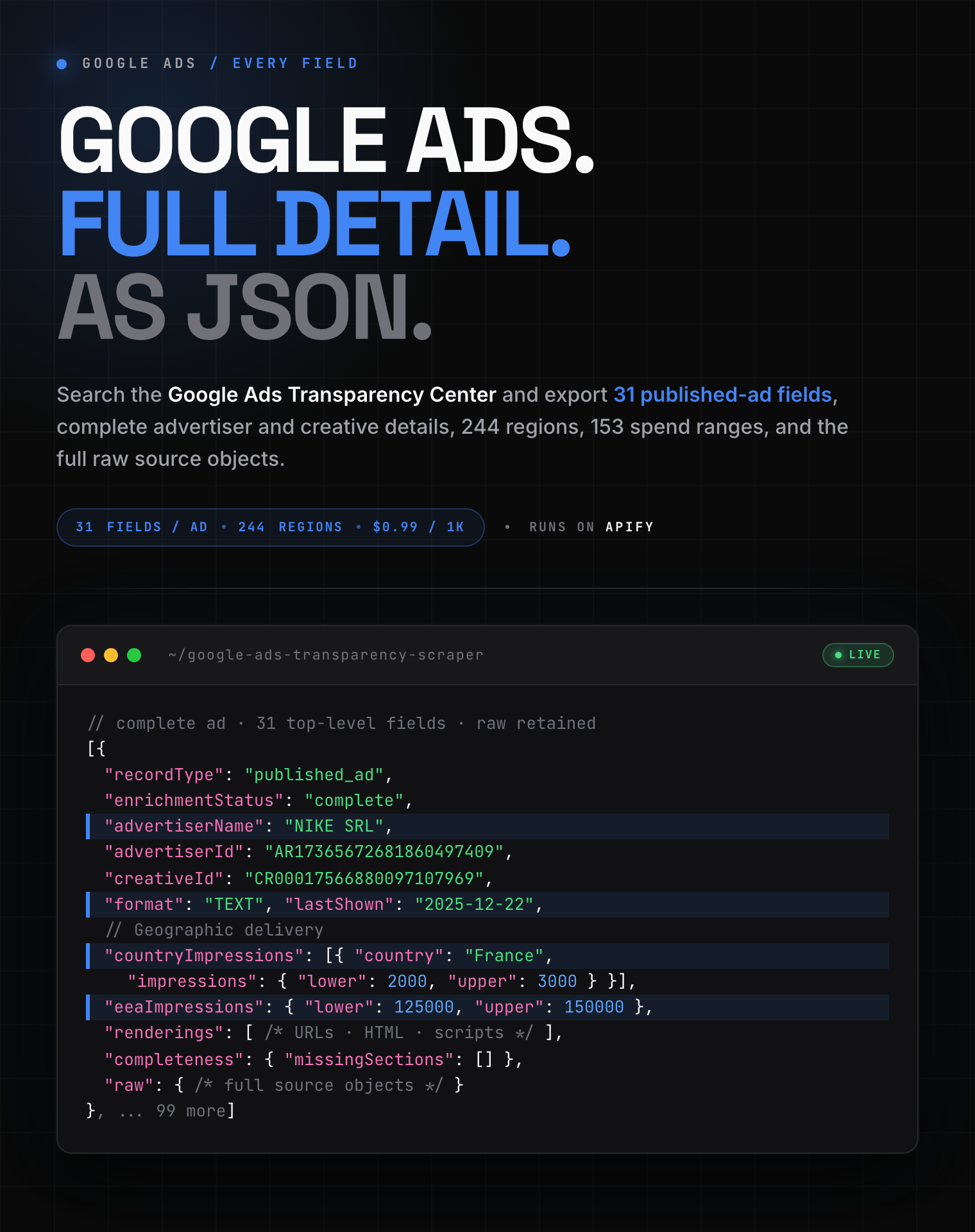
31 published-ad fields, 244 regions, and 153 spend ranges: search the Google Ads Transparency Center and export complete creative, advertiser, political, enforcement, and raw source data.
 #### Copy to your AI assistant
```
clearpath/google-ads-transparency-scraper on Apify. Exports published, removed, and political Google ad transparency records. Call ApifyClient("TOKEN").actor("clearpath/google-ads-transparency-scraper").call(run_input={...}), then client.dataset(run["defaultDatasetId"]).list_items().items. Choose exactly one operation per run. Full spec: GET https://api.apify.com/v2/acts/clearpath~google-ads-transparency-scraper/builds/default (Bearer TOKEN) → inputSchema, actorDefinition.storages.dataset, readme. Token: https://console.apify.com/account/integrations
```
Use this point-and-click Google Ads library scraper for competitor research, political-ad analysis, removed-ad review, or recurring campaign monitoring. Developers can run the same workflows through the Apify API, CLI, schedules, webhooks, Make, Zapier, or n8n.
### Google Ads Library scraper features
- **Google Ads Transparency Center API export**: search by advertiser name, domain, direct advertiser ID, or explicit political candidate, then download structured records.
- **Google Ads competitor analysis**: collect creative formats, rendering URLs, first and last shown dates, countries, platforms, impressions, and advertiser identity.
- **Google political ads transparency**: export spend, impression ranges, payer data, regulatory IDs, targeting, and aggregate political statistics.
- **Google ads monitoring**: save repeatable inputs as Apify Tasks and schedule daily or weekly checks with webhooks and integrations.
Choose one operation per run:
1.
#### Copy to your AI assistant
```
clearpath/google-ads-transparency-scraper on Apify. Exports published, removed, and political Google ad transparency records. Call ApifyClient("TOKEN").actor("clearpath/google-ads-transparency-scraper").call(run_input={...}), then client.dataset(run["defaultDatasetId"]).list_items().items. Choose exactly one operation per run. Full spec: GET https://api.apify.com/v2/acts/clearpath~google-ads-transparency-scraper/builds/default (Bearer TOKEN) → inputSchema, actorDefinition.storages.dataset, readme. Token: https://console.apify.com/account/integrations
```
Use this point-and-click Google Ads library scraper for competitor research, political-ad analysis, removed-ad review, or recurring campaign monitoring. Developers can run the same workflows through the Apify API, CLI, schedules, webhooks, Make, Zapier, or n8n.
### Google Ads Library scraper features
- **Google Ads Transparency Center API export**: search by advertiser name, domain, direct advertiser ID, or explicit political candidate, then download structured records.
- **Google Ads competitor analysis**: collect creative formats, rendering URLs, first and last shown dates, countries, platforms, impressions, and advertiser identity.
- **Google political ads transparency**: export spend, impression ranges, payer data, regulatory IDs, targeting, and aggregate political statistics.
- **Google ads monitoring**: save repeatable inputs as Apify Tasks and schedule daily or weekly checks with webhooks and integrations.
Choose one operation per run:
1. published\_ads returns normal or political ads with creative, advertiser, and geographic enrichment.
2. removed\_ads returns Google's Europe-wide removed-ad feed with policy and enforcement details.
3. political\_statistics returns one aggregate political record with spend, ad count, format, advertiser, geography, daily, and rounding buckets.
### How to scrape Google Ads Transparency Center data
1. [Open Google Ads Transparency Scraper](https://console.apify.com/actors/94IAdoWZXpv3cHXzD/input) on the **Input** tab.
2. Choose published ads, removed ads, or political statistics.
3. Add a search query and optional filters, then set maxResults.
4. Start the run and open **Dataset** to download JSON, CSV, Excel, HTML, XML, or RSS.
#### Search every matching Nike advertiser
```json
{
"operation": "published_ads",
"searchQuery": "Nike",
"queryType": "auto",
"advertiserMatchMode": "all",
"maxResults": 100,
"topic": "all",
"regions": [],
"platforms": [],
"adFormat": "all"
}
```
#### Run a Google political ads search by advertiser ID
```json
{
"operation": "published_ads",
"searchQuery": "AR13196022309535612929",
"queryType": "advertiser_id",
"advertiserMatchMode": "all",
"maxResults": 100,
"topic": "political",
"regions": ["US"],
"platforms": [],
"adFormat": "all",
"sort": "most_recent"
}
```
#### Export US political advertising statistics
```json
{
"operation": "political_statistics",
"regions": ["US"]
}
```
#### Review ads removed in Europe
```json
{
"operation": "removed_ads",
"maxResults": 100
}
```
### Google Ads Transparency Center input parameters
| Parameter | Type | Default | Description |
| --- | --- | --- | --- |
| operation | string | published ads | Select published ads, removed ads, or political statistics. |
| searchQuery | string or null | null | Enter an advertiser name, domain, AR advertiser ID, or explicit candidate name. |
| queryType | string | auto | Select automatic, name, domain, advertiser ID, or candidate matching. Candidate matching also needs the political topic and a supported political region. |
| advertiserMatchMode | string | all | Resolve every matching advertiser or select the strongest match. |
| maxResults | integer | 100 | Maximum ad rows. Set 0 for unlimited. |
| topic | string | all | Select all ads or political ads. |
| regions | string array | empty | Choose from all 244 website regions. Empty means worldwide for published ads. |
| platforms | string array | empty | Filter Google Search, YouTube, Shopping, Maps, or Play. |
| adFormat | string | all | Select all, text, image, or video ads. |
| dateFrom | date or null | null | Earliest shown date in YYYY-MM-DD format. |
| dateTo | date or null | null | Latest shown date in YYYY-MM-DD format. |
| impressionRanges | string array | empty | Select one or more of the 11 website impression buckets. |
| spendRanges | string array | empty | Select one or more of 153 currency-specific spend buckets. |
| sort | string | default | Use default, newest, oldest, spend high/low, or impressions high/low. |
Political ads and statistics support AR, AU, BR, CL, IN, IL, MX, NZ, ZA, TW, GB, and US. Political statistics require exactly one supported region.
Removed ads accept only operation and maxResults. Conflicting filters fail validation instead of being ignored.
Automatic query detection treats an AR value followed by 20 digits as an advertiser ID. A hostname or URL is normalized to a domain. Other text resolves as an advertiser name. Candidate matching is explicit only: set queryType to candidate, topic to political, and select at least one of the supported political regions listed above.
The default all-match mode resolves every matching advertiser without silent truncation. Use best-match mode when you want one strongest creative-count match. Political statistics support only one resolved advertiser.
### What data can you extract from Google Ads Transparency Center?
The default dataset has typed views for published ads, removed ads, and political statistics. Every record includes recordType, enrichmentStatus, completeness, unmappedFields, and raw.
The examples below come from successful runs. Repeated arrays are shortened after one complete item and state how many same-shape items remain. Raw source bodies use a clear retention marker because the complete objects are too large for a README, but the dataset stores the full values.
#### Published Google ad output
```json
{
"recordType": "published_ad",
"enrichmentStatus": "complete",
"advertiserId": "AR13196022309535612929",
"advertiserName": "MARKETFUEL SUBSCRIPTION SERVICES",
"creativeId": "CR11522903995353923585",
"formatCode": 1,
"format": "TEXT",
"firstShown": "2026-03-12T06:39:23.816284Z",
"lastShown": "2026-08-03T19:19:15.518807Z",
"servedDays": 144,
"matchedDomain": null,
"transparencyUrl": "https://adstransparency.google.com/advertiser/AR13196022309535612929/creative/CR11522903995353923585",
"reportedByUser": false,
"politicalRegions": ["US"],
"advertiserUnverified": false,
"impressions": {"lower":400000,"upper":450000},
"spend": {"lower":[{"currency":"USD","units":3000,"nanos":0,"amount":"3000"}],"upper":[{"currency":"USD","units":3500,"nanos":0,"amount":"3500"}]},
"renderings": [{"scriptUrl":null,"iframeUrl":null,"htmlSnippet":" ","mediaUrl":"https://tpc.googlesyndication.com/archive/simgad/8358979474923857597","previewUrl":"https://tpc.googlesyndication.com/archive/simgad/8358979474923857597","policyState":null,"isVariation":true,"variationType":null},"[2 more items retained in the dataset]"],
"servedCountries": ["PT","[47 more items retained in the dataset]"],
"targeting": {"ages":{"included":[],"excluded":[]},"genders":{"included":[],"excluded":[]},"geographies":{"included":[{"criterionId":2840,"name":"United States","fullName":"United States","featureType":{"code":2,"name":"COUNTRY"},"containerCriterionIds":[],"phasingOut":false,"reach":316000000,"countryCodes":["US"],"mapsSuggestStringMatch":null,"bounds":null,"polygons":[],"center":null,"ofacRegion":false,"requiresEuPoliticalDeclaration":false}],"excluded":[]},"usage":{"demographics":{"included":true,"excluded":false},"geography":{"included":true,"excluded":false},"contextual":{"included":true,"excluded":false},"topicOfInterest":null,"advertiserList":null}},
"countryImpressions": [{"geoTarget":{"criterionId":2724,"name":"Spain","fullName":"Spain","featureType":{"code":2,"name":"COUNTRY"},"containerCriterionIds":[],"phasingOut":false,"reach":47600000,"countryCodes":["ES"],"mapsSuggestStringMatch":null,"bounds":null,"polygons":[],"center":null,"ofacRegion":false,"requiresEuPoliticalDeclaration":true},"impressions":{"lower":null,"upper":1000},"firstShown":"2026-03-12","lastShown":"2026-08-01","dataAvailableFrom":null,"firstShownAfterEpoch":"2026-03-12","platforms":[{"surface":{"code":3,"name":"SEARCH"},"impressions":{"lower":null,"upper":1000}},"[1 more items retained in the dataset]"]},"[47 more items retained in the dataset]"],
"eeaImpressions": {"geoTarget":null,"impressions":{"lower":2000,"upper":3000},"firstShown":"2026-03-11","lastShown":"2026-08-03","dataAvailableFrom":null,"firstShownAfterEpoch":"2026-03-11","platforms":[{"surface":{"code":3,"name":"SEARCH"},"impressions":{"lower":null,"upper":1000}},"[1 more items retained in the dataset]"]},
"usImpressions": {"geoTarget":null,"impressions":{"lower":400000,"upper":450000},"firstShown":"2026-03-11","lastShown":"2026-08-03","dataAvailableFrom":null,"firstShownAfterEpoch":null,"platforms":[]},
"categories": {"gcb":null,"googleProduct":null,"browseonomy":null,"defaultVertical":{"code":2,"name":"POLITICAL"},"source":{"code":1,"name":"GOOGLE_GENERATED"}},
"flags": {"servedConsecutively":false,"disablePolicyReporting":false,"containsSyntheticMedia":false,"googleGrantsAccount":false},
"reportedAt": null,
"endPayerName": null,
"advertiser": {"id":"AR13196022309535612929","name":"MARKETFUEL SUBSCRIPTION SERVICES","billingCountry":"US","nameHistory":[],"nameDetails":{"disclosed":"MARKETFUEL SUBSCRIPTION SERVICES","legal":"MARKETFUEL SUBSCRIPTION SERVICES","trademark":null,"disclosureNameType":null},"political":{"elections":[],"regulatoryIds":[{"type":{"code":3,"name":"US_EMPLOYER_IDENTIFICATION_NUMBER"},"id":"35-2563221","region":{"regionCode":{"code":1,"name":"US"},"geoCriteriaIds":[],"region":"US","state":null},"fecIdType":null,"districtInfo":null}],"region":{"regionCode":{"code":1,"name":"US"},"geoCriteriaIds":[2016,"[5 more items retained in the dataset]"],"region":"US","state":null},"transparencyReportUrl":null,"creativeCount":8733},"disclosureCountry":"US","reportTypes":[{"code":2,"name":"POLITICAL"},"[1 more items retained in the dataset]"],"unverified":false,"creativeCount":null,"impressions":null},
"completeness": {"listing":true,"creativeDetail":true,"advertiserDetail":true,"geoLookup":true,"missingSections":[],"failures":[]},
"unmappedFields": {},
"raw": {"listing":{"1":"AR13196022309535612929","2":"CR11522903995353923585","3":{"3":{"2":""},"5":true},"4":1,"6":{"1":"1773297563","2":816284000},"7":{"1":"1785784755","2":518807000},"8":"400000","9":"450000","10":{"1":[{"1":"USD","2":"3000"}]},"11":{"1":[{"1":"USD","2":"3500"}]},"12":"MARKETFUEL SUBSCRIPTION SERVICES","13":144,"15":["US"]},"creativeDetail":{"1":{"1":"AR13196022309535612929","2":"CR11522903995353923585","3":{"1":"1773297563","2":816284000},"4":{"1":"1785784755","2":518807000},"5":[{"3":{"2":""},"5":true},"[2 more same-shape items retained in the dataset]"],"6":144,"7":["PT","[47 more same-shape items retained in the dataset]"],"8":1,"9":"400000","10":"450000","11":{"1":[{"1":"USD","2":"3000"}]},"12":{"1":[{"1":"USD","2":"3500"}]},"13":{"3":{"1":["2840"]},"4":{"1":{"1":true,"2":false},"2":{"1":true,"2":false},"3":{"1":true,"2":false}}},"16":{"5":2,"6":1},"17":[{"1":2724,"3":"1000","4":20260312,"5":20260801,"7":20260312,"8":[{"1":3,"3":"1000"},"[1 more same-shape items retained in the dataset]"]},"[47 more same-shape items retained in the dataset]"],"19":{"2":"2000","3":"3000","4":20260311,"5":20260803,"7":20260311,"8":[{"1":3,"3":"1000"},"[1 more same-shape items retained in the dataset]"]},"22":{},"23":{"2":"400000","3":"450000","4":20260311,"5":20260803}}},"advertiserDetail":{"1":{"1":"AR13196022309535612929","2":"MARKETFUEL SUBSCRIPTION SERVICES","3":"US","9":{"1":"MARKETFUEL SUBSCRIPTION SERVICES","2":"MARKETFUEL SUBSCRIPTION SERVICES"},"10":{"2":[{"1":{"1":3},"2":"35-2563221","3":{"1":1,"3":"US"}}],"4":{"1":1,"2":[2016,"[5 more same-shape items retained in the dataset]"],"3":"US"},"6":"8733"},"11":"US","15":[2,"[1 more same-shape items retained in the dataset]"]}},"geoTargets":[{"1":[{"1":2016,"2":"American Samoa","3":"American Samoa","4":2,"6":false,"7":"25000","8":["AS"],"13":false,"14":false},"[47 more same-shape items retained in the dataset]"]}]}
}
```
#### Removed Google ad output
```json
{
"recordType": "removed_ad",
"enrichmentStatus": "complete",
"creativeId": "CR01220055288007098369",
"policyDecisionAt": "2026-07-04T19:38:30.980026Z",
"policyViolations": [{"geoTarget":null,"shoppingPolicy":null,"googleAdsPolicy":null,"enforcementMeans":{"code":2,"name":"HUMAN_INVOLVED"},"decisionType":{"code":2,"name":"GOOGLE_INVESTIGATION"},"tfaarPolicy":{"code":1,"name":"ACCOUNT_SUSPENDED"}}],
"firstShown": "2026-07-04T07:00:00Z",
"lastShown": "2026-07-04T07:00:00Z",
"targeting": {"ages":{"included":[],"excluded":[]},"genders":{"included":[],"excluded":[]},"geographies":{"included":[],"excluded":[]},"usage":{"demographics":{"included":true,"excluded":false},"geography":null,"contextual":{"included":true,"excluded":true},"topicOfInterest":null,"advertiserList":null}},
"countryImpressions": [{"geoTarget":{"criterionId":2276,"name":"Germany","fullName":"Germany","featureType":{"code":2,"name":"COUNTRY"},"containerCriterionIds":[],"phasingOut":false,"reach":77600000,"countryCodes":["DE"],"mapsSuggestStringMatch":null,"bounds":null,"polygons":[],"center":null,"ofacRegion":false,"requiresEuPoliticalDeclaration":true},"impressions":{"lower":null,"upper":null},"firstShown":"2026-07-04","lastShown":"2026-07-04","dataAvailableFrom":"2026-10-02","firstShownAfterEpoch":"2026-07-04","platforms":[]}],
"eeaImpressions": {"geoTarget":null,"impressions":{"lower":null,"upper":null},"firstShown":"2026-07-04","lastShown":"2026-07-04","dataAvailableFrom":"2026-10-02","firstShownAfterEpoch":"2026-07-04","platforms":[]},
"completeness": {"listing":true,"removedDetail":true,"geoLookup":true,"missingSections":[],"failures":[]},
"unmappedFields": {},
"raw": {"listing":{"1":"CR01220055288007098369","2":{"2":{"1":"1783193910","2":980026220},"3":[{"8":2,"9":2,"10":1}]},"3":{"1":"1783148400"},"4":{"1":"1783148400"}},"removedDetail":{"1":{"1":"CR01220055288007098369","2":{"2":{"1":"1783193910","2":980026220},"3":[{"8":2,"9":2,"10":1}]},"3":{"4":{"1":{"1":true,"2":false},"3":{"1":true,"2":true}}},"4":{"1":"1783148400"},"5":{"1":"1783148400"},"6":[{"1":2276,"4":20260704,"5":20260704,"6":20261002,"7":20260704}],"7":{"4":20260704,"5":20260704,"6":20261002,"7":20260704}}},"geoTargets":[{"1":[{"1":2276,"2":"Germany","3":"Germany","4":2,"6":false,"7":"77600000","8":["DE"],"13":false,"14":true}]}]}
}
```
#### Google political ads statistics output
This US aggregate returned no targeting buckets, so that array is correctly empty. Other bucket families contain one complete item and a same-shape count marker.
```json
{
"recordType": "political_statistics",
"enrichmentStatus": "complete",
"query": {"queryType":"auto","advertiserIds":[],"domain":null,"candidate":null,"matchedAdvertiserCount":null,"matchedAdvertisers":[]},
"adSpend": [{"currency":"USD","units":2495751800,"nanos":0,"amount":"2495751800"}],
"adCount": 920111,
"adFormatBuckets": [{"countFraction":0.2645854684923884,"spendFraction":0.047255588584205165,"format":{"code":2,"name":"IMAGE"}},"[2 more items retained in the dataset]"],
"targetingBuckets": [],
"advertiserBuckets": [{"spendFraction":0.0403566190050183,"advertiser":{"id":"AR12365610929977556993","name":"BIDEN FOR PRESIDENT","billingCountry":null,"nameHistory":[],"nameDetails":null,"political":null,"disclosureCountry":"US","reportTypes":[],"unverified":false,"creativeCount":null,"impressions":null}},"[99 more items retained in the dataset]"],
"geoBuckets": [{"countFraction":0.3076378828206597,"spendFraction":0.005432821711022769,"geoTarget":{"criterionId":21132,"name":"Alaska","fullName":"Alaska, United States","featureType":{"code":6,"name":"STATE"},"containerCriterionIds":[9207142,"[2 more items retained in the dataset]"],"phasingOut":false,"reach":547000,"countryCodes":["US"],"mapsSuggestStringMatch":null,"bounds":null,"polygons":[],"center":null,"ofacRegion":false,"requiresEuPoliticalDeclaration":false}},"[50 more items retained in the dataset]"],
"dailyBuckets": [{"countFraction":null,"spendFraction":7.09610158571408e-07,"date":"2018-08-30"},"[2986 more items retained in the dataset]"],
"roundingBuckets": [{"currency":"USD","units":100,"nanos":0,"amount":"100"}],
"completeness": {"statistics":true,"geoLookup":true,"missingSections":[],"failures":[]},
"unmappedFields": {},
"raw": {"statistics":{"1":{"1":{"1":[{"1":"USD","2":"2495751800"}]},"2":"920111","3":[{"1":0.2645854684923884,"2":0.047255588584205165,"3":2},"[2 more same-shape items retained in the dataset]"],"5":[{"2":0.0403566190050183,"3":{"1":"AR12365610929977556993","2":"BIDEN FOR PRESIDENT","11":"US"}},"[99 more same-shape items retained in the dataset]"],"6":[{"1":0.3076378828206597,"2":0.005432821711022769,"3":21132},"[50 more same-shape items retained in the dataset]"],"7":[{"2":7.09610158571408e-07,"3":20180830},"[2986 more same-shape items retained in the dataset]"],"8":[{"1":"USD","2":"100"}]}},"geoTargets":[{"1":[{"1":21132,"2":"Alaska","3":"Alaska, United States","4":6,"5":[9207142,"[2 more same-shape items retained in the dataset]"],"6":false,"7":"547000","8":["US"],"13":false,"14":false},"[50 more same-shape items retained in the dataset]"]}]}
}
```
The
","mediaUrl":"https://tpc.googlesyndication.com/archive/simgad/8358979474923857597","previewUrl":"https://tpc.googlesyndication.com/archive/simgad/8358979474923857597","policyState":null,"isVariation":true,"variationType":null},"[2 more items retained in the dataset]"],
"servedCountries": ["PT","[47 more items retained in the dataset]"],
"targeting": {"ages":{"included":[],"excluded":[]},"genders":{"included":[],"excluded":[]},"geographies":{"included":[{"criterionId":2840,"name":"United States","fullName":"United States","featureType":{"code":2,"name":"COUNTRY"},"containerCriterionIds":[],"phasingOut":false,"reach":316000000,"countryCodes":["US"],"mapsSuggestStringMatch":null,"bounds":null,"polygons":[],"center":null,"ofacRegion":false,"requiresEuPoliticalDeclaration":false}],"excluded":[]},"usage":{"demographics":{"included":true,"excluded":false},"geography":{"included":true,"excluded":false},"contextual":{"included":true,"excluded":false},"topicOfInterest":null,"advertiserList":null}},
"countryImpressions": [{"geoTarget":{"criterionId":2724,"name":"Spain","fullName":"Spain","featureType":{"code":2,"name":"COUNTRY"},"containerCriterionIds":[],"phasingOut":false,"reach":47600000,"countryCodes":["ES"],"mapsSuggestStringMatch":null,"bounds":null,"polygons":[],"center":null,"ofacRegion":false,"requiresEuPoliticalDeclaration":true},"impressions":{"lower":null,"upper":1000},"firstShown":"2026-03-12","lastShown":"2026-08-01","dataAvailableFrom":null,"firstShownAfterEpoch":"2026-03-12","platforms":[{"surface":{"code":3,"name":"SEARCH"},"impressions":{"lower":null,"upper":1000}},"[1 more items retained in the dataset]"]},"[47 more items retained in the dataset]"],
"eeaImpressions": {"geoTarget":null,"impressions":{"lower":2000,"upper":3000},"firstShown":"2026-03-11","lastShown":"2026-08-03","dataAvailableFrom":null,"firstShownAfterEpoch":"2026-03-11","platforms":[{"surface":{"code":3,"name":"SEARCH"},"impressions":{"lower":null,"upper":1000}},"[1 more items retained in the dataset]"]},
"usImpressions": {"geoTarget":null,"impressions":{"lower":400000,"upper":450000},"firstShown":"2026-03-11","lastShown":"2026-08-03","dataAvailableFrom":null,"firstShownAfterEpoch":null,"platforms":[]},
"categories": {"gcb":null,"googleProduct":null,"browseonomy":null,"defaultVertical":{"code":2,"name":"POLITICAL"},"source":{"code":1,"name":"GOOGLE_GENERATED"}},
"flags": {"servedConsecutively":false,"disablePolicyReporting":false,"containsSyntheticMedia":false,"googleGrantsAccount":false},
"reportedAt": null,
"endPayerName": null,
"advertiser": {"id":"AR13196022309535612929","name":"MARKETFUEL SUBSCRIPTION SERVICES","billingCountry":"US","nameHistory":[],"nameDetails":{"disclosed":"MARKETFUEL SUBSCRIPTION SERVICES","legal":"MARKETFUEL SUBSCRIPTION SERVICES","trademark":null,"disclosureNameType":null},"political":{"elections":[],"regulatoryIds":[{"type":{"code":3,"name":"US_EMPLOYER_IDENTIFICATION_NUMBER"},"id":"35-2563221","region":{"regionCode":{"code":1,"name":"US"},"geoCriteriaIds":[],"region":"US","state":null},"fecIdType":null,"districtInfo":null}],"region":{"regionCode":{"code":1,"name":"US"},"geoCriteriaIds":[2016,"[5 more items retained in the dataset]"],"region":"US","state":null},"transparencyReportUrl":null,"creativeCount":8733},"disclosureCountry":"US","reportTypes":[{"code":2,"name":"POLITICAL"},"[1 more items retained in the dataset]"],"unverified":false,"creativeCount":null,"impressions":null},
"completeness": {"listing":true,"creativeDetail":true,"advertiserDetail":true,"geoLookup":true,"missingSections":[],"failures":[]},
"unmappedFields": {},
"raw": {"listing":{"1":"AR13196022309535612929","2":"CR11522903995353923585","3":{"3":{"2":""},"5":true},"4":1,"6":{"1":"1773297563","2":816284000},"7":{"1":"1785784755","2":518807000},"8":"400000","9":"450000","10":{"1":[{"1":"USD","2":"3000"}]},"11":{"1":[{"1":"USD","2":"3500"}]},"12":"MARKETFUEL SUBSCRIPTION SERVICES","13":144,"15":["US"]},"creativeDetail":{"1":{"1":"AR13196022309535612929","2":"CR11522903995353923585","3":{"1":"1773297563","2":816284000},"4":{"1":"1785784755","2":518807000},"5":[{"3":{"2":""},"5":true},"[2 more same-shape items retained in the dataset]"],"6":144,"7":["PT","[47 more same-shape items retained in the dataset]"],"8":1,"9":"400000","10":"450000","11":{"1":[{"1":"USD","2":"3000"}]},"12":{"1":[{"1":"USD","2":"3500"}]},"13":{"3":{"1":["2840"]},"4":{"1":{"1":true,"2":false},"2":{"1":true,"2":false},"3":{"1":true,"2":false}}},"16":{"5":2,"6":1},"17":[{"1":2724,"3":"1000","4":20260312,"5":20260801,"7":20260312,"8":[{"1":3,"3":"1000"},"[1 more same-shape items retained in the dataset]"]},"[47 more same-shape items retained in the dataset]"],"19":{"2":"2000","3":"3000","4":20260311,"5":20260803,"7":20260311,"8":[{"1":3,"3":"1000"},"[1 more same-shape items retained in the dataset]"]},"22":{},"23":{"2":"400000","3":"450000","4":20260311,"5":20260803}}},"advertiserDetail":{"1":{"1":"AR13196022309535612929","2":"MARKETFUEL SUBSCRIPTION SERVICES","3":"US","9":{"1":"MARKETFUEL SUBSCRIPTION SERVICES","2":"MARKETFUEL SUBSCRIPTION SERVICES"},"10":{"2":[{"1":{"1":3},"2":"35-2563221","3":{"1":1,"3":"US"}}],"4":{"1":1,"2":[2016,"[5 more same-shape items retained in the dataset]"],"3":"US"},"6":"8733"},"11":"US","15":[2,"[1 more same-shape items retained in the dataset]"]}},"geoTargets":[{"1":[{"1":2016,"2":"American Samoa","3":"American Samoa","4":2,"6":false,"7":"25000","8":["AS"],"13":false,"14":false},"[47 more same-shape items retained in the dataset]"]}]}
}
```
#### Removed Google ad output
```json
{
"recordType": "removed_ad",
"enrichmentStatus": "complete",
"creativeId": "CR01220055288007098369",
"policyDecisionAt": "2026-07-04T19:38:30.980026Z",
"policyViolations": [{"geoTarget":null,"shoppingPolicy":null,"googleAdsPolicy":null,"enforcementMeans":{"code":2,"name":"HUMAN_INVOLVED"},"decisionType":{"code":2,"name":"GOOGLE_INVESTIGATION"},"tfaarPolicy":{"code":1,"name":"ACCOUNT_SUSPENDED"}}],
"firstShown": "2026-07-04T07:00:00Z",
"lastShown": "2026-07-04T07:00:00Z",
"targeting": {"ages":{"included":[],"excluded":[]},"genders":{"included":[],"excluded":[]},"geographies":{"included":[],"excluded":[]},"usage":{"demographics":{"included":true,"excluded":false},"geography":null,"contextual":{"included":true,"excluded":true},"topicOfInterest":null,"advertiserList":null}},
"countryImpressions": [{"geoTarget":{"criterionId":2276,"name":"Germany","fullName":"Germany","featureType":{"code":2,"name":"COUNTRY"},"containerCriterionIds":[],"phasingOut":false,"reach":77600000,"countryCodes":["DE"],"mapsSuggestStringMatch":null,"bounds":null,"polygons":[],"center":null,"ofacRegion":false,"requiresEuPoliticalDeclaration":true},"impressions":{"lower":null,"upper":null},"firstShown":"2026-07-04","lastShown":"2026-07-04","dataAvailableFrom":"2026-10-02","firstShownAfterEpoch":"2026-07-04","platforms":[]}],
"eeaImpressions": {"geoTarget":null,"impressions":{"lower":null,"upper":null},"firstShown":"2026-07-04","lastShown":"2026-07-04","dataAvailableFrom":"2026-10-02","firstShownAfterEpoch":"2026-07-04","platforms":[]},
"completeness": {"listing":true,"removedDetail":true,"geoLookup":true,"missingSections":[],"failures":[]},
"unmappedFields": {},
"raw": {"listing":{"1":"CR01220055288007098369","2":{"2":{"1":"1783193910","2":980026220},"3":[{"8":2,"9":2,"10":1}]},"3":{"1":"1783148400"},"4":{"1":"1783148400"}},"removedDetail":{"1":{"1":"CR01220055288007098369","2":{"2":{"1":"1783193910","2":980026220},"3":[{"8":2,"9":2,"10":1}]},"3":{"4":{"1":{"1":true,"2":false},"3":{"1":true,"2":true}}},"4":{"1":"1783148400"},"5":{"1":"1783148400"},"6":[{"1":2276,"4":20260704,"5":20260704,"6":20261002,"7":20260704}],"7":{"4":20260704,"5":20260704,"6":20261002,"7":20260704}}},"geoTargets":[{"1":[{"1":2276,"2":"Germany","3":"Germany","4":2,"6":false,"7":"77600000","8":["DE"],"13":false,"14":true}]}]}
}
```
#### Google political ads statistics output
This US aggregate returned no targeting buckets, so that array is correctly empty. Other bucket families contain one complete item and a same-shape count marker.
```json
{
"recordType": "political_statistics",
"enrichmentStatus": "complete",
"query": {"queryType":"auto","advertiserIds":[],"domain":null,"candidate":null,"matchedAdvertiserCount":null,"matchedAdvertisers":[]},
"adSpend": [{"currency":"USD","units":2495751800,"nanos":0,"amount":"2495751800"}],
"adCount": 920111,
"adFormatBuckets": [{"countFraction":0.2645854684923884,"spendFraction":0.047255588584205165,"format":{"code":2,"name":"IMAGE"}},"[2 more items retained in the dataset]"],
"targetingBuckets": [],
"advertiserBuckets": [{"spendFraction":0.0403566190050183,"advertiser":{"id":"AR12365610929977556993","name":"BIDEN FOR PRESIDENT","billingCountry":null,"nameHistory":[],"nameDetails":null,"political":null,"disclosureCountry":"US","reportTypes":[],"unverified":false,"creativeCount":null,"impressions":null}},"[99 more items retained in the dataset]"],
"geoBuckets": [{"countFraction":0.3076378828206597,"spendFraction":0.005432821711022769,"geoTarget":{"criterionId":21132,"name":"Alaska","fullName":"Alaska, United States","featureType":{"code":6,"name":"STATE"},"containerCriterionIds":[9207142,"[2 more items retained in the dataset]"],"phasingOut":false,"reach":547000,"countryCodes":["US"],"mapsSuggestStringMatch":null,"bounds":null,"polygons":[],"center":null,"ofacRegion":false,"requiresEuPoliticalDeclaration":false}},"[50 more items retained in the dataset]"],
"dailyBuckets": [{"countFraction":null,"spendFraction":7.09610158571408e-07,"date":"2018-08-30"},"[2986 more items retained in the dataset]"],
"roundingBuckets": [{"currency":"USD","units":100,"nanos":0,"amount":"100"}],
"completeness": {"statistics":true,"geoLookup":true,"missingSections":[],"failures":[]},
"unmappedFields": {},
"raw": {"statistics":{"1":{"1":{"1":[{"1":"USD","2":"2495751800"}]},"2":"920111","3":[{"1":0.2645854684923884,"2":0.047255588584205165,"3":2},"[2 more same-shape items retained in the dataset]"],"5":[{"2":0.0403566190050183,"3":{"1":"AR12365610929977556993","2":"BIDEN FOR PRESIDENT","11":"US"}},"[99 more same-shape items retained in the dataset]"],"6":[{"1":0.3076378828206597,"2":0.005432821711022769,"3":21132},"[50 more same-shape items retained in the dataset]"],"7":[{"2":7.09610158571408e-07,"3":20180830},"[2986 more same-shape items retained in the dataset]"],"8":[{"1":"USD","2":"100"}]}},"geoTargets":[{"1":[{"1":21132,"2":"Alaska","3":"Alaska, United States","4":6,"5":[9207142,"[2 more same-shape items retained in the dataset]"],"6":false,"7":"547000","8":["US"],"13":false,"14":false},"[50 more same-shape items retained in the dataset]"]}]}
}
```
The OUTPUT key-value-store record summarizes matched, emitted, complete, incomplete, and charged counts plus effective filters. QUERY\_RESOLUTION contains the resolved advertiser set. RAW\_PAGE\_MANIFEST links every full source listing collection stored during the run.
### Google Ads competitor analysis and monitoring workflows
#### Track competitor creative changes weekly
Save one task per advertiser using best-match mode and schedule it every Monday. Send completion webhooks to Google Sheets through Make, Zapier, or n8n, then compare creative ID, activity dates, format, and rendering fields.
#### Monitor active campaigns daily
Schedule daily runs for fast-moving campaign launches. Use date, platform, and format filters to keep each dataset focused, then alert Slack or email when new creative IDs appear.
#### Build a political ad database
Run published ads with the political topic for creative-level records. Run political statistics separately for aggregate spend, advertiser, geography, and daily buckets. Keep the datasets linked by advertiser ID and region.
#### Audit removed ads in Europe
Use removed ads for policy decision time, enforcement mechanism, decision type, policy classification, targeting, activity dates, and geographic impressions. Google exposes this as a separate Europe-wide collection without normal search filters.
### How much does Google Ads Transparency scraping cost?
The price is exactly **$0.99 per 1,000 complete results**, or **$0.00099 per complete row**. The same price applies to every Apify tier.
| Complete results | Cost |
| ---: | ---: |
| 100 | $0.099 |
| 500 | $0.495 |
| 1,000 | $0.99 |
There is no free-tier result throttle. Setting maxResults to 0 means unlimited for both ad operations, subject to the run's charging budget.
A complete result charges one result-scraped event when it is stored. If creative, advertiser, or geographic enrichment remains unavailable, the Actor stores an explicit incomplete row without a charge. A valid empty statistics response produces no row and no charge.
### Google Ads monitoring integrations and scheduling
Use the dataset with **Google Sheets**, **Make**, **Zapier**, **n8n**, **webhooks**, or the **Apify API**. JSON preserves nested fields best; CSV and Excel are convenient for normalized top-level analysis.
Use a **daily schedule** for launches, offers, or election-period monitoring. Use a **weekly schedule** for routine competitor creative reviews. Save stable configurations as Apify Tasks so recurring runs use the same advertiser, region, format, and date rules.
Apify's official scheduling walkthrough:
https://www.youtube.com/watch?v=GRFW\_Loo2dk
### Google Ads Transparency Center FAQ
#### What is the Google Ads Transparency Center, also called the Google Ads library?
It is Google's searchable repository for ads and verified advertisers across Google properties. This Actor adds structured export, complete enrichment, three record types, repeatable inputs, and automation.
#### How do I search for a specific advertiser?
Enter an advertiser name, domain, or direct AR advertiser ID. Name searches may match several accounts; use all-match mode for exhaustive results or best-match mode for one strongest match.
#### Can I see competitors' Google ads with Transparency Center?
Yes. Search the competitor's name or domain, then collect creative formats, rendering references, activity dates, countries, platforms, and advertiser details. Do not treat long-running ads as proof of performance because conversion data is not provided.
#### What ad details does Google Ads Transparency Center show?
Availability depends on record type and region. The Actor preserves creative renderings, dates, impressions, spend, targeting, geographic and platform breakdowns, payer/category flags, advertiser identity, political metadata, policy decisions, and raw values when returned.
#### How do I use Ads Transparency Center by URL?
Paste a domain such as nike.com into the search query. Select domain matching, or keep automatic detection and let the Actor normalize the hostname.
#### Can I filter ads by country or date?
Yes for published ads. Select one or more regions, then set the start and end dates. Political data accepts only the 12 political-enabled regions listed above.
#### Does Google Ads Transparency Center have an API?
Google provides the website but does not offer this Actor's stable export contract. This Google Ads Transparency Center API alternative supplies validated inputs, structured schemas, enrichment status, raw-field retention, scheduling, and dataset exports.
#### Does the Google Ads library include YouTube ads?
Yes. Select YouTube under platforms, or leave the platform list empty to include every Google surface returned for the query.
#### Can I export Google Ads Transparency Center data?
Yes. Download JSON, CSV, Excel, HTML, XML, or RSS from the run's Dataset tab. You can also read the dataset and output summary through the Apify API.
#### Can I monitor competitors' Google ads every week?
Yes. Save the input as a Task, schedule it weekly, and send a webhook to your comparison workflow. Daily schedules are better for active launches.
#### Do I need a Google Ads account or advertiser cookies?
No. You provide public search criteria and run the Actor on Apify. Nothing else is needed.
#### Why is an incomplete row in my dataset?
The listing was available, but a detail section remained unavailable after recovery attempts. Check the missing sections and failure list. The row was not charged.
#### What are the limitations of this data?
Commercial ads do not necessarily expose performance, clicks, conversions, bids, keywords, audience settings, or spend. Political transparency fields vary by region. The Actor returns what the source makes available and marks absence explicitly.
#### How can I report a bug or request a custom workflow?
Use the Actor's Issues tab with a run ID and sanitized input. For a custom integration, include the desired operation, fields, schedule, and destination.
### Is it legal to use Google Ads Transparency Center data?
Use the Actor only for purposes allowed by Google and applicable law. You are responsible for GDPR, CCPA, election law, advertising rules, database rights, personal-data handling, and regional requirements.
### Support
- **Bugs**: use the Issues tab and include a run ID
- **Feature requests**: use the Issues tab or email
- **Email**: max@mapa.slmail.me
***
*Export Google Ads Transparency Center, Google Ads library, competitor, removed-ad, and political advertising data as structured records on Apify.*
# Actor input Schema
## `operation` (type: `string`):
Choose published ads, Europe's removed-ad feed, or aggregate political statistics.
## `searchQuery` (type: `string`):
Enter an advertiser name, domain, advertiser ID beginning with AR, or a political candidate name. Candidate names are supported for published political ads. Leave empty to use only filters. Removed ads do not support a search query.
## `queryType` (type: `string`):
Use automatic detection, or select an explicit type. Candidate names must be explicit, and additionally need topic political plus at least one supported political region.
## `advertiserMatchMode` (type: `string`):
Return ads from all matching advertisers, or only the strongest match by creative count.
## `maxResults` (type: `integer`):
Maximum ad rows to return. Set 0 for unlimited. Statistics return at most one row.
## `topic` (type: `string`):
Choose all ads or political ads. Political statistics always use the political topic.
## `regions` (type: `array`):
Select every country or region in which the ads were shown. Leave empty for worldwide. Political statistics require exactly one supported political region.
## `platforms` (type: `array`):
Select one or more Google surfaces. Leave empty to include every surface.
## `adFormat` (type: `string`):
Return every format, or only text, image, or video ads.
## `dateFrom` (type: `string`):
Only include ads shown on or after this date.
## `dateTo` (type: `string`):
Only include ads shown on or before this date.
## `impressionRanges` (type: `array`):
Select one or more website impression buckets. Published ads only.
## `spendRanges` (type: `array`):
Select one or more currency-specific spend buckets from the complete website catalog. Published ads only.
## `sort` (type: `string`):
Choose the order for published ads. Removed ads and statistics do not support sorting.
## Actor input object example
```json
{
"operation": "published_ads",
"searchQuery": "Nike",
"queryType": "auto",
"advertiserMatchMode": "all",
"maxResults": 100,
"topic": "all",
"regions": [],
"platforms": [],
"adFormat": "all",
"impressionRanges": [],
"spendRanges": [],
"sort": "default"
}
```
# Actor output Schema
## `results` (type: `string`):
No description
## `summary` (type: `string`):
No description
## `queryResolution` (type: `string`):
No description
## `rawPageManifest` (type: `string`):
No description
# API
You can run this Actor programmatically using our API. Below are code examples in JavaScript, Python, and CLI, as well as the OpenAPI specification and MCP server setup.
## JavaScript example
```javascript
import { ApifyClient } from 'apify-client';
// Initialize the ApifyClient with your Apify API token
// Replace the '' with your token
const client = new ApifyClient({
token: '',
});
// Prepare Actor input
const input = {
"searchQuery": "Nike"
};
// Run the Actor and wait for it to finish
const run = await client.actor("clearpath/google-ads-transparency-scraper").call(input);
// Fetch and print Actor results from the run's dataset (if any)
console.log('Results from dataset');
console.log(`💾 Check your data here: https://console.apify.com/storage/datasets/${run.defaultDatasetId}`);
const { items } = await client.dataset(run.defaultDatasetId).listItems();
items.forEach((item) => {
console.dir(item);
});
// 📚 Want to learn more 📖? Go to → https://docs.apify.com/api/client/js/docs
```
## Python example
```python
from apify_client import ApifyClient
# Initialize the ApifyClient with your Apify API token
# Replace '' with your token.
client = ApifyClient("")
# Prepare the Actor input
run_input = { "searchQuery": "Nike" }
# Run the Actor and wait for it to finish
run = client.actor("clearpath/google-ads-transparency-scraper").call(run_input=run_input)
# Fetch and print Actor results from the run's dataset (if there are any)
print("💾 Check your data here: https://console.apify.com/storage/datasets/" + run["defaultDatasetId"])
for item in client.dataset(run["defaultDatasetId"]).iterate_items():
print(item)
# 📚 Want to learn more 📖? Go to → https://docs.apify.com/api/client/python/docs/quick-start
```
## CLI example
```bash
echo '{
"searchQuery": "Nike"
}' |
apify call clearpath/google-ads-transparency-scraper --silent --output-dataset
```
## MCP server setup
```json
{
"mcpServers": {
"apify": {
"command": "npx",
"args": [
"mcp-remote",
"https://mcp.apify.com/?tools=clearpath/google-ads-transparency-scraper",
"--header",
"Authorization: Bearer "
]
}
}
}
```
## OpenAPI specification
Download the OpenAPI definition: https://api.apify.com/v2/actors/94IAdoWZXpv3cHXzD/builds/tES7b0gR1PWL4R1qI/openapi.json