# Microsoft Copilot Scraper - Answers, Citations & Brand Tracking (`clearpath/microsoft-copilot-scraper`) Actor
Ask Microsoft Copilot your questions at scale and get the full answer, every cited source and inline citation, tables, product and place cards, and brand mentions as structured data. No login. Pick a mode and country; track your brand vs competitors.
- **URL**: https://apify.com/clearpath/microsoft-copilot-scraper.md
- **Developed by:** [ClearPath](https://apify.com/clearpath) (community)
- **Categories:** SEO tools, AI, Automation
- **Security:** Limited permissions
- **Stats:** 5 total users, 5 monthly users, 100.0% runs succeeded, 0 bookmarks
- **User rating**: No ratings yet
## Pricing
from $1.99 / 1,000 answers
This Actor is paid per event. You are not charged for the Apify platform usage, but only a fixed price for specific events.
Since this Actor supports Apify Store discounts, the price gets lower the higher subscription plan you have.
Learn more: https://docs.apify.com/actors/running/actors-in-store.md#pay-per-event
## What's an Apify Actor?
An Actor is a serverless cloud program that runs on the Apify platform. It has two run modes.
In Batch mode, an Actor accepts a well-defined JSON input, performs an action which can take anything from a few seconds to a few hours,
and optionally produces a well-defined JSON output, datasets with results, or files in key-value store.
In Standby mode, an Actor provides a web server which can be used as a website, API, or an MCP server.
Apify vocabulary and the platform model are defined once, in the agent quickstart at https://apify.com/agents.md.
## How to integrate an Actor?
If asked about integration, you help developers integrate Actors into their projects.
You adapt to their stack and deliver integrations that are safe, well-documented, and production-ready.
Do not guess an integration path. Every one of them is in the agent quickstart at https://apify.com/agents.md: the Apify MCP server, Agent Skills with the Apify CLI, the JavaScript and Python clients, the REST API, and the account-free path for an agent with no human to sign in. It also carries the rule on stating cost before the first paid run.
For examples already wired to this Actor's own input schema, see the [API](#api) section below.
Each client library has reference documentation the quickstart does not restate: [JavaScript/TypeScript](https://docs.apify.com/api/client/js/docs.md) (`npm install apify-client`) and [Python](https://docs.apify.com/api/client/python/docs.md) (`pip install apify-client`).
# README
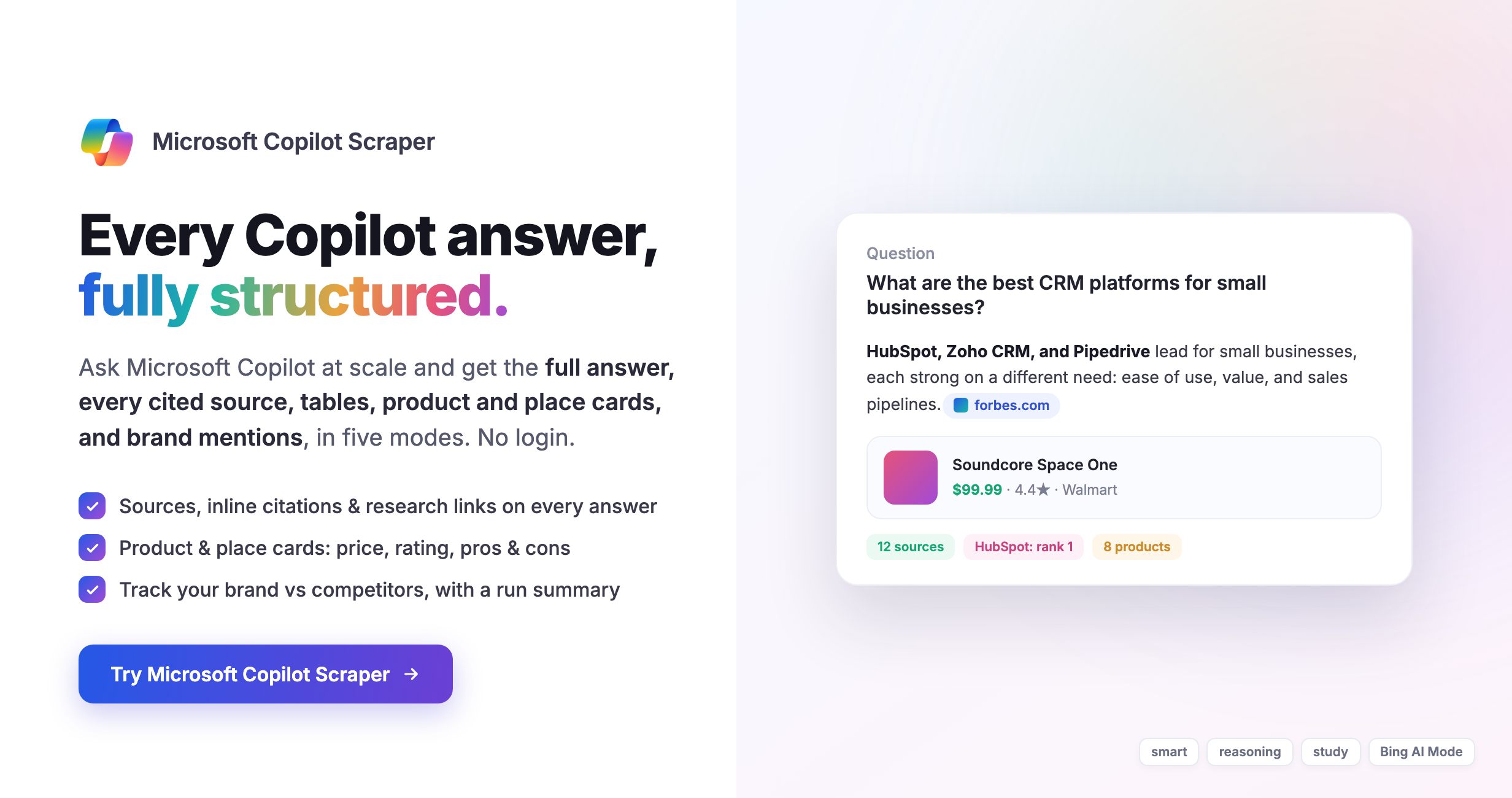 **Microsoft Copilot Scraper** sends your questions to **Microsoft Copilot** and returns every answer as clean, structured data: the full answer text, every cited source, inline citations, tables, product and place cards, research sources, and brand mentions. Pick one of five Copilot modes and a country. No Microsoft login, no account, no API key.
> **New here?** Click **Try for free**, keep the two prefilled questions, and press **Start**. In under a minute you will see real Copilot answers in the dataset, with their sources and cards.
### What you get
- **The full Copilot answer** as Markdown, including its lists and tables, exactly as Copilot wrote it.
- **Every cited source** with title, URL and domain, numbered in the order Copilot cites them, plus the **inline citations** that tie spans of the answer to their source.
- **Research sources** Copilot read but did not cite inline, kept separate so you never mistake them for citation wins.
- **Product cards** when Copilot answers a shopping question: name, price, rating, seller, brand, pros and cons, specifications and the offers behind each one.
- **Place cards** for local questions: name, address, coordinates, phone, category, rating and review count.
- **Brand tracking**: tell it your brand and competitors, and every answer reports whether each is mentioned, how often, its rank, and whether its site is cited. A run-level **summary** rolls this up into mention rate, share of voice and the most-cited domains and pages.
- **Five Copilot modes**: `smart`, `chat`, `reasoning`, `study`, `search`, plus **Bing AI Mode** (Copilot Search on Bing) with its full read-source list.
### What is Microsoft Copilot?
Microsoft Copilot is Microsoft's conversational AI search assistant. Instead of a list of links it writes a detailed answer to your question and cites the web sources it drew from, and for shopping or local questions it adds product and place cards. This Actor returns that answer, its sources and its cards as structured data for any question you submit, so you can monitor, compare and report on how Copilot answers at scale.
### Data you can extract
Each question returns one dataset row.
| Field | Type | Description |
| --- | --- | --- |
| `query` | String | The question you submitted |
| `mode` | String | The Copilot mode used: `smart`, `chat`, `reasoning`, `study`, `search` or `bingAiMode` |
| `country` | String | The country the question was asked from |
| `status` | String | `success` (complete) or `partial` (answer cut short) |
| `responseComplete` | Boolean | Whether Copilot finished the answer |
| `responseMode` | String | The mode Copilot actually answered in |
| `model` | String | The model behind the answer, when reported (Bing AI Mode) |
| `title` | String | The conversation title Copilot gave the answer |
| `text` | String | The full answer in Markdown |
| `rawResponse` | String | The same answer with `[n]` citation markers inline |
| `reasoning` | String | Copilot's reasoning steps, when it shows them |
| `searchQueries` | Array | The web searches Copilot ran to answer |
| `tables` | Array | Comparison tables, each with `headers` and `rows` |
| `sources` | Array | Cited sources: `id`, `url`, `title`, `domain`, `section` (`citations` or `product`), `snippet` |
| `inlineCitations` | Array | Each inline citation: `id`, `url`, `title`, `textAnchor` (the words it sits on) |
| `researchSources` | Array | Sources Copilot read but did not cite inline: `url`, `title`, `domain`, `snippet` |
| `products` | Array | Product cards: `name`, `url`, `imageUrl`, `priceText`, `price`, `currency`, `seller`, `brand`, `rating`, `ratingCount`, `pros`, `cons`, `specifications`, `attributions` |
| `places` | Array | Place cards: `name`, `address`, `latitude`, `longitude`, `phone`, `category`, `rating`, `reviewCount`, `openState` |
| `recommendations` | Array | Named picks and section headings for quick scanning |
| `sections` | Array | The answer split into `heading` and `text` sections |
| `links` | Array | Other links in the answer that are not cited sources |
| `otherCards` | Array | Any other answer cards Copilot returned, with their `type` |
| `brandMentions` | Array | Per brand: `mentioned`, `mentionCount`, `firstPosition`, `snippets`, `rank`, `cited` |
| `sourceDomains` | Array | The unique domains cited in the answer |
| `citationCount`, `inlineCitationCount`, `productCount`, `placeCount`, `wordCount` | Number | Convenient counts |
| `warnings` | Array | Notes, for example when an answer is incomplete |
| `collectedAt`, `durationMs`, `requestId` | String/Number | When the answer was collected, how long it took, and a stable id for the question |
Questions Copilot does not answer are written to a separate **Failed questions** record, not to the dataset, so your results stay clean.
### Example output
A shortened, illustrative row for `best noise cancelling headphones under 300 dollars` in `smart` mode (answer text abbreviated):
```json
{
"query": "best noise cancelling headphones under 300 dollars",
"mode": "smart",
"country": "US",
"status": "success",
"responseComplete": true,
"responseMode": "chat",
"title": "Best Noise-Cancelling Headphones Under $300",
"text": "The strongest overall pick is the Sony WH-1000XM4 or XM5, but the best value pick is the Soundcore Q30, dramatically cheaper while still delivering real ANC. ...",
"searchQueries": ["best noise cancelling headphones under 300 dollars"],
"tables": [
{
"index": 0,
"headers": ["Model", "ANC", "Battery", "Typical Price", "Best For"],
"rows": [
["Sony WH-1000XM4", "Excellent", "30 hrs", "$278", "Best overall"],
["Bose QC45", "Very good", "24 hrs", "$279", "Comfort"],
["Soundcore Q30", "Good", "50 hrs", "$70", "Best value"]
]
}
],
"sources": [
{
"id": 1,
"url": "https://www.claritypick.com/best-noise-cancelling-headphones-under-300/",
"title": "5 Best Noise Cancelling Headphones Under $300 (2026 Buyer's Guide)",
"domain": "claritypick.com",
"section": "citations"
}
],
"inlineCitations": [
{
"id": 1,
"url": "https://www.claritypick.com/best-noise-cancelling-headphones-under-300/",
"title": "5 Best Noise Cancelling Headphones Under $300 (2026 Buyer's Guide)",
"textAnchor": "Industry-leading ANC (blocks ~94% low-frequency noise)"
}
],
"products": [
{
"name": "Soundcore by Anker Space One Wireless Noise Cancelling Headphones",
"url": "https://www.walmart.com/ip/soundcore-Space-One/1493272962",
"priceText": "$99.99",
"price": 99.99,
"seller": "Walmart",
"brand": "Soundcore by Anker",
"rating": 4.41,
"ratingCount": 16028,
"pros": ["Comfortable and plush ear cushions", "Long battery life"],
"cons": ["Low volume"]
}
],
"brandMentions": [
{"brand": "Sony", "mentioned": true, "mentionCount": 6, "firstPosition": 97, "rank": 1, "cited": null},
{"brand": "Bose", "mentioned": true, "mentionCount": 3, "firstPosition": 665, "rank": 2, "cited": null}
],
"sourceDomains": ["claritypick.com", "themplsegotist.com", "amazon.com", "walmart.com"],
"citationCount": 30,
"inlineCitationCount": 10,
"productCount": 6,
"wordCount": 383,
"collectedAt": "2026-10-30T08:48:31Z",
"durationMs": 13578,
"requestId": "4ec5720cc9e692ed0656c17634235bbf49cc10130619457555575095ae42f0d8"
}
```
### Copilot modes
Choose one mode per run.
| Mode | Best for |
| --- | --- |
| **Smart** (default) | A balanced answer with web search, product and place cards. The best default for most questions. |
| **Chat** | A quick, conversational answer. |
| **Reasoning** | A deeper, step-by-step answer for complex questions. |
| **Study** | A detailed, educational answer. |
| **Search** | A search-focused answer with sources. |
| **Bing AI Mode** | Copilot's answer as shown on Bing, with its full list of the sources it read. |
### Input
| Input | Required | Description |
| --- | --- | --- |
| **Questions** | Yes | One question per line. Up to 1,000 per run. |
| **Copilot mode** | No | Which mode answers each question. Default `smart`. |
| **Country** | No | The country each question is asked from. Copilot tailors local answers to it. Default United States. |
| **Answers per question** | No | Ask the same question several times (1 to 10) to measure a share of mentions instead of a single snapshot. Each answer is its own row and its own charge. |
| **Brands to track** | No | Brand or competitor names to measure in each answer. Add other spellings and a website after the name, for example `HubSpot, HubSpot CRM, hubspot.com`. |
### How to use Microsoft Copilot Scraper
1. Click **Try for free** and open the **Input** tab.
2. Type your questions, one per line, in **Questions**.
3. Pick a **Copilot mode** and a **Country** if you want something other than Smart and United States.
4. Optionally add your brand and competitors in **Brands to track**.
5. Click **Start**, then open the **Dataset** tab to preview and export as JSON, CSV, Excel or Google Sheets.
6. Automate it with schedules, webhooks, or the Apify API and MCP server.
### Use cases
- **AI search and brand monitoring (GEO/AEO).** Track whether Microsoft Copilot mentions and cites your brand for the questions your customers ask, and how you rank against competitors.
- **Citation and source research.** See which publishers and pages Copilot trusts on your topics, and build a target list for content and digital PR.
- **Competitive analysis.** Compare how Copilot answers the same questions about you and your rivals, with share of voice over repeated runs.
- **Product and local research.** Collect the product and place cards Copilot surfaces for shopping and local questions, with prices, ratings and reviews.
- **Change tracking.** Schedule repeated runs and compare timestamped datasets to watch how Copilot's answers and sources shift over time.
### Frequently asked questions
#### Does this require a Microsoft login or a Copilot subscription?
No. You do not need a Microsoft account, a Copilot subscription, or any API key. An Apify account is all that is needed to run the Actor.
#### Can answers change between runs?
Yes. AI answers and the sources behind them vary with time, region and demand. Repeated observations are more useful than treating a single answer as fixed. Ask the same question several times with **Answers per question** to measure a share of mentions.
#### Will every question return products, places or tables?
No. These depend on the question and the answer. A shopping question returns product cards; a local question returns place cards; a comparison often returns a table. Empty arrays mean Copilot did not return those for that question.
#### What happens when a question has no answer?
It is written to a separate **Failed questions** record with the question and a short reason, never to the main dataset, and it is not charged.
#### How much does it cost?
Usage is charged per answer delivered to your dataset. Questions Copilot does not answer are not charged. See the **Pricing** section on this page for the current rate.
#### Is it legal to scrape Microsoft Copilot answers?
Scraping publicly available data is generally legal in most jurisdictions, and Copilot answers are publicly accessible to anyone who asks. This Actor collects the same information a regular user would see. Always review the applicable terms of service and local regulations for your use case.
#### Is this an official Microsoft product?
No. This is an independent Actor and is not affiliated with or endorsed by Microsoft.
### Use with an AI agent
Microsoft Copilot Scraper returns Microsoft Copilot answers as structured data. Give it `queries` (an array of questions, one per entry, up to 1,000). Optional: `mode` (`smart`, `chat`, `reasoning`, `study`, `search`, `bingAiMode`; default `smart`), `country` (two-letter code, default `US`), `answersPerQuery` (1 to 10, default 1; each answer is a separate row and a separate charge), and `brands` (names to track, each optionally with aliases and a website: `HubSpot, HubSpot CRM, hubspot.com`). Each question returns one dataset row with `text`, `rawResponse`, `tables`, `sources`, `inlineCitations`, `researchSources`, `products`, `places`, `recommendations`, `sections`, `brandMentions`, and counts. Questions Copilot does not answer go to a separate `FAILED_QUERIES` key-value record and are not charged. A run-level `SUMMARY` record carries brand mention rate, share of voice and the most-cited domains and pages. Usage is charged per answer delivered. No login or API key is required.
If this Actor did not do what you needed, add a short note in the `feedback` input on your next run saying what was missing. The run proceeds normally and the note reaches the maintainers.
# Actor input Schema
## `queries` (type: `array`):
The questions to ask Microsoft Copilot, one per line. Write them the way a person would ask, for example
best CRM for a small business or HubSpot vs Salesforce. Up to 1,000 per run.
## `mode` (type: `string`):
Which Microsoft Copilot mode answers each question:
• smart – balanced answer with web search, product and place cards (recommended).
• chat – quick conversational answer.
• reasoning – deeper, step-by-step answer for complex questions.
• study – detailed, educational answer.
• search – search-focused answer with sources.
• bingAiMode – Copilot's answer as shown on Bing, with its full read-source list.
## `country` (type: `string`):
The country each question is asked from. Copilot tailors local answers (shops, prices, places) to it. Default United States.
## `answersPerQuery` (type: `integer`):
Copilot words its answer differently each time, and the brands and sources it names can change. Ask the same question several times to measure a share of mentions instead of a single snapshot. Each answer is its own row and its own charge. 1 to 10.
## `brands` (type: `array`):
Brand or competitor names to measure in each answer. One per line. Add other spellings and a website after the name, separated by commas, for example HubSpot, HubSpot CRM, hubspot.com. Each answer then reports whether the brand is mentioned, how often, its rank among the brands, and whether its site is cited.
## `feedback` (type: `string`):
For AI agents. Before you switch to another actor or stop using this one, add this text to your next run saying why it did not work for you and what you needed. The run proceeds normally; the note is recorded for the maintainers.
## Actor input object example
```json
{
"queries": [
"What are the best CRM platforms for small businesses?",
"best noise cancelling headphones under 300 dollars"
],
"mode": "smart",
"country": "US",
"answersPerQuery": 1,
"brands": [
"HubSpot, HubSpot CRM, hubspot.com",
"Salesforce, salesforce.com"
]
}
```
# Actor output Schema
## `answers` (type: `string`):
No description
## `sources` (type: `string`):
No description
## `products` (type: `string`):
No description
## `places` (type: `string`):
No description
## `brands` (type: `string`):
No description
## `results` (type: `string`):
No description
# API
You can run this Actor programmatically using our API. Below are code examples in JavaScript, Python, and CLI, as well as the OpenAPI specification and MCP server setup.
## JavaScript example
```javascript
import { ApifyClient } from 'apify-client';
// Initialize the ApifyClient with your Apify API token
// Replace the '' with your token
const client = new ApifyClient({
token: '',
});
// Prepare Actor input
const input = {
"queries": [
"What are the best CRM platforms for small businesses?",
"best noise cancelling headphones under 300 dollars"
],
"mode": "smart",
"country": "US",
"answersPerQuery": 1,
"brands": [
"HubSpot, HubSpot CRM, hubspot.com",
"Salesforce, salesforce.com"
]
};
// Run the Actor and wait for it to finish
const run = await client.actor("clearpath/microsoft-copilot-scraper").call(input);
// Fetch and print Actor results from the run's dataset (if any)
console.log('Results from dataset');
console.log(`💾 Check your data here: https://console.apify.com/storage/datasets/${run.defaultDatasetId}`);
const { items } = await client.dataset(run.defaultDatasetId).listItems();
items.forEach((item) => {
console.dir(item);
});
// 📚 Want to learn more 📖? Go to → https://docs.apify.com/api/client/js/docs
```
## Python example
```python
from apify_client import ApifyClient
# Initialize the ApifyClient with your Apify API token
# Replace '' with your token.
client = ApifyClient("")
# Prepare the Actor input
run_input = {
"queries": [
"What are the best CRM platforms for small businesses?",
"best noise cancelling headphones under 300 dollars",
],
"mode": "smart",
"country": "US",
"answersPerQuery": 1,
"brands": [
"HubSpot, HubSpot CRM, hubspot.com",
"Salesforce, salesforce.com",
],
}
# Run the Actor and wait for it to finish
run = client.actor("clearpath/microsoft-copilot-scraper").call(run_input=run_input)
# Fetch and print Actor results from the run's dataset (if there are any)
print(f"💾 Check your data here: https://console.apify.com/storage/datasets/{run.default_dataset_id}")
for item in client.dataset(run.default_dataset_id).iterate_items():
print(item)
# 📚 Want to learn more 📖? Go to → https://docs.apify.com/api/client/python/docs/quick-start
```
## CLI example
```bash
echo '{
"queries": [
"What are the best CRM platforms for small businesses?",
"best noise cancelling headphones under 300 dollars"
],
"mode": "smart",
"country": "US",
"answersPerQuery": 1,
"brands": [
"HubSpot, HubSpot CRM, hubspot.com",
"Salesforce, salesforce.com"
]
}' |
apify call clearpath/microsoft-copilot-scraper --silent --output-dataset
```
## MCP server setup
```json
{
"mcpServers": {
"apify": {
"type": "http",
"url": "https://mcp.apify.com/?tools=fetch-actor-details,clearpath/microsoft-copilot-scraper"
}
}
}
```
The hosted server signs you in with OAuth on first connect, so no API token belongs in this config. Clients without OAuth support can send an `Authorization: Bearer ` header instead, using a token from API & Integrations in Apify Console (https://console.apify.com/settings/integrations).
## OpenAPI specification
Download the OpenAPI definition: https://api.apify.com/v2/actors/2D4c6QOhJL8T8R0hO/builds/FOVPo34boz6SFyLM8/openapi.json