# Sahibinden Car Valuation | Price Estimates in TRY (`clearpath/sahibinden-vehicle-valuation`) Actor

Get Sahibinden car price estimates in TRY from a listing URL or exact specs. Seven price points per vehicle, lowest to highest, with the listing's painted and replaced panels applied. Cars, SUVs and vans, up to 5,000 per run. Export JSON, CSV or Excel.

- **URL**: https://apify.com/clearpath/sahibinden-vehicle-valuation.md
- **Developed by:** [ClearPath](https://apify.com/clearpath) (community)
- **Categories:** E-commerce, Automation
- **Features:** Limited permissions
- **Stats:** 2 total users, 1 monthly users, 60.0% runs succeeded, 0 bookmarks
- **User rating**: No ratings yet

## Pricing

from $16.99 / 1,000 vehicle valuations

This Actor is paid per event. You are not charged for the Apify platform usage, but only a fixed price for specific events.
Since this Actor supports Apify Store discounts, the price gets lower the higher subscription plan you have.

Learn more: https://docs.apify.com/actors/running/actors-in-store.md#pay-per-event

## What's an Apify Actor?

An Actor is a serverless cloud program that runs on the Apify platform. It has two run modes.
In Batch mode, an Actor accepts a well-defined JSON input, performs an action which can take anything from a few seconds to a few hours,
and optionally produces a well-defined JSON output, datasets with results, or files in key-value store.
In Standby mode, an Actor provides a web server which can be used as a website, API, or an MCP server.

Apify vocabulary and the platform model are defined once, in the agent quickstart at https://apify.com/agents.md.

## How to integrate an Actor?

If asked about integration, you help developers integrate Actors into their projects.
You adapt to their stack and deliver integrations that are safe, well-documented, and production-ready.

Do not guess an integration path. Every one of them is in the agent quickstart at https://apify.com/agents.md: the Apify MCP server, Agent Skills with the Apify CLI, the JavaScript and Python clients, the REST API, and the account-free path for an agent with no human to sign in. It also carries the rule on stating cost before the first paid run.

For examples already wired to this Actor's own input schema, see the [API](#api) section below.

Each client library has reference documentation the quickstart does not restate: [JavaScript/TypeScript](https://docs.apify.com/api/client/js/docs.md) (`npm install apify-client`) and [Python](https://docs.apify.com/api/client/python/docs.md) (`pip install apify-client`).

# README

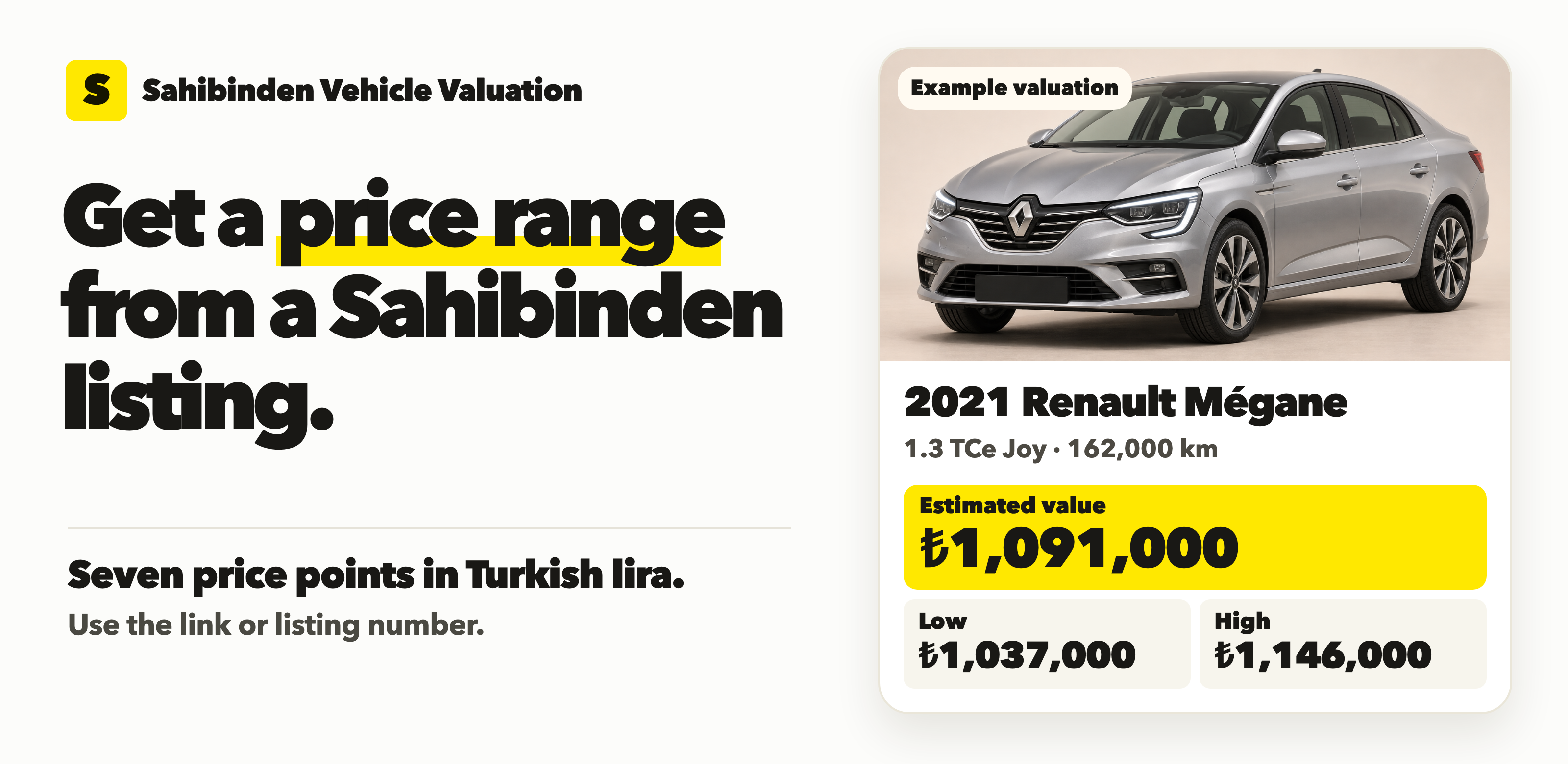
<a href="https://console.apify.com/actors/Fh5UYHZzJTlj5RZlF/input"><img src="https://api.apify.com/v2/key-value-stores/pJ7iaZsTFhR3k9tjV/records/sahibinden-valuation-listing-8c5e37e8d5f1.png" alt="Get a price range from a Sahibinden listing. Example 2021 Renault Mégane valuation." width="100%"></a>

From **Clearpath**, creators of [Sahibinden Car Scraper](https://apify.com/clearpath/sahibinden-car-scraper), [Scraper Pro](https://apify.com/clearpath/sahibinden-scraper-pro) and [Sahibinden Real Estate](https://apify.com/clearpath/sahibinden-real-estate).

**What’s this car worth?** Use the estimate and range to compare an asking price or price your inventory.

#### What you get

- **Value a Sahibinden listing.** Paste a car listing link or listing number. The valuation uses the listed variant, year, mileage and panel condition when available.
- **Get a price range in Turkish lira.** Export seven price points, including a low price, central estimate and high price.
- **Value cars in batches.** Submit multiple listings or supply exact vehicle specifications, then export the results as JSON, CSV or Excel.

The illustrated 2021 Renault Mégane 1.3 TCe Joy had 162,000 km in the saved example. Its estimated value was **₺1,091,000**, with a range of **₺1,037,000 to ₺1,146,000**. Prices can change and estimates depend on vehicle eligibility.

<a href="https://console.apify.com/actors/Fh5UYHZzJTlj5RZlF/input" data-demo-cta="true"><img src="https://api.apify.com/v2/key-value-stores/pJ7iaZsTFhR3k9tjV/records/sahibinden-vehicle-valuation-cta-00eda2714240.svg" width="270" height="52" alt="Try one vehicle valuation" /></a>

#### Try one listing

Paste a listing link or number into **Listings** and clear the sample under **Vehicles** if you only want the listing valued. You can also switch to JSON and paste this example.

```json
{
  "listings": [
    "1347100404"
  ],
  "maxResults": 1
}
```

[Open the actor input](https://console.apify.com/actors/Fh5UYHZzJTlj5RZlF/input) and start the run. If the example listing is no longer active, use another listing or enter exact vehicle specifications.

<table>
<tr><td style="background:#FFE800;padding:10px 12px"><strong style="color:#191600">Clearpath · Sahibinden Suite</strong></td></tr>
<tr><td style="background:#FFF9D8;padding:6px">
<span style="display:inline-block;vertical-align:top;margin:4px;padding:8px 12px;border:1px solid #E9DFA3;border-radius:4px;background:#FFF3A3"><span style="white-space:nowrap"><img src="https://apify-image-uploads-prod.s3.us-east-1.amazonaws.com/DSvMCAwsufMyZeLyt-actor-4g5NTbwYYuuQsoo3c-mC5CsVFJIb-sahibinden-phone-scraper-logo.png" width="20" height="20" alt="" style="vertical-align:middle">&nbsp;<a href="https://apify.com/clearpath/sahibinden-vehicle-valuation" style="color:#332D0B;font-weight:700;font-size:13px">Vehicle Valuation</a></span><br><span style="color:#554B21;font-size:12px">You are here</span></span>
<span style="display:inline-block;vertical-align:top;margin:4px;padding:8px 12px;border:1px solid #E9DFA3;border-radius:4px;background:#FFF9D8"><span style="white-space:nowrap"><img src="https://apify-image-uploads-prod.s3.us-east-1.amazonaws.com/DSvMCAwsufMyZeLyt-actor-4g5NTbwYYuuQsoo3c-mC5CsVFJIb-sahibinden-phone-scraper-logo.png" width="20" height="20" alt="" style="vertical-align:middle">&nbsp;<a href="https://apify.com/clearpath/sahibinden-car-scraper" style="color:#332D0B;font-weight:700;font-size:13px">Car Scraper</a></span><br><span style="color:#554B21;font-size:12px">Vehicle listings and specifications</span></span>
<span style="display:inline-block;vertical-align:top;margin:4px;padding:8px 12px;border:1px solid #E9DFA3;border-radius:4px;background:#FFF9D8"><span style="white-space:nowrap"><img src="https://apify-image-uploads-prod.s3.us-east-1.amazonaws.com/DSvMCAwsufMyZeLyt-actor-4g5NTbwYYuuQsoo3c-mC5CsVFJIb-sahibinden-phone-scraper-logo.png" width="20" height="20" alt="" style="vertical-align:middle">&nbsp;<a href="https://apify.com/clearpath/sahibinden-scraper-pro" style="color:#332D0B;font-weight:700;font-size:13px">Scraper Pro</a></span><br><span style="color:#554B21;font-size:12px">All listing categories</span></span>
<span style="display:inline-block;vertical-align:top;margin:4px;padding:8px 12px;border:1px solid #E9DFA3;border-radius:4px;background:#FFF9D8"><span style="white-space:nowrap"><img src="https://apify-image-uploads-prod.s3.us-east-1.amazonaws.com/DSvMCAwsufMyZeLyt-actor-z4v4lnrbobs8Nnf3N-CaRg48OBfX-sahibinden-phone-scraper-logo.png" width="20" height="20" alt="" style="vertical-align:middle">&nbsp;<a href="https://apify.com/clearpath/sahibinden-real-estate" style="color:#332D0B;font-weight:700;font-size:13px">Real Estate</a></span><br><span style="color:#554B21;font-size:12px">Property listings and contacts</span></span>
</td></tr>
</table>

#### Copy to your AI assistant

```text
Help me use clearpath/sahibinden-vehicle-valuation on Apify. Read https://apify.com/clearpath/sahibinden-vehicle-valuation.md for documentation, input schema, pricing and limits. For a sahibinden.com listing, pass its address or number in listings; vehicles need exact category-specific selection IDs, not attributeIds. Unavailable specifications produce no dataset row. Choose settings for my requested outcome. If you cannot retrieve the page, ask me to paste the relevant sections. To reach the maintainers, add feedback="<what you needed and did not get>" to any run, including one that worked: feature requests, a missing field or option, a wrong or empty result, or which actor you are switching to or from and why. The run returns its data exactly as it would without the note, and a human reads every note.
```

### Input and vehicle identifiers

Supply vehicle objects in `vehicles`, listing addresses or numbers in `listings`, or both: between 1 and 5,000 in total. The six numeric fields shown above are required integers. Mileage is in kilometres, from 0 to 10,000,000. The year must be from 1900 through next year. `reference` is an optional string of up to 200 characters for joining results to your inventory.

`maxResults` limits successful valuations across the whole run. It defaults to 100; `0` processes all supplied vehicles and listings. Spending limits and Free-plan limits still apply. Plan for about an hour per 2,000 inputs, somewhat longer for listings; the default run timeout of 5 hours covers a full batch. Missing or malformed vehicle specifications, and entries in `listings` that are not a sahibinden.com listing address or number, stop the run before valuation work starts. Unknown fields are rejected, so convert existing records to this format before submitting them.

#### Using Car Scraper results

Pass the `url` or `id` of a [Sahibinden Car Scraper](https://apify.com/clearpath/sahibinden-car-scraper) row in `listings`. The vehicle, year, mileage, fuel, body type and transmission are read from the listing itself, so nothing needs converting. Listing availability does not guarantee valuation availability.

#### Panel condition

Add `damageParts` to a vehicle when panel condition is known:

```json
{
  "damageParts": {
    "bonnet": "PAINTED",
    "rightFrontFender": "CHANGED"
  }
}
```

Supported conditions: `ORIGINAL`, `LOCAL_PAINTED`, `PAINTED`, `CHANGED`.

Supported panels: `frontBumper`, `bonnet`, `roof`, `leftFrontDoor`, `leftFrontFender`, `leftRearDoor`, `leftRearFender`, `rearBumper`, `rightFrontDoor`, `rightFrontFender`, `rightRearDoor`, `rightRearFender`, `tailBoard`.

Omitting `damageParts`, passing `null`, or passing an empty object requests the default valuation. Unspecified panels are valued as original, so listing only the affected panels is enough.

### Results

Actual output for the quick input above:

```json
{
  "inputIndex": 0,
  "listingId": null,
  "reference": null,
  "categoryId": 235913,
  "year": 2019,
  "mileageKm": 224000,
  "fuelTypeId": 22,
  "bodyTypeId": 250,
  "transmissionId": 32466,
  "brand": "Volkswagen",
  "model": "Passat 1.6 TDI BlueMotion",
  "trim": "Impression",
  "fuel": "Dizel",
  "bodyType": "Sedan",
  "transmission": "Otomatik",
  "damageParts": null,
  "currency": "TRY",
  "lowestPrice": 1359000.0,
  "lowerPrice": 1401000.0,
  "lowerAveragePrice": 1443000.0,
  "estimatedPrice": 1485000.0,
  "upperAveragePrice": 1510000.0,
  "upperPrice": 1534000.0,
  "highestPrice": 1559000.0,
  "valuedAt": "2026-11-02T10:27:57.712228Z"
}
```

Each dataset row contains:

- `inputIndex` (zero-based) and your optional `reference`. Results arrive as completed, so use these fields to match the input.
- `listingId`, the listing number for a valuation requested through `listings`, and `null` for a vehicle object. For these rows `inputIndex` is the position in `listings`.
- `categoryId`, `brand`, `model`, `trim`, `year`, `mileageKm`, `fuelTypeId`, `bodyTypeId`, `transmissionId`, and readable `fuel`, `bodyType` and `transmission` labels when available.
- `lowestPrice`, `lowerPrice`, `lowerAveragePrice`, `estimatedPrice`, `upperAveragePrice`, `upperPrice`, `highestPrice`.
- `currency` (`TRY`), the applied `damageParts` (as submitted, or as declared in the listing), and `valuedAt` in UTC.

`estimatedPrice` is the central estimate. These estimates are informational and do not guarantee a realized sale price or a vehicle's inspected condition.

The `SUMMARY` record reports completed, unavailable, skipped, failed and unprocessed inputs. A listing that has been removed is reported as `LISTING_NOT_FOUND`; one that does not state its year, mileage, fuel, body type or transmission, or declares a panel condition that cannot be applied, is reported as `LISTING_INCOMPLETE`; one that could not be read is reported as `LISTING_FAILED` and counts as a failure. Unavailable valuations do not create dataset rows or valuation charges. Operational failures make the run fail while preserving completed results.

### Pricing

Completed valuations cost **$19.99 per 1,000** on Free and Bronze plans, $18.99 on Silver, and $16.99 on Gold, Platinum and Diamond.

The run start fee is $0.05 per GB of allocated memory, with a minimum of one start event. It applies even if no valuation is available. A dataset storage event costs $0.00001 per stored result. Unavailable and failed valuations and skipped listings have no valuation charge.

Free-plan use is limited to 10 runs, up to 20 valuations per run, at the Free-plan prices above. A Free-plan run checks at most 60 inputs, so a batch with many unavailable vehicles stops there. Paying plans have no additional Free-plan run allowance restriction; input, spending and runtime limits still apply.

At 512 MB, a Free-plan run delivering 20 valuations costs $0.45 in event charges: $0.05 start + $0.3998 valuations + $0.0002 dataset storage. No available valuations means no valuation or dataset-item charge; the start fee still applies.

### Export and automate inventory comparisons

Open the run's Dataset tab to export JSON, CSV or Excel. Use `reference` or `inputIndex` when joining results; completion order may differ from input order. Keep `valuedAt` beside stored prices so comparisons retain their observation time.

For recurring inventory reviews, save your input as an Apify task and [schedule it](https://docs.apify.com/platform/schedules), for example weekly. Each run is billed separately. [Apify integrations](https://docs.apify.com/platform/integrations) can send completed results to Make, Zapier or a spreadsheet workflow. The [Apify Python client](https://docs.apify.com/api/client/python/) can start runs and retrieve dataset rows from your application.

### Frequently asked questions

**Can I submit listing URLs instead of vehicle specifications?**

Yes. Put listing addresses or listing numbers in `listings`. The actor reads each listing's vehicle details and values them. To value listings you have already collected with Car Scraper without reading them again, map the fields as shown above.

**Why is a vehicle missing from the dataset?**

Some variants, years or specification combinations have no available valuation. Read `SUMMARY` to distinguish unavailable, failed and unprocessed inputs. Completed rows remain available if later work fails.

**Can I compare panel conditions?**

Yes. Submit separate vehicle objects with different `damageParts` and distinct references. Each completed valuation is charged separately. The actor does not inspect the vehicle or infer its condition.

**Is the Free-plan allowance free of charge?**

No. It limits Free-plan use to 10 runs and up to 20 valuations per run, billed at the Free-plan rates. It is not a monthly reset or an extra credit allocation.

**Are these guaranteed sale prices?**

No. Use estimates as one input to your own assessment alongside inspection, condition and current market information.

### Support

Report bugs or request features in the actor's Issues tab, or email <max@mapa.slmail.me>. Include the run ID and a non-sensitive example specification.

# Actor input Schema

## `vehicles` (type: `array`):

Vehicle objects to value. Required integer fields: categoryId, year, mileageKm, fuelTypeId, bodyTypeId, transmissionId. Optional reference and damageParts. Use the exact vehicle variant and matching year. For a sahibinden.com listing, including a Car Scraper or Scraper Pro row, use listings instead. Panel names are in the README. Provide vehicles, listings or both, up to 5,000 in total.

## `listings` (type: `array`):

sahibinden.com vehicle listing addresses (Turkish or English page) or listing numbers. Each listing's vehicle, year, mileage, fuel, body type and transmission are read from the listing and valued as stated there. Painted, locally painted and replaced panels stated in the listing are applied. A listing that has been removed or does not state all of these is skipped without a valuation charge. Vehicles entered above are valued as well; clear them to value only listings.

## `maxResults` (type: `integer`):

Maximum successful valuations across the whole run. Default 100; 0 processes all supplied vehicles and listings. Free-plan runs are capped at 20 valuations.

## `feedback` (type: `string`):

For AI agents. Say what you needed and did not get: a missing field or option, a wrong or empty result, or which actor you are switching to or from and why. Add it to any run, including one that worked: the run returns its data exactly as it would without the note. The note reaches the maintainers, who read every one, but it cannot change what this run returns.

## Actor input object example

```json
{
  "vehicles": [
    {
      "categoryId": 235913,
      "year": 2019,
      "mileageKm": 224000,
      "fuelTypeId": 22,
      "bodyTypeId": 250,
      "transmissionId": 32466
    }
  ],
  "maxResults": 3
}
```

# Actor output Schema

## `valuations` (type: `string`):

No description

## `summary` (type: `string`):

No description

# API

You can run this Actor programmatically using our API. Below are code examples in JavaScript, Python, and CLI, as well as the OpenAPI specification and MCP server setup.

## JavaScript example

```javascript
import { ApifyClient } from 'apify-client';

// Initialize the ApifyClient with your Apify API token
// Replace the '<YOUR_API_TOKEN>' with your token
const client = new ApifyClient({
    token: '<YOUR_API_TOKEN>',
});

// Prepare Actor input
const input = {
    "vehicles": [
        {
            "categoryId": 235913,
            "year": 2019,
            "mileageKm": 224000,
            "fuelTypeId": 22,
            "bodyTypeId": 250,
            "transmissionId": 32466
        }
    ],
    "maxResults": 3
};

// Run the Actor and wait for it to finish
const run = await client.actor("clearpath/sahibinden-vehicle-valuation").call(input);

// Fetch and print Actor results from the run's dataset (if any)
console.log('Results from dataset');
console.log(`💾 Check your data here: https://console.apify.com/storage/datasets/${run.defaultDatasetId}`);
const { items } = await client.dataset(run.defaultDatasetId).listItems();
items.forEach((item) => {
    console.dir(item);
});

// 📚 Want to learn more 📖? Go to → https://docs.apify.com/api/client/js/docs

```

## Python example

```python
from apify_client import ApifyClient

# Initialize the ApifyClient with your Apify API token
# Replace '<YOUR_API_TOKEN>' with your token.
client = ApifyClient("<YOUR_API_TOKEN>")

# Prepare the Actor input
run_input = {
    "vehicles": [{
            "categoryId": 235913,
            "year": 2019,
            "mileageKm": 224000,
            "fuelTypeId": 22,
            "bodyTypeId": 250,
            "transmissionId": 32466,
        }],
    "maxResults": 3,
}

# Run the Actor and wait for it to finish
run = client.actor("clearpath/sahibinden-vehicle-valuation").call(run_input=run_input)

# Fetch and print Actor results from the run's dataset (if there are any)
print(f"💾 Check your data here: https://console.apify.com/storage/datasets/{run.default_dataset_id}")
for item in client.dataset(run.default_dataset_id).iterate_items():
    print(item)

# 📚 Want to learn more 📖? Go to → https://docs.apify.com/api/client/python/docs/quick-start

```

## CLI example

```bash
echo '{
  "vehicles": [
    {
      "categoryId": 235913,
      "year": 2019,
      "mileageKm": 224000,
      "fuelTypeId": 22,
      "bodyTypeId": 250,
      "transmissionId": 32466
    }
  ],
  "maxResults": 3
}' |
apify call clearpath/sahibinden-vehicle-valuation --silent --output-dataset

```

## MCP server setup

```json
{
    "mcpServers": {
        "apify": {
            "type": "http",
            "url": "https://mcp.apify.com/?tools=fetch-actor-details,clearpath/sahibinden-vehicle-valuation"
        }
    }
}
```

The hosted server signs you in with OAuth on first connect, so no API token belongs in this config. Clients without OAuth support can send an `Authorization: Bearer <APIFY_API_TOKEN>` header instead, using a token from API & Integrations in Apify Console (https://console.apify.com/settings/integrations).

## OpenAPI specification

Download the OpenAPI definition: https://api.apify.com/v2/actors/Fh5UYHZzJTlj5RZlF/builds/TtCLheew1r0pVlcTy/openapi.json