# Y Combinator Extractor
💫 All-In-One YCombinator.com Scraper
## Actor Statistics
- Total users: 122
- Monthly users: 11
- Runs succeeded: 98.70%
- Categories: Jobs, Lead generation
## Pricing
$30.00/month + usage
## Input Schema
- **query** (type: string): Search Terms: job title, tech stack, company name
- **mode** (type: string): Operation Mode
- **limit** (type: integer): Number of results
- **news:type** (type: string): No description
- **news:sort** (type: string): No description
- **news:time\_delta** (type: integer): No description
- **news:time\_unit** (type: string): No description
- **news:date\_from** (type: string): No description
- **news:date\_to** (type: string): No description
- **job:sort** (type: string): No description
- **job:role** (type: array): No description
- **job:job\_type** (type: string): No description
- **job:team\_size** (type: array): No description
- **job:industry** (type: string): No description
- **job:experience** (type: array): No description
- **job:location** (type: string): No description
- **job:remote** (type: array): No description
- **job:stage** (type: array): No description
- **job:demographic** (type: string): No description
- **job:sallary** (type: boolean): No description
- **job:equity** (type: boolean): No description
- **job:interview** (type: boolean): No description
- **job:us\_visa** (type: boolean): No description
- **company:sort** (type: string): No description
- **company:top\_company** (type: boolean): No description
- **company:is\_hiring** (type: boolean): No description
- **company:non\_profit** (type: boolean): No description
- **company:batches** (type: array): No description
- **company:industries** (type: array): No description
- **company:regions** (type: array): No description
- **company:min\_size** (type: integer): No description
- **company:max\_size** (type: integer): No description
- **company:app\_video** (type: boolean): No description
- **company:demo\_day** (type: boolean): No description
- **company:app\_answers** (type: boolean): No description
- **company:question\_answers** (type: boolean): No description
- **company:status** (type: array): No description
- **company:tags** (type: array): No description
- **user:top\_company** (type: boolean): No description
- **user:batches** (type: array): No description
- **user:industries** (type: array): No description
- **user:titles** (type: array): No description
- **user:regions** (type: array): No description
- **launch:sort** (type: string): No description
- **launch:batches** (type: array): No description
- **launch:industries** (type: array): No description
- **launch:tags** (type: array): No description
- **library:media** (type: array): No description
- **library:categories** (type: array): No description
- **dev\_custom\_headers** (type: array): 💡 Additional HTTP Headers
- **dev\_custom\_cookies** (type: array): 💡 Additional HTTP Cookies
- **dev\_transform\_fields** (type: array): 💡 Transform the resulting output. Select only needed fields.
For nested object use DOT. For example: address.streetAddress
For nested array use NUMBER (index of array element starting from index=0). For example: images.0.url
- **dev\_dataset\_name** (type: string): 💡 Save results into custom named Dataset, use mask to customize dataset name
{ACTOR} = actor name
{DATE} = date (YYYYMMDD)
{TIME} = time (HHMMSS)
This masks can be used to autogenerate Dataset Name.
example: data-{DATE}
Depending on today date the dataset name will be: data-20230603
default: data-{ACTOR}-{DATE}-{TIME}
- **dev\_dataset\_clear** (type: boolean): Clear Dataset before insert/update.
- **dev\_no\_strip** (type: boolean): 💡 Keep/Save empty values (NULL, FALSE, empty ARRAY, empty OBJECT, empty STRING)
## API example
## Y Combinator Extractor
- **OpenAPI Version:** `3.1.1`
- **API Version:** `0.1`
💫 All-In-One YCombinator.com Scraper
### Servers
- **URL:** `https://api.apify.com/v2`
### Operations
#### Executes an Actor, waits for its completion, and returns Actor's dataset items in response.
- **Method:** `POST`
- **Path:** `/acts/jupri~ycombinator/run-sync-get-dataset-items`
- **Tags:** Run Actor
##### Request Body
###### Content-Type: application/json
- **`company:app_answers`**
`boolean`
- **`company:app_video`**
`boolean`
- **`company:batches`**
`array`
**Items:**
`string`, possible values: `"F24", "IK12", "S05", "S06", "S07", "S08", "S09", "S10", "S11", "S12", "S13", "S14", "S15", "S16", "S17", "S18", "S19", "S20", "S21", "S22", "S23", "S24", "Unspecified", "W06", "W07", "W08", "W09", "W10", "W11", "W12", "W13", "W14", "W15", "W16", "W17", "W18", "W19", "W20", "W21", "W22", "W23", "W24", "W25", "X25"`
- **`company:demo_day`**
`boolean`
- **`company:industries`**
`array`
**Items:**
`string`
- **`company:is_hiring`**
`boolean`
- **`company:max_size`**
`integer`
- **`company:min_size`**
`integer`
- **`company:non_profit`**
`boolean`
- **`company:question_answers`**
`boolean`
- **`company:regions`**
`array`
**Items:**
`string`
- **`company:sort`**
`string`, possible values: `"default", "date"`
- **`company:status`**
`array`
**Items:**
`string`, possible values: `"Acquired", "Active", "Inactive", "Public"`
- **`company:tags`**
`array`
**Items:**
`string`, possible values: `"AI", "AI Assistant", "AI-Enhanced Learning", "AI-powered Drug Discovery", "AIOps", "API", "Advertising", "Aerospace", "Agriculture", "Analytics", "Artificial Intelligence", "Automation", "B2B", "Biotech", "Climate", "ClimateTech", "Cloud Computing", "Collaboration", "Community", "Compliance", "Computer Vision", "Construction", "Consumer", "Consumer Health Services", "Conversational AI", "Crypto / Web3", "Customer Support", "Cybersecurity", "Data Engineering", "Data Visualization", "Deep Learning", "Delivery", "Design Tools", "DevOps", "DevSecOps", "Developer Tools", "Diagnostics", "Digital Health", "Documents", "Drug discovery", "E-commerce", "Education", "Energy", "Enterprise", "Enterprise Software", "Entertainment", "FinOps", "Finance", "Fintech", "Food Tech", "Gaming", "Generative AI", "GovTech", "Grocery", "HR Tech", "Hard Tech", "Hardware", "Health & Wellness", "Health Tech", "Healthcare", "India", "Infrastructure", "Insurance", "Investing", "IoT", "LegalTech", "Logistics", "Machine Learning", "Manufacturing", "Marketing", "Marketplace", "Media", "Medical Devices", "Mental Health Tech", "Messaging", "Neobank", "Open Source", "Payments", "Productivity", "Proptech", "Real Estate", "Recruiting", "Retail", "Robotics", "SaaS", "Sales", "Sales Enablement", "Security", "Social", "Social Media", "Subscriptions", "Supply Chain", "Synthetic Biology", "Telemedicine", "Therapeutics", "Transportation", "Travel", "Video", "Workflow Automation", "eLearning"`
- **`company:top_company`**
`boolean`
- **`dev_custom_cookies`**
`array` — 💡 Additional HTTP Cookies
**Items:**
- **`key` (required)**
`string`
- **`value` (required)**
`string`
- **`dev_custom_headers`**
`array` — 💡 Additional HTTP Headers
**Items:**
- **`key` (required)**
`string`
- **`value` (required)**
`string`
- **`dev_dataset_clear`**
`boolean` — Clear Dataset before insert/update.
- **`dev_dataset_name`**
`string` — 💡 \Save results into custom named Dataset, use mask to customize dataset name\\
\
\{ACTOR} = actor name\
{DATE} = date (YYYYMMDD)\
{TIME} = time (HHMMSS)\\
\
This masks can be used to autogenerate Dataset Name.\
\
example: \\data-{DATE}\\\
Depending on today date the dataset name will be: \data-20230603\\\
\
default: \data-{ACTOR}-{DATE}-{TIME}\\
- **`dev_no_strip`**
`boolean` — 💡 Keep/Save empty values \\(NULL, FALSE, empty ARRAY, empty OBJECT, empty STRING)\\
- **`dev_transform_fields`**
`array` — 💡 \Transform the resulting output. Select only needed fields.\\
\
For nested object use \DOT\. For example: \address.streetAddress\
\
For nested array use \NUMBER\ \(index of array element starting from index=0)\. For example: \images.0.url\
**Items:**
- **`key` (required)**
`string`
- **`value` (required)**
`string`
- **`job:demographic`**
`string`, possible values: `"black", "women", "latinx"`
- **`job:equity`**
`boolean`
- **`job:experience`**
`array`
**Items:**
`string`, possible values: `"0", "1", "3", "6", "11"`
- **`job:industry`**
`string`, possible values: `"b2b", "consumer", "education", "healthcare", "financial", "real_estate", "industrials", "government", "unspecified"`
- **`job:interview`**
`boolean`
- **`job:job_type`**
`string`, possible values: `"fulltime", "intern", "contract"`
- **`job:location`**
`string`
- **`job:remote`**
`array`
**Items:**
`string`, possible values: `"yes", "only", "no"`
- **`job:role`**
`array`
**Items:**
`string`, possible values: `"eng", "design", "product", "science", "sales", "marketing", "support", "operations", "recruiting", "finance", "legal"`
- **`job:sallary`**
`boolean`
- **`job:sort`**
`string`, possible values: `"newest_job", "active", "newest_com", "employees_asc", "employees_desc", "relevance"`
- **`job:stage`**
`array`
**Items:**
`string`, possible values: `"all", "seed", "series_a", "growth", "scale"`
- **`job:team_size`**
`array`
**Items:**
`string`, possible values: `"1", "2", "3", "4"`
- **`job:us_visa`**
`boolean`
- **`launch:batches`**
`array`
**Items:**
`string`, possible values: `"F2024", "S2015", "S2016", "S2017", "S2018", "S2019", "S2020", "S2021", "S2022", "S2023", "S2024", "W2014", "W2016", "W2017", "W2018", "W2019", "W2020", "W2021", "W2022", "W2023", "W2024", "W2025", "X2025"`
- **`launch:industries`**
`array`
**Items:**
`string`, possible values: `"B2B", "Consumer", "Education", "Fintech", "Government", "Healthcare", "Industrials", "Real Estate and Construction"`
- **`launch:sort`**
`string`, possible values: `"vote", "date"`
- **`launch:tags`**
`array`
**Items:**
`string`, possible values: `"AI", "AI Assistant", "AI-Enhanced Learning", "AI-powered Drug Discovery", "AIOps", "API", "APIs", "Advertising", "Aerospace", "Agriculture", "Airlines", "Airplanes", "Analytics", "Apparel", "Architecture", "Artificial Intelligence", "Augmented Reality", "Auto Commerce", "Automation", "Automotive", "Autonomous Trucking", "B2B", "Banking as a Service", "Big Data", "Billing", "Biometrics", "Bioplastic", "Biotech", "Biotechnology", "CRISPR", "CRM", "Calendar", "Call Center", "Carbon Capture and Removal", "Careers", "Cell Therapy", "Chat", "Chatbot", "Civic Tech", "Climate", "ClimateTech", "Cloud Computing", "Collaboration", "Commercial Space Launch", "Community", "Compliance", "Computer Vision", "Construction", "Consumer", "Consumer Finance", "Consumer Health Services", "Consumer Products", "Conversational AI", "Conversational Banking", "Creator Economy", "Crowdfunding", "Crypto / Web3", "Cryptocurrency", "Cryptography", "Customer Service", "Customer Success", "Customer Support", "Cybersecurity", "Data Engineering", "Data Labeling", "Data Science", "Data Visualization", "Databases", "Dating", "DeFi", "Deep Learning", "Delivery", "Dental", "Design", "Design Tools", "DevOps", "DevSecOps", "Developer Tools", "Diagnostics", "Digital Health", "Diversity & Inclusion", "Documents", "Drones", "Drug Delivery", "Drug discovery", "E-commerce", "Edge Computing Semiconductors", "Edtech", "Education", "Electric Vehicles", "Electronics", "Email", "Emerging Markets", "Energy", "Energy Storage", "Enterprise", "Enterprise Software", "Entertainment", "Fashion", "Feedback", "Femtech", "FinOps", "Finance", "Fintech", "Fitness", "Food", "Food & Beverage", "Food Tech", "Fraud Detection", "Fraud Prevention", "Fundraising", "Gaming", "Gene Therapy", "Generative AI", "Genetic Engineering", "Genomics", "Geographic Information System", "Ghost Kitchens", "GovTech", "GraphQL", "Grocery", "HR Tech", "Hard Tech", "Hardware", "Health & Wellness", "Health Insurance", "Health Tech", "Healthcare", "Healthcare IT", "Home Automation", "Home Services", "Housing", "Human Resources", "Hydrogen Energy", "Identity", "Immigration", "Income Share Agreements", "India", "Industrial", "Infrastructure", "Insurance", "International", "Investing", "Investments", "IoT", "Kubernetes", "Latin America", "Legal", "LegalTech", "Lending", "Lidar", "Logistics", "ML", "Machine Learning", "Manufacturing", "Market Research", "Marketing", "Marketplace", "Media", "Medical Devices", "Medical Robotics", "Mental Health", "Mental Health Tech", "Messaging", "Metaverse", "Microfluidics", "Mining", "Monitoring", "Music", "NFT", "NLP", "Nanomedicine", "Nanosensors", "Nanotechnology", "Navigation", "Neobank", "Neurotechnology", "No-code", "Note-taking", "Oncology", "Open Source", "Operations", "Payments", "Payroll", "Podcasts", "Primary Care", "Privacy", "Procurement", "Productivity", "Proptech", "Quantum Computing", "Real Estate", "Recommendation System", "Recruiting", "Regtech", "Reinforcement Learning", "Remittances", "Remote Work", "Renewable Energy", "Restaurant Tech", "Retail", "Retail Tech", "Reviews", "Ridesharing", "Robotic Process Automation", "Robotic Surgery", "Robotics", "Rocketry", "SEO", "SMB", "SMS", "SaaS", "Sales", "Sales Enablement", "Satellites", "Scheduling", "Search", "Security", "Semiconductors", "Sleep Tech", "Social", "Social Media", "Social Network", "Solar Power", "Space Exploration", "Sports Tech", "Stocks", "Subscriptions", "Supply Chain", "Sustainability", "Sustainable Agriculture", "Sustainable Fashion", "Sustainable Tourism", "Swarm Robotics", "Synthetic Biology", "Talent Acquisition", "Team Collaboration", "Telecommunications", "Telehealth", "Telemedicine", "Therapeutics", "Ticketing", "Time Series", "Trading", "Transportation", "Travel", "Trust & Safety", "Unmanned Vehicle", "Video", "Virtual Reality", "Warehouse Management Tech", "Weather", "Web Development", "Women's Health", "Workflow Automation", "eLearning", "eSports"`
- **`library:categories`**
`array`
**Items:**
`string`, possible values: `"Becoming a Founder", "Academia to Startup", "College Students", "Non-Technical Founders", "Business Models", "Monetization", "Pricing", "Unit Economics", "Co-Founders", "B2B", "Consumer", "Real Estate", "Science + Biotech", "Company Stages", "Early Stage", "Growth Stage", "Pivoting", "Staying Alive", "Customers", "Product Market Fit", "Retention", "Talking to Users", "Design", "UX + Design", "Finance", "Cash Burn", "Founder Psychology", "Decision Making", "Mental Health", "Motivation", "Time Management", "Founder Stories", "Women Founders", "Fundraising + Investors", "Board Management", "Fundraising", "Fundraising Docs", "Investors", "Negotiation", "Pitch Deck", "Safes", "Seed Round", "Series A", "Valuations", "Getting Started", "Growth", "Enterprise Sales", "KPI", "Launch", "Marketing", "Press", "China", "Legal", "Management", "CEO", "CTO", "Leadership", "Office Hours", "People", "Advisers", "Compensation", "Culture", "Diversity + Inclusion", "Hiring", "Recruiting", "Stock Equity", "Product", "Building Product", "Experimentation", "Feature Prioritization", "MVP", "Startup Ideas", "Problems to Solve", "Technical", "Artificial Intelligence", "Engineering", "Working at a Startup", "YC", "Applying to YC", "YC Demo Day"`
- **`library:media`**
`array`
**Items:**
`string`, possible values: `"Blog", "External", "Video"`
- **`limit`**
`integer` — Number of results
- **`mode`**
`string`, possible values: `"search_news", "search_job", "search_company", "search_user", "search_launch", "search_library"` — Operation Mode
- **`news:date_from`**
`string`
- **`news:date_to`**
`string`
- **`news:sort`**
`string`, possible values: `"date", "popular"`
- **`news:time_delta`**
`integer`
- **`news:time_unit`**
`string`, possible values: `"hour", "day", "week", "month", "year"`
- **`news:type`**
`string`, possible values: `"hot", "starred", "story", "comment", "ask_hn", "show_hn", "launch_hn", "job", "poll"`
- **`query`**
`string` — Search Terms: job title, tech stack, company name
- **`user:batches`**
`array`
**Items:**
`string`, possible values: `"F24", "IK12", "S05", "S06", "S07", "S08", "S09", "S10", "S11", "S12", "S13", "S14", "S15", "S16", "S17", "S18", "S19", "S20", "S21", "S22", "S23", "S24", "W06", "W07", "W08", "W09", "W10", "W11", "W12", "W13", "W14", "W15", "W16", "W17", "W18", "W19", "W20", "W21", "W22", "W23", "W24", "W25", "X25"`
- **`user:industries`**
`array`
**Items:**
`string`, possible values: `"B2B", "Analytics", "Engineering, Product and Design", "Finance and Accounting", "Human Resources", "Infrastructure", "Legal", "Marketing", "Office Management", "Operations", "Productivity", "Recruiting and Talent", "Retail", "Sales", "Security", "Supply Chain and Logistics", "Consumer", "Apparel and Cosmetics", "Consumer Electronics", "Content", "Food and Beverage", "Gaming", "Home and Personal", "Job and Career Services", "Social", "Transportation Services", "Travel, Leisure and Tourism", "Virtual and Augmented Reality", "Education", "Fintech", "Asset Management", "Banking and Exchange", "Consumer Finance", "Credit and Lending", "Insurance", "Payments", "Government", "Healthcare", "Consumer Health and Wellness", "Diagnostics", "Drug Discovery and Delivery", "Healthcare IT", "Healthcare Services", "Industrial Bio", "Medical Devices", "Therapeutics", "Industrial", "Industrials", "Agriculture", "Automotive", "Aviation and Space", "Climate", "Drones", "Energy", "Manufacturing and Robotics", "Real Estate and Construction", "Construction", "Housing and Real Estate", "Unspecified"`
- **`user:regions`**
`array`
**Items:**
`string`, possible values: `"Albania", "Argentina", "Armenia", "Australia", "Austria", "Bahrain", "Bangladesh", "Belgium", "Bermuda", "Brazil", "Bulgaria", "Canada", "Chile", "China", "Colombia", "Costa Rica", "Croatia", "Cyprus", "Czechia", "Democratic Republic of the Congo", "Denmark", "Ecuador", "Egypt", "El Salvador", "Estonia", "Ethiopia", "Finland", "France", "Georgia", "Germany", "Ghana", "Greece", "Greenland", "Hong Kong", "Hungary", "Iceland", "India", "Indonesia", "Iraq", "Ireland", "Israel", "Italy", "Ivory Coast", "Japan", "Jordan", "Kazakhstan", "Kenya", "Kyrgyzstan", "Latvia", "Lithuania", "Malaysia", "Mexico", "Monaco", "Morocco", "Nepal", "Netherlands", "New Zealand", "Nigeria", "Norway", "Pakistan", "Panama", "Peru", "Philippines", "Poland", "Portugal", "Puerto Rico", "Qatar", "Romania", "Saudi Arabia", "Serbia", "Singapore", "Slovakia", "Slovenia", "South Africa", "South Korea", "Spain", "Sweden", "Switzerland", "Taiwan", "Tanzania", "Thailand", "Turkey", "Uganda", "Ukraine", "United Arab Emirates", "United Kingdom", "United States Virgin Islands", "United States of America", "Unspecified", "Uruguay", "Vietnam"`
- **`user:titles`**
`array`
**Items:**
`string`
- **`user:top_company`**
`boolean`
**Example:**
```
{
"query": "",
"mode": "search_news",
"limit": 1,
"news:type": "hot",
"news:sort": "date",
"news:time_delta": 1,
"news:time_unit": "hour",
"news:date_from": "",
"news:date_to": "",
"job:sort": "newest_job",
"job:role": [
"eng"
],
"job:job_type": "fulltime",
"job:team_size": [
"1"
],
"job:industry": "b2b",
"job:experience": [
"0"
],
"job:location": "",
"job:remote": [
"yes"
],
"job:stage": [
"all"
],
"job:demographic": "black",
"job:sallary": true,
"job:equity": true,
"job:interview": true,
"job:us_visa": true,
"company:sort": "default",
"company:top_company": true,
"company:is_hiring": true,
"company:non_profit": true,
"company:batches": [
"F24"
],
"company:industries": [
""
],
"company:regions": [
""
],
"company:min_size": 1,
"company:max_size": 1,
"company:app_video": true,
"company:demo_day": true,
"company:app_answers": true,
"company:question_answers": true,
"company:status": [
"Acquired"
],
"company:tags": [
"AI"
],
"user:top_company": true,
"user:batches": [
"F24"
],
"user:industries": [
"B2B"
],
"user:titles": [
""
],
"user:regions": [
"Albania"
],
"launch:sort": "vote",
"launch:batches": [
"F2024"
],
"launch:industries": [
"B2B"
],
"launch:tags": [
"AI"
],
"library:media": [
"Blog"
],
"library:categories": [
"Becoming a Founder"
],
"dev_custom_headers": [
{
"key": "",
"value": ""
}
],
"dev_custom_cookies": [
{
"key": "",
"value": ""
}
],
"dev_transform_fields": [
{
"key": "",
"value": ""
}
],
"dev_dataset_name": "",
"dev_dataset_clear": true,
"dev_no_strip": true
}
```
##### Responses
###### Status: 200 OK
#### Executes an Actor and returns information about the initiated run in response.
- **Method:** `POST`
- **Path:** `/acts/jupri~ycombinator/runs`
- **Tags:** Run Actor
##### Request Body
###### Content-Type: application/json
- **`company:app_answers`**
`boolean`
- **`company:app_video`**
`boolean`
- **`company:batches`**
`array`
**Items:**
`string`, possible values: `"F24", "IK12", "S05", "S06", "S07", "S08", "S09", "S10", "S11", "S12", "S13", "S14", "S15", "S16", "S17", "S18", "S19", "S20", "S21", "S22", "S23", "S24", "Unspecified", "W06", "W07", "W08", "W09", "W10", "W11", "W12", "W13", "W14", "W15", "W16", "W17", "W18", "W19", "W20", "W21", "W22", "W23", "W24", "W25", "X25"`
- **`company:demo_day`**
`boolean`
- **`company:industries`**
`array`
**Items:**
`string`
- **`company:is_hiring`**
`boolean`
- **`company:max_size`**
`integer`
- **`company:min_size`**
`integer`
- **`company:non_profit`**
`boolean`
- **`company:question_answers`**
`boolean`
- **`company:regions`**
`array`
**Items:**
`string`
- **`company:sort`**
`string`, possible values: `"default", "date"`
- **`company:status`**
`array`
**Items:**
`string`, possible values: `"Acquired", "Active", "Inactive", "Public"`
- **`company:tags`**
`array`
**Items:**
`string`, possible values: `"AI", "AI Assistant", "AI-Enhanced Learning", "AI-powered Drug Discovery", "AIOps", "API", "Advertising", "Aerospace", "Agriculture", "Analytics", "Artificial Intelligence", "Automation", "B2B", "Biotech", "Climate", "ClimateTech", "Cloud Computing", "Collaboration", "Community", "Compliance", "Computer Vision", "Construction", "Consumer", "Consumer Health Services", "Conversational AI", "Crypto / Web3", "Customer Support", "Cybersecurity", "Data Engineering", "Data Visualization", "Deep Learning", "Delivery", "Design Tools", "DevOps", "DevSecOps", "Developer Tools", "Diagnostics", "Digital Health", "Documents", "Drug discovery", "E-commerce", "Education", "Energy", "Enterprise", "Enterprise Software", "Entertainment", "FinOps", "Finance", "Fintech", "Food Tech", "Gaming", "Generative AI", "GovTech", "Grocery", "HR Tech", "Hard Tech", "Hardware", "Health & Wellness", "Health Tech", "Healthcare", "India", "Infrastructure", "Insurance", "Investing", "IoT", "LegalTech", "Logistics", "Machine Learning", "Manufacturing", "Marketing", "Marketplace", "Media", "Medical Devices", "Mental Health Tech", "Messaging", "Neobank", "Open Source", "Payments", "Productivity", "Proptech", "Real Estate", "Recruiting", "Retail", "Robotics", "SaaS", "Sales", "Sales Enablement", "Security", "Social", "Social Media", "Subscriptions", "Supply Chain", "Synthetic Biology", "Telemedicine", "Therapeutics", "Transportation", "Travel", "Video", "Workflow Automation", "eLearning"`
- **`company:top_company`**
`boolean`
- **`dev_custom_cookies`**
`array` — 💡 Additional HTTP Cookies
**Items:**
- **`key` (required)**
`string`
- **`value` (required)**
`string`
- **`dev_custom_headers`**
`array` — 💡 Additional HTTP Headers
**Items:**
- **`key` (required)**
`string`
- **`value` (required)**
`string`
- **`dev_dataset_clear`**
`boolean` — Clear Dataset before insert/update.
- **`dev_dataset_name`**
`string` — 💡 \Save results into custom named Dataset, use mask to customize dataset name\\
\
\{ACTOR} = actor name\
{DATE} = date (YYYYMMDD)\
{TIME} = time (HHMMSS)\\
\
This masks can be used to autogenerate Dataset Name.\
\
example: \\data-{DATE}\\\
Depending on today date the dataset name will be: \data-20230603\\\
\
default: \data-{ACTOR}-{DATE}-{TIME}\\
- **`dev_no_strip`**
`boolean` — 💡 Keep/Save empty values \\(NULL, FALSE, empty ARRAY, empty OBJECT, empty STRING)\\
- **`dev_transform_fields`**
`array` — 💡 \Transform the resulting output. Select only needed fields.\\
\
For nested object use \DOT\. For example: \address.streetAddress\
\
For nested array use \NUMBER\ \(index of array element starting from index=0)\. For example: \images.0.url\
**Items:**
- **`key` (required)**
`string`
- **`value` (required)**
`string`
- **`job:demographic`**
`string`, possible values: `"black", "women", "latinx"`
- **`job:equity`**
`boolean`
- **`job:experience`**
`array`
**Items:**
`string`, possible values: `"0", "1", "3", "6", "11"`
- **`job:industry`**
`string`, possible values: `"b2b", "consumer", "education", "healthcare", "financial", "real_estate", "industrials", "government", "unspecified"`
- **`job:interview`**
`boolean`
- **`job:job_type`**
`string`, possible values: `"fulltime", "intern", "contract"`
- **`job:location`**
`string`
- **`job:remote`**
`array`
**Items:**
`string`, possible values: `"yes", "only", "no"`
- **`job:role`**
`array`
**Items:**
`string`, possible values: `"eng", "design", "product", "science", "sales", "marketing", "support", "operations", "recruiting", "finance", "legal"`
- **`job:sallary`**
`boolean`
- **`job:sort`**
`string`, possible values: `"newest_job", "active", "newest_com", "employees_asc", "employees_desc", "relevance"`
- **`job:stage`**
`array`
**Items:**
`string`, possible values: `"all", "seed", "series_a", "growth", "scale"`
- **`job:team_size`**
`array`
**Items:**
`string`, possible values: `"1", "2", "3", "4"`
- **`job:us_visa`**
`boolean`
- **`launch:batches`**
`array`
**Items:**
`string`, possible values: `"F2024", "S2015", "S2016", "S2017", "S2018", "S2019", "S2020", "S2021", "S2022", "S2023", "S2024", "W2014", "W2016", "W2017", "W2018", "W2019", "W2020", "W2021", "W2022", "W2023", "W2024", "W2025", "X2025"`
- **`launch:industries`**
`array`
**Items:**
`string`, possible values: `"B2B", "Consumer", "Education", "Fintech", "Government", "Healthcare", "Industrials", "Real Estate and Construction"`
- **`launch:sort`**
`string`, possible values: `"vote", "date"`
- **`launch:tags`**
`array`
**Items:**
`string`, possible values: `"AI", "AI Assistant", "AI-Enhanced Learning", "AI-powered Drug Discovery", "AIOps", "API", "APIs", "Advertising", "Aerospace", "Agriculture", "Airlines", "Airplanes", "Analytics", "Apparel", "Architecture", "Artificial Intelligence", "Augmented Reality", "Auto Commerce", "Automation", "Automotive", "Autonomous Trucking", "B2B", "Banking as a Service", "Big Data", "Billing", "Biometrics", "Bioplastic", "Biotech", "Biotechnology", "CRISPR", "CRM", "Calendar", "Call Center", "Carbon Capture and Removal", "Careers", "Cell Therapy", "Chat", "Chatbot", "Civic Tech", "Climate", "ClimateTech", "Cloud Computing", "Collaboration", "Commercial Space Launch", "Community", "Compliance", "Computer Vision", "Construction", "Consumer", "Consumer Finance", "Consumer Health Services", "Consumer Products", "Conversational AI", "Conversational Banking", "Creator Economy", "Crowdfunding", "Crypto / Web3", "Cryptocurrency", "Cryptography", "Customer Service", "Customer Success", "Customer Support", "Cybersecurity", "Data Engineering", "Data Labeling", "Data Science", "Data Visualization", "Databases", "Dating", "DeFi", "Deep Learning", "Delivery", "Dental", "Design", "Design Tools", "DevOps", "DevSecOps", "Developer Tools", "Diagnostics", "Digital Health", "Diversity & Inclusion", "Documents", "Drones", "Drug Delivery", "Drug discovery", "E-commerce", "Edge Computing Semiconductors", "Edtech", "Education", "Electric Vehicles", "Electronics", "Email", "Emerging Markets", "Energy", "Energy Storage", "Enterprise", "Enterprise Software", "Entertainment", "Fashion", "Feedback", "Femtech", "FinOps", "Finance", "Fintech", "Fitness", "Food", "Food & Beverage", "Food Tech", "Fraud Detection", "Fraud Prevention", "Fundraising", "Gaming", "Gene Therapy", "Generative AI", "Genetic Engineering", "Genomics", "Geographic Information System", "Ghost Kitchens", "GovTech", "GraphQL", "Grocery", "HR Tech", "Hard Tech", "Hardware", "Health & Wellness", "Health Insurance", "Health Tech", "Healthcare", "Healthcare IT", "Home Automation", "Home Services", "Housing", "Human Resources", "Hydrogen Energy", "Identity", "Immigration", "Income Share Agreements", "India", "Industrial", "Infrastructure", "Insurance", "International", "Investing", "Investments", "IoT", "Kubernetes", "Latin America", "Legal", "LegalTech", "Lending", "Lidar", "Logistics", "ML", "Machine Learning", "Manufacturing", "Market Research", "Marketing", "Marketplace", "Media", "Medical Devices", "Medical Robotics", "Mental Health", "Mental Health Tech", "Messaging", "Metaverse", "Microfluidics", "Mining", "Monitoring", "Music", "NFT", "NLP", "Nanomedicine", "Nanosensors", "Nanotechnology", "Navigation", "Neobank", "Neurotechnology", "No-code", "Note-taking", "Oncology", "Open Source", "Operations", "Payments", "Payroll", "Podcasts", "Primary Care", "Privacy", "Procurement", "Productivity", "Proptech", "Quantum Computing", "Real Estate", "Recommendation System", "Recruiting", "Regtech", "Reinforcement Learning", "Remittances", "Remote Work", "Renewable Energy", "Restaurant Tech", "Retail", "Retail Tech", "Reviews", "Ridesharing", "Robotic Process Automation", "Robotic Surgery", "Robotics", "Rocketry", "SEO", "SMB", "SMS", "SaaS", "Sales", "Sales Enablement", "Satellites", "Scheduling", "Search", "Security", "Semiconductors", "Sleep Tech", "Social", "Social Media", "Social Network", "Solar Power", "Space Exploration", "Sports Tech", "Stocks", "Subscriptions", "Supply Chain", "Sustainability", "Sustainable Agriculture", "Sustainable Fashion", "Sustainable Tourism", "Swarm Robotics", "Synthetic Biology", "Talent Acquisition", "Team Collaboration", "Telecommunications", "Telehealth", "Telemedicine", "Therapeutics", "Ticketing", "Time Series", "Trading", "Transportation", "Travel", "Trust & Safety", "Unmanned Vehicle", "Video", "Virtual Reality", "Warehouse Management Tech", "Weather", "Web Development", "Women's Health", "Workflow Automation", "eLearning", "eSports"`
- **`library:categories`**
`array`
**Items:**
`string`, possible values: `"Becoming a Founder", "Academia to Startup", "College Students", "Non-Technical Founders", "Business Models", "Monetization", "Pricing", "Unit Economics", "Co-Founders", "B2B", "Consumer", "Real Estate", "Science + Biotech", "Company Stages", "Early Stage", "Growth Stage", "Pivoting", "Staying Alive", "Customers", "Product Market Fit", "Retention", "Talking to Users", "Design", "UX + Design", "Finance", "Cash Burn", "Founder Psychology", "Decision Making", "Mental Health", "Motivation", "Time Management", "Founder Stories", "Women Founders", "Fundraising + Investors", "Board Management", "Fundraising", "Fundraising Docs", "Investors", "Negotiation", "Pitch Deck", "Safes", "Seed Round", "Series A", "Valuations", "Getting Started", "Growth", "Enterprise Sales", "KPI", "Launch", "Marketing", "Press", "China", "Legal", "Management", "CEO", "CTO", "Leadership", "Office Hours", "People", "Advisers", "Compensation", "Culture", "Diversity + Inclusion", "Hiring", "Recruiting", "Stock Equity", "Product", "Building Product", "Experimentation", "Feature Prioritization", "MVP", "Startup Ideas", "Problems to Solve", "Technical", "Artificial Intelligence", "Engineering", "Working at a Startup", "YC", "Applying to YC", "YC Demo Day"`
- **`library:media`**
`array`
**Items:**
`string`, possible values: `"Blog", "External", "Video"`
- **`limit`**
`integer` — Number of results
- **`mode`**
`string`, possible values: `"search_news", "search_job", "search_company", "search_user", "search_launch", "search_library"` — Operation Mode
- **`news:date_from`**
`string`
- **`news:date_to`**
`string`
- **`news:sort`**
`string`, possible values: `"date", "popular"`
- **`news:time_delta`**
`integer`
- **`news:time_unit`**
`string`, possible values: `"hour", "day", "week", "month", "year"`
- **`news:type`**
`string`, possible values: `"hot", "starred", "story", "comment", "ask_hn", "show_hn", "launch_hn", "job", "poll"`
- **`query`**
`string` — Search Terms: job title, tech stack, company name
- **`user:batches`**
`array`
**Items:**
`string`, possible values: `"F24", "IK12", "S05", "S06", "S07", "S08", "S09", "S10", "S11", "S12", "S13", "S14", "S15", "S16", "S17", "S18", "S19", "S20", "S21", "S22", "S23", "S24", "W06", "W07", "W08", "W09", "W10", "W11", "W12", "W13", "W14", "W15", "W16", "W17", "W18", "W19", "W20", "W21", "W22", "W23", "W24", "W25", "X25"`
- **`user:industries`**
`array`
**Items:**
`string`, possible values: `"B2B", "Analytics", "Engineering, Product and Design", "Finance and Accounting", "Human Resources", "Infrastructure", "Legal", "Marketing", "Office Management", "Operations", "Productivity", "Recruiting and Talent", "Retail", "Sales", "Security", "Supply Chain and Logistics", "Consumer", "Apparel and Cosmetics", "Consumer Electronics", "Content", "Food and Beverage", "Gaming", "Home and Personal", "Job and Career Services", "Social", "Transportation Services", "Travel, Leisure and Tourism", "Virtual and Augmented Reality", "Education", "Fintech", "Asset Management", "Banking and Exchange", "Consumer Finance", "Credit and Lending", "Insurance", "Payments", "Government", "Healthcare", "Consumer Health and Wellness", "Diagnostics", "Drug Discovery and Delivery", "Healthcare IT", "Healthcare Services", "Industrial Bio", "Medical Devices", "Therapeutics", "Industrial", "Industrials", "Agriculture", "Automotive", "Aviation and Space", "Climate", "Drones", "Energy", "Manufacturing and Robotics", "Real Estate and Construction", "Construction", "Housing and Real Estate", "Unspecified"`
- **`user:regions`**
`array`
**Items:**
`string`, possible values: `"Albania", "Argentina", "Armenia", "Australia", "Austria", "Bahrain", "Bangladesh", "Belgium", "Bermuda", "Brazil", "Bulgaria", "Canada", "Chile", "China", "Colombia", "Costa Rica", "Croatia", "Cyprus", "Czechia", "Democratic Republic of the Congo", "Denmark", "Ecuador", "Egypt", "El Salvador", "Estonia", "Ethiopia", "Finland", "France", "Georgia", "Germany", "Ghana", "Greece", "Greenland", "Hong Kong", "Hungary", "Iceland", "India", "Indonesia", "Iraq", "Ireland", "Israel", "Italy", "Ivory Coast", "Japan", "Jordan", "Kazakhstan", "Kenya", "Kyrgyzstan", "Latvia", "Lithuania", "Malaysia", "Mexico", "Monaco", "Morocco", "Nepal", "Netherlands", "New Zealand", "Nigeria", "Norway", "Pakistan", "Panama", "Peru", "Philippines", "Poland", "Portugal", "Puerto Rico", "Qatar", "Romania", "Saudi Arabia", "Serbia", "Singapore", "Slovakia", "Slovenia", "South Africa", "South Korea", "Spain", "Sweden", "Switzerland", "Taiwan", "Tanzania", "Thailand", "Turkey", "Uganda", "Ukraine", "United Arab Emirates", "United Kingdom", "United States Virgin Islands", "United States of America", "Unspecified", "Uruguay", "Vietnam"`
- **`user:titles`**
`array`
**Items:**
`string`
- **`user:top_company`**
`boolean`
**Example:**
```
{
"query": "",
"mode": "search_news",
"limit": 1,
"news:type": "hot",
"news:sort": "date",
"news:time_delta": 1,
"news:time_unit": "hour",
"news:date_from": "",
"news:date_to": "",
"job:sort": "newest_job",
"job:role": [
"eng"
],
"job:job_type": "fulltime",
"job:team_size": [
"1"
],
"job:industry": "b2b",
"job:experience": [
"0"
],
"job:location": "",
"job:remote": [
"yes"
],
"job:stage": [
"all"
],
"job:demographic": "black",
"job:sallary": true,
"job:equity": true,
"job:interview": true,
"job:us_visa": true,
"company:sort": "default",
"company:top_company": true,
"company:is_hiring": true,
"company:non_profit": true,
"company:batches": [
"F24"
],
"company:industries": [
""
],
"company:regions": [
""
],
"company:min_size": 1,
"company:max_size": 1,
"company:app_video": true,
"company:demo_day": true,
"company:app_answers": true,
"company:question_answers": true,
"company:status": [
"Acquired"
],
"company:tags": [
"AI"
],
"user:top_company": true,
"user:batches": [
"F24"
],
"user:industries": [
"B2B"
],
"user:titles": [
""
],
"user:regions": [
"Albania"
],
"launch:sort": "vote",
"launch:batches": [
"F2024"
],
"launch:industries": [
"B2B"
],
"launch:tags": [
"AI"
],
"library:media": [
"Blog"
],
"library:categories": [
"Becoming a Founder"
],
"dev_custom_headers": [
{
"key": "",
"value": ""
}
],
"dev_custom_cookies": [
{
"key": "",
"value": ""
}
],
"dev_transform_fields": [
{
"key": "",
"value": ""
}
],
"dev_dataset_name": "",
"dev_dataset_clear": true,
"dev_no_strip": true
}
```
##### Responses
###### Status: 200 OK
\####### Content-Type: application/json
- **`data`**
`object`
- **`actId`**
`string`
- **`buildId`**
`string`
- **`buildNumber`**
`string`
- **`containerUrl`**
`string`
- **`defaultDatasetId`**
`string`
- **`defaultKeyValueStoreId`**
`string`
- **`defaultRequestQueueId`**
`string`
- **`finishedAt`**
`string`, format: `date-time`
- **`id`**
`string`
- **`meta`**
`object`
- **`origin`**
`string`
- **`userAgent`**
`string`
- **`options`**
`object`
- **`build`**
`string`
- **`diskMbytes`**
`integer`
- **`memoryMbytes`**
`integer`
- **`timeoutSecs`**
`integer`
- **`startedAt`**
`string`, format: `date-time`
- **`stats`**
`object`
- **`computeUnits`**
`integer`
- **`inputBodyLen`**
`integer`
- **`rebootCount`**
`integer`
- **`restartCount`**
`integer`
- **`resurrectCount`**
`integer`
- **`status`**
`string`
- **`usage`**
`object`
- **`ACTOR_COMPUTE_UNITS`**
`integer`
- **`DATA_TRANSFER_EXTERNAL_GBYTES`**
`integer`
- **`DATA_TRANSFER_INTERNAL_GBYTES`**
`integer`
- **`DATASET_READS`**
`integer`
- **`DATASET_WRITES`**
`integer`
- **`KEY_VALUE_STORE_LISTS`**
`integer`
- **`KEY_VALUE_STORE_READS`**
`integer`
- **`KEY_VALUE_STORE_WRITES`**
`integer`
- **`PROXY_RESIDENTIAL_TRANSFER_GBYTES`**
`integer`
- **`PROXY_SERPS`**
`integer`
- **`REQUEST_QUEUE_READS`**
`integer`
- **`REQUEST_QUEUE_WRITES`**
`integer`
- **`usageTotalUsd`**
`number`
- **`usageUsd`**
`object`
- **`ACTOR_COMPUTE_UNITS`**
`integer`
- **`DATA_TRANSFER_EXTERNAL_GBYTES`**
`integer`
- **`DATA_TRANSFER_INTERNAL_GBYTES`**
`integer`
- **`DATASET_READS`**
`integer`
- **`DATASET_WRITES`**
`integer`
- **`KEY_VALUE_STORE_LISTS`**
`integer`
- **`KEY_VALUE_STORE_READS`**
`integer`
- **`KEY_VALUE_STORE_WRITES`**
`number`
- **`PROXY_RESIDENTIAL_TRANSFER_GBYTES`**
`integer`
- **`PROXY_SERPS`**
`integer`
- **`REQUEST_QUEUE_READS`**
`integer`
- **`REQUEST_QUEUE_WRITES`**
`integer`
- **`userId`**
`string`
**Example:**
```
{
"data": {
"id": "",
"actId": "",
"userId": "",
"startedAt": "2025-01-08T00:00:00.000Z",
"finishedAt": "2025-01-08T00:00:00.000Z",
"status": "READY",
"meta": {
"origin": "API",
"userAgent": ""
},
"stats": {
"inputBodyLen": 2000,
"rebootCount": 0,
"restartCount": 0,
"resurrectCount": 0,
"computeUnits": 0
},
"options": {
"build": "latest",
"timeoutSecs": 300,
"memoryMbytes": 1024,
"diskMbytes": 2048
},
"buildId": "",
"defaultKeyValueStoreId": "",
"defaultDatasetId": "",
"defaultRequestQueueId": "",
"buildNumber": "1.0.0",
"containerUrl": "",
"usage": {
"ACTOR_COMPUTE_UNITS": 0,
"DATASET_READS": 0,
"DATASET_WRITES": 0,
"KEY_VALUE_STORE_READS": 0,
"KEY_VALUE_STORE_WRITES": 1,
"KEY_VALUE_STORE_LISTS": 0,
"REQUEST_QUEUE_READS": 0,
"REQUEST_QUEUE_WRITES": 0,
"DATA_TRANSFER_INTERNAL_GBYTES": 0,
"DATA_TRANSFER_EXTERNAL_GBYTES": 0,
"PROXY_RESIDENTIAL_TRANSFER_GBYTES": 0,
"PROXY_SERPS": 0
},
"usageTotalUsd": 0.00005,
"usageUsd": {
"ACTOR_COMPUTE_UNITS": 0,
"DATASET_READS": 0,
"DATASET_WRITES": 0,
"KEY_VALUE_STORE_READS": 0,
"KEY_VALUE_STORE_WRITES": 0.00005,
"KEY_VALUE_STORE_LISTS": 0,
"REQUEST_QUEUE_READS": 0,
"REQUEST_QUEUE_WRITES": 0,
"DATA_TRANSFER_INTERNAL_GBYTES": 0,
"DATA_TRANSFER_EXTERNAL_GBYTES": 0,
"PROXY_RESIDENTIAL_TRANSFER_GBYTES": 0,
"PROXY_SERPS": 0
}
}
}
```
#### Executes an Actor, waits for completion, and returns the OUTPUT from Key-value store in response.
- **Method:** `POST`
- **Path:** `/acts/jupri~ycombinator/run-sync`
- **Tags:** Run Actor
##### Request Body
###### Content-Type: application/json
- **`company:app_answers`**
`boolean`
- **`company:app_video`**
`boolean`
- **`company:batches`**
`array`
**Items:**
`string`, possible values: `"F24", "IK12", "S05", "S06", "S07", "S08", "S09", "S10", "S11", "S12", "S13", "S14", "S15", "S16", "S17", "S18", "S19", "S20", "S21", "S22", "S23", "S24", "Unspecified", "W06", "W07", "W08", "W09", "W10", "W11", "W12", "W13", "W14", "W15", "W16", "W17", "W18", "W19", "W20", "W21", "W22", "W23", "W24", "W25", "X25"`
- **`company:demo_day`**
`boolean`
- **`company:industries`**
`array`
**Items:**
`string`
- **`company:is_hiring`**
`boolean`
- **`company:max_size`**
`integer`
- **`company:min_size`**
`integer`
- **`company:non_profit`**
`boolean`
- **`company:question_answers`**
`boolean`
- **`company:regions`**
`array`
**Items:**
`string`
- **`company:sort`**
`string`, possible values: `"default", "date"`
- **`company:status`**
`array`
**Items:**
`string`, possible values: `"Acquired", "Active", "Inactive", "Public"`
- **`company:tags`**
`array`
**Items:**
`string`, possible values: `"AI", "AI Assistant", "AI-Enhanced Learning", "AI-powered Drug Discovery", "AIOps", "API", "Advertising", "Aerospace", "Agriculture", "Analytics", "Artificial Intelligence", "Automation", "B2B", "Biotech", "Climate", "ClimateTech", "Cloud Computing", "Collaboration", "Community", "Compliance", "Computer Vision", "Construction", "Consumer", "Consumer Health Services", "Conversational AI", "Crypto / Web3", "Customer Support", "Cybersecurity", "Data Engineering", "Data Visualization", "Deep Learning", "Delivery", "Design Tools", "DevOps", "DevSecOps", "Developer Tools", "Diagnostics", "Digital Health", "Documents", "Drug discovery", "E-commerce", "Education", "Energy", "Enterprise", "Enterprise Software", "Entertainment", "FinOps", "Finance", "Fintech", "Food Tech", "Gaming", "Generative AI", "GovTech", "Grocery", "HR Tech", "Hard Tech", "Hardware", "Health & Wellness", "Health Tech", "Healthcare", "India", "Infrastructure", "Insurance", "Investing", "IoT", "LegalTech", "Logistics", "Machine Learning", "Manufacturing", "Marketing", "Marketplace", "Media", "Medical Devices", "Mental Health Tech", "Messaging", "Neobank", "Open Source", "Payments", "Productivity", "Proptech", "Real Estate", "Recruiting", "Retail", "Robotics", "SaaS", "Sales", "Sales Enablement", "Security", "Social", "Social Media", "Subscriptions", "Supply Chain", "Synthetic Biology", "Telemedicine", "Therapeutics", "Transportation", "Travel", "Video", "Workflow Automation", "eLearning"`
- **`company:top_company`**
`boolean`
- **`dev_custom_cookies`**
`array` — 💡 Additional HTTP Cookies
**Items:**
- **`key` (required)**
`string`
- **`value` (required)**
`string`
- **`dev_custom_headers`**
`array` — 💡 Additional HTTP Headers
**Items:**
- **`key` (required)**
`string`
- **`value` (required)**
`string`
- **`dev_dataset_clear`**
`boolean` — Clear Dataset before insert/update.
- **`dev_dataset_name`**
`string` — 💡 \Save results into custom named Dataset, use mask to customize dataset name\\
\
\{ACTOR} = actor name\
{DATE} = date (YYYYMMDD)\
{TIME} = time (HHMMSS)\\
\
This masks can be used to autogenerate Dataset Name.\
\
example: \\data-{DATE}\\\
Depending on today date the dataset name will be: \data-20230603\\\
\
default: \data-{ACTOR}-{DATE}-{TIME}\\
- **`dev_no_strip`**
`boolean` — 💡 Keep/Save empty values \\(NULL, FALSE, empty ARRAY, empty OBJECT, empty STRING)\\
- **`dev_transform_fields`**
`array` — 💡 \Transform the resulting output. Select only needed fields.\\
\
For nested object use \DOT\. For example: \address.streetAddress\
\
For nested array use \NUMBER\ \(index of array element starting from index=0)\. For example: \images.0.url\
**Items:**
- **`key` (required)**
`string`
- **`value` (required)**
`string`
- **`job:demographic`**
`string`, possible values: `"black", "women", "latinx"`
- **`job:equity`**
`boolean`
- **`job:experience`**
`array`
**Items:**
`string`, possible values: `"0", "1", "3", "6", "11"`
- **`job:industry`**
`string`, possible values: `"b2b", "consumer", "education", "healthcare", "financial", "real_estate", "industrials", "government", "unspecified"`
- **`job:interview`**
`boolean`
- **`job:job_type`**
`string`, possible values: `"fulltime", "intern", "contract"`
- **`job:location`**
`string`
- **`job:remote`**
`array`
**Items:**
`string`, possible values: `"yes", "only", "no"`
- **`job:role`**
`array`
**Items:**
`string`, possible values: `"eng", "design", "product", "science", "sales", "marketing", "support", "operations", "recruiting", "finance", "legal"`
- **`job:sallary`**
`boolean`
- **`job:sort`**
`string`, possible values: `"newest_job", "active", "newest_com", "employees_asc", "employees_desc", "relevance"`
- **`job:stage`**
`array`
**Items:**
`string`, possible values: `"all", "seed", "series_a", "growth", "scale"`
- **`job:team_size`**
`array`
**Items:**
`string`, possible values: `"1", "2", "3", "4"`
- **`job:us_visa`**
`boolean`
- **`launch:batches`**
`array`
**Items:**
`string`, possible values: `"F2024", "S2015", "S2016", "S2017", "S2018", "S2019", "S2020", "S2021", "S2022", "S2023", "S2024", "W2014", "W2016", "W2017", "W2018", "W2019", "W2020", "W2021", "W2022", "W2023", "W2024", "W2025", "X2025"`
- **`launch:industries`**
`array`
**Items:**
`string`, possible values: `"B2B", "Consumer", "Education", "Fintech", "Government", "Healthcare", "Industrials", "Real Estate and Construction"`
- **`launch:sort`**
`string`, possible values: `"vote", "date"`
- **`launch:tags`**
`array`
**Items:**
`string`, possible values: `"AI", "AI Assistant", "AI-Enhanced Learning", "AI-powered Drug Discovery", "AIOps", "API", "APIs", "Advertising", "Aerospace", "Agriculture", "Airlines", "Airplanes", "Analytics", "Apparel", "Architecture", "Artificial Intelligence", "Augmented Reality", "Auto Commerce", "Automation", "Automotive", "Autonomous Trucking", "B2B", "Banking as a Service", "Big Data", "Billing", "Biometrics", "Bioplastic", "Biotech", "Biotechnology", "CRISPR", "CRM", "Calendar", "Call Center", "Carbon Capture and Removal", "Careers", "Cell Therapy", "Chat", "Chatbot", "Civic Tech", "Climate", "ClimateTech", "Cloud Computing", "Collaboration", "Commercial Space Launch", "Community", "Compliance", "Computer Vision", "Construction", "Consumer", "Consumer Finance", "Consumer Health Services", "Consumer Products", "Conversational AI", "Conversational Banking", "Creator Economy", "Crowdfunding", "Crypto / Web3", "Cryptocurrency", "Cryptography", "Customer Service", "Customer Success", "Customer Support", "Cybersecurity", "Data Engineering", "Data Labeling", "Data Science", "Data Visualization", "Databases", "Dating", "DeFi", "Deep Learning", "Delivery", "Dental", "Design", "Design Tools", "DevOps", "DevSecOps", "Developer Tools", "Diagnostics", "Digital Health", "Diversity & Inclusion", "Documents", "Drones", "Drug Delivery", "Drug discovery", "E-commerce", "Edge Computing Semiconductors", "Edtech", "Education", "Electric Vehicles", "Electronics", "Email", "Emerging Markets", "Energy", "Energy Storage", "Enterprise", "Enterprise Software", "Entertainment", "Fashion", "Feedback", "Femtech", "FinOps", "Finance", "Fintech", "Fitness", "Food", "Food & Beverage", "Food Tech", "Fraud Detection", "Fraud Prevention", "Fundraising", "Gaming", "Gene Therapy", "Generative AI", "Genetic Engineering", "Genomics", "Geographic Information System", "Ghost Kitchens", "GovTech", "GraphQL", "Grocery", "HR Tech", "Hard Tech", "Hardware", "Health & Wellness", "Health Insurance", "Health Tech", "Healthcare", "Healthcare IT", "Home Automation", "Home Services", "Housing", "Human Resources", "Hydrogen Energy", "Identity", "Immigration", "Income Share Agreements", "India", "Industrial", "Infrastructure", "Insurance", "International", "Investing", "Investments", "IoT", "Kubernetes", "Latin America", "Legal", "LegalTech", "Lending", "Lidar", "Logistics", "ML", "Machine Learning", "Manufacturing", "Market Research", "Marketing", "Marketplace", "Media", "Medical Devices", "Medical Robotics", "Mental Health", "Mental Health Tech", "Messaging", "Metaverse", "Microfluidics", "Mining", "Monitoring", "Music", "NFT", "NLP", "Nanomedicine", "Nanosensors", "Nanotechnology", "Navigation", "Neobank", "Neurotechnology", "No-code", "Note-taking", "Oncology", "Open Source", "Operations", "Payments", "Payroll", "Podcasts", "Primary Care", "Privacy", "Procurement", "Productivity", "Proptech", "Quantum Computing", "Real Estate", "Recommendation System", "Recruiting", "Regtech", "Reinforcement Learning", "Remittances", "Remote Work", "Renewable Energy", "Restaurant Tech", "Retail", "Retail Tech", "Reviews", "Ridesharing", "Robotic Process Automation", "Robotic Surgery", "Robotics", "Rocketry", "SEO", "SMB", "SMS", "SaaS", "Sales", "Sales Enablement", "Satellites", "Scheduling", "Search", "Security", "Semiconductors", "Sleep Tech", "Social", "Social Media", "Social Network", "Solar Power", "Space Exploration", "Sports Tech", "Stocks", "Subscriptions", "Supply Chain", "Sustainability", "Sustainable Agriculture", "Sustainable Fashion", "Sustainable Tourism", "Swarm Robotics", "Synthetic Biology", "Talent Acquisition", "Team Collaboration", "Telecommunications", "Telehealth", "Telemedicine", "Therapeutics", "Ticketing", "Time Series", "Trading", "Transportation", "Travel", "Trust & Safety", "Unmanned Vehicle", "Video", "Virtual Reality", "Warehouse Management Tech", "Weather", "Web Development", "Women's Health", "Workflow Automation", "eLearning", "eSports"`
- **`library:categories`**
`array`
**Items:**
`string`, possible values: `"Becoming a Founder", "Academia to Startup", "College Students", "Non-Technical Founders", "Business Models", "Monetization", "Pricing", "Unit Economics", "Co-Founders", "B2B", "Consumer", "Real Estate", "Science + Biotech", "Company Stages", "Early Stage", "Growth Stage", "Pivoting", "Staying Alive", "Customers", "Product Market Fit", "Retention", "Talking to Users", "Design", "UX + Design", "Finance", "Cash Burn", "Founder Psychology", "Decision Making", "Mental Health", "Motivation", "Time Management", "Founder Stories", "Women Founders", "Fundraising + Investors", "Board Management", "Fundraising", "Fundraising Docs", "Investors", "Negotiation", "Pitch Deck", "Safes", "Seed Round", "Series A", "Valuations", "Getting Started", "Growth", "Enterprise Sales", "KPI", "Launch", "Marketing", "Press", "China", "Legal", "Management", "CEO", "CTO", "Leadership", "Office Hours", "People", "Advisers", "Compensation", "Culture", "Diversity + Inclusion", "Hiring", "Recruiting", "Stock Equity", "Product", "Building Product", "Experimentation", "Feature Prioritization", "MVP", "Startup Ideas", "Problems to Solve", "Technical", "Artificial Intelligence", "Engineering", "Working at a Startup", "YC", "Applying to YC", "YC Demo Day"`
- **`library:media`**
`array`
**Items:**
`string`, possible values: `"Blog", "External", "Video"`
- **`limit`**
`integer` — Number of results
- **`mode`**
`string`, possible values: `"search_news", "search_job", "search_company", "search_user", "search_launch", "search_library"` — Operation Mode
- **`news:date_from`**
`string`
- **`news:date_to`**
`string`
- **`news:sort`**
`string`, possible values: `"date", "popular"`
- **`news:time_delta`**
`integer`
- **`news:time_unit`**
`string`, possible values: `"hour", "day", "week", "month", "year"`
- **`news:type`**
`string`, possible values: `"hot", "starred", "story", "comment", "ask_hn", "show_hn", "launch_hn", "job", "poll"`
- **`query`**
`string` — Search Terms: job title, tech stack, company name
- **`user:batches`**
`array`
**Items:**
`string`, possible values: `"F24", "IK12", "S05", "S06", "S07", "S08", "S09", "S10", "S11", "S12", "S13", "S14", "S15", "S16", "S17", "S18", "S19", "S20", "S21", "S22", "S23", "S24", "W06", "W07", "W08", "W09", "W10", "W11", "W12", "W13", "W14", "W15", "W16", "W17", "W18", "W19", "W20", "W21", "W22", "W23", "W24", "W25", "X25"`
- **`user:industries`**
`array`
**Items:**
`string`, possible values: `"B2B", "Analytics", "Engineering, Product and Design", "Finance and Accounting", "Human Resources", "Infrastructure", "Legal", "Marketing", "Office Management", "Operations", "Productivity", "Recruiting and Talent", "Retail", "Sales", "Security", "Supply Chain and Logistics", "Consumer", "Apparel and Cosmetics", "Consumer Electronics", "Content", "Food and Beverage", "Gaming", "Home and Personal", "Job and Career Services", "Social", "Transportation Services", "Travel, Leisure and Tourism", "Virtual and Augmented Reality", "Education", "Fintech", "Asset Management", "Banking and Exchange", "Consumer Finance", "Credit and Lending", "Insurance", "Payments", "Government", "Healthcare", "Consumer Health and Wellness", "Diagnostics", "Drug Discovery and Delivery", "Healthcare IT", "Healthcare Services", "Industrial Bio", "Medical Devices", "Therapeutics", "Industrial", "Industrials", "Agriculture", "Automotive", "Aviation and Space", "Climate", "Drones", "Energy", "Manufacturing and Robotics", "Real Estate and Construction", "Construction", "Housing and Real Estate", "Unspecified"`
- **`user:regions`**
`array`
**Items:**
`string`, possible values: `"Albania", "Argentina", "Armenia", "Australia", "Austria", "Bahrain", "Bangladesh", "Belgium", "Bermuda", "Brazil", "Bulgaria", "Canada", "Chile", "China", "Colombia", "Costa Rica", "Croatia", "Cyprus", "Czechia", "Democratic Republic of the Congo", "Denmark", "Ecuador", "Egypt", "El Salvador", "Estonia", "Ethiopia", "Finland", "France", "Georgia", "Germany", "Ghana", "Greece", "Greenland", "Hong Kong", "Hungary", "Iceland", "India", "Indonesia", "Iraq", "Ireland", "Israel", "Italy", "Ivory Coast", "Japan", "Jordan", "Kazakhstan", "Kenya", "Kyrgyzstan", "Latvia", "Lithuania", "Malaysia", "Mexico", "Monaco", "Morocco", "Nepal", "Netherlands", "New Zealand", "Nigeria", "Norway", "Pakistan", "Panama", "Peru", "Philippines", "Poland", "Portugal", "Puerto Rico", "Qatar", "Romania", "Saudi Arabia", "Serbia", "Singapore", "Slovakia", "Slovenia", "South Africa", "South Korea", "Spain", "Sweden", "Switzerland", "Taiwan", "Tanzania", "Thailand", "Turkey", "Uganda", "Ukraine", "United Arab Emirates", "United Kingdom", "United States Virgin Islands", "United States of America", "Unspecified", "Uruguay", "Vietnam"`
- **`user:titles`**
`array`
**Items:**
`string`
- **`user:top_company`**
`boolean`
**Example:**
```
{
"query": "",
"mode": "search_news",
"limit": 1,
"news:type": "hot",
"news:sort": "date",
"news:time_delta": 1,
"news:time_unit": "hour",
"news:date_from": "",
"news:date_to": "",
"job:sort": "newest_job",
"job:role": [
"eng"
],
"job:job_type": "fulltime",
"job:team_size": [
"1"
],
"job:industry": "b2b",
"job:experience": [
"0"
],
"job:location": "",
"job:remote": [
"yes"
],
"job:stage": [
"all"
],
"job:demographic": "black",
"job:sallary": true,
"job:equity": true,
"job:interview": true,
"job:us_visa": true,
"company:sort": "default",
"company:top_company": true,
"company:is_hiring": true,
"company:non_profit": true,
"company:batches": [
"F24"
],
"company:industries": [
""
],
"company:regions": [
""
],
"company:min_size": 1,
"company:max_size": 1,
"company:app_video": true,
"company:demo_day": true,
"company:app_answers": true,
"company:question_answers": true,
"company:status": [
"Acquired"
],
"company:tags": [
"AI"
],
"user:top_company": true,
"user:batches": [
"F24"
],
"user:industries": [
"B2B"
],
"user:titles": [
""
],
"user:regions": [
"Albania"
],
"launch:sort": "vote",
"launch:batches": [
"F2024"
],
"launch:industries": [
"B2B"
],
"launch:tags": [
"AI"
],
"library:media": [
"Blog"
],
"library:categories": [
"Becoming a Founder"
],
"dev_custom_headers": [
{
"key": "",
"value": ""
}
],
"dev_custom_cookies": [
{
"key": "",
"value": ""
}
],
"dev_transform_fields": [
{
"key": "",
"value": ""
}
],
"dev_dataset_name": "",
"dev_dataset_clear": true,
"dev_no_strip": true
}
```
##### Responses
###### Status: 200 OK
### Schemas
#### inputSchema
- **Type:**`object`
* **`company:app_answers`**
`boolean`
* **`company:app_video`**
`boolean`
* **`company:batches`**
`array`
**Items:**
`string`, possible values: `"F24", "IK12", "S05", "S06", "S07", "S08", "S09", "S10", "S11", "S12", "S13", "S14", "S15", "S16", "S17", "S18", "S19", "S20", "S21", "S22", "S23", "S24", "Unspecified", "W06", "W07", "W08", "W09", "W10", "W11", "W12", "W13", "W14", "W15", "W16", "W17", "W18", "W19", "W20", "W21", "W22", "W23", "W24", "W25", "X25"`
* **`company:demo_day`**
`boolean`
* **`company:industries`**
`array`
**Items:**
`string`
* **`company:is_hiring`**
`boolean`
* **`company:max_size`**
`integer`
* **`company:min_size`**
`integer`
* **`company:non_profit`**
`boolean`
* **`company:question_answers`**
`boolean`
* **`company:regions`**
`array`
**Items:**
`string`
* **`company:sort`**
`string`, possible values: `"default", "date"`
* **`company:status`**
`array`
**Items:**
`string`, possible values: `"Acquired", "Active", "Inactive", "Public"`
* **`company:tags`**
`array`
**Items:**
`string`, possible values: `"AI", "AI Assistant", "AI-Enhanced Learning", "AI-powered Drug Discovery", "AIOps", "API", "Advertising", "Aerospace", "Agriculture", "Analytics", "Artificial Intelligence", "Automation", "B2B", "Biotech", "Climate", "ClimateTech", "Cloud Computing", "Collaboration", "Community", "Compliance", "Computer Vision", "Construction", "Consumer", "Consumer Health Services", "Conversational AI", "Crypto / Web3", "Customer Support", "Cybersecurity", "Data Engineering", "Data Visualization", "Deep Learning", "Delivery", "Design Tools", "DevOps", "DevSecOps", "Developer Tools", "Diagnostics", "Digital Health", "Documents", "Drug discovery", "E-commerce", "Education", "Energy", "Enterprise", "Enterprise Software", "Entertainment", "FinOps", "Finance", "Fintech", "Food Tech", "Gaming", "Generative AI", "GovTech", "Grocery", "HR Tech", "Hard Tech", "Hardware", "Health & Wellness", "Health Tech", "Healthcare", "India", "Infrastructure", "Insurance", "Investing", "IoT", "LegalTech", "Logistics", "Machine Learning", "Manufacturing", "Marketing", "Marketplace", "Media", "Medical Devices", "Mental Health Tech", "Messaging", "Neobank", "Open Source", "Payments", "Productivity", "Proptech", "Real Estate", "Recruiting", "Retail", "Robotics", "SaaS", "Sales", "Sales Enablement", "Security", "Social", "Social Media", "Subscriptions", "Supply Chain", "Synthetic Biology", "Telemedicine", "Therapeutics", "Transportation", "Travel", "Video", "Workflow Automation", "eLearning"`
* **`company:top_company`**
`boolean`
* **`dev_custom_cookies`**
`array` — 💡 Additional HTTP Cookies
**Items:**
- **`key` (required)**
`string`
- **`value` (required)**
`string`
* **`dev_custom_headers`**
`array` — 💡 Additional HTTP Headers
**Items:**
- **`key` (required)**
`string`
- **`value` (required)**
`string`
* **`dev_dataset_clear`**
`boolean` — Clear Dataset before insert/update.
* **`dev_dataset_name`**
`string` — 💡 \Save results into custom named Dataset, use mask to customize dataset name\\
\
\{ACTOR} = actor name\
{DATE} = date (YYYYMMDD)\
{TIME} = time (HHMMSS)\\
\
This masks can be used to autogenerate Dataset Name.\
\
example: \\data-{DATE}\\\
Depending on today date the dataset name will be: \data-20230603\\\
\
default: \data-{ACTOR}-{DATE}-{TIME}\\
* **`dev_no_strip`**
`boolean` — 💡 Keep/Save empty values \\(NULL, FALSE, empty ARRAY, empty OBJECT, empty STRING)\\
* **`dev_transform_fields`**
`array` — 💡 \Transform the resulting output. Select only needed fields.\\
\
For nested object use \DOT\. For example: \address.streetAddress\
\
For nested array use \NUMBER\ \(index of array element starting from index=0)\. For example: \images.0.url\
**Items:**
- **`key` (required)**
`string`
- **`value` (required)**
`string`
* **`job:demographic`**
`string`, possible values: `"black", "women", "latinx"`
* **`job:equity`**
`boolean`
* **`job:experience`**
`array`
**Items:**
`string`, possible values: `"0", "1", "3", "6", "11"`
* **`job:industry`**
`string`, possible values: `"b2b", "consumer", "education", "healthcare", "financial", "real_estate", "industrials", "government", "unspecified"`
* **`job:interview`**
`boolean`
* **`job:job_type`**
`string`, possible values: `"fulltime", "intern", "contract"`
* **`job:location`**
`string`
* **`job:remote`**
`array`
**Items:**
`string`, possible values: `"yes", "only", "no"`
* **`job:role`**
`array`
**Items:**
`string`, possible values: `"eng", "design", "product", "science", "sales", "marketing", "support", "operations", "recruiting", "finance", "legal"`
* **`job:sallary`**
`boolean`
* **`job:sort`**
`string`, possible values: `"newest_job", "active", "newest_com", "employees_asc", "employees_desc", "relevance"`
* **`job:stage`**
`array`
**Items:**
`string`, possible values: `"all", "seed", "series_a", "growth", "scale"`
* **`job:team_size`**
`array`
**Items:**
`string`, possible values: `"1", "2", "3", "4"`
* **`job:us_visa`**
`boolean`
* **`launch:batches`**
`array`
**Items:**
`string`, possible values: `"F2024", "S2015", "S2016", "S2017", "S2018", "S2019", "S2020", "S2021", "S2022", "S2023", "S2024", "W2014", "W2016", "W2017", "W2018", "W2019", "W2020", "W2021", "W2022", "W2023", "W2024", "W2025", "X2025"`
* **`launch:industries`**
`array`
**Items:**
`string`, possible values: `"B2B", "Consumer", "Education", "Fintech", "Government", "Healthcare", "Industrials", "Real Estate and Construction"`
* **`launch:sort`**
`string`, possible values: `"vote", "date"`
* **`launch:tags`**
`array`
**Items:**
`string`, possible values: `"AI", "AI Assistant", "AI-Enhanced Learning", "AI-powered Drug Discovery", "AIOps", "API", "APIs", "Advertising", "Aerospace", "Agriculture", "Airlines", "Airplanes", "Analytics", "Apparel", "Architecture", "Artificial Intelligence", "Augmented Reality", "Auto Commerce", "Automation", "Automotive", "Autonomous Trucking", "B2B", "Banking as a Service", "Big Data", "Billing", "Biometrics", "Bioplastic", "Biotech", "Biotechnology", "CRISPR", "CRM", "Calendar", "Call Center", "Carbon Capture and Removal", "Careers", "Cell Therapy", "Chat", "Chatbot", "Civic Tech", "Climate", "ClimateTech", "Cloud Computing", "Collaboration", "Commercial Space Launch", "Community", "Compliance", "Computer Vision", "Construction", "Consumer", "Consumer Finance", "Consumer Health Services", "Consumer Products", "Conversational AI", "Conversational Banking", "Creator Economy", "Crowdfunding", "Crypto / Web3", "Cryptocurrency", "Cryptography", "Customer Service", "Customer Success", "Customer Support", "Cybersecurity", "Data Engineering", "Data Labeling", "Data Science", "Data Visualization", "Databases", "Dating", "DeFi", "Deep Learning", "Delivery", "Dental", "Design", "Design Tools", "DevOps", "DevSecOps", "Developer Tools", "Diagnostics", "Digital Health", "Diversity & Inclusion", "Documents", "Drones", "Drug Delivery", "Drug discovery", "E-commerce", "Edge Computing Semiconductors", "Edtech", "Education", "Electric Vehicles", "Electronics", "Email", "Emerging Markets", "Energy", "Energy Storage", "Enterprise", "Enterprise Software", "Entertainment", "Fashion", "Feedback", "Femtech", "FinOps", "Finance", "Fintech", "Fitness", "Food", "Food & Beverage", "Food Tech", "Fraud Detection", "Fraud Prevention", "Fundraising", "Gaming", "Gene Therapy", "Generative AI", "Genetic Engineering", "Genomics", "Geographic Information System", "Ghost Kitchens", "GovTech", "GraphQL", "Grocery", "HR Tech", "Hard Tech", "Hardware", "Health & Wellness", "Health Insurance", "Health Tech", "Healthcare", "Healthcare IT", "Home Automation", "Home Services", "Housing", "Human Resources", "Hydrogen Energy", "Identity", "Immigration", "Income Share Agreements", "India", "Industrial", "Infrastructure", "Insurance", "International", "Investing", "Investments", "IoT", "Kubernetes", "Latin America", "Legal", "LegalTech", "Lending", "Lidar", "Logistics", "ML", "Machine Learning", "Manufacturing", "Market Research", "Marketing", "Marketplace", "Media", "Medical Devices", "Medical Robotics", "Mental Health", "Mental Health Tech", "Messaging", "Metaverse", "Microfluidics", "Mining", "Monitoring", "Music", "NFT", "NLP", "Nanomedicine", "Nanosensors", "Nanotechnology", "Navigation", "Neobank", "Neurotechnology", "No-code", "Note-taking", "Oncology", "Open Source", "Operations", "Payments", "Payroll", "Podcasts", "Primary Care", "Privacy", "Procurement", "Productivity", "Proptech", "Quantum Computing", "Real Estate", "Recommendation System", "Recruiting", "Regtech", "Reinforcement Learning", "Remittances", "Remote Work", "Renewable Energy", "Restaurant Tech", "Retail", "Retail Tech", "Reviews", "Ridesharing", "Robotic Process Automation", "Robotic Surgery", "Robotics", "Rocketry", "SEO", "SMB", "SMS", "SaaS", "Sales", "Sales Enablement", "Satellites", "Scheduling", "Search", "Security", "Semiconductors", "Sleep Tech", "Social", "Social Media", "Social Network", "Solar Power", "Space Exploration", "Sports Tech", "Stocks", "Subscriptions", "Supply Chain", "Sustainability", "Sustainable Agriculture", "Sustainable Fashion", "Sustainable Tourism", "Swarm Robotics", "Synthetic Biology", "Talent Acquisition", "Team Collaboration", "Telecommunications", "Telehealth", "Telemedicine", "Therapeutics", "Ticketing", "Time Series", "Trading", "Transportation", "Travel", "Trust & Safety", "Unmanned Vehicle", "Video", "Virtual Reality", "Warehouse Management Tech", "Weather", "Web Development", "Women's Health", "Workflow Automation", "eLearning", "eSports"`
* **`library:categories`**
`array`
**Items:**
`string`, possible values: `"Becoming a Founder", "Academia to Startup", "College Students", "Non-Technical Founders", "Business Models", "Monetization", "Pricing", "Unit Economics", "Co-Founders", "B2B", "Consumer", "Real Estate", "Science + Biotech", "Company Stages", "Early Stage", "Growth Stage", "Pivoting", "Staying Alive", "Customers", "Product Market Fit", "Retention", "Talking to Users", "Design", "UX + Design", "Finance", "Cash Burn", "Founder Psychology", "Decision Making", "Mental Health", "Motivation", "Time Management", "Founder Stories", "Women Founders", "Fundraising + Investors", "Board Management", "Fundraising", "Fundraising Docs", "Investors", "Negotiation", "Pitch Deck", "Safes", "Seed Round", "Series A", "Valuations", "Getting Started", "Growth", "Enterprise Sales", "KPI", "Launch", "Marketing", "Press", "China", "Legal", "Management", "CEO", "CTO", "Leadership", "Office Hours", "People", "Advisers", "Compensation", "Culture", "Diversity + Inclusion", "Hiring", "Recruiting", "Stock Equity", "Product", "Building Product", "Experimentation", "Feature Prioritization", "MVP", "Startup Ideas", "Problems to Solve", "Technical", "Artificial Intelligence", "Engineering", "Working at a Startup", "YC", "Applying to YC", "YC Demo Day"`
* **`library:media`**
`array`
**Items:**
`string`, possible values: `"Blog", "External", "Video"`
* **`limit`**
`integer` — Number of results
* **`mode`**
`string`, possible values: `"search_news", "search_job", "search_company", "search_user", "search_launch", "search_library"` — Operation Mode
* **`news:date_from`**
`string`
* **`news:date_to`**
`string`
* **`news:sort`**
`string`, possible values: `"date", "popular"`
* **`news:time_delta`**
`integer`
* **`news:time_unit`**
`string`, possible values: `"hour", "day", "week", "month", "year"`
* **`news:type`**
`string`, possible values: `"hot", "starred", "story", "comment", "ask_hn", "show_hn", "launch_hn", "job", "poll"`
* **`query`**
`string` — Search Terms: job title, tech stack, company name
* **`user:batches`**
`array`
**Items:**
`string`, possible values: `"F24", "IK12", "S05", "S06", "S07", "S08", "S09", "S10", "S11", "S12", "S13", "S14", "S15", "S16", "S17", "S18", "S19", "S20", "S21", "S22", "S23", "S24", "W06", "W07", "W08", "W09", "W10", "W11", "W12", "W13", "W14", "W15", "W16", "W17", "W18", "W19", "W20", "W21", "W22", "W23", "W24", "W25", "X25"`
* **`user:industries`**
`array`
**Items:**
`string`, possible values: `"B2B", "Analytics", "Engineering, Product and Design", "Finance and Accounting", "Human Resources", "Infrastructure", "Legal", "Marketing", "Office Management", "Operations", "Productivity", "Recruiting and Talent", "Retail", "Sales", "Security", "Supply Chain and Logistics", "Consumer", "Apparel and Cosmetics", "Consumer Electronics", "Content", "Food and Beverage", "Gaming", "Home and Personal", "Job and Career Services", "Social", "Transportation Services", "Travel, Leisure and Tourism", "Virtual and Augmented Reality", "Education", "Fintech", "Asset Management", "Banking and Exchange", "Consumer Finance", "Credit and Lending", "Insurance", "Payments", "Government", "Healthcare", "Consumer Health and Wellness", "Diagnostics", "Drug Discovery and Delivery", "Healthcare IT", "Healthcare Services", "Industrial Bio", "Medical Devices", "Therapeutics", "Industrial", "Industrials", "Agriculture", "Automotive", "Aviation and Space", "Climate", "Drones", "Energy", "Manufacturing and Robotics", "Real Estate and Construction", "Construction", "Housing and Real Estate", "Unspecified"`
* **`user:regions`**
`array`
**Items:**
`string`, possible values: `"Albania", "Argentina", "Armenia", "Australia", "Austria", "Bahrain", "Bangladesh", "Belgium", "Bermuda", "Brazil", "Bulgaria", "Canada", "Chile", "China", "Colombia", "Costa Rica", "Croatia", "Cyprus", "Czechia", "Democratic Republic of the Congo", "Denmark", "Ecuador", "Egypt", "El Salvador", "Estonia", "Ethiopia", "Finland", "France", "Georgia", "Germany", "Ghana", "Greece", "Greenland", "Hong Kong", "Hungary", "Iceland", "India", "Indonesia", "Iraq", "Ireland", "Israel", "Italy", "Ivory Coast", "Japan", "Jordan", "Kazakhstan", "Kenya", "Kyrgyzstan", "Latvia", "Lithuania", "Malaysia", "Mexico", "Monaco", "Morocco", "Nepal", "Netherlands", "New Zealand", "Nigeria", "Norway", "Pakistan", "Panama", "Peru", "Philippines", "Poland", "Portugal", "Puerto Rico", "Qatar", "Romania", "Saudi Arabia", "Serbia", "Singapore", "Slovakia", "Slovenia", "South Africa", "South Korea", "Spain", "Sweden", "Switzerland", "Taiwan", "Tanzania", "Thailand", "Turkey", "Uganda", "Ukraine", "United Arab Emirates", "United Kingdom", "United States Virgin Islands", "United States of America", "Unspecified", "Uruguay", "Vietnam"`
* **`user:titles`**
`array`
**Items:**
`string`
* **`user:top_company`**
`boolean`
**Example:**
```
{
"query": "",
"mode": "search_news",
"limit": 1,
"news:type": "hot",
"news:sort": "date",
"news:time_delta": 1,
"news:time_unit": "hour",
"news:date_from": "",
"news:date_to": "",
"job:sort": "newest_job",
"job:role": [
"eng"
],
"job:job_type": "fulltime",
"job:team_size": [
"1"
],
"job:industry": "b2b",
"job:experience": [
"0"
],
"job:location": "",
"job:remote": [
"yes"
],
"job:stage": [
"all"
],
"job:demographic": "black",
"job:sallary": true,
"job:equity": true,
"job:interview": true,
"job:us_visa": true,
"company:sort": "default",
"company:top_company": true,
"company:is_hiring": true,
"company:non_profit": true,
"company:batches": [
"F24"
],
"company:industries": [
""
],
"company:regions": [
""
],
"company:min_size": 1,
"company:max_size": 1,
"company:app_video": true,
"company:demo_day": true,
"company:app_answers": true,
"company:question_answers": true,
"company:status": [
"Acquired"
],
"company:tags": [
"AI"
],
"user:top_company": true,
"user:batches": [
"F24"
],
"user:industries": [
"B2B"
],
"user:titles": [
""
],
"user:regions": [
"Albania"
],
"launch:sort": "vote",
"launch:batches": [
"F2024"
],
"launch:industries": [
"B2B"
],
"launch:tags": [
"AI"
],
"library:media": [
"Blog"
],
"library:categories": [
"Becoming a Founder"
],
"dev_custom_headers": [
{
"key": "",
"value": ""
}
],
"dev_custom_cookies": [
{
"key": "",
"value": ""
}
],
"dev_transform_fields": [
{
"key": "",
"value": ""
}
],
"dev_dataset_name": "",
"dev_dataset_clear": true,
"dev_no_strip": true
}
```
#### runsResponseSchema
- **Type:**`object`
* **`data`**
`object`
- **`actId`**
`string`
- **`buildId`**
`string`
- **`buildNumber`**
`string`
- **`containerUrl`**
`string`
- **`defaultDatasetId`**
`string`
- **`defaultKeyValueStoreId`**
`string`
- **`defaultRequestQueueId`**
`string`
- **`finishedAt`**
`string`, format: `date-time`
- **`id`**
`string`
- **`meta`**
`object`
- **`origin`**
`string`
- **`userAgent`**
`string`
- **`options`**
`object`
- **`build`**
`string`
- **`diskMbytes`**
`integer`
- **`memoryMbytes`**
`integer`
- **`timeoutSecs`**
`integer`
- **`startedAt`**
`string`, format: `date-time`
- **`stats`**
`object`
- **`computeUnits`**
`integer`
- **`inputBodyLen`**
`integer`
- **`rebootCount`**
`integer`
- **`restartCount`**
`integer`
- **`resurrectCount`**
`integer`
- **`status`**
`string`
- **`usage`**
`object`
- **`ACTOR_COMPUTE_UNITS`**
`integer`
- **`DATA_TRANSFER_EXTERNAL_GBYTES`**
`integer`
- **`DATA_TRANSFER_INTERNAL_GBYTES`**
`integer`
- **`DATASET_READS`**
`integer`
- **`DATASET_WRITES`**
`integer`
- **`KEY_VALUE_STORE_LISTS`**
`integer`
- **`KEY_VALUE_STORE_READS`**
`integer`
- **`KEY_VALUE_STORE_WRITES`**
`integer`
- **`PROXY_RESIDENTIAL_TRANSFER_GBYTES`**
`integer`
- **`PROXY_SERPS`**
`integer`
- **`REQUEST_QUEUE_READS`**
`integer`
- **`REQUEST_QUEUE_WRITES`**
`integer`
- **`usageTotalUsd`**
`number`
- **`usageUsd`**
`object`
- **`ACTOR_COMPUTE_UNITS`**
`integer`
- **`DATA_TRANSFER_EXTERNAL_GBYTES`**
`integer`
- **`DATA_TRANSFER_INTERNAL_GBYTES`**
`integer`
- **`DATASET_READS`**
`integer`
- **`DATASET_WRITES`**
`integer`
- **`KEY_VALUE_STORE_LISTS`**
`integer`
- **`KEY_VALUE_STORE_READS`**
`integer`
- **`KEY_VALUE_STORE_WRITES`**
`number`
- **`PROXY_RESIDENTIAL_TRANSFER_GBYTES`**
`integer`
- **`PROXY_SERPS`**
`integer`
- **`REQUEST_QUEUE_READS`**
`integer`
- **`REQUEST_QUEUE_WRITES`**
`integer`
- **`userId`**
`string`
**Example:**
```
{
"data": {
"id": "",
"actId": "",
"userId": "",
"startedAt": "2025-01-08T00:00:00.000Z",
"finishedAt": "2025-01-08T00:00:00.000Z",
"status": "READY",
"meta": {
"origin": "API",
"userAgent": ""
},
"stats": {
"inputBodyLen": 2000,
"rebootCount": 0,
"restartCount": 0,
"resurrectCount": 0,
"computeUnits": 0
},
"options": {
"build": "latest",
"timeoutSecs": 300,
"memoryMbytes": 1024,
"diskMbytes": 2048
},
"buildId": "",
"defaultKeyValueStoreId": "",
"defaultDatasetId": "",
"defaultRequestQueueId": "",
"buildNumber": "1.0.0",
"containerUrl": "",
"usage": {
"ACTOR_COMPUTE_UNITS": 0,
"DATASET_READS": 0,
"DATASET_WRITES": 0,
"KEY_VALUE_STORE_READS": 0,
"KEY_VALUE_STORE_WRITES": 1,
"KEY_VALUE_STORE_LISTS": 0,
"REQUEST_QUEUE_READS": 0,
"REQUEST_QUEUE_WRITES": 0,
"DATA_TRANSFER_INTERNAL_GBYTES": 0,
"DATA_TRANSFER_EXTERNAL_GBYTES": 0,
"PROXY_RESIDENTIAL_TRANSFER_GBYTES": 0,
"PROXY_SERPS": 0
},
"usageTotalUsd": 0.00005,
"usageUsd": {
"ACTOR_COMPUTE_UNITS": 0,
"DATASET_READS": 0,
"DATASET_WRITES": 0,
"KEY_VALUE_STORE_READS": 0,
"KEY_VALUE_STORE_WRITES": 0.00005,
"KEY_VALUE_STORE_LISTS": 0,
"REQUEST_QUEUE_READS": 0,
"REQUEST_QUEUE_WRITES": 0,
"DATA_TRANSFER_INTERNAL_GBYTES": 0,
"DATA_TRANSFER_EXTERNAL_GBYTES": 0,
"PROXY_RESIDENTIAL_TRANSFER_GBYTES": 0,
"PROXY_SERPS": 0
}
}
}
```
## 💫 Welcome to YCombinator Scraper
 
### 🍃 About YCombinator.com

### 🍃 About YCombinator.com
 **Y Combinator Management, LLC** (**YC**) is an American technology [startup accelerator](https://en.wikipedia.org/wiki/Startup_accelerator "Startup accelerator") launched in March 2005[\[1\]](https://en.wikipedia.org/wiki/Y_Combinator#cite_note-1) which has been used to launch more than 4,000 companies.[\[2\]](https://en.wikipedia.org/wiki/Y_Combinator#cite_note-Y_Combinator_Companies_List-2) The accelerator program started in [Boston](https://en.wikipedia.org/wiki/Boston "Boston") and [Mountain View](https://en.wikipedia.org/wiki/Mountain_View,_California "Mountain View, California"), expanded to [San Francisco](https://en.wikipedia.org/wiki/San_Francisco "San Francisco") in 2019, and was entirely online during the [COVID-19](https://en.wikipedia.org/wiki/COVID-19 "COVID-19") pandemic.[\[3\]](https://en.wikipedia.org/wiki/Y_Combinator#cite_note-3) Companies started via Y Combinator include [Airbnb](https://en.wikipedia.org/wiki/Airbnb "Airbnb"), [Coinbase](https://en.wikipedia.org/wiki/Coinbase), [Cruise](https://en.wikipedia.org/wiki/Cruise_\(autonomous_vehicle\) "Cruise (autonomous vehicle)"), [DoorDash](https://en.wikipedia.org/wiki/DoorDash "DoorDash"), [Dropbox](https://en.wikipedia.org/wiki/Dropbox_\(service\) "Dropbox (service)"), [Instacart](https://en.wikipedia.org/wiki/Instacart "Instacart"), [Reddit](https://en.wikipedia.org/wiki/Reddit "Reddit"), [Stripe](https://en.wikipedia.org/wiki/Stripe_\(company\) "Stripe (company)"), and [Twitch](https://en.wikipedia.org/wiki/Twitch_\(service\) "Twitch (service)").[\[4\]](https://en.wikipedia.org/wiki/Y_Combinator#cite_note-4)
### 🍃 About This Actor
💫 All-In-One YCombinator.com Scraper
**Features :**
- ⭐ Search for **News** *(Hacker News)*
- ⭐ Search for **Companies**
- ⭐ Search for **Founders**
- ⭐ Search for **Launches**
- ⭐ Search for **Jobs** *(cookie required)*
- ⭐ Search **Library**
### 🍃 HTTP Cookie Requirements
Searching for **Jobs** require you to include a **cookie** from your **login** browser session.
**Y Combinator Management, LLC** (**YC**) is an American technology [startup accelerator](https://en.wikipedia.org/wiki/Startup_accelerator "Startup accelerator") launched in March 2005[\[1\]](https://en.wikipedia.org/wiki/Y_Combinator#cite_note-1) which has been used to launch more than 4,000 companies.[\[2\]](https://en.wikipedia.org/wiki/Y_Combinator#cite_note-Y_Combinator_Companies_List-2) The accelerator program started in [Boston](https://en.wikipedia.org/wiki/Boston "Boston") and [Mountain View](https://en.wikipedia.org/wiki/Mountain_View,_California "Mountain View, California"), expanded to [San Francisco](https://en.wikipedia.org/wiki/San_Francisco "San Francisco") in 2019, and was entirely online during the [COVID-19](https://en.wikipedia.org/wiki/COVID-19 "COVID-19") pandemic.[\[3\]](https://en.wikipedia.org/wiki/Y_Combinator#cite_note-3) Companies started via Y Combinator include [Airbnb](https://en.wikipedia.org/wiki/Airbnb "Airbnb"), [Coinbase](https://en.wikipedia.org/wiki/Coinbase), [Cruise](https://en.wikipedia.org/wiki/Cruise_\(autonomous_vehicle\) "Cruise (autonomous vehicle)"), [DoorDash](https://en.wikipedia.org/wiki/DoorDash "DoorDash"), [Dropbox](https://en.wikipedia.org/wiki/Dropbox_\(service\) "Dropbox (service)"), [Instacart](https://en.wikipedia.org/wiki/Instacart "Instacart"), [Reddit](https://en.wikipedia.org/wiki/Reddit "Reddit"), [Stripe](https://en.wikipedia.org/wiki/Stripe_\(company\) "Stripe (company)"), and [Twitch](https://en.wikipedia.org/wiki/Twitch_\(service\) "Twitch (service)").[\[4\]](https://en.wikipedia.org/wiki/Y_Combinator#cite_note-4)
### 🍃 About This Actor
💫 All-In-One YCombinator.com Scraper
**Features :**
- ⭐ Search for **News** *(Hacker News)*
- ⭐ Search for **Companies**
- ⭐ Search for **Founders**
- ⭐ Search for **Launches**
- ⭐ Search for **Jobs** *(cookie required)*
- ⭐ Search **Library**
### 🍃 HTTP Cookie Requirements
Searching for **Jobs** require you to include a **cookie** from your **login** browser session.
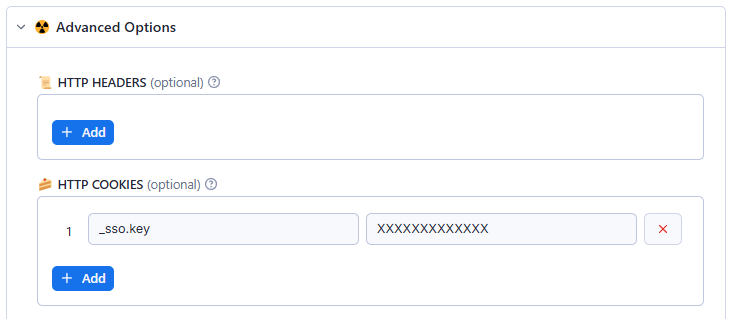 **Google Chrome**
1. Login to ycombinator.com or workatastartup.com
2. Open Chrome Developer Tools `(Ctrl + Shift + I)`
3. Open `Application` Tab
4. On left panel, go to: `Storage -> Cookies -> https://www.workatastartup.com/`
5. Find cookie named `_sso.key`
6. Copy & Paste
**Google Chrome**
1. Login to ycombinator.com or workatastartup.com
2. Open Chrome Developer Tools `(Ctrl + Shift + I)`
3. Open `Application` Tab
4. On left panel, go to: `Storage -> Cookies -> https://www.workatastartup.com/`
5. Find cookie named `_sso.key`
6. Copy & Paste
 ### ✏️ Support
⚡️ Feel free to [reach out](https://console.apify.com/actors/HfJxGdgRxLU5NAbpE/issues) to the developer for any [issues](https://console.apify.com/actors/HfJxGdgRxLU5NAbpE/issues) or suggestions for improvement.
### ✏️ Support
⚡️ Feel free to [reach out](https://console.apify.com/actors/HfJxGdgRxLU5NAbpE/issues) to the developer for any [issues](https://console.apify.com/actors/HfJxGdgRxLU5NAbpE/issues) or suggestions for improvement.
