# Instagram Email & Phone Scraper · Deep Bio-Link Scan · No Login (`memo23/instagram-email-phone-scraper`) Actor
Scrape public contact details from any Instagram profile — email, phone, WhatsApp, category and bio links. Follows the link in bio, expands Linktree-style pages, and reads the contact pages behind them, finding numbers a single-page scan misses. No login, no cookies. JSON, CSV or Excel.
- **URL**: https://apify.com/memo23/instagram-email-phone-scraper.md
- **Developed by:** [Muhamed Didovic](https://apify.com/memo23) (community)
- **Categories:** Lead generation, Social media
- **Stats:** 9 total users, 2 monthly users, 100.0% runs succeeded, 0 bookmarks
- **User rating**: No ratings yet
## Pricing
from $2.00 / 1,000 profiles
This Actor is paid per event. You are not charged for the Apify platform usage, but only a fixed price for specific events.
Learn more: https://docs.apify.com/actors/running/actors-in-store.md#pay-per-event
## What's an Apify Actor?
An Actor is a serverless cloud program that runs on the Apify platform. It has two run modes.
In Batch mode, an Actor accepts a well-defined JSON input, performs an action which can take anything from a few seconds to a few hours,
and optionally produces a well-defined JSON output, datasets with results, or files in key-value store.
In Standby mode, an Actor provides a web server which can be used as a website, API, or an MCP server.
Apify vocabulary and the platform model are defined once, in the agent quickstart at https://apify.com/agents.md.
## How to integrate an Actor?
If asked about integration, you help developers integrate Actors into their projects.
You adapt to their stack and deliver integrations that are safe, well-documented, and production-ready.
Do not guess an integration path. Every one of them is in the agent quickstart at https://apify.com/agents.md: the Apify MCP server, Agent Skills with the Apify CLI, the JavaScript and Python clients, the REST API, and the account-free path for an agent with no human to sign in. It also carries the rule on stating cost before the first paid run.
For examples already wired to this Actor's own input schema, see the [API](#api) section below.
Each client library has reference documentation the quickstart does not restate: [JavaScript/TypeScript](https://docs.apify.com/api/client/js/docs.md) (`npm install apify-client`) and [Python](https://docs.apify.com/api/client/python/docs.md) (`pip install apify-client`).
# README
## Instagram Email & Phone Scraper
**Pull public contact details from any Instagram profile — email, phone, WhatsApp, category and bio links — with no login and no cookies.** Give it usernames or profile URLs. It reads the profile's own contact fields, then follows the link in bio, expands Linktree-style pages into the sites behind them, and reads those sites' contact pages. Export as JSON, CSV or Excel.
| Input | What you get |
|---|---|
| `nasa` | Profile fields plus every contact found on nasa.gov's contact pages |
| `https://www.instagram.com/natgeo/` | Same — a bare handle, an @handle and a full URL are the same input |
| A list of 500 handles | One row per profile, contacts split into the business's own and third-party |
> Pure HTTP. No browser, no CAPTCHA solver, no cookies, no account risk.
### Why Use This Scraper?
- **It looks past the bio link.** Most contact scrapers fetch the external URL once and stop. This one reads the contact, about and imprint pages on that domain, which is where role addresses and phone numbers actually live.
- **Link aggregators are expanded.** A Linktree, Taplink, Beacons, Komi or Stan.store page is a menu, not a business site — the contacts sit one hop further out. 38 aggregator hosts are recognised, and child links are read from both the markup and the embedded JSON some of them use.
- **Measured, not claimed.** Over 30 business profiles sampled from ten hashtags: the profile alone yields an email on 15 of 30, one fetch of the bio link yields 17, and the full scan yields 20 with 33 emails against 20. Phone coverage goes from 8 rows to 24.
- **Somebody else's contacts are labelled as such.** A creator's Linktree often lists affiliate brands and stockists. Their addresses never land in `emails` — they go to `thirdPartyEmails` with the domain they came from, and only when you ask for them. Mailing them reaches the wrong company.
- **WhatsApp too.** `wa.me` and `api.whatsapp.com` links are normalised into a `whatsapp` field, on both the profile and the pages scanned.
- **You pay for contacts, not for rows.** A profile with nothing to find costs a fraction of a profile that yields four addresses and a phone number.
### How It Works
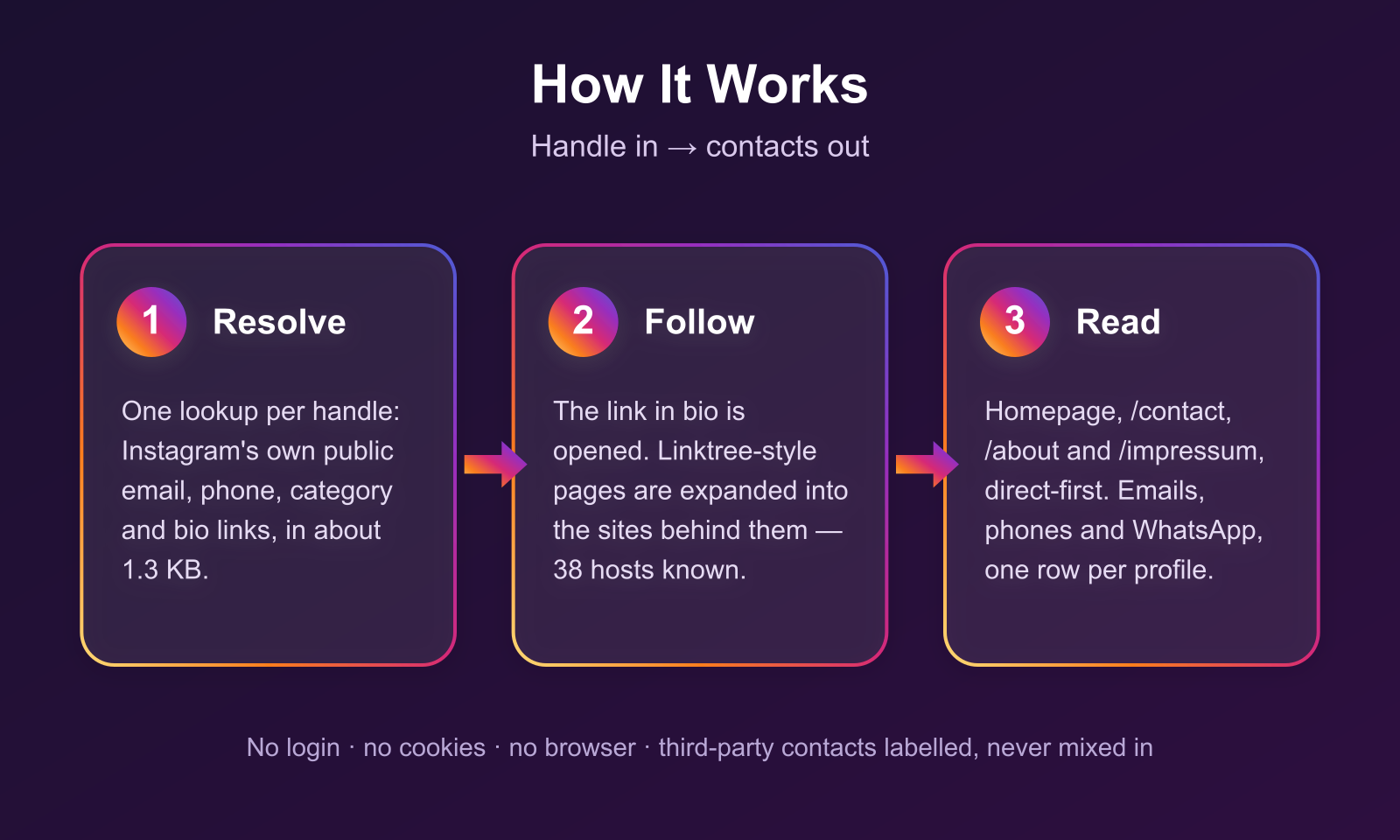
1. **Resolve** — each handle, @handle or profile URL is normalised and looked up once. One request per profile, about 1.3 KB, and it carries Instagram's own public email, phone, category and bio links.
2. **Read the profile** — emails and phones from the contact button and the bio text, plus every bio link.
3. **Follow the link in bio** — an aggregator page is fetched and its child links extracted; anything else is treated as the business's own website.
4. **Read the site** — the homepage plus `/contact`, `/contact-us`, `/kontakt`, `/about`, `/about-us`, `/impressum` and `/contacto`, direct-first, with a proxy only when a page refuses the direct request.
5. **Emit** — one flat row per profile, with the pages it scanned listed so every contact is traceable.
### Input
| Field | Type | Required | Notes |
|---|---|---|---|
| `usernames` | array of strings | Yes | Bare usernames, @handles or profile URLs, mixed freely. |
| `scrapeLinkInBio` | boolean | No | Follow the bio link and read the site behind it. Default `true`. Turn it off for profile fields only — faster and cheaper. |
| `maxChildLinks` | integer | No | How many outbound links to open from an aggregator page, one per host. Default `3`, max `10`. |
| `includeThirdPartyContacts` | boolean | No | Also scan linked brands whose domain does not match the profile, returning their contacts in the `thirdParty*` fields. Default `false`. |
#### Example input
```json
{
"usernames": ["nasa", "https://www.instagram.com/natgeo/", "hello.bleach"],
"scrapeLinkInBio": true,
"maxChildLinks": 3
}
```
### Output Schema
One dataset row per profile.
```jsonc
{
"username": "nasa",
"profileUrl": "https://www.instagram.com/nasa/",
"displayName": "NASA",
"biography": "Making the seemingly impossible, possible. ✨",
"category": null,
"isPrivate": false,
"isVerified": true,
"isBusiness": true,
"followersCount": 104351561,
"igPublicEmail": "public-inquiries@hq.nasa.gov", // Instagram's own contact button
"igPublicPhone": null,
"emails": ["public-inquiries@hq.nasa.gov", "hqnews-join@newsletters.nasa.gov"],
"email": "public-inquiries@hq.nasa.gov", // best single pick
"phones": ["2023580001", "2023584338"],
"phone": "2023580001",
"whatsapp": [],
"thirdPartyEmails": [], // contacts of brands the profile links to
"thirdPartyPhones": [],
"thirdPartySources": [],
"socials": { "facebook": ["https://facebook.com/nasa"], "twitter": ["https://x.com/nasa"] },
"externalUrl": "https://www.nasa.gov",
"bioLinks": [{ "title": null, "url": "https://www.nasa.gov" }],
"isAggregatorLink": false,
"childLinks": [],
"pagesScanned": ["https://www.nasa.gov"],
"contactsFound": 8,
"contactsWithheld": 0, // found but not delivered: the run's cost limit refused to bill them
"scrapedAt": "2026-09-20T05:31:44.108Z"
}
```
A profile that cannot be read returns a row with `error`, `message` and `errorKind` instead, so a bad handle in a list of 500 never costs you the run.
### Pricing
Pay per event, so a profile with nothing to find costs a fraction of one that yields a full contact card.
| Event | Price | When |
|---|---|---|
| Profile | $0.002 | One per profile returned |
| Contact found | $0.005 | Per distinct email, phone or WhatsApp number, capped at 12 per profile |
| Actor start | $0.00005 | Once per run |
A profile with a single contact costs about $0.007. A profile with nothing findable costs $0.002. Contacts belonging to third-party brands are never billed.
### Use Cases
- **Agency lead lists** — pull contact details for a hashtag or location's businesses, then filter by `category` and `followersCount`.
- **Influencer outreach** — a creator's press or booking address is usually on the site behind the bio link, not in the bio.
- **CRM enrichment** — feed handles you already have and fill in email, phone and website.
- **Local business prospecting** — salons, gyms, restaurants and studios publish a phone number on their contact page far more often than in their Instagram bio.
### FAQ
**Do I need to log in or provide cookies?**
No. Nothing in this actor touches an account, so there is no session to lose and no ban risk.
**Why is `emails` empty when the profile clearly has a website?**
Either the site published no address on the pages scanned, or it refused the request. `pagesScanned` shows what was read; a site behind an interactive challenge is reported rather than guessed at.
**Why are some contacts in `thirdPartyEmails` instead of `emails`?**
Because the domain they came from does not match the profile. A Linktree that lists three sponsor brands produces three sets of contacts that are not the creator's, and quietly merging them would hand you the wrong company's inbox.
**Are private accounts supported?**
Their profile fields are returned, including the public email when Instagram exposes one. There is no post or follower data to read, and none is attempted.
**Can it find an email that exists nowhere public?**
No. Everything returned is published on the profile or on a page the profile links to. There is no guessing of `firstname.lastname@company.com` patterns.
### Notes & Limitations
- A few aggregator hosts render entirely in the browser (visitstore.bio is one) and expose no links to an HTTP client. Those rows come back with `isAggregatorLink: true` and `childLinks: []` rather than a fabricated result.
- Phone numbers taken from a page come from `tel:` links, which the page author declared deliberately. Loose digit strings in markup are not treated as phone numbers.
- Instagram's own `public_email` is only present on accounts that filled in a contact button, which is a minority of personal accounts and most business ones.
- `phones` keeps the site's own formatting where it has one.
### 🤖 For AI Agents & LLM Apps
The input is two fields deep and the output is flat, so this works well as a tool call. Pass `usernames` and read `email`, `phone` and `whatsapp` per row; `contactsFound` tells an agent in one integer whether the lookup succeeded. `pagesScanned` gives provenance for every contact, which matters when an agent has to justify an outreach decision. Available over the Apify API and MCP.
### Support
Found a profile it handles badly? Open an issue on the actor's Issues tab with the handle, and it gets looked at.
### ⚠️ Disclaimer
This actor collects only information that is publicly visible without logging in — an Instagram profile's own public fields, and pages that the profile links to. It does not log in, bypass authentication, or access private accounts' content. You are responsible for how you use the data, including compliance with GDPR, CAN-SPAM, ePrivacy and any other law that applies to contacting people. Contact details of identifiable individuals are personal data in most jurisdictions: have a lawful basis before you use them, and honour opt-outs.
### SEO Keywords
instagram email scraper, instagram phone scraper, instagram contact scraper, instagram email extractor, instagram lead generation, instagram bio link scraper, linktree scraper, instagram whatsapp scraper, instagram business email finder, instagram influencer contact finder, instagram profile contact details, no login instagram scraper, instagram lead scraper api, bulk instagram email finder
# Actor input Schema
## `usernames` (type: `array`):
One entry per profile. A bare username, an @handle, or a full profile URL all work — https://www.instagram.com/nasa/, @nasa and nasa are the same input.
## `scrapeLinkInBio` (type: `boolean`):
On by default. Follows the profile's external link, expands link aggregators such as Linktree or Taplink into the sites behind them, and reads those sites' contact pages. This is where most phone numbers and role addresses come from — turn it off for profile fields only, which is faster and cheaper.
## `maxChildLinks` (type: `integer`):
How many outbound links to open when the bio link is a Linktree-style page. One site per host, in page order. Higher values find more contacts on profiles that list several businesses, and cost more time per profile.
## `includeThirdPartyContacts` (type: `boolean`):
Off by default. A Linktree page often links affiliate brands, stockists and ticket sellers as well as the business's own site. Left off, only links whose domain matches the profile are scanned. Turned on, the others are scanned too and their contacts are returned in thirdPartyEmails / thirdPartyPhones — never mixed into the main fields, because mailing them reaches the wrong company.
## Actor input object example
```json
{
"usernames": [
"nasa",
"https://www.instagram.com/natgeo/"
],
"scrapeLinkInBio": true,
"maxChildLinks": 3,
"includeThirdPartyContacts": false
}
```
# Actor output Schema
## `results` (type: `string`):
No description
# API
You can run this Actor programmatically using our API. Below are code examples in JavaScript, Python, and CLI, as well as the OpenAPI specification and MCP server setup.
## JavaScript example
```javascript
import { ApifyClient } from 'apify-client';
// Initialize the ApifyClient with your Apify API token
// Replace the '' with your token
const client = new ApifyClient({
token: '',
});
// Prepare Actor input
const input = {
"usernames": [
"nasa",
"https://www.instagram.com/natgeo/"
]
};
// Run the Actor and wait for it to finish
const run = await client.actor("memo23/instagram-email-phone-scraper").call(input);
// Fetch and print Actor results from the run's dataset (if any)
console.log('Results from dataset');
console.log(`💾 Check your data here: https://console.apify.com/storage/datasets/${run.defaultDatasetId}`);
const { items } = await client.dataset(run.defaultDatasetId).listItems();
items.forEach((item) => {
console.dir(item);
});
// 📚 Want to learn more 📖? Go to → https://docs.apify.com/api/client/js/docs
```
## Python example
```python
from apify_client import ApifyClient
# Initialize the ApifyClient with your Apify API token
# Replace '' with your token.
client = ApifyClient("")
# Prepare the Actor input
run_input = { "usernames": [
"nasa",
"https://www.instagram.com/natgeo/",
] }
# Run the Actor and wait for it to finish
run = client.actor("memo23/instagram-email-phone-scraper").call(run_input=run_input)
# Fetch and print Actor results from the run's dataset (if there are any)
print(f"💾 Check your data here: https://console.apify.com/storage/datasets/{run.default_dataset_id}")
for item in client.dataset(run.default_dataset_id).iterate_items():
print(item)
# 📚 Want to learn more 📖? Go to → https://docs.apify.com/api/client/python/docs/quick-start
```
## CLI example
```bash
echo '{
"usernames": [
"nasa",
"https://www.instagram.com/natgeo/"
]
}' |
apify call memo23/instagram-email-phone-scraper --silent --output-dataset
```
## MCP server setup
```json
{
"mcpServers": {
"apify": {
"type": "http",
"url": "https://mcp.apify.com/?tools=fetch-actor-details,memo23/instagram-email-phone-scraper"
}
}
}
```
The hosted server signs you in with OAuth on first connect, so no API token belongs in this config. Clients without OAuth support can send an `Authorization: Bearer ` header instead, using a token from API & Integrations in Apify Console (https://console.apify.com/settings/integrations).
## OpenAPI specification
Download the OpenAPI definition: https://api.apify.com/v2/actors/RGFoWcOZON2ihLG66/builds/cLdCI9S0qSkTzKD3R/openapi.json