# Instagram Hashtag Analytics · Related Tags, Engagement & Reach (`memo23/instagram-hashtag-analytics`) Actor
Analyze any Instagram hashtag into one flat row: total post count, related hashtags ranked and classified, average and median engagement, media-type mix, posts-per-day activity, and the top posters and posts. Bulk tags, no login, no cookies. Empty or missing tags are named and never charged.
- **URL**: https://apify.com/memo23/instagram-hashtag-analytics.md
- **Developed by:** [Muhamed Didovic](https://apify.com/memo23) (community)
- **Categories:**
- **Stats:** 1 total users, 0 monthly users, 100.0% runs succeeded, 0 bookmarks
- **User rating**: No ratings yet
## Pricing
from $2.00 / 1,000 hashtag analyzeds
This Actor is paid per event. You are not charged for the Apify platform usage, but only a fixed price for specific events.
Learn more: https://docs.apify.com/actors/running/actors-in-store.md#pay-per-event
## What's an Apify Actor?
Actors are web data automations that power AI and operations. They run on the Apify platform to scrape websites, process data, connect APIs, and automate workflows.
In Batch mode, an Actor accepts a well-defined JSON input, performs an action which can take anything from a few seconds to a few hours,
and optionally produces a well-defined JSON output, datasets with results, or files in key-value store.
In Standby mode, an Actor provides a web server which can be used as a website, API, or an MCP server.
Actors are written with capital "A".
## How to integrate an Actor?
If asked about integration, you help developers integrate Actors into their projects.
You adapt to their stack and deliver integrations that are safe, well-documented, and production-ready.
The best way to integrate Actors is as follows.
- **AI agents and MCP clients** — the [Apify MCP server](https://docs.apify.com/integrations/mcp.md) at `https://mcp.apify.com` (remote, streamable HTTP, OAuth on first use).
- **Agentic workflows and local Actor development** — [Agent Skills](https://apify.com/.well-known/agent-skills/index.json) with the [Apify CLI](https://docs.apify.com/cli/docs.md): `npm install -g apify-cli`, then `apify login`.
- **JavaScript/TypeScript projects** — the official [JS/TS client](https://docs.apify.com/api/client/js/docs.md): `npm install apify-client`.
- **Python projects** — the official [Python client](https://docs.apify.com/api/client/python/docs.md): `pip install apify-client`.
- **Any other language** — the [REST API](https://docs.apify.com/api/v2.md).
For usage examples, see the [API](#api) section below.
For more details, see Apify documentation as [Markdown index](https://docs.apify.com/llms.txt) and [Markdown full-text](https://docs.apify.com/llms-full.txt).
# README
## Instagram Hashtag Analytics

Analyze any Instagram hashtag: how many posts use it, which hashtags travel with it, how much
engagement it draws, what formats dominate, and who posts it — one analytics row per hashtag.
No login, no cookies.
| Input | Output |
|---|---|
| `coffee` | one analytics row: total posts, related tags, engagement, media mix, top posters |
| `#travel` | same, for travel |
| a non-existent tag | an error row naming it, not charged |
> Pure HTTP. No browser, no login, no cookies.
***
### Why Use This Scraper?
A raw dump of hashtag posts tells you little on its own. This turns a sample of a hashtag's live
posts into the numbers a marketer or researcher actually asks for: which related hashtags to add,
what engagement to expect, whether the tag skews to reels or photos, and how active it is by day.
Every figure is computed from the sample the run actually fetched — never extrapolated — and the
sample size is reported next to it, so nothing claims more than it measured.
***
### How It Works
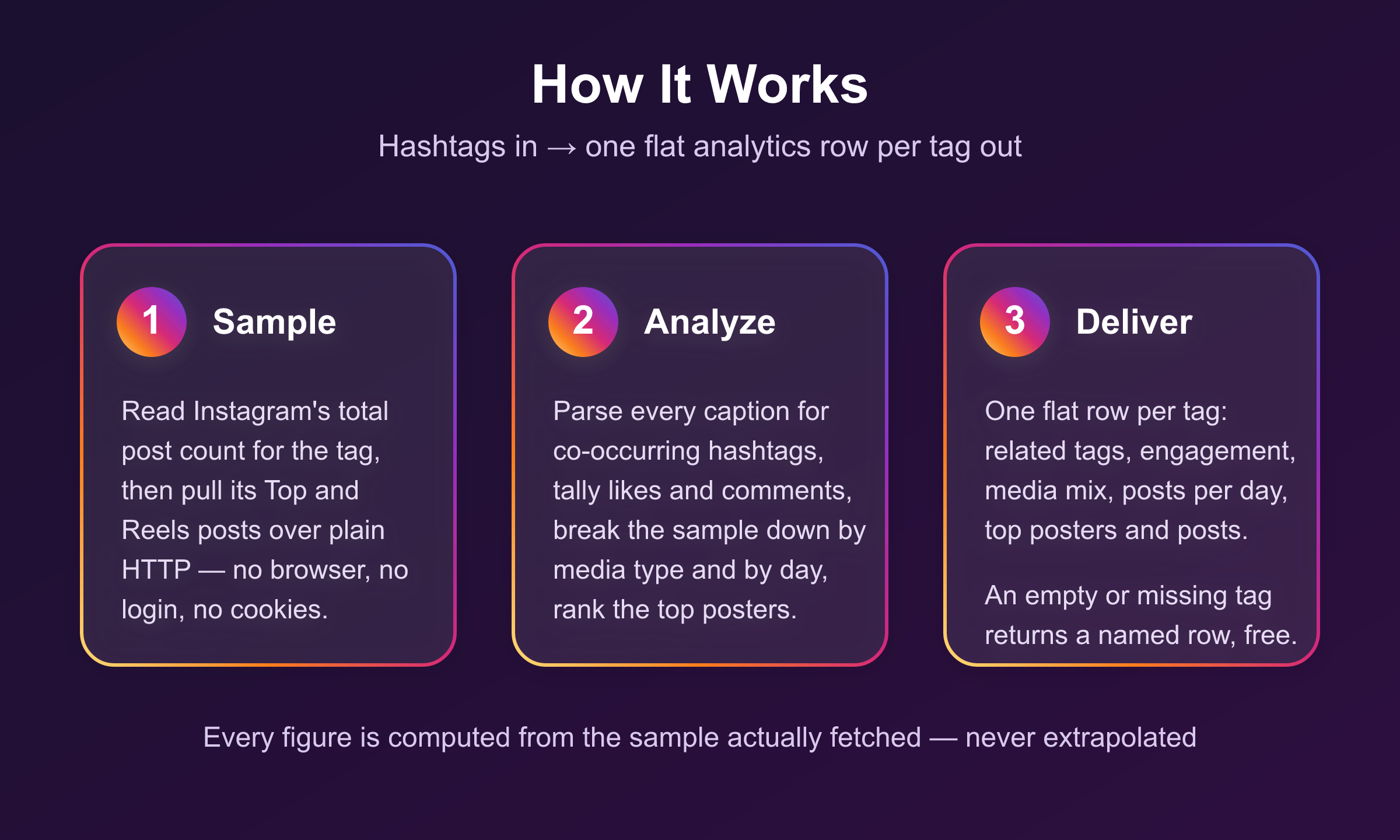
For each hashtag the Actor reads Instagram's total post count, then samples the tag's Top posts and
reels over plain HTTP. It parses every sampled caption for co-occurring hashtags, tallies
engagement, breaks the sample down by media type and by day, and ranks the accounts posting most
often under the tag. The result is one flat analytics row per hashtag.
***
### Input
| Field | Type | Required | Notes |
|---|---|---|---|
| `hashtags` | array | Yes | Tags to analyze. Bare names, `#tags`, or explore URLs. |
| `sampleSize` | integer | No | Posts sampled per hashtag. Default 100, max 300. Larger = steadier figures, more time. |
| `includeTopPosts` | boolean | No | Sample Top-ranked posts. On by default. |
| `includeLatestPosts` | boolean | No | Sample reels. On by default. |
#### Example input
```json
{ "hashtags": ["travel", "#coffee"], "sampleSize": 100 }
```
***
### Output Schema
One row per hashtag:
```jsonc
{
"hashtag": "coffee",
"mediaCount": 185060851, // Instagram's own total post count for the tag
"sampleSize": 50, // posts actually analyzed
"engagement": {
"avgLikes": 1310, "medianLikes": 622,
"avgComments": 23, "medianComments": 8,
"maxLikes": 12185, "avgEngagement": 1333
},
"mediaTypeBreakdown": { "video": 40, "carousel": 7, "photo": 3 },
"postsPerDay": [ { "date": "2026-08-27", "posts": 18 } ],
"topRelatedHashtags": [
{ "hashtag": "cafe", "coOccurrences": 5, "postShare": 0.1, "frequency": "average" }
],
"topPosters": [ { "username": "pourology_andres", "posts": 2 } ],
"topPosts": [ /* the highest-engagement sampled posts, with caption and counts */ ],
"scrapedAt": "2026-08-28T20:31:00.000Z"
}
```
| Field | Notes |
|---|---|
| `mediaCount` | Instagram's total post count for the tag — the reach signal. |
| `topRelatedHashtags` | Tags co-occurring in sampled captions, ranked by count and classified `frequent` (≥25% of posts), `average` (≥8%), or `rare`. |
| `engagement` | Average and median likes/comments across the sample, plus a combined engagement proxy. |
| `postsPerDay` | How the sampled posts spread across dates — a freshness/velocity signal. |
#### A note on the sample
Instagram's Top and Reels lists are ranked and shallow, so a hashtag's reachable window is recent
(often the last few days) and a very large `sampleSize` stops early. The analytics describe that
live sample, and `sampleSize` always says how many posts it covered.
#### Error rows
| `error` | Meaning | Charged |
|---|---|---|
| `invalid_hashtag` | Not a usable tag. No request spent. | No |
| `hashtag_not_found` / `hashtag_empty` | Instagram has no public posts for the tag. | No |
| `no_posts_returned` | The tag has posts but served none to sample. | No |
***
### Analytics vs a Raw Hashtag Scraper
A hashtag post scraper hands you a list of posts and leaves the maths to you. This Actor does the
aggregation — one row you can read at a glance or drop straight into a sheet.
| What you get | Raw hashtag scraper | This Actor |
|---|---|---|
| Individual posts | yes, every one | a `topPosts` sample by engagement |
| Total post count for the tag | sometimes | yes, `mediaCount` |
| Related hashtags, ranked & classified | no, parse captions yourself | yes, `frequent`/`average`/`rare` |
| Engagement stats (avg + median likes/comments) | no, compute yourself | yes |
| Media-type mix (video/photo/carousel) | no | yes |
| Posts-per-day activity | no | yes |
| Top posters under the tag | no | yes |
| One flat row per hashtag | no, many post rows | yes |
| Empty/missing tag named, not charged | rarely | yes |
Want the full post list instead of the analytics summary? Use the sibling **Instagram Hashtag
Scraper**. Want both? Run them side by side — same data source, no login on either.
***
### Pricing
Pay per event — you are charged for analytics rows, never for the empty or missing tags that come
back as error rows.
| Event | When it fires | Rate |
|---|---|---|
| Actor start | Once per run | $0.001 |
| Hashtag analyzed | Each hashtag that produced an analytics row | from $0.0014 |
A hashtag that is invalid, not found, empty, or serves no posts to sample is returned as an error
row and is **not** charged. Duplicate tags in one list collapse to a single lookup.
***
### FAQ
**Do I need an Instagram account, login, or cookies?**
No. Only public data is read, the same as any logged-out visitor sees.
**Where do related hashtags come from?**
From the captions of the sampled posts — the tags real posters used alongside yours — counted and
classified by how often they appear.
**Do I get the individual posts too?**
The highest-engagement sampled posts are included under `topPosts` with their captions and counts.
For the full post list, use the Instagram Hashtag Scraper instead.
***
### 🤖 For AI Agents & LLM Apps
**Purpose:** turn an Instagram hashtag into one flat analytics row — total post count, related
hashtags, engagement stats, media-type mix, posting activity, top posters and top posts. Give it
tags, get aggregates, not a post dump.
**Minimal tested input:**
```json
{ "hashtags": ["travel", "#coffee"], "sampleSize": 100 }
```
**Output fields (one row per hashtag):** `hashtag`, `mediaCount`, `sampleSize`, `engagement`
(`avgLikes`, `medianLikes`, `avgComments`, `medianComments`, `maxLikes`, `avgEngagement`),
`mediaTypeBreakdown`, `postsPerDay[]`, `topRelatedHashtags[]` (`hashtag`, `coOccurrences`,
`postShare`, `frequency`), `topPosters[]` (`username`, `posts`), `topPosts[]`, `scrapedAt`.
**Error rows** carry `hashtag` + `error` + `message` and no analytics fields. Branch on the
presence of `error`. Values: `invalid_hashtag`, `hashtag_not_found`, `hashtag_empty`,
`no_posts_returned`.
**Billing:** one `hashtag-analyzed` event per analytics row delivered, plus one actor start. Error
rows are not charged. Duplicate tags are deduplicated before billing.
**Behaviour worth knowing:** input accepts bare names, `#tags` and explore URLs interchangeably;
every figure is computed from the sample actually fetched (`sampleSize`), never extrapolated to the
whole tag; Instagram's ranked lists are shallow, so a very large `sampleSize` stops early; an empty
run fails loudly unless every requested tag was confirmed empty or non-existent.
***
### ⚠️ Disclaimer
This Actor reads only publicly available information from Instagram — the same data any logged-out
visitor can see. It does not log in, use cookies, or access private accounts. You are responsible
for using the output in line with Instagram's terms and applicable data protection law.
***
### SEO Keywords
instagram hashtag analytics, related hashtags, hashtag research tool, instagram hashtag stats,
hashtag engagement, co-occurring hashtags, instagram hashtag reach, hashtag generator data,
instagram trend analysis, hashtag co-occurrence
# Actor input Schema
## `hashtags` (type: `array`):
Instagram hashtags to analyze. Accepts bare names (coffee), #-prefixed tags (#coffee), or explore URLs — one per line, mixed formats are fine. Each produces one analytics row. Non-existent tags come back as an error row and are not charged.
## `sampleSize` (type: `integer`):
How many recent posts to sample for the analytics per hashtag. A larger sample gives more stable engagement and related-hashtag figures but costs more time. Instagram's ranked lists are shallow, so very large numbers stop early. Default 100, max 300.
## `includeTopPosts` (type: `boolean`):
Include Instagram's Top-ranked posts in the analyzed sample. On by default.
## `includeLatestPosts` (type: `boolean`):
Include reels tagged with the hashtag in the analyzed sample. On by default.
## Actor input object example
```json
{
"hashtags": [
"travel"
],
"sampleSize": 100,
"includeTopPosts": true,
"includeLatestPosts": true
}
```
# Actor output Schema
## `results` (type: `string`):
No description
# API
You can run this Actor programmatically using our API. Below are code examples in JavaScript, Python, and CLI, as well as the OpenAPI specification and MCP server setup.
## JavaScript example
```javascript
import { ApifyClient } from 'apify-client';
// Initialize the ApifyClient with your Apify API token
// Replace the '' with your token
const client = new ApifyClient({
token: '',
});
// Prepare Actor input
const input = {
"hashtags": [
"travel"
],
"sampleSize": 100
};
// Run the Actor and wait for it to finish
const run = await client.actor("memo23/instagram-hashtag-analytics").call(input);
// Fetch and print Actor results from the run's dataset (if any)
console.log('Results from dataset');
console.log(`💾 Check your data here: https://console.apify.com/storage/datasets/${run.defaultDatasetId}`);
const { items } = await client.dataset(run.defaultDatasetId).listItems();
items.forEach((item) => {
console.dir(item);
});
// 📚 Want to learn more 📖? Go to → https://docs.apify.com/api/client/js/docs
```
## Python example
```python
from apify_client import ApifyClient
# Initialize the ApifyClient with your Apify API token
# Replace '' with your token.
client = ApifyClient("")
# Prepare the Actor input
run_input = {
"hashtags": ["travel"],
"sampleSize": 100,
}
# Run the Actor and wait for it to finish
run = client.actor("memo23/instagram-hashtag-analytics").call(run_input=run_input)
# Fetch and print Actor results from the run's dataset (if there are any)
print(f"💾 Check your data here: https://console.apify.com/storage/datasets/{run.default_dataset_id}")
for item in client.dataset(run.default_dataset_id).iterate_items():
print(item)
# 📚 Want to learn more 📖? Go to → https://docs.apify.com/api/client/python/docs/quick-start
```
## CLI example
```bash
echo '{
"hashtags": [
"travel"
],
"sampleSize": 100
}' |
apify call memo23/instagram-hashtag-analytics --silent --output-dataset
```
## MCP server setup
```json
{
"mcpServers": {
"apify": {
"type": "http",
"url": "https://mcp.apify.com/?tools=fetch-actor-details,memo23/instagram-hashtag-analytics"
}
}
}
```
The hosted server signs you in with OAuth on first connect, so no API token belongs in this config. Clients without OAuth support can send an `Authorization: Bearer ` header instead, using a token from API & Integrations in Apify Console (https://console.apify.com/settings/integrations).
## OpenAPI specification
Download the OpenAPI definition: https://api.apify.com/v2/actors/GLOjWglQIHDjJR1Qz/builds/OsWZSgPFCa0pyTQwv/openapi.json