# Instagram Reels Search & Viral Finder · No Login (`memo23/instagram-reels-search-scraper`) Actor
Find trending Instagram Reels by keyword — not just by profile. Search any topic and get reels with play counts, likes, comments, video URL, caption, audio, and creator. No login, no cookies. Discover viral content and creators at scale. JSON, CSV, or Excel.
- **URL**: https://apify.com/memo23/instagram-reels-search-scraper.md
- **Developed by:** [Muhamed Didovic](https://apify.com/memo23) (community)
- **Categories:** Social media, Videos, AI
- **Stats:** 2 total users, 2 monthly users, 100.0% runs succeeded, 0 bookmarks
- **User rating**: No ratings yet
## Pricing
from $1.00 / 1,000 reel scrapeds
This Actor is paid per event. You are not charged for the Apify platform usage, but only a fixed price for specific events.
Since this Actor supports Apify Store discounts, the price gets lower the higher subscription plan you have.
Learn more: https://docs.apify.com/platform/actors/running/actors-in-store#pay-per-event
## What's an Apify Actor?
Actors are web data automations that power AI and operations. They run on the Apify platform to scrape websites, process data, connect APIs, and automate workflows.
In Batch mode, an Actor accepts a well-defined JSON input, performs an action which can take anything from a few seconds to a few hours,
and optionally produces a well-defined JSON output, datasets with results, or files in key-value store.
In Standby mode, an Actor provides a web server which can be used as a website, API, or an MCP server.
Actors are written with capital "A".
## How to integrate an Actor?
If asked about integration, you help developers integrate Actors into their projects.
You adapt to their stack and deliver integrations that are safe, well-documented, and production-ready.
The best way to integrate Actors is as follows.
- **AI agents and MCP clients** — the [Apify MCP server](https://docs.apify.com/integrations/mcp.md) at `https://mcp.apify.com` (remote, streamable HTTP, OAuth on first use).
- **Agentic workflows and local Actor development** — [Agent Skills](https://apify.com/.well-known/agent-skills/index.json) with the [Apify CLI](https://docs.apify.com/cli/docs.md): `npm install -g apify-cli`, then `apify login`.
- **JavaScript/TypeScript projects** — the official [JS/TS client](https://docs.apify.com/api/client/js/docs.md): `npm install apify-client`.
- **Python projects** — the official [Python client](https://docs.apify.com/api/client/python/docs.md): `pip install apify-client`.
- **Any other language** — the [REST API](https://docs.apify.com/api/v2.md).
For usage examples, see the [API](#api) section below.
For more details, see Apify documentation as [Markdown index](https://docs.apify.com/llms.txt) and [Markdown full-text](https://docs.apify.com/llms-full.txt).
# README
## Instagram Reels Search & Viral Finder

**Find trending Instagram Reels by keyword — not just by profile.** Search any topic and get back the reels ranking for it, each with play count, likes, comments, video URL, caption, audio, and creator. No login, no cookies, zero risk to your account. Export as JSON, CSV, or Excel.
| Input | What you get |
|---|---|
| A keyword (e.g. `coffee`) | Reels ranking for that search, newest/most-relevant first |
| Multiple keywords | All of them in one run, each row tagged by its `query` |
> Pure HTTP. No browser, no CAPTCHA solver, no cookies. Search by **keyword**, not just by account — the angle most Instagram scrapers miss.
### Why Use This Scraper?
- **Keyword discovery, not just profiles** — find viral reels and rising creators by topic, which per-profile scrapers can't do.
- **Full engagement metrics** — play count, likes, comments, and video duration on every reel, so you can rank by what's actually performing.
- **Creator + audio included** — each reel carries its creator (username, verified) and audio, ready for influencer and trend research.
- **Historical archive (opt-in)** — every run adds the reels it finds to a permanent archive. Turn on `includeHistorical` to also get reels captured for the keyword on earlier runs that today's search no longer surfaces — reels that have since stopped trending, with their engagement metrics as captured. Coverage grows the more a keyword is run.
- **No account risk** — no login, no cookies, no session handover.
- **Fast** — pure HTTP, paginated automatically until your result cap.
### How It Works
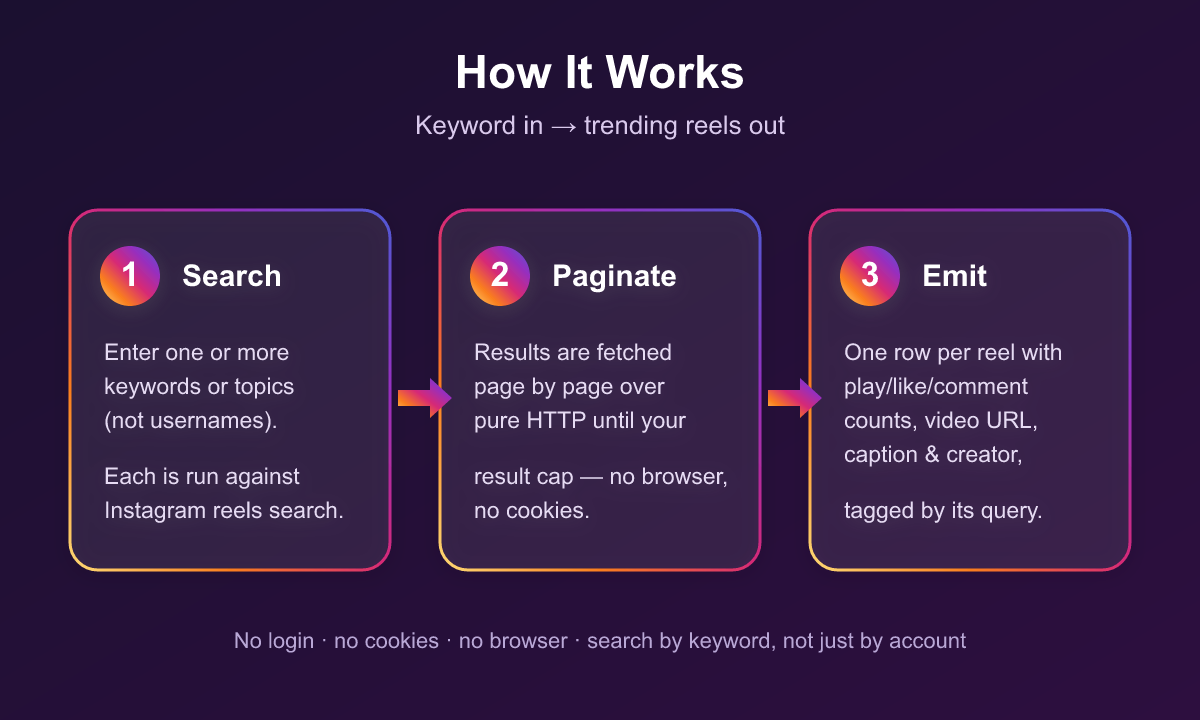
1. **Search** — each keyword is run against Instagram's reels search.
2. **Paginate** — results are fetched page by page until your `maxResultsPerQuery` cap (or the results run out).
3. **Emit** — every reel is pushed to the dataset as its own row, tagged with the `query` it came from.
### Input
| Field | Type | Required | Notes |
|---|---|---|---|
| `queries` | array of strings | Yes | Keywords/topics to search (not usernames). |
| `maxResultsPerQuery` | integer | No | Cap reels per keyword. Omit for as many as the search returns. |
| `includeHistorical` | boolean | No | Also return archived reels for the keyword from earlier runs (ones the live search no longer surfaces), tagged `source:"archive"` with `firstSeenAt`/`lastSeenAt`. Default: `false`. |
#### Example input
```json
{
"queries": ["coffee", "home workout"],
"maxResultsPerQuery": 200
}
```
### Output Schema
One dataset row per reel.
```jsonc
{
"query": "coffee",
"mediaPk": "3902687427486805850",
"shortCode": "DYpIYm4u-9a",
"url": "https://www.instagram.com/reel/DYpIYm4u-9a/",
"playCount": 34729273,
"likeCount": 651179,
"commentCount": 1551,
"videoDuration": 15.6,
"videoUrl": "https://scontent.cdninstagram.com/o1/v/…",
"thumbnailUrl": "https://scontent.cdninstagram.com/v/…",
"caption": "Spanish iced fluffy coffee! …",
"takenAt": "2026-05-22T13:32:35.000Z",
"username": "coffeebro0",
"userId": "4920…",
"userFullName": "Coffee Bro",
"userIsVerified": false,
"musicTitle": null,
"musicArtist": null,
"downloadUrl": null // set only when media archiving is enabled; otherwise null
}
```
When `includeHistorical` is on, archived reels carry three extra fields: `source: "archive"`, `firstSeenAt`, and `lastSeenAt` (ISO timestamps for when the reel was first and last captured). Live reels have no `source` field.
Both live and archived reels expose `videoUrl` — Instagram's own CDN link, which expires after a few hours, so fetch the video promptly if you need the file itself.
### Pricing
Pay-per-event — you're charged only for the reels you collect. Rates decrease with your Apify plan tier.
| Event | When it's charged | Rate (Free → Gold+) |
|---|---|---|
| Reel scraped | Once per reel row returned (live or archived) | $0.0015 → $0.001 |
No subscription, no per-run start fee. Historical reels (via `includeHistorical`) are charged at the same `reel-scraped` rate as live results.
### Use Cases
| Audience | How they use it |
|---|---|
| Marketers / trend analysts | Track what's going viral for a topic and who's driving it |
| Influencer scouts | Surface rising creators posting high-performing reels in a niche |
| Content teams | Study top-performing hooks, formats, and audio for a subject |
| Researchers | Build topic-level datasets of short-video engagement |
### FAQ
**Do I search by keyword or by username?**
By keyword — this Actor finds reels for a topic across all creators. For a single account's reels, use a per-profile Instagram scraper.
**Do I need to log in or provide cookies?**
No. It never asks for a login, password, or session.
**How fresh are the results?**
Fetched live at run time from Instagram's own reels search ranking.
**Can I get reels that dropped out of the search?**
Yes, if they were captured on an earlier run for that keyword. Every run adds its reels to a permanent archive; turn on `includeHistorical` to also return archived reels the live search no longer surfaces, tagged `source:"archive"`. Coverage depends on what's already in the archive, so it pays to run a keyword regularly.
### Notes & Limitations
- Results follow Instagram's search ranking for the keyword; exact ordering and volume vary by term.
- `playCount` is Instagram's own play/view metric and can differ from likes/comments.
- `includeHistorical` returns only reels already in the archive (captured on earlier runs). A keyword never run before has no history yet and returns nothing extra.
### 🤖 For AI Agents & LLM Apps
**Purpose:** Find Instagram Reels by keyword with engagement metrics and creator info.
**Minimal tested input:**
```json
{ "queries": ["coffee"], "maxResultsPerQuery": 50 }
```
**Optional flags:** `includeHistorical: true` also returns archived reels for the keyword from earlier runs (reels the live search no longer surfaces), tagged `source:"archive"` with `firstSeenAt`/`lastSeenAt`.
**Output:** array of flat objects, one per reel. Fields: `query`, `mediaPk`, `shortCode`, `url`, `playCount`, `likeCount`, `commentCount`, `videoDuration`, `videoUrl`, `thumbnailUrl`, `caption`, `takenAt`, `username`, `userId`, `userFullName`, `userIsVerified`, `musicTitle`, `musicArtist`, `downloadUrl`. Archived rows (with `includeHistorical`) add `source: "archive"`, `firstSeenAt`, `lastSeenAt`.
**Behavior & billing:** Pay-per-event, tiered — `reel-scraped` ($0.0015→$0.001 per reel, charged for both live and archived rows). No login or cookies required.
### Support
Found a bug or need a field added? Open an issue on the Actor's **Issues** tab in Apify Console, or email .
### ⚠️ Disclaimer
This Actor scrapes only publicly available data and does not log into any Instagram account. Use it in compliance with Instagram's Terms of Use, applicable laws, and data-protection regulations (such as GDPR and CCPA). You are responsible for how you collect and use the data.
### SEO Keywords
instagram reels scraper, instagram reels search, search instagram reels by keyword, viral reels finder, instagram reels api, trending instagram reels, instagram reel engagement, instagram video scraper, instagram content discovery, instagram creator finder, no login instagram scraper, instagram reels export, apify instagram reels
# Actor input Schema
## `queries` (type: `array`):
Keywords or topics to search Instagram Reels for (not usernames). Each query returns trending/relevant reels with play counts, engagement, creator, video URL, and caption. One keyword per line. Example: \["coffee", "home workout"].
## `maxResultsPerQuery` (type: `integer`):
Maximum number of reels to collect per keyword. Use it to cap cost. Leave empty to collect as many as the search returns. Example: 200.
## `includeHistorical` (type: `boolean`):
Also return reels captured for this keyword on earlier runs that today's live search no longer surfaces — reels that have since stopped trending — tagged source:"archive" with firstSeenAt/lastSeenAt. Charged at the normal per-reel rate. Off by default.
## Actor input object example
```json
{
"queries": [
"coffee",
"home workout"
],
"includeHistorical": false
}
```
# API
You can run this Actor programmatically using our API. Below are code examples in JavaScript, Python, and CLI, as well as the OpenAPI specification and MCP server setup.
## JavaScript example
```javascript
import { ApifyClient } from 'apify-client';
// Initialize the ApifyClient with your Apify API token
// Replace the '' with your token
const client = new ApifyClient({
token: '',
});
// Prepare Actor input
const input = {
"queries": [
"coffee"
]
};
// Run the Actor and wait for it to finish
const run = await client.actor("memo23/instagram-reels-search-scraper").call(input);
// Fetch and print Actor results from the run's dataset (if any)
console.log('Results from dataset');
console.log(`💾 Check your data here: https://console.apify.com/storage/datasets/${run.defaultDatasetId}`);
const { items } = await client.dataset(run.defaultDatasetId).listItems();
items.forEach((item) => {
console.dir(item);
});
// 📚 Want to learn more 📖? Go to → https://docs.apify.com/api/client/js/docs
```
## Python example
```python
from apify_client import ApifyClient
# Initialize the ApifyClient with your Apify API token
# Replace '' with your token.
client = ApifyClient("")
# Prepare the Actor input
run_input = { "queries": ["coffee"] }
# Run the Actor and wait for it to finish
run = client.actor("memo23/instagram-reels-search-scraper").call(run_input=run_input)
# Fetch and print Actor results from the run's dataset (if there are any)
print("💾 Check your data here: https://console.apify.com/storage/datasets/" + run["defaultDatasetId"])
for item in client.dataset(run["defaultDatasetId"]).iterate_items():
print(item)
# 📚 Want to learn more 📖? Go to → https://docs.apify.com/api/client/python/docs/quick-start
```
## CLI example
```bash
echo '{
"queries": [
"coffee"
]
}' |
apify call memo23/instagram-reels-search-scraper --silent --output-dataset
```
## MCP server setup
```json
{
"mcpServers": {
"apify": {
"command": "npx",
"args": [
"mcp-remote",
"https://mcp.apify.com/?tools=memo23/instagram-reels-search-scraper",
"--header",
"Authorization: Bearer "
]
}
}
}
```
## OpenAPI specification
Download the OpenAPI definition: https://api.apify.com/v2/acts/150lSsLR4VYGi50zB/builds/mDtEd9cW6vmJg9qsR/openapi.json