# Jobs MCP Server — Multi-Board Job Search for AI Agents (`memo23/jobs-mcp-server`) Actor
A hosted Jobs MCP server: search 15 job boards (StepStone DE/AT/BE/NL, Totaljobs, CWJobs, Jobsite, Caterer, IrishJobs, PNet, Milkround + more) with salary data, straight from Claude, Cursor or any MCP client. Billed per tool call.
- **URL**: https://apify.com/memo23/jobs-mcp-server.md
- **Developed by:** [Muhamed Didovic](https://apify.com/memo23) (community)
- **Categories:** Jobs, MCP servers, AI
- **Stats:** 1 total users, 0 monthly users, 0.0% runs succeeded, 0 bookmarks
- **User rating**: No ratings yet
## Pricing
from $20.00 / 1,000 job search (per board)s
This Actor is paid per event and usage. You are charged both the fixed price for specific events and for Apify platform usage.
Learn more: https://docs.apify.com/actors/running/actors-in-store.md#pay-per-event
## What's an Apify Actor?
An Actor is a serverless cloud program that runs on the Apify platform. It has two run modes.
In Batch mode, an Actor accepts a well-defined JSON input, performs an action which can take anything from a few seconds to a few hours,
and optionally produces a well-defined JSON output, datasets with results, or files in key-value store.
In Standby mode, an Actor provides a web server which can be used as a website, API, or an MCP server.
Apify vocabulary and the platform model are defined once, in the agent quickstart at https://apify.com/agents.md.
## How to integrate an Actor?
If asked about integration, you help developers integrate Actors into their projects.
You adapt to their stack and deliver integrations that are safe, well-documented, and production-ready.
Do not guess an integration path. Every one of them is in the agent quickstart at https://apify.com/agents.md: the Apify MCP server, Agent Skills with the Apify CLI, the JavaScript and Python clients, the REST API, and the account-free path for an agent with no human to sign in. It also carries the rule on stating cost before the first paid run.
For examples already wired to this Actor's own input schema, see the [API](#api) section below.
Each client library has reference documentation the quickstart does not restate: [JavaScript/TypeScript](https://docs.apify.com/api/client/js/docs.md) (`npm install apify-client`) and [Python](https://docs.apify.com/api/client/python/docs.md) (`pip install apify-client`).
# README
Jobs MCP Server — Multi-Board Job Search for Claude, Cursor & AI Agents
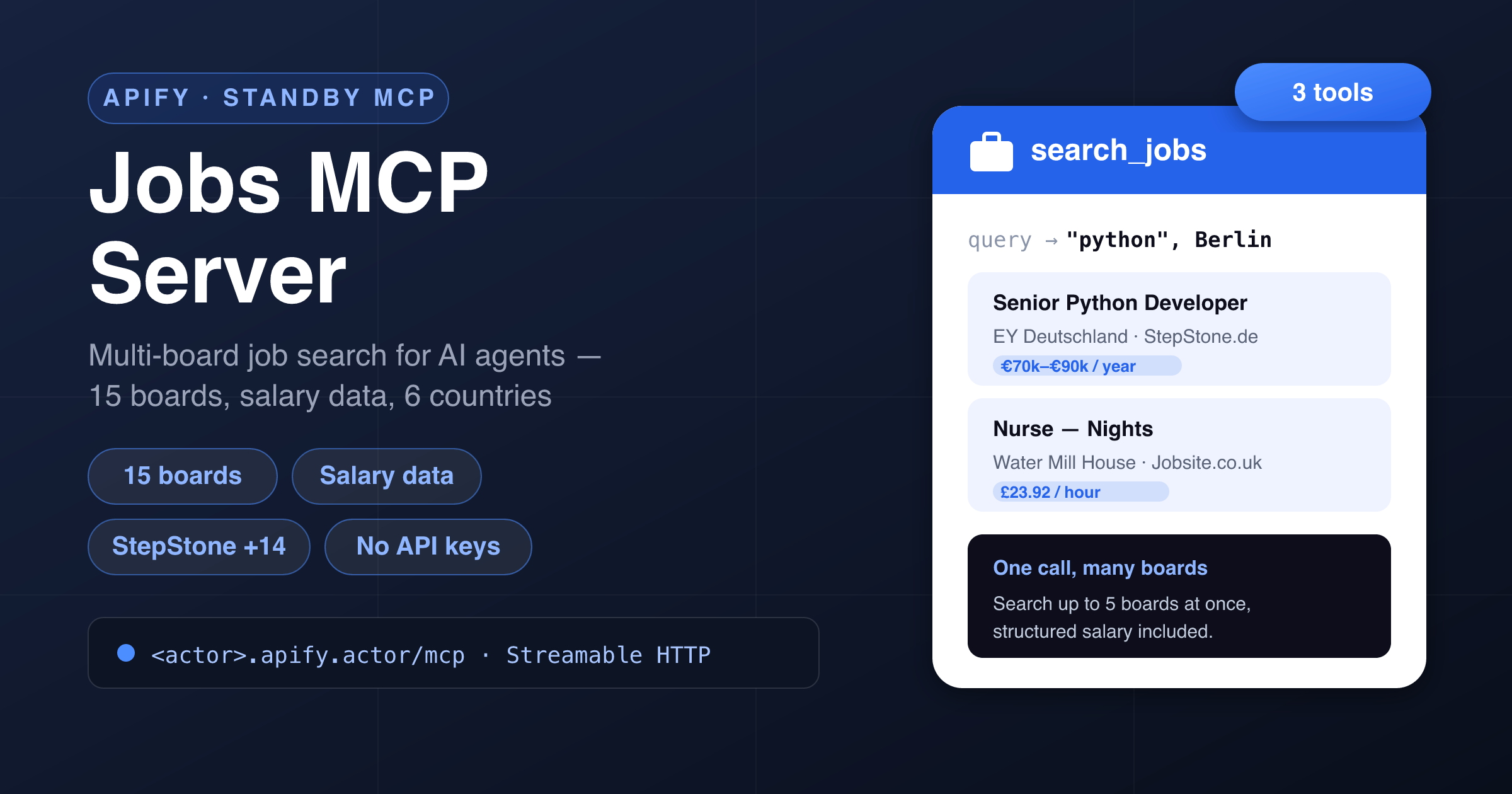
Give your AI assistant **live job-market data**. This Actor runs as a **hosted MCP server** (Model Context Protocol): connect Claude, Cursor, ChatGPT, VS Code or any MCP client and it can **search live job postings across 15 job boards** — StepStone DE/AT/BE/NL, Totaljobs, CWJobs, Jobsite, Caterer.com, IrishJobs, PNet (South Africa), Milkround, RetailChoice, CatererGlobal, CareerStructure and CityJobs — **with structured salary data**, then pull any posting's **full details** in one call. **No job-board API keys, no scraping setup, nothing to host.**
Apify hosts it, authenticates it with your Apify token, and bills it **per tool call** — you don't run or host anything.
***
### 🧰 Tools
**Three tools**, all returning **clean, typed JSON** — ready for an LLM to reason over.
| Tool | What it does | Key arguments |
|---|---|---|
| **`search_jobs`** | Search live postings by keyword and/or location across **one to five boards per call**. Each board returns up to 50 jobs with title, company, location, **salary (min/max/currency/period when the posting exposes it)**, posted date and the job URL. | `query`, `location`, `boards` *(list, max 5)*, `limit` *(1–50)*, `postedWithinDays`, `salaryMin`, `jobType` |
| **`get_job`** | Fetch one posting's **full record** from its URL: complete description, employment type, salary, employer (name/logo/company page), exact location with lat/lng, posted & valid-through dates, and the apply link. | `url` *(required — from `search_jobs`)* |
| **`list_job_boards`** | List the supported boards with id, name, site and market — **free**, call it first to pick boards for the market you care about. | *(none)* |
> **Pricing** is per-call: `search_jobs` is billed **per board searched** (search 3 boards in one call = 3 events), `get_job` **per job detail**. `list_job_boards` is free.
***
### 🗺️ Covered boards & markets
| Market | Boards |
|---|---|
| 🇩🇪 🇦🇹 Germany & Austria | StepStone.de, StepStone.at |
| 🇧🇪 🇳🇱 Belgium & Netherlands | StepStone.be, StepStone.nl |
| 🇬🇧 United Kingdom | Totaljobs, CWJobs (tech), Jobsite, Caterer.com (hospitality), Milkround (graduate), RetailChoice, CareerStructure (construction), CityJobs (finance) |
| 🇮🇪 Ireland | IrishJobs |
| 🇿🇦 South Africa | PNet |
| 🌍 International | CatererGlobal (hospitality) |
***
### 🔌 Connect it
This Actor runs in **Standby mode** and exposes an MCP endpoint at **`/mcp`** over the **Streamable HTTP** transport. Point your MCP client at the Actor's Standby URL and authenticate with your **Apify API token** as a bearer token.
Add this to your MCP client config (**Claude Desktop, Cursor, VS Code, Windsurf, …**):
```json
{
"mcpServers": {
"jobs": {
"url": "https:///mcp",
"headers": { "Authorization": "Bearer " }
}
}
}
```
- Your **Standby URL** is shown on the Actor's page once you enable Standby (looks like `https://--jobs-mcp-server.apify.actor`).
- Your **Apify API token** is under **Settings → Integrations** in the Apify Console.
That's it — your assistant will discover the three tools automatically and pick the right one.
***
### 💬 Example prompts
Once connected, just ask your assistant naturally:
- *“Find Python developer jobs in Berlin and summarize the salary ranges.”*
- *“Search accountant roles on StepStone Austria, IrishJobs and PNet and compare the markets.”*
- *“What warehouse jobs are on Totaljobs right now paying over £13/hour?”*
- *“Open the top result and give me the full job description and apply link.”*
- *“Which hospitality boards do you cover? Search chef jobs on all of them.”*
***
### 📦 Example tool calls & output
#### `search_jobs`
```json
{ "query": "nurse", "location": "london", "boards": ["jobsite"], "limit": 2 }
```
```json
{
"boardsSearched": 1,
"results": [
{
"board": "jobsite",
"site": "jobsite.co.uk",
"totalCount": 1555,
"returned": 2,
"jobs": [
{
"board": "jobsite",
"jobId": "107682098",
"title": "Nurse - Nights",
"company": "Water Mill House Care Home",
"location": "Hemel Hempstead",
"salary": { "raw": "Up to £23.92 per hour", "min": 23.92, "max": null, "currency": "GBP", "period": "hour" },
"datePosted": "2026-07-14T09:12:44.000Z",
"url": "https://www.jobsite.co.uk/job-ad/107682098"
}
]
}
]
}
```
#### `get_job`
```json
{ "url": "https://www.jobsite.co.uk/job-ad/107682098" }
```
```json
{
"title": "Nurse - Nights",
"employer": { "name": "Water Mill House Care Home", "url": null, "logoUrl": "…" },
"location": { "text": "Hemel Hempstead, Hertfordshire, HP3 9TE, GB", "lat": 51.73, "lng": -0.47 },
"salary": { "rawText": "£23.92 per hour", "min": 23.92, "currency": "GBP", "period": "hour" },
"employmentType": "FULL_TIME",
"datePosted": "2026-07-14",
"description": "…full description text…",
"applyType": "internal",
"jobUrl": "https://www.jobsite.co.uk/job/…"
}
```
***
### ✅ Why use it
- **15 boards, one server.** One connection covers the UK, Germany, Austria, Benelux, Ireland and South Africa — no per-board integrations.
- **Salary data built in.** Structured min/max/currency/period wherever the posting exposes pay — ideal for salary benchmarking with an LLM.
- **No API keys.** No job-board partnerships, no OAuth, no scraping infrastructure to maintain.
- **Built for agents.** Clean, typed tools with descriptions LLMs understand; per-board result blocks the model can compare directly.
- **Pay per call.** Billed per board searched / per detail — no subscription, no idle server cost.
- **Works everywhere.** Standard **Streamable HTTP** MCP transport — Claude, Cursor, ChatGPT, VS Code, Windsurf, or your own agent.
***
### 🎯 Great for
- **Job-search copilots** — let an agent hunt roles across six countries and shortlist by salary.
- **Salary benchmarking** — pull live pay ranges for a profession per market.
- **Recruiting & talent intel** — monitor which companies are hiring for what, where.
- **Labour-market research** — posting volumes and trends by keyword, board and region.
***
### ⚙️ Notes & limitations
- **Coverage follows the boards.** Results reflect what each board serves publicly; a board can be temporarily unavailable (the per-board block then carries an `error` note instead of failing the whole call).
- **Salary is only as good as the posting.** Many listings omit pay; `salary` is `null` there. `salaryMin` filtering keeps postings without salary data.
- **`jobType` and some filters apply where the board supports them** server-side; elsewhere they're applied client-side or noted.
- **Max 5 boards per `search_jobs` call** and up to 50 jobs per board — fan wider with multiple calls.
- `get_job` expects a job **detail** URL from a covered board (as returned by `search_jobs`).
***
### ⚠️ Disclaimer
This Actor accesses only **publicly available** job postings — the same listings any visitor sees on the boards — with no login or private-account access. Job data belongs to the respective boards and employers; you are responsible for using the output in compliance with applicable terms and law. Not affiliated with, endorsed by, or sponsored by StepStone, Totaljobs or any other board named above.
***
### 🔎 SEO keywords
jobs MCP, jobs MCP server, job search MCP, job board API alternative, StepStone scraper MCP, Totaljobs API, IrishJobs API, PNet API, job search for Claude, job search for Cursor, job search for ChatGPT, salary data API, multi-board job search, MCP server, Model Context Protocol, job postings API, recruiting MCP, labour market data, job scraper for AI agents, hosted MCP server, Streamable HTTP MCP.
# Actor input Schema
## Actor input object example
```json
{}
```
# Actor output Schema
## `mcpEndpoint` (type: `string`):
Streamable HTTP MCP endpoint of this running server. Point Claude, Cursor or any MCP client at it with an Apify API token as the Bearer credential.
# API
You can run this Actor programmatically using our API. Below are code examples in JavaScript, Python, and CLI, as well as the OpenAPI specification and MCP server setup.
## JavaScript example
```javascript
import { ApifyClient } from 'apify-client';
// Initialize the ApifyClient with your Apify API token
// Replace the '' with your token
const client = new ApifyClient({
token: '',
});
// Prepare Actor input
const input = {};
// Run the Actor and wait for it to finish
const run = await client.actor("memo23/jobs-mcp-server").call(input);
// Fetch and print Actor results from the run's dataset (if any)
console.log('Results from dataset');
console.log(`💾 Check your data here: https://console.apify.com/storage/datasets/${run.defaultDatasetId}`);
const { items } = await client.dataset(run.defaultDatasetId).listItems();
items.forEach((item) => {
console.dir(item);
});
// 📚 Want to learn more 📖? Go to → https://docs.apify.com/api/client/js/docs
```
## Python example
```python
from apify_client import ApifyClient
# Initialize the ApifyClient with your Apify API token
# Replace '' with your token.
client = ApifyClient("")
# Prepare the Actor input
run_input = {}
# Run the Actor and wait for it to finish
run = client.actor("memo23/jobs-mcp-server").call(run_input=run_input)
# Fetch and print Actor results from the run's dataset (if there are any)
print(f"💾 Check your data here: https://console.apify.com/storage/datasets/{run.default_dataset_id}")
for item in client.dataset(run.default_dataset_id).iterate_items():
print(item)
# 📚 Want to learn more 📖? Go to → https://docs.apify.com/api/client/python/docs/quick-start
```
## CLI example
```bash
echo '{}' |
apify call memo23/jobs-mcp-server --silent --output-dataset
```
## MCP server setup
```json
{
"mcpServers": {
"apify": {
"type": "http",
"url": "https://mcp.apify.com/?tools=fetch-actor-details,memo23/jobs-mcp-server"
}
}
}
```
The hosted server signs you in with OAuth on first connect, so no API token belongs in this config. Clients without OAuth support can send an `Authorization: Bearer ` header instead, using a token from API & Integrations in Apify Console (https://console.apify.com/settings/integrations).
## OpenAPI specification
Download the OpenAPI definition: https://api.apify.com/v2/actors/jkcKr9sWlaFRiiKt4/builds/ONslLkWL8RZrpgmGr/openapi.json