# Reviews MCP: Trustpilot, App Store & Play for AI Agents (`memo23/reviews-mcp-server`) Actor
Hosted voice-of-customer MCP server: search companies, read real Trustpilot review texts, and pull a multi-platform rating snapshot (Trustpilot + App Store + Google Play) — from Claude, Cursor, ChatGPT or any MCP client. Billed per lookup.
- **URL**: https://apify.com/memo23/reviews-mcp-server.md
- **Developed by:** [Muhamed Didovic](https://apify.com/memo23) (community)
- **Categories:** AI, Agents, MCP servers
- **Stats:** 1 total users, 1 monthly users, 0.0% runs succeeded, 0 bookmarks
- **User rating**: No ratings yet
## Pricing
from $20.00 / 1,000 review fetches
This Actor is paid per event and usage. You are charged both the fixed price for specific events and for Apify platform usage.
Learn more: https://docs.apify.com/platform/actors/running/actors-in-store#pay-per-event
## What's an Apify Actor?
Actors are a software tools running on the Apify platform, for all kinds of web data extraction and automation use cases.
In Batch mode, an Actor accepts a well-defined JSON input, performs an action which can take anything from a few seconds to a few hours,
and optionally produces a well-defined JSON output, datasets with results, or files in key-value store.
In Standby mode, an Actor provides a web server which can be used as a website, API, or an MCP server.
Actors are written with capital "A".
## How to integrate an Actor?
If asked about integration, you help developers integrate Actors into their projects.
You adapt to their stack and deliver integrations that are safe, well-documented, and production-ready.
The best way to integrate Actors is as follows.
In JavaScript/TypeScript projects, use official [JavaScript/TypeScript client](https://docs.apify.com/api/client/js.md):
```bash
npm install apify-client
```
In Python projects, use official [Python client library](https://docs.apify.com/api/client/python.md):
```bash
pip install apify-client
```
In shell scripts, use [Apify CLI](https://docs.apify.com/cli/docs.md):
````bash
# MacOS / Linux
curl -fsSL https://apify.com/install-cli.sh | bash
# Windows
irm https://apify.com/install-cli.ps1 | iex
```bash
In AI frameworks, you might use the [Apify MCP server](https://docs.apify.com/platform/integrations/mcp.md).
If your project is in a different language, use the [REST API](https://docs.apify.com/api/v2.md).
For usage examples, see the [API](#api) section below.
For more details, see Apify documentation as [Markdown index](https://docs.apify.com/llms.txt) and [Markdown full-text](https://docs.apify.com/llms-full.txt).
# README
Reviews MCP Server — Trustpilot, App Store & Google Play for Claude, Cursor & ChatGPT
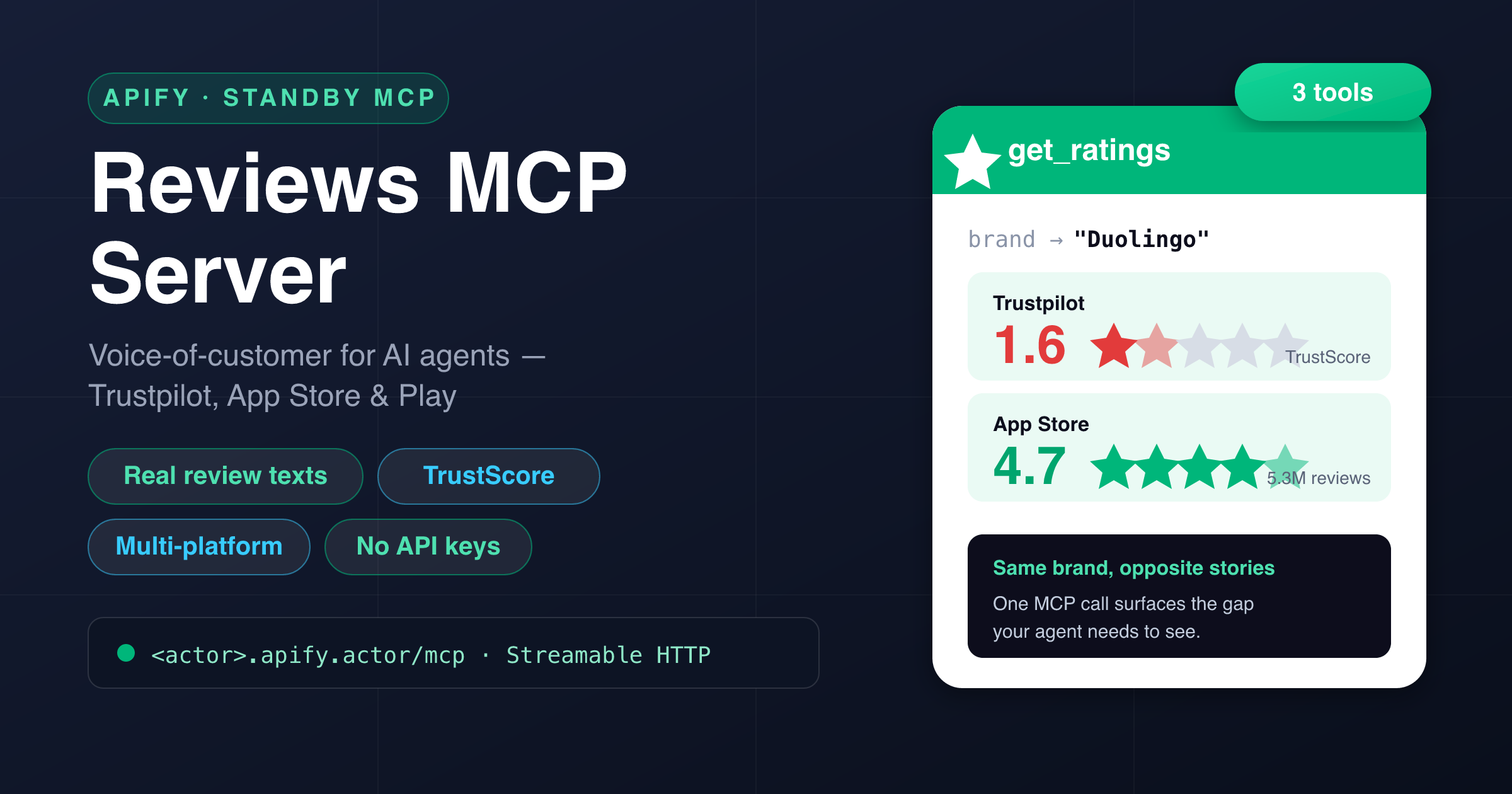
Give your AI assistant **live voice-of-customer data**. This Actor runs as a **hosted MCP server** (Model Context Protocol): connect Claude, Cursor, ChatGPT, VS Code or any MCP client and it can **find companies on Trustpilot, read real review texts, and pull a multi-platform rating snapshot** across **Trustpilot, the App Store and Google Play** — with **no API keys, no OAuth app, and no scraping code to maintain**.
The differentiator: **actual review bodies**, not just star averages. Your agent reads what customers *wrote* — the complaint, the praise, the verified flag, the company's reply — so it can cluster pain points, mine feature requests, or brief you on a brand before a call.
Apify hosts it, authenticates it with your Apify token, and bills it **per tool call** — you don't run or host anything.
---
### 🧰 Tools
**Three tools**, all returning **clean, typed JSON** — ready for an LLM to reason over.
| Tool | What it does | Key arguments |
|---|---|---|
| **`find_company`** | Search Trustpilot for a company by name or domain. Returns matching businesses with **TrustScore, star rating, review count, domain and country**, plus the `id` you feed into `get_reviews`. | `query` *(required)*, `limit` (1–20) |
| **`get_reviews`** | Get **actual Trustpilot review texts** for a company — full body, rating, title, author, dates, verified flag, likes and the company's reply. Pass a name, domain, or the `id` from `find_company`. Filter by star rating or language. **This is the voice-of-customer differentiator.** | `company` *(required)*, `limit` (1–100), `stars` (1–5), `sort` (`relevancy`/`recency`), `language` |
| **`get_ratings`** | One-call **multi-platform reputation snapshot**: Trustpilot TrustScore + **App Store** & **Google Play** app score, review count and profile link — side by side. | `brand` *(required)*, `domain` |
> **Why the split?** `get_reviews` returns real review **text** (currently sourced from Trustpilot, the platform with fast full-text access). `get_ratings` returns cross-platform **scores + counts + links** so your agent can spot when a brand's story differs by channel.
---
### 🔌 Connect it
This Actor runs in **Standby mode** and exposes an MCP endpoint at **`/mcp`** over the **Streamable HTTP** transport. Point your MCP client at the Actor's Standby URL and authenticate with your **Apify API token** as a bearer token.
Add this to your MCP client config (**Claude Desktop, Cursor, VS Code, Windsurf, …**):
```json
{
"mcpServers": {
"reviews": {
"url": "https:///mcp",
"headers": { "Authorization": "Bearer " }
}
}
}
````
- Your **Standby URL** is shown on the Actor's page once you enable Standby (looks like `https://--reviews-mcp-server.apify.actor`).
- Your **Apify API token** is under **Settings → Integrations** in the Apify Console.
That's it — your assistant discovers the three tools automatically and picks the right one.
***
### 💬 Example prompts
Once connected, just ask your assistant naturally:
- *“What's Notion's TrustScore on Trustpilot, and how many reviews?”*
- *“Pull the latest 1-star Duolingo reviews and summarise the top complaints.”*
- *“Give me a reputation snapshot for Duolingo across Trustpilot, the App Store and Google Play.”*
- *“Read Trustpilot reviews for nike.com and cluster them into recurring themes.”*
- *“Is this brand loved on the app stores but hated on Trustpilot? Show me the gap.”*
***
### 📦 Example tool calls & output
#### `find_company`
```json
{ "query": "Notion" }
```
```json
{
"query": "Notion",
"count": 3,
"companies": [
{
"id": "5a0b1c2d3e4f5a6b7c8d9e0f",
"name": "notion.so",
"displayName": "Notion",
"domain": "notion.so",
"website": "https://www.notion.so",
"trustScore": 2.3,
"stars": 2.5,
"reviewCount": 417,
"country": "US",
"trustpilotUrl": "https://www.trustpilot.com/review/notion.so"
}
]
}
```
#### `get_reviews`
```json
{ "company": "duolingo.com", "stars": 1, "limit": 3, "sort": "recency" }
```
```json
{
"company": "duolingo.com",
"businessUnitId": "4d9d3b1e00006400050e3f2a",
"count": 3,
"reviews": [
{
"rating": 1,
"title": "DO NOT PAY FOR DUOLINGO!",
"text": "I paid for a full year of Super and the app locked me out of my streak after an update. Support just sends canned replies and won't refund. Save your money.",
"author": "Marta K.",
"country": "GB",
"publishedDate": "2026-06-28T08:14:02.000Z",
"experiencedDate": "2026-06-25T00:00:00.000Z",
"isVerified": true,
"likes": 34,
"companyReply": null,
"url": "https://www.trustpilot.com/reviews/6a1b2c3d4e5f"
},
{
"rating": 1,
"title": "Impossible to cancel",
"text": "They auto-renewed my subscription and there is no clear way to cancel from the app. Had to dispute the charge with my bank.",
"author": "David R.",
"country": "US",
"publishedDate": "2026-06-27T19:41:55.000Z",
"experiencedDate": "2026-06-27T00:00:00.000Z",
"isVerified": true,
"likes": 12,
"companyReply": "We're sorry to hear this — you can manage your subscription in your store account settings…"
}
]
}
```
> Every review carries `rating`, `title`, `text`, `author`, `publishedDate`, `experiencedDate`, `isVerified`, `likes`, and `companyReply` — enough for an LLM to cluster complaints, score sentiment, or quote customers verbatim.
#### `get_ratings`
```json
{ "brand": "Duolingo", "domain": "duolingo.com" }
```
```json
{
"brand": "Duolingo",
"platforms": {
"trustpilot": {
"found": true,
"trustScore": 1.6,
"stars": 1.5,
"reviewCount": 2841,
"url": "https://www.trustpilot.com/review/duolingo.com"
},
"appStore": {
"found": true,
"score": 4.73,
"reviewCount": 5300000,
"url": "https://apps.apple.com/us/app/duolingo/id570060128",
"app": "Duolingo - Language Lessons"
},
"googlePlay": {
"found": true,
"score": 4.7,
"reviewCount": 47000000,
"url": "https://play.google.com/store/apps/details?id=com.duolingo",
"app": "Duolingo: language lessons"
}
}
}
```
> **The voice-of-customer contrast in one call.** Duolingo scores **1.6 on Trustpilot** but **4.73 on the App Store (5.3M reviews)** and **4.7 on Google Play (47M reviews)**. Trustpilot skews toward billing and support complaints; the app stores capture the everyday product experience. Your agent sees both sides — and `get_reviews` tells it *why*.
***
### ✅ Why use it
- **Real review text, not just averages.** `get_reviews` returns full Trustpilot bodies — the actual words customers wrote, with verified flags and company replies.
- **Multi-platform in one call.** `get_ratings` lines up Trustpilot, App Store and Google Play so your agent spots channel gaps instantly.
- **No keys, no OAuth.** Reads public data — nothing to register, no rate-limit paperwork.
- **Built for agents.** Clean, typed tools with LLM-friendly descriptions, so your assistant picks the right one and gets structured JSON back.
- **Pay per call.** Billed per tool call — no subscription, no idle server cost, nothing to host.
- **Works everywhere.** Standard **Streamable HTTP** MCP transport — Claude, Cursor, ChatGPT, VS Code, Windsurf, or your own agent.
***
### 🎯 Great for
- **Voice-of-customer & complaint analysis** — cluster real review texts into recurring pain points.
- **Competitive & reputation research** — snapshot any brand's standing across three platforms before a pitch or a call.
- **Product & feature discovery** — mine what customers ask for and where a competitor is weak.
- **Brand monitoring** — track TrustScore and app ratings for your own or a rival's brand.
- **Due diligence & sales prep** — brief your agent on how a company is actually perceived.
***
### ⚙️ Notes & limitations
- **Review text is currently sourced from Trustpilot** — the platform with fast, reliable full-text access. **App Store and Google Play contribute ratings + review counts** via `get_ratings` (not per-review bodies).
- **Read-only, public data only** — no login, no posting, no private data.
- `get_reviews` returns up to **100** reviews per call; filter by `stars` and `language` to focus results.
- App-store matching is best-effort by brand/domain; pass `domain` to `get_ratings` to improve accuracy.
***
### ⚠️ Disclaimer
This Actor accesses only **publicly available** review and rating data and performs no login or private-account access. You are responsible for using the output in compliance with each platform's terms and applicable laws. **Not affiliated with, endorsed by, or sponsored by Trustpilot, Apple, or Google.** “Trustpilot”, “App Store” and “Google Play” are trademarks of their respective owners.
***
### 🔎 SEO keywords
Reviews MCP, Trustpilot MCP, Trustpilot MCP server, voice of customer MCP, review scraper MCP, App Store reviews MCP, Google Play reviews MCP, Trustpilot API alternative, TrustScore API, customer reviews for AI agents, review data for LLM, MCP server, Model Context Protocol, Trustpilot for Claude, reviews for Cursor, reviews for ChatGPT, multi-platform ratings, brand reputation API, no-auth reviews, hosted MCP server, Streamable HTTP MCP.
# Actor input Schema
## Actor input object example
```json
{}
```
# API
You can run this Actor programmatically using our API. Below are code examples in JavaScript, Python, and CLI, as well as the OpenAPI specification and MCP server setup.
## JavaScript example
```javascript
import { ApifyClient } from 'apify-client';
// Initialize the ApifyClient with your Apify API token
// Replace the '' with your token
const client = new ApifyClient({
token: '',
});
// Prepare Actor input
const input = {};
// Run the Actor and wait for it to finish
const run = await client.actor("memo23/reviews-mcp-server").call(input);
// Fetch and print Actor results from the run's dataset (if any)
console.log('Results from dataset');
console.log(`💾 Check your data here: https://console.apify.com/storage/datasets/${run.defaultDatasetId}`);
const { items } = await client.dataset(run.defaultDatasetId).listItems();
items.forEach((item) => {
console.dir(item);
});
// 📚 Want to learn more 📖? Go to → https://docs.apify.com/api/client/js/docs
```
## Python example
```python
from apify_client import ApifyClient
# Initialize the ApifyClient with your Apify API token
# Replace '' with your token.
client = ApifyClient("")
# Prepare the Actor input
run_input = {}
# Run the Actor and wait for it to finish
run = client.actor("memo23/reviews-mcp-server").call(run_input=run_input)
# Fetch and print Actor results from the run's dataset (if there are any)
print("💾 Check your data here: https://console.apify.com/storage/datasets/" + run["defaultDatasetId"])
for item in client.dataset(run["defaultDatasetId"]).iterate_items():
print(item)
# 📚 Want to learn more 📖? Go to → https://docs.apify.com/api/client/python/docs/quick-start
```
## CLI example
```bash
echo '{}' |
apify call memo23/reviews-mcp-server --silent --output-dataset
```
## MCP server setup
```json
{
"mcpServers": {
"apify": {
"command": "npx",
"args": [
"mcp-remote",
"https://mcp.apify.com/?tools=memo23/reviews-mcp-server",
"--header",
"Authorization: Bearer "
]
}
}
}
```
## OpenAPI specification
```json
{
"openapi": "3.0.1",
"info": {
"title": "Reviews MCP: Trustpilot, App Store & Play for AI Agents",
"description": "Hosted voice-of-customer MCP server: search companies, read real Trustpilot review texts, and pull a multi-platform rating snapshot (Trustpilot + App Store + Google Play) — from Claude, Cursor, ChatGPT or any MCP client. Billed per lookup.",
"version": "0.0",
"x-build-id": "ay9SRoWgd8GydgjFw"
},
"servers": [
{
"url": "https://api.apify.com/v2"
}
],
"paths": {
"/acts/memo23~reviews-mcp-server/run-sync-get-dataset-items": {
"post": {
"operationId": "run-sync-get-dataset-items-memo23-reviews-mcp-server",
"x-openai-isConsequential": false,
"summary": "Executes an Actor, waits for its completion, and returns Actor's dataset items in response.",
"tags": [
"Run Actor"
],
"requestBody": {
"required": true,
"content": {
"application/json": {
"schema": {
"$ref": "#/components/schemas/inputSchema"
}
}
}
},
"parameters": [
{
"name": "token",
"in": "query",
"required": true,
"schema": {
"type": "string"
},
"description": "Enter your Apify token here"
}
],
"responses": {
"200": {
"description": "OK"
}
}
}
},
"/acts/memo23~reviews-mcp-server/runs": {
"post": {
"operationId": "runs-sync-memo23-reviews-mcp-server",
"x-openai-isConsequential": false,
"summary": "Executes an Actor and returns information about the initiated run in response.",
"tags": [
"Run Actor"
],
"requestBody": {
"required": true,
"content": {
"application/json": {
"schema": {
"$ref": "#/components/schemas/inputSchema"
}
}
}
},
"parameters": [
{
"name": "token",
"in": "query",
"required": true,
"schema": {
"type": "string"
},
"description": "Enter your Apify token here"
}
],
"responses": {
"200": {
"description": "OK",
"content": {
"application/json": {
"schema": {
"$ref": "#/components/schemas/runsResponseSchema"
}
}
}
}
}
}
},
"/acts/memo23~reviews-mcp-server/run-sync": {
"post": {
"operationId": "run-sync-memo23-reviews-mcp-server",
"x-openai-isConsequential": false,
"summary": "Executes an Actor, waits for completion, and returns the OUTPUT from Key-value store in response.",
"tags": [
"Run Actor"
],
"requestBody": {
"required": true,
"content": {
"application/json": {
"schema": {
"$ref": "#/components/schemas/inputSchema"
}
}
}
},
"parameters": [
{
"name": "token",
"in": "query",
"required": true,
"schema": {
"type": "string"
},
"description": "Enter your Apify token here"
}
],
"responses": {
"200": {
"description": "OK"
}
}
}
}
},
"components": {
"schemas": {
"inputSchema": {
"type": "object",
"properties": {}
},
"runsResponseSchema": {
"type": "object",
"properties": {
"data": {
"type": "object",
"properties": {
"id": {
"type": "string"
},
"actId": {
"type": "string"
},
"userId": {
"type": "string"
},
"startedAt": {
"type": "string",
"format": "date-time",
"example": "2025-01-08T00:00:00.000Z"
},
"finishedAt": {
"type": "string",
"format": "date-time",
"example": "2025-01-08T00:00:00.000Z"
},
"status": {
"type": "string",
"example": "READY"
},
"meta": {
"type": "object",
"properties": {
"origin": {
"type": "string",
"example": "API"
},
"userAgent": {
"type": "string"
}
}
},
"stats": {
"type": "object",
"properties": {
"inputBodyLen": {
"type": "integer",
"example": 2000
},
"rebootCount": {
"type": "integer",
"example": 0
},
"restartCount": {
"type": "integer",
"example": 0
},
"resurrectCount": {
"type": "integer",
"example": 0
},
"computeUnits": {
"type": "integer",
"example": 0
}
}
},
"options": {
"type": "object",
"properties": {
"build": {
"type": "string",
"example": "latest"
},
"timeoutSecs": {
"type": "integer",
"example": 300
},
"memoryMbytes": {
"type": "integer",
"example": 1024
},
"diskMbytes": {
"type": "integer",
"example": 2048
}
}
},
"buildId": {
"type": "string"
},
"defaultKeyValueStoreId": {
"type": "string"
},
"defaultDatasetId": {
"type": "string"
},
"defaultRequestQueueId": {
"type": "string"
},
"buildNumber": {
"type": "string",
"example": "1.0.0"
},
"containerUrl": {
"type": "string"
},
"usage": {
"type": "object",
"properties": {
"ACTOR_COMPUTE_UNITS": {
"type": "integer",
"example": 0
},
"DATASET_READS": {
"type": "integer",
"example": 0
},
"DATASET_WRITES": {
"type": "integer",
"example": 0
},
"KEY_VALUE_STORE_READS": {
"type": "integer",
"example": 0
},
"KEY_VALUE_STORE_WRITES": {
"type": "integer",
"example": 1
},
"KEY_VALUE_STORE_LISTS": {
"type": "integer",
"example": 0
},
"REQUEST_QUEUE_READS": {
"type": "integer",
"example": 0
},
"REQUEST_QUEUE_WRITES": {
"type": "integer",
"example": 0
},
"DATA_TRANSFER_INTERNAL_GBYTES": {
"type": "integer",
"example": 0
},
"DATA_TRANSFER_EXTERNAL_GBYTES": {
"type": "integer",
"example": 0
},
"PROXY_RESIDENTIAL_TRANSFER_GBYTES": {
"type": "integer",
"example": 0
},
"PROXY_SERPS": {
"type": "integer",
"example": 0
}
}
},
"usageTotalUsd": {
"type": "number",
"example": 0.00005
},
"usageUsd": {
"type": "object",
"properties": {
"ACTOR_COMPUTE_UNITS": {
"type": "integer",
"example": 0
},
"DATASET_READS": {
"type": "integer",
"example": 0
},
"DATASET_WRITES": {
"type": "integer",
"example": 0
},
"KEY_VALUE_STORE_READS": {
"type": "integer",
"example": 0
},
"KEY_VALUE_STORE_WRITES": {
"type": "number",
"example": 0.00005
},
"KEY_VALUE_STORE_LISTS": {
"type": "integer",
"example": 0
},
"REQUEST_QUEUE_READS": {
"type": "integer",
"example": 0
},
"REQUEST_QUEUE_WRITES": {
"type": "integer",
"example": 0
},
"DATA_TRANSFER_INTERNAL_GBYTES": {
"type": "integer",
"example": 0
},
"DATA_TRANSFER_EXTERNAL_GBYTES": {
"type": "integer",
"example": 0
},
"PROXY_RESIDENTIAL_TRANSFER_GBYTES": {
"type": "integer",
"example": 0
},
"PROXY_SERPS": {
"type": "integer",
"example": 0
}
}
}
}
}
}
}
}
}
}
```