# Sherlock Username Search — Email & Phone from Profiles (`memo23/sherlock`) Actor
Hunt a username across Sherlock's 400+ social, dev, gaming and forum sites, then read the public profiles and extract emails, phones, website and display name when they are published. Filter by site or category. NSFW off by default. JSON or CSV out. No login, no API keys.
- **URL**: https://apify.com/memo23/sherlock.md
- **Developed by:** [Muhamed Didovic](https://apify.com/memo23) (community)
- **Categories:** Social media, Lead generation
- **Stats:** 2 total users, 1 monthly users, 66.7% runs succeeded, 0 bookmarks
- **User rating**: No ratings yet
## Pricing
from $10.00 / 1,000 account founds
This Actor is paid per event. You are not charged for the Apify platform usage, but only a fixed price for specific events.
Learn more: https://docs.apify.com/actors/running/actors-in-store.md#pay-per-event
## What's an Apify Actor?
Actors are web data automations that power AI and operations. They run on the Apify platform to scrape websites, process data, connect APIs, and automate workflows.
In Batch mode, an Actor accepts a well-defined JSON input, performs an action which can take anything from a few seconds to a few hours,
and optionally produces a well-defined JSON output, datasets with results, or files in key-value store.
In Standby mode, an Actor provides a web server which can be used as a website, API, or an MCP server.
Actors are written with capital "A".
## How to integrate an Actor?
If asked about integration, you help developers integrate Actors into their projects.
You adapt to their stack and deliver integrations that are safe, well-documented, and production-ready.
The best way to integrate Actors is as follows.
- **AI agents and MCP clients** — the [Apify MCP server](https://docs.apify.com/integrations/mcp.md) at `https://mcp.apify.com` (remote, streamable HTTP, OAuth on first use).
- **Agentic workflows and local Actor development** — [Agent Skills](https://apify.com/.well-known/agent-skills/index.json) with the [Apify CLI](https://docs.apify.com/cli/docs.md): `npm install -g apify-cli`, then `apify login`.
- **JavaScript/TypeScript projects** — the official [JS/TS client](https://docs.apify.com/api/client/js/docs.md): `npm install apify-client`.
- **Python projects** — the official [Python client](https://docs.apify.com/api/client/python/docs.md): `pip install apify-client`.
- **Any other language** — the [REST API](https://docs.apify.com/api/v2.md).
For usage examples, see the [API](#api) section below.
For more details, see Apify documentation as [Markdown index](https://docs.apify.com/llms.txt) and [Markdown full-text](https://docs.apify.com/llms-full.txt).
# README
## Sherlock Username Search — Email & Phone from Profiles
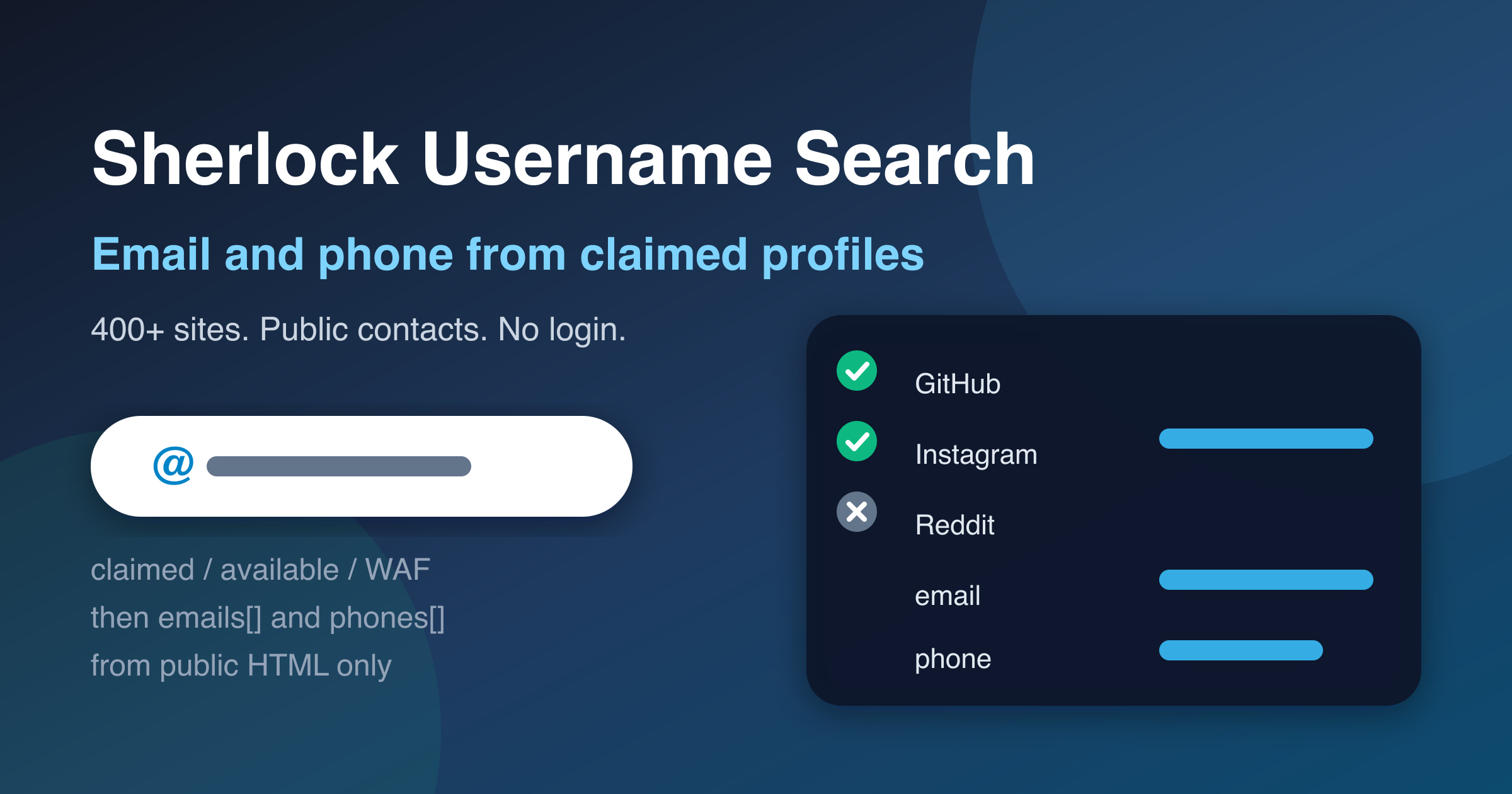
Find where a handle exists across **400+ social, dev, gaming, and forum sites**, then read the public profile pages Sherlock found and pull **emails, phones, website, and display name** when they are sitting in the HTML.
JSON or CSV out. No login. No API keys. Powered by the open-source [Sherlock Project](https://github.com/sherlock-project/sherlock).
### Why Use This Scraper?
- **Contacts, not just URLs.** The free Store leader returns a bag of links. This run visits claimed profiles and writes `emails[]` / `phones[]` when the page publishes them.
- **One row per site, with a real status.** `claimed`, `available`, `waf`, or `unknown` — not a silent empty dataset.
- **Site and category filters.** Limit to `GitHub` or to `dev` / `social` so a run finishes in seconds instead of minutes. (The free actor still cannot do this.)
- **Bulk handles.** More than one username per run — the paid category leader caps you at five.
- **NSFW off unless you ask.** Same default as the better clones.
- **You pay for claimed accounts, and again only when a contact is actually extracted.** Blocked and unknown rows are free.
#### Coming from another Sherlock actor?
| What people hit elsewhere | Here |
|---|---|
| Free listing returns `{username, links[]}` and dies silent on "0 results" | One row per site with `claimed` / `available` / `waf` / `unknown`. Empty catalog fails with a message, not an empty dataset. |
| "Wish there was an option to specify websites" (open issue on the free actor) | `sites` and `categories` |
| Paid leader caps you at 5 usernames | 50 per run (5 on the free plan) |
| Cheap clones dump URLs only | `emails[]`, `phones[]`, `website`, `displayName` from public HTML |
| NSFW mixed into the default catalog | `includeNsfw` defaults to false |
### Overview
This actor wraps [sherlock-project](https://pypi.org/project/sherlock-project/) (the same engine the official Apify Sherlock listing uses) and adds a public-page enrichment pass. Each dataset row is one username × one site. When `enrichContacts` is on (the default), claimed rows also carry whatever public email, phone, website, and display name the profile HTML exposes.
It is built for OSINT, brand-protection, and lead-enrichment workflows that already start from a handle. It is **not** a people-search engine: it will not accept an email or a phone as input, and it will not log into any site.
Related: the narrower [Username Social Media Finder](https://apify.com/memo23/username-social-finder) checks 50+ sites with soft-404 validation and no enrichment. Use that when you want a short, high-precision list. Use this actor when you want Sherlock's full catalog plus contacts.
### Supported Inputs
| You pass | Example | What happens |
|---|---|---|
| Username list | `octocat`, `@nasa` | Leading `@` stripped; each handle is scanned |
| Single `username` | `"username": "octocat"` | Same as a one-item list — for API/MCP callers |
| Wildcard | `john{?}doe` | Expands to `john_doe`, `john-doe`, `john.doe` |
| Site filter | `["GitHub","Reddit"]` | Only those Sherlock site names |
| Category filter | `["dev","social"]` | Keep matching groups |
**Not supported:** email addresses, profile URLs, phone numbers, name-to-profile search, logged-in endpoints, password-reset probes.
### Use Cases
| Who | Why |
|---|---|
| Investigators / OSINT | Map a handle's footprint, then grab public contact lines without opening 400 tabs |
| Brand protection | Find impersonation accounts and any email they published on the profile |
| Growth / lead ops | Turn a known username into a profile URL plus a public email or phone |
| Handle launches | Turn `onlyFound` off and read `available` rows before you announce a name |
| Agents / MCP | One structured dataset instead of shelling out to the Sherlock CLI |
### How It Works
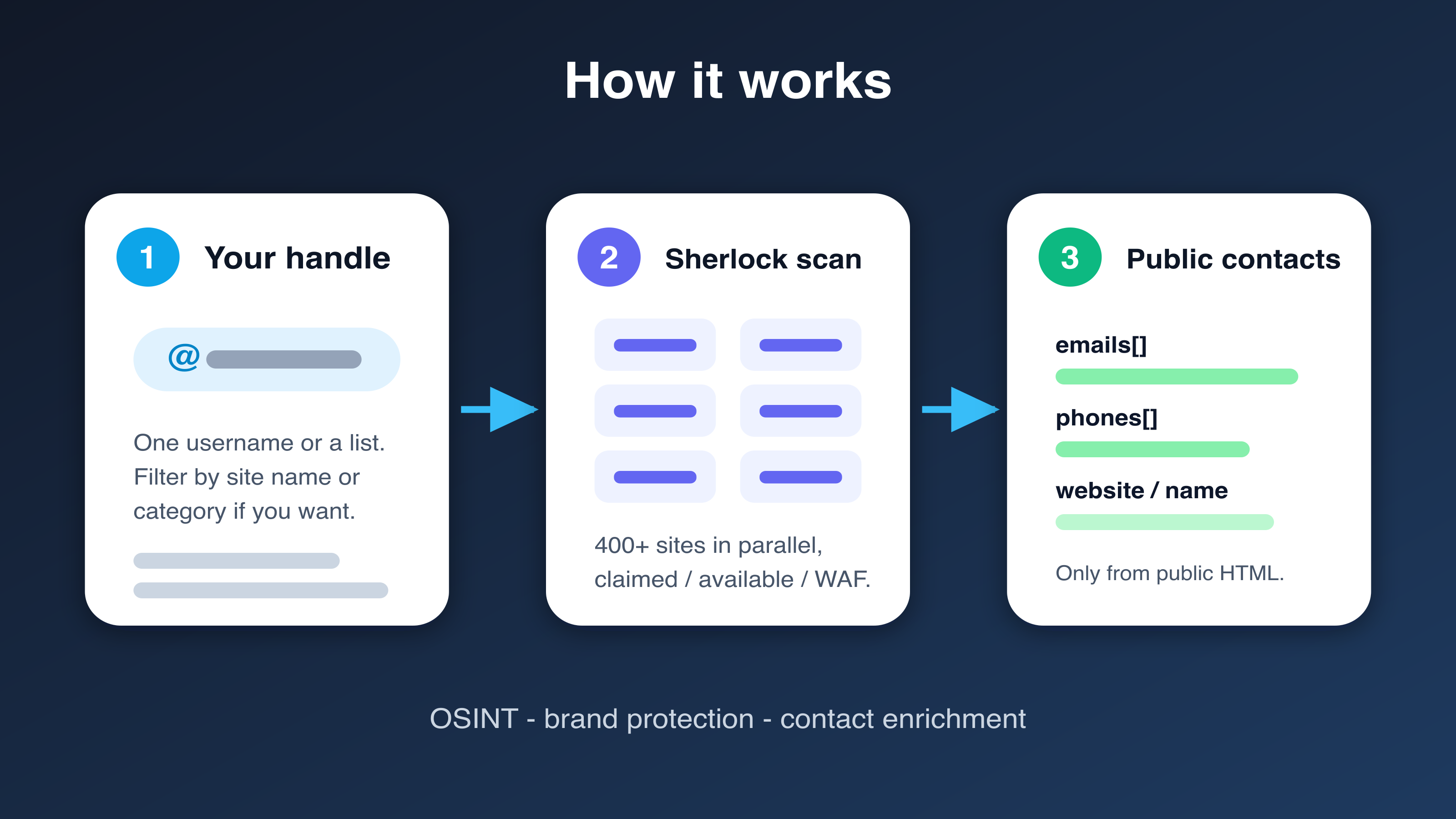
1. You pass one or more usernames and optional site / category filters.
2. The actor loads Sherlock's live site catalog, drops NSFW targets unless you opted in, and runs the official `sherlock()` scan (up to 20 workers).
3. Each site comes back as `claimed`, `available`, `waf`, or `unknown`.
4. For every claimed profile, the actor reads public HTML (Sherlock's probe body first, then a GET of the profile URL) and extracts emails, phones, website, and display name.
5. Rows stream into the dataset as they finish. You are charged for claimed accounts, and a second event only when an email or phone was actually found.
### Input Configuration
| Field | Type | Default | Notes |
|---|---|---|---|
| `usernames` | array | one of these required | Handles, with or without `@`. Max 50 (5 on the free plan). |
| `username` | string | one of these required | Single-handle alias. Merged with `usernames`. |
| `sites` | array | all | Sherlock names such as `GitHub`, `Instagram`, `Reddit`. |
| `categories` | array | all | `social`, `dev`, `gaming`, `forum`, `media`, `business`, `other`. |
| `onlyFound` | boolean | `true` | Push claimed rows only. Off = also available / waf / unknown. |
| `includeNsfw` | boolean | `false` | Include Sherlock's NSFW targets. |
| `enrichContacts` | boolean | `true` | Visit claimed profiles for public emails and phones. |
| `timeout` | integer | `30` | Per-site timeout, seconds (5–120). |
| `maxConcurrency` | integer | `10` | Parallel enrichment fetches (1–40). |
| `maxUsernames` | integer | `50` | Cap after wildcard expansion. |
| `proxyConfiguration` | object | off | Use a residential proxy if you see many `waf` / `unknown` rows. |
#### Example — fast GitHub check
```json
{
"usernames": ["octocat"],
"sites": ["GitHub"],
"enrichContacts": true
}
```
#### Example — full catalog, claimed only
```json
{
"usernames": ["nasa"],
"onlyFound": true,
"includeNsfw": false
}
```
#### Example — is this handle free?
```json
{
"usernames": ["my-new-brand"],
"onlyFound": false,
"enrichContacts": false,
"categories": ["social", "dev"]
}
```
### Pricing
Pay per event. You are not billed for available, WAF, or unknown rows.
| Event | When | Price |
|---|---|---|
| Actor start | Once per run, per GB of memory | $0.005 |
| Account found | Each `claimed` row | $0.01 |
| Contact enriched | Row where `enrichmentStatus` is `found` (an email or phone was extracted) | $0.015 |
Turn `enrichContacts` off for a scan-only run and you never see the contact event. A GitHub-only check that finds the profile but no public email costs start + $0.01.
### Output Overview
One dataset row per username × site that passed `onlyFound`. Claimed rows include the profile URL and, when enrichment is on, whatever public contacts the HTML contained. Empty `emails` / `phones` arrays mean the page did not publish them — not that enrichment was skipped (`enrichmentStatus` tells you which).
### Output Samples
Claimed GitHub profile with enrichment on (contacts depend on what that page publishes):
```json
{
"username": "octocat",
"site": "GitHub",
"siteUrl": "https://www.github.com/",
"category": "dev",
"profileUrl": "https://www.github.com/octocat",
"status": "claimed",
"httpStatus": 200,
"responseTimeMs": 567,
"isNsfw": false,
"emails": [],
"phones": [],
"website": null,
"displayName": "octocat",
"bio": null,
"enrichmentStatus": "none_found",
"checkedAt": "2026-09-12T04:59:02Z",
"sherlockVersion": "0.16.0"
}
```
`enrichmentStatus: "found"` is the row you get when the public page actually listed an email or phone.
### Key Output Fields
**Identity**
- `username` — handle that was searched
- `site` — Sherlock site name
- `category` — `social` / `dev` / `gaming` / `forum` / `media` / `business` / `other`
- `profileUrl` — profile URL when Sherlock built one
- `siteUrl` — site home
**Verdict**
- `status` — `claimed` · `available` · `waf` · `unknown`
- `httpStatus` — probe HTTP code, or null
- `responseTimeMs` — Sherlock's probe time
- `isNsfw` — site flagged NSFW in the catalog
**Public contacts** (claimed rows, when `enrichContacts` is true)
- `emails[]`
- `phones[]`
- `website`
- `displayName`
- `bio` — `og:description` / meta description, trimmed
- `enrichmentStatus` — `skipped` · `none_found` · `found` · `blocked`
**Meta**
- `checkedAt`
- `sherlockVersion`
### FAQ
**How is this different from misceres/sherlock?** That listing is free and returns `{username, links[]}`. This one returns per-site status, lets you filter sites, and extracts public emails/phones.
**How is this different from ntriqpro/sherlock-username-osint?** Same Sherlock idea, but no 5-username cap, and claimed profiles are enriched. Their price is $0.02 per found account with no contact pass.
**Why did I get zero claimed rows?** The handle may not exist on the filtered sites, or a WAF blocked the probes (`status: "waf"`). Add a residential proxy and/or turn `onlyFound` off so you can see blocked rows.
**Will every claimed profile have an email?** No. Most social profiles do not publish one. You pay the contact event only when at least one email or phone is extracted.
**Can I pass a single `username` like ntriqpro / Watson?** Yes. `username` and `usernames` are merged and de-duplicated.
**Where is the `{username, links[]}` bag the free actor returns?** In the default key-value store as `SUMMARY` — `byUsername[].links` is that shape. The dataset stays one row per site. `SUMMARY` is not billed.
**Can I pass an email address?** No. The run fails with a clear error. Use [TruePeopleSearch](https://apify.com/memo23/truepeoplesearch-people-search-scraper) or [FastPeopleSearch](https://apify.com/memo23/fastpeoplesearch-scraper) for email/phone-in lookups.
**Does `{?}` work?** Yes — `john{?}doe` becomes `john_doe`, `john-doe`, and `john.doe`, same as the Sherlock CLI.
**Do you log into sites?** No. Public HTTP only. No password-reset enumeration, no authenticated APIs.
**Which Sherlock version is this?** The Docker image pins `sherlock-project` (currently 0.16.0). Each row records `sherlockVersion`. The live site list is fetched from Sherlock's published catalog at run time.
### Support
- **Bug or a site that should be filtered differently?** Open a ticket on the [Issues](https://apify.com/memo23/sherlock/issues/open) tab.
- **Email:**
- **Website:** [muhamed-didovic.github.io](https://muhamed-didovic.github.io/)
### Additional Services
Need a custom export, a Maigret-sized catalog, or a scheduled watch on a brand handle? Email .
### Explore More Scrapers
- [Username Social Media Finder](https://apify.com/memo23/username-social-finder) — 50+ sites, soft-404 validated, no enrichment
- [FastPeopleSearch Scraper](https://apify.com/memo23/fastpeoplesearch-scraper) — phones, emails, addresses from a name
- [TruePeopleSearch Scraper](https://apify.com/memo23/truepeoplesearch-people-search-scraper) — people-search rows from a name, phone, or address
- [LinkedIn People Search](https://apify.com/memo23/linkedin-people-search) — people by keyword, no login
- [Email Finder & Verifier](https://apify.com/memo23/email-finder) — person and company emails plus phones
Full list: [apify.com/memo23](https://apify.com/memo23).
### 🤖 For AI Agents & LLM Apps
Compact reference for AI agents calling this actor via the [Apify MCP server](https://mcp.apify.com) or the Apify API (actor: `memo23/sherlock`).
**Purpose:** Scan a username across Sherlock's 400+ site catalog and, on claimed profiles, extract public emails and phone numbers from the profile HTML.
**Minimal input:**
```json
{
"usernames": ["octocat"],
"sites": ["GitHub"],
"enrichContacts": true
}
```
**Output:** one dataset row per username × site — username, site, siteUrl, category, profileUrl, status (`claimed`/`available`/`waf`/`unknown`), httpStatus, responseTimeMs, isNsfw, emails\[], phones\[], website, displayName, bio, enrichmentStatus, checkedAt, sherlockVersion. Also writes uncharged KV `SUMMARY` with `byUsername[].links` (misceres-shaped URL bag).
**Behaviors an agent should know:**
- Pass `usernames` and/or `username`. Emails and `http(s)` URLs are rejected.
- Always pass `sites` when you only need a few platforms — a full-catalog scan is 1–2 minutes per username.
- `onlyFound` defaults to true. Set it false when you need availability rows.
- Billing: `account-found` on each `claimed` row; `contact-enriched` only when `enrichmentStatus` is `found`. WAF / unknown / available rows are not billed.
- `enrichContacts: false` skips the profile GET and never emits `contact-enriched`.
- Many claimed social profiles publish no email. That is a `none_found`, not a failure.
- Free-plan runs are capped at 5 usernames.
### ⚠️ Disclaimer
This Actor is an independent tool and is not affiliated with, endorsed by, or sponsored by the Sherlock Project, Sherlock Project contributors, or any social network it queries. All trademarks mentioned are the property of their respective owners. Sherlock is MIT-licensed open source; this actor wraps that engine and adds a public-page enrichment pass.
The actor accesses only publicly available profile and probe URLs — no authenticated endpoints, no password-reset flows, and no content behind a login wall. People-search and username data is sensitive. You are responsible for ensuring your use complies with each site's Terms of Service, the Computer Fraud and Abuse Act and local equivalents, applicable data-protection law (GDPR, CCPA, etc.), and any contractual obligations of your organization. This actor is not a consumer reporting agency. Do not use the output for FCRA-regulated decisions (employment, credit, tenancy, insurance) or for harassment, stalking, or profiling individuals.
### SEO Keywords
sherlock username search, sherlock osint apify, sherlock scraper, find username across social media, username checker 400 sites, social media username lookup, osint username enumeration, sherlock email enrichment, find email from username, find phone from social profile, brand protection username search, handle availability checker, sherlock alternative apify, digital footprint scraper, username reverse lookup, misceres sherlock alternative, ntriqpro sherlock alternative, public profile contact extractor, social account discovery tool
# Actor input Schema
## `usernames` (type: `array`):
Handles to search, with or without @. Example: octocat. Max 50 per run (5 on the free plan). Emails are rejected — use a people-search actor for those. API callers can send a single `username` instead.
## `username` (type: `string`):
Single handle alias for API/MCP callers (ntriqpro/Watson-style). Merged with `usernames` and de-duplicated. Example: octocat.
## `sites` (type: `array`):
Sherlock site names to check, e.g. GitHub, Instagram, Reddit. Empty = full catalog (~400). Unknown names are ignored and logged.
## `categories` (type: `array`):
Keep only these groups. Combine with sites to narrow further.
## `onlyFound` (type: `boolean`):
Push only claimed (found) profiles. Turn off to also get available, WAF-blocked, and unknown rows — useful for handle-availability checks. Billing still applies only to claimed rows.
## `includeNsfw` (type: `boolean`):
Sherlock marks some targets as NSFW. Off by default.
## `enrichContacts` (type: `boolean`):
After a claimed hit, read the public profile HTML and pull emails, phones, website, display name, and bio. This is the paid differentiator vs a URL dump. Turn off for scan-only.
## `timeout` (type: `integer`):
How long Sherlock (and enrichment fetches) wait on one site before giving up.
## `maxConcurrency` (type: `integer`):
Parallel profile-page fetches after Sherlock returns claimed hits. Sherlock's own scan uses up to 20 workers.
## `maxUsernames` (type: `integer`):
Hard cap on handles processed after wildcard expansion. Free runs are capped at 5 regardless.
## `proxyConfiguration` (type: `object`):
Optional. Use a residential proxy if you see many waf / unknown rows — some sites block datacenter IPs. Small GitHub-only tests usually work direct.
## Actor input object example
```json
{
"usernames": [
"octocat"
],
"onlyFound": true,
"includeNsfw": false,
"enrichContacts": true,
"timeout": 30,
"maxConcurrency": 10,
"maxUsernames": 50
}
```
# Actor output Schema
## `results` (type: `string`):
No description
## `summary` (type: `string`):
No description
# API
You can run this Actor programmatically using our API. Below are code examples in JavaScript, Python, and CLI, as well as the OpenAPI specification and MCP server setup.
## JavaScript example
```javascript
import { ApifyClient } from 'apify-client';
// Initialize the ApifyClient with your Apify API token
// Replace the '' with your token
const client = new ApifyClient({
token: '',
});
// Prepare Actor input
const input = {
"usernames": [
"octocat"
]
};
// Run the Actor and wait for it to finish
const run = await client.actor("memo23/sherlock").call(input);
// Fetch and print Actor results from the run's dataset (if any)
console.log('Results from dataset');
console.log(`💾 Check your data here: https://console.apify.com/storage/datasets/${run.defaultDatasetId}`);
const { items } = await client.dataset(run.defaultDatasetId).listItems();
items.forEach((item) => {
console.dir(item);
});
// 📚 Want to learn more 📖? Go to → https://docs.apify.com/api/client/js/docs
```
## Python example
```python
from apify_client import ApifyClient
# Initialize the ApifyClient with your Apify API token
# Replace '' with your token.
client = ApifyClient("")
# Prepare the Actor input
run_input = { "usernames": ["octocat"] }
# Run the Actor and wait for it to finish
run = client.actor("memo23/sherlock").call(run_input=run_input)
# Fetch and print Actor results from the run's dataset (if there are any)
print(f"💾 Check your data here: https://console.apify.com/storage/datasets/{run.default_dataset_id}")
for item in client.dataset(run.default_dataset_id).iterate_items():
print(item)
# 📚 Want to learn more 📖? Go to → https://docs.apify.com/api/client/python/docs/quick-start
```
## CLI example
```bash
echo '{
"usernames": [
"octocat"
]
}' |
apify call memo23/sherlock --silent --output-dataset
```
## MCP server setup
```json
{
"mcpServers": {
"apify": {
"type": "http",
"url": "https://mcp.apify.com/?tools=fetch-actor-details,memo23/sherlock"
}
}
}
```
The hosted server signs you in with OAuth on first connect, so no API token belongs in this config. Clients without OAuth support can send an `Authorization: Bearer ` header instead, using a token from API & Integrations in Apify Console (https://console.apify.com/settings/integrations).
## OpenAPI specification
Download the OpenAPI definition: https://api.apify.com/v2/actors/z5mddFTxiV0jcV2rz/builds/GE98UzqkjvflVjGDd/openapi.json