# Video Transcripts MCP Server — YouTube & TikTok for AI (`memo23/transcripts-mcp-server`) Actor
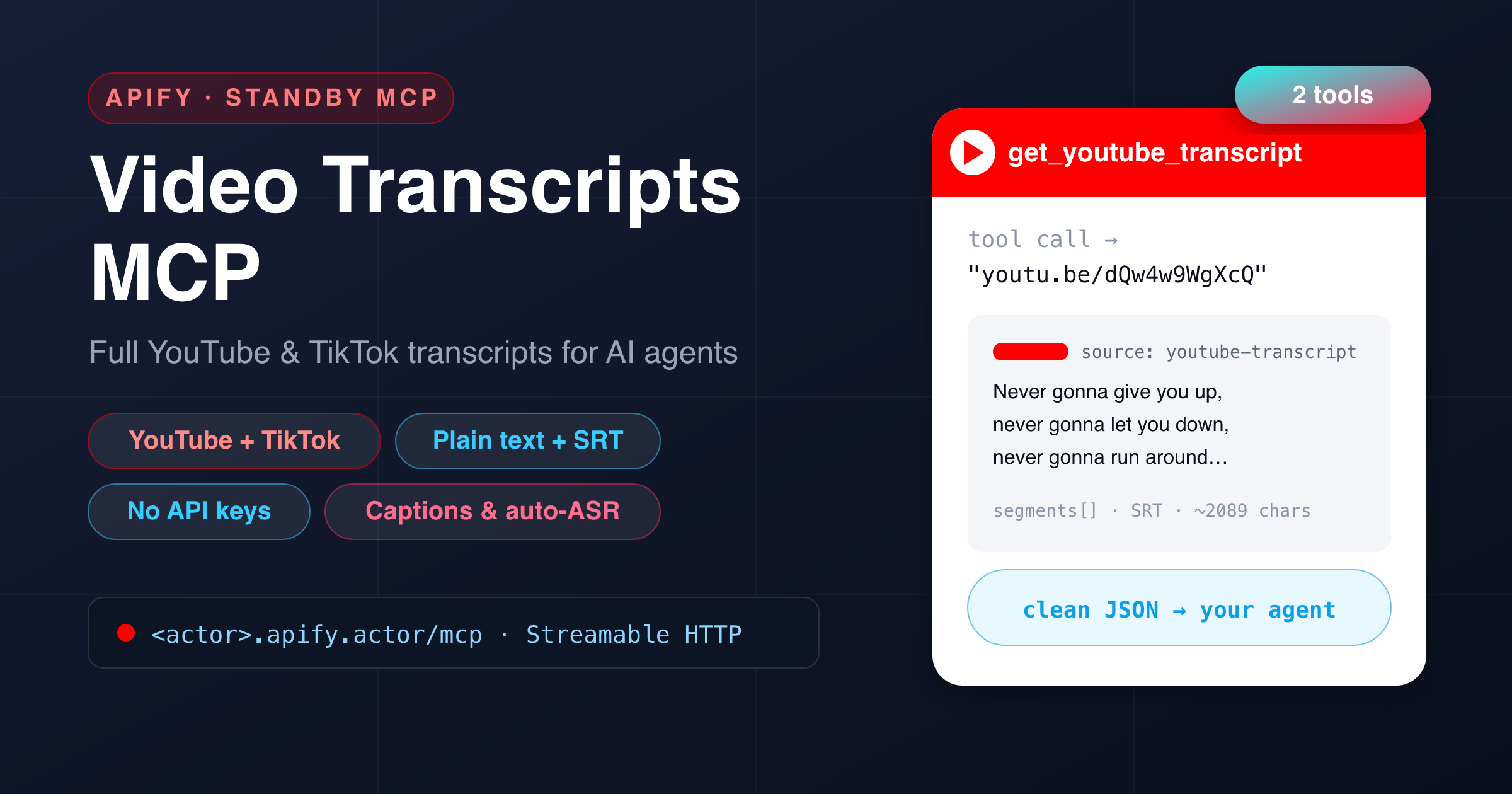
Hosted video-transcript MCP server: pull the full transcript of any YouTube or TikTok video — from Claude, Cursor, ChatGPT or any MCP client. Plain text + SRT, reads existing captions. Billed per transcript.

- **URL**: https://apify.com/memo23/transcripts-mcp-server.md
- **Developed by:** [Muhamed Didovic](https://apify.com/memo23) (community)
- **Categories:** AI, Agents, MCP servers
- **Stats:** 1 total users, 1 monthly users, 0.0% runs succeeded, 0 bookmarks
- **User rating**: No ratings yet

## Pricing

from $50.00 / 1,000 transcripts

This Actor is paid per event and usage. You are charged both the fixed price for specific events and for Apify platform usage.

Learn more: https://docs.apify.com/platform/actors/running/actors-in-store#pay-per-event

## What's an Apify Actor?

Actors are a software tools running on the Apify platform, for all kinds of web data extraction and automation use cases.
In Batch mode, an Actor accepts a well-defined JSON input, performs an action which can take anything from a few seconds to a few hours,
and optionally produces a well-defined JSON output, datasets with results, or files in key-value store.
In Standby mode, an Actor provides a web server which can be used as a website, API, or an MCP server.
Actors are written with capital "A".

## How to integrate an Actor?

If asked about integration, you help developers integrate Actors into their projects.
You adapt to their stack and deliver integrations that are safe, well-documented, and production-ready.
The best way to integrate Actors is as follows.

In JavaScript/TypeScript projects, use official [JavaScript/TypeScript client](https://docs.apify.com/api/client/js.md):

```bash
npm install apify-client
```

In Python projects, use official [Python client library](https://docs.apify.com/api/client/python.md):

```bash
pip install apify-client
```

In shell scripts, use [Apify CLI](https://docs.apify.com/cli/docs.md):

````bash
# MacOS / Linux
curl -fsSL https://apify.com/install-cli.sh | bash
# Windows
irm https://apify.com/install-cli.ps1 | iex
```bash

In AI frameworks, you might use the [Apify MCP server](https://docs.apify.com/platform/integrations/mcp.md).

If your project is in a different language, use the [REST API](https://docs.apify.com/api/v2.md).

For usage examples, see the [API](#api) section below.

For more details, see Apify documentation as [Markdown index](https://docs.apify.com/llms.txt) and [Markdown full-text](https://docs.apify.com/llms-full.txt).


# README

<h1 align="center">Video Transcripts MCP Server — YouTube &amp; TikTok for AI</h1>

<p align="center">
  <img src="https://muhamed-didovic.github.io/assets/transcripts-mcp-server-card.png" alt="Video Transcripts MCP Server — a hosted Model Context Protocol server with get_youtube_transcript and get_tiktok_transcript tools" width="100%">
</p>

Give your AI assistant **full video transcripts**. This Actor runs as a **hosted MCP server** (Model Context Protocol): connect Claude, Cursor, ChatGPT, VS Code or any MCP client and it can **pull the complete transcript of any YouTube or TikTok video** — with **no API keys, no OAuth, and nothing to host**. A drop‑in **transcript API for AI agents**.

Apify hosts it, authenticates it with your Apify token, and bills it **per transcript** — you don't run or host anything.

---

### 🧰 Tools

**Two tools**, both returning **clean JSON** — ready for an LLM to read, summarise or quote.

| Tool | What it does | Key arguments |
|---|---|---|
| **`get_youtube_transcript`** | Fetch a YouTube video's transcript. Accepts **any** URL form — `watch?v=`, `youtu.be/`, `shorts/`, `embed/` — or a bare 11‑char video id. Returns **plain text**, **timestamped segments**, and **SRT**. | `url` *(required)*, `language` (optional code, e.g. `en`, `de`, `es`) |
| **`get_tiktok_transcript`** | Fetch a single TikTok video's caption transcript from its URL. Uses TikTok's own caption track (creator‑added **or** auto‑ASR). Videos with **no captions** return `found: false` — a valid answer, not an error. | `url` *(required)* |

> Both tools read **existing captions** (creator subtitles + platform auto‑ASR). There is **no audio transcription** (no Whisper) — so calls are fast and cheap.

---

### 🔌 Connect it

This Actor runs in **Standby mode** and exposes an MCP endpoint at **`/mcp`** over the **Streamable HTTP** transport. Point your MCP client at the Actor's Standby URL and authenticate with your **Apify API token** as a bearer token.

Add this to your MCP client config (**Claude Desktop, Cursor, VS Code, Windsurf, …**):

```json
{
  "mcpServers": {
    "transcripts": {
      "url": "https://memo23--transcripts-mcp-server.apify.actor/mcp",
      "headers": { "Authorization": "Bearer <YOUR_APIFY_TOKEN>" }
    }
  }
}
````

- Your **Standby URL** is shown on the Actor's page once you enable Standby (looks like `https://<user>--transcripts-mcp-server.apify.actor`).
- Your **Apify API token** is under **Settings → Integrations** in the Apify Console.

That's it — your assistant discovers the two tools automatically and picks the right one.

***

### 💬 Example prompts

Once connected, just ask your assistant naturally:

- *“Get the transcript of this YouTube video and summarise the key points: `<video URL>`.”*
- *“Pull the transcript of `https://youtu.be/dQw4w9WgXcQ` and give me the SRT.”*
- *“Transcribe this TikTok and list every product it mentions: `<tiktok URL>`.”*
- *“Grab the German transcript of this talk and translate the intro.”*
- *“Read these five YouTube videos and tell me which one actually explains the setup.”*

***

### 📦 Example tool calls & output

#### `get_youtube_transcript`

```json
{ "url": "https://www.youtube.com/watch?v=dQw4w9WgXcQ" }
```

```json
{
  "videoId": "dQw4w9WgXcQ",
  "source": "youtube-transcript",
  "language": null,
  "text": "We're no strangers to love You know the rules and so do I …",
  "textTruncated": false,
  "segments": [
    { "text": "We're no strangers to love", "startMs": "18800", "endMs": "21160", "startTimeText": "0:18" },
    { "text": "You know the rules and so do I", "startMs": "23000", "endMs": "25400", "startTimeText": "0:23" }
  ],
  "srt": "1\n00:00:18,800 --> 00:00:21,160\nWe're no strangers to love\n\n2\n00:00:23,000 --> 00:00:25,400\nYou know the rules and so do I\n"
}
```

> `text` is the full plain transcript (**~2,089 characters** for this video). `segments[]` carries the timestamped cues and `srt` is a ready‑to‑use subtitle file. Any URL form works — `watch?v=…`, `youtu.be/…`, `shorts/…`, `embed/…`, or a bare 11‑char id.

#### `get_tiktok_transcript` — captioned video

```json
{ "url": "https://www.tiktok.com/@user/video/7261234567890123456" }
```

```json
{
  "videoId": "7261234567890123456",
  "author": "user",
  "found": true,
  "source": "caption",
  "language": "eng-us",
  "text": "Today I'm going to show you three ways to cut your grocery bill in half …",
  "textTruncated": false,
  "vtt": "WEBVTT\n\n00:00:00.120 --> 00:00:02.400\nToday I'm going to show you …"
}
```

> `text` is the full caption transcript (**~1,307 characters** here). `source: "caption"` means it came from TikTok's own caption track. The raw `vtt` is included when it's small enough to attach.

#### `get_tiktok_transcript` — video with no captions

```json
{ "url": "https://www.tiktok.com/@user/video/7000000000000000000" }
```

```json
{
  "videoId": "7000000000000000000",
  "author": "user",
  "found": false,
  "note": "No caption track on this video (e.g. music-only / no speech). TikTok only ships captions when the creator added them or its auto-ASR produced them."
}
```

> `found: false` is a **valid result, not an error** — some TikToks (music‑only, no speech) simply carry no caption track. Nothing is charged for a `found: false` answer.

***

### ✅ Why use it

- **No API keys.** No YouTube Data API, no TikTok developer app, no OAuth — this reads public caption data directly.
- **Two platforms, one server.** YouTube *and* TikTok transcripts from a single MCP endpoint.
- **Built for agents.** Clean, typed tools with descriptions LLMs understand, so your assistant picks the right one and gets structured JSON back.
- **Multiple formats.** Plain text for reasoning, **timestamped segments** and **SRT** for subtitles.
- **Pay per transcript.** Billed only when a transcript is actually returned — no subscription, no idle server, nothing to host.
- **Works everywhere.** Standard **Streamable HTTP** MCP transport — Claude, Cursor, ChatGPT, VS Code, Windsurf, or your own agent.

***

### 🎯 Great for

- **Video summarisation** — feed an agent the transcript instead of the video.
- **Content repurposing** — turn talks, tutorials and TikToks into blog posts, threads or show notes.
- **Research & fact‑checking** — quote exactly what was said, with timestamps.
- **Subtitles & localisation** — export SRT and translate.
- **Search & RAG** — index what creators actually say across many videos.

***

### ⚙️ How it works & notes

- **YouTube** is fetched over **plain HTTP** (no browser) — fast, with a fallback source that catches auto‑generated and translated tracks.
- **TikTok** uses a **stealth browser** with a residential exit to read the video's inline caption track, so it's a **few seconds slower** than YouTube. It automatically retries with a fresh session if TikTok serves an empty page.
- **Existing captions only.** Both tools return the video's own captions (creator subtitles + platform auto‑ASR). There is **no audio‑to‑text transcription** — a video with truly no captions returns nothing (YouTube) or `found: false` (TikTok).
- Very long transcripts are capped at ~60,000 characters (`textTruncated: true` flags it).

***

### ⚠️ Disclaimer

This Actor accesses only **publicly available** caption data and performs no login or private‑account access. You are responsible for using the output in compliance with each platform's terms and applicable laws. Not affiliated with, endorsed by, or sponsored by YouTube, Google, or TikTok. “YouTube” and “TikTok” are trademarks of their respective owners.

***

### 🔎 SEO keywords

Video transcript MCP, YouTube transcript MCP, TikTok transcript MCP, MCP server, Model Context Protocol, YouTube transcript API, TikTok transcript API, get YouTube captions, get TikTok captions, YouTube to SRT, transcript for Claude, transcript for Cursor, transcript for ChatGPT, video transcript for AI agents, YouTube subtitles API, TikTok subtitles, auto-generated captions, video captions for LLM, no-API-key transcript, hosted MCP server, Streamable HTTP MCP.

# Actor input Schema

## `useApifyProxy` (type: `boolean`):

Reserved for future use. Transcript fetches use the server's built-in routing.

## Actor input object example

```json
{
  "useApifyProxy": true
}
```

# API

You can run this Actor programmatically using our API. Below are code examples in JavaScript, Python, and CLI, as well as the OpenAPI specification and MCP server setup.

## JavaScript example

```javascript
import { ApifyClient } from 'apify-client';

// Initialize the ApifyClient with your Apify API token
// Replace the '<YOUR_API_TOKEN>' with your token
const client = new ApifyClient({
    token: '<YOUR_API_TOKEN>',
});

// Prepare Actor input
const input = {};

// Run the Actor and wait for it to finish
const run = await client.actor("memo23/transcripts-mcp-server").call(input);

// Fetch and print Actor results from the run's dataset (if any)
console.log('Results from dataset');
console.log(`💾 Check your data here: https://console.apify.com/storage/datasets/${run.defaultDatasetId}`);
const { items } = await client.dataset(run.defaultDatasetId).listItems();
items.forEach((item) => {
    console.dir(item);
});

// 📚 Want to learn more 📖? Go to → https://docs.apify.com/api/client/js/docs

```

## Python example

```python
from apify_client import ApifyClient

# Initialize the ApifyClient with your Apify API token
# Replace '<YOUR_API_TOKEN>' with your token.
client = ApifyClient("<YOUR_API_TOKEN>")

# Prepare the Actor input
run_input = {}

# Run the Actor and wait for it to finish
run = client.actor("memo23/transcripts-mcp-server").call(run_input=run_input)

# Fetch and print Actor results from the run's dataset (if there are any)
print("💾 Check your data here: https://console.apify.com/storage/datasets/" + run["defaultDatasetId"])
for item in client.dataset(run["defaultDatasetId"]).iterate_items():
    print(item)

# 📚 Want to learn more 📖? Go to → https://docs.apify.com/api/client/python/docs/quick-start

```

## CLI example

```bash
echo '{}' |
apify call memo23/transcripts-mcp-server --silent --output-dataset

```

## MCP server setup

```json
{
    "mcpServers": {
        "apify": {
            "command": "npx",
            "args": [
                "mcp-remote",
                "https://mcp.apify.com/?tools=memo23/transcripts-mcp-server",
                "--header",
                "Authorization: Bearer <YOUR_API_TOKEN>"
            ]
        }
    }
}

```

## OpenAPI specification

```json
{
    "openapi": "3.0.1",
    "info": {
        "title": "Video Transcripts MCP Server — YouTube & TikTok for AI",
        "description": "Hosted video-transcript MCP server: pull the full transcript of any YouTube or TikTok video — from Claude, Cursor, ChatGPT or any MCP client. Plain text + SRT, reads existing captions. Billed per transcript.",
        "version": "0.0",
        "x-build-id": "AtnrV8Xc6hEj2nmMo"
    },
    "servers": [
        {
            "url": "https://api.apify.com/v2"
        }
    ],
    "paths": {
        "/acts/memo23~transcripts-mcp-server/run-sync-get-dataset-items": {
            "post": {
                "operationId": "run-sync-get-dataset-items-memo23-transcripts-mcp-server",
                "x-openai-isConsequential": false,
                "summary": "Executes an Actor, waits for its completion, and returns Actor's dataset items in response.",
                "tags": [
                    "Run Actor"
                ],
                "requestBody": {
                    "required": true,
                    "content": {
                        "application/json": {
                            "schema": {
                                "$ref": "#/components/schemas/inputSchema"
                            }
                        }
                    }
                },
                "parameters": [
                    {
                        "name": "token",
                        "in": "query",
                        "required": true,
                        "schema": {
                            "type": "string"
                        },
                        "description": "Enter your Apify token here"
                    }
                ],
                "responses": {
                    "200": {
                        "description": "OK"
                    }
                }
            }
        },
        "/acts/memo23~transcripts-mcp-server/runs": {
            "post": {
                "operationId": "runs-sync-memo23-transcripts-mcp-server",
                "x-openai-isConsequential": false,
                "summary": "Executes an Actor and returns information about the initiated run in response.",
                "tags": [
                    "Run Actor"
                ],
                "requestBody": {
                    "required": true,
                    "content": {
                        "application/json": {
                            "schema": {
                                "$ref": "#/components/schemas/inputSchema"
                            }
                        }
                    }
                },
                "parameters": [
                    {
                        "name": "token",
                        "in": "query",
                        "required": true,
                        "schema": {
                            "type": "string"
                        },
                        "description": "Enter your Apify token here"
                    }
                ],
                "responses": {
                    "200": {
                        "description": "OK",
                        "content": {
                            "application/json": {
                                "schema": {
                                    "$ref": "#/components/schemas/runsResponseSchema"
                                }
                            }
                        }
                    }
                }
            }
        },
        "/acts/memo23~transcripts-mcp-server/run-sync": {
            "post": {
                "operationId": "run-sync-memo23-transcripts-mcp-server",
                "x-openai-isConsequential": false,
                "summary": "Executes an Actor, waits for completion, and returns the OUTPUT from Key-value store in response.",
                "tags": [
                    "Run Actor"
                ],
                "requestBody": {
                    "required": true,
                    "content": {
                        "application/json": {
                            "schema": {
                                "$ref": "#/components/schemas/inputSchema"
                            }
                        }
                    }
                },
                "parameters": [
                    {
                        "name": "token",
                        "in": "query",
                        "required": true,
                        "schema": {
                            "type": "string"
                        },
                        "description": "Enter your Apify token here"
                    }
                ],
                "responses": {
                    "200": {
                        "description": "OK"
                    }
                }
            }
        }
    },
    "components": {
        "schemas": {
            "inputSchema": {
                "type": "object",
                "properties": {
                    "useApifyProxy": {
                        "title": "Route outbound requests through Apify Proxy",
                        "type": "boolean",
                        "description": "Reserved for future use. Transcript fetches use the server's built-in routing.",
                        "default": true
                    }
                }
            },
            "runsResponseSchema": {
                "type": "object",
                "properties": {
                    "data": {
                        "type": "object",
                        "properties": {
                            "id": {
                                "type": "string"
                            },
                            "actId": {
                                "type": "string"
                            },
                            "userId": {
                                "type": "string"
                            },
                            "startedAt": {
                                "type": "string",
                                "format": "date-time",
                                "example": "2025-01-08T00:00:00.000Z"
                            },
                            "finishedAt": {
                                "type": "string",
                                "format": "date-time",
                                "example": "2025-01-08T00:00:00.000Z"
                            },
                            "status": {
                                "type": "string",
                                "example": "READY"
                            },
                            "meta": {
                                "type": "object",
                                "properties": {
                                    "origin": {
                                        "type": "string",
                                        "example": "API"
                                    },
                                    "userAgent": {
                                        "type": "string"
                                    }
                                }
                            },
                            "stats": {
                                "type": "object",
                                "properties": {
                                    "inputBodyLen": {
                                        "type": "integer",
                                        "example": 2000
                                    },
                                    "rebootCount": {
                                        "type": "integer",
                                        "example": 0
                                    },
                                    "restartCount": {
                                        "type": "integer",
                                        "example": 0
                                    },
                                    "resurrectCount": {
                                        "type": "integer",
                                        "example": 0
                                    },
                                    "computeUnits": {
                                        "type": "integer",
                                        "example": 0
                                    }
                                }
                            },
                            "options": {
                                "type": "object",
                                "properties": {
                                    "build": {
                                        "type": "string",
                                        "example": "latest"
                                    },
                                    "timeoutSecs": {
                                        "type": "integer",
                                        "example": 300
                                    },
                                    "memoryMbytes": {
                                        "type": "integer",
                                        "example": 1024
                                    },
                                    "diskMbytes": {
                                        "type": "integer",
                                        "example": 2048
                                    }
                                }
                            },
                            "buildId": {
                                "type": "string"
                            },
                            "defaultKeyValueStoreId": {
                                "type": "string"
                            },
                            "defaultDatasetId": {
                                "type": "string"
                            },
                            "defaultRequestQueueId": {
                                "type": "string"
                            },
                            "buildNumber": {
                                "type": "string",
                                "example": "1.0.0"
                            },
                            "containerUrl": {
                                "type": "string"
                            },
                            "usage": {
                                "type": "object",
                                "properties": {
                                    "ACTOR_COMPUTE_UNITS": {
                                        "type": "integer",
                                        "example": 0
                                    },
                                    "DATASET_READS": {
                                        "type": "integer",
                                        "example": 0
                                    },
                                    "DATASET_WRITES": {
                                        "type": "integer",
                                        "example": 0
                                    },
                                    "KEY_VALUE_STORE_READS": {
                                        "type": "integer",
                                        "example": 0
                                    },
                                    "KEY_VALUE_STORE_WRITES": {
                                        "type": "integer",
                                        "example": 1
                                    },
                                    "KEY_VALUE_STORE_LISTS": {
                                        "type": "integer",
                                        "example": 0
                                    },
                                    "REQUEST_QUEUE_READS": {
                                        "type": "integer",
                                        "example": 0
                                    },
                                    "REQUEST_QUEUE_WRITES": {
                                        "type": "integer",
                                        "example": 0
                                    },
                                    "DATA_TRANSFER_INTERNAL_GBYTES": {
                                        "type": "integer",
                                        "example": 0
                                    },
                                    "DATA_TRANSFER_EXTERNAL_GBYTES": {
                                        "type": "integer",
                                        "example": 0
                                    },
                                    "PROXY_RESIDENTIAL_TRANSFER_GBYTES": {
                                        "type": "integer",
                                        "example": 0
                                    },
                                    "PROXY_SERPS": {
                                        "type": "integer",
                                        "example": 0
                                    }
                                }
                            },
                            "usageTotalUsd": {
                                "type": "number",
                                "example": 0.00005
                            },
                            "usageUsd": {
                                "type": "object",
                                "properties": {
                                    "ACTOR_COMPUTE_UNITS": {
                                        "type": "integer",
                                        "example": 0
                                    },
                                    "DATASET_READS": {
                                        "type": "integer",
                                        "example": 0
                                    },
                                    "DATASET_WRITES": {
                                        "type": "integer",
                                        "example": 0
                                    },
                                    "KEY_VALUE_STORE_READS": {
                                        "type": "integer",
                                        "example": 0
                                    },
                                    "KEY_VALUE_STORE_WRITES": {
                                        "type": "number",
                                        "example": 0.00005
                                    },
                                    "KEY_VALUE_STORE_LISTS": {
                                        "type": "integer",
                                        "example": 0
                                    },
                                    "REQUEST_QUEUE_READS": {
                                        "type": "integer",
                                        "example": 0
                                    },
                                    "REQUEST_QUEUE_WRITES": {
                                        "type": "integer",
                                        "example": 0
                                    },
                                    "DATA_TRANSFER_INTERNAL_GBYTES": {
                                        "type": "integer",
                                        "example": 0
                                    },
                                    "DATA_TRANSFER_EXTERNAL_GBYTES": {
                                        "type": "integer",
                                        "example": 0
                                    },
                                    "PROXY_RESIDENTIAL_TRANSFER_GBYTES": {
                                        "type": "integer",
                                        "example": 0
                                    },
                                    "PROXY_SERPS": {
                                        "type": "integer",
                                        "example": 0
                                    }
                                }
                            }
                        }
                    }
                }
            }
        }
    }
}
```
