# Username Social Media Finder — Check 50+ Sites (`memo23/username-social-finder`) Actor
Check which of 50+ platforms a username exists on: Instagram, YouTube, X, GitHub, Reddit, Steam, Behance, Substack, Strava and more. Every platform is validated against a known-fake handle, so a "found" means found — no soft-404 false positives. OSINT, brand protection, handle availability.
- **URL**: https://apify.com/memo23/username-social-finder.md
- **Developed by:** [Muhamed Didovic](https://apify.com/memo23) (community)
- **Categories:** Lead generation, Social media, AI
- **Stats:** 14 total users, 13 monthly users, 100.0% runs succeeded, 1 bookmarks
- **User rating**: No ratings yet
## Pricing
from $0.50 / 1,000 platform checks
This Actor is paid per event. You are not charged for the Apify platform usage, but only a fixed price for specific events.
Learn more: https://docs.apify.com/platform/actors/running/actors-in-store#pay-per-event
## What's an Apify Actor?
Actors are web data automations that power AI and operations. They run on the Apify platform to scrape websites, process data, connect APIs, and automate workflows.
In Batch mode, an Actor accepts a well-defined JSON input, performs an action which can take anything from a few seconds to a few hours,
and optionally produces a well-defined JSON output, datasets with results, or files in key-value store.
In Standby mode, an Actor provides a web server which can be used as a website, API, or an MCP server.
Actors are written with capital "A".
## How to integrate an Actor?
If asked about integration, you help developers integrate Actors into their projects.
You adapt to their stack and deliver integrations that are safe, well-documented, and production-ready.
The best way to integrate Actors is as follows.
- **AI agents and MCP clients** — the [Apify MCP server](https://docs.apify.com/integrations/mcp.md) at `https://mcp.apify.com` (remote, streamable HTTP, OAuth on first use).
- **Agentic workflows and local Actor development** — [Agent Skills](https://apify.com/.well-known/agent-skills/index.json) with the [Apify CLI](https://docs.apify.com/cli/docs.md): `npm install -g apify-cli`, then `apify login`.
- **JavaScript/TypeScript projects** — the official [JS/TS client](https://docs.apify.com/api/client/js/docs.md): `npm install apify-client`.
- **Python projects** — the official [Python client](https://docs.apify.com/api/client/python/docs.md): `pip install apify-client`.
- **Any other language** — the [REST API](https://docs.apify.com/api/v2.md).
For usage examples, see the [API](#api) section below.
For more details, see Apify documentation as [Markdown index](https://docs.apify.com/llms.txt) and [Markdown full-text](https://docs.apify.com/llms-full.txt).
# README
## Username Social Media Finder — Check 50+ Sites
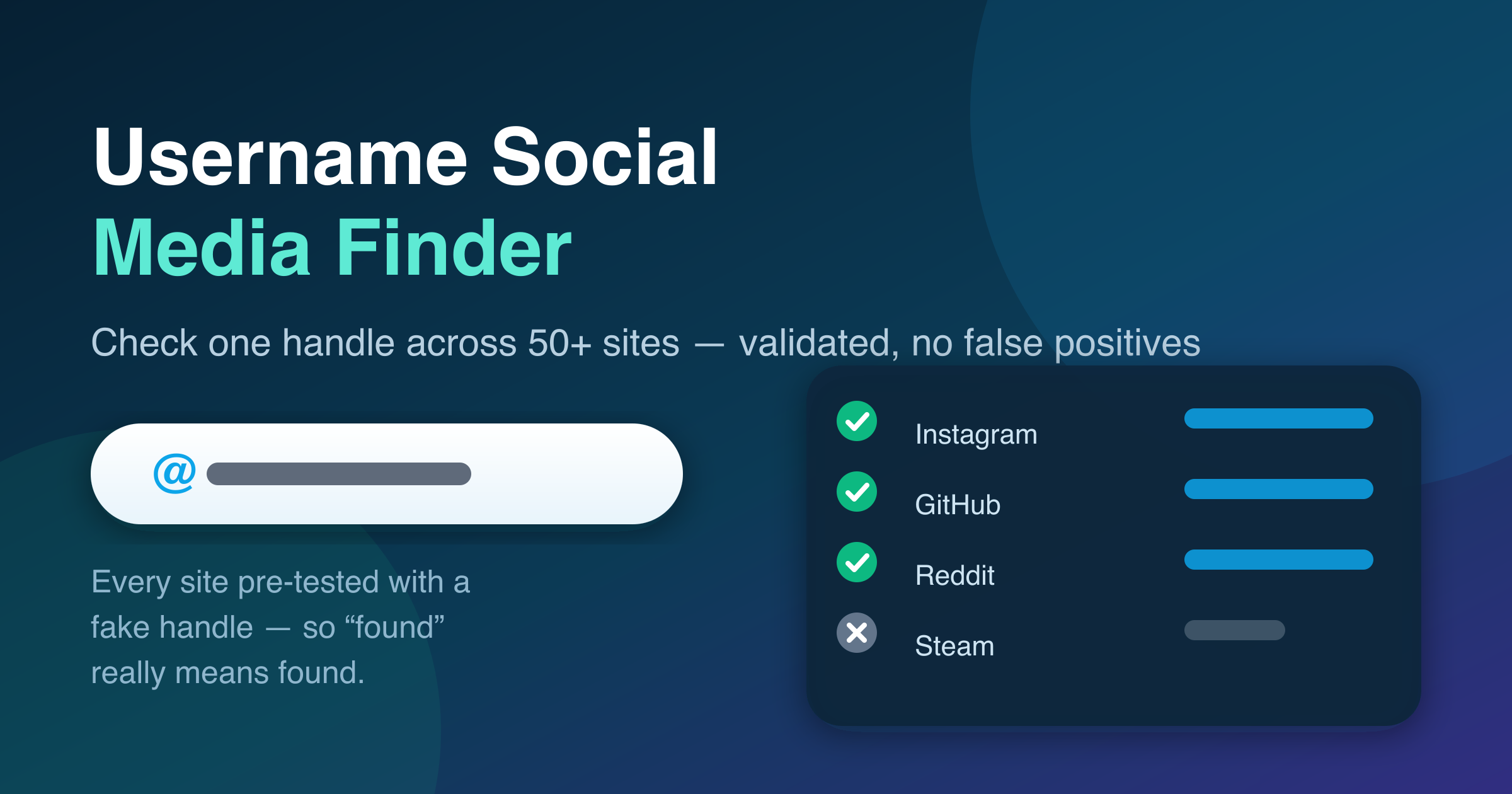
Give it a username and find out **where that handle exists** — across 50+ social, video, dev, gaming, music, creative, blog, forum and business platforms. One row per check with the profile URL and a clear `found` / `not_found` / `unknown` verdict. JSON or CSV out, no login, no API keys.
### Why this one is different: no false positives
Most username checkers just look at the HTTP status code. That breaks badly, because dozens of platforms answer **200 OK with a "user not found" page** (a soft-404), and single-page apps return the same shell for every handle — so a naive checker reports profiles that don't exist.
Every platform in this actor is validated against a **known-fake handle** before shipping. If a platform can't be told apart over plain HTTP, it isn't in the list. When a site blocks or rate-limits the request, the row says `unknown` — never a guessed "found".
The validation harness ships with the actor (`scripts/validate-platforms.mjs`), so the registry can be re-checked whenever a platform changes its behaviour.
### What you get
| Field | Meaning |
|---|---|
| `username` | The handle that was checked |
| `platform` | Platform name, e.g. `GitHub` |
| `category` | `social`, `video`, `dev`, `gaming`, `music`, `creative`, `blog`, `forum`, `business` |
| `url` | The profile URL — where the profile lives when `found` |
| `status` | `found` · `not_found` · `unknown` |
| `httpStatus` | The HTTP code the platform returned |
| `note` | Why a verdict was reached (soft-404 marker, block notice, error) |
| `checkedAt` | ISO timestamp |
Rows come back **found first**, so the useful ones are at the top.
### Use cases
- **OSINT & investigations** — map one handle's footprint across the web in a single run.
- **Brand protection** — find impersonation accounts using your brand name on platforms you don't monitor.
- **Handle availability** — check a name across every platform before a launch (turn `onlyFound` off to see what's free).
- **Influencer research** — locate a creator's other channels from a single known handle.
- **Lead enrichment** — attach social profiles to a contact you already have a username for.
### How it works
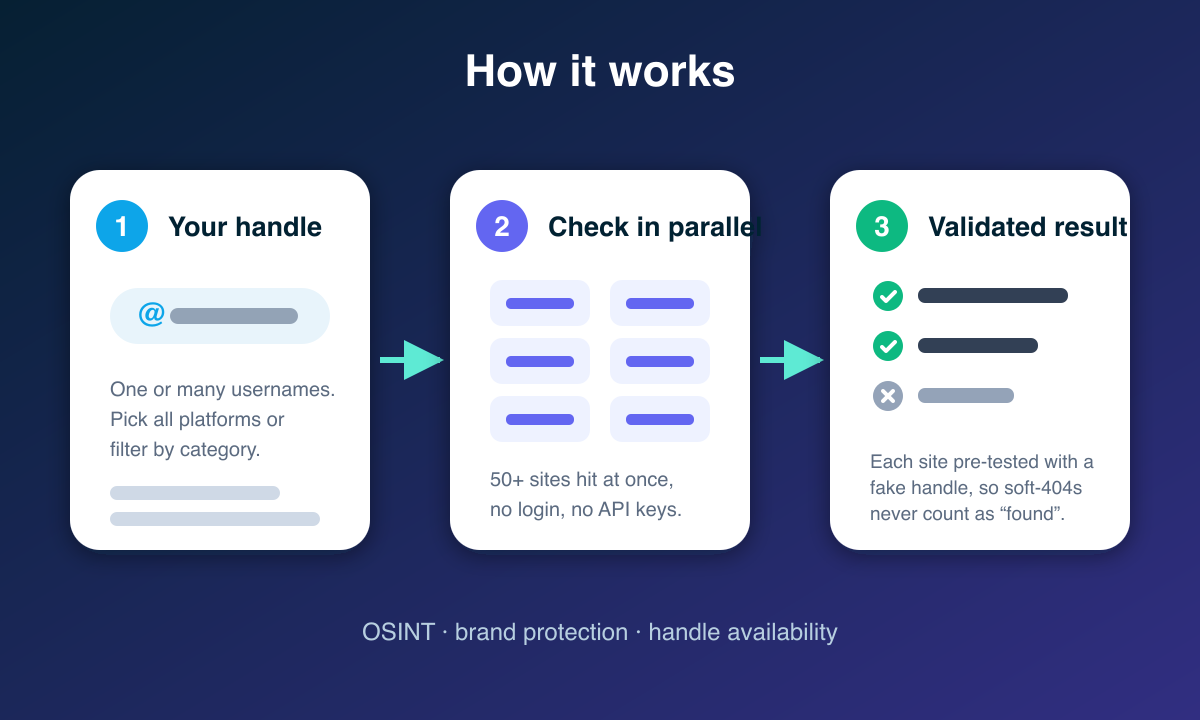
Your handle is checked against every selected platform in parallel over plain HTTP — no login, no API keys. Each platform's detection rule was pre-tested against a handle known not to exist, so soft-404 pages and SPA shells are classified correctly instead of being reported as hits.
### Input
| Field | Type | Default | Notes |
|---|---|---|---|
| `usernames` | array | — (required) | Handles to check, with or without `@` |
| `categories` | array | all | Restrict to platform groups (e.g. `["dev","social"]`) |
| `platforms` | array | all | Exact platform names (e.g. `["GitHub","Instagram"]`) |
| `onlyFound` | boolean | `false` | Push only rows where the profile exists |
| `maxItems` | integer | `5000` | Hard cap on rows |
| `maxConcurrency` | integer | `20` | Parallel checks (lower it if you see many `unknown`) |
| `requestTimeoutSecs` | integer | `15` | Per-check timeout |
| `maxRequestRetries` | integer | `1` | Retries before reporting `unknown` |
| `proxy` | object | — | Recommended for large sweeps |
#### Example input
```json
{
"usernames": ["nasa"],
"categories": ["social", "dev", "video"],
"onlyFound": true
}
```
#### Example output
```json
{
"username": "nasa",
"platform": "GitHub",
"category": "dev",
"url": "https://github.com/nasa",
"status": "found",
"httpStatus": 200,
"checkedAt": "2026-07-29T12:00:00.000Z"
}
```
### FAQ
**What does `unknown` mean?** The platform blocked or rate-limited the check (usually HTTP 403/429), so existence couldn't be established. Re-run those with a residential proxy — from a datacenter IP a handful of sites (Reddit, Etsy, Tumblr, Fiverr and similar) block by default.
**Why not 400+ platforms like other tools?** Because most of those can't actually be verified over plain HTTP — they return the same page for every handle. A shorter list of platforms that give a truthful answer beats a long list of coin flips.
**Does it work for Bluesky?** Yes, via the public AppView API — pass the full handle (`nasa.gov`, not `nasa`).
**Do I need a proxy?** Not for small runs. For many usernames × many platforms, use one so busy sites don't rate-limit a single IP.
**Can I check whether a handle is free?** Yes — leave `onlyFound` off and read the `not_found` rows.
### Support
- **Bug, or a platform you want added?** Open a ticket on the **Issues** tab — the fastest way to reach me; I actively maintain this scraper.
- **Email:**
- **Website:** [muhamed-didovic.github.io](https://muhamed-didovic.github.io/)
### Explore More Scrapers
- [Email Finder & Verifier](https://apify.com/memo23/email-finder) — person and company emails plus phones
- [LinkedIn People Search Scraper](https://apify.com/memo23/linkedin-people-search) — find people by keyword and filters
- [Instagram Profile Scraper](https://apify.com/memo23/apify-instagram-profile-scraper-ppe) — full profile metrics once you've found the handle
- [Social Video Transcript Scraper](https://apify.com/memo23/tiktok-profile-videos-cheerio) — TikTok and Instagram videos to text
### ⚠️ Disclaimer
This actor checks whether publicly accessible profile URLs resolve. It collects no private data and bypasses no authentication. Use it lawfully — for research, brand protection and security work — and in line with each platform's Terms of Service and applicable privacy law (GDPR/CCPA) where personal data is involved. Do not use it for harassment, stalking, or profiling individuals.
### SEO Keywords
username checker, social media finder, find username across sites, OSINT username search, handle availability checker, social profile lookup, username enumeration tool, brand protection scraper, sherlock alternative, find social media accounts by username.
# Actor input Schema
## `usernames` (type: `array`):
Handles to look up (with or without a leading @), e.g. nasa. Each username is checked against every selected platform.
## `categories` (type: `array`):
Restrict to platform groups. Options: social, video, dev, gaming, music, creative, blog, forum, business.
## `platforms` (type: `array`):
Exact platform names to check, e.g. GitHub, Instagram, TikTok. Overrides nothing — it further narrows the category filter.
## `onlyFound` (type: `boolean`):
Push only rows where the profile exists. Off = you also get confirmed not-found and unknown (blocked) rows, which is useful for handle-availability checks.
## `maxItems` (type: `integer`):
Hard cap on rows pushed to the dataset.
## `maxConcurrency` (type: `integer`):
Parallel HTTP checks. 20 is a good default; lower it if you see many unknown (rate-limited) rows.
## `requestTimeoutSecs` (type: `integer`):
Per-check timeout.
## `maxRequestRetries` (type: `integer`):
Retries before a check is reported as unknown.
## `proxy` (type: `object`):
Recommended for large sweeps — spreads requests so busy platforms do not rate-limit a single IP.
## Actor input object example
```json
{
"usernames": [
"nasa"
],
"onlyFound": false,
"maxItems": 5000,
"maxConcurrency": 20,
"requestTimeoutSecs": 15,
"maxRequestRetries": 1
}
```
# API
You can run this Actor programmatically using our API. Below are code examples in JavaScript, Python, and CLI, as well as the OpenAPI specification and MCP server setup.
## JavaScript example
```javascript
import { ApifyClient } from 'apify-client';
// Initialize the ApifyClient with your Apify API token
// Replace the '' with your token
const client = new ApifyClient({
token: '',
});
// Prepare Actor input
const input = {
"usernames": [
"nasa"
]
};
// Run the Actor and wait for it to finish
const run = await client.actor("memo23/username-social-finder").call(input);
// Fetch and print Actor results from the run's dataset (if any)
console.log('Results from dataset');
console.log(`💾 Check your data here: https://console.apify.com/storage/datasets/${run.defaultDatasetId}`);
const { items } = await client.dataset(run.defaultDatasetId).listItems();
items.forEach((item) => {
console.dir(item);
});
// 📚 Want to learn more 📖? Go to → https://docs.apify.com/api/client/js/docs
```
## Python example
```python
from apify_client import ApifyClient
# Initialize the ApifyClient with your Apify API token
# Replace '' with your token.
client = ApifyClient("")
# Prepare the Actor input
run_input = { "usernames": ["nasa"] }
# Run the Actor and wait for it to finish
run = client.actor("memo23/username-social-finder").call(run_input=run_input)
# Fetch and print Actor results from the run's dataset (if there are any)
print(f"💾 Check your data here: https://console.apify.com/storage/datasets/{run.default_dataset_id}")
for item in client.dataset(run.default_dataset_id).iterate_items():
print(item)
# 📚 Want to learn more 📖? Go to → https://docs.apify.com/api/client/python/docs/quick-start
```
## CLI example
```bash
echo '{
"usernames": [
"nasa"
]
}' |
apify call memo23/username-social-finder --silent --output-dataset
```
## MCP server setup
```json
{
"mcpServers": {
"apify": {
"type": "http",
"url": "https://mcp.apify.com/?tools=fetch-actor-details,memo23/username-social-finder"
}
}
}
```
The hosted server signs you in with OAuth on first connect, so no API token belongs in this config. Clients without OAuth support can send an `Authorization: Bearer ` header instead, using a token from API & Integrations in Apify Console (https://console.apify.com/settings/integrations).
## OpenAPI specification
Download the OpenAPI definition: https://api.apify.com/v2/actors/Eso854Fu2nSimqkLi/builds/wqSaaZGPUeeulddZx/openapi.json