# Weibo Scraper — Posts, Profiles, Comments & Hot Search (`memo23/weibo-scraper`) Actor
Weibo scraper for posts, profiles, comments, likers, and realtime hot search. No API key: paste a mid, UID, or URL and get one flat dataset. Keyword search, fans, and following run only with your own logged-in cookie. Built for China social listening and creator research.
- **URL**: https://apify.com/memo23/weibo-scraper.md
- **Developed by:** [Muhamed Didovic](https://apify.com/memo23) (community)
- **Categories:** Social media
- **Stats:** 2 total users, 1 monthly users, 100.0% runs succeeded, 0 bookmarks
- **User rating**: No ratings yet
## Pricing
from $10.00 / 1,000 posts
This Actor is paid per event. You are not charged for the Apify platform usage, but only a fixed price for specific events.
Learn more: https://docs.apify.com/actors/running/actors-in-store.md#pay-per-event
## What's an Apify Actor?
An Actor is a serverless cloud program that runs on the Apify platform. It has two run modes.
In Batch mode, an Actor accepts a well-defined JSON input, performs an action which can take anything from a few seconds to a few hours,
and optionally produces a well-defined JSON output, datasets with results, or files in key-value store.
In Standby mode, an Actor provides a web server which can be used as a website, API, or an MCP server.
Apify vocabulary and the platform model are defined once, in the agent quickstart at https://apify.com/agents.md.
## How to integrate an Actor?
If asked about integration, you help developers integrate Actors into their projects.
You adapt to their stack and deliver integrations that are safe, well-documented, and production-ready.
Do not guess an integration path. Every one of them is in the agent quickstart at https://apify.com/agents.md: the Apify MCP server, Agent Skills with the Apify CLI, the JavaScript and Python clients, the REST API, and the account-free path for an agent with no human to sign in. It also carries the rule on stating cost before the first paid run.
For examples already wired to this Actor's own input schema, see the [API](#api) section below.
Each client library has reference documentation the quickstart does not restate: [JavaScript/TypeScript](https://docs.apify.com/api/client/js/docs.md) (`npm install apify-client`) and [Python](https://docs.apify.com/api/client/python/docs.md) (`pip install apify-client`).
# README
## Weibo Scraper — Posts, Profiles, Comments & Hot Search

Pull public Weibo posts, profiles, comments, likers, and the realtime hot-search board into one flat dataset. No Weibo developer account and no API key. Paste a post id, a user id, or a URL.
| Input | Rows |
|---|---|
| Post mid, bid, or detail URL | One post |
| User id or profile URL | One profile |
| Same post id, comments or likers | One row per comment or liker |
| Hot search | One row per board entry |
| Keyword plus your logged-in cookie | Search hits inside a date window |
| User id plus your logged-in cookie | Fans, or accounts that user follows |
> HTTP only. No browser. Search, fans, and following need a cookie from your own logged-in Weibo session. The other five operations do not.
| Operation | Login | What you get |
|---|---|---|
| `weiboDetail` | No | One post |
| `userDetail` | No | One profile, including follower counts |
| `comments` | No | Comments, newest pages first |
| `likers` | No | Accounts that liked the post |
| `hotSearch` | No | Current 热搜 list |
| `searchWeibo` | Your cookie | Posts matching a keyword and date window |
| `userFans` | Your cookie | Accounts that follow the user |
| `userFollowing` | Your cookie | Accounts the user follows |
### Why Use This Scraper?
- Post text, counts, pictures, and the author, from a mid or a `m.weibo.cn/detail` URL.
- Profile stats that the post payload leaves empty: followers, following, posts, verification.
- Comments and likers on a public post, page by page.
- The realtime 热搜 board, with rank and heat.
- Keyword search, fans, and following when you paste your own `SUB` cookie.
- One operation per run, so the dataset stays one shape.
### Overview
This actor reads public Sina Weibo pages for social listening, creator research, and China trend tracking. Each run does one job and writes flat rows to the Apify dataset. Export JSON, CSV, or Excel from that dataset.
A post row does not include follower counts. Those sit on the profile operation. Hot search is a live board, so the same word will not hold the same rank an hour later.
Schedule a guest operation from the Apify console the same way you would any other actor. Leave `cookie` empty on those schedules. A search or fan schedule has to store the cookie in the task input, which means anyone who can open that task can read the session. Prefer a one-off run when the cookie is yours.
The dataset is the whole result. Download it as JSON, CSV, or Excel from the run, or read it with the Apify API. Rows from different operations should not be mixed in one run, because the columns change with `_operation`. Filter on `_operation` if you merge exports later.
### Supported Inputs
Guest operations accept:
- A numeric post id (mid), for example `5249718969175092`
- A short bid, for example `QkRpSCuRm`
- `https://m.weibo.cn/detail/5249718969175092`
- `https://weibo.com/7961606632/QkRpSCuRm`
- A numeric user id, or `https://weibo.com/u/7961606632`
- Hot search needs no id
Login operations accept:
- `searchWeibo`: a keyword such as `北京` or `Tesla`, optional `startDay` and `endDay` (`YYYY-MM-DD`). Default window is the last 30 days in China time.
- `userFans` and `userFollowing`: the same user id as the profile operation.
- `cookie`: the Cookie header from a logged-in weibo.com tab. It must contain `SUB=`.
Not supported:
- A user timeline of their posts
- Reposts of a post
- Private accounts, or fan lists the account has hidden
- Search, fans, or following with only the automatic visitor session
### Use Cases
| Who | What they take |
|---|---|
| Brand teams | Hot-search words and posts that mention a name |
| Creator research | Profile stats, verification, bio |
| Community research | Comments and likers on a post |
| Agencies | A flat sheet they can hand to a client |
| Analysts | Date-window search, once they supply their own cookie |
### How It Works
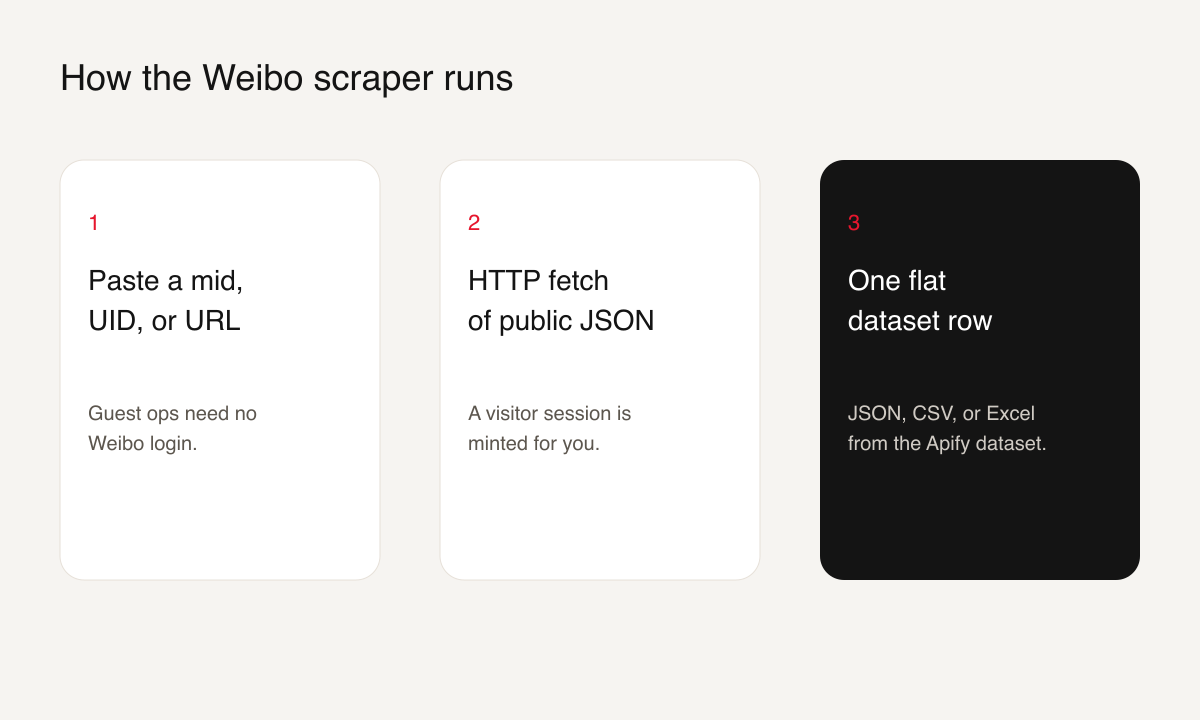
1. You pick one operation and paste the id, URL, or keyword.
2. For guest operations the actor mints a visitor session and requests Weibo's public JSON.
3. For search, fans, and following it sends the cookie you pasted and does not replace it with the visitor session.
4. Rows land in the dataset. `maxItems` stops the run early. `maxPages` caps comments, likers, search, fans, and following at 50 pages.
### Input Configuration
| Field | Type | Required | Notes |
|---|---|---|---|
| `operation` | string | No | Default `weiboDetail`. One of `weiboDetail`, `userDetail`, `comments`, `likers`, `hotSearch`, `searchWeibo`, `userFans`, `userFollowing`. |
| `weiboId` | string | For post, comments, likers | Mid, bid, or post URL. Prefill `5249718969175092`. |
| `userId` | string | For profile, fans, following | UID or profile URL. Prefill `7961606632`. |
| `keyword` | string | For search | Example `北京`. |
| `startDay` | string | No | `YYYY-MM-DD`. Default 30 days ago, China time. Search only. |
| `endDay` | string | No | `YYYY-MM-DD`. Default today, China time. Search only. |
| `maxPages` | integer | No | Default 5, min 1, max 50. |
| `maxItems` | integer | No | Hard cap on rows. No default. |
| `cookie` | string | For search, fans, following | Cookie header including `SUB=`. |
| `proxy` | object | No | Leave empty to use the built-in residential proxy. |
#### Example: one post
```json
{
"operation": "weiboDetail",
"weiboId": "5249718969175092"
}
```
#### Example: comments, capped
```json
{
"operation": "comments",
"weiboId": "https://m.weibo.cn/detail/5249718969175092",
"maxPages": 2,
"maxItems": 50
}
```
#### Example: search with your cookie
```json
{
"operation": "searchWeibo",
"keyword": "北京",
"startDay": "2026-08-22",
"endDay": "2026-09-21",
"maxPages": 1,
"maxItems": 20,
"cookie": "SUB=...; SUBP=..."
}
```
### Output Overview
Every row has `_operation` so you can tell which mode produced it. Post rows and search rows share the post fields. Profile, fan, and following rows share the user fields. Comment and liker rows point back at `weiboId`. Hot-search rows are a word, a rank, and a heat number.
Follower counts on a post row are often null. Run `userDetail` for that author's counts.
### Output Samples
Live rows from 21 Sep 2026. Long text and signed image URLs are shortened.
#### Post (`weiboDetail`)
```json
{
"_operation": "weiboDetail",
"weiboId": "5249718969175092",
"bid": "QkRpSCuRm",
"weiboPageUrl": "https://m.weibo.cn/detail/5249718969175092",
"text": "#檀all[超话]#\n2025.12.31 24小时文手挑战:1:00\n\n白晓宇《北京爱情故事》…",
"textLength": 3071,
"isLongText": true,
"postedAt": "Wed Dec 31 01:00:00 +0800 2025",
"repostCount": 19,
"commentCount": 36,
"attitudeCount": 169,
"regionName": "发布于 辽宁",
"source": "JCT全肯定Android",
"topics": ["檀all[超话]"],
"picCount": 1,
"screenName": "白兔猫-休养补水版",
"userId": "7961606632",
"verified": true,
"followersCount": null,
"userPageUrl": "https://weibo.com/u/7961606632"
}
```
#### Profile (`userDetail`)
```json
{
"_operation": "userDetail",
"userId": "7961606632",
"screenName": "白兔猫-休养补水版",
"verified": true,
"verifiedReason": "娱乐博主",
"description": "做点自己爱吃的🍚",
"location": "其他",
"gender": "f",
"followersCount": 4163,
"friendsCount": 295,
"statusesCount": 6800,
"userPageUrl": "https://weibo.com/u/7961606632",
"birthday": "巨蟹座",
"createdAt": "2024-11-13 18:46:30"
}
```
#### Comment
```json
{
"_operation": "comments",
"weiboId": "5249718969175092",
"commentId": "5251110719197355",
"text": "晓宇我要在你能看见的日子里让你死死记住我的样子",
"postedAt": "01-03",
"source": "来自 辽宁",
"likeCount": 1,
"userId": "5874145289",
"screenName": "Hoo味优酸乳_家有影帝版",
"followersCount": 121,
"userPageUrl": "https://weibo.com/u/5874145289"
}
```
#### Liker
```json
{
"_operation": "likers",
"weiboId": "5249718969175092",
"attitudeId": "5331439927165740",
"postedAt": "08-13",
"source": "OPPO智能手机",
"userId": "8257425031",
"screenName": "vivi甜兔-忙碌营业版",
"followersCount": 2,
"userPageUrl": "https://weibo.com/u/8257425031"
}
```
#### Hot search
```json
{
"_operation": "hotSearch",
"rank": 1,
"word": "钟南山团队发现肺结节发病新趋势",
"hotValue": 1119668,
"label": "热",
"searchUrl": "https://s.weibo.com/weibo?q=%E9%92%9F%E5%8D%97%E5%B1%B1%E5%9B%A2%E9%98%9F%E5%8F%91%E7%8E%B0%E8%82%BA%E7%BB%93%E8%8A%82%E5%8F%91%E7%97%85%E6%96%B0%E8%B6%8B%E5%8A%BF"
}
```
### Key Output Fields
**Post and search:** `weiboId`, `bid`, `text`, `postedAt`, `repostCount`, `commentCount`, `attitudeCount`, `topics`, `picUrls`, `screenName`, `userId`, `keyword` (search only).
**Profile, fans, following:** `userId`, `screenName`, `verified`, `verifiedReason`, `followersCount`, `friendsCount`, `statusesCount`, `description`, `sourceUserId` (fans and following).
**Comments and likers:** `weiboId`, `commentId` or `attitudeId`, `text`, `likeCount`, `screenName`, `userId`.
**Hot search:** `rank`, `word`, `hotValue`, `label`, `searchUrl`.
### Pricing
Charges are per result row, once prices are set on the actor. Until then a run bills Apify platform usage only.
| Event | When |
|---|---|
| `weibo-detail-result` | One post row |
| `user-profile-result` | One profile row |
| `comment-result` | One comment |
| `liker-result` | One liker |
| `hot-search-result` | One hot-search row |
| `search-weibo-result` | One search hit |
| `user-fans-result` | One fan |
| `user-following-result` | One followed account |
An empty or failed run does not emit those events. Set `maxItems` when you want a ceiling.
### What makes this richer than the competition
| Capability | Typical Weibo actors | This actor |
|---|---|---|
| Comments and likers | Often missing | Guest, no login |
| Hot-search board | Often missing | Guest, no login |
| Post and profile | Common | Guest, no login |
| Keyword search with a date window | Often bundled behind the developer's own accounts | Your cookie, your session |
| Fan and following lists | Same | Your cookie, your session |
### Notes & limitations
- Search, fans, and following return nothing useful on a visitor session. The run fails with a login message instead of writing a fake empty list.
- Many accounts hide fans or following. A logged-in cookie can still get an empty list.
- There is no user-timeline mode and no repost mode.
- Post detail leaves `followersCount` null. Use the profile operation.
- Hot search is live. Ranks move.
- Image URLs from Weibo can expire.
- The cookie is used as a request header and is not written into the dataset. Do not put it in a schedule that other people can open.
- Search dates are sent as `timescope=custom:YYYY-MM-DD:YYYY-MM-DD` on the public search page. A window wider than `maxPages` still returns only those pages, about 10 to 20 posts each.
- Default memory is 256 MB. That is enough for these HTTP calls. Raising memory does not unlock search without a cookie.
### FAQ
**Do I need a Weibo account?**
Not for a post, a profile, comments, likers, or hot search. You need your own logged-in cookie for search, fans, and following.
**Why is search behind a cookie?**
Weibo serves keyword search and the friend graph only to a logged-in session. This actor does not keep a shared Weibo account.
**Can I scrape someone's full post history?**
No. There is no timeline operation.
**What if the fan list is empty?**
Either the account hid it, or the cookie is not logged in. A logged-out cookie fails the run. A logged-in cookie with an empty list writes one note row.
**Which id do I paste?**
The long number in `m.weibo.cn/detail/{id}` is the post. The number in `weibo.com/u/{id}` is the user.
### Support
Open an issue on the actor page: [memo23/weibo-scraper issues](https://apify.com/memo23/weibo-scraper/issues). Include the operation, the id you used, and whether a cookie was set. Do not paste the cookie into the issue.
### Additional Services
Need a timeline, a fixed export, or a schedule around a keyword list? Say what the sheet has to look like via the actor issues, or see the rest of the [memo23 actors](https://apify.com/memo23).
### Explore More Scrapers
- [Douyin Scraper](https://apify.com/memo23/douyin-scraper)
- [RedNote Search Scraper](https://apify.com/memo23/rednote-search-scraper)
- [RedNote Comments Scraper](https://apify.com/memo23/rednote-comments-scraper)
- [RedNote User Profile Scraper](https://apify.com/memo23/rednote-user-profile-scraper)
- [All memo23 actors](https://apify.com/memo23)
### 🤖 For AI Agents & LLM Apps
Compact reference for agents calling this actor via the [Apify MCP server](https://mcp.apify.com) or the Apify API (`memo23/weibo-scraper`).
**Purpose:** public Weibo posts, profiles, comments, likers, and hot search without a login. Search, fans, and following need the caller's own cookie.
**Minimal input:**
```json
{ "operation": "weiboDetail", "weiboId": "5249718969175092", "maxItems": 1 }
```
**Output:** one flat row per result. Post fields include `weiboId`, `bid`, `text`, `postedAt`, `repostCount`, `commentCount`, `attitudeCount`, `screenName`, `userId`. Profile fields include `followersCount`, `friendsCount`, `verifiedReason`. Hot search fields are `rank`, `word`, `hotValue`.
**Behaviors an agent should know:**
- Set `maxItems`. Hot search and comments can be long. `maxPages` defaults to 5 and caps at 50.
- One operation per run. `weiboDetail` does not fill `followersCount`. Call `userDetail` for that.
- `searchWeibo`, `userFans`, and `userFollowing` fail without a cookie that contains `SUB=`.
- Do not send a visitor cookie and expect search to work.
- Per-row charge events exist. Until Store prices are set, budget for platform compute only.
### ⚠️ Disclaimer
This Actor is an independent tool and is not affiliated with, endorsed by, or sponsored by Weibo Corporation or any of its subsidiaries. All trademarks mentioned are the property of their respective owners.
Guest operations read publicly available Weibo pages. Search, fans, and following send only the cookie you provide and return what that session can already see. This actor does not bypass login, access private accounts, or collect passwords. You are responsible for complying with Weibo's Terms of Service, applicable data-protection law (GDPR, CCPA, and others), and your own obligations.
### SEO Keywords
weibo scraper, scrape sina posts, weibo.com comments export, Apify China social, hot search board, creator profile export, fan list export, keyword date search, KOL research, brand monitoring China, liker list, post detail JSON, profile followers, public weibo dataset, China trend tracking
# Actor input Schema
## `operation` (type: `string`):
One job per run. Guest values, no Weibo login: weiboDetail (one post; example weiboId 5249718969175092), userDetail (one profile), comments, likers, hotSearch. Login values, cookie must include SUB=: searchWeibo, userFans, userFollowing. Default weiboDetail.
## `weiboId` (type: `string`):
Post id for weiboDetail, comments, and likers. A numeric mid (example 5249718969175092), a bid such as QkRpSCuRm, or a URL such as https://m.weibo.cn/detail/5249718969175092. Ignored on profile, hot search, fans, and following. Prefill 5249718969175092.
## `userId` (type: `string`):
User id for userDetail, userFans, and userFollowing. A numeric UID (example 7961606632) or https://weibo.com/u/7961606632. Ignored on post, comments, likers, hot search, and keyword search. Prefill 7961606632.
## `maxPages` (type: `integer`):
How many pages to request for comments, likers, searchWeibo, userFans, and userFollowing. About 10 to 20 rows per page. Default 5. Minimum 1. Maximum 50. Ignored for weiboDetail, userDetail, and hotSearch.
## `maxItems` (type: `integer`):
Stop after this many dataset rows. Example 20. No default: comments and hot search keep going until maxPages or the end of the list. Set this on every agent run.
## `keyword` (type: `string`):
Keyword for searchWeibo only. Chinese or English. Example 北京 or Tesla. Prefill 北京. Ignored on every other operation.
## `startDay` (type: `string`):
Earliest day for searchWeibo, format YYYY-MM-DD. Example 2026-08-22. Default is 30 days before today in Asia/Shanghai. Ignored unless operation is searchWeibo.
## `endDay` (type: `string`):
Latest day for searchWeibo, format YYYY-MM-DD. Example 2026-09-21. Default is today in Asia/Shanghai. Ignored unless operation is searchWeibo.
## `cookie` (type: `string`):
Cookie header from a logged-in weibo.com tab. Required for searchWeibo, userFans, and userFollowing, and it must include SUB=. Example SUB=...; SUBP=.... Leave empty for weiboDetail, userDetail, comments, likers, and hotSearch.
## `proxy` (type: `object`):
Optional proxy override. Leave empty to use the actor's built-in residential proxy. To use Apify Proxy instead, pass {"useApifyProxy": true}.
## Actor input object example
```json
{
"operation": "weiboDetail",
"weiboId": "5249718969175092",
"userId": "7961606632",
"maxPages": 5,
"keyword": "北京"
}
```
# Actor output Schema
## `results` (type: `string`):
No description
# API
You can run this Actor programmatically using our API. Below are code examples in JavaScript, Python, and CLI, as well as the OpenAPI specification and MCP server setup.
## JavaScript example
```javascript
import { ApifyClient } from 'apify-client';
// Initialize the ApifyClient with your Apify API token
// Replace the '' with your token
const client = new ApifyClient({
token: '',
});
// Prepare Actor input
const input = {
"weiboId": "5249718969175092",
"userId": "7961606632",
"keyword": "北京"
};
// Run the Actor and wait for it to finish
const run = await client.actor("memo23/weibo-scraper").call(input);
// Fetch and print Actor results from the run's dataset (if any)
console.log('Results from dataset');
console.log(`💾 Check your data here: https://console.apify.com/storage/datasets/${run.defaultDatasetId}`);
const { items } = await client.dataset(run.defaultDatasetId).listItems();
items.forEach((item) => {
console.dir(item);
});
// 📚 Want to learn more 📖? Go to → https://docs.apify.com/api/client/js/docs
```
## Python example
```python
from apify_client import ApifyClient
# Initialize the ApifyClient with your Apify API token
# Replace '' with your token.
client = ApifyClient("")
# Prepare the Actor input
run_input = {
"weiboId": "5249718969175092",
"userId": "7961606632",
"keyword": "北京",
}
# Run the Actor and wait for it to finish
run = client.actor("memo23/weibo-scraper").call(run_input=run_input)
# Fetch and print Actor results from the run's dataset (if there are any)
print(f"💾 Check your data here: https://console.apify.com/storage/datasets/{run.default_dataset_id}")
for item in client.dataset(run.default_dataset_id).iterate_items():
print(item)
# 📚 Want to learn more 📖? Go to → https://docs.apify.com/api/client/python/docs/quick-start
```
## CLI example
```bash
echo '{
"weiboId": "5249718969175092",
"userId": "7961606632",
"keyword": "北京"
}' |
apify call memo23/weibo-scraper --silent --output-dataset
```
## MCP server setup
```json
{
"mcpServers": {
"apify": {
"type": "http",
"url": "https://mcp.apify.com/?tools=fetch-actor-details,memo23/weibo-scraper"
}
}
}
```
The hosted server signs you in with OAuth on first connect, so no API token belongs in this config. Clients without OAuth support can send an `Authorization: Bearer ` header instead, using a token from API & Integrations in Apify Console (https://console.apify.com/settings/integrations).
## OpenAPI specification
Download the OpenAPI definition: https://api.apify.com/v2/actors/RU0pIbI9KSc3KBms1/builds/DriwgFKlaPnlNhsKV/openapi.json