# Yelp MCP Server — Local Business Leads for AI Agents (`memo23/yelp-mcp-server`) Actor
A hosted Yelp MCP server: search local businesses and pull full lead records — website, phone, address, hours, owner name, rating — straight from Claude, Cursor or any MCP client. No Yelp API keys. Billed per tool call.
- **URL**: https://apify.com/memo23/yelp-mcp-server.md
- **Developed by:** [Muhamed Didovic](https://apify.com/memo23) (community)
- **Categories:** Lead generation, Business, MCP servers
- **Stats:** 1 total users, 0 monthly users, 0.0% runs succeeded, 0 bookmarks
- **User rating**: No ratings yet
## Pricing
from $30.00 / 1,000 business searches
This Actor is paid per event and usage. You are charged both the fixed price for specific events and for Apify platform usage.
Learn more: https://docs.apify.com/actors/running/actors-in-store.md#pay-per-event
## What's an Apify Actor?
An Actor is a serverless cloud program that runs on the Apify platform. It has two run modes.
In Batch mode, an Actor accepts a well-defined JSON input, performs an action which can take anything from a few seconds to a few hours,
and optionally produces a well-defined JSON output, datasets with results, or files in key-value store.
In Standby mode, an Actor provides a web server which can be used as a website, API, or an MCP server.
Apify vocabulary and the platform model are defined once, in the agent quickstart at https://apify.com/agents.md.
## How to integrate an Actor?
If asked about integration, you help developers integrate Actors into their projects.
You adapt to their stack and deliver integrations that are safe, well-documented, and production-ready.
Do not guess an integration path. Every one of them is in the agent quickstart at https://apify.com/agents.md: the Apify MCP server, Agent Skills with the Apify CLI, the JavaScript and Python clients, the REST API, and the account-free path for an agent with no human to sign in. It also carries the rule on stating cost before the first paid run.
For examples already wired to this Actor's own input schema, see the [API](#api) section below.
Each client library has reference documentation the quickstart does not restate: [JavaScript/TypeScript](https://docs.apify.com/api/client/js/docs.md) (`npm install apify-client`) and [Python](https://docs.apify.com/api/client/python/docs.md) (`pip install apify-client`).
# README
Yelp MCP Server — Local Business Leads for Claude, Cursor & AI Agents
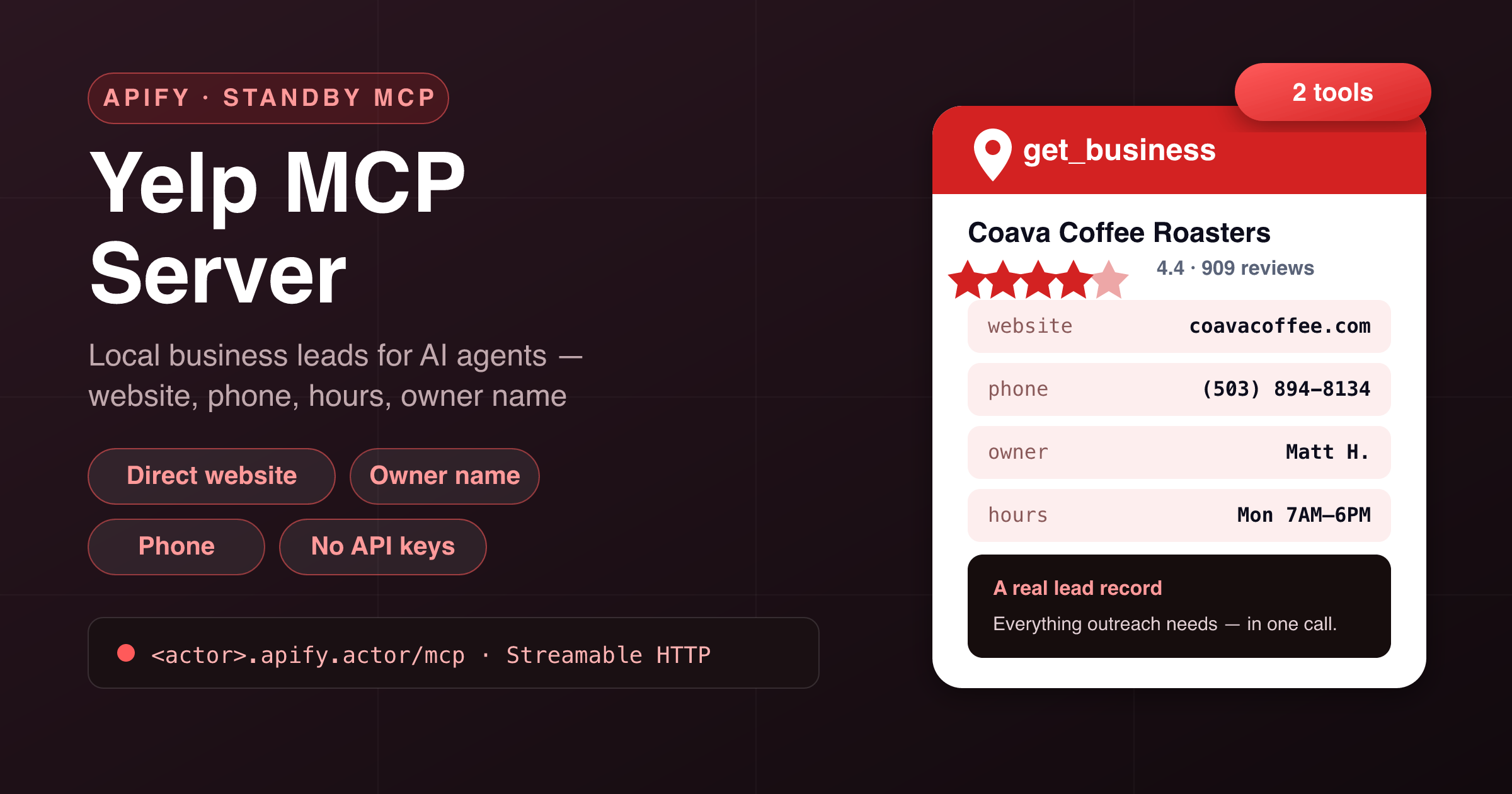
Give your AI assistant **local-business lead generation**. This Actor runs as a **hosted MCP server** (Model Context Protocol): connect Claude, Cursor, ChatGPT, VS Code or any MCP client and it can **search local businesses by keyword + location** and pull a **complete lead record** for any of them — direct **website**, **phone number**, full address, **opening hours**, **owner name**, year established, rating, review count, categories and amenities. **No Yelp API keys, no Fusion quota, nothing to host.**
Apify hosts it, authenticates it with your Apify token, and bills it **per tool call** — you don't run or host anything.
***
### 🧰 Tools
**Two tools**, both returning **clean, typed JSON** — ready for an LLM to reason over.
| Tool | What it does | Key arguments |
|---|---|---|
| **`search_businesses`** | Search local businesses by what + where. Returns up to **20 leads per call** with name, Yelp URL, rating, review count, price level, categories, street + city, and phone when available. | `query` *(required)*, `location` *(required)*, `limit` *(1–20)* |
| **`get_business`** | Fetch one business's **full lead record** from its URL or alias: **direct website**, **phone**, full address, **opening hours**, **owner name**, year established, claimed status, rating, categories, amenities and photos. | `url` *(required — URL or alias from `search_businesses`)* |
> **Pricing** is per-call: one `search_businesses` event per search (up to 20 leads), one `get_business` event per full record.
**Agent combo tip:** pair it with an email-finder tool — `get_business` returns the business's **direct website**, which is exactly what email discovery needs for a complete outreach record.
***
### 🔌 Connect it
This Actor runs in **Standby mode** and exposes an MCP endpoint at **`/mcp`** over the **Streamable HTTP** transport. Point your MCP client at the Actor's Standby URL and authenticate with your **Apify API token** as a bearer token.
Add this to your MCP client config (**Claude Desktop, Cursor, VS Code, Windsurf, …**):
```json
{
"mcpServers": {
"local-leads": {
"url": "https:///mcp",
"headers": { "Authorization": "Bearer " }
}
}
}
```
- Your **Standby URL** is shown on the Actor's page once you enable Standby (looks like `https://--yelp-mcp-server.apify.actor`).
- Your **Apify API token** is under **Settings → Integrations** in the Apify Console.
That's it — your assistant will discover both tools automatically and pick the right one.
***
### 💬 Example prompts
Once connected, just ask your assistant naturally:
- *“Find plumbers in Austin, TX and give me their phone numbers and websites.”*
- *“List the top-rated coffee shops in Portland with their owner names.”*
- *“Build me a lead list of dentists in the 10001 zip — name, phone, website, rating.”*
- *“Is Coava Coffee Roasters claimed on Yelp? What are their hours today?”*
- *“Find HVAC companies in Phoenix rated 4+ with over 50 reviews.”*
***
### 📦 Example tool calls & output
#### `search_businesses`
```json
{ "query": "coffee shop", "location": "Portland, OR", "limit": 3 }
```
```json
{
"query": "coffee shop",
"location": "Portland, OR",
"returned": 3,
"businesses": [
{
"name": "Coava Coffee Roasters",
"url": "https://www.yelp.com/biz/coava-coffee-roasters-portland",
"yelpBizId": "…",
"rating": 4.4,
"reviewCount": 909,
"priceLevel": "$$",
"categories": ["Coffee & Tea", "Coffee Roasteries"],
"address": "1300 SE Grand Ave",
"city": "Portland",
"phone": null
}
]
}
```
#### `get_business`
```json
{ "url": "https://www.yelp.com/biz/coava-coffee-roasters-portland" }
```
```json
{
"title": "Coava Coffee Roasters",
"rating": "4.4",
"reviewCount": "909 reviews",
"isClaimed": "Claimed",
"priceLevel": "$$",
"categories": "Coffee & Tea,Coffee Roasteries",
"fullAddress": "1300 SE Grand Ave\nPortland, OR 97214",
"phoneNumber": "(503) 894-8134",
"website": "http://www.coavacoffee.com/",
"businessOwnerName": "Matt H.",
"hours": { "Mon": "7:00 AM - 6:00 PM", "Tue": "7:00 AM - 6:00 PM" },
"businessServices": { "Offers Delivery": true, "Accepts Credit Cards": true },
"images": ["…22 photo URLs…"]
}
```
***
### ✅ Why use it
- **Real lead fields, not just listings.** Direct website, phone and **owner name** — the fields cold-outreach actually needs, which map/geo APIs rarely expose.
- **No API keys.** No Yelp Fusion application, no quota management, no OAuth.
- **Built for agents.** Two clean, typed tools; search returns compact rows, detail returns the full record — the model composes them naturally.
- **Managed unblocking included.** Enterprise-grade anti-bot handling is bundled into every call — no proxy setup, no CAPTCHA babysitting.
- **Pay per call.** Billed per search / per record — no subscription, no idle server cost.
- **Works everywhere.** Standard **Streamable HTTP** MCP transport — Claude, Cursor, ChatGPT, VS Code, Windsurf, or your own agent.
***
### 🎯 Great for
- **Local lead generation** — agent-built prospect lists with phone + website + owner, ready for a CRM.
- **Sales territory research** — who operates in a category and area, at what rating and price level.
- **Competitor scans** — a business's hours, services, claimed status and review standing at a glance.
- **Data enrichment** — resolve a business name to its website and phone inside any agent workflow.
***
### ⚙️ Notes & limitations
- **Search rows are summaries.** Phone/website are often absent at the search level — that's Yelp's data model, not a gap; call `get_business` for the full record (phone/website/hours/owner live there).
- **US-centric.** Coverage mirrors Yelp's own: strongest in the US/Canada, thinner elsewhere.
- **Up to 20 leads per search call** (two result pages). Fan out with more specific queries or neighborhoods for deeper lists.
- **Owner name** appears when the business profile exposes one (typically claimed businesses).
- Occasional upstream turbulence returns a clear *“temporarily unavailable — try again shortly”* error rather than partial junk; retrying is safe and unbilled on failure.
***
### ⚠️ Disclaimer
This Actor accesses only **publicly available** business listing data — the same pages any visitor sees — with no login or private-account access. Business data belongs to the respective businesses and platforms; you are responsible for using the output — including any outreach — in compliance with applicable laws (TCPA, GDPR, CAN-SPAM…) and terms. Not affiliated with, endorsed by, or sponsored by Yelp Inc.
***
### 🔎 SEO keywords
Yelp MCP, Yelp MCP server, local business leads MCP, Yelp API alternative, local leads API, business search MCP, lead generation MCP, Yelp scraper for Claude, local business data for Cursor, business leads for ChatGPT, MCP server, Model Context Protocol, local business search API, phone number finder, business website finder, owner name lookup, local SEO data, lead gen for AI agents, hosted MCP server, Streamable HTTP MCP.
# Actor input Schema
## Actor input object example
```json
{}
```
# Actor output Schema
## `mcpEndpoint` (type: `string`):
Streamable HTTP MCP endpoint of this running server. Point Claude, Cursor or any MCP client at it with an Apify API token as the Bearer credential.
# API
You can run this Actor programmatically using our API. Below are code examples in JavaScript, Python, and CLI, as well as the OpenAPI specification and MCP server setup.
## JavaScript example
```javascript
import { ApifyClient } from 'apify-client';
// Initialize the ApifyClient with your Apify API token
// Replace the '' with your token
const client = new ApifyClient({
token: '',
});
// Prepare Actor input
const input = {};
// Run the Actor and wait for it to finish
const run = await client.actor("memo23/yelp-mcp-server").call(input);
// Fetch and print Actor results from the run's dataset (if any)
console.log('Results from dataset');
console.log(`💾 Check your data here: https://console.apify.com/storage/datasets/${run.defaultDatasetId}`);
const { items } = await client.dataset(run.defaultDatasetId).listItems();
items.forEach((item) => {
console.dir(item);
});
// 📚 Want to learn more 📖? Go to → https://docs.apify.com/api/client/js/docs
```
## Python example
```python
from apify_client import ApifyClient
# Initialize the ApifyClient with your Apify API token
# Replace '' with your token.
client = ApifyClient("")
# Prepare the Actor input
run_input = {}
# Run the Actor and wait for it to finish
run = client.actor("memo23/yelp-mcp-server").call(run_input=run_input)
# Fetch and print Actor results from the run's dataset (if there are any)
print(f"💾 Check your data here: https://console.apify.com/storage/datasets/{run.default_dataset_id}")
for item in client.dataset(run.default_dataset_id).iterate_items():
print(item)
# 📚 Want to learn more 📖? Go to → https://docs.apify.com/api/client/python/docs/quick-start
```
## CLI example
```bash
echo '{}' |
apify call memo23/yelp-mcp-server --silent --output-dataset
```
## MCP server setup
```json
{
"mcpServers": {
"apify": {
"type": "http",
"url": "https://mcp.apify.com/?tools=fetch-actor-details,memo23/yelp-mcp-server"
}
}
}
```
The hosted server signs you in with OAuth on first connect, so no API token belongs in this config. Clients without OAuth support can send an `Authorization: Bearer ` header instead, using a token from API & Integrations in Apify Console (https://console.apify.com/settings/integrations).
## OpenAPI specification
Download the OpenAPI definition: https://api.apify.com/v2/actors/4wAnobGGTWqvVrdYG/builds/CxjcRaWaJ7IjxKGIe/openapi.json