# AI Markdown Maker (`onescales/bulk-ai-markdown-maker`) Actor
Convert any web page into clean, AI ready markdown format in seconds. This markdown generator is perfect for content for AI models, creating documentation, or archiving web content. It intelligently parses web content, removing ads, navigation, and other clutter. Generate Markdown Today!
- **URL**: https://apify.com/onescales/bulk-ai-markdown-maker.md
- **Developed by:** [One Scales](https://apify.com/onescales) (community)
- **Categories:** AI, Agents, SEO tools
- **Features:** Limited permissions
- **Stats:** 157 total users, 0 monthly users, 100.0% runs succeeded, 4 bookmarks
- **User rating**: 5.00 out of 5 stars
## Pricing
from $1.00 / 1,000 results
This Actor is paid per event and usage. You are charged both the fixed price for specific events and for Apify platform usage.
Since this Actor supports Apify Store discounts, the price gets lower the higher subscription plan you have.
Learn more: https://docs.apify.com/actors/running/actors-in-store.md#pay-per-event
## What's an Apify Actor?
An Actor is a serverless cloud program that runs on the Apify platform. It has two run modes.
In Batch mode, an Actor accepts a well-defined JSON input, performs an action which can take anything from a few seconds to a few hours,
and optionally produces a well-defined JSON output, datasets with results, or files in key-value store.
In Standby mode, an Actor provides a web server which can be used as a website, API, or an MCP server.
Apify vocabulary and the platform model are defined once, in the agent quickstart at https://apify.com/agents.md.
## How to integrate an Actor?
If asked about integration, you help developers integrate Actors into their projects.
You adapt to their stack and deliver integrations that are safe, well-documented, and production-ready.
Do not guess an integration path. Every one of them is in the agent quickstart at https://apify.com/agents.md: the Apify MCP server, Agent Skills with the Apify CLI, the JavaScript and Python clients, the REST API, and the account-free path for an agent with no human to sign in. It also carries the rule on stating cost before the first paid run.
For examples already wired to this Actor's own input schema, see the [API](#api) section below.
Each client library has reference documentation the quickstart does not restate: [JavaScript/TypeScript](https://docs.apify.com/api/client/js/docs.md) (`npm install apify-client`) and [Python](https://docs.apify.com/api/client/python/docs.md) (`pip install apify-client`).
# README
## AI Markdown Maker
Convert any web page into clean, AI-ready markdown format in seconds. Perfect for feeding content to AI models, creating documentation, or archiving web content in a portable format.
### Introduction
AI Markdown Maker automatically transforms web pages into clean, well-formatted markdown that's optimized for AI processing and human readability. Whether you're building an AI training dataset, creating documentation, or archiving web content, this tool extracts the main content from any URL and converts it to structured markdown—eliminating ads, navigation menus, and other clutter.
The tool uses intelligent content extraction to identify what matters on each page, then outputs GitHub-flavored markdown that works seamlessly with AI models, documentation platforms, and markdown editors.
### Plan Limits
- **Free Plan**: Limited to 100 pages per run
- **Paid Plans**: Unlimited page processing
[Upgrade to a paid plan](https://apify.com/pricing) to process unlimited pages.
[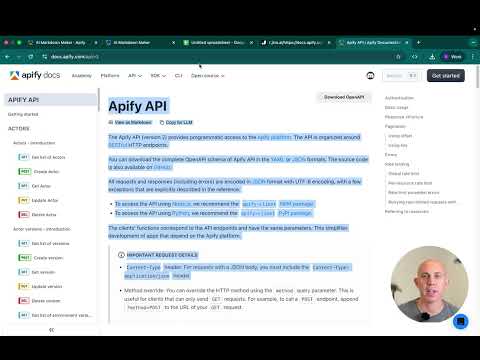](https://www.youtube.com/watch?v=dw3s0Os39QA)
### Key Features
#### 🎯 Smart Content Extraction
Automatically identifies and extracts the main content from web pages while filtering out:
- Advertisements and promotional content
- Navigation menus and sidebars
- Headers and footers
- Comments sections
- Other non-essential elements
#### 📝 GitHub-Flavored Markdown Output
Produces clean, standardized markdown with:
- Proper table syntax with pipes (`|`)
- Consistent bullet points using asterisks (`*`)
- Horizontal rules under major headings
- Code blocks with triple backticks
- Strikethrough and other formatting preserved
#### ⚡ Batch Processing
Process multiple URLs at once:
- Add URLs one by one, bulk edit, or upload from a text file
- Set a maximum number of pages to process
- Optional delays between requests to avoid overwhelming servers
#### 🔒 Reliable Scraping
Built-in features for consistent results:
- Automatic proxy rotation via Apify's proxy system
- Retry logic for failed requests
- Handles JavaScript-heavy websites with headless browser technology
#### 🌐 Works on Any Website
Successfully processes:
- Documentation sites
- Blog articles
- News websites
- Product pages
- Wiki pages
- And more!
### Input
#### Using the UI (Web Interface)
When you run the actor from the Apify platform, you'll see a simple form with these fields:
##### **Start URLs** (Required)
Add the web pages you want to convert to markdown. You can:
- Click "Add" to enter URLs one at a time
- Use "Bulk edit" to paste multiple URLs at once
- Select "From text file" to upload a file containing URLs
**Example:**
```
https://docs.apify.com/api/v2
https://example.com/article
https://blog.example.com/post
```
##### **Maximum Number of Pages to Process** (Optional)
Limit how many pages to convert. Useful when you have a long list of URLs but only want to process a specific number.
**Default:** Processes all URLs in your list
##### **Proxy Configuration**
Uses Apify's proxy system to ensure reliable access to websites. The default settings work great for most use cases.
**Default:** Apify proxy enabled
##### **Advanced Settings**
**Delay Between Requests** (Optional)
Add a pause between processing each URL, measured in seconds. This is helpful to:
- Avoid overwhelming the target server
- Prevent rate limiting or IP blocking
- Be more respectful to the websites you're scraping
**Default:** 0 seconds (no delay)
#### Using the API
You can also run the actor programmatically using the Apify API. Here's an example:
```json
{
"startUrls": [
{
"url": "https://docs.apify.com/api/v2"
},
{
"url": "https://example.com/article"
}
],
"maxItems": 10,
"proxyConfiguration": {
"useApifyProxy": true
},
"delayBetweenRequests": 2
}
```
### Output
#### What You Get
For each URL processed, you'll receive:
**URL** - The source web page address\
**Markdown** - The converted content in clean markdown format, including:
- Page title
- Source URL
- Full markdown content with proper formatting
**Example output:**
```
Title: Apify API Documentation
URL Source: https://docs.apify.com/api/v2
Markdown Content:
## Apify API
---
The Apify API provides programmatic access to the Apify platform...
| Endpoint | Method | Description |
| --- | --- | --- |
| /v2/acts | GET | List all actors |
| /v2/acts/{actorId}/runs | POST | Run an actor |
```
#### Viewing Results in the UI
After the actor finishes running, you'll see a table with all processed URLs and their markdown content. You can:
- View the markdown directly in the browser
- Copy individual results
- Sort and filter the results
#### Exporting Data
The Apify platform provides multiple export options:
##### **JSON**
Perfect for programmatic use or integration with other tools
```json
[
{
"URL": "https://example.com",
"Markdown": "Title: Example\n\n..."
}
]
```
##### **CSV**
Great for opening in Excel or Google Sheets
- Each row contains one URL and its markdown content
- Easy to analyze, sort, and filter
##### **Integration with Other Tools**
Connect the actor's output to:
- **Webhooks** - Send results to your own API
- **Google Sheets** - Automatically populate a spreadsheet
- **Make.com / Zapier** - Trigger workflows based on results
- **Other Apify Actors** - Chain multiple actors together
#### Using the API to Get Results
Access your results programmatically:
```bash
## Get the dataset
curl https://api.apify.com/v2/datasets/{DATASET_ID}/items
```
Results are stored in Apify's dataset storage and remain available for download even after the actor finishes running.
### Use Cases
- **AI Training Data**: Convert documentation and articles into markdown for feeding to language models
- **Content Archiving**: Save web content in a portable, future-proof format
- **Documentation Migration**: Extract content from old sites to import into new documentation platforms
- **Research**: Collect and organize content from multiple sources
- **Data Analysis**: Convert web content to structured format for text analysis
### Support
We're here to support you! Whether you need help with setup, have questions about interpreting results, or want to request additional features for the AI Markdown Maker, we've got you covered.
Just fill out the form at https://docs.google.com/forms/d/e/1FAIpQLSfsKyzZ3nRED7mML47I4LAfNh_mBwkuFMp1FgYYJ4AkDRgaRw/viewform?usp=dialog, and we'll try our best to help as quickly as possible.
***
### Related Keywords
Markdown generator, markdown, markdown tool, ai markdown, actor, AI, API, apify, at scale, auditor, automated, automation, batch, bulk, checker, converter, crawler, cron, CSV, dataset, detector, downloader, Excel, export, exporter, extractor, fetcher, finder, free tool, generator, Google Sheets, HTML, ifttt, instant, JSON, lookup, make, make.com, maker, mass, MCP, monitor, n8n, no-code, no API key required, parser, PDF, pipeline, report, scanner, schedule, scheduled, scraper, spreadsheet, tool, validator, verifier, webhook, workflow, XML, zapier
Made in Austin, TX by One Scales AI SEO Agency
# Actor input Schema
## `startUrls` (type: `array`):
URLs to convert to markdown
## `proxyConfiguration` (type: `object`):
Proxy settings for the scraper
## `delayBetweenRequests` (type: `integer`):
Number of seconds to wait between processing each URL. Useful to prevent server overload or avoid rate limiting. Leave empty or set to 0 for no delay (default).
## `maxItems` (type: `integer`):
Maximum number of pages to process (optional)
## Actor input object example
```json
{
"startUrls": [
{
"url": "https://docs.apify.com/api/v2"
}
],
"proxyConfiguration": {
"useApifyProxy": true
}
}
```
# Actor output Schema
## `markdownFiles` (type: `string`):
All converted markdown files ready for AI processing
# API
You can run this Actor programmatically using our API. Below are code examples in JavaScript, Python, and CLI, as well as the OpenAPI specification and MCP server setup.
## JavaScript example
```javascript
import { ApifyClient } from 'apify-client';
// Initialize the ApifyClient with your Apify API token
// Replace the '' with your token
const client = new ApifyClient({
token: '',
});
// Prepare Actor input
const input = {
"startUrls": [
{
"url": "https://docs.apify.com/api/v2"
}
],
"proxyConfiguration": {
"useApifyProxy": true
}
};
// Run the Actor and wait for it to finish
const run = await client.actor("onescales/bulk-ai-markdown-maker").call(input);
// Fetch and print Actor results from the run's dataset (if any)
console.log('Results from dataset');
console.log(`💾 Check your data here: https://console.apify.com/storage/datasets/${run.defaultDatasetId}`);
const { items } = await client.dataset(run.defaultDatasetId).listItems();
items.forEach((item) => {
console.dir(item);
});
// 📚 Want to learn more 📖? Go to → https://docs.apify.com/api/client/js/docs
```
## Python example
```python
from apify_client import ApifyClient
# Initialize the ApifyClient with your Apify API token
# Replace '' with your token.
client = ApifyClient("")
# Prepare the Actor input
run_input = {
"startUrls": [{ "url": "https://docs.apify.com/api/v2" }],
"proxyConfiguration": { "useApifyProxy": True },
}
# Run the Actor and wait for it to finish
run = client.actor("onescales/bulk-ai-markdown-maker").call(run_input=run_input)
# Fetch and print Actor results from the run's dataset (if there are any)
print(f"💾 Check your data here: https://console.apify.com/storage/datasets/{run.default_dataset_id}")
for item in client.dataset(run.default_dataset_id).iterate_items():
print(item)
# 📚 Want to learn more 📖? Go to → https://docs.apify.com/api/client/python/docs/quick-start
```
## CLI example
```bash
echo '{
"startUrls": [
{
"url": "https://docs.apify.com/api/v2"
}
],
"proxyConfiguration": {
"useApifyProxy": true
}
}' |
apify call onescales/bulk-ai-markdown-maker --silent --output-dataset
```
## MCP server setup
```json
{
"mcpServers": {
"apify": {
"type": "http",
"url": "https://mcp.apify.com/?tools=fetch-actor-details,onescales/bulk-ai-markdown-maker"
}
}
}
```
The hosted server signs you in with OAuth on first connect, so no API token belongs in this config. Clients without OAuth support can send an `Authorization: Bearer ` header instead, using a token from API & Integrations in Apify Console (https://console.apify.com/settings/integrations).
## OpenAPI specification
Download the OpenAPI definition: https://api.apify.com/v2/actors/noFTmmLJUfOoK2NHI/builds/8brC7Pi89ByaLhNqY/openapi.json