# Apartments.com Rentals & Leads Scraper (`rexreus/apartments-com-rentals-leads-scraper`) Actor
Extract rental listings, floor plans, leasing contacts, and deal analytics from Apartments.com — structured and ready to analyze.
- **URL**: https://apify.com/rexreus/apartments-com-rentals-leads-scraper.md
- **Developed by:** [REXREUS D.O](https://apify.com/rexreus) (community)
- **Stats:** 2 total users, 1 monthly users, 100.0% runs succeeded, 0 bookmarks
- **User rating**: No ratings yet
## Pricing
from $1.50 / 1,000 results
This Actor is paid per event. You are not charged for the Apify platform usage, but only a fixed price for specific events.
Learn more: https://docs.apify.com/actors/running/actors-in-store.md#pay-per-event
## What's an Apify Actor?
An Actor is a serverless cloud program that runs on the Apify platform. It has two run modes.
In Batch mode, an Actor accepts a well-defined JSON input, performs an action which can take anything from a few seconds to a few hours,
and optionally produces a well-defined JSON output, datasets with results, or files in key-value store.
In Standby mode, an Actor provides a web server which can be used as a website, API, or an MCP server.
Apify vocabulary and the platform model are defined once, in the agent quickstart at https://apify.com/agents.md.
## How to integrate an Actor?
If asked about integration, you help developers integrate Actors into their projects.
You adapt to their stack and deliver integrations that are safe, well-documented, and production-ready.
Do not guess an integration path. Every one of them is in the agent quickstart at https://apify.com/agents.md: the Apify MCP server, Agent Skills with the Apify CLI, the JavaScript and Python clients, the REST API, and the account-free path for an agent with no human to sign in. It also carries the rule on stating cost before the first paid run.
For examples already wired to this Actor's own input schema, see the [API](#api) section below.
Each client library has reference documentation the quickstart does not restate: [JavaScript/TypeScript](https://docs.apify.com/api/client/js/docs.md) (`npm install apify-client`) and [Python](https://docs.apify.com/api/client/python/docs.md) (`pip install apify-client`).
# README
Apartments.com Rentals Scraper
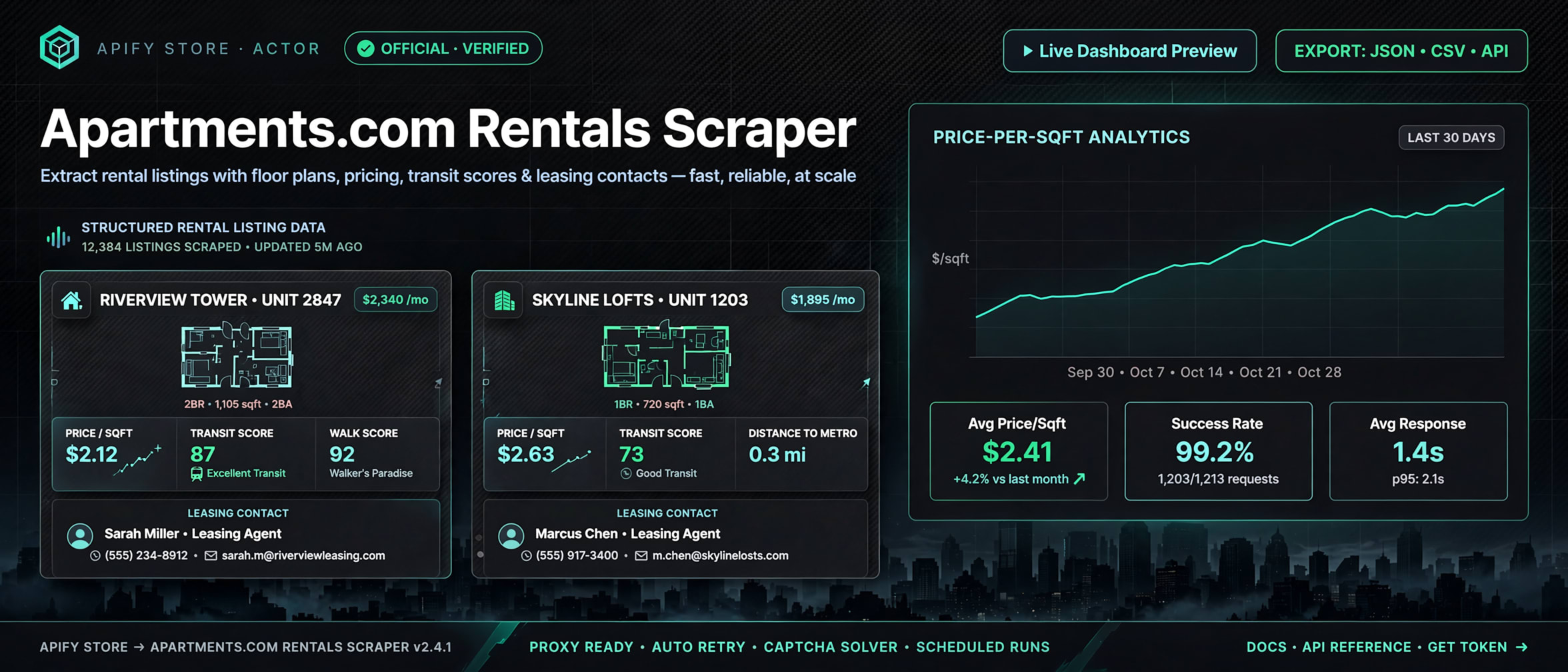
Extract rental listings, floor plans, leasing contacts, and deal analytics from Apartments.com — structured and ready to analyze.
HTTP-first CheerioCrawler · No browser overhead · Residential proxy · Public data only



> **In one line:** Apartments.com search & detail pages → structured JSON with deal analytics for real estate analysts and lead-gen teams.
>
> | | |
> |---|---|
> | **Input** | Location keyword, search URLs, or direct listing URLs |
> | **Output** | One JSON record per listing, 35+ fields including floor plans, amenities, fees, scores |
> | **Cost** | $1.50 per 1,000 results + Apify platform compute |
> | **Speed** | ~3–5 min for 100 listings on 256 MB |
> | **Runs on** | Apify Console · CLI · API |
### Who it's for
- **Real estate analysts** — Compare rent-per-sqft across neighborhoods without manual data entry.
- **Lead-gen teams** — Collect management company names, leasing office phone numbers, and property websites at scale.
- **Relocation services** — Build curated apartment shortlists with floor plans, pet policies, and transit scores for clients.
- **Market researchers** — Track rental pricing trends, concessions, and vacancy signals across US metro areas.
### What you get
- **Deal analytics** — Computed `pricePerSqft` and structured concession data, ready for investment analysis.
- **Full unit breakdown** — Every floor plan with beds, baths, sqft, price range, and availability.
- **Leasing contacts** — Management company, phone, and website extracted from each property.
- **Neighborhood scores** — Walk Score, Transit Score, and Bike Score per listing.
- **Amenity & fee inventory** — Categorized amenities, itemized fees, and pet policies in structured arrays.
- **All-inclusive pricing** — $1.50/1k covers everything. No add-on charges for reviews, scores, or details.
### Why this Actor?
| Feature | What you get |
|---|---|
| Deal analytics | `pricePerSqft`, structured concessions — no post-processing needed |
| Floor plans | Every unit type with beds, baths, sqft, price, availability |
| Leasing contacts | Management company, phone, website per property |
| Walk/Transit/Bike scores | Neighborhood livability numbers per listing |
| Amenities & fees | Categorized arrays, not raw text blobs |
| Pet policy | Structured `allowed` boolean + details array |
| Photos | Gallery image URLs per listing |
| Concessions | Move-in specials parsed as typed objects (title + description) |
| HTTP-only | 256 MB memory, no browser overhead, fast |
| All-inclusive PPE | $1.50/1k — one price, all features |
#### How it compares
| Capability | This Actor | memo23 ($1.30) | pro100chok ($2.00) | one-api ($3.00) |
|---|---|---|---|---|
| Deal analytics (pricePerSqft) | ✅ | ❌ | ❌ | ❌ |
| Structured concessions | ✅ | ❌ | ❌ | ❌ |
| Floor plans | ✅ | ✅ (add-on) | ✅ | ✅ |
| Leasing contacts | ✅ | ✅ | ✅ | ❌ |
| Walk/Transit/Bike scores | ✅ | ✅ | ✅ | ✅ |
| All-inclusive pricing | ✅ | ❌ (add-ons ~$1.70 effective) | ❌ (3 separate runs) | ✅ |
| Single-run pipeline | ✅ | ✅ | ❌ (3 runs) | ✅ |
**Where it wins:** Only actor with computed deal analytics (`pricePerSqft`, structured concessions). All-inclusive at $1.50/1k.
### 🚀 Quick start
#### Apify Console
1. Open the Actor page and click **Start**.
2. Enter a location (e.g. `Denver, CO`) or paste Apartments.com search URLs.
3. Click **Run** — results land in **Storage → Dataset**.
#### API
```bash
curl -X POST "https://api.apify.com/v2/acts//runs" \
-H "Authorization: Bearer " \
-H "Content-Type: application/json" \
-d '{"search": "Denver, CO", "maxItems": 50}'
```
### How it works
```
Input JSON
│
▼
Validate & build seed URLs
│
▼
CheerioCrawler (HTTP-only, session pool, residential proxy)
│
├─► SEARCH handler ──► Parse JSON-LD + HTML cards ──► Enqueue detail URLs
│ (if includeDetails=true)
▼
├─► DETAIL handler ──► Parse JSON-LD + HTML ──► Deal analytics ──► pushData
│
▼
Dataset (JSON / CSV / Excel)
```
### Input
#### Basic
```json
{
"search": "Denver, CO",
"includeDetails": true,
"maxItems": 100
}
```
#### Full
```json
{
"search": "Denver, CO",
"startUrls": [
{ "url": "https://www.apartments.com/apartments/denver-co/" }
],
"listingUrls": [
{ "url": "https://www.apartments.com/the-fremont-denver-co/rbyh3xz/" }
],
"includeDetails": true,
"maxItems": 100,
"maxConcurrency": 5,
"proxyConfiguration": {
"useApifyProxy": true,
"apifyProxyGroups": ["RESIDENTIAL"]
}
}
```
| Field | Type | Required | Default | Description |
|---|---|---|---|---|
| `search` | string | No | — | Location keyword (e.g. `Denver, CO`, `80202`). Converted to search URL automatically. |
| `startUrls` | array | No | — | Apartments.com search page URLs. |
| `listingUrls` | array | No | — | Direct listing detail URLs to scrape. |
| `includeDetails` | boolean | No | `true` | Crawl each listing's detail page for floor plans, amenities, scores. |
| `maxItems` | integer | No | `100` | Maximum listings to extract. |
| `maxConcurrency` | integer | No | `5` | Concurrent requests (1–20). Lower = safer from blocks. |
| `proxyConfiguration` | object | No | Residential | Proxy settings. Residential proxy strongly recommended. |
At least one of `search`, `startUrls`, or `listingUrls` is required.
### Output
#### Sample record
```json
{
"listingId": "rbyh3xz",
"url": "https://www.apartments.com/the-fremont-denver-co/rbyh3xz/",
"name": "The Fremont",
"address": "2929 N Federal Blvd",
"city": "Denver",
"state": "CO",
"zipCode": "80211",
"latitude": 39.7623,
"longitude": -104.9802,
"neighborhood": "Highland",
"priceMin": 1475,
"priceMax": 3150,
"priceDisplay": "$1,475 - $3,150",
"bedsMin": 0,
"bedsMax": 3,
"bathsMin": 1,
"bathsMax": 2,
"sqftMin": 487,
"sqftMax": 1320,
"pricePerSqft": 2.53,
"concessions": [
{ "title": "Move-In Special", "description": "1 month free on select units" }
],
"floorPlans": [
{ "name": "Studio A", "beds": 0, "baths": 1, "sqft": 487, "priceMin": 1475, "priceMax": 1625, "availability": "Available Now" }
],
"amenities": [
{ "category": "Community", "amenities": ["Pool", "Fitness Center", "Clubhouse"] }
],
"fees": [
{ "name": "Application Fee", "amount": "$50" }
],
"petPolicy": { "allowed": true, "details": ["Dogs Allowed", "Cats Allowed", "Weight Limit: 75 lbs"] },
"walkScore": 82,
"transitScore": 56,
"bikeScore": 90,
"managementCompany": "Greystar",
"phone": "(720) 555-0123",
"website": "https://www.thefremontdenver.com",
"description": "Modern apartments in Denver's Highland neighborhood...",
"yearBuilt": 2019,
"totalUnits": 246,
"photos": ["https://images1.apartments.com/..."],
"rating": 4.2,
"reviewCount": 38,
"scrapedAt": "2026-10-22T02:30:00.000Z"
}
```
| Field | Type | Description |
|---|---|---|
| `listingId` | string | Apartments.com internal ID |
| `url` | string | Listing detail URL |
| `name` | string | Property name |
| `address` | string | Street address |
| `city` | string | City |
| `state` | string | State code (e.g. CO) |
| `zipCode` | string | ZIP/postal code |
| `latitude` | number | null | GPS latitude |
| `longitude` | number | null | GPS longitude |
| `neighborhood` | string | null | Neighborhood name |
| `priceMin` | number | null | Lowest rent |
| `priceMax` | number | null | Highest rent |
| `priceDisplay` | string | null | Price as displayed (e.g. "$1,475 - $3,150") |
| `bedsMin` | number | null | Minimum bedrooms |
| `bedsMax` | number | null | Maximum bedrooms |
| `bathsMin` | number | null | Minimum bathrooms |
| `bathsMax` | number | null | Maximum bathrooms |
| `sqftMin` | number | null | Minimum square footage |
| `sqftMax` | number | null | Maximum square footage |
| `pricePerSqft` | number | null | Computed: avg rent ÷ avg sqft |
| `concessions` | array | Move-in specials: `{ title, description }` |
| `floorPlans` | array | Floor plans: `{ name, beds, baths, sqft, priceMin, priceMax, availability }` |
| `amenities` | array | Grouped amenities: `{ category, amenities[] }` |
| `fees` | array | Fees: `{ name, amount }` |
| `petPolicy` | object | null | `{ allowed: boolean, details: string[] }` |
| `walkScore` | number | null | Walk Score (0–100) |
| `transitScore` | number | null | Transit Score (0–100) |
| `bikeScore` | number | null | Bike Score (0–100) |
| `managementCompany` | string | null | Property management company |
| `phone` | string | null | Leasing office phone |
| `website` | string | null | Property website |
| `description` | string | null | Property description |
| `yearBuilt` | number | null | Year of construction |
| `totalUnits` | number | null | Total apartment units |
| `photos` | array | Image URLs |
| `rating` | number | null | Resident rating (0–5) |
| `reviewCount` | number | null | Number of reviews |
| `scrapedAt` | string | ISO 8601 timestamp |
**Key-Value Store:** `INPUT` — run configuration. `OUTPUT` — `{ status, itemCount }`.
### Cost, limits, proxy
| Item | Value |
|---|---|
| Memory | 256 MB (minimum) |
| Proxy | **Residential required** — datacenter IPs blocked by Akamai |
| Max concurrency | 5 recommended (up to 20, higher = more blocks) |
| Retries | 3 per request |
| PPE pricing | $0.00005/start + $0.0015/result |
| **1,000 listings** | **~$1.50** + platform compute |
#### Proxy options (pick the one that fits your budget)
| Proxy group | 403-block rate | Cost | Use when |
|---|---|---|---|
| `RESIDENTIAL` (default) | Low (~10–30%) | ~$0.3–0.6/GiB | Reliable daily runs; best value per result |
| `UNBLOCKER` | Very low (~0–5%) | ~$0.5–1.5/GiB | Large batches / time-sensitive scraping, automatic anti-bot bypass |
| `AUTO` (Apify chooses) | Medium | varies | One-off small runs, mixed targets |
| None / datacenter | High (~40%+) | free | Local testing only — will get blocked quickly |
Use `proxyConfiguration` in the input:
```json
{
"proxyConfiguration": {
"useApifyProxy": true,
"apifyProxyGroups": ["RESIDENTIAL"]
}
}
```
Or to use Apify Unblocker (strongest anti-bot, but pricier):
```json
{
"proxyConfiguration": {
"useApifyProxy": true,
"apifyProxyGroups": ["UNBLOCKER"]
}
}
```
> \[!TIP]
> If a run shows many 403s, first switch `apifyProxyGroups` from `RESIDENTIAL` to `UNBLOCKER`, then lower `maxConcurrency` to 2–3. The Actor auto-retries failed requests 3×, so a 2/3 successful pass still returns most listings. A 403 means the detail page was **never parsed** — the record stays a search-only stub with most fields null.
### Recipes
#### Single city search
```json
{
"search": "Austin, TX",
"maxItems": 200,
"includeDetails": true
}
```
Scrapes up to 200 listings in Austin with full detail pages.
#### Bulk search URLs (multiple neighborhoods)
```json
{
"startUrls": [
{ "url": "https://www.apartments.com/apartments/downtown-denver-co/" },
{ "url": "https://www.apartments.com/apartments/capitol-hill-denver-co/" },
{ "url": "https://www.apartments.com/apartments/lodo-denver-co/" }
],
"maxItems": 500,
"maxConcurrency": 3
}
```
Scrapes three Denver neighborhoods. Lower concurrency to reduce blocks.
#### Direct listings (skip search)
```json
{
"listingUrls": [
{ "url": "https://www.apartments.com/the-fremont-denver-co/rbyh3xz/" },
{ "url": "https://www.apartments.com/modera-cap-hill-denver-co/b5p8j2m/" }
]
}
```
Scrapes only these two specific properties. No search crawling.
### Troubleshooting
| Symptom | Cause | Fix |
|---|---|---|
| 0 results, all requests failed with 403 | Akamai blocking datacenter proxy | Switch to `RESIDENTIAL` or `UNBLOCKER` proxy group |
| Partial results, some 403s | Rate limited | Reduce `maxConcurrency` to 2–3; switch to `UNBLOCKER` |
| Record is a stub with **all detail fields null** (floorPlans `[]`, scores null, no phone) | Detail request got a 403 → detail page never parsed, only search data kept | Re-run with `UNBLOCKER` proxy or `listingUrls` of the affected properties; increase retries via `maxRequestRetries` |
| `photos` empty | Photos are lazy-loaded via JS on the live page — raw SSR has no `![]() ` tags, only `aptsState` JSON | [Known limitation](#limitations); may add in v2 |
| Empty `city`/`state`/`zipCode` | Address parsing edge case | Report the listing URL as an issue |
| Missing floor plans | Property has no published floor plans | Expected — not all listings have floor plan data |
| `pricePerSqft` is null | Missing price or sqft | Expected — computed only when both values exist |
| `description` null | Description only exists as ``, not in visible HTML | Selector in `detail-html.parser.ts` uses `.description` which isn't on live pages |
| Timeout errors | Target server slow or blocking | Retries handle this automatically (3 attempts) |
### FAQ
**Q: Does this work with Canadian listings?**
A: No. Apartments.com is US-only. Canadian listings are on rentals.ca (a separate CoStar brand). Canada support is planned for v2.
**Q: Do I need residential proxy?**
A: Yes. Apartments.com uses Akamai Bot Manager which blocks datacenter IPs. Use `RESIDENTIAL` proxy group for reliable runs.
**Q: What's the effective cost for 10,000 listings?**
A: ~$15.00 in PPE charges ($0.0015 × 10,000) plus Apify platform compute (~$2–5 depending on speed). Total ~$17–20.
**Q: Can I scrape without detail pages?**
A: Yes. Set `includeDetails: false` to get basic listing data (name, price, address) from search pages only — much faster, fewer requests.
**Q: Is this legal?**
A: This Actor collects publicly available data. You are responsible for complying with Apartments.com's Terms of Service and all applicable privacy laws in your jurisdiction.
**Q: How often does the HTML structure change?**
A: Apartments.com updates its frontend periodically. The Actor uses JSON-LD as primary source (more stable) with HTML fallback. If parsing breaks, open an issue.
**Q: Why are some fields null?**
A: Two reasons. (1) The property genuinely doesn't publish that data (newer buildings have no `yearBuilt`, some areas have no `walkScore`). (2) The detail request was blocked (403) — then the record only has search-page data and everything from the detail page (floor plans, scores, phone, management company) is null. The highest-null items in any run are almost always the 403-blocked ones. Re-run those with `UNBLOCKER` proxy or via `listingUrls`.
**Q: Which proxy should I use for the lowest null rate?**
A: `UNBLOCKER` gives ~0–5% 403s (best coverage), `RESIDENTIAL` ~10–30%. Start with `RESIDENTIAL` (cheaper); switch to `UNBLOCKER` for large/time-sensitive runs.
### Limitations
- **US only** — Canada (rentals.ca) not supported in v1.
- **Public data only** — No login, no private/unlisted properties.
- **Akamai rate limits** — High concurrency may trigger blocks. Keep `maxConcurrency` at 3–5.
- **No email enrichment in v1** — Leasing office phone and website are extracted; email enrichment planned for v2.
- **HTML parser may drift** — If Apartments.com changes their markup, report parsing issues as bugs.
- You are responsible for complying with applicable Terms of Service and privacy laws.
### Run it
[Open on Apify Console and click **Start** →](https://apify.com)
***
Copyright © 2026 REXREUS. Licensed under the MIT License.
# Actor input Schema
## `search` (type: `string`):
Location keyword (e.g. 'Denver, CO', '80202')
## `startUrls` (type: `array`):
Apartments.com search page URLs to scrape.
## `listingUrls` (type: `array`):
Direct listing detail URLs to scrape.
## `includeDetails` (type: `boolean`):
Crawl each listing detail page for floor plans, amenities, and scores.
## `maxItems` (type: `integer`):
Maximum number of listings to extract.
## `maxConcurrency` (type: `integer`):
Maximum number of concurrent requests.
## `proxyConfiguration` (type: `object`):
Proxy settings for the crawler.
## Actor input object example
```json
{
"search": "Denver, CO",
"startUrls": [
{
"url": "https://www.apartments.com/apartments/denver-co/"
}
],
"includeDetails": true,
"maxItems": 100,
"maxConcurrency": 5,
"proxyConfiguration": {
"useApifyProxy": true,
"apifyProxyGroups": [
"RESIDENTIAL"
]
}
}
```
# Actor output Schema
## `dataset` (type: `string`):
No description
# API
You can run this Actor programmatically using our API. Below are code examples in JavaScript, Python, and CLI, as well as the OpenAPI specification and MCP server setup.
## JavaScript example
```javascript
import { ApifyClient } from 'apify-client';
// Initialize the ApifyClient with your Apify API token
// Replace the '' with your token
const client = new ApifyClient({
token: '',
});
// Prepare Actor input
const input = {
"search": "Denver, CO",
"startUrls": [
{
"url": "https://www.apartments.com/apartments/denver-co/"
}
],
"proxyConfiguration": {
"useApifyProxy": true,
"apifyProxyGroups": [
"RESIDENTIAL"
]
}
};
// Run the Actor and wait for it to finish
const run = await client.actor("rexreus/apartments-com-rentals-leads-scraper").call(input);
// Fetch and print Actor results from the run's dataset (if any)
console.log('Results from dataset');
console.log(`💾 Check your data here: https://console.apify.com/storage/datasets/${run.defaultDatasetId}`);
const { items } = await client.dataset(run.defaultDatasetId).listItems();
items.forEach((item) => {
console.dir(item);
});
// 📚 Want to learn more 📖? Go to → https://docs.apify.com/api/client/js/docs
```
## Python example
```python
from apify_client import ApifyClient
# Initialize the ApifyClient with your Apify API token
# Replace '' with your token.
client = ApifyClient("")
# Prepare the Actor input
run_input = {
"search": "Denver, CO",
"startUrls": [{ "url": "https://www.apartments.com/apartments/denver-co/" }],
"proxyConfiguration": {
"useApifyProxy": True,
"apifyProxyGroups": ["RESIDENTIAL"],
},
}
# Run the Actor and wait for it to finish
run = client.actor("rexreus/apartments-com-rentals-leads-scraper").call(run_input=run_input)
# Fetch and print Actor results from the run's dataset (if there are any)
print(f"💾 Check your data here: https://console.apify.com/storage/datasets/{run.default_dataset_id}")
for item in client.dataset(run.default_dataset_id).iterate_items():
print(item)
# 📚 Want to learn more 📖? Go to → https://docs.apify.com/api/client/python/docs/quick-start
```
## CLI example
```bash
echo '{
"search": "Denver, CO",
"startUrls": [
{
"url": "https://www.apartments.com/apartments/denver-co/"
}
],
"proxyConfiguration": {
"useApifyProxy": true,
"apifyProxyGroups": [
"RESIDENTIAL"
]
}
}' |
apify call rexreus/apartments-com-rentals-leads-scraper --silent --output-dataset
```
## MCP server setup
```json
{
"mcpServers": {
"apify": {
"type": "http",
"url": "https://mcp.apify.com/?tools=fetch-actor-details,rexreus/apartments-com-rentals-leads-scraper"
}
}
}
```
The hosted server signs you in with OAuth on first connect, so no API token belongs in this config. Clients without OAuth support can send an `Authorization: Bearer ` header instead, using a token from API & Integrations in Apify Console (https://console.apify.com/settings/integrations).
## OpenAPI specification
Download the OpenAPI definition: https://api.apify.com/v2/actors/RvM9svRwyVgENrMbU/builds/znHMtx3PZxlrIJ9UO/openapi.json
` tags, only `aptsState` JSON | [Known limitation](#limitations); may add in v2 |
| Empty `city`/`state`/`zipCode` | Address parsing edge case | Report the listing URL as an issue |
| Missing floor plans | Property has no published floor plans | Expected — not all listings have floor plan data |
| `pricePerSqft` is null | Missing price or sqft | Expected — computed only when both values exist |
| `description` null | Description only exists as ``, not in visible HTML | Selector in `detail-html.parser.ts` uses `.description` which isn't on live pages |
| Timeout errors | Target server slow or blocking | Retries handle this automatically (3 attempts) |
### FAQ
**Q: Does this work with Canadian listings?**
A: No. Apartments.com is US-only. Canadian listings are on rentals.ca (a separate CoStar brand). Canada support is planned for v2.
**Q: Do I need residential proxy?**
A: Yes. Apartments.com uses Akamai Bot Manager which blocks datacenter IPs. Use `RESIDENTIAL` proxy group for reliable runs.
**Q: What's the effective cost for 10,000 listings?**
A: ~$15.00 in PPE charges ($0.0015 × 10,000) plus Apify platform compute (~$2–5 depending on speed). Total ~$17–20.
**Q: Can I scrape without detail pages?**
A: Yes. Set `includeDetails: false` to get basic listing data (name, price, address) from search pages only — much faster, fewer requests.
**Q: Is this legal?**
A: This Actor collects publicly available data. You are responsible for complying with Apartments.com's Terms of Service and all applicable privacy laws in your jurisdiction.
**Q: How often does the HTML structure change?**
A: Apartments.com updates its frontend periodically. The Actor uses JSON-LD as primary source (more stable) with HTML fallback. If parsing breaks, open an issue.
**Q: Why are some fields null?**
A: Two reasons. (1) The property genuinely doesn't publish that data (newer buildings have no `yearBuilt`, some areas have no `walkScore`). (2) The detail request was blocked (403) — then the record only has search-page data and everything from the detail page (floor plans, scores, phone, management company) is null. The highest-null items in any run are almost always the 403-blocked ones. Re-run those with `UNBLOCKER` proxy or via `listingUrls`.
**Q: Which proxy should I use for the lowest null rate?**
A: `UNBLOCKER` gives ~0–5% 403s (best coverage), `RESIDENTIAL` ~10–30%. Start with `RESIDENTIAL` (cheaper); switch to `UNBLOCKER` for large/time-sensitive runs.
### Limitations
- **US only** — Canada (rentals.ca) not supported in v1.
- **Public data only** — No login, no private/unlisted properties.
- **Akamai rate limits** — High concurrency may trigger blocks. Keep `maxConcurrency` at 3–5.
- **No email enrichment in v1** — Leasing office phone and website are extracted; email enrichment planned for v2.
- **HTML parser may drift** — If Apartments.com changes their markup, report parsing issues as bugs.
- You are responsible for complying with applicable Terms of Service and privacy laws.
### Run it
[Open on Apify Console and click **Start** →](https://apify.com)
***
Copyright © 2026 REXREUS. Licensed under the MIT License.
# Actor input Schema
## `search` (type: `string`):
Location keyword (e.g. 'Denver, CO', '80202')
## `startUrls` (type: `array`):
Apartments.com search page URLs to scrape.
## `listingUrls` (type: `array`):
Direct listing detail URLs to scrape.
## `includeDetails` (type: `boolean`):
Crawl each listing detail page for floor plans, amenities, and scores.
## `maxItems` (type: `integer`):
Maximum number of listings to extract.
## `maxConcurrency` (type: `integer`):
Maximum number of concurrent requests.
## `proxyConfiguration` (type: `object`):
Proxy settings for the crawler.
## Actor input object example
```json
{
"search": "Denver, CO",
"startUrls": [
{
"url": "https://www.apartments.com/apartments/denver-co/"
}
],
"includeDetails": true,
"maxItems": 100,
"maxConcurrency": 5,
"proxyConfiguration": {
"useApifyProxy": true,
"apifyProxyGroups": [
"RESIDENTIAL"
]
}
}
```
# Actor output Schema
## `dataset` (type: `string`):
No description
# API
You can run this Actor programmatically using our API. Below are code examples in JavaScript, Python, and CLI, as well as the OpenAPI specification and MCP server setup.
## JavaScript example
```javascript
import { ApifyClient } from 'apify-client';
// Initialize the ApifyClient with your Apify API token
// Replace the '' with your token
const client = new ApifyClient({
token: '',
});
// Prepare Actor input
const input = {
"search": "Denver, CO",
"startUrls": [
{
"url": "https://www.apartments.com/apartments/denver-co/"
}
],
"proxyConfiguration": {
"useApifyProxy": true,
"apifyProxyGroups": [
"RESIDENTIAL"
]
}
};
// Run the Actor and wait for it to finish
const run = await client.actor("rexreus/apartments-com-rentals-leads-scraper").call(input);
// Fetch and print Actor results from the run's dataset (if any)
console.log('Results from dataset');
console.log(`💾 Check your data here: https://console.apify.com/storage/datasets/${run.defaultDatasetId}`);
const { items } = await client.dataset(run.defaultDatasetId).listItems();
items.forEach((item) => {
console.dir(item);
});
// 📚 Want to learn more 📖? Go to → https://docs.apify.com/api/client/js/docs
```
## Python example
```python
from apify_client import ApifyClient
# Initialize the ApifyClient with your Apify API token
# Replace '' with your token.
client = ApifyClient("")
# Prepare the Actor input
run_input = {
"search": "Denver, CO",
"startUrls": [{ "url": "https://www.apartments.com/apartments/denver-co/" }],
"proxyConfiguration": {
"useApifyProxy": True,
"apifyProxyGroups": ["RESIDENTIAL"],
},
}
# Run the Actor and wait for it to finish
run = client.actor("rexreus/apartments-com-rentals-leads-scraper").call(run_input=run_input)
# Fetch and print Actor results from the run's dataset (if there are any)
print(f"💾 Check your data here: https://console.apify.com/storage/datasets/{run.default_dataset_id}")
for item in client.dataset(run.default_dataset_id).iterate_items():
print(item)
# 📚 Want to learn more 📖? Go to → https://docs.apify.com/api/client/python/docs/quick-start
```
## CLI example
```bash
echo '{
"search": "Denver, CO",
"startUrls": [
{
"url": "https://www.apartments.com/apartments/denver-co/"
}
],
"proxyConfiguration": {
"useApifyProxy": true,
"apifyProxyGroups": [
"RESIDENTIAL"
]
}
}' |
apify call rexreus/apartments-com-rentals-leads-scraper --silent --output-dataset
```
## MCP server setup
```json
{
"mcpServers": {
"apify": {
"type": "http",
"url": "https://mcp.apify.com/?tools=fetch-actor-details,rexreus/apartments-com-rentals-leads-scraper"
}
}
}
```
The hosted server signs you in with OAuth on first connect, so no API token belongs in this config. Clients without OAuth support can send an `Authorization: Bearer ` header instead, using a token from API & Integrations in Apify Console (https://console.apify.com/settings/integrations).
## OpenAPI specification
Download the OpenAPI definition: https://api.apify.com/v2/actors/RvM9svRwyVgENrMbU/builds/znHMtx3PZxlrIJ9UO/openapi.json