# Facebook Marketplace Scraper (`rexreus/facebook-marketplace-scraper`) Actor
Extract public Facebook Marketplace listings — location × query fan-out with price filtering
- **URL**: https://apify.com/rexreus/facebook-marketplace-scraper.md
- **Developed by:** [REXREUS D.O](https://apify.com/rexreus) (community)
- **Stats:** 2 total users, 1 monthly users, 100.0% runs succeeded, 0 bookmarks
- **User rating**: No ratings yet
## Pricing
from $0.25 / 1,000 results
This Actor is paid per event. You are not charged for the Apify platform usage, but only a fixed price for specific events.
Learn more: https://docs.apify.com/actors/running/actors-in-store.md#pay-per-event
## What's an Apify Actor?
An Actor is a serverless cloud program that runs on the Apify platform. It has two run modes.
In Batch mode, an Actor accepts a well-defined JSON input, performs an action which can take anything from a few seconds to a few hours,
and optionally produces a well-defined JSON output, datasets with results, or files in key-value store.
In Standby mode, an Actor provides a web server which can be used as a website, API, or an MCP server.
Apify vocabulary and the platform model are defined once, in the agent quickstart at https://apify.com/agents.md.
## How to integrate an Actor?
If asked about integration, you help developers integrate Actors into their projects.
You adapt to their stack and deliver integrations that are safe, well-documented, and production-ready.
Do not guess an integration path. Every one of them is in the agent quickstart at https://apify.com/agents.md: the Apify MCP server, Agent Skills with the Apify CLI, the JavaScript and Python clients, the REST API, and the account-free path for an agent with no human to sign in. It also carries the rule on stating cost before the first paid run.
For examples already wired to this Actor's own input schema, see the [API](#api) section below.
Each client library has reference documentation the quickstart does not restate: [JavaScript/TypeScript](https://docs.apify.com/api/client/js/docs.md) (`npm install apify-client`) and [Python](https://docs.apify.com/api/client/python/docs.md) (`pip install apify-client`).
# README
Facebook Marketplace Scraper
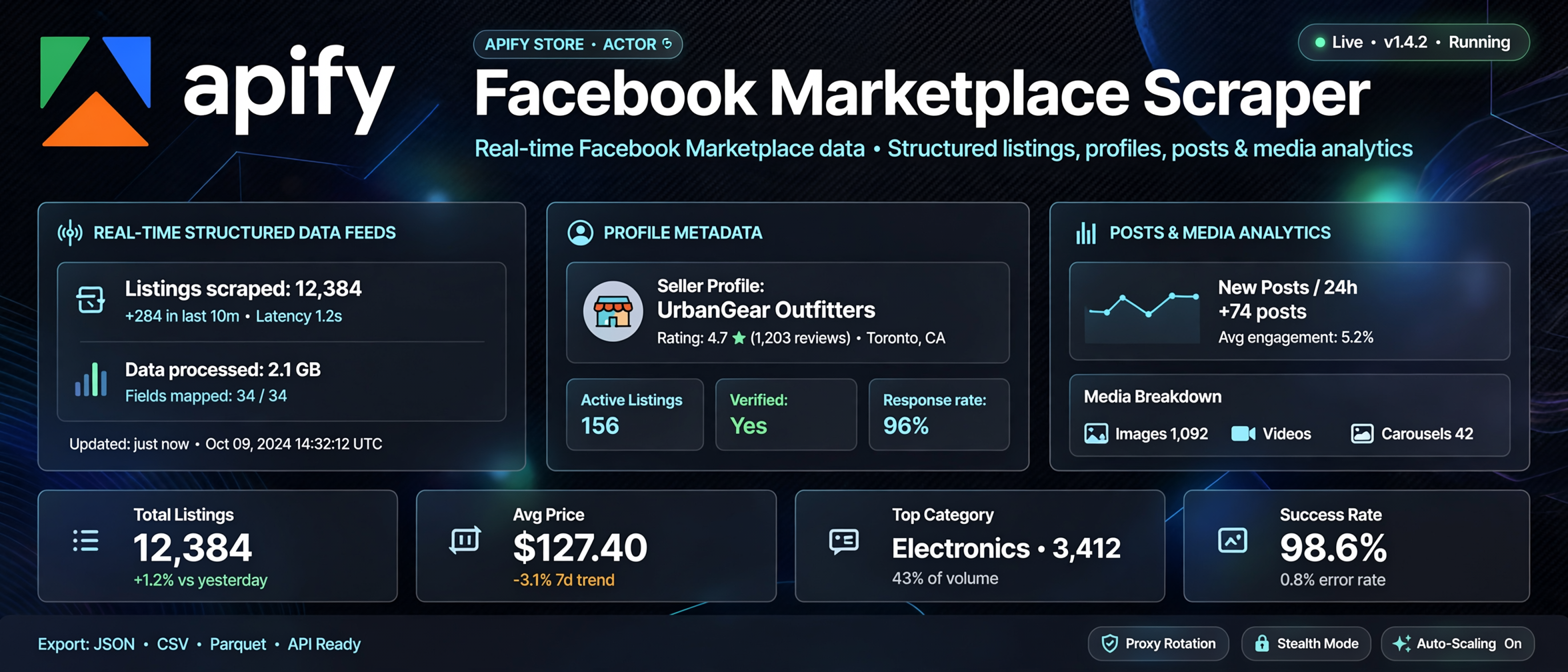
Extract public Facebook Marketplace listings — location × query fan-out with price filtering
HTTP-first • No cookies • No login • No browser automation



### Why this Actor?
| Feature | What you get |
|---|---|
| Multi-location search | Fan-out across city slugs × search queries for maximum coverage |
| Price range filtering | Min/max price + sort by newest, lowest, or highest price |
| Days since listed | Filter by recency — find fresh listings only |
| Location data | City, state, and geocoded location from each listing |
| Photo URLs | Direct image URLs for each listing (no scraping needed) |
| Status tracking | Live/pending/sold/hidden status per listing |
| Discount detection | Strikethrough price + discount percentage per listing |
| Cost guard | Budget cap prevents unexpected charges |
### Quick start
1. Open the Actor on Apify Console and click **Start**.
2. Enter city slugs (e.g., `nyc`, `losangeles`) and search queries (e.g., `bicycle`).
3. Click **Start** and download your dataset as JSON, CSV, or Excel.
```json
{
"locations": ["nyc"],
"queries": ["bicycle"],
"sortBy": "newest",
"daysSinceListed": 7,
"maxCostUsd": 1.0
}
```
### How it works
```
City slug × Search query → Proxy request → Server-rendered JSON → Structured listing data
```
The Actor fans out across all location/query combinations, extracts listing cards from server-rendered JSON blobs, and returns clean structured data — no browser, no cookies, no login required. Outbound requests go through **Apify Proxy (residential)** to avoid Facebook blocks.
### Input
| Field | Type | Required | Default | Description |
|---|---|---|---|---|
| `locations` | string\[] | Yes | — | City slugs (e.g., `nyc`, `chicago`) |
| `queries` | string\[] | Yes | — | Search terms to look for |
| `minPrice` | number | No | — | Minimum price filter |
| `maxPrice` | number | No | — | Maximum price filter |
| `sortBy` | string | No | `newest` | Sort order: `newest`, `lowest_price`, `highest_price` |
| `daysSinceListed` | number | No | — | Max days since listing created |
| `maxItemsPerQuery` | number | No | `500` | Hard cap on total listings |
| `maxCostUsd` | number | No | `1.0` | Budget guard in USD |
| `enableDetailEnrichment` | boolean | No | `false` | Fetch individual detail pages (costs more) |
| `proxyConfiguration` | object | No | residential | Apify Proxy configuration (useApifyProxy, proxyType, proxyGroups) |
### Output
The Actor stores each listing as a row in the default dataset. Example item:
```json
{
"id": "1614943810112016",
"title": "Fuji Sagres Hybrid Bicycle",
"priceAmount": 120,
"priceFormatted": "$120",
"currency": "USD",
"city": "Woodside",
"state": "NY",
"cityPageName": "Woodside, New York",
"photoUrl": "https://...",
"listingUrl": "https://www.facebook.com/marketplace/item/1614943810112016",
"categoryId": "1658310421102081",
"creationTime": 1750000000,
"daysListed": 4,
"deliveryTypes": ["IN_PERSON"],
"hasVideo": false,
"isLive": true,
"isPending": false,
"isSold": false,
"isHidden": false,
"strikethroughPrice": null,
"isDiscounted": false,
"discountPct": null,
"status": "ok",
"scrapedAt": "2026-10-20T01:02:00.000Z"
}
```
| Field | Type | Description |
|---|---|---|
| `id` | string | Unique identifier for the listing |
| `title` | string | Listing title |
| `priceAmount` | number | Numeric price value |
| `priceFormatted` | string | Formatted price (e.g. `$120`) |
| `currency` | string | Currency code (USD, IDR, etc.) |
| `city` / `state` | string | Listing city and state |
| `photoUrl` | string | Main photo URL |
| `listingUrl` | string | Full URL to the listing page |
| `status` | string | Status: `ok`, `unavailable`, or `error` |
| `scrapedAt` | string | ISO timestamp when listing was scraped |
Export as JSON, CSV, Excel, or push to Google Sheets.
### Cost, limits, proxy
- **Memory:** 256 MB
- **Concurrency:** up to 10 instances
- **Proxy:** Apify Proxy residential by default (datacenter IPs are often blocked by Facebook)
- **Results per request:** ~24 listings (hard limit from Facebook)
- **Measured cost (run `5LhfYmFcB4y8Fnd93`):** ~$0.011 per 139 listings ≈ **$0.082 per 1000 results**
- **Actor price:** **$0.25 per 1000 results** — comfortable margin over platform cost
### Recipes
#### Find bikes in NYC
```json
{
"locations": ["nyc"],
"queries": ["bicycle", "bike", "mountain bike"],
"sortBy": "newest",
"daysSinceListed": 7,
"maxCostUsd": 1.0
}
```
#### Multi-city furniture search
```json
{
"locations": ["nyc", "losangeles", "chicago"],
"queries": ["sofa", "couch", "sectional"],
"minPrice": 50,
"maxPrice": 500,
"sortBy": "lowest_price",
"maxCostUsd": 2.0
}
```
#### Premium item monitoring
```json
{
"locations": ["miami"],
"queries": ["rolex", "luxury watch"],
"minPrice": 1000,
"daysSinceListed": 3,
"enableDetailEnrichment": true,
"maxCostUsd": 3.0
}
```
### Troubleshooting
| Symptom | Cause | Fix |
|---|---|---|
| 0 results returned | City slug incorrect or blocked | Use valid city slugs like `nyc`, `losangeles` |
| Access denied | Datacenter IP blocked | Use residential proxy (`proxyConfiguration`) |
| Rate limited | Too many rapid requests | Add delays between locations or reduce concurrency |
| Partial data | Network timeout | Reduce concurrency or increase `maxCostUsd` |
### FAQ
**Q: How much does it cost to run the Actor?**
A: Platform costs average ~$0.082 per 1000 results with residential proxy (measured on real runs). The Actor is priced at **$0.25 per 1000 results**, so every run is profitable for the publisher.
**Q: Do I need a Facebook account?**
A: No. This Actor extracts only publicly available data without authentication.
**Q: Can I scrape private groups or pages?**
A: No. Private content requires authentication and is not supported.
**Q: How many results can I get per query?**
A: Facebook returns ~24 listings per request. For more depth, fan out across multiple locations and queries.
**Q: Is this legal?**
A: You are responsible for complying with Facebook's Terms of Service and applicable privacy laws. This Actor only extracts publicly available data.
**Q: Can I scrape group posts?**
A: Currently unsupported. Group content requires authentication.
### Limitations
- Public data only — private content requires login
- \~24 listings per search request (Facebook limit)
- No group post extraction
- No comment or message extraction
- Results may vary based on Facebook's live site changes
### Run it
[Open on Apify Console](https://console.apify.com/actors/facebook-marketplace-scraper)
### License
**Proprietary. All rights reserved.** Copyright (c) 2026 REXREUS.
You may run this Actor on Apify. You may not copy, rebrand, republish, or claim this Actor as your own. See [LICENSE](./LICENSE).
# Actor input Schema
## `locations` (type: `array`):
List of city slugs to search (e.g., 'nyc', 'losangeles', 'chicago'). The actor will fan out across all combinations with queries.
## `queries` (type: `array`):
List of search terms to look for in each location.
## `minPrice` (type: `number`):
Minimum price filter (in USD). Only items at or above this price will be returned.
## `maxPrice` (type: `number`):
Maximum price filter (in USD). Only items at or below this price will be returned.
## `sortBy` (type: `string`):
Sort order for results. Default is newest first.
## `daysSinceListed` (type: `number`):
Filter by maximum days since the listing was created.
## `maxItemsPerQuery` (type: `number`):
Hard cap on total listings collected (approximate, based on 24-per-request limit).
## `maxCostUsd` (type: `number`):
Maximum budget for this run. The actor will stop when this budget is reached.
## `enableDetailEnrichment` (type: `boolean`):
Fetch individual listing detail pages for additional fields (description, full photo). Costs ~24x more per item.
## `proxyConfiguration` (type: `object`):
Select proxies to use. Residential proxies are recommended as Facebook blocks many datacenter IPs.
## Actor input object example
```json
{
"locations": [
"nyc",
"losangeles",
"chicago"
],
"queries": [
"bicycle",
"bike",
"mountain bike"
],
"minPrice": 50,
"maxPrice": 500,
"sortBy": "newest",
"daysSinceListed": 7,
"maxItemsPerQuery": 500,
"maxCostUsd": 1,
"enableDetailEnrichment": false,
"proxyConfiguration": {
"useApifyProxy": true,
"proxyType": "RESIDENTIAL",
"proxyGroups": []
}
}
```
# Actor output Schema
## `results` (type: `string`):
Extracted listings stored in the default dataset. Each item contains id, title, price, location, photo, status, and timing fields.
## `runSummary` (type: `string`):
Summary of the scraping run (totals, locations, queries used). Stored in the default key-value store.
# API
You can run this Actor programmatically using our API. Below are code examples in JavaScript, Python, and CLI, as well as the OpenAPI specification and MCP server setup.
## JavaScript example
```javascript
import { ApifyClient } from 'apify-client';
// Initialize the ApifyClient with your Apify API token
// Replace the '' with your token
const client = new ApifyClient({
token: '',
});
// Prepare Actor input
const input = {
"locations": [
"nyc",
"losangeles",
"chicago"
],
"queries": [
"bicycle",
"bike",
"mountain bike"
],
"sortBy": "newest",
"proxyConfiguration": {
"useApifyProxy": true,
"proxyType": "RESIDENTIAL",
"proxyGroups": []
}
};
// Run the Actor and wait for it to finish
const run = await client.actor("rexreus/facebook-marketplace-scraper").call(input);
// Fetch and print Actor results from the run's dataset (if any)
console.log('Results from dataset');
console.log(`💾 Check your data here: https://console.apify.com/storage/datasets/${run.defaultDatasetId}`);
const { items } = await client.dataset(run.defaultDatasetId).listItems();
items.forEach((item) => {
console.dir(item);
});
// 📚 Want to learn more 📖? Go to → https://docs.apify.com/api/client/js/docs
```
## Python example
```python
from apify_client import ApifyClient
# Initialize the ApifyClient with your Apify API token
# Replace '' with your token.
client = ApifyClient("")
# Prepare the Actor input
run_input = {
"locations": [
"nyc",
"losangeles",
"chicago",
],
"queries": [
"bicycle",
"bike",
"mountain bike",
],
"sortBy": "newest",
"proxyConfiguration": {
"useApifyProxy": True,
"proxyType": "RESIDENTIAL",
"proxyGroups": [],
},
}
# Run the Actor and wait for it to finish
run = client.actor("rexreus/facebook-marketplace-scraper").call(run_input=run_input)
# Fetch and print Actor results from the run's dataset (if there are any)
print(f"💾 Check your data here: https://console.apify.com/storage/datasets/{run.default_dataset_id}")
for item in client.dataset(run.default_dataset_id).iterate_items():
print(item)
# 📚 Want to learn more 📖? Go to → https://docs.apify.com/api/client/python/docs/quick-start
```
## CLI example
```bash
echo '{
"locations": [
"nyc",
"losangeles",
"chicago"
],
"queries": [
"bicycle",
"bike",
"mountain bike"
],
"sortBy": "newest",
"proxyConfiguration": {
"useApifyProxy": true,
"proxyType": "RESIDENTIAL",
"proxyGroups": []
}
}' |
apify call rexreus/facebook-marketplace-scraper --silent --output-dataset
```
## MCP server setup
```json
{
"mcpServers": {
"apify": {
"type": "http",
"url": "https://mcp.apify.com/?tools=fetch-actor-details,rexreus/facebook-marketplace-scraper"
}
}
}
```
The hosted server signs you in with OAuth on first connect, so no API token belongs in this config. Clients without OAuth support can send an `Authorization: Bearer ` header instead, using a token from API & Integrations in Apify Console (https://console.apify.com/settings/integrations).
## OpenAPI specification
Download the OpenAPI definition: https://api.apify.com/v2/actors/XyqQ8ogaxL3lMBTZT/builds/c73NcEeTMT5jucVaz/openapi.json