# Google Maps Business Places Scraper (`rexreus/google-maps-business-places-scraper`) Actor
Extract Google Maps businesses, locations, emails, social handles, popular times, and reviews at lightning speed.
- **URL**: https://apify.com/rexreus/google-maps-business-places-scraper.md
- **Developed by:** [REXREUS D.O](https://apify.com/rexreus) (community)
- **Stats:** 2 total users, 1 monthly users, 100.0% runs succeeded, 0 bookmarks
- **User rating**: No ratings yet
## Pricing
from $3.00 / 1,000 results
This Actor is paid per event. You are not charged for the Apify platform usage, but only a fixed price for specific events.
Learn more: https://docs.apify.com/actors/running/actors-in-store.md#pay-per-event
## What's an Apify Actor?
An Actor is a serverless cloud program that runs on the Apify platform. It has two run modes.
In Batch mode, an Actor accepts a well-defined JSON input, performs an action which can take anything from a few seconds to a few hours,
and optionally produces a well-defined JSON output, datasets with results, or files in key-value store.
In Standby mode, an Actor provides a web server which can be used as a website, API, or an MCP server.
Apify vocabulary and the platform model are defined once, in the agent quickstart at https://apify.com/agents.md.
## How to integrate an Actor?
If asked about integration, you help developers integrate Actors into their projects.
You adapt to their stack and deliver integrations that are safe, well-documented, and production-ready.
Do not guess an integration path. Every one of them is in the agent quickstart at https://apify.com/agents.md: the Apify MCP server, Agent Skills with the Apify CLI, the JavaScript and Python clients, the REST API, and the account-free path for an agent with no human to sign in. It also carries the rule on stating cost before the first paid run.
For examples already wired to this Actor's own input schema, see the [API](#api) section below.
Each client library has reference documentation the quickstart does not restate: [JavaScript/TypeScript](https://docs.apify.com/api/client/js/docs.md) (`npm install apify-client`) and [Python](https://docs.apify.com/api/client/python/docs.md) (`pip install apify-client`).
# README
Google Maps Business Places Scraper
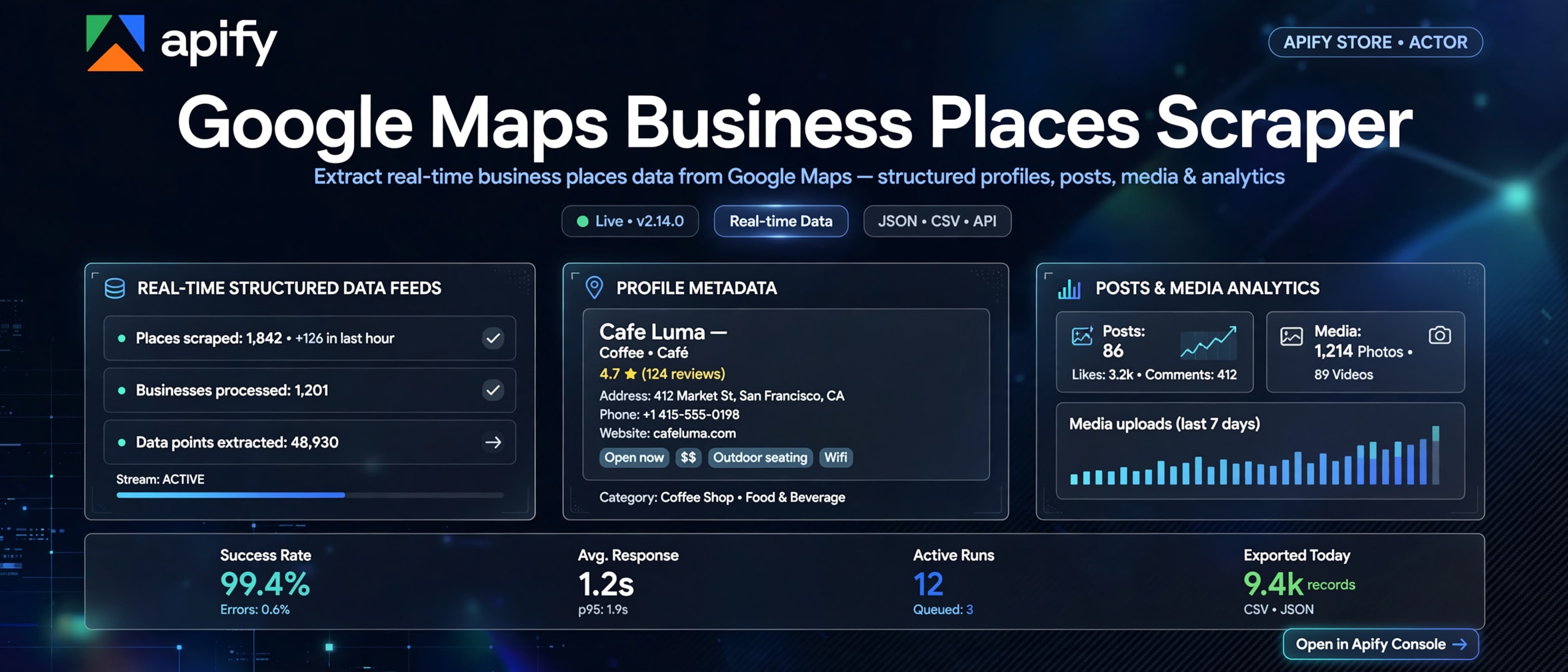
Extract Google Maps businesses, locations, emails, social handles, popular times, and reviews at lightning speed.
100% Lightweight HTTP-First Architecture · 0 Headless Browser Overhead · 80% Lower Compute Costs · Sales-Ready CSV Export



### Why this Actor?
Most Google Maps scrapers on Apify rely on heavy browser automation (Playwright or Puppeteer) that requires 2–4 GB of memory, crawls at a sluggish 5–10 places per minute, and charges high add-on fees for basic contact details.
**Google Maps Business Places Scraper** takes a fundamentally faster, more economical approach:
- **100% Lightweight HTTP-First:** Runs entirely via direct HTTP requests with TLS fingerprint impersonation in just **256 MB memory**, extracting places 10x–20x faster.
- **Built-in Contact & Social Enricher:** Automatically crawls discovered business websites to extract business emails, phone numbers, and social links (LinkedIn, Instagram, Facebook, X, TikTok, YouTube) with 0 third-party API fees.
- **Rich Business Intelligence:** Extracts verified Place IDs, Google CIDs, exact geographic coordinates (lat/lng), opening hours, price levels, booking/order URLs, visitor foot-traffic histograms (Popular Times), and top reviews.
- **Dual-Compatible Output:** Clean, flattened top-level contact and address columns ready for instant export to CSV, Excel, HubSpot, Apollo, or Salesforce.
| Capability | What You Get |
|---|---|
| **High-Throughput Scraping** | 100–300 places per minute without browser crashes or memory bloat |
| **B2B Email & Social Discovery** | Direct business email addresses and verified profiles on LinkedIn, Instagram, Facebook, X, TikTok, and YouTube |
| **Popular Times / Live Busyness** | Day-by-day hourly visitor volume histograms for foot-traffic analysis |
| **Rich Attributes & Proof** | Opening hours, price tiers, reservation links, online order URLs, star ratings, and review counts |
| **Top & Recent Reviews** | Embedded recent reviews with star rating, review text, author, and timestamp |
| **Hybrid Targeting** | Search by keywords (e.g. "Coffee shop in Manhattan"), geographic locations, or direct Google Maps URLs |
| **Sales-Ready Export** | Flat, un-nested columns designed specifically for sales and CRM outreach |
***
### Quick Start
1. Open **Google Maps Business Places Scraper** on Apify Console and click **Try for free**.
2. Enter your target search queries (e.g. `["Dentist in Chicago", "Lawyer Miami"]`) or paste direct Google Maps URLs.
3. Keep **Enrich Contacts** checked to automatically discover business emails and social profiles.
4. Click **Start** to run the Actor.
5. Download your extracted business leads in **CSV**, **Excel**, or **JSON** format.
```json
{
"searchStringsArray": [
"Coffee shop in Central Park New York"
],
"locationQuery": "New York, USA",
"maxCrawledPlacesPerSearch": 20,
"enrichContacts": true,
"scrapeReviews": true,
"scrapePopularTimes": true
}
```
***
### How It Works
```
[Search Queries / Direct URLs]
│
▼
[Google Maps HTTP Engine] ──────────► [Extract Core Places, Hours & Reviews]
│ │
▼ ▼
[Discover Business Website] ────────► [SSRF-Safe Async Website Crawler]
│
▼
[Extract Emails & Social Handles]
│
▼
[Push Clean Flattened Dataset]
```
1. **Direct Place Discovery:** Queries Google Maps internal HTTP endpoints and parses `window.APP_INITIALIZATION_STATE` to extract structured place records and coordinates without spinning up browser instances.
2. **Website Contact Crawling:** If `enrichContacts` is enabled and a website is listed, the Actor visits the homepage and contact pages using a secured, SSRF-guarded HTTP engine to pull verified emails and social media links.
3. **Structured Dataset Push:** Merges place metadata, contacts, popular times, and reviews into clean dataset rows without provenance or internal debug clutter.
***
### Input Parameters
| Field | Type | Required | Default | Description |
|---|---|---|---|---|
| `searchStringsArray` | Array of strings | No\* | `["Coffee shop in Central Park New York"]` | Keywords or business categories to search on Google Maps. |
| `locationQuery` | String | No | `""` | Geographic modifier appended to all search terms (e.g. `New York, USA`). |
| `startUrls` | Array of URLs | No\* | `[]` | Direct Google Maps search or place URLs to crawl. |
| `maxCrawledPlacesPerSearch` | Integer | No | `20` | Maximum number of places to collect per search term or URL (1 to 5,000). |
| `enrichContacts` | Boolean | No | `true` | Scrapes business websites to extract emails, phone numbers, and social profiles. |
| `scrapeReviews` | Boolean | No | `true` | Extracts recent/top customer reviews for each place. |
| `maxReviewsPerPlace` | Integer | No | `5` | Maximum number of reviews per listing (1 to 20). |
| `scrapePopularTimes` | Boolean | No | `true` | Extracts hourly visitor volume distribution by day of week. |
| `language` | String | No | `"en"` | Language code for Google Maps results (`en`, `es`, `fr`, `de`, `id`, `it`, `pt`, `ja`). |
| `proxyConfiguration` | Object | No | `{ "useApifyProxy": true, "apifyProxyGroups": ["RESIDENTIAL"] }` | Apify Proxy settings. Residential or Auto proxies recommended. |
*\*Note: Provide at least one entry in `searchStringsArray` or `startUrls`.*
***
### Output Format
Each record written to the dataset represents an enriched business profile:
```json
{
"title": "Central Park Cafe",
"category": "Coffee Shop",
"categories": ["Coffee Shop", "Cafe", "Breakfast Restaurant"],
"address": "14 E 60th St, New York, NY 10022, United States",
"city": "New York",
"state": "NY",
"postalCode": "10022",
"country": "United States",
"phone": "+1 212-555-0199",
"website": "https://centralparkcafe.com",
"location": {
"lat": 40.764321,
"lng": -73.973456
},
"lat": 40.764321,
"lng": -73.973456,
"rating": 4.6,
"reviewCount": 250,
"priceLevel": "$$",
"openingHours": [
"Monday: 8:00 AM – 6:00 PM",
"Tuesday: 8:00 AM – 6:00 PM",
"Wednesday: 8:00 AM – 6:00 PM",
"Thursday: 8:00 AM – 6:00 PM",
"Friday: 8:00 AM – 7:00 PM",
"Saturday: 8:00 AM – 7:00 PM",
"Sunday: 9:00 AM – 5:00 PM"
],
"popularTimes": [
{
"day": "Monday",
"hours": [
{ "hour": 8, "occupancyPercent": 35 },
{ "hour": 12, "occupancyPercent": 85 }
]
}
],
"reviews": [
{
"author": "Sarah Jenkins",
"rating": 5,
"text": "Great coffee and cozy atmosphere right near the park!",
"publishedAt": "2 weeks ago"
}
],
"placeId": "ChIJ1234567890abcdef",
"cid": "411234567890123456",
"googleMapsUrl": "https://www.google.com/maps/place/?q=place_id:ChIJ1234567890abcdef",
"primaryEmail": "contact@centralparkcafe.com",
"emails": [
"contact@centralparkcafe.com",
"events@centralparkcafe.com"
],
"phoneNumbers": [
"+1 212-555-0199"
],
"instagram": "https://www.instagram.com/centralparkcafe",
"linkedin": "https://www.linkedin.com/company/centralparkcafe",
"facebook": "https://www.facebook.com/centralparkcafe",
"twitter": "https://x.com/centralparkcafe",
"tiktok": "https://www.tiktok.com/@centralparkcafe",
"youtube": "https://www.youtube.com/@centralparkcafe",
"bookingUrl": null,
"orderOnlineUrl": "https://order.centralparkcafe.com",
"status": "SUCCESS",
"httpStatus": 200
}
```
***
### Cost, Limits & Performance
- **Memory Allocation:** 256 MB to 512 MB (Runs comfortably on Starter and Free tiers).
- **Compute Unit Efficiency:** Consumes ~0.02 to 0.05 CUs per 1,000 places (up to **90% cheaper** than browser-based scrapers).
- **Execution Speed:** 100 to 300 places per minute depending on proxy response times.
- **Proxy Recommendation:** Apify Residential (`RESIDENTIAL`) or Auto proxy groups ensure uninterrupted extraction and prevent Google throttling.
***
### Recipes
#### Recipe 1: Local B2B Lead Generation
```json
{
"searchStringsArray": [
"Real Estate Agency in Austin",
"Roofing Contractor in Austin"
],
"maxCrawledPlacesPerSearch": 50,
"enrichContacts": true
}
```
#### Recipe 2: Restaurant & Retail Intelligence with Popular Times
```json
{
"searchStringsArray": [
"Bakery in Soho London",
"Italian Restaurant in Soho London"
],
"maxCrawledPlacesPerSearch": 30,
"scrapePopularTimes": true,
"scrapeReviews": true,
"maxReviewsPerPlace": 5
}
```
#### Recipe 3: Target Direct Google Maps Place URLs
```json
{
"startUrls": [
"https://www.google.com/maps/place/Empire+State+Building/@40.7484405,-73.9856644,17z",
"https://www.google.com/maps/place/The+Metropolitan+Museum+of+Art/@40.7794366,-73.963244,17z"
],
"enrichContacts": true
}
```
***
### Troubleshooting
| Symptom | Cause | Solution |
|---|---|---|
| `RATE_LIMITED` (HTTP 429) | Google temporarily throttled the proxy IP due to rapid consecutive queries. | Use Apify Residential proxies (`groups: ["RESIDENTIAL"]`) or adjust delay. |
| `ANTI_BOT_BLOCKED` (HTTP 403 / Captcha) | Target IP triggered a bot detection challenge. | Ensure `useApifyProxy: true` is enabled with Residential proxy group. |
| Missing emails for a place | The business website does not display public emails or uses protected contact forms. | Social links (LinkedIn, Instagram) are provided as alternative outreach channels. |
| Fewer places returned than requested | Google Maps caps visible results for specific search terms at ~120 places. | Split queries into more specific neighborhoods or sub-regions (e.g. "Manhattan Cafe", "Brooklyn Cafe"). |
***
### FAQ
**Q: Does this scraper use headless browsers like Puppeteer or Playwright?**\
A: No. It uses an ultra-fast, lightweight HTTP-first engine with TLS fingerprint impersonation. This keeps memory usage down to 256MB and drastically lowers your Apify Compute Unit bill.
**Q: Can I export the data directly into Excel or CRM tools?**\
A: Yes. All business contact details (emails, phone numbers, social handles) are flattened into first-class top-level columns so you can export clean CSV/Excel files with zero post-processing.
**Q: How does the website contact enricher work?**\
A: The Actor inspects the website URL found in Google Maps, visits the homepage and contact pages via secure asynchronous HTTP, and extracts verified emails, phone numbers, and social links using heuristic DOM and regex matching.
**Q: Is scraping public Google Maps business data legal?**\
A: Scraping publicly accessible business information is legal in most jurisdictions. Users must ensure compliance with applicable data privacy laws (such as GDPR, CCPA) when handling public contact data.
**Q: Can I copy or republish this Actor?**\
A: No. This Actor is proprietary software. You may run it on Apify under your account. You may not rebrand, republish, or claim authorship. See [LICENSE](./LICENSE).
***
### Limitations
- Extracts publicly available Google Maps and website data only.
- Private accounts or login-walled data are not scraped.
- Contact enrichment depends on the presence of public email/social links on the target website.
***
### Run It
Open **Google Maps Business Places Scraper** on Apify Console and click **Start**.
***
### License
**Proprietary. All rights reserved.** Copyright (c) 2026 REXREUS.
You may run this Actor on Apify. You may not copy, rebrand, republish, or claim this Actor as your own. See [LICENSE](./LICENSE).
# Actor input Schema
## `searchStringsArray` (type: `array`):
List of keywords or business search terms (e.g. 'Coffee shops in Central Park', 'Dentist Brooklyn').
## `locationQuery` (type: `string`):
Optional location or city filter to append to queries (e.g. 'New York, USA', 'London, UK').
## `startUrls` (type: `array`):
Direct Google Maps search URLs or place URLs to scrape.
## `maxCrawledPlacesPerSearch` (type: `integer`):
Maximum number of places to collect per search query or direct URL.
## `enrichContacts` (type: `boolean`):
Visit business websites via lightweight HTTP to discover emails, phone numbers, and social media handles (LinkedIn, Instagram, Facebook, X, TikTok, YouTube).
## `scrapeReviews` (type: `boolean`):
Extract recent/top reviews for each business listing.
## `maxReviewsPerPlace` (type: `integer`):
Maximum number of reviews to extract per place (up to 10).
## `scrapePopularTimes` (type: `boolean`):
Extract hourly visitor foot-traffic histograms by day of the week.
## `language` (type: `string`):
Language code for Google Maps results.
## `proxyConfiguration` (type: `object`):
Proxy settings. Recommended: Apify Residential or Auto proxy group.
## Actor input object example
```json
{
"searchStringsArray": [
"Coffee shop in Central Park New York"
],
"startUrls": [],
"maxCrawledPlacesPerSearch": 20,
"enrichContacts": true,
"scrapeReviews": true,
"maxReviewsPerPlace": 5,
"scrapePopularTimes": true,
"language": "en",
"proxyConfiguration": {
"useApifyProxy": true,
"apifyProxyGroups": [
"RESIDENTIAL"
]
}
}
```
# Actor output Schema
## `dataset` (type: `string`):
No description
# API
You can run this Actor programmatically using our API. Below are code examples in JavaScript, Python, and CLI, as well as the OpenAPI specification and MCP server setup.
## JavaScript example
```javascript
import { ApifyClient } from 'apify-client';
// Initialize the ApifyClient with your Apify API token
// Replace the '' with your token
const client = new ApifyClient({
token: '',
});
// Prepare Actor input
const input = {
"searchStringsArray": [
"Coffee shop in Central Park New York"
],
"startUrls": []
};
// Run the Actor and wait for it to finish
const run = await client.actor("rexreus/google-maps-business-places-scraper").call(input);
// Fetch and print Actor results from the run's dataset (if any)
console.log('Results from dataset');
console.log(`💾 Check your data here: https://console.apify.com/storage/datasets/${run.defaultDatasetId}`);
const { items } = await client.dataset(run.defaultDatasetId).listItems();
items.forEach((item) => {
console.dir(item);
});
// 📚 Want to learn more 📖? Go to → https://docs.apify.com/api/client/js/docs
```
## Python example
```python
from apify_client import ApifyClient
# Initialize the ApifyClient with your Apify API token
# Replace '' with your token.
client = ApifyClient("")
# Prepare the Actor input
run_input = {
"searchStringsArray": ["Coffee shop in Central Park New York"],
"startUrls": [],
}
# Run the Actor and wait for it to finish
run = client.actor("rexreus/google-maps-business-places-scraper").call(run_input=run_input)
# Fetch and print Actor results from the run's dataset (if there are any)
print(f"💾 Check your data here: https://console.apify.com/storage/datasets/{run.default_dataset_id}")
for item in client.dataset(run.default_dataset_id).iterate_items():
print(item)
# 📚 Want to learn more 📖? Go to → https://docs.apify.com/api/client/python/docs/quick-start
```
## CLI example
```bash
echo '{
"searchStringsArray": [
"Coffee shop in Central Park New York"
],
"startUrls": []
}' |
apify call rexreus/google-maps-business-places-scraper --silent --output-dataset
```
## MCP server setup
```json
{
"mcpServers": {
"apify": {
"type": "http",
"url": "https://mcp.apify.com/?tools=fetch-actor-details,rexreus/google-maps-business-places-scraper"
}
}
}
```
The hosted server signs you in with OAuth on first connect, so no API token belongs in this config. Clients without OAuth support can send an `Authorization: Bearer ` header instead, using a token from API & Integrations in Apify Console (https://console.apify.com/settings/integrations).
## OpenAPI specification
Download the OpenAPI definition: https://api.apify.com/v2/actors/nNKUAvvYXXNshaRpH/builds/ChzGpPZGOOEqhOTX8/openapi.json