# Google Trends Scraper (`rexreus/google-trends-scraper`) Actor
Get daily trends, interest curves, related queries & country comparisons from Google Trends — without a browser, proxy, or API key.
- **URL**: https://apify.com/rexreus/google-trends-scraper.md
- **Developed by:** [REXREUS D.O](https://apify.com/rexreus) (community)
- **Stats:** 2 total users, 1 monthly users, 100.0% runs succeeded, 0 bookmarks
- **User rating**: No ratings yet
## Pricing
from $2.00 / 1,000 results
This Actor is paid per event. You are not charged for the Apify platform usage, but only a fixed price for specific events.
Learn more: https://docs.apify.com/actors/running/actors-in-store.md#pay-per-event
## What's an Apify Actor?
An Actor is a serverless cloud program that runs on the Apify platform. It has two run modes.
In Batch mode, an Actor accepts a well-defined JSON input, performs an action which can take anything from a few seconds to a few hours,
and optionally produces a well-defined JSON output, datasets with results, or files in key-value store.
In Standby mode, an Actor provides a web server which can be used as a website, API, or an MCP server.
Apify vocabulary and the platform model are defined once, in the agent quickstart at https://apify.com/agents.md.
## How to integrate an Actor?
If asked about integration, you help developers integrate Actors into their projects.
You adapt to their stack and deliver integrations that are safe, well-documented, and production-ready.
Do not guess an integration path. Every one of them is in the agent quickstart at https://apify.com/agents.md: the Apify MCP server, Agent Skills with the Apify CLI, the JavaScript and Python clients, the REST API, and the account-free path for an agent with no human to sign in. It also carries the rule on stating cost before the first paid run.
For examples already wired to this Actor's own input schema, see the [API](#api) section below.
Each client library has reference documentation the quickstart does not restate: [JavaScript/TypeScript](https://docs.apify.com/api/client/js/docs.md) (`npm install apify-client`) and [Python](https://docs.apify.com/api/client/python/docs.md) (`pip install apify-client`).
# README
Google Trends Scraper
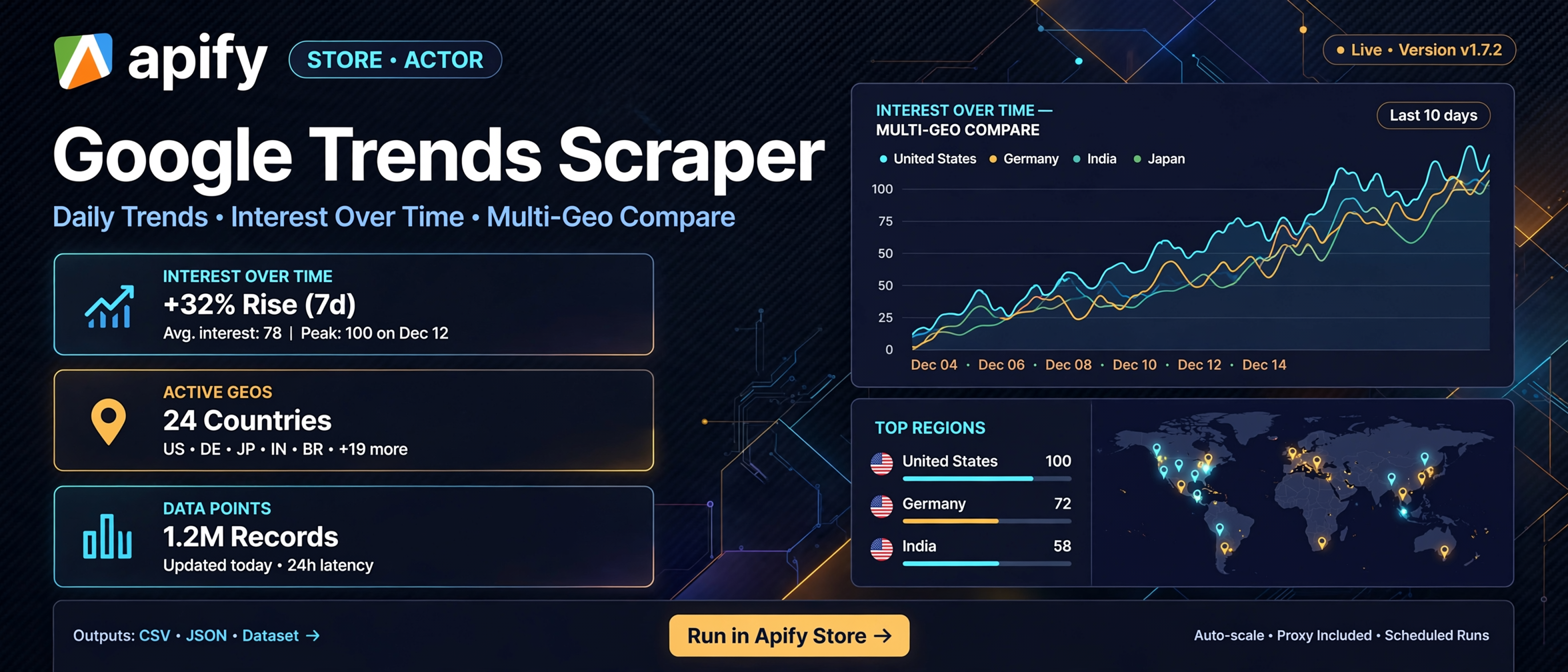
Get daily trends, interest curves, related queries & country comparisons from Google Trends — without a browser, proxy, or API key.
HTTP-only (JSONP + official RSS) · no Playwright · no cookies persisted · rate-limit aware




> **In one line:** Scrape 5 Google Trends datasets (daily trends, interest over time, related queries, related topics, multi-geo compare) → one flat, schema-backed JSON/CSV record per trend → for content teams, SEOs, and analysts who need current trend data in minutes.
>
> | | |
> |---|---|
> | **Input** | a mode + keywords and/or geo codes |
> | **Output** | one clean record per trend; fields per mode (see [Output](#-output)) |
> | **Cost** | ~2 HTTP requests per keyword (no browser, ~256 MB); 20 records ≈ near-zero CU |
> | **Speed** | daily trends (2 geos) ≈ seconds; 50 keywords interest ≈ ~2–3 min (rate-limit aware) |
> | **Runs on** | Apify Console · CLI · API |
### Who it's for
- **Content & editorial teams** — know what's trending per market before you pick a headline.
- **SEO / keyword researchers** — related queries & topics give a ready seed keyword list.
- **Regional growth analysts** — multi-geo compare shows where demand concentrates.
- **News & media monitors** — daily RSS trends as an automatic morning data feed.
### What you get
- **Daily trending searches by country** — top-10 per geo from Google's official trending RSS (`source: rss`), no cookie needed, near-instant.
- **Interest-over-time curves** — per-point value (0–100) with `formattedTime`, `time` (unix) and `hasData` for clean charting.
- **Related queries (Top + Rising)** — volume *and* momentum signals per keyword.
- **Related topics** — entity-level trends, not just strings.
- **Multi-geo comparison in ONE run** — pass a country list, get region-by-region interest values in a single pass (competitors often cap at one geo per run).
- **Flat, sanitized records** — control chars stripped, length-capped, ready for CSV / BI / AI pipelines with zero cleanup.
### Why this Actor?
| Feature | What you get |
|---|---|
| 5 modes in one Actor | daily + IOT + related + topics + geo-compare, no second tool |
| HTTP-only (JSONP/RSS) | no Chromium, no proxy, no fingerprinting → lower CU + no proxy line item |
| Request budget guard | hard cap stops runaway cost & protects against IP bans |
| Per-keyword error records | one failing keyword doesn't kill the run — an `error` row is logged, the rest continue |
| Auto NID cookie bootstrap | session warms once in-memory (never persisted/printed) to pass Google's token checks |
| Backoff + re-warm | 429s auto-retried 2→60s with jitter; missing-cookie 429 auto re-warms |
| Flat CSV-ready schema | mode-qualified single-record view via dataset schema |
#### How it compares
| Capability | This Actor | `apify/google-trends-scraper` | `data_xplorer/google-trends-fast-scraper` |
|---|---|---|---|
| Daily trends per geo | ✅ (RSS) | ❌ | ✅ (browser, 125+ countries) |
| Interest over time (batch keywords) | ✅ (up to 50) | ✅ | ⚠️ one keyword per run |
| Related queries + topics | ✅ (HTTP, always on) | ✅ (browser) | ❌ |
| Multi-geo compare in one run | ✅ | ✅ (viewedFrom proxy) | ❌ |
| No browser / no proxy | ✅ | ❌ (pageLoadTimeout, maxConcurrency) | ❌ (browser + proxy rotation) |
| Per-request pricing anchor | ~$0.001–0.002 (estimate) | $0.003/result | $0.002/result + $0.025 start |
### Quick start
#### Apify Console
1. Open the Actor and click **Start**.
2. Accept the default (`mode: dailyTrends`, `geos: ["US","ID"]`) or switch mode.
3. Results land in **Storage → Dataset** (JSON or CSV export).
```
{
"mode": "interestOverTime",
"keywords": ["coffee", "tea"],
"geos": ["US"],
"timeRange": "today 12-m"
}
```
### How it works
```
Input JSON → validate (trust boundary) → warm NID cookie (in-memory)
→ [explore] GET /api/explore → widgets+token
→ [widget] GET /api/widgetdata/{multiline|comparedgeo|relatedsearches} → JSONP
→ [daily] GET trending/rss?geo=XX (official RSS)
→ strip `)]}'\n` envelope → parse → sanitize → batch pushData → Dataset
```
### Input
```
{
"mode": "dailyTrends",
"geos": ["US", "ID"],
"timeRange": "today 12-m",
"maxKeywords": 50,
"maxRequestCap": 400,
"includeTopics": false
}
```
| Field | Type | Required | Default | Description |
|---|---|---|---|---|
| `mode` | string | ✅ | `dailyTrends` | `dailyTrends`, `interestOverTime`, `relatedQueries`, `relatedTopics`, `multiGeoTrends` (see schema enum) |
| `keywords` | string\[] | mode-dependent | — | 1–50 keywords for interest/related modes (max 50/run to stay in IP budget) |
| `geos` | string\[] | mode-dependent | `["US","ID"]` daily / `["US"]` others | ISO 3166-1 alpha-2, region sub-codes, or `WORLD`; max 50 |
| `timeRange` | string | — | `today 12-m` | `now 4-h` · `now 1-d` · `today 3-m` · `today 12-m` · `today 5-y` |
| `category` | integer | — | `0` | Google Trends category id; `0` = All (19 Entertainment · 21 Health · 27 Finance · 29 Food) |
| `maxKeywords` | integer | — | `50` | Hard cap on keywords processed this run (protects IP budget) |
| `maxRequestCap` | integer | — | `400` | Hard cap on total HTTP requests per run (budget guard) |
| `includeTopics` | boolean | — | `false` | `relatedQueries` mode: also fetch related topics |
### Output
One **flat record per trend/mode** in the dataset. Example (real `dailyTrends` run, US):
```json
{
"mode": "dailyTrends",
"query": "US",
"geo": "US",
"date": "2026-10-21",
"formattedDate": "2026-10-21",
"trendTitle": "john husted",
"trendUrl": "https://trends.google.com/trending/rss?geo=US",
"approxTraffic": "200+",
"source": "rss",
"hasData": true
}
```
| Field | Modes | Type | Description |
|---|---|---|---|
| `mode` | all | string | dataset name |
| `query` | all | string | originating keyword (or geo for dailyTrends) |
| `geo` | all | string | ISO code / `WORLD` |
| `time`, `formattedTime` | interestOverTime | number / string | unix sec + human date |
| `value`, `formattedValue` | interest / multi-geo / related | number / string | scalar value (0–100) |
| `hasData` | all | boolean | false on empty/error rows |
| `rankKind`, `rank` | relatedQueries/topics | string / number | `TOP` / `RISING` + position |
| `entityTitle` | relatedTopics | string | entity name |
| `date`, `formattedDate` | dailyTrends | string | trending date |
| `trendTitle`, `trendUrl`, `approxTraffic` | dailyTrends | string | + official RSS link + approx traffic |
| `geoCode`, `geoName`, `maxValueIndex` | multiGeoTrends | string / number | region compare |
| `link` | related\* | string | query/topic link |
| `error` | any | string | present only on per-keyword failure rows |
Output schema: [`.actor/output_schema.json`](.actor/output_schema.json) (dataset link). Dataset view: [`.actor/dataset_schema.json`](.actor/dataset_schema.json).
### Cost, limits, proxy
| Item | Value |
|---|---|
| Min memory | 256 MB (max 512 MB set; actor.json) |
| Verified run (3 geo daily-trends, 30 records) | 3.55 s, **0.00099 CU**, 63.4 MB peak → ~$0.0002 platform cost |
| Expected run (50-keyword interest) | ≈ 100 requests, ~2–3 min, rate-limit aware |
| Proxy | **none required** (datacenter IP OK for token flow; heavy runs may 429) |
| Retries | backoff 2→60s + 30% jitter; hard 429 fail-fast after 2 (per-keyword error row) |
| Cost per 1,000 results | ≈ $0.0066 platform cost (verified: 30 records / 0.00099 CU) |
### Recipes
#### Daily trends for your markets (default)
```json
{ "mode": "dailyTrends", "geos": ["US", "GB", "ID", "IN"], "maxRequestCap": 20 }
```
→ Morning news/`content` feed, top-10 per country.
#### Keyword momentum (Top + Rising)
```json
{ "mode": "relatedQueries", "keywords": ["ai", "crypto", "saas"], "geos": ["US"], "includeTopics": true }
```
→ Seed lists for content/SEO in one run.
#### Multi-geo demand map
```json
{ "mode": "multiGeoTrends", "keywords": ["laptop"], "geos": ["US", "DE", "ID", "JP", "BR"] }
```
→ Where to localize / prioritize ad spend.
### Troubleshooting
| Symptom | Cause | Fix |
|---|---|---|
| `error: RATE_LIMITED (429 missing cookie)` on a keyword | session cookie stale | auto re-warm triggers once; reduce `maxKeywords`/pause between runs |
| `error: RATE_LIMITED (429 IP budget)` | IP exhausted on Google's side | backoff 2–60s; wait IP reset, lower `maxRequestCap` |
| `error: EMPTY_RESULT` row | valid empty (OF-8) — no data that period | legit; e.g. relatedTopics returns empty on some sessions |
| Dataset has 0 items | geo blocked / wrong geo code | verify geo is ISO alpha-2; check `warm()` status in log |
| `dailyTrends` returns < 10 items | RSS top-10 is the public ceiling | by design — no category filter on RSS |
### FAQ
**Q: Do I need a Google account or API key?**
No — public JSONP/RSS endpoints, NID cookie is auto-bootstrapped in memory.
**Q: Why no Playwright/Puppeteer?**
HTTP-only = 10–20× cheaper CU + faster; all 5 modes work over JSONP/RSS.
**Q: Is daily trends data "official"?**
It uses Google's public trending RSS feed — same data the trends page exposes; it's top-10 with no category/volume numbers.
**Q: Why did one keyword return an `error` record?**
Rate limit or transient failure after 2 retries — the rest of the run continues; check the log + `error` value.
**Q: Can I get historical data?**
Yes — interest/related/multi-geo support `today 5-y` or custom ranges.
**Q: What does `includeTopics` do?**
In `relatedQueries` mode it also fetches related topics for the same keywords.
### Limitations
- Public data only — you are responsible for Google's ToS and applicable privacy law.
- RSS daily trends: top-10, **no category filter**, no absolute search volumes (approx buckets only).
- Values are relative interest (0–100), not absolute search counts.
- Google may geo-block datacenter IPs; heavy runs can hit 429 → auto-retry + budget guard keeps it safe.
### Run it
Open the Actor on [Apify Console](https://console.apify.com) and click **Start**. Every run writes flat records to your Dataset — export JSON or CSV directly.
# Actor input Schema
## `mode` (type: `string`):
Which Google Trends dataset to scrape.
## `keywords` (type: `array`):
Keywords to track (interestOverTime, relatedQueries, relatedTopics). Max 50 per run to stay within Google's rate budget.
## `geos` (type: `array`):
Country/region codes (ISO 3166-1 alpha-2) or WORLD. Used for dailyTrends and multiGeoTrends. Max 50.
## `timeRange` (type: `string`):
Relative range for interest/related modes. Custom uses start-end `YYYY-MM-DD YYYY-MM-DD` (max ~5 years).
## `category` (type: `integer`):
Google Trends category id. 0 = All. (e.g. 19 = Entertainment, 21 = Health, 27 = Finance, 29 = Food).
## `maxKeywords` (type: `integer`):
Hard cap on keywords processed this run (default 50). Keeps within IP budget.
## `maxRequestCap` (type: `integer`):
Hard cap on total HTTP requests per run (budget guard against 429/IP-ban).
## `includeTopics` (type: `boolean`):
relatedQueries mode: also fetch related topics. relatedTopics may return empty on some sessions.
## Actor input object example
```json
{
"mode": "dailyTrends",
"keywords": [
"coffee",
"tea"
],
"geos": [
"US",
"GB",
"ID"
],
"timeRange": "today 12-m",
"category": 0,
"maxKeywords": 50,
"maxRequestCap": 400,
"includeTopics": false
}
```
# Actor output Schema
## `dataset` (type: `string`):
Scraped trend records (JSON/CSV).
# API
You can run this Actor programmatically using our API. Below are code examples in JavaScript, Python, and CLI, as well as the OpenAPI specification and MCP server setup.
## JavaScript example
```javascript
import { ApifyClient } from 'apify-client';
// Initialize the ApifyClient with your Apify API token
// Replace the '' with your token
const client = new ApifyClient({
token: '',
});
// Prepare Actor input
const input = {
"keywords": [
"coffee",
"tea"
],
"geos": [
"US",
"GB",
"ID"
]
};
// Run the Actor and wait for it to finish
const run = await client.actor("rexreus/google-trends-scraper").call(input);
// Fetch and print Actor results from the run's dataset (if any)
console.log('Results from dataset');
console.log(`💾 Check your data here: https://console.apify.com/storage/datasets/${run.defaultDatasetId}`);
const { items } = await client.dataset(run.defaultDatasetId).listItems();
items.forEach((item) => {
console.dir(item);
});
// 📚 Want to learn more 📖? Go to → https://docs.apify.com/api/client/js/docs
```
## Python example
```python
from apify_client import ApifyClient
# Initialize the ApifyClient with your Apify API token
# Replace '' with your token.
client = ApifyClient("")
# Prepare the Actor input
run_input = {
"keywords": [
"coffee",
"tea",
],
"geos": [
"US",
"GB",
"ID",
],
}
# Run the Actor and wait for it to finish
run = client.actor("rexreus/google-trends-scraper").call(run_input=run_input)
# Fetch and print Actor results from the run's dataset (if there are any)
print(f"💾 Check your data here: https://console.apify.com/storage/datasets/{run.default_dataset_id}")
for item in client.dataset(run.default_dataset_id).iterate_items():
print(item)
# 📚 Want to learn more 📖? Go to → https://docs.apify.com/api/client/python/docs/quick-start
```
## CLI example
```bash
echo '{
"keywords": [
"coffee",
"tea"
],
"geos": [
"US",
"GB",
"ID"
]
}' |
apify call rexreus/google-trends-scraper --silent --output-dataset
```
## MCP server setup
```json
{
"mcpServers": {
"apify": {
"type": "http",
"url": "https://mcp.apify.com/?tools=fetch-actor-details,rexreus/google-trends-scraper"
}
}
}
```
The hosted server signs you in with OAuth on first connect, so no API token belongs in this config. Clients without OAuth support can send an `Authorization: Bearer ` header instead, using a token from API & Integrations in Apify Console (https://console.apify.com/settings/integrations).
## OpenAPI specification
Download the OpenAPI definition: https://api.apify.com/v2/actors/9METBllcd6Sh7uwSj/builds/QGfVhwZGXbb7vqNsh/openapi.json