# Instagram Post & Content Scraper |No Login | No Cookie (`rexreus/instagram-post-content-scraper`) Actor
Ultra-lightweight, 100% cookie-free, HTTP-first Instagram scraper. Extracts posts, reels, carousels, audio tracks, engagement metrics, and author details — no user login, no Playwright/Puppeteer, no account bans.
- **URL**: https://apify.com/rexreus/instagram-post-content-scraper.md
- **Developed by:** [REXREUS D.O](https://apify.com/rexreus) (community)
- **Stats:** 2 total users, 1 monthly users, 100.0% runs succeeded, 0 bookmarks
- **User rating**: No ratings yet
## Pricing
from $2.00 / 1,000 results
This Actor is paid per event. You are not charged for the Apify platform usage, but only a fixed price for specific events.
Learn more: https://docs.apify.com/actors/running/actors-in-store.md#pay-per-event
## What's an Apify Actor?
Actors are web data automations that power AI and operations. They run on the Apify platform to scrape websites, process data, connect APIs, and automate workflows.
In Batch mode, an Actor accepts a well-defined JSON input, performs an action which can take anything from a few seconds to a few hours,
and optionally produces a well-defined JSON output, datasets with results, or files in key-value store.
In Standby mode, an Actor provides a web server which can be used as a website, API, or an MCP server.
Actors are written with capital "A".
## How to integrate an Actor?
If asked about integration, you help developers integrate Actors into their projects.
You adapt to their stack and deliver integrations that are safe, well-documented, and production-ready.
The best way to integrate Actors is as follows.
- **AI agents and MCP clients** — the [Apify MCP server](https://docs.apify.com/integrations/mcp.md) at `https://mcp.apify.com` (remote, streamable HTTP, OAuth on first use).
- **Agentic workflows and local Actor development** — [Agent Skills](https://apify.com/.well-known/agent-skills/index.json) with the [Apify CLI](https://docs.apify.com/cli/docs.md): `npm install -g apify-cli`, then `apify login`.
- **JavaScript/TypeScript projects** — the official [JS/TS client](https://docs.apify.com/api/client/js/docs.md): `npm install apify-client`.
- **Python projects** — the official [Python client](https://docs.apify.com/api/client/python/docs.md): `pip install apify-client`.
- **Any other language** — the [REST API](https://docs.apify.com/api/v2.md).
For usage examples, see the [API](#api) section below.
For more details, see Apify documentation as [Markdown index](https://docs.apify.com/llms.txt) and [Markdown full-text](https://docs.apify.com/llms-full.txt).
# README
## Instagram Post & Content Scraper
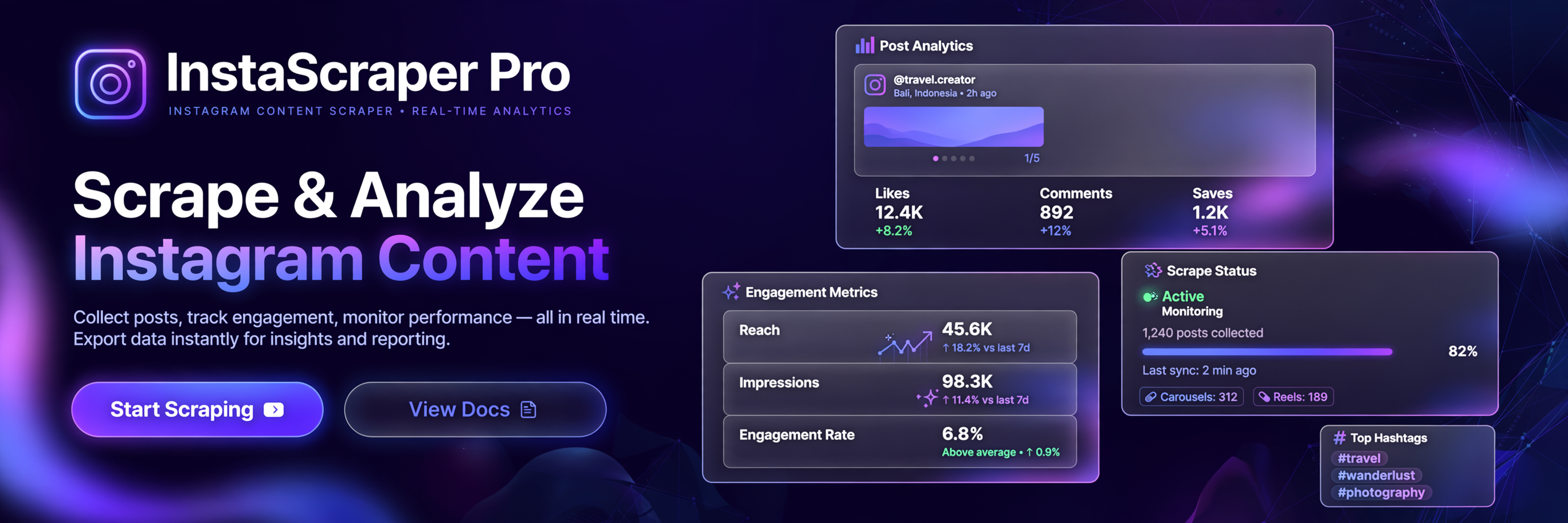      
> **Ultra-lightweight, 100% cookie-free, HTTP-first Instagram scraper.** Extracts posts, reels, carousels, audio tracks, engagement metrics, and author details — no user login, no Playwright/Puppeteer, no account bans.
***
### 🎯 What It Does
Extract rich data from Instagram posts and profiles completely anonymously:
- 📸 **Posts & Reels** — single images, videos, and multi-slide carousels via direct URLs
- 👤 **Profile Feeds** — scrape an author's most recent posts by username
- 🎵 **Audio & Music** — track title, artist name, audio ID, and original sound flag
- 🖼️ **Full Carousel Unrolling** — every slide extracted with direct image/video download URL and accessibility alt-text
- 📊 **Engagement Metrics** — likes, comments, video views, play count
- 🏷️ **Clean Arrays** — hashtags and mentions parsed into arrays (no `#` or `@` prefix)
- 📊 **CSV/Excel Ready** — flattened scalar fields (`firstMediaUrl`, `hashtagsString`, `audioTitle`, etc.)
***
### ⚡ Key Advantages
| Feature | This Actor | Typical Competitor |
|---|---|---|
| **Cookie Required** | ❌ Never | ✅ Usually required |
| **Account Ban Risk** | 🟢 Zero | 🔴 High |
| **Browser Used** | 🚫 No | ✅ Puppeteer/Playwright |
| **Memory** | 256 MB | 1–2 GB |
| **Carousel Support** | ✅ Full unroll | ⚠️ Often broken |
| **Audio Metadata** | ✅ Full | ❌ Missing |
| **Alt Text / A11y** | ✅ Extracted | ❌ Missing |
***
### 🚀 Quick Start
#### Input
```json
{
"directUrls": [
{ "url": "https://www.instagram.com/p/DXd7BW3Ed6M/" }
],
"usernames": ["natgeo"],
"resultsLimit": 50,
"maxPostsPerProfile": 12,
"expandCarousel": true,
"proxyConfiguration": { "useApifyProxy": true }
}
```
#### Output Record Example
```json
{
"id": "3881518031873105548",
"shortCode": "DXd7BW3Ed6M",
"type": "Sidecar",
"url": "https://www.instagram.com/p/DXd7BW3Ed6M/",
"caption": "Instagram just rolled out 6 new features...",
"hashtags": ["instagram", "growth", "contentstrategy"],
"mentions": ["creator"],
"displayUrl": "https://cdn.instagram.com/...hires.jpg",
"mediaUrls": ["https://cdn.instagram.com/...jpg", "https://cdn.instagram.com/...mp4"],
"carouselMedia": [
{ "id": "...", "type": "Image", "displayUrl": "...", "altText": "Photo by Author on April 23, 2026." },
{ "id": "...", "type": "Video", "displayUrl": "...", "videoUrl": "https://...mp4", "altText": "..." }
],
"likesCount": 4200,
"commentsCount": 88,
"viewCount": 250000,
"timestamp": "2026-04-23T08:30:03.000Z",
"timestampEpoch": 1776933003,
"ownerUsername": "creator_handle",
"ownerId": "1234567890",
"ownerFullName": "Creator Name",
"isOwnerVerified": true,
"location": { "name": "Melbourne, Victoria, Australia", "latitude": -37.8156, "longitude": 144.9661 },
"audio": { "title": "Original Sound", "artistName": "creator_handle", "audioId": "abc123", "isOriginal": true },
"altText": "Photo by Creator Name on April 23, 2026.",
"firstMediaUrl": "https://cdn.instagram.com/...jpg",
"hashtagsString": "instagram, growth, contentstrategy",
"mentionsString": "creator",
"audioTitle": "Original Sound",
"audioArtist": "creator_handle",
"mediaUrlsCount": 7,
"carouselMediaCount": 7,
"locationName": "Melbourne, Victoria, Australia"
}
```
***
### 🔧 Input Parameters
| Parameter | Type | Default | Description |
|---|---|---|---|
| `directUrls` | array | `[]` | Instagram post or reel URLs to scrape directly |
| `usernames` | array | `[]` | Profile usernames (e.g. `natgeo`) to scrape recent posts from |
| `resultsLimit` | number | `100` | Max total posts to scrape across all inputs |
| `maxPostsPerProfile` | number | `12` | Max posts to scrape per username |
| `expandCarousel` | boolean | `true` | Whether to unroll carousel slides into `carouselMedia` array |
| `proxyConfiguration` | object | Apify Proxy | Proxy settings — Datacenter or Residential |
***
### 💰 Cost Estimate
| Scale | Memory | Approx. Time | Apify CU |
|---|---|---|---|
| 100 posts | 256 MB | ~3 min | ~0.05 CU |
| 1,000 posts | 256 MB | ~25 min | ~0.5 CU |
| 10,000 posts | 256 MB | ~4 hrs | ~5 CU |
*Without proxy — add proxy cost separately if using Residential.*
***
### ❓ FAQ
**Does it require me to log in or provide cookies?**
No. The Actor is 100% anonymous and never asks for Instagram credentials.
**Will it get my Instagram account banned?**
No. Because it uses no user accounts or cookies, there is nothing to ban.
**Does it handle private accounts?**
No. Private accounts require an authenticated session and are explicitly outside scope.
**Does it scrape comments?**
No. Deep comment pagination requires authenticated sessions. Comment counts are extracted.
**What proxy should I use?**
Datacenter proxy is sufficient for direct post URLs. Use Residential proxy for profile username feeds at high scale.
***
### 📋 Output Schema
All fields are documented in `.actor/dataset_schema.json`. Key fields:
| Field | Type | Description |
|---|---|---|
| `id` | string | Numeric Instagram Media ID |
| `shortCode` | string | Post shortcode (used in URL) |
| `type` | string | `Image`, `Video`, or `Sidecar` |
| `caption` | string | Full post caption text |
| `hashtags` | array | Extracted hashtags (no `#`) |
| `mentions` | array | Extracted mentions (no `@`) |
| `mediaUrls` | array | Direct download URLs for all media |
| `carouselMedia` | array | Per-slide breakdown with URLs and alt-text |
| `audio` | object | Music track title, artist, ID, isOriginal |
| `firstMediaUrl` | string | *(Flattened)* First media URL for CSV |
| `hashtagsString` | string | *(Flattened)* Comma-separated hashtags |
# Actor input Schema
## `directUrls` (type: `array`):
Direct Instagram post or reel URLs (e.g., https://www.instagram.com/p/C-vD1zyp\_8K/ or https://www.instagram.com/reel/C8q7\_w...).
## `usernames` (type: `array`):
Instagram usernames/handles to scrape recent posts from (e.g. 'instagram', 'natgeo').
## `resultsLimit` (type: `integer`):
Maximum number of total posts to scrape across all inputs.
## `maxPostsPerProfile` (type: `integer`):
Maximum number of recent posts to scrape for each provided profile username.
## `expandCarousel` (type: `boolean`):
When enabled, multi-image and multi-video carousel slides are extracted into structured child objects with individual media links.
## `proxyConfiguration` (type: `object`):
Select proxy settings. Apify Proxy (Datacenter or Residential) is recommended to prevent IP rate limits.
## Actor input object example
```json
{
"directUrls": [
{
"url": "https://www.instagram.com/p/C-vD1zyp_8K/"
}
],
"usernames": [],
"resultsLimit": 100,
"maxPostsPerProfile": 12,
"expandCarousel": true,
"proxyConfiguration": {
"useApifyProxy": true
}
}
```
# Actor output Schema
## `dataset` (type: `string`):
No description
# API
You can run this Actor programmatically using our API. Below are code examples in JavaScript, Python, and CLI, as well as the OpenAPI specification and MCP server setup.
## JavaScript example
```javascript
import { ApifyClient } from 'apify-client';
// Initialize the ApifyClient with your Apify API token
// Replace the '' with your token
const client = new ApifyClient({
token: '',
});
// Prepare Actor input
const input = {
"directUrls": [
{
"url": "https://www.instagram.com/p/C-vD1zyp_8K/"
}
]
};
// Run the Actor and wait for it to finish
const run = await client.actor("rexreus/instagram-post-content-scraper").call(input);
// Fetch and print Actor results from the run's dataset (if any)
console.log('Results from dataset');
console.log(`💾 Check your data here: https://console.apify.com/storage/datasets/${run.defaultDatasetId}`);
const { items } = await client.dataset(run.defaultDatasetId).listItems();
items.forEach((item) => {
console.dir(item);
});
// 📚 Want to learn more 📖? Go to → https://docs.apify.com/api/client/js/docs
```
## Python example
```python
from apify_client import ApifyClient
# Initialize the ApifyClient with your Apify API token
# Replace '' with your token.
client = ApifyClient("")
# Prepare the Actor input
run_input = { "directUrls": [{ "url": "https://www.instagram.com/p/C-vD1zyp_8K/" }] }
# Run the Actor and wait for it to finish
run = client.actor("rexreus/instagram-post-content-scraper").call(run_input=run_input)
# Fetch and print Actor results from the run's dataset (if there are any)
print(f"💾 Check your data here: https://console.apify.com/storage/datasets/{run.default_dataset_id}")
for item in client.dataset(run.default_dataset_id).iterate_items():
print(item)
# 📚 Want to learn more 📖? Go to → https://docs.apify.com/api/client/python/docs/quick-start
```
## CLI example
```bash
echo '{
"directUrls": [
{
"url": "https://www.instagram.com/p/C-vD1zyp_8K/"
}
]
}' |
apify call rexreus/instagram-post-content-scraper --silent --output-dataset
```
## MCP server setup
```json
{
"mcpServers": {
"apify": {
"type": "http",
"url": "https://mcp.apify.com/?tools=fetch-actor-details,rexreus/instagram-post-content-scraper"
}
}
}
```
The hosted server signs you in with OAuth on first connect, so no API token belongs in this config. Clients without OAuth support can send an `Authorization: Bearer ` header instead, using a token from API & Integrations in Apify Console (https://console.apify.com/settings/integrations).
## OpenAPI specification
Download the OpenAPI definition: https://api.apify.com/v2/actors/DtfcGovFMpPi8iIsu/builds/GEFWbks5OCCxmyICJ/openapi.json
     
> **Ultra-lightweight, 100% cookie-free, HTTP-first Instagram scraper.** Extracts posts, reels, carousels, audio tracks, engagement metrics, and author details — no user login, no Playwright/Puppeteer, no account bans.
***
### 🎯 What It Does
Extract rich data from Instagram posts and profiles completely anonymously:
- 📸 **Posts & Reels** — single images, videos, and multi-slide carousels via direct URLs
- 👤 **Profile Feeds** — scrape an author's most recent posts by username
- 🎵 **Audio & Music** — track title, artist name, audio ID, and original sound flag
- 🖼️ **Full Carousel Unrolling** — every slide extracted with direct image/video download URL and accessibility alt-text
- 📊 **Engagement Metrics** — likes, comments, video views, play count
- 🏷️ **Clean Arrays** — hashtags and mentions parsed into arrays (no `#` or `@` prefix)
- 📊 **CSV/Excel Ready** — flattened scalar fields (`firstMediaUrl`, `hashtagsString`, `audioTitle`, etc.)
***
### ⚡ Key Advantages
| Feature | This Actor | Typical Competitor |
|---|---|---|
| **Cookie Required** | ❌ Never | ✅ Usually required |
| **Account Ban Risk** | 🟢 Zero | 🔴 High |
| **Browser Used** | 🚫 No | ✅ Puppeteer/Playwright |
| **Memory** | 256 MB | 1–2 GB |
| **Carousel Support** | ✅ Full unroll | ⚠️ Often broken |
| **Audio Metadata** | ✅ Full | ❌ Missing |
| **Alt Text / A11y** | ✅ Extracted | ❌ Missing |
***
### 🚀 Quick Start
#### Input
```json
{
"directUrls": [
{ "url": "https://www.instagram.com/p/DXd7BW3Ed6M/" }
],
"usernames": ["natgeo"],
"resultsLimit": 50,
"maxPostsPerProfile": 12,
"expandCarousel": true,
"proxyConfiguration": { "useApifyProxy": true }
}
```
#### Output Record Example
```json
{
"id": "3881518031873105548",
"shortCode": "DXd7BW3Ed6M",
"type": "Sidecar",
"url": "https://www.instagram.com/p/DXd7BW3Ed6M/",
"caption": "Instagram just rolled out 6 new features...",
"hashtags": ["instagram", "growth", "contentstrategy"],
"mentions": ["creator"],
"displayUrl": "https://cdn.instagram.com/...hires.jpg",
"mediaUrls": ["https://cdn.instagram.com/...jpg", "https://cdn.instagram.com/...mp4"],
"carouselMedia": [
{ "id": "...", "type": "Image", "displayUrl": "...", "altText": "Photo by Author on April 23, 2026." },
{ "id": "...", "type": "Video", "displayUrl": "...", "videoUrl": "https://...mp4", "altText": "..." }
],
"likesCount": 4200,
"commentsCount": 88,
"viewCount": 250000,
"timestamp": "2026-04-23T08:30:03.000Z",
"timestampEpoch": 1776933003,
"ownerUsername": "creator_handle",
"ownerId": "1234567890",
"ownerFullName": "Creator Name",
"isOwnerVerified": true,
"location": { "name": "Melbourne, Victoria, Australia", "latitude": -37.8156, "longitude": 144.9661 },
"audio": { "title": "Original Sound", "artistName": "creator_handle", "audioId": "abc123", "isOriginal": true },
"altText": "Photo by Creator Name on April 23, 2026.",
"firstMediaUrl": "https://cdn.instagram.com/...jpg",
"hashtagsString": "instagram, growth, contentstrategy",
"mentionsString": "creator",
"audioTitle": "Original Sound",
"audioArtist": "creator_handle",
"mediaUrlsCount": 7,
"carouselMediaCount": 7,
"locationName": "Melbourne, Victoria, Australia"
}
```
***
### 🔧 Input Parameters
| Parameter | Type | Default | Description |
|---|---|---|---|
| `directUrls` | array | `[]` | Instagram post or reel URLs to scrape directly |
| `usernames` | array | `[]` | Profile usernames (e.g. `natgeo`) to scrape recent posts from |
| `resultsLimit` | number | `100` | Max total posts to scrape across all inputs |
| `maxPostsPerProfile` | number | `12` | Max posts to scrape per username |
| `expandCarousel` | boolean | `true` | Whether to unroll carousel slides into `carouselMedia` array |
| `proxyConfiguration` | object | Apify Proxy | Proxy settings — Datacenter or Residential |
***
### 💰 Cost Estimate
| Scale | Memory | Approx. Time | Apify CU |
|---|---|---|---|
| 100 posts | 256 MB | ~3 min | ~0.05 CU |
| 1,000 posts | 256 MB | ~25 min | ~0.5 CU |
| 10,000 posts | 256 MB | ~4 hrs | ~5 CU |
*Without proxy — add proxy cost separately if using Residential.*
***
### ❓ FAQ
**Does it require me to log in or provide cookies?**
No. The Actor is 100% anonymous and never asks for Instagram credentials.
**Will it get my Instagram account banned?**
No. Because it uses no user accounts or cookies, there is nothing to ban.
**Does it handle private accounts?**
No. Private accounts require an authenticated session and are explicitly outside scope.
**Does it scrape comments?**
No. Deep comment pagination requires authenticated sessions. Comment counts are extracted.
**What proxy should I use?**
Datacenter proxy is sufficient for direct post URLs. Use Residential proxy for profile username feeds at high scale.
***
### 📋 Output Schema
All fields are documented in `.actor/dataset_schema.json`. Key fields:
| Field | Type | Description |
|---|---|---|
| `id` | string | Numeric Instagram Media ID |
| `shortCode` | string | Post shortcode (used in URL) |
| `type` | string | `Image`, `Video`, or `Sidecar` |
| `caption` | string | Full post caption text |
| `hashtags` | array | Extracted hashtags (no `#`) |
| `mentions` | array | Extracted mentions (no `@`) |
| `mediaUrls` | array | Direct download URLs for all media |
| `carouselMedia` | array | Per-slide breakdown with URLs and alt-text |
| `audio` | object | Music track title, artist, ID, isOriginal |
| `firstMediaUrl` | string | *(Flattened)* First media URL for CSV |
| `hashtagsString` | string | *(Flattened)* Comma-separated hashtags |
# Actor input Schema
## `directUrls` (type: `array`):
Direct Instagram post or reel URLs (e.g., https://www.instagram.com/p/C-vD1zyp\_8K/ or https://www.instagram.com/reel/C8q7\_w...).
## `usernames` (type: `array`):
Instagram usernames/handles to scrape recent posts from (e.g. 'instagram', 'natgeo').
## `resultsLimit` (type: `integer`):
Maximum number of total posts to scrape across all inputs.
## `maxPostsPerProfile` (type: `integer`):
Maximum number of recent posts to scrape for each provided profile username.
## `expandCarousel` (type: `boolean`):
When enabled, multi-image and multi-video carousel slides are extracted into structured child objects with individual media links.
## `proxyConfiguration` (type: `object`):
Select proxy settings. Apify Proxy (Datacenter or Residential) is recommended to prevent IP rate limits.
## Actor input object example
```json
{
"directUrls": [
{
"url": "https://www.instagram.com/p/C-vD1zyp_8K/"
}
],
"usernames": [],
"resultsLimit": 100,
"maxPostsPerProfile": 12,
"expandCarousel": true,
"proxyConfiguration": {
"useApifyProxy": true
}
}
```
# Actor output Schema
## `dataset` (type: `string`):
No description
# API
You can run this Actor programmatically using our API. Below are code examples in JavaScript, Python, and CLI, as well as the OpenAPI specification and MCP server setup.
## JavaScript example
```javascript
import { ApifyClient } from 'apify-client';
// Initialize the ApifyClient with your Apify API token
// Replace the '' with your token
const client = new ApifyClient({
token: '',
});
// Prepare Actor input
const input = {
"directUrls": [
{
"url": "https://www.instagram.com/p/C-vD1zyp_8K/"
}
]
};
// Run the Actor and wait for it to finish
const run = await client.actor("rexreus/instagram-post-content-scraper").call(input);
// Fetch and print Actor results from the run's dataset (if any)
console.log('Results from dataset');
console.log(`💾 Check your data here: https://console.apify.com/storage/datasets/${run.defaultDatasetId}`);
const { items } = await client.dataset(run.defaultDatasetId).listItems();
items.forEach((item) => {
console.dir(item);
});
// 📚 Want to learn more 📖? Go to → https://docs.apify.com/api/client/js/docs
```
## Python example
```python
from apify_client import ApifyClient
# Initialize the ApifyClient with your Apify API token
# Replace '' with your token.
client = ApifyClient("")
# Prepare the Actor input
run_input = { "directUrls": [{ "url": "https://www.instagram.com/p/C-vD1zyp_8K/" }] }
# Run the Actor and wait for it to finish
run = client.actor("rexreus/instagram-post-content-scraper").call(run_input=run_input)
# Fetch and print Actor results from the run's dataset (if there are any)
print(f"💾 Check your data here: https://console.apify.com/storage/datasets/{run.default_dataset_id}")
for item in client.dataset(run.default_dataset_id).iterate_items():
print(item)
# 📚 Want to learn more 📖? Go to → https://docs.apify.com/api/client/python/docs/quick-start
```
## CLI example
```bash
echo '{
"directUrls": [
{
"url": "https://www.instagram.com/p/C-vD1zyp_8K/"
}
]
}' |
apify call rexreus/instagram-post-content-scraper --silent --output-dataset
```
## MCP server setup
```json
{
"mcpServers": {
"apify": {
"type": "http",
"url": "https://mcp.apify.com/?tools=fetch-actor-details,rexreus/instagram-post-content-scraper"
}
}
}
```
The hosted server signs you in with OAuth on first connect, so no API token belongs in this config. Clients without OAuth support can send an `Authorization: Bearer ` header instead, using a token from API & Integrations in Apify Console (https://console.apify.com/settings/integrations).
## OpenAPI specification
Download the OpenAPI definition: https://api.apify.com/v2/actors/DtfcGovFMpPi8iIsu/builds/GEFWbks5OCCxmyICJ/openapi.json