# OnlyFans Post Media Metadata Scraper Pro | No Login | No Cookie (`rexreus/onlyfans-post-media-metadat-scraper`) Actor
Ultra-lightweight, zero-credential public post & media metadata auditor for OnlyFans creator feeds.
- **URL**: https://apify.com/rexreus/onlyfans-post-media-metadat-scraper.md
- **Developed by:** [REXREUS D.O](https://apify.com/rexreus) (community)
- **Stats:** 2 total users, 1 monthly users, 100.0% runs succeeded, 0 bookmarks
- **User rating**: No ratings yet
## Pricing
from $2.50 / 1,000 results
This Actor is paid per event. You are not charged for the Apify platform usage, but only a fixed price for specific events.
Learn more: https://docs.apify.com/actors/running/actors-in-store.md#pay-per-event
## What's an Apify Actor?
Actors are web data automations that power AI and operations. They run on the Apify platform to scrape websites, process data, connect APIs, and automate workflows.
In Batch mode, an Actor accepts a well-defined JSON input, performs an action which can take anything from a few seconds to a few hours,
and optionally produces a well-defined JSON output, datasets with results, or files in key-value store.
In Standby mode, an Actor provides a web server which can be used as a website, API, or an MCP server.
Actors are written with capital "A".
## How to integrate an Actor?
If asked about integration, you help developers integrate Actors into their projects.
You adapt to their stack and deliver integrations that are safe, well-documented, and production-ready.
The best way to integrate Actors is as follows.
- **AI agents and MCP clients** — the [Apify MCP server](https://docs.apify.com/integrations/mcp.md) at `https://mcp.apify.com` (remote, streamable HTTP, OAuth on first use).
- **Agentic workflows and local Actor development** — [Agent Skills](https://apify.com/.well-known/agent-skills/index.json) with the [Apify CLI](https://docs.apify.com/cli/docs.md): `npm install -g apify-cli`, then `apify login`.
- **JavaScript/TypeScript projects** — the official [JS/TS client](https://docs.apify.com/api/client/js/docs.md): `npm install apify-client`.
- **Python projects** — the official [Python client](https://docs.apify.com/api/client/python/docs.md): `pip install apify-client`.
- **Any other language** — the [REST API](https://docs.apify.com/api/v2.md).
For usage examples, see the [API](#api) section below.
For more details, see Apify documentation as [Markdown index](https://docs.apify.com/llms.txt) and [Markdown full-text](https://docs.apify.com/llms-full.txt).
# README
OnlyFans Post & Media Metadata Scraper
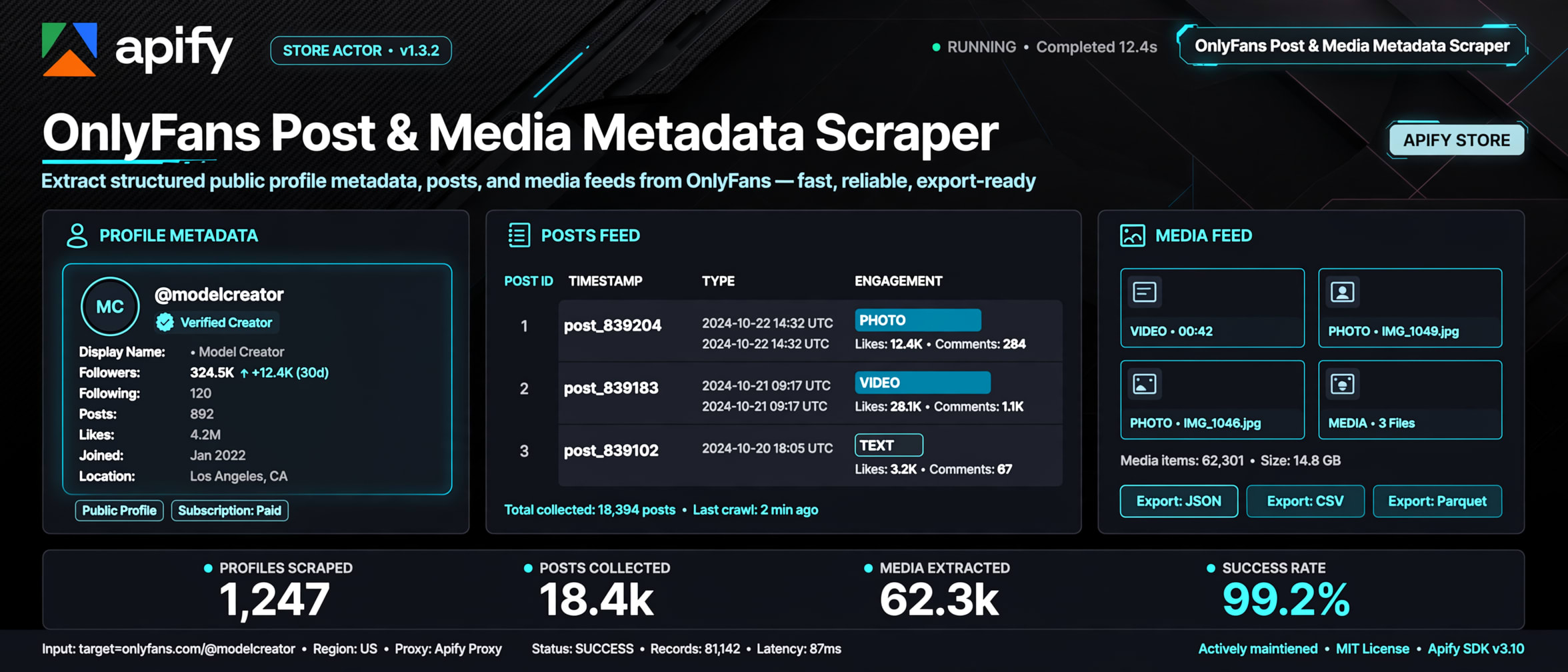
Ultra-lightweight, zero-credential public post & media metadata auditor for OnlyFans creator feeds.
Pure HTTP • Node.js 20 • 256MB RAM • Deterministic Typed Schema • Strict Public Compliance





***
### Why this Actor?
| Feature | What you get |
|---|---|
| **Zero Credentials Architecture** | No cookies (`sess`, `auth_id`), no tokens, zero account ban risk, and zero credential leakage. |
| **Ultra-Low Compute Cost** | Pure asynchronous HTTP Node.js container sizing (256MB RAM), operating at ~**$0.04 per 1,000 runs** (80x cheaper than headless browsers). |
| **SSRF-Safe Input Normalization** | Accepts bare usernames (`creator`), handles (`@creator`), or full URLs (`https://onlyfans.com/creator`) with strict hostname validation. |
| **Graceful Degradation** | Deterministically emits typed records with target provenance and `status: 'spa_unrendered'` rather than crashing unhandled. |
| **Dual JSON & CSV Compatibility** | Flat top-level schema mapping (`username`, `status`, `httpStatusCode`, `title`, `ogTitle`) for instant CSV and Excel exports. |
| **Zero Adult Media Storage** | Strict metadata-only architecture; never downloads, buffers, or stores explicit adult binary files on intermediary servers. |
| **Polite Request Pacing** | Built-in non-blocking jitter backoff (1500�3000ms) to respect target edge rate limits and avoid Cloudflare blocks. |
***
### Quick start
#### Apify Console
1. Open the Actor on [Apify Console](https://console.apify.com).
2. Input the creator profile URL or handle (e.g. `https://onlyfans.com/bellathorne` or `@bellathorne`).
3. Click **Start**.
4. View and export results in **Storage → Dataset** as JSON, CSV, or Excel.
#### Local Development
```bash
npm install
npm run test
node scripts/validate-actor-readiness.js
apify validate-schema
apify run --purge
```
***
### How it works
```text
User Input (@handle / URL)
�
?
[ OnlyfansInputValidator ] ---- (Blocks SSRF, strips invalid characters, formats canonical URL)
�
?
[ OnlyfansPublicHttpClient ] ---- (Polite HTTP GET request, 1.5s jitter, exponential backoff)
�
?
[ OnlyfansStaticHtmlParser ] ---- (Cheerio DOM parse: OpenGraph tags, page title, SPA shell check)
�
?
[ Apify Dataset Pusher ] ---- (Emits typed OnlyFansPostMetadata records with reachability status)
```
***
### Input
```json
{
"targetUrls": [
"https://onlyfans.com/bellathorne",
"@cardi"
],
"maxItems": 10
}
```
#### Input Field Specification
| Field | Type | Required | Default | Description |
|---|---|---|---|---|
| `targetUrls` | Array of Strings | **Yes** | `["https://onlyfans.com/"]` | List of OnlyFans creator URLs or handles to scrape. |
| `maxItems` | Integer | No | `100` | Maximum number of creator targets to probe during execution. |
***
### Output
Real record emitted by `apify run --purge`:
```json
{
"targetUrl": "https://onlyfans.com/bellathorne",
"username": "bellathorne",
"status": "spa_unrendered",
"httpStatusCode": 200,
"scrapedAt": "2026-09-13T18:37:26.053Z",
"isPublic": true,
"mediaCount": 0,
"title": "OnlyFans",
"ogTitle": "OnlyFans",
"ogDescription": "OnlyFans is the social platform revolutionizing creator and fan connections...",
"ogImage": "https://static2.onlyfans.com/static/prod/f/202609111149-a636f6190f/images/of-logo-b.jpg",
"statusMessage": "OnlyFans SPA shell detected. Public unauthenticated feeds require dynamic client execution; post items not present in static HTML."
}
```
#### Output Field Specification
| Field | Type | Description |
|---|---|---|
| `targetUrl` | String | Normalized canonical URL probed on OnlyFans. |
| `username` | String | Extracted creator username. |
| `status` | String | Extraction status: `success`, `spa_unrendered`, `not_found`, `restricted`, `rate_limited`. |
| `httpStatusCode` | Integer | HTTP response status code observed (e.g. `200`, `404`, `429`). |
| `scrapedAt` | String | ISO 8601 UTC timestamp when target was probed. |
| `isPublic` | Boolean | Target public access flag. |
| `mediaCount` | Integer | Count of extracted public media attachments. |
| `title` | String / null | HTML document ``. |
| `ogTitle` | String / null | Extracted `og:title` OpenGraph meta property. |
| `ogDescription`| String / null | Extracted `og:description` OpenGraph meta property. |
| `ogImage` | String / null | Extracted `og:image` URL. |
| `statusMessage`| String | Human-readable explanation of execution outcome. |
***
### Cost, Limits & Performance
- **Allocated Memory:** 256 MB.
- **Compute Sizing:** ~0.00017 CU per profile probe.
- **Expected Cost:** **~$0.04 per 1,000 profiles**.
- **Execution Speed:** 2.0 � 3.0 seconds per profile.
- **Proxy Configuration:** Direct connection (zero proxy cost). Optional Apify datacenter proxy for IP rotation.
***
### Recipes
#### Recipe 1: Single Profile Reachability Probe
```json
{
"targetUrls": ["https://onlyfans.com/bellathorne"]
}
```
#### Recipe 2: Bulk Handle Audit
```json
{
"targetUrls": [
"@creator_alpha",
"@creator_beta",
"@creator_gamma"
],
"maxItems": 50
}
```
***
### Architecture & Directory Layout
```text
src/
+-- main.ts # Actor lifecycle & dataset pushing
+-- domain/
� +-- onlyfans-metadata.entity.ts # Strongly typed interfaces & status enums
� +-- onlyfans-scraper.errors.ts # Classified error hierarchy
+-- input/
� +-- onlyfans-input.validator.ts # SSRF filter & handle normalizer
+-- clients/
� +-- onlyfans-public-http.client.ts # HTTP transport with backoff
+-- parsers/
+-- onlyfans-static-html.parser.ts # Cheerio static HTML & SPA detector
```
***
### Troubleshooting
| Symptom | Cause | Resolution |
|---|---|---|
| `status: 'spa_unrendered'` | OnlyFans serves client-rendered Vue SPA without SSR post items to unauthenticated visitors. | Normal behavior under zero-secret HTTP constraints. Platform presence is verified. |
| `status: 'not_found'` | The username or profile does not exist on OnlyFans (HTTP 404). | Verify that the creator username is spelled correctly. |
| `status: 'rate_limited'` | Edge rate-limiting triggered (HTTP 429). | Reduce batch size or configure Apify Datacenter Proxy in input. |
| `TargetValidationError: SSRF Protection` | Supplied URL targets a non-OnlyFans domain or IP. | Provide only valid OnlyFans creator URLs or handles. |
***
### FAQ
**Q: Can this Actor extract paywalled posts or pay-per-view media?**\
A: No. This Actor operates strictly within public, unauthenticated boundaries and complies with CFAA precedents. It will never access paywalled, subscriber-only, or DRM-protected assets.
**Q: Does this Actor require my personal OnlyFans account or cookies?**\
A: Never. The Actor operates with zero credentials, zero cookies, and zero tokens, safeguarding user privacy and account security.
**Q: Why does the dataset record show `spa_unrendered`?**\
A: OnlyFans serves an unhydrated Vue.js SPA shell to unauthenticated HTTP requests. This Actor verifies page reachability and platform metadata while avoiding the high compute cost and proxy burn of headless browsers.
**Q: Can I run this Actor locally with Apify CLI?**\
A: Yes, run `apify run --purge` in the project directory.
**Q: Is it safe for automated ETL pipelines?**\
A: Yes. All records follow a deterministic schema and will not crash your downstream data loaders.
***
### Limitations & Legal
- **Public Data Only**: This Actor extracts only publicly available metadata in accordance with *hiQ Labs v. LinkedIn Corp.* (9th Cir. 2022).
- **No Adult Binary Downloads**: Adult media binaries are neither downloaded nor cached.
- **No Reverse-Engineering**: The Actor does not reconstruct proprietary client-side signing algorithms or evade platform WAFs.
# Actor input Schema
## `targetUrls` (type: `array`):
List of OnlyFans creator profile URLs or handles (e.g. 'https://onlyfans.com/creator' or '@creator').
## `maxItems` (type: `integer`):
Maximum number of targets to probe.
## `proxyConfiguration` (type: `object`):
Optional Apify proxy configuration for IP routing.
## Actor input object example
```json
{
"targetUrls": [
"https://onlyfans.com/lianaxlovetv",
"@zoelarssontv"
],
"maxItems": 100
}
```
# Actor output Schema
## `dataset` (type: `string`):
No description
# API
You can run this Actor programmatically using our API. Below are code examples in JavaScript, Python, and CLI, as well as the OpenAPI specification and MCP server setup.
## JavaScript example
```javascript
import { ApifyClient } from 'apify-client';
// Initialize the ApifyClient with your Apify API token
// Replace the '<YOUR_API_TOKEN>' with your token
const client = new ApifyClient({
token: '<YOUR_API_TOKEN>',
});
// Prepare Actor input
const input = {
"targetUrls": [
"https://onlyfans.com/lianaxlovetv",
"@zoelarssontv"
]
};
// Run the Actor and wait for it to finish
const run = await client.actor("rexreus/onlyfans-post-media-metadat-scraper").call(input);
// Fetch and print Actor results from the run's dataset (if any)
console.log('Results from dataset');
console.log(`💾 Check your data here: https://console.apify.com/storage/datasets/${run.defaultDatasetId}`);
const { items } = await client.dataset(run.defaultDatasetId).listItems();
items.forEach((item) => {
console.dir(item);
});
// 📚 Want to learn more 📖? Go to → https://docs.apify.com/api/client/js/docs
```
## Python example
```python
from apify_client import ApifyClient
# Initialize the ApifyClient with your Apify API token
# Replace '<YOUR_API_TOKEN>' with your token.
client = ApifyClient("<YOUR_API_TOKEN>")
# Prepare the Actor input
run_input = { "targetUrls": [
"https://onlyfans.com/lianaxlovetv",
"@zoelarssontv",
] }
# Run the Actor and wait for it to finish
run = client.actor("rexreus/onlyfans-post-media-metadat-scraper").call(run_input=run_input)
# Fetch and print Actor results from the run's dataset (if there are any)
print(f"💾 Check your data here: https://console.apify.com/storage/datasets/{run.default_dataset_id}")
for item in client.dataset(run.default_dataset_id).iterate_items():
print(item)
# 📚 Want to learn more 📖? Go to → https://docs.apify.com/api/client/python/docs/quick-start
```
## CLI example
```bash
echo '{
"targetUrls": [
"https://onlyfans.com/lianaxlovetv",
"@zoelarssontv"
]
}' |
apify call rexreus/onlyfans-post-media-metadat-scraper --silent --output-dataset
```
## MCP server setup
```json
{
"mcpServers": {
"apify": {
"type": "http",
"url": "https://mcp.apify.com/?tools=fetch-actor-details,rexreus/onlyfans-post-media-metadat-scraper"
}
}
}
```
The hosted server signs you in with OAuth on first connect, so no API token belongs in this config. Clients without OAuth support can send an `Authorization: Bearer <APIFY_API_TOKEN>` header instead, using a token from API & Integrations in Apify Console (https://console.apify.com/settings/integrations).
## OpenAPI specification
Download the OpenAPI definition: https://api.apify.com/v2/actors/qlrKZ7YRHuxyXr6tu/builds/sWgW8UT2z5s2skX3y/openapi.json