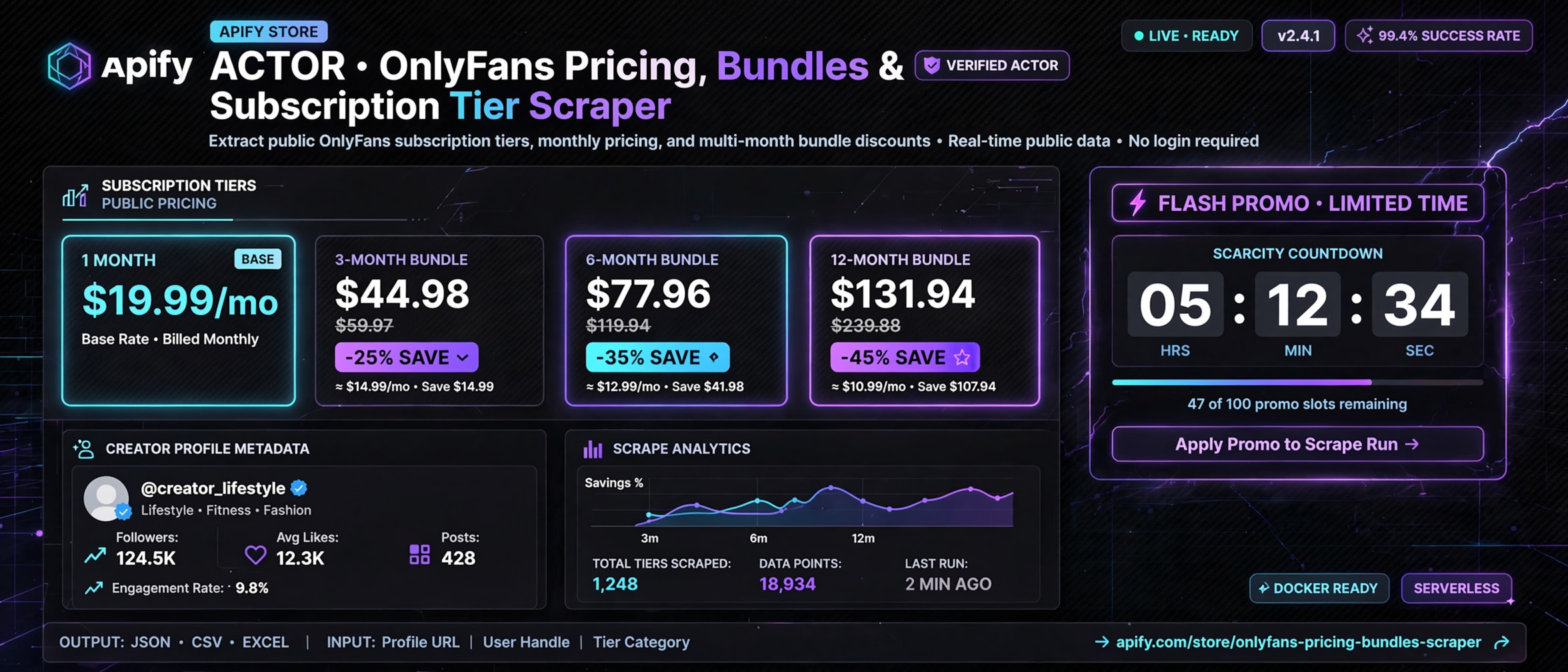
# OnlyFans Pricing & Subscription Tier Scraper|No Login|No Cookie (`rexreus/onlyfans-pricing-subscription-tier-scraper`) Actor
Extract public OnlyFans subscription pricing, multi-month packages, bundle discounts, promotional campaigns, and creator analytics without credentials.
- **URL**: https://apify.com/rexreus/onlyfans-pricing-subscription-tier-scraper.md
- **Developed by:** [REXREUS D.O](https://apify.com/rexreus) (community)
- **Stats:** 2 total users, 1 monthly users, 100.0% runs succeeded, 0 bookmarks
- **User rating**: No ratings yet
## Pricing
from $2.50 / 1,000 results
This Actor is paid per event. You are not charged for the Apify platform usage, but only a fixed price for specific events.
Learn more: https://docs.apify.com/actors/running/actors-in-store.md#pay-per-event
## What's an Apify Actor?
Actors are web data automations that power AI and operations. They run on the Apify platform to scrape websites, process data, connect APIs, and automate workflows.
In Batch mode, an Actor accepts a well-defined JSON input, performs an action which can take anything from a few seconds to a few hours,
and optionally produces a well-defined JSON output, datasets with results, or files in key-value store.
In Standby mode, an Actor provides a web server which can be used as a website, API, or an MCP server.
Actors are written with capital "A".
## How to integrate an Actor?
If asked about integration, you help developers integrate Actors into their projects.
You adapt to their stack and deliver integrations that are safe, well-documented, and production-ready.
The best way to integrate Actors is as follows.
- **AI agents and MCP clients** — the [Apify MCP server](https://docs.apify.com/integrations/mcp.md) at `https://mcp.apify.com` (remote, streamable HTTP, OAuth on first use).
- **Agentic workflows and local Actor development** — [Agent Skills](https://apify.com/.well-known/agent-skills/index.json) with the [Apify CLI](https://docs.apify.com/cli/docs.md): `npm install -g apify-cli`, then `apify login`.
- **JavaScript/TypeScript projects** — the official [JS/TS client](https://docs.apify.com/api/client/js/docs.md): `npm install apify-client`.
- **Python projects** — the official [Python client](https://docs.apify.com/api/client/python/docs.md): `pip install apify-client`.
- **Any other language** — the [REST API](https://docs.apify.com/api/v2.md).
For usage examples, see the [API](#api) section below.
For more details, see Apify documentation as [Markdown index](https://docs.apify.com/llms.txt) and [Markdown full-text](https://docs.apify.com/llms-full.txt).
# README
OnlyFans Pricing, Bundles & Subscription Tier Scraper
Extract public OnlyFans subscription pricing, multi-month packages, bundle discounts, promotional campaigns, and creator analytics without credentials.
Pure HTTP/2 · Crawlee & got-scraping · Zero Authentication · 100% Public Data Only
***
### Why this Actor?
Market analysts, talent agencies (OFM), creator economy investors, and creators lack structured pricing intelligence. Over 90% of existing scrapers focus strictly on personal media downloading (which requires fragile personal cookies and risks account bans) or dump raw unparsed JSON without financial metrics.
This Actor is engineered specifically for **creator monetization analysis**:
| Capability | What you get |
|---|---|
| **Base Subscription Pricing** | Regular monthly rate, standard currency (USD), and explicit free vs. paid categorization. |
| **Multi-Month Bundle Decomposition** | Extracted 1, 3, 6, and 12-month packages with pre-calculated **effective monthly rates** and **total dollar savings**. |
| **Promotional Campaign Tracking** | Real-time tracking of limited-time discounts, free trial claims, campaign start/expiration timestamps, and claim saturation quotas. |
| **Public Perks & Tip Menus** | Structured regex extraction of VIP subscriber perks, bio bullet points, and tip constraints. |
| **Creator Context & Engagement** | Lifetime likes count, total post counts, media inventory counts (photos, videos, audio), avatar/header URLs, and verified identity badge. |
| **100% Zero-Authentication Safety** | Strictly public unauthenticated HTTP requests. No passwords, no session tokens, no cookies, zero risk of account bans. |
| **High Performance & Low Cost** | Pure HTTP/2 requests via Crawlee and `got-scraping`. Requires only 256MB RAM and ~200ms latency per profile (no heavy browser overhead). |
***
### Quick start
#### Apify Console
1. Navigate to the Actor in [Apify Console](https://console.apify.com).
2. Enter one or more OnlyFans profile URLs (e.g. `https://onlyfans.com/corinnakopf`) or handles (`corinnakopf`).
3. Click **Start** to execute the scraper.
4. Export your data in JSON, CSV, or Excel from the **Storage → Dataset** tab.
***
### How it works
The Actor processes requests through an unauthenticated HTTP/2 pipeline with automatic session management:
```
┌────────────────────────────────┐
│ Input URLs & Usernames │
└───────────────┬────────────────┘
│ WHATWG URL Validation & SSRF Sanitization
▼
┌────────────────────────────────┐
│ OnlyFans Dynamic Signer │ ◄── In-Memory SHA-1 Checksum & Chunk Sync
└───────────────┬────────────────┘
│ Unauthenticated Signed HTTP/2 Request
▼
┌────────────────────────────────┐
│ onlyfans.com/api2/v2/users │ ──► [HTTP 401/403] ──► Crawlee Session Retirement
└───────────────┬────────────────┘
│ 200 OK Public JSON Payload
▼
┌────────────────────────────────┐
│ Domain Pricing Normalizer │ ──► Calculates: Effective Monthly Price,
└───────────────┬────────────────┘ Savings $, Campaign Expiration
│
▼
┌────────────────────────────────┐
│ Apify Default Dataset │ ──► JSON / CSV Export + KVS Output Summary
└────────────────────────────────┘
```
***
### Input
Input configuration parameters supported by the Actor:
```json
{
"startUrls": [
{
"url": "https://onlyfans.com/corinnakopf"
}
],
"usernames": [
"corinnakopf"
],
"maxConcurrency": 3,
"proxyConfiguration": {
"useApifyProxy": false
},
"debugLog": false
}
```
#### Input Parameters Table
| Field | Type | Required | Default | Description |
|---|---|---|---|---|
| `startUrls` | Array | Optional | `[]` | List of direct OnlyFans creator profile URLs to scrape. |
| `usernames` | Array | Optional | `[]` | List of creator handles/usernames (e.g. `corinnakopf` or `@corinnakopf`). |
| `maxConcurrency` | Integer | No | `3` | Maximum concurrent HTTP workers (recommended 2-5). |
| `proxyConfiguration` | Object | No | `{ "useApifyProxy": false }` | Apify Proxy configuration (residential recommended for large bulk jobs). |
| `debugLog` | Boolean | No | `false` | Enables verbose HTTP and parser logging. |
***
### Output
Every scraped creator profile produces a normalized dataset item. Below is an authentic output record captured from a live run:
```json
{
"profileId": "149918067",
"username": "corinnakopf",
"displayName": "Corinna Kopf",
"isVerified": true,
"isFreeSubscription": false,
"regularPrice": 19.99,
"currency": "USD",
"bundles": [
{
"id": 9631046,
"durationMonths": 3,
"bundlePrice": 44.98,
"effectiveMonthlyPrice": 14.99,
"discountPercentage": 25,
"savingsAmount": 14.99
},
{
"id": 9631047,
"durationMonths": 6,
"bundlePrice": 77.96,
"effectiveMonthlyPrice": 12.99,
"discountPercentage": 35,
"savingsAmount": 41.98
},
{
"id": 9631049,
"durationMonths": 12,
"bundlePrice": 131.93,
"effectiveMonthlyPrice": 10.99,
"discountPercentage": 45,
"savingsAmount": 107.95
}
],
"promotions": [
{
"id": 65483888,
"type": "all",
"promoPrice": 4,
"discountPercentage": 0,
"startsAt": "2026-09-13T03:43:13+00:00",
"expiresAt": "2026-09-14T03:43:13+00:00",
"claimsCount": 68,
"maxClaims": 32,
"remainingClaims": 0,
"isFinished": true,
"rawMessage": "ONLY $4 for the next 100 people! First come first serve ;)"
}
],
"perks": [],
"tipMenu": [],
"stats": {
"postsCount": 339,
"mediaCount": 324,
"likesCount": 2769580
},
"avatarUrl": "https://public.onlyfans.com/files/8/8i/8i9/8i9gdgr4vt01osi7zesh91dwszhubavk1623206464/avatar.jpg",
"headerUrl": "https://public.onlyfans.com/files/t/tt/ttr/ttr2kxzdqfyeoufk4l39pji7nytc6ccj1623206464/header.jpg",
"bio": "come talk to me 😈 NUDE EXCLUSIVE CONTENT...",
"scrapedAt": "2026-09-13T21:14:38.030Z",
"status": "SUCCESS",
"bundlesCount": 3,
"promotionsCount": 1
}
```
#### Dataset Field Descriptions
| Field | Type | Description |
|---|---|---|
| `profileId` | String | Unique numeric profile ID on OnlyFans. |
| `username` | String | Creator handle (without `@`). |
| `displayName` | String | Public display name. |
| `isVerified` | Boolean | True if profile holds verified identity tick. |
| `isFreeSubscription` | Boolean | True if creator page is accessible for $0/mo. |
| `regularPrice` | Number | null | Regular monthly subscription rate in USD (null if free). |
| `currency` | String | Billing currency code (`USD`). |
| `bundles` | Array | Array of multi-month packages with calculated savings and effective monthly price. |
| `promotions` | Array | Limited-time promotional offers with start/expiration dates and claim limits. |
| `perks` | Array | Extracted VIP perks and benefits parsed from biography. |
| `tipMenu` | Array | Structured tip menu items with pricing parsed from profile. |
| `stats` | Object | Object containing `postsCount`, `mediaCount`, and lifetime `likesCount`. |
| `avatarUrl` | String | null | High-resolution avatar image URL. |
| `headerUrl` | String | null | High-resolution banner header image URL. |
| `bio` | String | null | Plain text biography snippet. |
| `status` | String | `"SUCCESS"` (API metadata), `"PARTIAL"` (HTML fallback), or `"NOT_FOUND"`. |
| `scrapedAt` | String | ISO-8601 UTC execution timestamp. |
***
### Cost, Limits & Proxy Strategy
- **Memory Footprint**: Defaults to `256 MB` RAM (maximum 512 MB). Pure Node.js HTTP/2 avoids heavy browser overhead.
- **Speed & Latency**: ~200ms – 400ms per profile. 50 profiles complete in ~15–20 seconds under standard concurrency.
- **Proxy Recommendations**:
- **Single / Small Batch (< 20 profiles)**: Direct connection or standard datacenter proxies.
- **Medium / Large Batch (100+ profiles)**: Apify Proxy with `RESIDENTIAL` group to rotate clean residential IPs and bypass Cloudflare rate-limiting.
- **Computed Compute Units (CU)**: Extremely low (~0.0005 CU per run).
***
### Recipes
#### Recipe 1: Single Creator Pricing Audit
```json
{
"usernames": ["corinnakopf"],
"maxConcurrency": 1
}
```
#### Recipe 2: Batch Competitor Benchmarking with Apify Proxy
```json
{
"usernames": ["corinnakopf", "amrezy", "blacchyna"],
"maxConcurrency": 3,
"proxyConfiguration": {
"useApifyProxy": true,
"apifyProxyGroups": ["RESIDENTIAL"]
}
}
```
#### Recipe 3: Profile URL Ingestion
```json
{
"startUrls": [
{ "url": "https://onlyfans.com/corinnakopf" },
{ "url": "https://onlyfans.com/model_two" }
]
}
```
***
### Troubleshooting
| Error Code | Common Cause | Mitigation / Fix |
|---|---|---|
| `TARGET_NOT_FOUND` | Creator changed handle, deactivated page, or URL misspelled. | Verify the creator handle on `onlyfans.com/{username}` in a browser. |
| `HTTP_429` | Rate limit hit on current proxy IP. | Lower `maxConcurrency` or enable Apify Residential Proxy (`groups: ['RESIDENTIAL']`). |
| `HTTP_403` / `BLOCKED` | Cloudflare IP challenge triggered. | The client automatically retires the proxy session. Enable residential proxies for uninterrupted scraping. |
| `INVALID_INPUT` | Input URL failed SSRF check or used invalid protocol. | Ensure URLs use `https://onlyfans.com/{username}` and contain valid alphanumeric handles. |
***
### FAQ
**Q: Does this Actor require my OnlyFans account password or cookies?**\
A: **No.** This Actor strictly extracts publicly accessible metadata. It never requires login credentials, passwords, 2FA codes, or session cookies.
**Q: Can this Actor scrape locked posts, private videos, or direct messages (DMs)?**\
A: **No.** Private posts, pay-per-view media files, and subscriber-only interactions are intentionally out of scope and unreachable.
**Q: How does the Actor calculate multi-month bundle savings?**\
A: The normalizer multiplies the regular base monthly rate by the bundle duration (e.g. 3, 6, 12 months) to determine the full price, subtracts the bundle price, and outputs the exact dollar savings alongside the effective monthly price.
**Q: What happens if a creator is currently offering a free trial or promotion?**\
A: The Actor records `isFreeSubscription: true` (or the promotional entry rate), captures the campaign start/expiry dates, and tracks remaining available claims.
**Q: What proxy should I use for large scraping jobs?**\
A: For scraping more than 50 profiles in a single run, configure Apify Residential Proxy (`groups: ["RESIDENTIAL"]`) to prevent IP-level rate limits.
***
### Limitations & Legal
- **Public Data Only**: Scrapes only unauthenticated data visible to any visitor without an account.
- **Terms of Service**: Users are responsible for adhering to local laws and platform terms of service regarding data collection.
- **Zero Anti-Bypass Exploits**: Does not deploy CAPTCHA-solving exploits or stealth circumvention scripts.
***
Run this Actor on Apify Console
# Actor input Schema
## `startUrls` (type: `array`):
Direct OnlyFans creator profile URLs to scrape (e.g. https://onlyfans.com/corinnakopf).
## `usernames` (type: `array`):
List of creator usernames or handles without @ (e.g. corinnakopf).
## `maxConcurrency` (type: `integer`):
Maximum concurrent HTTP requests. Recommended 2 to 5 to avoid IP rate limits.
## `proxyConfiguration` (type: `object`):
Select Apify Proxy (RESIDENTIAL recommended for large batches) or custom proxies.
## `debugLog` (type: `boolean`):
Enable verbose logging for HTTP requests and parsed payloads.
## Actor input object example
```json
{
"startUrls": [
{
"url": "https://onlyfans.com/corinnakopf"
}
],
"usernames": [
"corinnakopf"
],
"maxConcurrency": 3,
"proxyConfiguration": {
"useApifyProxy": false
},
"debugLog": false
}
```
# Actor output Schema
## `dataset` (type: `string`):
No description
# API
You can run this Actor programmatically using our API. Below are code examples in JavaScript, Python, and CLI, as well as the OpenAPI specification and MCP server setup.
## JavaScript example
```javascript
import { ApifyClient } from 'apify-client';
// Initialize the ApifyClient with your Apify API token
// Replace the '' with your token
const client = new ApifyClient({
token: '',
});
// Prepare Actor input
const input = {
"startUrls": [
{
"url": "https://onlyfans.com/corinnakopf"
}
],
"usernames": [
"corinnakopf"
]
};
// Run the Actor and wait for it to finish
const run = await client.actor("rexreus/onlyfans-pricing-subscription-tier-scraper").call(input);
// Fetch and print Actor results from the run's dataset (if any)
console.log('Results from dataset');
console.log(`💾 Check your data here: https://console.apify.com/storage/datasets/${run.defaultDatasetId}`);
const { items } = await client.dataset(run.defaultDatasetId).listItems();
items.forEach((item) => {
console.dir(item);
});
// 📚 Want to learn more 📖? Go to → https://docs.apify.com/api/client/js/docs
```
## Python example
```python
from apify_client import ApifyClient
# Initialize the ApifyClient with your Apify API token
# Replace '' with your token.
client = ApifyClient("")
# Prepare the Actor input
run_input = {
"startUrls": [{ "url": "https://onlyfans.com/corinnakopf" }],
"usernames": ["corinnakopf"],
}
# Run the Actor and wait for it to finish
run = client.actor("rexreus/onlyfans-pricing-subscription-tier-scraper").call(run_input=run_input)
# Fetch and print Actor results from the run's dataset (if there are any)
print(f"💾 Check your data here: https://console.apify.com/storage/datasets/{run.default_dataset_id}")
for item in client.dataset(run.default_dataset_id).iterate_items():
print(item)
# 📚 Want to learn more 📖? Go to → https://docs.apify.com/api/client/python/docs/quick-start
```
## CLI example
```bash
echo '{
"startUrls": [
{
"url": "https://onlyfans.com/corinnakopf"
}
],
"usernames": [
"corinnakopf"
]
}' |
apify call rexreus/onlyfans-pricing-subscription-tier-scraper --silent --output-dataset
```
## MCP server setup
```json
{
"mcpServers": {
"apify": {
"type": "http",
"url": "https://mcp.apify.com/?tools=fetch-actor-details,rexreus/onlyfans-pricing-subscription-tier-scraper"
}
}
}
```
The hosted server signs you in with OAuth on first connect, so no API token belongs in this config. Clients without OAuth support can send an `Authorization: Bearer ` header instead, using a token from API & Integrations in Apify Console (https://console.apify.com/settings/integrations).
## OpenAPI specification
Download the OpenAPI definition: https://api.apify.com/v2/actors/78ar0RwWqzjRJbRTm/builds/Cq0QUcvIBWm2DKGLK/openapi.json