# Snapchat Ads Library Scraper | No Login | No Cookie (`rexreus/snapchat-ads-library-scraper`) Actor
Extract verified ads, creative media URLs, target demographics, and delivery metrics from Snapchat Ads Library.
- **URL**: https://apify.com/rexreus/snapchat-ads-library-scraper.md
- **Developed by:** [REXREUS D.O](https://apify.com/rexreus) (community)
- **Stats:** 2 total users, 1 monthly users, 66.7% runs succeeded, 0 bookmarks
- **User rating**: No ratings yet
## Pricing
from $6.00 / 1,000 results
This Actor is paid per event. You are not charged for the Apify platform usage, but only a fixed price for specific events.
Learn more: https://docs.apify.com/actors/running/actors-in-store.md#pay-per-event
## What's an Apify Actor?
An Actor is a serverless cloud program that runs on the Apify platform. It has two run modes.
In Batch mode, an Actor accepts a well-defined JSON input, performs an action which can take anything from a few seconds to a few hours,
and optionally produces a well-defined JSON output, datasets with results, or files in key-value store.
In Standby mode, an Actor provides a web server which can be used as a website, API, or an MCP server.
Apify vocabulary and the platform model are defined once, in the agent quickstart at https://apify.com/agents.md.
## How to integrate an Actor?
If asked about integration, you help developers integrate Actors into their projects.
You adapt to their stack and deliver integrations that are safe, well-documented, and production-ready.
Do not guess an integration path. Every one of them is in the agent quickstart at https://apify.com/agents.md: the Apify MCP server, Agent Skills with the Apify CLI, the JavaScript and Python clients, the REST API, and the account-free path for an agent with no human to sign in. It also carries the rule on stating cost before the first paid run.
For examples already wired to this Actor's own input schema, see the [API](#api) section below.
Each client library has reference documentation the quickstart does not restate: [JavaScript/TypeScript](https://docs.apify.com/api/client/js/docs.md) (`npm install apify-client`) and [Python](https://docs.apify.com/api/client/python/docs.md) (`pip install apify-client`).
# README
Snapchat Ads Library Scraper
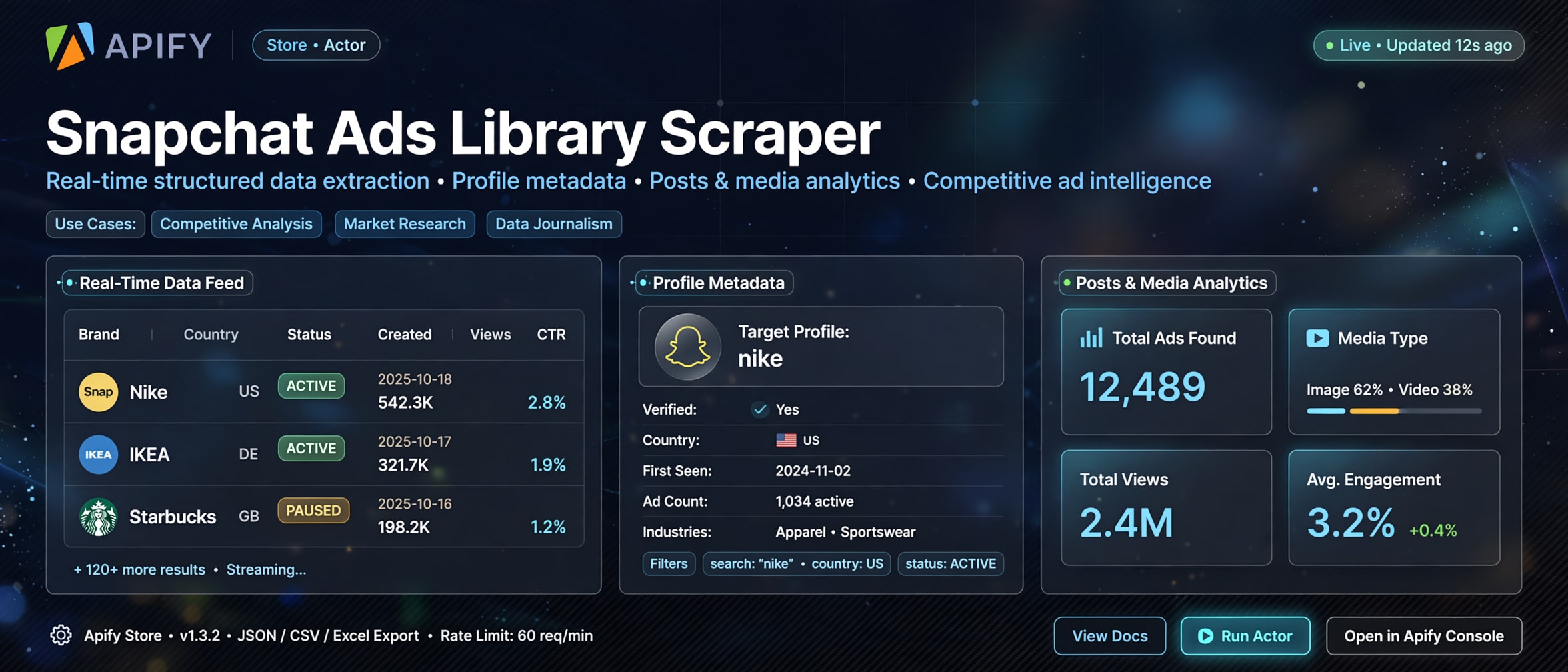
Extract verified ads, creative media URLs, target demographics, and delivery metrics from Snapchat Ads Library.
Ultra-fast HTTP-first extraction · Direct CDN media links · Pay-per-result ($0.005/ad) · Zero browser overhead



***
### Why this Actor?
| Feature | What you get |
|---|---|
| **Direct HTTP-First Engine** | Zero headless browser overhead (Playwright/Puppeteer free), resulting in sub-second responses and minimal compute unit (CU) consumption. |
| **Direct Media CDN Links** | Resolves direct video (.mp4) and high-resolution image assets hosted on Snapchat CloudFront CDN (`cf-st.sc-cdn.net`) ready for download or analysis. |
| **Comprehensive EU Gallery Coverage** | Multi-country search filtering across all 27 EU member states simultaneously, with paying entity and advertiser attribution. |
| **Historical Political Archive (2018–2026)** | Real-time streaming extraction from Snapchat's multi-year political transparency archive with zero local buffer limits. |
| **Audience Demographics & Targeting** | Access age brackets (e.g. 18+), gender targeting, impressions delivered, and paid spend disclosures. |
| **Formula Injection Defense** | Built-in sanitization neutralizing Excel/CSV formula injection attacks (`=`, `+`, `-`, `@`) on all text fields. |
| **Pay-Per-Result Pricing** | You only pay for successfully extracted ad records ($0.005 per ad / $5 per 1,000 ads) with **$0 startup fee**. |
***
### Quick start
1. Open the Actor on [Apify Console](https://console.apify.com) and click **Start**.
2. Enter the advertiser name or brand keyword (e.g. `Nike`, `Spotify`, `Adidas`).
3. Click **Save & Run**, and export your dataset as **JSON**, **CSV**, or **Excel**.
```json
{
"searchTerms": ["Nike"],
"mode": "all",
"maxItems": 50
}
```
***
### How it works
```
Brand Query / Advertiser ──▶ Snapchat Transparency API / Public Archive ──▶ Micro-Batch Normalizer ──▶ Clean Dataset Rows
```
1. **Query Dispatch**: The Actor takes advertiser names or brand keywords and queries the official Snapchat Ads transparency endpoints.
2. **Cursor Traversal**: Uncapped pagination automatically retrieves consecutive pages using native cursors with adaptive 1200ms pacing.
3. **Data Normalization**: Media CDN assets, target country codes, demographic parameters, and impressions are mapped into a standardized flat schema.
4. **Dataset Storage**: Records are pushed to your default Apify Dataset in streaming micro-batches.
***
### Input
#### Basic Input Example
```json
{
"searchTerms": ["Nike"],
"countries": ["de", "fr", "es"],
"status": "ALL",
"maxItems": 100
}
```
#### Full Configuration Example
```json
{
"searchTerms": ["Nike", "Adidas"],
"countries": ["de", "fr"],
"status": "ACTIVE",
"mode": "all",
"politicalYears": [2024, 2025, 2026],
"dateFrom": "2024-01-01",
"dateTo": "2026-12-31",
"maxItems": 250,
"maskBillingAddress": true,
"proxyConfiguration": {
"useApifyProxy": true
}
}
```
#### Input Fields
| Field | Type | Required | Default | Description |
|---|---|---|---|---|
| `searchTerms` | Array of Strings | Yes | `["Nike"]` | One or more advertiser names, brand queries, or organization keywords to search. |
| `countries` | Array of Strings | No | `[]` | Two-letter ISO Alpha-2 country codes (e.g. `["de", "fr"]`). Leave empty for Europe-wide coverage (all 27 EU states). |
| `status` | String | No | `"ALL"` | Campaign delivery status: `"ALL"`, `"ACTIVE"`, or `"PAUSED"`. |
| `mode` | String | No | `"all"` | Extraction mode: `"all"`, `"commercial"`, `"political"`, or `"creators"`. |
| `politicalYears` | Array of Numbers | No | `[2024, 2025, 2026]` | Years to query from the Political & Advocacy Ads Archive (2018–2026). |
| `dateFrom` | String | No | `null` | Earliest run date filter in `YYYY-MM-DD` or ISO format. |
| `dateTo` | String | No | `null` | Latest run date filter in `YYYY-MM-DD` or ISO format. |
| `maxItems` | Integer | No | `50` | Maximum number of total ad records to extract and save. |
| `maskBillingAddress` | Boolean | No | `false` | Redacts physical street addresses in political disclosures for privacy compliance. |
| `proxyConfiguration` | Object | No | `{"useApifyProxy": true}` | Apify proxy configuration. Datacenter proxies recommended. |
***
### Output
Every record stored in the dataset represents a single ad creative with delivery metrics and verified media links:
```json
{
"id": "86ab7bd5-3025-47d6-9f85-b7075bf30e34",
"source": "COMMERCIAL",
"advertiserName": "Nike, Inc.",
"payingEntity": "Nike, Inc.",
"status": "ACTIVE",
"startDate": "2026-05-01T07:00:00.000Z",
"endDate": null,
"spend": null,
"currency": null,
"impressions": 11796283,
"targetCountries": ["de", "be", "fr", "it", "es", "nl", "pl"],
"targetDemographics": "Age: 18+, Gender: MALE",
"targetAge": "18+",
"targetGender": "MALE",
"creativeType": "UNKNOWN",
"videoUrl": null,
"imageUrl": "https://cf-st.sc-cdn.net/aps/bolt/aHR0cHM6Ly9jZi1zdC5zYy1jZG4ubmV0L2QvQ0xpSzhleEdEUVA3VDJJek1qOXRmP2JvPUVnMGFBQm9BTWdFRVNBSlFHV0FCJnVjPTI1._RS0,72_FMpng",
"landingPageUrl": null,
"callToAction": "SHOP NOW",
"scrapedAt": "2026-09-22T18:57:34.084Z"
}
```
#### Dataset Field Definitions
| Field | Type | Description |
|---|---|---|
| `id` | String | Unique ad identifier from Snapchat Ads Library. |
| `source` | String | Origin transparency source: `COMMERCIAL`, `POLITICAL`, or `CREATOR`. |
| `advertiserName` | String | Display name of the advertiser running the campaign. |
| `payingEntity` | String | Legal entity or organization funding the ad placement. |
| `status` | String | Current campaign delivery status (`ACTIVE`, `PAUSED`, or `COMPLETED`). |
| `startDate` | String | ISO 8601 timestamp when the ad began serving. |
| `endDate` | String | ISO 8601 timestamp when the ad completed (if applicable). |
| `spend` | String / Number | Disclosed ad spend or budget range. |
| `currency` | String | Three-letter currency code (e.g. `EUR`, `USD`). |
| `impressions` | Number | Total impressions delivered. |
| `targetCountries` | Array of Strings | Targeted two-letter ISO country codes. |
| `targetDemographics` | String | Consolidated demographic targeting criteria (age and gender). |
| `targetAge` | String | Specific target age range (e.g. `18+`, `18-34`). |
| `targetGender` | String | Specific target gender (`ALL`, `MALE`, `FEMALE`). |
| `creativeType` | String | Format of creative asset (`VIDEO`, `IMAGE`, `STORY`, or `UNKNOWN`). |
| `videoUrl` | String | Direct CDN URL to the high-definition video (.mp4) creative asset. |
| `imageUrl` | String | Direct CDN URL to the thumbnail or image creative asset. |
| `landingPageUrl` | String | Destination landing page URL attached to the ad. |
| `callToAction` | String | Interactive swipe-up button text (e.g. `SHOP NOW`, `INSTALL_NOW`, `SIGN_UP`). |
| `scrapedAt` | String | ISO 8601 timestamp of data extraction. |
***
### Cost, limits, proxy
- **Memory**: Runs efficiently on **256 MB** container memory (512 MB recommended for 10,000+ item runs).
- **Concurrency**: Adaptive request pacing with exponential backoff on HTTP 429 (`E1009`).
- **Proxy**: Works out of the box with standard Apify Datacenter proxies. No expensive residential IPs required.
- **Cost**: **$0.005 per ad result** ($5 per 1,000 ads). Zero startup fee.
- **Expected runtime**:
- Small run (50 ads): ~5–10 seconds.
- Large run (1,000 ads): ~1–2 minutes.
***
### Recipes
#### 1. Monitor Competitor Ad Creatives & Call to Actions
Track current active promotions, creatives, and messaging for key competitors:
```json
{
"searchTerms": ["Adidas", "Puma"],
"status": "ACTIVE",
"mode": "commercial",
"maxItems": 100
}
```
#### 2. Multi-Country Market Audit (Germany & France)
Compare regional targeting and impressions across specific European markets:
```json
{
"searchTerms": ["Spotify"],
"countries": ["de", "fr"],
"status": "ALL",
"maxItems": 200
}
```
#### 3. Historical Political & Advocacy Transparency Analysis
Extract election and issue advocacy disclosures across recent political cycles:
```json
{
"searchTerms": ["Vote", "Action Fund"],
"mode": "political",
"politicalYears": [2024, 2025, 2026],
"maskBillingAddress": true,
"maxItems": 500
}
```
***
### Troubleshooting
| Symptom | Cause | Fix |
|---|---|---|
| `RateLimitError` / HTTP 429 | Exceeded Snapchat transparency query pacing | The scraper automatically backs off up to 5 times. Ensure Apify Proxy is enabled on platform runs. |
| Zero ads returned | Brand name has no active disclosures in the selected country/source | Try searching without country restrictions (`"countries": []`) to query all 27 EU member states, or switch `"mode": "all"`. |
| `videoUrl` is `null` | Ad creative was a static image or story format | Check the `imageUrl` field which holds the direct graphic asset. |
| Empty political archive results | Selected brand is commercial rather than political | Set `"mode": "commercial"` or `"mode": "all"`. |
***
### FAQ
**Q: How much does running this Actor cost?**\
A: Pricing is strictly pay-per-result at **$0.005 per scraped ad record** ($5 per 1,000 ads). If a search yields 0 results, you pay $0.
**Q: Why is this scraper so much faster than other social media scrapers?**\
A: It connects directly to Snapchat's public transparency HTTP APIs and streaming storage rather than loading heavy browser sessions in Chrome/Playwright. This achieves up to 10x faster execution and 90% lower compute consumption.
**Q: Are the video and image URLs permanent?**\
A: Creative URLs point directly to Snapchat's global CloudFront CDN (`cf-st.sc-cdn.net`) and public archive buckets. While publicly accessible, we recommend saving media assets immediately if building long-term archives.
**Q: What geographic regions are covered?**\
A: Commercial transparency disclosures cover all 27 EU member states and EEA territories in compliance with the Digital Services Act (DSA). The Political & Advocacy Archive covers global disclosures from 2018 through 2026.
**Q: Can I export results to Google Sheets, CSV, or Airtable?**\
A: Yes. All data fields are optimized and flattened for single-click export to CSV, Excel, or JSON, and integrate seamlessly via Apify webhooks with Zapier, Make, and Google Sheets.
**Q: Can I copy or republish this Actor?**\
A: No. This Actor is proprietary software. You may run it on the Apify Platform for your business and analytics workflows. You may not copy, rebrand, republish, or claim authorship. See [LICENSE](./LICENSE).
***
### Limitations
- Public transparency data only. Private Snapchat conversations, ephemeral snaps, and non-transparency targeting metrics are not accessible.
- Users are responsible for complying with applicable local laws and Snapchat Terms of Service.
***
### Run it
Ready to extract actionable ad intelligence? Open the Actor on **Apify Console** and click **Start**.
***
### License
**Proprietary. All rights reserved.** Copyright (c) 2026 REXREUS.
You may run this Actor on Apify. You may not copy, rebrand, republish, or claim this Actor as your own. See [LICENSE](./LICENSE).
# Actor input Schema
## `searchTerms` (type: `array`):
One or more advertiser names, brand queries, or organization keywords to search.
## `countries` (type: `array`):
Two-letter country codes (e.g. \['de', 'fr']). Leave empty for Europe-wide coverage across all 27 EU member states.
## `status` (type: `string`):
Filter ads by delivery status.
## `mode` (type: `string`):
Select data sources to scrape: commercial EU ads gallery, global political archive, sponsored creators, or all.
## `politicalYears` (type: `array`):
Years to search within the global Political & Advocacy Ads Archive (2018–2026).
## `dateFrom` (type: `string`):
Filter ads running on or after this date (ISO format or YYYY-MM-DD).
## `dateTo` (type: `string`):
Filter ads running on or before this date (ISO format or YYYY-MM-DD).
## `maxItems` (type: `integer`):
Maximum number of total ad records to extract and save.
## `maskBillingAddress` (type: `boolean`):
Redact physical street addresses in political disclosures for privacy compliance.
## `proxyConfiguration` (type: `object`):
Apify proxy settings. Standard Datacenter proxies are recommended.
## Actor input object example
```json
{
"searchTerms": [
"Nike"
],
"countries": [],
"status": "ALL",
"mode": "all",
"politicalYears": [
2024,
2025,
2026
],
"maxItems": 50,
"maskBillingAddress": false,
"proxyConfiguration": {
"useApifyProxy": true
}
}
```
# Actor output Schema
## `dataset` (type: `string`):
No description
# API
You can run this Actor programmatically using our API. Below are code examples in JavaScript, Python, and CLI, as well as the OpenAPI specification and MCP server setup.
## JavaScript example
```javascript
import { ApifyClient } from 'apify-client';
// Initialize the ApifyClient with your Apify API token
// Replace the '' with your token
const client = new ApifyClient({
token: '',
});
// Prepare Actor input
const input = {
"searchTerms": [
"Nike"
]
};
// Run the Actor and wait for it to finish
const run = await client.actor("rexreus/snapchat-ads-library-scraper").call(input);
// Fetch and print Actor results from the run's dataset (if any)
console.log('Results from dataset');
console.log(`💾 Check your data here: https://console.apify.com/storage/datasets/${run.defaultDatasetId}`);
const { items } = await client.dataset(run.defaultDatasetId).listItems();
items.forEach((item) => {
console.dir(item);
});
// 📚 Want to learn more 📖? Go to → https://docs.apify.com/api/client/js/docs
```
## Python example
```python
from apify_client import ApifyClient
# Initialize the ApifyClient with your Apify API token
# Replace '' with your token.
client = ApifyClient("")
# Prepare the Actor input
run_input = { "searchTerms": ["Nike"] }
# Run the Actor and wait for it to finish
run = client.actor("rexreus/snapchat-ads-library-scraper").call(run_input=run_input)
# Fetch and print Actor results from the run's dataset (if there are any)
print(f"💾 Check your data here: https://console.apify.com/storage/datasets/{run.default_dataset_id}")
for item in client.dataset(run.default_dataset_id).iterate_items():
print(item)
# 📚 Want to learn more 📖? Go to → https://docs.apify.com/api/client/python/docs/quick-start
```
## CLI example
```bash
echo '{
"searchTerms": [
"Nike"
]
}' |
apify call rexreus/snapchat-ads-library-scraper --silent --output-dataset
```
## MCP server setup
```json
{
"mcpServers": {
"apify": {
"type": "http",
"url": "https://mcp.apify.com/?tools=fetch-actor-details,rexreus/snapchat-ads-library-scraper"
}
}
}
```
The hosted server signs you in with OAuth on first connect, so no API token belongs in this config. Clients without OAuth support can send an `Authorization: Bearer ` header instead, using a token from API & Integrations in Apify Console (https://console.apify.com/settings/integrations).
## OpenAPI specification
Download the OpenAPI definition: https://api.apify.com/v2/actors/8XesiRNJwk4ciREio/builds/ACKteeIt44QiPLKly/openapi.json