# Snapchat Public Profile Creator Scraper | No Login | No Cookie (`rexreus/snapchat-public-profile-creator-scraper`) Actor
Collect public Snapchat profile and Spotlight metadata from handles you already have.
- **URL**: https://apify.com/rexreus/snapchat-public-profile-creator-scraper.md
- **Developed by:** [REXREUS D.O](https://apify.com/rexreus) (community)
- **Stats:** 2 total users, 1 monthly users, 100.0% runs succeeded, 0 bookmarks
- **User rating**: No ratings yet
## Pricing
from $1.00 / 1,000 results
This Actor is paid per event. You are not charged for the Apify platform usage, but only a fixed price for specific events.
Learn more: https://docs.apify.com/actors/running/actors-in-store.md#pay-per-event
## What's an Apify Actor?
An Actor is a serverless cloud program that runs on the Apify platform. It has two run modes.
In Batch mode, an Actor accepts a well-defined JSON input, performs an action which can take anything from a few seconds to a few hours,
and optionally produces a well-defined JSON output, datasets with results, or files in key-value store.
In Standby mode, an Actor provides a web server which can be used as a website, API, or an MCP server.
Apify vocabulary and the platform model are defined once, in the agent quickstart at https://apify.com/agents.md.
## How to integrate an Actor?
If asked about integration, you help developers integrate Actors into their projects.
You adapt to their stack and deliver integrations that are safe, well-documented, and production-ready.
Do not guess an integration path. Every one of them is in the agent quickstart at https://apify.com/agents.md: the Apify MCP server, Agent Skills with the Apify CLI, the JavaScript and Python clients, the REST API, and the account-free path for an agent with no human to sign in. It also carries the rule on stating cost before the first paid run.
For examples already wired to this Actor's own input schema, see the [API](#api) section below.
Each client library has reference documentation the quickstart does not restate: [JavaScript/TypeScript](https://docs.apify.com/api/client/js/docs.md) (`npm install apify-client`) and [Python](https://docs.apify.com/api/client/python/docs.md) (`pip install apify-client`).
# README
Snapchat Public Profile & Creator Scraper
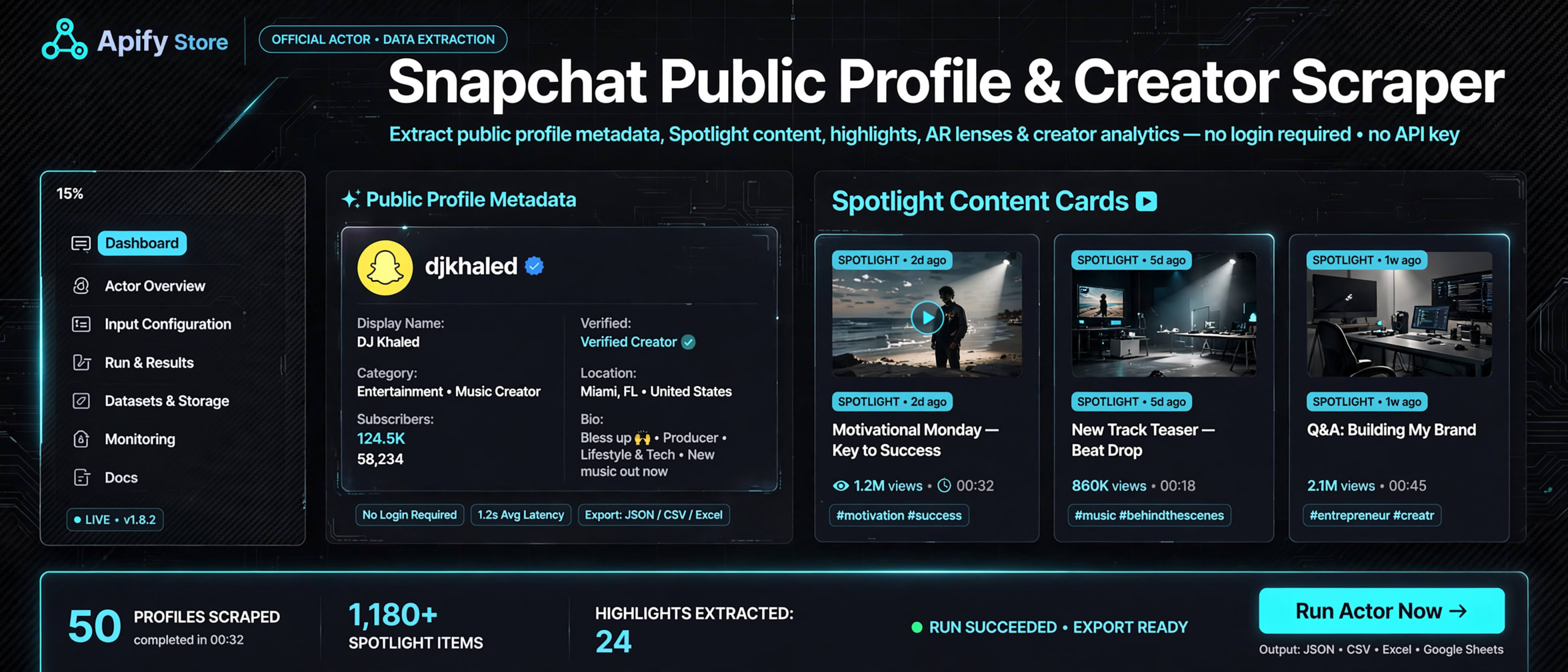
Collect public Snapchat profile and Spotlight metadata from handles you already have.
Direct public pages only · no login, cookies, Stories, or media downloads



### Why this Actor?
Use this Actor as a **Snapchat public profile API alternative** when you already know the creator handles. It reads only what those [public Snapchat pages](https://www.snapchat.com) already show.
| Feature | What you get |
|---|---|
| Public profiles | Handle, display name, subscriber count, country, language, created/updated times |
| Spotlight items | Title, publish time, views, likes, replies, topics, duration, width, height |
| Direct targets only | Paste usernames or public profile / Spotlight URLs. No search, no crawl |
| Sparse dataset | Unobserved fields are omitted. Empty topic lists stay `[]` |
| Status per row | `SUCCESS`, `PARTIAL`, `NOT_FOUND`, `BLOCKED`, or `ERROR` |
| CSV-ready export | Download JSON, CSV, or Excel from the Apify dataset |
| Honest limits | Public metadata only. No Stories, comments, media files, or private accounts |
| Conservative traffic | Serial requests, 2-second pacing, no proxy, no retries |
### Quick start
1. Open the Actor on Apify Console and click **Start**.
2. Paste a public Snapchat username or profile URL.
3. Leave **Include Spotlight** on if you also want discovered Spotlight pages.
4. Download the dataset as JSON, CSV, or Excel.
```json
{
"startUrls": [],
"usernames": ["exampleuser"],
"maxProfiles": 1,
"maxItemsPerProfile": 1,
"includeSpotlight": true
}
```
### How it works
```
Public handles or URLs → public Snapchat pages → PROFILE and CONTENT dataset rows
```
Each supplied profile becomes one `PROFILE` row. If Spotlight is enabled, up to three discovered public Spotlight paths become `CONTENT` rows. The Actor never logs in, never downloads media, and never follows search or Stories.
### Input
See the **Input** tab for the full form. Only these fields are accepted:
| Field | Type | Required | Default | Description |
|---|---|---|---|---|
| `startUrls` | string\[] | no | `[]` | Approved direct Snapchat profile or Spotlight URLs |
| `usernames` | string\[] | no | `[]` | Approved Snapchat profile usernames |
| `maxProfiles` | integer 1–10 | no | `10` | Maximum direct targets in one run |
| `maxItemsPerProfile` | integer 0–3 | no | `3` | Maximum Spotlight children per successful profile |
| `includeSpotlight` | boolean | no | `true` | Process Spotlight paths discovered on a supplied profile |
Supply at least one username or URL. Combined unique targets cannot exceed `maxProfiles`.
### Output
You can download the dataset in JSON, CSV, or Excel. Rows are `PROFILE` or `CONTENT`. Absent public fields are omitted. Dataset rows never include `provenance`, `warnings`, `errors`, or `null` keys.
Profile example:
```json
{
"recordType": "PROFILE",
"requestedPath": "/@exampleuser",
"canonicalPath": "/@exampleuser",
"sourcePageKind": "PROFILE",
"requestedAt": "2026-09-22T17:24:13.533Z",
"observedAt": "2026-09-22T17:24:15.252Z",
"httpStatus": 200,
"status": "SUCCESS",
"profileHandle": "exampleuser",
"displayName": "Example Creator",
"subscriberCount": 1200,
"discoveredSpotlightPaths": ["/@exampleuser/spotlight/example"],
"language": "en",
"country": "US",
"createdAt": "2022-04-21T14:18:41.142Z",
"updatedAt": "2026-09-22T16:08:13.385Z",
"isFamilyFriendly": true
}
```
Spotlight example:
```json
{
"recordType": "CONTENT",
"requestedPath": "/@exampleuser/spotlight/example",
"canonicalPath": "/@exampleuser/spotlight/example",
"sourcePageKind": "CONTENT",
"requestedAt": "2026-09-22T17:24:15.257Z",
"observedAt": "2026-09-22T17:24:18.668Z",
"httpStatus": 200,
"status": "SUCCESS",
"contentId": "example",
"contentType": "video.other",
"title": "Example Spotlight",
"publishedAt": "2026-09-20T04:35:41.000Z",
"viewCount": 35709,
"replyCount": 0,
"likeCount": 123,
"topics": ["#spotlight", "fashion", "style"],
"durationSeconds": 90,
"width": 540,
"height": 960,
"isFamilyFriendly": true
}
```
| Field | Type | Description |
|---|---|---|
| `recordType` | string | `PROFILE` or `CONTENT` |
| `status` | string | `SUCCESS`, `PARTIAL`, `NOT_FOUND`, `BLOCKED`, or `ERROR` |
| `httpStatus` | number | HTTP status from the public page |
| `profileHandle` | string | Public username |
| `displayName` | string | Public display name |
| `subscriberCount` | number | Observed subscriber count |
| `country` | string | Observed public country code |
| `createdAt` / `updatedAt` | string | Observed profile timestamps |
| `discoveredSpotlightPaths` | string\[] | Direct Spotlight paths found on the profile |
| `contentId` | string | Public Spotlight identifier |
| `title` | string | Observed Spotlight title |
| `publishedAt` | string | Observed publication time |
| `viewCount` / `likeCount` / `replyCount` / `shareCount` | number | Observed public counters |
| `topics` | string\[] | Observed topics or hashtags |
| `durationSeconds` | number | Observed video duration |
| `width` / `height` | number | Observed video size in pixels |
### Cost, limits, proxy
This Actor has no pay-per-result fee. You pay Apify **compute units** for the run.
- Memory: HTTP-only. No browser.
- Concurrency: 1 (serial).
- Proxy: none.
- Pacing: 2 seconds between requests, 15-second timeout, no retries.
- Caps: 10 profiles, 3 Spotlight items per profile, 40 requests, 10-minute wall clock.
- Small run (1 profile + 1 Spotlight): a few seconds.
- Full cap: about 78 seconds of pacing plus page response time.
### Recipes
#### One public username
```json
{
"usernames": ["exampleuser"],
"maxProfiles": 1,
"maxItemsPerProfile": 1,
"includeSpotlight": true
}
```
#### Direct profile URL with Spotlight
```json
{
"startUrls": ["https://www.snapchat.com/@exampleuser"],
"usernames": [],
"maxProfiles": 1,
"maxItemsPerProfile": 3,
"includeSpotlight": true
}
```
#### Profile metadata only
```json
{
"usernames": ["exampleuser"],
"maxProfiles": 1,
"maxItemsPerProfile": 0,
"includeSpotlight": false
}
```
### Troubleshooting
| Symptom | Cause | Fix |
|---|---|---|
| `NOT_FOUND` | The public page returned 404 or 410 | Check the handle or Spotlight URL |
| `BLOCKED` | Login wall, protection, or 401/403/429 | Stop. Do not retry with cookies, proxies, or browsers |
| `PARTIAL` | Profile succeeded; a Spotlight child failed | Keep the profile row; lower `maxItemsPerProfile` or skip Spotlight |
| `ERROR` | Timeout, non-HTML, or oversized page | Retry later with fewer targets |
| Missing fields | The public page did not show them | Expected. Absent keys are omitted |
| No Stories | Stories and highlights are out of scope | Use profile and Spotlight pages only |
| Invalid input | URL/username is not a direct public target, or too many targets | Use `snapchat.com/@handle` or a Spotlight URL; stay within `maxProfiles` |
### FAQ
**Q: How much does a run cost?**
A: Compute units only. One profile plus one Spotlight is a few seconds of HTTP time. There is no per-row Actor fee.
**Q: How fast is it?**
A: Serial, with 2 seconds between requests. A tiny run finishes in seconds. A 10-profile run with Spotlight children stays under the 40-request / 10-minute cap.
**Q: Can it scrape private or friends-only accounts?**
A: No. Public pages only. No login, cookies, or tokens.
**Q: Is this legal?**
A: The Actor collects only public metadata from pages you supply. You are responsible for Snapchat Terms, privacy law, and having a legitimate reason to process any personal data. If you are unsure, consult your lawyers.
**Q: Does it download videos or images?**
A: No. Metadata only. No media URLs, no file downloads.
**Q: Can I scale to thousands of profiles?**
A: Not in one run. Hard caps are 10 profiles and 3 Spotlight items each. Split larger jobs across scheduled runs.
**Q: Why are some fields missing?**
A: The public page did not expose them. Bio, verification, category, comments, and Stories are never collected.
**Q: Can I copy or republish this Actor?**
A: No. This Actor is proprietary. You may run it on Apify. You may not rebrand, republish, or claim authorship. See [LICENSE](./LICENSE).
### Limitations
- Public Snapchat profile and Spotlight pages only.
- No login, cookies, tokens, private APIs, browser automation, proxy rotation, CAPTCHA bypass, search, pagination, or Stories.
- No media downloads and no comment threads.
- You are responsible for Terms of Service and privacy law.
### Run it
Open the Actor on Apify Console and click **Start**. Use the **API** tab for programmatic runs.
### License
**Proprietary. All rights reserved.** Copyright (c) 2026 REXREUS.
You may run this Actor on Apify. You may not copy, rebrand, republish, or claim this Actor as your own. See [LICENSE](./LICENSE).
# Actor input Schema
## `startUrls` (type: `array`):
Approved direct Snapchat profile or Spotlight URLs.
## `usernames` (type: `array`):
Approved Snapchat profile usernames.
## `maxProfiles` (type: `integer`):
Maximum direct targets.
## `maxItemsPerProfile` (type: `integer`):
Maximum direct Spotlight children per successful profile.
## `includeSpotlight` (type: `boolean`):
Process direct Spotlight paths discovered on a supplied profile.
## Actor input object example
```json
{
"startUrls": [],
"usernames": [],
"maxProfiles": 10,
"maxItemsPerProfile": 3,
"includeSpotlight": true
}
```
# Actor output Schema
## `dataset` (type: `string`):
Dataset containing normalized public metadata records.
# API
You can run this Actor programmatically using our API. Below are code examples in JavaScript, Python, and CLI, as well as the OpenAPI specification and MCP server setup.
## JavaScript example
```javascript
import { ApifyClient } from 'apify-client';
// Initialize the ApifyClient with your Apify API token
// Replace the '' with your token
const client = new ApifyClient({
token: '',
});
// Prepare Actor input
const input = {};
// Run the Actor and wait for it to finish
const run = await client.actor("rexreus/snapchat-public-profile-creator-scraper").call(input);
// Fetch and print Actor results from the run's dataset (if any)
console.log('Results from dataset');
console.log(`💾 Check your data here: https://console.apify.com/storage/datasets/${run.defaultDatasetId}`);
const { items } = await client.dataset(run.defaultDatasetId).listItems();
items.forEach((item) => {
console.dir(item);
});
// 📚 Want to learn more 📖? Go to → https://docs.apify.com/api/client/js/docs
```
## Python example
```python
from apify_client import ApifyClient
# Initialize the ApifyClient with your Apify API token
# Replace '' with your token.
client = ApifyClient("")
# Prepare the Actor input
run_input = {}
# Run the Actor and wait for it to finish
run = client.actor("rexreus/snapchat-public-profile-creator-scraper").call(run_input=run_input)
# Fetch and print Actor results from the run's dataset (if there are any)
print(f"💾 Check your data here: https://console.apify.com/storage/datasets/{run.default_dataset_id}")
for item in client.dataset(run.default_dataset_id).iterate_items():
print(item)
# 📚 Want to learn more 📖? Go to → https://docs.apify.com/api/client/python/docs/quick-start
```
## CLI example
```bash
echo '{}' |
apify call rexreus/snapchat-public-profile-creator-scraper --silent --output-dataset
```
## MCP server setup
```json
{
"mcpServers": {
"apify": {
"type": "http",
"url": "https://mcp.apify.com/?tools=fetch-actor-details,rexreus/snapchat-public-profile-creator-scraper"
}
}
}
```
The hosted server signs you in with OAuth on first connect, so no API token belongs in this config. Clients without OAuth support can send an `Authorization: Bearer ` header instead, using a token from API & Integrations in Apify Console (https://console.apify.com/settings/integrations).
## OpenAPI specification
Download the OpenAPI definition: https://api.apify.com/v2/actors/baifRMAaz24gkCajj/builds/7HVvWT7QjSN9rYWjA/openapi.json