# WhatsApp Group Community Metadata Management (`rexreus/whatsapp-group---community-metadata-management`) Actor
Zero-auth HTTP inspector for WhatsApp group and community invite links, real-time health checks, and metadata extraction.
- **URL**: https://apify.com/rexreus/whatsapp-group---community-metadata-management.md
- **Developed by:** [REXREUS D.O](https://apify.com/rexreus) (community)
- **Stats:** 2 total users, 1 monthly users, 100.0% runs succeeded, 0 bookmarks
- **User rating**: No ratings yet
## Pricing
from $3.00 / 1,000 results
This Actor is paid per event. You are not charged for the Apify platform usage, but only a fixed price for specific events.
Learn more: https://docs.apify.com/actors/running/actors-in-store.md#pay-per-event
## What's an Apify Actor?
An Actor is a serverless cloud program that runs on the Apify platform. It has two run modes.
In Batch mode, an Actor accepts a well-defined JSON input, performs an action which can take anything from a few seconds to a few hours,
and optionally produces a well-defined JSON output, datasets with results, or files in key-value store.
In Standby mode, an Actor provides a web server which can be used as a website, API, or an MCP server.
Apify vocabulary and the platform model are defined once, in the agent quickstart at https://apify.com/agents.md.
## How to integrate an Actor?
If asked about integration, you help developers integrate Actors into their projects.
You adapt to their stack and deliver integrations that are safe, well-documented, and production-ready.
Do not guess an integration path. Every one of them is in the agent quickstart at https://apify.com/agents.md: the Apify MCP server, Agent Skills with the Apify CLI, the JavaScript and Python clients, the REST API, and the account-free path for an agent with no human to sign in. It also carries the rule on stating cost before the first paid run.
For examples already wired to this Actor's own input schema, see the [API](#api) section below.
Each client library has reference documentation the quickstart does not restate: [JavaScript/TypeScript](https://docs.apify.com/api/client/js/docs.md) (`npm install apify-client`) and [Python](https://docs.apify.com/api/client/python/docs.md) (`pip install apify-client`).
# README
WhatsApp Group and Community Metadata
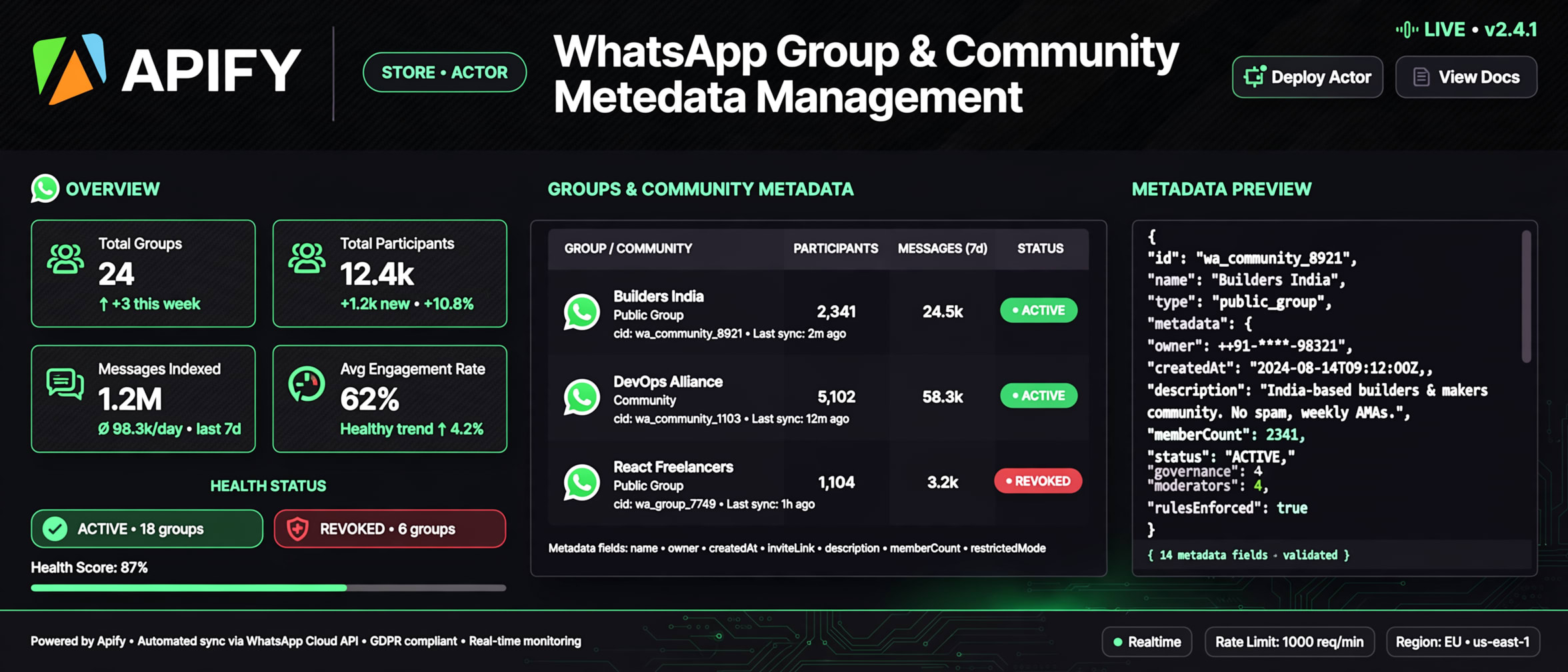
Zero-auth HTTP inspector for WhatsApp group and community invite links, real-time health checks, and metadata extraction.
100% Zero-Auth HTTP · Sub-100ms request latency · Community hierarchy detection · Zero ban risk



### Why this Actor?
Auditing WhatsApp invite links typically requires connecting a WhatsApp account, scanning QR codes, or running slow, heavy headless browsers (1–2 GB RAM) that risk immediate account bans. This Actor operates via a **100% Zero-Auth HTTP-First** protocol, executing on 256 MB RAM in sub-100ms per link.
| Feature | What you get |
|---|---|
| **100% Zero-Auth Operation** | No QR code, no phone number, and 0% risk of WhatsApp account bans. |
| **Deterministic 4-State Health Check** | Accurately identifies `ACTIVE`, `REVOKED`, `EXPIRED`, and `INVALID` links, bypassing Meta's universal HTTP 200 masking trap. |
| **Community Hierarchy Mapping** | Automatically classifies links into `GROUP`, `COMMUNITY`, or `SUBGROUP`, extracting linked parent community names. |
| **High-Resolution Avatar CDN Extraction** | Retrieves signed live `pps.whatsapp.net` profile images and flags generic placeholder icons. |
| **Direct Web Join Route** | Generates clean `webJoinUrl` direct routing links for instant WhatsApp Web navigation. |
| **Micro-Compute Performance** | Runs in 256 MB RAM at 10–20 links/sec, consuming only ~0.005 Compute Units per 1,000 links. |
| **SSRF & Abuse Guard** | Strict WHATWG URL parser protects against SSRF, internal intranet probing, and malformed inputs. |
| **Clean Tabular Output** | 100% buyer-facing CSV, JSON, and Excel export without internal debug or telemetry cruft. |
***
### Quick start
1. Open **WhatsApp Group and Community Metadata** on the Apify Console and click **Start**.
2. Paste one or more WhatsApp invite links into **WhatsApp Invite Links or Codes**.
3. Click **Save & Run**.
4. Download your structured results as **JSON**, **CSV**, or **Excel**.
```json
{
"inviteUrls": [
"https://chat.whatsapp.com/BDerNXvizvFCdfXXFYgQDM"
],
"maxConcurrency": 10
}
```
***
### How it works
```
Public WhatsApp Invite Links / Codes
│
▼
[SSRF & URL Normalizer] ── (Blocks invalid hosts & internal IPs)
│
▼
[Crawlee HTTP Engine] ── (Desktop Chrome header & TLS emulation)
│
▼
[Cheerio DOM Parser] ── (OpenGraph + DOM + Health state matrix)
│
▼
[Dataset Streamer] ── (Clean, flattened buyer records to CSV/JSON)
```
1. **Input Normalization:** Accepts full invite links (`chat.whatsapp.com/invite/:code`), short links (`chat.whatsapp.com/:code`), or bare 22-character invite codes.
2. **Edge Inspection:** Queries Meta's edge servers with desktop Chrome headers, receiving the exact server-side rendered HTML landing page in <100ms.
3. **Health State Classifier:** Checks OpenGraph title and DOM tags. If Meta renders an empty subject with a placeholder icon, the Actor flags the link as `REVOKED` or `EXPIRED`.
4. **Dataset Emission:** Results are streamed directly to the default Apify Dataset in memory-safe batches.
***
### Input
| Field | Type | Required | Default | Description |
|---|---|---|---|---|
| `inviteUrls` | Array of strings | **Yes** | `["https://chat.whatsapp.com/BDerNXvizvFCdfXXFYgQDM"]` | List of WhatsApp invite URLs or bare invite codes. |
| `maxConcurrency` | Integer | No | `10` | Maximum simultaneous HTTP requests (1–50). |
| `proxyConfiguration` | Object | No | `{"useApifyProxy": false}` | Optional Apify Datacenter or Residential proxy configuration. |
| `exportRawHtml` | Boolean | No | `false` | Include raw HTML landing page in output for forensic auditing. |
#### Complete Input Example
```json
{
"inviteUrls": [
"https://chat.whatsapp.com/BDerNXvizvFCdfXXFYgQDM",
"https://chat.whatsapp.com/invite/BDerNXvizvFCdfXXFYgQDM",
"https://chat.whatsapp.com/AAAAAAAAAAAAAAAAAAAAAA"
],
"maxConcurrency": 10,
"exportRawHtml": false
}
```
***
### Output
Every record pushed to the default dataset contains clean, buyer-facing fields:
```json
{
"inviteCode": "BDerNXvizvFCdfXXFYgQDM",
"targetUrl": "https://chat.whatsapp.com/BDerNXvizvFCdfXXFYgQDM",
"status": "ACTIVE",
"groupType": "SUBGROUP",
"name": "API Talk",
"parentCommunityName": "WhatsApp Business Community",
"avatarUrl": "https://pps.whatsapp.net/v/t61.24694-24/456180963_483725641355837_2804324104601370418_n.jpg?ccb=11-4&oh=01_Q5Aa5gFFu6t25maQyA3d579Mm2q41gZAhlhSJViknsLZ10G90A&oe=6AC00A64&_nc_sid=5e03e0&_nc_cat=111",
"hasCustomAvatar": true,
"webJoinUrl": "https://web.whatsapp.com/accept?code=BDerNXvizvFCdfXXFYgQDM&utm_campaign=wa_chat_v2",
"httpStatus": 200,
"responseLatencyMs": 909,
"checkedAt": "2026-09-22T20:30:30.826Z"
}
```
#### Dataset Field Descriptions
| Field | Type | Description |
|---|---|---|
| `inviteCode` | String | Extracted 20–24 character WhatsApp invite identifier. |
| `targetUrl` | String | Canonical URL inspected on Meta edge. |
| `status` | String | Health status: `ACTIVE`, `REVOKED`, `EXPIRED`, or `INVALID`. |
| `groupType` | String | Classification: `GROUP`, `COMMUNITY`, or `SUBGROUP`. |
| `name` | String | null | Group or Community title (null if revoked/invalid). |
| `parentCommunityName` | String | null | Name of the parent WhatsApp Community (if link belongs to a community). |
| `avatarUrl` | String | null | Direct URL to signed high-resolution avatar image on `pps.whatsapp.net`. |
| `hasCustomAvatar` | Boolean | `true` if group has a custom brand avatar; `false` if using generic placeholder. |
| `webJoinUrl` | String | null | Direct routing URL for opening group in WhatsApp Web. |
| `httpStatus` | Integer | HTTP response code returned by Meta edge server (usually 200). |
| `responseLatencyMs` | Integer | Round-trip request latency in milliseconds. |
| `checkedAt` | String | ISO-8601 timestamp of when the check was performed. |
***
### Cost, limits, proxy
- **Memory:** 256 MB Actor container limit.
- **Concurrency:** Up to 50 simultaneous HTTP requests (default: 10).
- **Compute Unit Efficiency:** ~0.005 CUs per 1,000 links (over 95% cheaper than browser-based scrapers).
- **Proxy Recommendations:**
- For small runs (<100 links): No proxy required (`useApifyProxy: false`).
- For large batch runs (>1,000 links): Use Apify Datacenter or Residential proxy groups to prevent edge rate limits.
***
### Recipes
#### Recipe 1: Single Group Link Verification
Verify a single link to check if it's active and extract its current branding:
```json
{
"inviteUrls": ["https://chat.whatsapp.com/BDerNXvizvFCdfXXFYgQDM"]
}
```
#### Recipe 2: Bulk Link Health Audit
Audit hundreds of links to purge dead/revoked invites from your database or community directory:
```json
{
"inviteUrls": [
"https://chat.whatsapp.com/BDerNXvizvFCdfXXFYgQDM",
"https://chat.whatsapp.com/AAAAAAAAAAAAAAAAAAAAAA",
"https://chat.whatsapp.com/invite/CDefGhIjKlMnOpQrStUvWx"
],
"maxConcurrency": 15
}
```
***
### Troubleshooting
| Symptom | Cause | Fix |
|---|---|---|
| `status: "REVOKED"` | The group admin reset or revoked the invite code. | The invite code is permanently inactive. Remove it from your directory. |
| `status: "INVALID"` | URL format is malformed or invite code length is invalid (<20 or >24 chars). | Verify the invite link syntax. |
| `httpStatus: 429` | WhatsApp edge rate limit reached on your IP. | Enable Apify Proxy in `proxyConfiguration` or lower `maxConcurrency`. |
| `name: null` | Link is revoked, expired, or group was deleted. | Normal behavior for inactive invite links. |
***
### FAQ
**Q: Does this Actor require my WhatsApp account or phone number?**\
A: No. This Actor is 100% Zero-Auth. It never asks for a phone number, API token, or QR code login.
**Q: Is there any risk of my WhatsApp account getting banned?**\
A: Absolutely zero. Because no account is connected, there is no account that could ever be banned.
**Q: Can this Actor scrape participant phone numbers or private messages?**\
A: No. Meta strictly protects participant rosters and message history behind end-to-end encryption and authentication. This Actor extracts only public landing page metadata (group name, community hierarchy, avatar, health status).
**Q: Can I run this Actor on a schedule?**\
A: Yes! You can use Apify's built-in scheduler to run this Actor daily or weekly to monitor invite link health automatically.
**Q: Can I copy or republish this Actor?**\
A: No. This Actor is proprietary software. You may run it on Apify, but you may not rebrand, copy, or republish it. See [LICENSE](./LICENSE).
***
### Limitations
- Public metadata inspection only. Does not join groups or read private chats.
- WhatsApp unauthenticated pages do not expose participant lists or member counts.
- Users are responsible for complying with WhatsApp Terms of Service and applicable data privacy regulations.
***
### Run it
Open the Actor on Apify Console and click **Start**.
***
### License
**Proprietary. All rights reserved.** Copyright (c) 2026 REXREUS.
You may run this Actor on Apify. You may not copy, rebrand, republish, or claim this Actor as your own. See [LICENSE](./LICENSE).
# Actor input Schema
## `inviteUrls` (type: `array`):
List of WhatsApp invite links (e.g., https://chat.whatsapp.com/invite/:code, https://chat.whatsapp.com/:code) or bare invite codes.
## `maxConcurrency` (type: `integer`):
Maximum number of simultaneous HTTP requests. Recommended: 5-15 to avoid edge throttling.
## `proxyConfiguration` (type: `object`):
Optional Apify proxy or custom proxies. Recommended for large batch scans.
## `exportRawHtml` (type: `boolean`):
Include full raw HTML landing page in the dataset output for forensic analysis.
## Actor input object example
```json
{
"inviteUrls": [
"https://chat.whatsapp.com/BDerNXvizvFCdfXXFYgQDM"
],
"maxConcurrency": 10,
"proxyConfiguration": {
"useApifyProxy": false
},
"exportRawHtml": false
}
```
# Actor output Schema
## `dataset` (type: `string`):
No description
# API
You can run this Actor programmatically using our API. Below are code examples in JavaScript, Python, and CLI, as well as the OpenAPI specification and MCP server setup.
## JavaScript example
```javascript
import { ApifyClient } from 'apify-client';
// Initialize the ApifyClient with your Apify API token
// Replace the '' with your token
const client = new ApifyClient({
token: '',
});
// Prepare Actor input
const input = {
"inviteUrls": [
"https://chat.whatsapp.com/BDerNXvizvFCdfXXFYgQDM"
]
};
// Run the Actor and wait for it to finish
const run = await client.actor("rexreus/whatsapp-group---community-metadata-management").call(input);
// Fetch and print Actor results from the run's dataset (if any)
console.log('Results from dataset');
console.log(`💾 Check your data here: https://console.apify.com/storage/datasets/${run.defaultDatasetId}`);
const { items } = await client.dataset(run.defaultDatasetId).listItems();
items.forEach((item) => {
console.dir(item);
});
// 📚 Want to learn more 📖? Go to → https://docs.apify.com/api/client/js/docs
```
## Python example
```python
from apify_client import ApifyClient
# Initialize the ApifyClient with your Apify API token
# Replace '' with your token.
client = ApifyClient("")
# Prepare the Actor input
run_input = { "inviteUrls": ["https://chat.whatsapp.com/BDerNXvizvFCdfXXFYgQDM"] }
# Run the Actor and wait for it to finish
run = client.actor("rexreus/whatsapp-group---community-metadata-management").call(run_input=run_input)
# Fetch and print Actor results from the run's dataset (if there are any)
print(f"💾 Check your data here: https://console.apify.com/storage/datasets/{run.default_dataset_id}")
for item in client.dataset(run.default_dataset_id).iterate_items():
print(item)
# 📚 Want to learn more 📖? Go to → https://docs.apify.com/api/client/python/docs/quick-start
```
## CLI example
```bash
echo '{
"inviteUrls": [
"https://chat.whatsapp.com/BDerNXvizvFCdfXXFYgQDM"
]
}' |
apify call rexreus/whatsapp-group---community-metadata-management --silent --output-dataset
```
## MCP server setup
```json
{
"mcpServers": {
"apify": {
"type": "http",
"url": "https://mcp.apify.com/?tools=fetch-actor-details,rexreus/whatsapp-group---community-metadata-management"
}
}
}
```
The hosted server signs you in with OAuth on first connect, so no API token belongs in this config. Clients without OAuth support can send an `Authorization: Bearer ` header instead, using a token from API & Integrations in Apify Console (https://console.apify.com/settings/integrations).
## OpenAPI specification
Download the OpenAPI definition: https://api.apify.com/v2/actors/kvQw8N2736C4SZZnS/builds/SC69eK8DfyopvMSFA/openapi.json