# YouTube Transcript Scraper (`rexreus/youtube-transcript-scraper`) Actor
Ultra-fast, lightweight YouTube transcript & subtitle scraper with AI/LLM-ready export, SRT, WebVTT, clean text filtering, and chapter segmentation.
- **URL**: https://apify.com/rexreus/youtube-transcript-scraper.md
- **Developed by:** [REXREUS D.O](https://apify.com/rexreus) (community)
- **Features:** Limited permissions
- **Stats:** 2 total users, 1 monthly users, 100.0% runs succeeded, 0 bookmarks
- **User rating**: No ratings yet
## Pricing
from $2.00 / 1,000 results
This Actor is paid per event. You are not charged for the Apify platform usage, but only a fixed price for specific events.
Learn more: https://docs.apify.com/actors/running/actors-in-store.md#pay-per-event
## What's an Apify Actor?
An Actor is a serverless cloud program that runs on the Apify platform. It has two run modes.
In Batch mode, an Actor accepts a well-defined JSON input, performs an action which can take anything from a few seconds to a few hours,
and optionally produces a well-defined JSON output, datasets with results, or files in key-value store.
In Standby mode, an Actor provides a web server which can be used as a website, API, or an MCP server.
Apify vocabulary and the platform model are defined once, in the agent quickstart at https://apify.com/agents.md.
## How to integrate an Actor?
If asked about integration, you help developers integrate Actors into their projects.
You adapt to their stack and deliver integrations that are safe, well-documented, and production-ready.
Do not guess an integration path. Every one of them is in the agent quickstart at https://apify.com/agents.md: the Apify MCP server, Agent Skills with the Apify CLI, the JavaScript and Python clients, the REST API, and the account-free path for an agent with no human to sign in. It also carries the rule on stating cost before the first paid run.
For examples already wired to this Actor's own input schema, see the [API](#api) section below.
Each client library has reference documentation the quickstart does not restate: [JavaScript/TypeScript](https://docs.apify.com/api/client/js/docs.md) (`npm install apify-client`) and [Python](https://docs.apify.com/api/client/python/docs.md) (`pip install apify-client`).
# README
YouTube Transcript Scraper
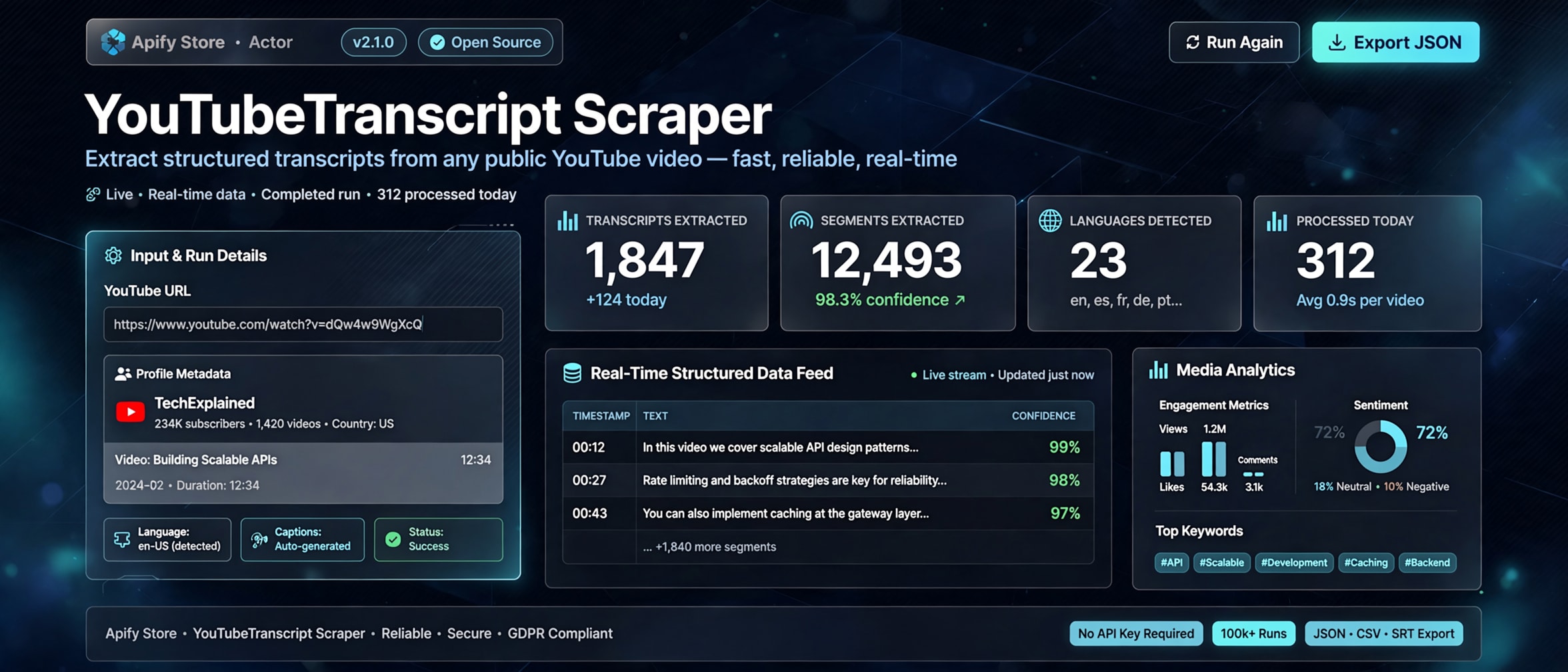
Ultra-fast, lightweight YouTube transcript & subtitle scraper with AI/LLM-ready export, SRT, WebVTT, clean text filtering, and chapter segmentation.
Direct HTTP Innertube & TimedText API · Zero Browser Overhead · 128 MB RAM Target



### Why this Actor?
| Feature | What you get |
|---|---|
| **Zero Browser Overhead** | Executes in 200–400ms per video using 128 MB – 256 MB RAM. 10x–50x cheaper than browser scrapers. |
| **Full Subtitle Suite** | Generates plain text, noise-cleaned prose, JSON timestamped segments, SRT, and WebVTT strings. |
| **Dual Storage Architecture** | Subtitles are saved to default Dataset AND uploaded as `.srt` and `.vtt` files in Key-Value Store with instant download links. |
| **AI/LLM-Ready Markdown** | Structures transcripts into chapter-divided Markdown blocks with estimated token counts for Claude & ChatGPT. |
| **Acoustic Noise Filter** | Automatically strips audio noise markers (`[Music]`, `[Applause]`, laughter) for clean LLM ingestion. |
| **Multi-Source Ingestion** | Ingest direct Video URLs, Shorts, Playlist URLs, Channel URLs, or YouTube Search Queries in bulk. |
| **Smart Language Fallback** | Tries preferred language, then any manual subtitle track, then auto-generated (ASR) captions. |
| **In-Transcript Keyword Search** | Filter videos or extract specific dialogue excerpts matching target keywords and phrases. |
### Quick start
1. Open **YouTube Transcript Scraper** on Apify Console and click **Start**.
2. Paste YouTube video URLs, a playlist link, channel URL, or search query.
3. Select your preferred subtitle languages and export options.
4. Download the dataset as JSON, CSV, or Excel, or copy direct `.srt`/`.vtt` file download links.
```json
{
"startUrls": [
{ "url": "https://www.youtube.com/watch?v=jNQXAC9IVRw" }
],
"preferredLanguages": ["en"],
"cleanNoise": true,
"formatMarkdown": true,
"saveSubtitlesToKvs": true
}
```
### How it works
```
[Input URLs / Playlists / Search]
│
▼
[Batch URL Normalizer]
│
▼
[Innertube Android Player API] ──► [Select Best Caption Track]
│ │
▼ ▼
[Extract Metadata] [TimedText JSON3 Fetcher]
│ │
▼ ▼
[Video Title & Chapters] [Segments & Noise Cleaner]
│ │
└───────────────┬────────────────┘
▼
[Formatters: Raw, Clean, SRT, VTT, Markdown]
│
▼
[Apify Dataset & Key-Value Store]
```
### Input
| Field | Type | Required | Default | Description |
|---|---|---|---|---|
| `startUrls` | Array | No | `[]` | YouTube video, playlist, or channel URLs. |
| `videoUrls` | Array | No | `["jNQXAC9IVRw"]` | Direct list of video URLs or 11-char video IDs. |
| `searchQueries` | Array | No | `[]` | Search terms to query on YouTube and extract transcripts from results. |
| `preferredLanguages` | Array | No | `["en"]` | Priority order of language codes (e.g. `["en", "es", "id"]`). |
| `fallbackToAnyLanguage`| Boolean | No | `true` | Fallback to any available language if preferred ones are missing. |
| `includeAutoGenerated`| Boolean | No | `true` | Include auto-generated (ASR) captions when manual captions are absent. |
| `cleanNoise` | Boolean | No | `true` | Strip noise tags like `[Music]` and `[Applause]`. |
| `formatMarkdown` | Boolean | No | `true` | Generate chapter-divided Markdown and estimated token counts. |
| `saveSubtitlesToKvs` | Boolean | No | `true` | Save `.srt` and `.vtt` files directly to Key-Value Store. |
| `searchKeywords` | Array | No | `[]` | Filter or slice segments matching target dialogue keywords. |
| `maxResults` | Integer | No | `50` | Maximum number of videos to process (1 to 10,000). |
| `proxyConfiguration` | Object | No | `{ "useApifyProxy": true }` | Apify Proxy settings. Recommended for large playlist scraping. |
### Output
Every scraped video produces a comprehensive dataset record:
```json
{
"videoId": "jNQXAC9IVRw",
"videoUrl": "https://www.youtube.com/watch?v=jNQXAC9IVRw",
"title": "Me at the zoo",
"channelTitle": "jawed",
"channelId": "UC4QobU6STFB0P71PMvOGN5A",
"duration": 19,
"uploadDate": null,
"viewCount": 440159594,
"language": "English",
"languageCode": "en",
"isAutoGenerated": false,
"transcript": "All right, so here we are, in front of the elephants the cool thing about these guys is that they have really, really, really long trunks and that's, that's cool. And that's pretty much all there is to say.",
"cleanTranscript": "All right, so here we are, in front of the elephants the cool thing about these guys is that they have really, really, really long trunks and that's, that's cool. And that's pretty much all there is to say.",
"srtUrl": "https://api.apify.com/v2/key-value-stores/.../records/jNQXAC9IVRw_en.srt",
"vttUrl": "https://api.apify.com/v2/key-value-stores/.../records/jNQXAC9IVRw_en.vtt",
"tokenCountEstimate": 68,
"segments": [
{ "start": 1.2, "duration": 2.16, "text": "All right, so here we are, in front of the elephants" },
{ "start": 5.318, "duration": 2.656, "text": "the cool thing about these guys is that they have really..." }
],
"chapters": null,
"status": "SUCCESS"
}
```
| Field | Type | Description |
|---|---|---|
| `videoId` | String | Canonical 11-character YouTube video ID. |
| `videoUrl` | String | Full canonical watch URL. |
| `title` | String | Video title extracted from player metadata. |
| `channelTitle` | String | Author or channel display name. |
| `duration` | Integer | Total length of the video in seconds. |
| `language` | String | Name of the extracted subtitle track. |
| `languageCode` | String | ISO language code of the extracted track. |
| `isAutoGenerated`| Boolean | True if speech recognition (ASR) caption, false if manual creator caption. |
| `transcript` | String | Continuous raw transcript text. |
| `cleanTranscript`| String | Prose transcript with acoustic noise markers stripped. |
| `srt` | String | Full SubRip (.srt) subtitle string. |
| `vtt` | String | Full WebVTT (.vtt) subtitle string. |
| `srtUrl` | String | Direct Key-Value Store download URL for the `.srt` file. |
| `vttUrl` | String | Direct Key-Value Store download URL for the `.vtt` file. |
| `markdown` | String | Structured Markdown formatted by chapters with `` boundaries. |
| `tokenCountEstimate`| Integer | Estimated token count for LLM context window planning. |
| `segments` | Array | Timestamped cues with `start`, `duration`, and `text`. |
| `status` | String | Execution result: `"SUCCESS"`, `"NO_TRANSCRIPT"`, or `"ERROR"`. |
### Cost, limits, proxy
- **Memory Target**: 128 MB – 256 MB RAM.
- **Concurrency**: 5 concurrent worker requests.
- **Throughput**: ~250–400ms per video. 1,000 videos take less than 45 seconds total wall time.
- **Compute Unit (CU) Consumption**: ~0.003 to 0.005 CU per 1,000 videos (<$0.0015 compute cost).
- **Proxy**: Direct HTTP works for moderate volumes. For thousands of videos or playlist scraping, enable Apify Proxy (`useApifyProxy: true`).
### Recipes
#### Recipe 1: Single Video with SRT/VTT Subtitle Download
Extract English subtitles and get direct `.srt` download links:
```json
{
"startUrls": [{ "url": "https://www.youtube.com/watch?v=dQw4w9WgXcQ" }],
"preferredLanguages": ["en"],
"saveSubtitlesToKvs": true
}
```
#### Recipe 2: AI/RAG Ingestion from Entire YouTube Playlist
Scrape up to 100 videos from a course or webinar playlist with clean noise filtering and token counts:
```json
{
"startUrls": [{ "url": "https://www.youtube.com/playlist?list=PLrAXtmErZgOdP_8GztsuKi9nrraNbKKp4" }],
"maxResults": 100,
"cleanNoise": true,
"formatMarkdown": true
}
```
#### Recipe 3: Brand & Keyword Monitoring via YouTube Search
Search YouTube for a topic and find which videos mention specific keywords in their dialogue:
```json
{
"searchQueries": ["artificial intelligence tutorial"],
"searchKeywords": ["neural network", "transformer", "deep learning"],
"maxResults": 25
}
```
### Troubleshooting
| Symptom | Cause | Fix |
|---|---|---|
| `status: "NO_TRANSCRIPT"` | The video does not have subtitles enabled or no captions exist in the requested language. | Set `fallbackToAnyLanguage: true` and `includeAutoGenerated: true` to capture ASR subtitles. |
| `status: "ERROR"` / Unavailable | The video is private, deleted, or region-restricted. | Verify the video is publicly playable in an incognito window. |
| Rate Limit (HTTP 429) | Target IP sent too many consecutive requests without pause. | Enable Apify Proxy (`useApifyProxy: true`) with residential groups. |
### FAQ
**Q: How does this Actor scrape transcripts so fast without browsers?**\
A: Instead of launching heavy Chromium instances to click the YouTube UI, this Actor interacts directly with YouTube's internal Innertube Player API and native TimedText endpoints via HTTP. It uses only 128–256 MB of RAM and takes ~300ms per video.
**Q: What is the difference between manual and auto-generated captions?**\
A: Manual captions are uploaded directly by the video creator with accurate grammar and punctuation. Auto-generated captions are transcribed by YouTube's speech recognition (ASR). This Actor prioritizes manual tracks first, automatically falling back to ASR if needed.
**Q: Can I download `.srt` and `.vtt` subtitle files directly?**\
A: Yes! When `saveSubtitlesToKvs` is enabled (default), the Actor stores formatted `.srt` and `.vtt` files in the Apify Key-Value Store and outputs public download URLs (`srtUrl`, `vttUrl`).
**Q: Can this Actor process YouTube Shorts and Playlists?**\
A: Yes. It natively normalizes standard watch URLs, Shorts (`/shorts/...`), embed links, playlist URLs (`list=...`), channel handles (`/@handle`), and search queries.
**Q: Can I copy or republish this Actor?**\
A: No. This Actor is proprietary software. You may run it on Apify under your account. You may not rebrand, republish, or claim authorship. See [LICENSE](./LICENSE).
### Limitations
- Only public YouTube videos and captions are accessible. Private, unlisted restricted, or member-only videos requiring account login cannot be scraped.
- YouTube may rate-limit high-volume scraping from single datacenter IPs; use Apify Residential Proxy for large-scale operations.
### Run it
Open **YouTube Transcript Scraper** on Apify Console and click **Start**.
### License
**Proprietary. All rights reserved.** Copyright (c) 2026 REXREUS.
You may run this Actor on Apify. You may not copy, rebrand, republish, or claim this Actor as your own. See [LICENSE](./LICENSE).
# Actor input Schema
## `startUrls` (type: `array`):
YouTube video, playlist, or channel URLs to scrape transcripts from.
## `videoUrls` (type: `array`):
Direct list of YouTube video URLs or 11-character video IDs.
## `searchQueries` (type: `array`):
Keywords to search on YouTube and extract transcripts from the top results.
## `preferredLanguages` (type: `array`):
List of language codes to attempt in priority order (e.g. \['en', 'id', 'es']).
## `fallbackToAnyLanguage` (type: `boolean`):
If preferred languages are unavailable, fall back to the first available manual or auto-generated transcript.
## `includeAutoGenerated` (type: `boolean`):
Allow automatic speech recognition (ASR) captions when manual subtitles are not provided by the creator.
## `cleanNoise` (type: `boolean`):
Strip sound effect tags like \[Music], \[Applause], and laughter to produce clean readable text.
## `formatMarkdown` (type: `boolean`):
Format transcript into chapter/time-blocked Markdown with estimated LLM tokens for ChatGPT/Claude.
## `saveSubtitlesToKvs` (type: `boolean`):
Persist .srt and .vtt subtitle files into Apify Key-Value Store and provide direct public download links.
## `searchKeywords` (type: `array`):
Filter or extract segments matching specific keywords within the spoken dialogue.
## `maxResults` (type: `integer`):
Maximum number of videos to process across all input sources.
## `proxyConfiguration` (type: `object`):
Apify Proxy configuration. Recommended for high-volume playlist and channel scraping.
## Actor input object example
```json
{
"startUrls": [
{
"url": "https://www.youtube.com/watch?v=jNQXAC9IVRw"
}
],
"videoUrls": [
"jNQXAC9IVRw"
],
"preferredLanguages": [
"en"
],
"fallbackToAnyLanguage": true,
"includeAutoGenerated": true,
"cleanNoise": true,
"formatMarkdown": true,
"saveSubtitlesToKvs": true,
"maxResults": 50,
"proxyConfiguration": {
"useApifyProxy": true
}
}
```
# Actor output Schema
## `dataset` (type: `string`):
No description
# API
You can run this Actor programmatically using our API. Below are code examples in JavaScript, Python, and CLI, as well as the OpenAPI specification and MCP server setup.
## JavaScript example
```javascript
import { ApifyClient } from 'apify-client';
// Initialize the ApifyClient with your Apify API token
// Replace the '' with your token
const client = new ApifyClient({
token: '',
});
// Prepare Actor input
const input = {
"startUrls": [
{
"url": "https://www.youtube.com/watch?v=jNQXAC9IVRw"
}
]
};
// Run the Actor and wait for it to finish
const run = await client.actor("rexreus/youtube-transcript-scraper").call(input);
// Fetch and print Actor results from the run's dataset (if any)
console.log('Results from dataset');
console.log(`💾 Check your data here: https://console.apify.com/storage/datasets/${run.defaultDatasetId}`);
const { items } = await client.dataset(run.defaultDatasetId).listItems();
items.forEach((item) => {
console.dir(item);
});
// 📚 Want to learn more 📖? Go to → https://docs.apify.com/api/client/js/docs
```
## Python example
```python
from apify_client import ApifyClient
# Initialize the ApifyClient with your Apify API token
# Replace '' with your token.
client = ApifyClient("")
# Prepare the Actor input
run_input = { "startUrls": [{ "url": "https://www.youtube.com/watch?v=jNQXAC9IVRw" }] }
# Run the Actor and wait for it to finish
run = client.actor("rexreus/youtube-transcript-scraper").call(run_input=run_input)
# Fetch and print Actor results from the run's dataset (if there are any)
print(f"💾 Check your data here: https://console.apify.com/storage/datasets/{run.default_dataset_id}")
for item in client.dataset(run.default_dataset_id).iterate_items():
print(item)
# 📚 Want to learn more 📖? Go to → https://docs.apify.com/api/client/python/docs/quick-start
```
## CLI example
```bash
echo '{
"startUrls": [
{
"url": "https://www.youtube.com/watch?v=jNQXAC9IVRw"
}
]
}' |
apify call rexreus/youtube-transcript-scraper --silent --output-dataset
```
## MCP server setup
```json
{
"mcpServers": {
"apify": {
"type": "http",
"url": "https://mcp.apify.com/?tools=fetch-actor-details,rexreus/youtube-transcript-scraper"
}
}
}
```
The hosted server signs you in with OAuth on first connect, so no API token belongs in this config. Clients without OAuth support can send an `Authorization: Bearer ` header instead, using a token from API & Integrations in Apify Console (https://console.apify.com/settings/integrations).
## OpenAPI specification
Download the OpenAPI definition: https://api.apify.com/v2/actors/HlsffgDkvhOnC8wCc/builds/9bcOr1XeraWsvHTJi/openapi.json