# YouTube Video & Channel Scraper (`rexreus/youtube-video-channel-scraper`) Actor
Extract YouTube video metadata, channel details, timed transcripts, and search results — at 75% lower cost than alternatives.
- **URL**: https://apify.com/rexreus/youtube-video-channel-scraper.md
- **Developed by:** [REXREUS D.O](https://apify.com/rexreus) (community)
- **Features:** Limited permissions
- **Stats:** 2 total users, 1 monthly users, 100.0% runs succeeded, 0 bookmarks
- **User rating**: No ratings yet
## Pricing
from $1.00 / 1,000 results
This Actor is paid per event. You are not charged for the Apify platform usage, but only a fixed price for specific events.
Learn more: https://docs.apify.com/actors/running/actors-in-store.md#pay-per-event
## What's an Apify Actor?
An Actor is a serverless cloud program that runs on the Apify platform. It has two run modes.
In Batch mode, an Actor accepts a well-defined JSON input, performs an action which can take anything from a few seconds to a few hours,
and optionally produces a well-defined JSON output, datasets with results, or files in key-value store.
In Standby mode, an Actor provides a web server which can be used as a website, API, or an MCP server.
Apify vocabulary and the platform model are defined once, in the agent quickstart at https://apify.com/agents.md.
## How to integrate an Actor?
If asked about integration, you help developers integrate Actors into their projects.
You adapt to their stack and deliver integrations that are safe, well-documented, and production-ready.
Do not guess an integration path. Every one of them is in the agent quickstart at https://apify.com/agents.md: the Apify MCP server, Agent Skills with the Apify CLI, the JavaScript and Python clients, the REST API, and the account-free path for an agent with no human to sign in. It also carries the rule on stating cost before the first paid run.
For examples already wired to this Actor's own input schema, see the [API](#api) section below.
Each client library has reference documentation the quickstart does not restate: [JavaScript/TypeScript](https://docs.apify.com/api/client/js/docs.md) (`npm install apify-client`) and [Python](https://docs.apify.com/api/client/python/docs.md) (`pip install apify-client`).
# README
YouTube Video & Channel Scraper
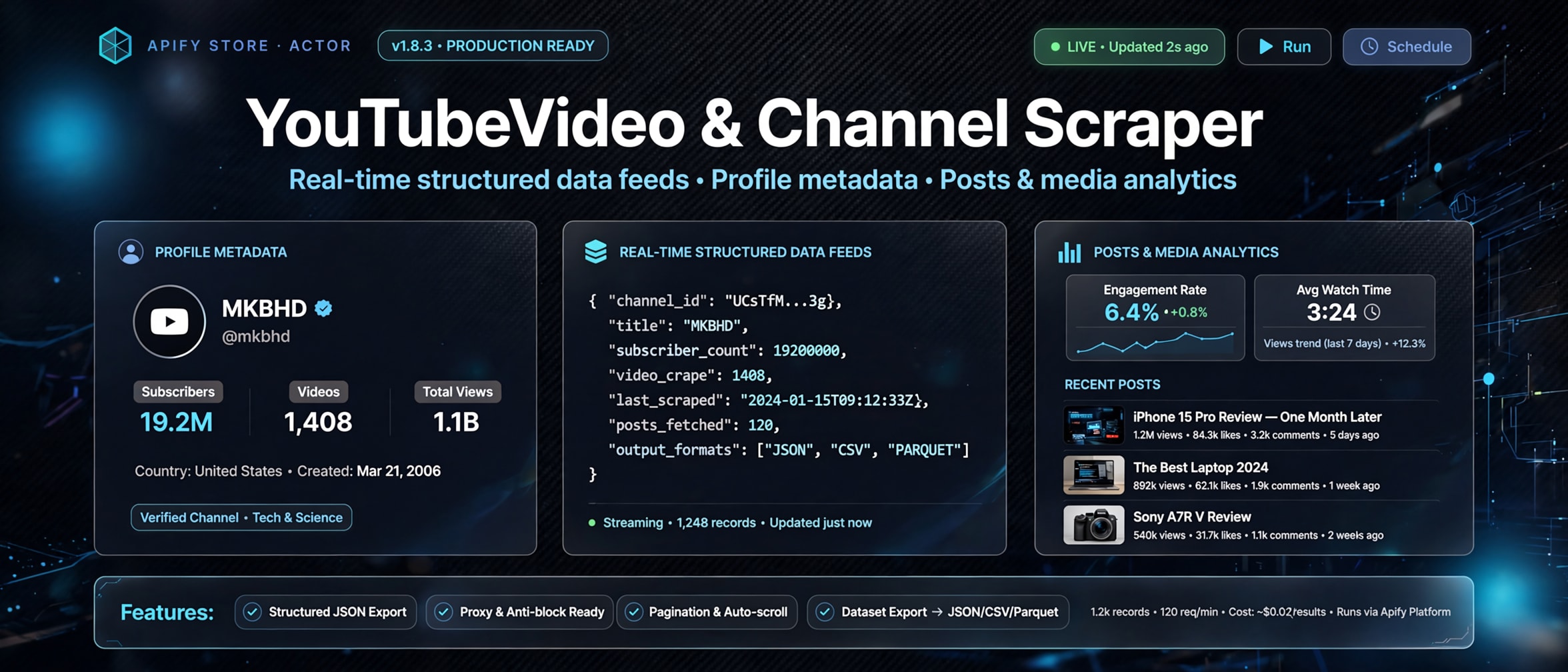
Extract YouTube video metadata, channel details, timed transcripts, and search results — at 75% lower cost than alternatives.
HTTP-first · Innertube API · No headless browsers · Pay Per Result ($1.00 / 1,000 items)




***
### Why This Actor?
| Capability | What You Get |
|---|---|
| **Video Metadata** | Title, views, duration, tags, description, publishedAt, thumbnails — from `/player` endpoint |
| **Channel Intelligence** | Subscribers, total views, total videos, avatar, banner, handle, country |
| **Channel Tabs** | Full Videos, Shorts, and Playlists feeds with pagination |
| **Native Timed Transcripts** | JSON3 timed captions → readable text + timestamps. No ASR cost. |
| **Search Results** | Keyword search scraping with view counts, durations, and channel info |
| **Auto URL Detection** | Handles video URLs, @handle, /channel/UC..., playlist, and search queries |
| **Proxy Integration** | Apify Proxy (Residential/Datacenter) with exponential backoff |
| **Clean Flat Schema** | Buyer-first fields. No raw API dump. CSV / Excel ready. |
***
### 🚀 Quick Start
1. Open this Actor in [Apify Console](https://console.apify.com).
2. Add YouTube URLs under **Start URLs** — paste any video, channel, or @handle URL.
3. (Optional) Add **Search Queries** to scrape keyword results.
4. Set **Max Items** and enable **Include Transcripts** if needed.
5. Click **Start** and download results as JSON, CSV, or Excel.
**Minimal input JSON:**
```json
{
"startUrls": [
{ "url": "https://www.youtube.com/watch?v=dQw4w9WgXcQ" },
{ "url": "https://www.youtube.com/@RickAstleyYT" }
],
"maxItems": 50,
"includeTranscript": false
}
```
***
### How It Works
1. Input URLs and queries are validated (YouTube domains only — SSRF-safe).
2. Actor auto-detects URL type: **video**, **channel**, **@handle**, **playlist**, or **search**.
3. Video data is fetched via Innertube `/player` POST endpoint (no browser needed).
4. Channel data is fetched via `/browse` with tab params for Videos, Shorts, and Playlists.
5. (Optional) Transcripts are fetched from `captionTracks[].baseUrl` as JSON3 timed text.
6. Search queries hit `/search` POST endpoint with continuation token pagination.
7. All results are normalized to a flat schema and pushed to the Apify dataset.
***
### Input
**Full input options:**
```json
{
"startUrls": [
{ "url": "https://www.youtube.com/watch?v=dQw4w9WgXcQ" },
{ "url": "https://www.youtube.com/@RickAstleyYT" },
{ "url": "https://www.youtube.com/channel/UCuAXFkgsw1L7xaCfnd5JJOw" }
],
"searchQueries": ["apify web scraping", "javascript tutorial 2025"],
"maxItems": 200,
"maxVideosPerChannel": 100,
"channelTabs": ["videos", "shorts", "playlists"],
"includeTranscript": true,
"transcriptLanguage": "en",
"proxyConfiguration": {
"useApifyProxy": true,
"apifyProxyGroups": ["RESIDENTIAL"]
}
}
```
| Field | Type | Default | Description |
|---|---|---|---|
| `startUrls` | URL list | — | YouTube video, channel, @handle, or playlist URLs |
| `searchQueries` | String list | `[]` | YouTube keyword search terms |
| `maxItems` | Integer | `50` | Max total items across all sources |
| `maxVideosPerChannel` | Integer | `50` | Max videos per channel tab |
| `channelTabs` | Array | `["videos"]` | Which channel tabs: `videos`, `shorts`, `playlists` |
| `includeTranscript` | Boolean | `false` | Fetch native timed transcript for each video |
| `transcriptLanguage` | String | `"en"` | Transcript language code (e.g. `"en"`, `"id"`, `"es"`) |
| `proxyConfiguration` | Object | disabled | Apify Proxy config — Residential recommended for large runs |
***
### Output
**Example video item:**
```json
{
"type": "video",
"videoId": "dQw4w9WgXcQ",
"title": "Rick Astley - Never Gonna Give You Up (Official Video) (4K Remaster)",
"channelId": "UCuAXFkgsw1L7xaCfnd5JJOw",
"channelTitle": "Rick Astley",
"viewCount": 1823368698,
"likeCount": null,
"durationSeconds": 213,
"publishedAt": "2009-10-24T23:57:33-07:00",
"description": "The official video for Never Gonna Give You Up...",
"tags": ["rick astley", "never gonna give you up", "rickroll"],
"thumbnailUrl": "https://i.ytimg.com/vi_webp/dQw4w9WgXcQ/maxresdefault.webp",
"transcript": null,
"transcriptText": null,
"httpStatus": 200,
"status": "SUCCESS"
}
```
**Output fields:**
| Field | Type | Description |
|---|---|---|
| `type` | `video` / `channel` / `search-result` | Item type |
| `videoId` | String | 11-character YouTube video ID |
| `title` | String | Video or channel title |
| `channelId` | String | YouTube channel ID (`UC...`) |
| `channelTitle` | String | Channel display name |
| `viewCount` | Integer | Total view count |
| `durationSeconds` | Integer | Video duration in seconds |
| `publishedAt` | String | ISO 8601 upload date |
| `description` | String | Full video description |
| `tags` | Array | YouTube video tags/keywords |
| `thumbnailUrl` | String | Highest-resolution thumbnail URL |
| `transcript` | Array | Timed segments `[{startMs, durationMs, text}]` |
| `transcriptText` | String | Full transcript as plain text |
| `httpStatus` | Integer | HTTP status code of the primary request |
| `status` | String | `SUCCESS` / `PARTIAL` / `NOT_FOUND` / `BLOCKED` / `ERROR` |
Export as **JSON**, **CSV**, or **Excel** from the Apify Console dataset tab.
***
### Cost, Limits & Proxy
| Scenario | Memory | Time | Proxy |
|---|---|---|---|
| 10 videos | 256 MB | ~5 sec | Optional |
| 100 channel videos | 256 MB | ~30 sec | Recommended |
| 1,000 search results | 256 MB | ~3 min | Recommended |
| Bulk scrape + transcripts | 256 MB | +10 sec/video | Residential |
**Pricing:** $1.00 per 1,000 items (Pay Per Result). 75% cheaper than `streamers/youtube-scraper` ($4.00/1k + $48/1k transcript minutes).
**No proxy needed for low volume.** Use Apify Residential proxies for high-volume runs (>1,000 items/hour) to prevent 429 rate-limiting.
***
### Recipes
**Scrape a single video with transcript:**
```json
{
"startUrls": [{ "url": "https://www.youtube.com/watch?v=dQw4w9WgXcQ" }],
"maxItems": 1,
"includeTranscript": true,
"transcriptLanguage": "en"
}
```
**Bulk channel scrape (all tabs):**
```json
{
"startUrls": [{ "url": "https://www.youtube.com/@MrBeast" }],
"channelTabs": ["videos", "shorts", "playlists"],
"maxItems": 500,
"maxVideosPerChannel": 200,
"proxyConfiguration": { "useApifyProxy": true }
}
```
**Multi-keyword search for AI training data:**
```json
{
"searchQueries": [
"machine learning tutorial 2025",
"LLM fine-tuning guide",
"python for data science"
],
"maxItems": 300,
"includeTranscript": true
}
```
***
### Troubleshooting
| Status | Cause | Fix |
|---|---|---|
| `BLOCKED` | YouTube rate-limited your IP | Enable Apify Proxy with Residential group |
| `NOT_FOUND` | Video/channel deleted or private | Verify URL — skip or exclude from inputs |
| `PARTIAL` | Some fields missing from response | Expected for some channel formats — core fields still present |
| `ERROR` | Network timeout or server error | Actor retries automatically 3 times |
| Empty dataset | No valid URLs or queries in input | Verify input includes at least one `startUrl` or `searchQuery` |
| No transcript | Video has no captions | Only videos with enabled captions return transcripts |
***
### FAQ
**Q: How much does this Actor cost?**\
A: $1.00 per 1,000 items (Pay Per Result). For 500 videos, that's $0.50. No monthly fees.
**Q: Can I scrape private videos or channels?**\
A: No. Only public YouTube content is accessible. The Actor does not use authentication.
**Q: Is this against YouTube's Terms of Service?**\
A: This Actor scrapes publicly available data using YouTube's own Innertube API — the same data your browser loads. It does not download copyrighted video files or access private data.
**Q: Why are some channel fields null?**\
A: YouTube changes its response format periodically. The Actor degrades gracefully with `status: PARTIAL` — the `channelId` and `channelTitle` are always present.
**Q: Can I get transcripts in languages other than English?**\
A: Yes — set `transcriptLanguage` to any BCP-47 code (e.g. `"id"`, `"es"`, `"de"`). Falls back to auto-generated captions if the selected language is unavailable.
**Q: How fast is this Actor?**\
A: ~500-800ms per video (HTTP-only, no browser). Channel feeds with 100 videos take ~30 seconds. Much faster than browser-based alternatives.
**Q: Can I schedule this Actor to run automatically?**\
A: Yes — use Apify Schedules in the Console to run it on a cron schedule.
***
### Run Now
▶️ [Open in Apify Console](https://console.apify.com)
***
### License
Copyright (c) 2026 REXREUS. All rights reserved.
This Actor is proprietary software. See [LICENSE](LICENSE) for full terms.\
No republishing, rebranding, or redistribution permitted without written consent.
# Actor input Schema
## `startUrls` (type: `array`):
List of YouTube video URLs, channel URLs (@handle, /channel/UC...), or playlist URLs to scrape.
## `searchQueries` (type: `array`):
List of YouTube search keywords to scrape results for.
## `maxItems` (type: `integer`):
Maximum total number of dataset items to push across all sources.
## `maxVideosPerChannel` (type: `integer`):
Maximum number of videos to scrape per channel tab.
## `channelTabs` (type: `array`):
Which channel tabs to include when scraping a channel.
## `includeTranscript` (type: `boolean`):
If enabled, fetches timed transcripts/captions for each video. Adds time per video.
## `transcriptLanguage` (type: `string`):
Language code for transcript extraction (e.g. 'en', 'id', 'es'). Falls back to auto-generated if not available.
## `proxyConfiguration` (type: `object`):
Apify Proxy configuration. Residential proxies recommended for high-volume runs.
## Actor input object example
```json
{
"startUrls": [
{
"url": "https://www.youtube.com/watch?v=dQw4w9WgXcQ"
},
{
"url": "https://www.youtube.com/@RickAstleyYT"
}
],
"searchQueries": [],
"maxItems": 50,
"maxVideosPerChannel": 50,
"channelTabs": [
"videos"
],
"includeTranscript": false,
"transcriptLanguage": "en",
"proxyConfiguration": {
"useApifyProxy": false
}
}
```
# Actor output Schema
## `dataset` (type: `string`):
No description
# API
You can run this Actor programmatically using our API. Below are code examples in JavaScript, Python, and CLI, as well as the OpenAPI specification and MCP server setup.
## JavaScript example
```javascript
import { ApifyClient } from 'apify-client';
// Initialize the ApifyClient with your Apify API token
// Replace the '' with your token
const client = new ApifyClient({
token: '',
});
// Prepare Actor input
const input = {
"startUrls": [
{
"url": "https://www.youtube.com/watch?v=dQw4w9WgXcQ"
},
{
"url": "https://www.youtube.com/@RickAstleyYT"
}
]
};
// Run the Actor and wait for it to finish
const run = await client.actor("rexreus/youtube-video-channel-scraper").call(input);
// Fetch and print Actor results from the run's dataset (if any)
console.log('Results from dataset');
console.log(`💾 Check your data here: https://console.apify.com/storage/datasets/${run.defaultDatasetId}`);
const { items } = await client.dataset(run.defaultDatasetId).listItems();
items.forEach((item) => {
console.dir(item);
});
// 📚 Want to learn more 📖? Go to → https://docs.apify.com/api/client/js/docs
```
## Python example
```python
from apify_client import ApifyClient
# Initialize the ApifyClient with your Apify API token
# Replace '' with your token.
client = ApifyClient("")
# Prepare the Actor input
run_input = { "startUrls": [
{ "url": "https://www.youtube.com/watch?v=dQw4w9WgXcQ" },
{ "url": "https://www.youtube.com/@RickAstleyYT" },
] }
# Run the Actor and wait for it to finish
run = client.actor("rexreus/youtube-video-channel-scraper").call(run_input=run_input)
# Fetch and print Actor results from the run's dataset (if there are any)
print(f"💾 Check your data here: https://console.apify.com/storage/datasets/{run.default_dataset_id}")
for item in client.dataset(run.default_dataset_id).iterate_items():
print(item)
# 📚 Want to learn more 📖? Go to → https://docs.apify.com/api/client/python/docs/quick-start
```
## CLI example
```bash
echo '{
"startUrls": [
{
"url": "https://www.youtube.com/watch?v=dQw4w9WgXcQ"
},
{
"url": "https://www.youtube.com/@RickAstleyYT"
}
]
}' |
apify call rexreus/youtube-video-channel-scraper --silent --output-dataset
```
## MCP server setup
```json
{
"mcpServers": {
"apify": {
"type": "http",
"url": "https://mcp.apify.com/?tools=fetch-actor-details,rexreus/youtube-video-channel-scraper"
}
}
}
```
The hosted server signs you in with OAuth on first connect, so no API token belongs in this config. Clients without OAuth support can send an `Authorization: Bearer ` header instead, using a token from API & Integrations in Apify Console (https://console.apify.com/settings/integrations).
## OpenAPI specification
Download the OpenAPI definition: https://api.apify.com/v2/actors/QkPNVNPJ6InD6hosr/builds/m9GoBgp95MBPiwak4/openapi.json