# Google Maps Reviews Tracker: Check Removed & Edited Reviews (`unitbytes/google-maps-reviews-tracker`) Actor
Track status of specific Google Maps review URLs: verify deleted reviews, confirm removal of reported fake reviews, detect star rating drops, and track owner replies. Fast pure HTTP.
- **URL**: https://apify.com/unitbytes/google-maps-reviews-tracker.md
- **Developed by:** [UnitBytes | Enterprise Web Data](https://apify.com/unitbytes) (community)
- **Categories:** SEO tools, Marketing, Automation
- **Stats:** 10 total users, 1 monthly users, 94.6% runs succeeded, 2 bookmarks
- **User rating**: No ratings yet
## Pricing
from $1.20 / 1,000 results
This Actor is paid per event. You are not charged for the Apify platform usage, but only a fixed price for specific events.
Since this Actor supports Apify Store discounts, the price gets lower the higher subscription plan you have.
Learn more: https://docs.apify.com/actors/running/actors-in-store.md#pay-per-event
## What's an Apify Actor?
An Actor is a serverless cloud program that runs on the Apify platform. It has two run modes.
In Batch mode, an Actor accepts a well-defined JSON input, performs an action which can take anything from a few seconds to a few hours,
and optionally produces a well-defined JSON output, datasets with results, or files in key-value store.
In Standby mode, an Actor provides a web server which can be used as a website, API, or an MCP server.
Apify vocabulary and the platform model are defined once, in the agent quickstart at https://apify.com/agents.md.
## How to integrate an Actor?
If asked about integration, you help developers integrate Actors into their projects.
You adapt to their stack and deliver integrations that are safe, well-documented, and production-ready.
Do not guess an integration path. Every one of them is in the agent quickstart at https://apify.com/agents.md: the Apify MCP server, Agent Skills with the Apify CLI, the JavaScript and Python clients, the REST API, and the account-free path for an agent with no human to sign in. It also carries the rule on stating cost before the first paid run.
For examples already wired to this Actor's own input schema, see the [API](#api) section below.
Each client library has reference documentation the quickstart does not restate: [JavaScript/TypeScript](https://docs.apify.com/api/client/js/docs.md) (`npm install apify-client`) and [Python](https://docs.apify.com/api/client/python/docs.md) (`pip install apify-client`).
# README
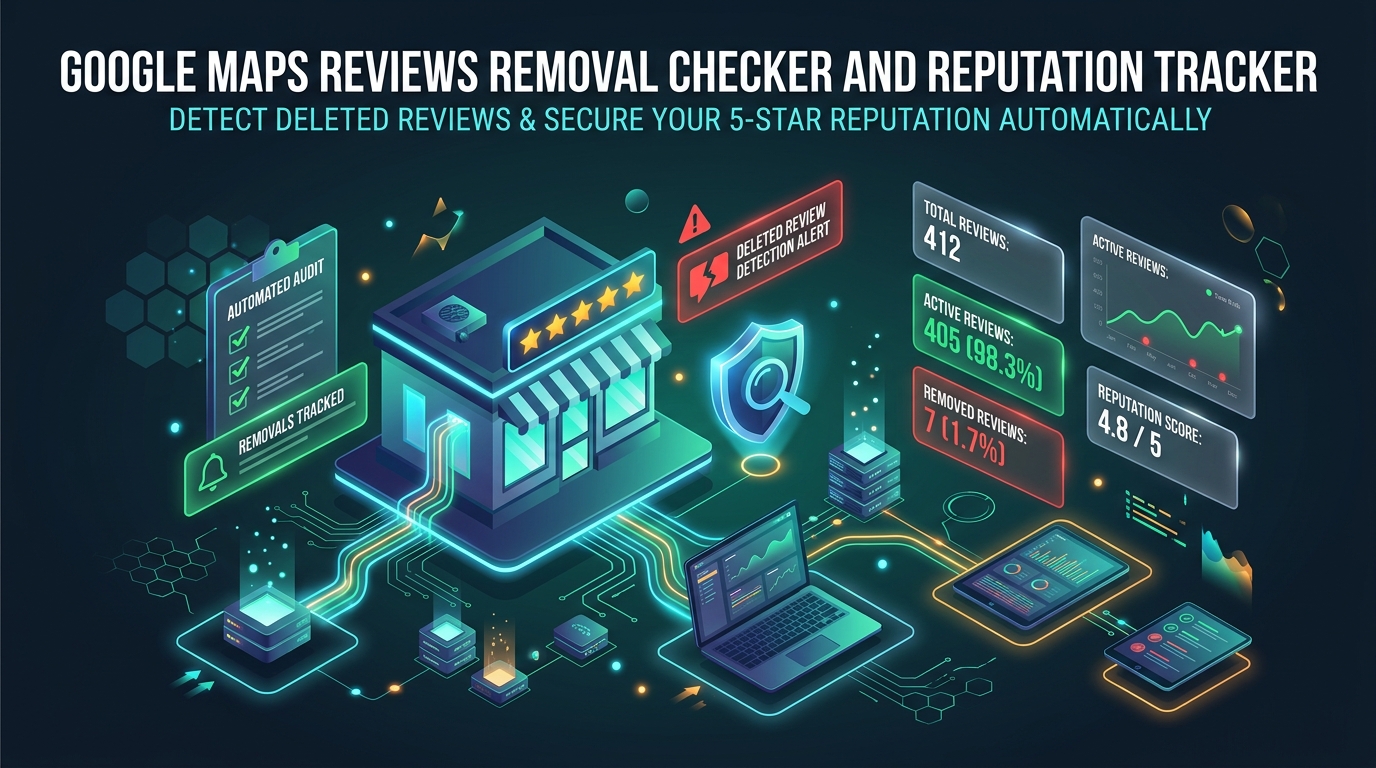
## 🔍 Google Review Removal Checker, Change Tracker & Extractor
**Did Google delete your client's 5-star review? Find out instantly.**
The only tool on Apify that checks whether a **specific** Google Maps review has been removed, hidden, or is still live — and extracts the full review data in the process.
No headless browsers. No Playwright. No Puppeteer. Just pure HTTP requests that are **10x faster** and **10x cheaper** than any browser-based scraper.
***
### ❓ What Problem Does This Solve?
Google silently removes reviews all the time — sometimes legitimate ones. If you manage Google Business Profiles for clients, you need to know:
- **Was that 5-star review deleted?** Detect when Google's algorithm flags a legitimate review as spam.
- **Did the negative review finally disappear?** After reporting a fake or policy-violating review, confirm it was actually taken down.
- **Did a reviewer change their rating or text?** Compare extracted data between runs to catch when a 1-star review gets updated to 3 stars, or when review text is edited.
- **Are my client's reviews still live?** Run periodic sweeps to catch unexpected deletions before your client notices.
**Unlike every other Google Reviews scraper on Apify**, this Actor doesn't scrape *all* reviews from a business page. Instead, it takes a list of **specific review URLs** and tells you the exact status of each one: `ACTIVE`, `REMOVED`, `UNSUPPORTED`, or `UNKNOWN`.
***
### 🎯 Who Is This For?
#### 🏢 Reputation Management Agencies
You reported a fake 1-star review to Google weeks ago. Did they actually remove it? Stop manually checking — feed your reported review URLs into this Actor and get instant confirmation. Automate it on a schedule and never miss a removal again.
#### 📈 Local SEO Professionals
Google's review filter sometimes removes legitimate reviews during algorithm updates. Monitor your client's most important reviews to catch false-positive deletions early so you can appeal immediately.
#### 🏪 Multi-Location Business Owners
Track reviews across dozens or hundreds of Google Business Profiles. Set up a weekly scheduled run to verify that critical reviews (positive or negative) haven't disappeared overnight.
#### 🕵️ Competitive Intelligence Teams
Monitor a competitor's suspicious 5-star reviews to see if Google's spam detection eventually catches them. Track the lifecycle of reviews that look fake or incentivized.
#### 📊 Review Monitoring SaaS Platforms
Build review status monitoring into your product. Use this Actor's API to power real-time dashboards that alert clients when reviews change status.
#### ⚖️ Legal & Compliance Teams
Need proof that a defamatory review was removed after a takedown request? This Actor provides timestamped verification with full review metadata.
#### 🔄 Review Change Detection
A disgruntled customer updated their 1-star review to 3 stars after you resolved the issue — but did the text change too? Schedule periodic runs and compare the extracted star ratings, review text, and owner replies against your stored data to detect any edits automatically.
***
### ⚡ Why This Actor Over Others?
| Feature | This Actor | Browser-Based Scrapers |
|---|---|---|
| **Speed** | 50-100 reviews/minute | 5-10 reviews/minute |
| **Cost** | Fractions of a cent per run | 10-50x more expensive |
| **Checks specific review URLs** | ✅ Yes | ❌ No (scrape all reviews) |
| **Detects removed reviews** | ✅ `REMOVED` status | ❌ No way to tell |
| **Extracts full review data** | ✅ Stars, text, replies, dates | ⚠️ Varies |
| **Handles server errors safely** | ✅ Returns `UNKNOWN` | ❌ Crashes or gives false results |
| **Auto-retries on CAPTCHA/403** | ✅ Smart proxy rotation | ❌ Manual intervention |
| **Survives Apify restarts** | ✅ Resumes from checkpoint | ❌ Starts over |
***
### 🔗 Supported URL Formats
Paste any of these URL types and the Actor handles everything automatically:
1. **Review Data URLs** — `/maps/reviews/data=...`
The direct permalink to a specific review on a business profile.
2. **Contributor Profile URLs** — `/maps/contrib/.../place/...`
The link to a review from a user's public contribution page.
3. **Share Shortlinks** — `maps.app.goo.gl/...`
The shortlink generated by the Google Maps app's "Share" button.
#### 🚫 Unsupported URL Formats (Fails Fast)
To save your run credits and prevent confusion, the Actor explicitly rejects these non-review links immediately with a clear error message:
- **Google Search "All Reviews" Links** (`google.com/search?...#lrd=...`) — These point to a business's general reviews panel, not a specific review.
- **Google Business Profile dashboard links** (`business.google.com/...`) — Requires merchant login and cannot be accessed publicly.
- **"Write a review" prompt links** (`g.page/r/.../review`, `writereview`) — These are solicitations for *new* reviews, not permalinks to existing ones.
- **General contributor profile links** (`/maps/contrib/.../reviews`) — These link to a user's entire profile without targeting a specific review to verify.
***
### 📊 Output Fields
For every URL you provide, the Actor returns a rich JSON object:
| Field | Type | Description |
|---|---|---|
| `url` | string | The review URL that was checked |
| `status` | string | `"ACTIVE"` = review is live, `"REMOVED"` = deleted/hidden, `"UNSUPPORTED"` = invalid link format, `"UNKNOWN"` = server error occurred |
| `reviewer_name` | string | null | The public name of the reviewer |
| `review_stars` | integer | null | Star rating (1 to 5) |
| `review_text` | string | null | Full review text (auto-translated to English if needed) |
| `review_text_original` | string | null | Original text before translation |
| `review_date` | string | null | Relative date posted (e.g. "3 months ago") |
| `review_language` | string | null | Detected language code (e.g. "es", "en") |
| `business_name` | string | null | Name of the Google Business Profile |
| `business_address` | string | null | Full address of the business |
| `owner_reply` | string | null | The business owner's response text |
| `owner_reply_date` | string | null | Relative date of the owner's reply |
| `text_snippet` | string | null | Human-readable summary of what happened |
| `error` | string | null | Error details (only if `status` is `"UNKNOWN"`) |
| `timestamp` | string | ISO 8601 timestamp of when the check was performed |
#### Example Output (Active Review)
```json
{
"url": "https://www.google.com/maps/contrib/114972551601633519894/place/...",
"status": "ACTIVE",
"reviewer_name": "John Doe",
"review_stars": 5,
"review_text": "This place has amazing coffee and great service!",
"review_text_original": null,
"review_date": "3 months ago",
"review_language": "en",
"business_name": "Awesome Cafe",
"business_address": "123 Main St, City, ST 12345, United States",
"owner_reply": "Thank you for the kind words!",
"owner_reply_date": "3 months ago",
"text_snippet": "This place has amazing coffee and great service!",
"error": null,
"timestamp": "2024-05-15T14:32:01.123456+00:00"
}
```
#### Example Output (Removed Review)
```json
{
"url": "https://www.google.com/maps/reviews/data=!4m8!14m7...",
"status": "REMOVED",
"reviewer_name": null,
"review_stars": null,
"review_text": null,
"review_text_original": null,
"review_date": null,
"review_language": null,
"business_name": "STG Auto Group of Montclair",
"business_address": "10477 Central Ave, Montclair, CA 91763, United States",
"owner_reply": null,
"owner_reply_date": null,
"text_snippet": "Review block missing from RPC data. Review removed.",
"error": null,
"timestamp": "2024-05-15T14:32:05.789012+00:00"
}
```
#### Example Output (Unsupported Link)
```json
{
"url": "https://www.google.com/search?q=McDonalds+NYC#lrd=0x89c25a177d4bf5db:0x84e51f23e8c0a75c,1,,,",
"status": "UNSUPPORTED",
"reviewer_name": null,
"review_stars": null,
"review_text": null,
"review_text_original": null,
"review_date": null,
"review_language": null,
"business_name": null,
"business_address": null,
"owner_reply": null,
"owner_reply_date": null,
"text_snippet": "This is a Google Search 'All Reviews' link (lrd). It does not contain a specific review ID. Please provide a direct review permalink (/maps/reviews/data=) or contributor link (/maps/contrib/...).",
"error": null,
"timestamp": "2024-05-15T14:32:06.123456+00:00"
}
```
***
### 💡 Common Workflows
#### 1. One-Time Bulk Check
Paste hundreds of review URLs into the input and run once to get a full status report. Export the results as CSV, JSON, or Excel.
#### 2. Scheduled Monitoring
Set up an Apify Schedule to run the Actor daily or weekly. Combine with Apify's webhook integrations to get Slack, email, or API notifications when a review status changes from `ACTIVE` to `REMOVED`.
#### 3. API Integration
Call this Actor programmatically via the [Apify API](https://docs.apify.com/api/v2) to integrate review monitoring directly into your existing CRM, dashboard, or SaaS product.
```python
from apify_client import ApifyClient
client = ApifyClient("YOUR_API_TOKEN")
run = client.actor("unitbytes/google-maps-reviews-tracker").call(run_input={
"reviewsToCheck": [
"https://www.google.com/maps/contrib/114972551601633519894/place/...",
"https://www.google.com/maps/reviews/data=!4m8!14m7..."
]
})
for item in client.dataset(run["defaultDatasetId"]).iterate_items():
if item["status"] == "REMOVED":
print(f"⚠️ Review removed: {item['url']}")
```
***
### 📈 Performance & Cost
Because this Actor uses pure HTTP requests instead of headless browsers:
- **Speed:** 50-100 reviews per minute (depending on proxy speed and concurrency settings)
- **Cost:** Fractions of a cent per run. A standard $5/month Apify plan can handle tens of thousands of review checks.
- **Memory:** Runs on minimal memory (256MB). No browser overhead.
***
### 🛡️ Reliability & Error Handling
- **403/Rate Limits:** Automatically retries with exponential backoff, then rotates to a fresh proxy IP.
- **500/Server Errors:** Retries up to 3 times, then safely returns `status: "UNKNOWN"` with the error details — never a false `REMOVED`.
- **Apify Restarts/Aborts:** Checkpoints progress to Key-Value Store. Restarted runs resume exactly where they left off without re-checking already processed URLs.
***
### 👨💻 Support & Maintenance
This Actor is actively maintained by an expert scraping team. If Google changes their API structures, we patch the Actor within 24-48 hours. For bugs or feature requests, use the **Issues** tab.
***
#### 🔍 Search Keywords
*Google review removal checker, check if Google review was deleted, Google Maps review tracker, monitor Google reviews, track deleted Google reviews, Google review status checker, Google Business Profile review monitor, reputation management tool, fake review detection, detect removed Google reviews, Google review scraper, verify Google review status, Google Maps contributor scraper, review removal verification, local SEO review tracking, Google review API, bulk review status check, review monitoring automation, check Google review still active, Google review disappeared, missing Google reviews, Google review filter detection, appeal removed Google review, review takedown verification, negative review removal tracker, Google review changed stars, detect review text edit, review star rating changed, monitor review updates, Google review edit detection, track review modifications, review content changed, owner reply tracker*
***
### 💬 Enterprise Support & Custom Pipelines
Need custom web data feeds, high-frequency scheduled runs, private cluster deployments, or dedicated SLAs?
- 📧 **Direct Email**:
- 🌐 **Enterprise Platform**:
- 💡 **Data Engine Specs & Live Docs**:
# Actor input Schema
## `reviewsToCheck` (type: `array`):
Paste your Google Maps review URLs here.
**Supported formats:**
• Direct review permalinks (`/maps/reviews/data=...`)
• Contributor review links (`/maps/contrib/[USER_ID]/place/[PLACE_ID]`)
• Share shortlinks (`maps.app.goo.gl/...`)
**NOT supported (will return a clear error):**
• Google Search review links with `lrd=` parameter — no specific review targeted
• Google Business Profile dashboard links (`business.google.com/...`) — requires merchant login
• 'Write a review' prompt links (`g.page/r/.../review`, `writereview`) — not a review permalink
• General contributor profile links (`/maps/contrib/[USER_ID]/reviews`) — no specific review targeted
## `proxyConfiguration` (type: `object`):
Select the proxies to use. Google actively blocks datacenter IPs, so **Apify Residential Proxies** are highly recommended for this Actor.
## `maxConcurrency` (type: `integer`):
How many reviews to check at the exact same time. Higher values are faster but require more stable proxies. (Default: 3)
## `maxProxyRetries` (type: `integer`):
How many times to automatically swap your proxy IP if Google temporarily blocks the request. Set to 5 or higher for maximum reliability.
## Actor input object example
```json
{
"reviewsToCheck": [
"https://maps.app.goo.gl/wSLNNUnwRAwg1T4W9",
"https://www.google.com/maps/reviews/@40.762244,-73.983757,17z/data=!3m1!4b1!4m6!14m5!1m4!2m3!1sCi9DQUlRQUNvZENodHljRjlvT2w5QkxXWkRRbmhyTkhwU1NXbDRUMUpJVUhSa1VXYxAB!2m1!1s0x0:0x36266aa626175152?entry=ttu"
],
"proxyConfiguration": {
"useApifyProxy": true
},
"maxConcurrency": 3,
"maxProxyRetries": 5
}
```
# Actor output Schema
## `results` (type: `string`):
No description
# API
You can run this Actor programmatically using our API. Below are code examples in JavaScript, Python, and CLI, as well as the OpenAPI specification and MCP server setup.
## JavaScript example
```javascript
import { ApifyClient } from 'apify-client';
// Initialize the ApifyClient with your Apify API token
// Replace the '' with your token
const client = new ApifyClient({
token: '',
});
// Prepare Actor input
const input = {
"reviewsToCheck": [
"https://maps.app.goo.gl/wSLNNUnwRAwg1T4W9",
"https://www.google.com/maps/reviews/@40.762244,-73.983757,17z/data=!3m1!4b1!4m6!14m5!1m4!2m3!1sCi9DQUlRQUNvZENodHljRjlvT2w5QkxXWkRRbmhyTkhwU1NXbDRUMUpJVUhSa1VXYxAB!2m1!1s0x0:0x36266aa626175152?entry=ttu"
],
"proxyConfiguration": {
"useApifyProxy": true
}
};
// Run the Actor and wait for it to finish
const run = await client.actor("unitbytes/google-maps-reviews-tracker").call(input);
// Fetch and print Actor results from the run's dataset (if any)
console.log('Results from dataset');
console.log(`💾 Check your data here: https://console.apify.com/storage/datasets/${run.defaultDatasetId}`);
const { items } = await client.dataset(run.defaultDatasetId).listItems();
items.forEach((item) => {
console.dir(item);
});
// 📚 Want to learn more 📖? Go to → https://docs.apify.com/api/client/js/docs
```
## Python example
```python
from apify_client import ApifyClient
# Initialize the ApifyClient with your Apify API token
# Replace '' with your token.
client = ApifyClient("")
# Prepare the Actor input
run_input = {
"reviewsToCheck": [
"https://maps.app.goo.gl/wSLNNUnwRAwg1T4W9",
"https://www.google.com/maps/reviews/@40.762244,-73.983757,17z/data=!3m1!4b1!4m6!14m5!1m4!2m3!1sCi9DQUlRQUNvZENodHljRjlvT2w5QkxXWkRRbmhyTkhwU1NXbDRUMUpJVUhSa1VXYxAB!2m1!1s0x0:0x36266aa626175152?entry=ttu",
],
"proxyConfiguration": { "useApifyProxy": True },
}
# Run the Actor and wait for it to finish
run = client.actor("unitbytes/google-maps-reviews-tracker").call(run_input=run_input)
# Fetch and print Actor results from the run's dataset (if there are any)
print(f"💾 Check your data here: https://console.apify.com/storage/datasets/{run.default_dataset_id}")
for item in client.dataset(run.default_dataset_id).iterate_items():
print(item)
# 📚 Want to learn more 📖? Go to → https://docs.apify.com/api/client/python/docs/quick-start
```
## CLI example
```bash
echo '{
"reviewsToCheck": [
"https://maps.app.goo.gl/wSLNNUnwRAwg1T4W9",
"https://www.google.com/maps/reviews/@40.762244,-73.983757,17z/data=!3m1!4b1!4m6!14m5!1m4!2m3!1sCi9DQUlRQUNvZENodHljRjlvT2w5QkxXWkRRbmhyTkhwU1NXbDRUMUpJVUhSa1VXYxAB!2m1!1s0x0:0x36266aa626175152?entry=ttu"
],
"proxyConfiguration": {
"useApifyProxy": true
}
}' |
apify call unitbytes/google-maps-reviews-tracker --silent --output-dataset
```
## MCP server setup
```json
{
"mcpServers": {
"apify": {
"type": "http",
"url": "https://mcp.apify.com/?tools=fetch-actor-details,unitbytes/google-maps-reviews-tracker"
}
}
}
```
The hosted server signs you in with OAuth on first connect, so no API token belongs in this config. Clients without OAuth support can send an `Authorization: Bearer ` header instead, using a token from API & Integrations in Apify Console (https://console.apify.com/settings/integrations).
## OpenAPI specification
Download the OpenAPI definition: https://api.apify.com/v2/actors/191pZQj7avHsFEqc2/builds/azOirbgIn0jDYSUjc/openapi.json