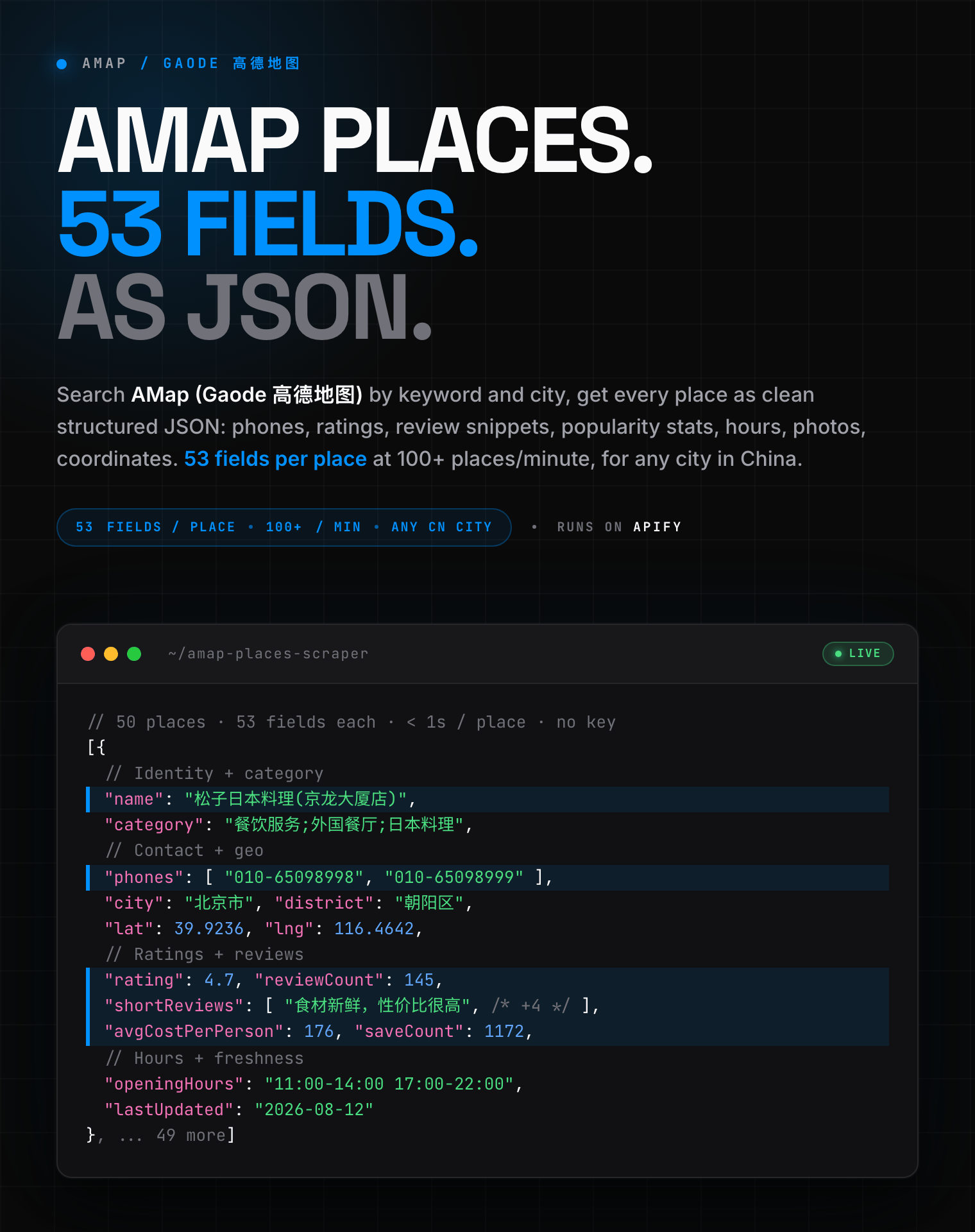
# AMap (Gaode / 高德地图) Scraper - China Places, POI & Contacts (`zen-studio/amap-places-scraper`) Actor

Extract places from AMap (高德地图 / Gaode), China's top map, for any Chinese city: names, phones, ratings, review snippets, opening hours, photos, and coordinates. Export to JSON, CSV, or Excel. No AMap key or login.

- **URL**: https://apify.com/zen-studio/amap-places-scraper.md
- **Developed by:** [Zen Studio](https://apify.com/zen-studio) (community)
- **Categories:** Travel, Lead generation
- **Stats:** 2 total users, 1 monthly users, 100.0% runs succeeded, 0 bookmarks
- **User rating**: No ratings yet

## Pricing

from $3.29 / 1,000 place scrapeds

This Actor is paid per event. You are not charged for the Apify platform usage, but only a fixed price for specific events.
Since this Actor supports Apify Store discounts, the price gets lower the higher subscription plan you have.

Learn more: https://docs.apify.com/platform/actors/running/actors-in-store#pay-per-event

## What's an Apify Actor?

Actors are web data automations that power AI and operations. They run on the Apify platform to scrape websites, process data, connect APIs, and automate workflows.
In Batch mode, an Actor accepts a well-defined JSON input, performs an action which can take anything from a few seconds to a few hours,
and optionally produces a well-defined JSON output, datasets with results, or files in key-value store.
In Standby mode, an Actor provides a web server which can be used as a website, API, or an MCP server.
Actors are written with capital "A".

## How to integrate an Actor?

If asked about integration, you help developers integrate Actors into their projects.
You adapt to their stack and deliver integrations that are safe, well-documented, and production-ready.
The best way to integrate Actors is as follows.

- **AI agents and MCP clients** — the [Apify MCP server](https://docs.apify.com/integrations/mcp.md) at `https://mcp.apify.com` (remote, streamable HTTP, OAuth on first use).
- **Agentic workflows and local Actor development** — [Agent Skills](https://apify.com/.well-known/agent-skills/index.json) with the [Apify CLI](https://docs.apify.com/cli/docs.md): `npm install -g apify-cli`, then `apify login`.
- **JavaScript/TypeScript projects** — the official [JS/TS client](https://docs.apify.com/api/client/js/docs.md): `npm install apify-client`.
- **Python projects** — the official [Python client](https://docs.apify.com/api/client/python/docs.md): `pip install apify-client`.
- **Any other language** — the [REST API](https://docs.apify.com/api/v2.md).

For usage examples, see the [API](#api) section below.

For more details, see Apify documentation as [Markdown index](https://docs.apify.com/llms.txt) and [Markdown full-text](https://docs.apify.com/llms-full.txt).

# README

## AMap (Gaode / 高德地图) Scraper | China Places, Contacts, Reviews & Ratings (2026)

<blockquote style="border-left:4px solid #4C945E;background:#F0FDF4;padding:12px 16px;margin:12px 0">
<span style="font-size:16px;font-weight:700;color:#1C1917">53 fields per place at 100+ places/minute:</span> <span style="font-size:15px;color:#57534E">names, phones, ratings, review snippets, popularity stats, opening hours, photos, and precise coordinates for any city in China. The richest AMap output on Apify.</span>
</blockquote>

<a href="https://console.apify.com/actors/3rGXyh4kWAdtrE9vG/input"><img src="https://api.apify.com/v2/key-value-stores/pJ7iaZsTFhR3k9tjV/records/amap-places-scraper-hero.png" alt="AMap (Gaode 高德地图) places scraper: names, phones, ratings, review snippets and popularity stats as structured JSON" style="max-width:100%"></a>

<table>
<tr>
<td colspan="5" style="padding:10px 14px;background:#4C945E;border:none;border-radius:4px 4px 0 0">
<span style="color:#FAFAF9;font-size:14px;font-weight:700;letter-spacing:0.5px">Zen Studio Maps Suite</span>
<span style="color:#E8F5E9;font-size:13px">&nbsp;&nbsp;&bull;&nbsp;&nbsp;Places, reviews, and routes across every major map provider</span>
</td>
</tr>
<tr>
<td style="padding:12px 14px;border:1px solid #E7E5E4;border-radius:0 0 0 4px;background:#D3EDD9;border-right:none;border-top:none;vertical-align:top;width:20%">
<img src="https://apify-image-uploads-prod.s3.us-east-1.amazonaws.com/NWYsOG96fMDy8ycdf-actor-3rGXyh4kWAdtrE9vG-bsQxzBhXPT-amap-scraper-logo.jpg" width="24" height="24" style="vertical-align:middle"> &nbsp;<a href="https://apify.com/zen-studio/amap-places-scraper" style="color:#4C945E;text-decoration:none;font-weight:700;font-size:13px">AMap Places</a><br>
<span style="color:#4C945E;font-size:12px;font-weight:600">&#10148; You are here</span>
</td>
<td style="background:#E8F5E9;padding:12px 14px;border:1px solid #E7E5E4;border-right:none;border-top:none;vertical-align:top;width:20%">
<img src="https://apify-image-uploads-prod.s3.us-east-1.amazonaws.com/NWYsOG96fMDy8ycdf-actor-3rGXyh4kWAdtrE9vG-bsQxzBhXPT-amap-scraper-logo.jpg" width="24" height="24" style="vertical-align:middle"> &nbsp;<a href="https://apify.com/zen-studio/amap-directions-api" style="color:#1C1917;text-decoration:none;font-weight:700;font-size:13px">AMap Directions</a><br>
<span style="color:#78716C;font-size:12px">Drive, transit, routes</span>
</td>
<td style="background:#E8F5E9;padding:12px 14px;border:1px solid #E7E5E4;border-right:none;border-top:none;vertical-align:top;width:20%">
<img src="https://apify-image-uploads-prod.s3.us-east-1.amazonaws.com/NWYsOG96fMDy8ycdf-actor-3rGXyh4kWAdtrE9vG-bsQxzBhXPT-amap-scraper-logo.jpg" width="24" height="24" style="vertical-align:middle"> &nbsp;<a href="https://apify.com/zen-studio/amap-gas-prices-scraper" style="color:#1C1917;text-decoration:none;font-weight:700;font-size:13px">AMap Gas Prices</a><br>
<span style="color:#78716C;font-size:12px">Discount fuel prices</span>
</td>
<td style="background:#E8F5E9;padding:12px 14px;border:1px solid #E7E5E4;border-right:none;border-top:none;vertical-align:top;width:20%">
<img src="https://apify-image-uploads-prod.s3.us-east-1.amazonaws.com/NWYsOG96fMDy8ycdf-actor-EgDf0I1X8lNhCes2E-kpZCa398Jg-baidu-maps-scraper-logo.png" width="24" height="24" style="vertical-align:middle"> &nbsp;<a href="https://apify.com/zen-studio/baidu-maps-scraper" style="color:#1C1917;text-decoration:none;font-weight:700;font-size:14px">Baidu Maps</a><br>
<span style="color:#78716C;font-size:12px">China POI, deals, reviews</span>
</td>
<td style="background:#E8F5E9;padding:12px 14px;border:1px solid #E7E5E4;border-radius:0 0 4px 0;border-top:none;vertical-align:top;width:20%">
<img src="https://apify-image-uploads-prod.s3.us-east-1.amazonaws.com/NWYsOG96fMDy8ycdf-actor-vBUd2ObzJUemitHHP-IYaavrd0t8-google-maps-directions-api-logo.png" width="24" height="24" style="vertical-align:middle"> &nbsp;<a href="https://apify.com/zen-studio/google-maps-scraper" style="color:#1C1917;text-decoration:none;font-weight:700;font-size:13px">Google Maps</a><br>
<span style="color:#78716C;font-size:12px">Places, reviews, times</span>
</td>
</tr>
</table>

### Key Features

- **53 fields per place**: every result carries contacts, ratings, popularity stats, tags, hours, and photos, auto-enriched with the full detail page.
- **Any city in China**: search Beijing, Shanghai, Chengdu, or any smaller city, in Chinese or English.
- **Goes past the 600-per-point ceiling**: for a big result target the scraper sweeps the city area by area, so a dense category returns thousands of places, not the first 600.
- **Review snippets and popularity built in**: featured review text, star ratings, view counts, save counts, and good-comment rate, with no extra step.
- **City-accurate**: results stay inside the city you ask for, never bleeding into neighbouring provinces.

#### Copy to your AI assistant

```
zen-studio/amap-places-scraper on Apify. AMap (Gaode / 高德地图) China places search, 53 fields per place including review snippets, popularity stats, and readable category paths. Call ApifyClient("TOKEN").actor("zen-studio/amap-places-scraper").call(run_input={...}), then client.dataset(run["defaultDatasetId"]).list_items().items. Provide query+city, OR placeUrls (place links, search links, or IDs). Full spec: GET https://api.apify.com/v2/acts/zen-studio~amap-places-scraper/builds/default (Bearer TOKEN) -> inputSchema, actorDefinition.storages.dataset, readme. Token: https://console.apify.com/account/integrations
```

### How to Scrape AMap (Gaode) Data

#### Basic: search a city

```json
{
  "query": ["火锅"],
  "city": "北京",
  "maxResults": 50
}
```

Keywords work in Chinese or English. For most categories the count is the same, so `pharmacy` and `药店` return the same places. A few distinctly Chinese categories do far better in Chinese: `火锅` returns hundreds, `hotpot` returns a handful.

#### Every place in a category: go past the 600-per-point ceiling

```json
{
  "query": ["药店"],
  "city": "上海",
  "maxResults": 2000
}
```

#### Multiple categories at once, filtered

```json
{
  "query": ["咖啡", "餐厅"],
  "city": "成都",
  "maxResults": 300,
  "minRating": "4.0",
  "minReviewCount": 20
}
```

#### Specific places by link or ID, no search needed

```json
{
  "placeUrls": [
    "https://www.amap.com/place/B0FFFPGBW3",
    "https://www.amap.com/search?query=咖啡&city=上海",
    "B0FFHTYX3O"
  ]
}
```

`placeUrls` accepts an AMap place-page link, a search-page link (run as its own search), or a bare place ID. The `url` and `placeId` values from a previous run's output paste straight back in.

### Input Parameters

| Parameter | Type | Default | Description |
|-----------|------|---------|-------------|
| `query` | array | `["火锅"]` | Search keywords, one per line. Chinese or English. |
| `category` | select | `""` | Shortcut dropdown of 18 common categories, added as an extra keyword. |
| `city` | string | `北京` | City to search in. Any city in China; Chinese or English. |
| `maxResults` | integer | `100` | Max places per keyword. Above 600 the scraper sweeps the city area by area. |
| `includeDetails` | boolean | `true` | Adds the readable category path, freshness date, extra photos, and website. Turn off for cheaper, faster runs. |
| `placeUrls` | array | `[]` | Specific places: AMap place links, search links, or `url`/`placeId` values from a previous run. Skips search. |
| `minRating` | select | `""` | Keep only places at or above this rating. |
| `minReviewCount` | integer | `0` | Keep only places with at least this many reviews. |
| `priceMin` / `priceMax` | integer | `0` | Average-spend-per-person range in CNY (restaurants). |
| `searchMatching` | select | `all` | How strictly a place name must match the keyword. |

Filters run after collection, so they do not change cost. Full field help lives on the Input tab.

### What Data Can You Extract from AMap?

Every place includes:

- **Identity**: place ID, name, short name, AMap URL, brand, parent place, aliases
- **Contact**: phone numbers, website, full address, address path, postcode
- **Geo**: latitude, longitude, entrance coordinates, floor, distance, province, city, district, admin code, area code, business area
- **Categories**: readable category path, category code, industry, primary tag, category tags
- **Ratings & reviews**: star rating, review count, featured review snippets (text, quality score), popularity stats (travel score, good-comment rate, weekly views, monthly visitors, save count)
- **Pricing**: average cost per person, lowest price, parking rates, group-buy and discount counts
- **Descriptive tags**: amenities, impression tags, highlights, specialties, popular dishes, characteristic, description
- **Hours**: opening hours, per-weekday hours, typical visit duration
- **Media**: photo URLs
- **Category-specific**: EV charging bays (charging stations), hotel features and lowest price (hotels), events (attractions)
- **Freshness**: last-updated date

#### Output Example

```json
{
  "placeId": "B000A7QH3C",
  "name": "松子日本料理(京龙大厦店)",
  "shortName": "松子日本料理",
  "url": "https://www.amap.com/place/B000A7QH3C",
  "phones": ["010-65098998", "010-65098999"],
  "website": null,
  "address": "北京城区朝阳北路225号京龙大厦2层",
  "addressPath": ["北京市", "朝阳区", "团结湖南里路"],
  "postcode": null,
  "latitude": 39.923602,
  "longitude": 116.464208,
  "entrances": [{"latitude": 39.923328, "longitude": 116.464183}],
  "floor": "F2",
  "distanceMeters": 1277.5,
  "province": "北京市",
  "city": "北京市",
  "district": "朝阳区",
  "adcode": "110105",
  "areaCode": "010",
  "businessArea": "呼家楼",
  "category": "餐饮服务;外国餐厅;日本料理",
  "categoryCode": "050202",
  "industry": "dining",
  "primaryTag": "西餐",
  "categoryTags": ["日式自助", "日本料理", "自助餐", "西餐"],
  "brand": "松子日本料理",
  "aliases": [],
  "parentPlaceId": "B000A4DF5E",
  "hasIndoorMap": false,
  "rating": 4.7,
  "reviewCount": 145,
  "shortReviews": [
    {"text": "性价比很高的日本料理，食材新鲜", "reviewId": null, "qualityScore": 1.84},
    {"text": "店内环境优雅干净整洁，服务员仪表规范", "reviewId": "7b270ce47a7c42f19062364008010000", "qualityScore": 1.57},
    "... +3 more"
  ],
  "popularity": {
    "travelScore": 4.6,
    "goodCommentRate": 0.9,
    "goodTagRate": 0.7,
    "repeatVisitRate": 59.0,
    "weeklyViews": 325,
    "monthlyVisitors": 469,
    "saveCount": 1172,
    "topTag": "西餐"
  },
  "averageCostPerPerson": 176.0,
  "lowestPrice": null,
  "parkingRates": null,
  "groupBuyCount": 0,
  "discountCount": 0,
  "amenityTags": ["味道浓郁", "情侣约会", "日式风格", "可订大厅", "服务周到", "... +14 more"],
  "impressionTags": ["好吃再来", "无肉不欢"],
  "highlightTags": ["蛋糕不错", "菜品丰富", "甜品不错", "食物新鲜"],
  "specialtyTags": [],
  "popularItems": ["烤银鳕鱼", "16牡丹虾刺身", "9横纲刺身拼盘", "松茸汤", "... +70 more"],
  "characteristic": "榴莲",
  "description": "甜而不腻，有一种豆腐的清香，入口即化",
  "openingHours": "11:00-14:00 17:00-22:00",
  "openingHoursDetailed": "周一至周日 11:00-14:00,17:00-22:00",
  "typicalVisitDuration": null,
  "photos": [
    "https://store.is.autonavi.com/showpic/9df77bdf512e072b623981c93c45814a",
    "https://store.is.autonavi.com/showpic/259c13f2213802270000002506784146?type=pic",
    "... +4 more"
  ],
  "evCharging": null,
  "hotelFeatures": [],
  "events": [],
  "lastUpdated": "2026-08-12 15:07:19"
}
```

Fields like `evCharging`, `hotelFeatures`, `lowestPrice`, and `events` are category-specific and populate on charging stations, hotels, and attractions; on a restaurant they stay empty. No key is ever dropped.

### Advanced Usage

Ready-made configurations for lead generation, competitor mapping, gas-station and EV coverage, and category research.

#### Lead generation: places with a phone in a business district

```json
{
  "query": ["律师事务所"],
  "city": "深圳",
  "maxResults": 500,
  "minRating": "4.0"
}
```

#### Restaurant research with a price band

```json
{
  "query": ["日料"],
  "city": "上海",
  "maxResults": 400,
  "priceMin": 100,
  "priceMax": 500
}
```

#### Gas stations and EV charging across a city

```json
{
  "category": "加油站",
  "city": "广州",
  "maxResults": 1000
}
```

#### Exact-name matching only

```json
{
  "query": ["星巴克"],
  "city": "杭州",
  "maxResults": 200,
  "searchMatching": "only_exact"
}
```

### Pricing: Pay Per Result

**$3.99 per 1,000 places** at the base tier, with volume discounts as your Apify plan tier rises.

| Places scraped | Cost (base) |
|----------------|-------------|
| 100 | $0.40 |
| 1,000 | $3.99 |

Full details are billed separately (`$1.99 per 1,000` at base) and only when **Include full details** is on. Filters (rating, review count, price) run after collection, so they do not lower cost.

### FAQ

**What is AMap (Gaode / Autonavi / 高德地图)?**
AMap, also written Gaode, Autonavi, or 高德地图, is China's most-used mapping and local-search platform, owned by Alibaba. It holds the deep POI coverage of mainland China that Google Maps lacks: restaurants, hotels, gas stations, pharmacies, EV chargers and more, with Chinese-first names, ratings and pricing. This actor turns AMap place search into structured JSON.

**Do I need an AMap API key or a Chinese account?**
No. You enter a keyword and a city, or paste place links, and run. There is no AMap developer key, Chinese phone number, or sign-in involved. Official AMap keys are hard to obtain outside China and rate-limited, which is why a scraper is the practical route to this data.

**Why AMap instead of Google Maps for China?**
Google Maps coverage inside mainland China is thin and often out of date. AMap and Baidu are where the real Chinese place data lives, including local review signals and per-person cost data that Google does not carry for these places.

**Can I schedule runs or push results to Google Sheets?**
Yes. Schedule this actor on any cadence from the Apify console, and connect the output to Google Sheets, Make, Zapier, or your own server via webhooks and the Apify API.

**How many places can I extract?**
A single search point returns up to 600 places. Above that the actor sweeps the city area by area, so a dense category in a large city returns thousands of places per run.

**Chinese or English keywords?**
Both work. For most categories the result count is the same. A few distinctly Chinese categories return far more results in Chinese, for example `火锅` versus `hotpot`.

**Does it include reviews?**
Every place includes its review count, star rating, popularity stats, and up to a handful of featured review snippets with text. The complete review stream (every review with author and date) is not part of this actor.

**Can I get per-station fuel prices?**
Not in this actor. This one covers gas-station locations, brands, ratings and hours. Per-station discount fuel prices are a separate dedicated actor.

**How do I export the data?**
Download JSON, CSV, Excel, XML, or HTML from the run's Storage tab, or pull it through the Apify API. JSON preserves the nested fields (popularity, entrances, review snippets) best.

**Is it legal to scrape AMap (Gaode) data?**
This actor collects publicly visible place information only. You are responsible for how you use it, including compliance with AMap's terms and applicable data protection law (GDPR, CCPA, and China's PIPL). Review text and place data may include personal information, so handle it accordingly.

### More Zen Studio scrapers for maps & local data

- <img src="https://apify-image-uploads-prod.s3.us-east-1.amazonaws.com/NWYsOG96fMDy8ycdf-actor-3rGXyh4kWAdtrE9vG-bsQxzBhXPT-amap-scraper-logo.jpg" width="16" height="16" style="vertical-align:middle;border-radius:3px"> **AMap 高德地图**
  - [AMap Directions API](https://apify.com/zen-studio/amap-directions-api)
  - [AMap Gas Prices Scraper](https://apify.com/zen-studio/amap-gas-prices-scraper)
- <img src="https://apify-image-uploads-prod.s3.us-east-1.amazonaws.com/NWYsOG96fMDy8ycdf-actor-EgDf0I1X8lNhCes2E-kpZCa398Jg-baidu-maps-scraper-logo.png" width="16" height="16" style="vertical-align:middle;border-radius:3px"> **Baidu Maps 百度地图**
  - [Baidu Maps Scraper](https://apify.com/zen-studio/baidu-maps-scraper)
- <img src="https://apify-image-uploads-prod.s3.us-east-1.amazonaws.com/NWYsOG96fMDy8ycdf-actor-vBUd2ObzJUemitHHP-IYaavrd0t8-google-maps-directions-api-logo.png" width="16" height="16" style="vertical-align:middle;border-radius:3px"> **Google Maps**
  - [Google Maps Scraper](https://apify.com/zen-studio/google-maps-scraper)
  - [Google Maps Directions & Routes API](https://apify.com/zen-studio/google-maps-directions-api)
- <img src="https://apify-image-uploads-prod.s3.us-east-1.amazonaws.com/NWYsOG96fMDy8ycdf-actor-5bSvAQKSK3LPq9OXb-AgVhcT1mQC-apple-maps-scraper-logo.png" width="16" height="16" style="vertical-align:middle;border-radius:3px"> **Apple Maps**

  - [Apple Maps Scraper](https://apify.com/zen-studio/apple-maps-scraper-pro)
  - [Apple Maps Directions & Route API](https://apify.com/zen-studio/apple-maps-directions-route-api)
- <img src="https://apify-image-uploads-prod.s3.us-east-1.amazonaws.com/NWYsOG96fMDy8ycdf-actor-fRSgBvgbsRB4o7t30-UkaIbH1Yhq-yandex-maps-scraper-logo.png" width="16" height="16" style="vertical-align:middle;border-radius:3px"> **Yandex Maps Яндекс Карты**

  - [Yandex Maps Scraper](https://apify.com/zen-studio/yandex-maps-scraper)
  - [Yandex Maps Reviews Scraper](https://apify.com/zen-studio/yandex-maps-reviews-scraper)
- <img src="https://apify-image-uploads-prod.s3.us-east-1.amazonaws.com/NWYsOG96fMDy8ycdf-actor-NBmcHCtkUEhA0DNP3-SrXbUedsVm-2gis-scraper-api-logo.png" width="16" height="16" style="vertical-align:middle;border-radius:3px"> **2GIS 2ГИС**

  - [2GIS Places Scraper](https://apify.com/zen-studio/2gis-places-scraper-api)
  - [2GIS Reviews Scraper](https://apify.com/zen-studio/2gis-reviews-scraper)

### Support

- **Bugs**: Issues tab
- **Features**: Issues tab

### Legal Compliance

Extracts publicly available data. Users must comply with AMap (Gaode / 高德地图) terms and data protection regulations, including GDPR, CCPA, and China's PIPL.

***

*Scrape places, contacts, ratings, review snippets, and popularity data from AMap (Gaode / 高德地图) for any city in China.*

# Actor input Schema

## `query` (type: `array`):

要搜索的关键词，每行一个。<br>中英文均可，多数分类结果数量相同（药店 594 / pharmacy 598）。少数中文特有的品类用中文明显更好，例如「火锅」返回 600 条，「hotpot」仅 5 条。<br><br>Keywords to search, one per line. Chinese and English both work, and most categories return the same number either way (药店 594 vs pharmacy 598). A few distinctly Chinese categories do much better in Chinese: 火锅 returns 600 places, hotpot returns 5.

## `category` (type: `string`):

常用分类的快捷方式，会作为额外的搜索关键词。<br><br>Shortcut for a common category. Added as an extra search keyword.

## `city` (type: `string`):

搜索所在城市，中文或英文均可，全国城市均支持。<br>例如：北京、上海、广州、深圳、成都、杭州、厦门。<br><br>City to search in. Chinese or English both work, and every city in China is supported.<br>For example: Beijing, Shanghai, Guangzhou, Shenzhen, Chengdu, Hangzhou, Xiamen.

## `maxResults` (type: `integer`):

每个关键词最多返回多少个地点。单次搜索上限为 600 条，超过该数量时会自动在城市范围内分区搜索以获得更多结果。<br><br>Max places per keyword. A single search tops out at 600 places; above that the actor automatically searches the city area by area to reach your target.

## `includeDetails` (type: `boolean`):

默认开启，为每个地点补充可读分类路径（如「餐饮服务;中餐厅;火锅店」而非代码）、数据更新时间、更多图片、官网等。会额外计费并略微增加运行时间；如需更快更省，可关闭。<br><br>On by default. Adds the readable category path (e.g. "餐饮服务;中餐厅;火锅店" instead of a code), data freshness date, extra photos and website to every place. Bills an extra event and is slightly slower; turn it off for cheaper, faster runs.

## `placeUrls` (type: `array`):

已有具体地点时填这里，跳过搜索。支持三种：<br>• 地点页链接，如 <code>https://www.amap.com/place/B0FFFPGBW3</code><br>• 搜索页链接，如 <code>https://www.amap.com/search?query=火锅\&city=北京</code>（当作搜索执行）<br>• 上次采集结果里的 <code>url</code> 或 <code>placeId</code>，可直接粘回<br><br>Use this when you already have specific places, skipping search. Three things work:<br>• A place-page link, e.g. <code>https://www.amap.com/place/B0FFFPGBW3</code><br>• A search-page link, e.g. <code>https://www.amap.com/search?query=hotpot\&city=Beijing</code> (run as a search)<br>• A <code>url</code> or <code>placeId</code> from a previous run's output — paste it straight back in.

## `minRating` (type: `string`):

只保留达到该评分的地点。无评分的地点会被排除。<br><br>Keep only places at or above this rating. Places without a rating are excluded.

## `minReviewCount` (type: `integer`):

只保留评论数达到该值的地点。<br><br>Keep only places with at least this many reviews.

## `priceMin` (type: `integer`):

人均消费下限（元）。仅餐饮类地点提供该数据。<br><br>Minimum average spend per person in CNY. Only restaurants report this.

## `priceMax` (type: `integer`):

人均消费上限（元），0 表示不限。<br><br>Maximum average spend per person in CNY. 0 means no limit.

## `searchMatching` (type: `string`):

控制地点名称与关键词的匹配严格程度。<br><br>How strictly a place name must match your keyword.

## Actor input object example

```json
{
  "query": [
    "火锅"
  ],
  "category": "",
  "city": "北京",
  "maxResults": 100,
  "includeDetails": true,
  "placeUrls": [],
  "minRating": "",
  "minReviewCount": 0,
  "priceMin": 0,
  "priceMax": 0,
  "searchMatching": "all"
}
```

# Actor output Schema

## `results` (type: `string`):

No description

# API

You can run this Actor programmatically using our API. Below are code examples in JavaScript, Python, and CLI, as well as the OpenAPI specification and MCP server setup.

## JavaScript example

```javascript
import { ApifyClient } from 'apify-client';

// Initialize the ApifyClient with your Apify API token
// Replace the '<YOUR_API_TOKEN>' with your token
const client = new ApifyClient({
    token: '<YOUR_API_TOKEN>',
});

// Prepare Actor input
const input = {
    "query": [
        "火锅"
    ],
    "city": "北京",
    "maxResults": 100,
    "includeDetails": true
};

// Run the Actor and wait for it to finish
const run = await client.actor("zen-studio/amap-places-scraper").call(input);

// Fetch and print Actor results from the run's dataset (if any)
console.log('Results from dataset');
console.log(`💾 Check your data here: https://console.apify.com/storage/datasets/${run.defaultDatasetId}`);
const { items } = await client.dataset(run.defaultDatasetId).listItems();
items.forEach((item) => {
    console.dir(item);
});

// 📚 Want to learn more 📖? Go to → https://docs.apify.com/api/client/js/docs

```

## Python example

```python
from apify_client import ApifyClient

# Initialize the ApifyClient with your Apify API token
# Replace '<YOUR_API_TOKEN>' with your token.
client = ApifyClient("<YOUR_API_TOKEN>")

# Prepare the Actor input
run_input = {
    "query": ["火锅"],
    "city": "北京",
    "maxResults": 100,
    "includeDetails": True,
}

# Run the Actor and wait for it to finish
run = client.actor("zen-studio/amap-places-scraper").call(run_input=run_input)

# Fetch and print Actor results from the run's dataset (if there are any)
print(f"💾 Check your data here: https://console.apify.com/storage/datasets/{run.default_dataset_id}")
for item in client.dataset(run.default_dataset_id).iterate_items():
    print(item)

# 📚 Want to learn more 📖? Go to → https://docs.apify.com/api/client/python/docs/quick-start

```

## CLI example

```bash
echo '{
  "query": [
    "火锅"
  ],
  "city": "北京",
  "maxResults": 100,
  "includeDetails": true
}' |
apify call zen-studio/amap-places-scraper --silent --output-dataset

```

## MCP server setup

```json
{
    "mcpServers": {
        "apify": {
            "type": "http",
            "url": "https://mcp.apify.com/?tools=fetch-actor-details,zen-studio/amap-places-scraper"
        }
    }
}

```

The hosted server signs you in with OAuth on first connect, so no API token belongs in this config. Clients without OAuth support can send an `Authorization: Bearer <APIFY_API_TOKEN>` header instead, using a token from API & Integrations in Apify Console (https://console.apify.com/settings/integrations).

## OpenAPI specification

Download the OpenAPI definition: https://api.apify.com/v2/actors/3rGXyh4kWAdtrE9vG/builds/FftP4uxNz0liCqslf/openapi.json