# Ctrip 携程酒店评价 & Trip.com Hotel Reviews Scraper | Global (`zen-studio/ctrip-hotel-reviews-scraper`) Actor

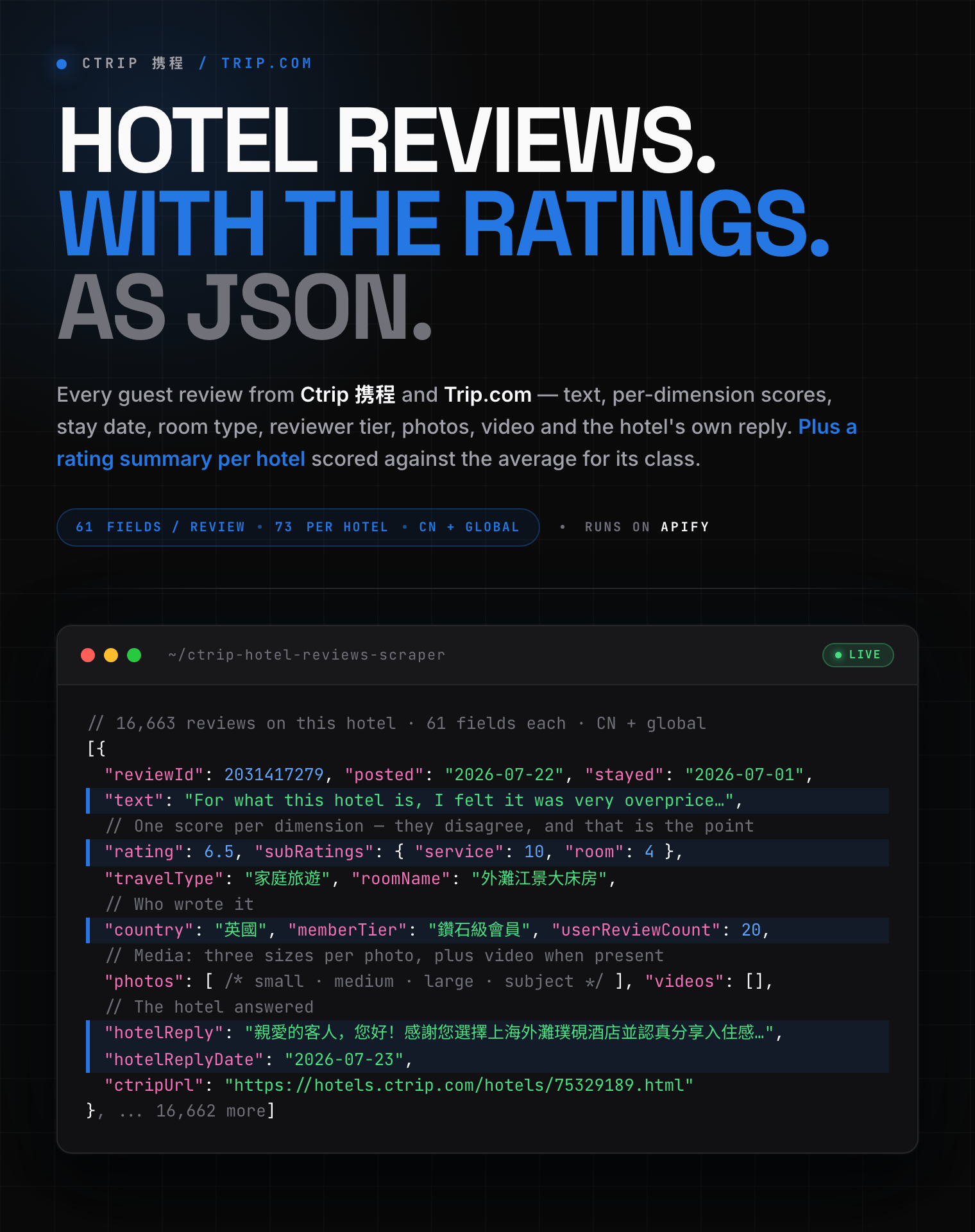
Extract guest reviews from Ctrip 携程 and Trip.com: review text, overall and per-dimension ratings, stay date, room type, traveller type, reviewer country and tier, photos, video and the hotel's own reply. 61 fields per review, plus a per-hotel rating summary. Search by link, name, district or city.

- **URL**: https://apify.com/zen-studio/ctrip-hotel-reviews-scraper.md
- **Developed by:** [Zen Studio](https://apify.com/zen-studio) (community)
- **Categories:** Travel
- **Stats:** 2 total users, 1 monthly users, 100.0% runs succeeded, 0 bookmarks
- **User rating**: No ratings yet

## Pricing

from $2.49 / 1,000 reviews

This Actor is paid per event. You are not charged for the Apify platform usage, but only a fixed price for specific events.
Since this Actor supports Apify Store discounts, the price gets lower the higher subscription plan you have.

Learn more: https://docs.apify.com/platform/actors/running/actors-in-store#pay-per-event

## What's an Apify Actor?

Actors are web data automations that power AI and operations. They run on the Apify platform to scrape websites, process data, connect APIs, and automate workflows.
In Batch mode, an Actor accepts a well-defined JSON input, performs an action which can take anything from a few seconds to a few hours,
and optionally produces a well-defined JSON output, datasets with results, or files in key-value store.
In Standby mode, an Actor provides a web server which can be used as a website, API, or an MCP server.
Actors are written with capital "A".

## How to integrate an Actor?

If asked about integration, you help developers integrate Actors into their projects.
You adapt to their stack and deliver integrations that are safe, well-documented, and production-ready.
The best way to integrate Actors is as follows.

- **AI agents and MCP clients** — the [Apify MCP server](https://docs.apify.com/integrations/mcp.md) at `https://mcp.apify.com` (remote, streamable HTTP, OAuth on first use).
- **Agentic workflows and local Actor development** — [Agent Skills](https://apify.com/.well-known/agent-skills/index.json) with the [Apify CLI](https://docs.apify.com/cli/docs.md): `npm install -g apify-cli`, then `apify login`.
- **JavaScript/TypeScript projects** — the official [JS/TS client](https://docs.apify.com/api/client/js/docs.md): `npm install apify-client`.
- **Python projects** — the official [Python client](https://docs.apify.com/api/client/python/docs.md): `pip install apify-client`.
- **Any other language** — the [REST API](https://docs.apify.com/api/v2.md).

For usage examples, see the [API](#api) section below.

For more details, see Apify documentation as [Markdown index](https://docs.apify.com/llms.txt) and [Markdown full-text](https://docs.apify.com/llms-full.txt).

# README

## Ctrip Hotel Reviews Scraper 携程酒店评价采集 | China & Worldwide (2026)

<blockquote style="border-left:4px solid #4C945E;background:#F0FDF4;padding:12px 16px;margin:12px 0">
<span style="font-size:16px;font-weight:700;color:#1C1917">每条评价 61 个字段，每家酒店另有 73 个字段的评分摘要。</span>
<span style="font-size:15px;color:#57534E">中国大陆与全球酒店都能采。61 fields per review, plus a 73-field rating summary per hotel.</span>
</blockquote>

<a href="https://console.apify.com/actors/lDO9ln9CKBBaxvzRh/input"><img src="https://api.apify.com/v2/key-value-stores/pJ7iaZsTFhR3k9tjV/records/ctrip-hotel-reviews-scraper-hero.png" alt="Ctrip 携程 hotel reviews scraper: review text, per-dimension ratings, stay date, room type, reviewer tier, photos and the hotel's reply as structured JSON" style="max-width:100%"></a>

<blockquote style="border-left:4px solid #2E86C1;background:#EAF4FC;padding:12px 16px;margin:12px 0">
<span style="font-size:15px;color:#57534E">⚡ <b>两份输出，互不干扰：</b>评价一条一行写入默认数据集，每家酒店的评分摘要写入 <code>summary</code> 数据集。<br>Reviews in the default dataset, per-hotel rating summaries in a separate one.</span>
</blockquote>

<table>
<tr>
<td colspan="4" style="padding:10px 14px;background:#4C945E;border:none;border-radius:4px 4px 0 0">
<span style="color:#FAFAF9;font-size:14px;font-weight:700;letter-spacing:0.5px">Zen Studio 住宿与出行数据</span>
<span style="color:#E8F5E9;font-size:13px">&nbsp;&nbsp;&bull;&nbsp;&nbsp;酒店、机票与租房：住一晚要多少钱，住过的人怎么说</span>
</td>
</tr>
<tr>
<td style="padding:12px 16px;border:1px solid #E7E5E4;border-radius:0 0 0 4px;background:#D3EDD9;border-right:none;border-top:none;vertical-align:top;width:25%">
<a href="https://apify.com/zen-studio/ctrip-hotel-reviews-scraper" style="color:#4C945E;text-decoration:none;font-weight:700;font-size:14px">Ctrip 携程 酒店评价</a><br>
<span style="color:#4C945E;font-size:12px;font-weight:600">&#10148; You are here</span>
</td>
<td style="padding:12px 16px;border:1px solid #E7E5E4;background:#E8F5E9;border-right:none;border-top:none;vertical-align:top;width:25%">
<img src="https://apify-image-uploads-prod.s3.us-east-1.amazonaws.com/NWYsOG96fMDy8ycdf-actor-kF3YqhAJErv0QJSx1-cYCSbByQ5P-dolphin-logo-1000.png" width="24" height="24" style="vertical-align:middle"> &nbsp;<a href="https://apify.com/zen-studio/ctrip-hotel-prices-scraper" style="color:#1C1917;text-decoration:none;font-weight:700;font-size:14px">Ctrip 携程 酒店价格</a><br>
<span style="color:#78716C;font-size:12px">房价与房型 Rates &amp; rooms</span>
</td>
<td style="padding:12px 16px;border:1px solid #E7E5E4;background:#E8F5E9;border-right:none;border-top:none;vertical-align:top;width:25%">
<img src="https://apify-image-uploads-prod.s3.us-east-1.amazonaws.com/NWYsOG96fMDy8ycdf-actor-j2GLqUPFol580vX7h-7ce6khMWsw-wildberries-parser-logo.png" width="24" height="24" style="vertical-align:middle"> &nbsp;<a href="https://apify.com/zen-studio/wildberries-travel-scraper" style="color:#1C1917;text-decoration:none;font-weight:700;font-size:14px">Wildberries Travel</a><br>
<span style="color:#78716C;font-size:12px">机票与酒店 Flights &amp; hotels</span>
</td>
<td style="padding:12px 16px;border:1px solid #E7E5E4;border-radius:0 0 4px 0;background:#E8F5E9;border-top:none;vertical-align:top;width:25%">
<img src="https://apify-image-uploads-prod.s3.us-east-1.amazonaws.com/NWYsOG96fMDy8ycdf-actor-lfc30NRxNSkmQX50Q-uMySapcNCz-anjuke-scraper-logo.jpg" width="24" height="24" style="vertical-align:middle"> &nbsp;<a href="https://apify.com/zen-studio/anjuke-rent-scraper" style="color:#1C1917;text-decoration:none;font-weight:700;font-size:14px">Anjuke 安居客 租房</a><br>
<span style="color:#78716C;font-size:12px">677 城租金 Rents, 677 cities</span>
</td>
</tr>
</table>

#### Copy to your AI assistant

```
zen-studio/ctrip-hotel-reviews-scraper on Apify. Scrapes guest reviews for Chinese and worldwide hotels from Ctrip 携程 / Trip.com, with review text, per-dimension ratings, reviewer detail, photos, video and the hotel's reply. Call ApifyClient("TOKEN").actor("zen-studio/ctrip-hotel-reviews-scraper").call(run_input={...}), then client.dataset(run["defaultDatasetId"]).list_items().items for reviews. Per-hotel rating summaries live in a SECOND dataset: read run["output"]["summaries"], or open the "summary" dataset in Storage. Provide hotels (links, IDs, names, or a district/landmark) and/or city; at least one is required. Full spec: GET https://api.apify.com/v2/acts/zen-studio~ctrip-hotel-reviews-scraper/builds/default (Bearer TOKEN) → inputSchema, actorDefinition.storages.datasets, readme. Token: https://console.apify.com/account/integrations
```

### 核心功能 Key Features

- **每条评价 61 个字段** — 正文、总分与四项分项评分、入住日期、房型、出行类型、有用票数、酒店官方回复。
- **评价者资料** — 国家、累计评价数、贡献者等级、会员等级、头像。
- **照片与视频** — 每张照片三种尺寸，视频带封面与时长。
- **每家酒店一份评分摘要** — 分项评分对比<b>同类型酒店均值</b>、好评差评拆分、官方评价总结、住客最常提到的主题。
- **网站自带筛选器** — 按语言、出行类型、主题标签、关键词筛选，四种排序。
- **输入随便填** — 酒店链接、名称，或 `外滩` 这样的商圈地标；中国大陆与全球酒店都能采。

### 三步开始 How to scrape Ctrip hotel reviews in 3 steps

1. 打开 **Ctrip Hotel Reviews Scraper** 的 Input 页，把酒店链接粘进 `hotels`，或在 `city` 里填一个城市。
2. 设定 `maxReviews`（每家酒店最多取多少条），需要的话再选排序与筛选。
3. 点 **Start**，运行结束后在 Storage 标签导出 JSON、CSV、Excel、XML 或 HTML。评分摘要在 `summary` 数据集里，用 Storage 标签的数据集下拉切换。

### 如何采集携程酒店评价 How to scrape Ctrip hotel reviews

#### 基础：单家酒店 Basic: one hotel

```json
{
  "hotels": ["https://hotels.ctrip.com/hotels/75329189.html"],
  "maxReviews": 100,
  "sortBy": "recent"
}
```

酒店链接、酒店 ID、酒店名称都可以，也能混着填：

```json
{
  "hotels": [
    "https://hotels.ctrip.com/hotels/75329189.html",
    "https://hk.trip.com/hotels/detail/?hotelId=759807",
    "75329189",
    "上海外滩璞硯酒店"
  ],
  "maxReviews": 50
}
```

#### 只看差评 Only the complaints

按评分从低到高排序，是最快找出问题的方式：

```json
{
  "hotels": ["75329189"],
  "maxReviews": 100,
  "sortBy": "rating_asc"
}
```

#### 按城市采集 By destination

```json
{
  "city": "上海",
  "maxHotels": 25,
  "maxReviews": 50,
  "sortBy": "recent"
}
```

按好评优先排序，因此先拿到的是该城市口碑最好、评价最多的酒店。

#### 按商圈或地标 By landmark or district

```json
{
  "hotels": ["外滩"],
  "maxHotels": 20,
  "maxReviews": 30
}
```

填 `外滩`、`西湖`、`三里屯` 这类地名，会自动搜索该区域内的酒店。

#### 按语言与出行类型筛选 Filter by language and traveller type

只要英文评价，且只要商务出行的：

```json
{
  "hotels": ["75329189"],
  "maxReviews": 200,
  "reviewLanguages": ["2"],
  "travellerTypes": ["10"]
}
```

`reviewLanguages` 与 `travellerTypes` 在 Input 页是下拉多选，不用记 ID。

#### 按主题标签与关键词筛选 Filter by topic and keyword

```json
{
  "hotels": ["75329189"],
  "maxReviews": 100,
  "topicTags": ["前台熱情好客"],
  "keyword": "早餐"
}
```

主题标签因酒店而异——每家酒店有自己的一组标签。填名称即可，会自动与该酒店实际拥有的标签匹配；某家酒店没有的标签会被跳过，不会让运行失败。每家酒店的完整标签列表（含各自条数）都在评分摘要里。

#### 海外酒店 International hotels

```json
{
  "hotels": ["Grand Nikko Tokyo Daiba", "Le Meurice Paris"],
  "maxReviews": 50,
  "language": "en-XX"
}
```

### 输入参数 Input Parameters

| 参数 Parameter | 类型 Type | 说明 Description |
|---|---|---|
| `hotels` | array | 酒店链接、酒店 ID、酒店名称，或城市／商圈／地标。可混合填写。 |
| `city` | string | 搜索整个城市，例如 `上海`、`成都`、`Shanghai`。 |
| `maxHotels` | integer | 搜索最多采集多少家酒店，整轮运行合计。默认 10。直接指定的酒店不占用此额度。 |
| `maxReviews` | integer | **每家酒店**最多采集多少条评价。默认 100，上限 10000。 |
| `sortBy` | string | `recent` 最新（默认）、`relevant` 最相关、`rating_desc` 评分由高到低、`rating_asc` 评分由低到高。 |
| `reviewLanguages` | array | 只要这些语言写的评价，多选。留空表示不限。 |
| `travellerTypes` | array | 家庭、情侣、商务、好友、独自、为他人预订、其他。多选。 |
| `topicTags` | array | 只要提到这些主题的评价，填标签名称。 |
| `keyword` | string | 只要包含该关键词的评价，例如 `早餐`、`停车`、`隔音`。 |
| `language` | string | 输出语言：酒店名称、房型、标签的语言。**不翻译评价正文**。 |

`hotels` 与 `city` 至少填一个。

### 能采集哪些数据 What data can you extract from Ctrip reviews?

**评价数据集（默认）** — 一条评价一行，61 个字段：

| 组别 Group | 字段 Fields |
|---|---|
| 酒店定位 | `hotelId` `hotelName` `hotelNameEn` `star` `city` `cityEn` `district` `address` `score` `scoreLabel` `reviewCount` `hotelUrl` `ctripUrl` `hotelRatingOverall` `hotelRatingLabel` |
| 评价本体 | `reviewId` `posted` `stayed` `rating` `ratingScale` `ratingLabel` `subRatings` `text` `language` `recommend` |
| 住宿情境 | `travelType` `travelTypeId` `roomName` `roomId` |
| 评价者 | `nickname` `userId` `country` `countryCode` `userReviewCount` `userPhotoCount` `userHelpfulVotes` `userGrade` `userGradeTitle` `userGradeDescription` `isAnonymous` `avatar` `memberTier` `memberTierCode` `memberTierType` |
| 互动 | `helpfulVotes` `canMarkHelpful` `hotelReply` `hotelReplyDate` `hotelReplies` |
| 媒体 | `images` `photos` `videos` |
| 溯源 | `source` `sourceId` `sourceFromCode` `isTripComment` `status` `shareCommunityStatus` `outputLanguage` `sortBy` `scrapedAt` |

**评分摘要数据集（`summary`）** — 一家酒店一行，73 个字段，其中最有价值的几个：

| 字段 Field | 内容 What it is |
|---|---|
| `ratingDimensions` | 四个分项评分，每项带该酒店的分数**和同类型酒店的平均值** |
| `sentiment` | 好评 / 差评 / 带图评价 / 全部 的数量拆分 |
| `aiSummary` | 网站自己发布的评价总结，按主题分条，每条带依据的评价条数 |
| `recommendTags` | 住客最常提到的主题，带条数、正面比例和**代表性原句** |
| `filterMenus` | 全部语言、出行类型、房型、主题标签，各自带评价条数 |
| `collapsedReviews` | 网站折叠掉、不计入可筛选列表的评价条数 |
| `totalReviews` / `filterableReviews` | 评价总数，以及其中可翻页筛选的条数 |

#### 输出示例：一条评价 Output example: one review

```json
{
  "hotelId": "75329189",
  "hotelName": "上海外灘璞硯酒店",
  "hotelNameEn": "The Bund Puyan Hotel, Shanghai",
  "star": 5,
  "city": "上海",
  "cityEn": "Shanghai",
  "district": "上海 | 鄰近南京路步行街",
  "address": "外灘核心區",
  "score": 9.4,
  "scoreLabel": "非常好",
  "reviewCount": 16663,
  "hotelUrl": "https://hk.trip.com/hotels/detail/?hotelId=75329189",
  "ctripUrl": "https://hotels.ctrip.com/hotels/75329189.html",
  "hotelRatingOverall": 9.4,
  "hotelRatingLabel": "非常好",
  "outputLanguage": "zh-HK",
  "sortBy": "recent",
  "scrapedAt": "2026-08-10T18:31:18+00:00",
  "reviewId": 2036714689,
  "posted": "2026-07-26 14:07:12",
  "stayed": "2026-07-01 00:00:00",
  "rating": 10,
  "ratingScale": 10,
  "ratingLabel": "傑出",
  "subRatings": {
    "location": 10,
    "facility": 10,
    "service": 10,
    "room": 10
  },
  "text": "來上海遊玩入住外灘江景大床房，體驗感超出預期！酒店設施嶄新完善，房間打掃乾淨舒適。推開窗就能望見東方明珠，傍晚華燈初上，璀璨夜景盡收眼底，氛圍感十足。\n地理位置優越，散步可達外灘，出行遊玩十分方便。整體環境安靜宜人，非常適合度假。美景令人難忘，真心推薦！下次來上海，還打算帶上小朋友再次入住欣賞迷人江景。👌🏻",
  "language": "zh",
  "travelType": "家庭旅遊",
  "travelTypeId": 30,
  "recommend": true,
  "roomName": "外灘江景大床房",
  "roomId": 313820735,
  "nickname": "訪客",
  "userId": "",
  "country": "中國內地",
  "countryCode": "CN",
  "userReviewCount": 1,
  "userPhotoCount": 3,
  "userHelpfulVotes": 0,
  "userGrade": 1,
  "userGradeTitle": "新晉評價之星",
  "userGradeDescription": "已發佈1–4條評價的用戶。為多間酒店撰寫評價即可提升等級。",
  "isAnonymous": false,
  "avatar": "https://ak-d.tripcdn.com/images/27c2u12000na9jl4c55A2_C_130_130_Q70.jpg",
  "memberTier": null,
  "memberTierCode": null,
  "memberTierType": null,
  "helpfulVotes": 1,
  "canMarkHelpful": true,
  "images": [
    "https://ak-d.tripcdn.com/images/0230n12000taen3iu6E42_W_1280_853_R5_Q70.jpg?proc=autoorient",
    "https://ak-d.tripcdn.com/images/0231r12000taemg90C5F5_W_1280_853_R5_Q70.jpg?proc=autoorient",
    "... 1 more"
  ],
  "photos": [
    {
      "imageId": 705820625,
      "small": "https://ak-d.tripcdn.com/images/0230n12000taen3iu6E42_W_350_350_R5_Q70.jpg?proc=autoorient",
      "medium": "https://ak-d.tripcdn.com/images/0230n12000taen3iu6E42_C_600_600_R5_Q70.jpg?proc=autoorient",
      "large": "https://ak-d.tripcdn.com/images/0230n12000taen3iu6E42_W_1280_853_R5_Q70.jpg?proc=autoorient",
      "subject": "周边",
      "subjectId": 12,
      "qualityScore": 4.614,
      "status": 0
    },
    {
      "imageId": 705820627,
      "small": "https://ak-d.tripcdn.com/images/0231r12000taemg90C5F5_W_350_350_R5_Q70.jpg?proc=autoorient",
      "medium": "https://ak-d.tripcdn.com/images/0231r12000taemg90C5F5_C_600_600_R5_Q70.jpg?proc=autoorient",
      "large": "https://ak-d.tripcdn.com/images/0231r12000taemg90C5F5_W_1280_853_R5_Q70.jpg?proc=autoorient",
      "subject": "周边",
      "subjectId": 12,
      "qualityScore": 3.6934,
      "status": 0
    },
    "... 1 more"
  ],
  "videos": [
    {
      "videoId": 9631325,
      "url": "https://video.c-ctrip.com/videos/230ecn14x9a49011t2FEC.mp4",
      "cover": "https://ak-d.tripcdn.com/images/0205312000taf4yfv35EA_W_350_350_R5_Q70.jpg?proc=autoorient",
      "seconds": "19.25",
      "status": 0
    }
  ],
  "hotelReply": "尊敬的賓客您好，由衷感謝您在上海度假行程之餘，用心寫下這份真摯飽滿的入住體驗，前廳部全體同仁仔細品讀了您的留言，能夠看到外灘江景大床房帶給您超出預期的旅居感受，我們心中滿是欣喜與感動。十分榮幸您選擇外灘江景大床房開啟這段上海旅程。客房潔凈舒適的環境、嶄新完備的設施能夠得到您的認可，是酒店客房部與工程部持續堅守工作標準最好的回報。客房團隊始終嚴格執行標準化清潔流程，不放過任何一處邊角細節，力求每位賓客步入房間之時，都能擁有清爽放鬆的休憩空 ...",
  "hotelReplyDate": "2026-07-26 00:00:00",
  "hotelReplies": [
    {
      "text": "尊敬的賓客您好，由衷感謝您在上海度假行程之餘，用心寫下這份真摯飽滿的入住體驗，前廳部全體同仁仔細品讀了您的留言，能夠看到外灘江景大床房帶給您超出預期的旅居感受，我們心中滿是欣喜與感動。十分榮幸您選擇外灘江景大床房開啟這段上海旅程。客房潔凈舒適的環境、嶄新完備的設施能夠得到您的認可，是酒店客房部與工程部持續堅守工作標準最好的回報。客房團隊始終嚴格執行標準化清潔流程，不放過任何一處邊角細節，力求每位賓客步入房間之時，都能擁有清爽放鬆的休憩空 ...",
      "date": "2026-07-26 00:00:00",
      "language": "zh",
      "type": 3,
      "collapsed": true,
      "images": []
    }
  ],
  "source": "ctrip",
  "sourceId": 1,
  "sourceFromCode": 1,
  "isTripComment": false,
  "status": 3,
  "shareCommunityStatus": 0
}
```

#### 输出示例：评分摘要 Output example: the rating summary

```json
{
  "hotelId": "75329189",
  "hotelName": "上海外灘璞硯酒店",
  "hotelNameEn": "The Bund Puyan Hotel, Shanghai",
  "star": 5,
  "hotelType": "SINGLE",
  "propertyType": "酒店",
  "hourlyRoom": false,
  "score": 9.4,
  "scoreOutOf": 10.0,
  "scoreLabel": "非常好",
  "subScores": {
    "衛生程度": "9.4",
    "設施": "9.2",
    "位置": "9.4",
    "服務": "9.4"
  },
  "reviewCount": 16663,
  "reviewQuote": "在黃埔灘欣賞東方明珠的夜景，距離黃埔灘非常近。",
  "reviewTags": [
    "前台熱情好客"
  ],
  "award": "入選上海全球旅客精選酒店",
  "awardRank": 24,
  "highlights": [
    "東方明珠夜景",
    "適合打卡",
    "... 8 more"
  ],
  "city": "上海",
  "cityEn": "Shanghai",
  "cityId": 2,
  "provinceId": 2,
  "countryId": 1,
  "isOversea": false,
  "address": "外灘核心區",
  "district": "上海 | 鄰近南京路步行街",
  "lat": 31.246224,
  "lon": 121.488844,
  "coordinateSystem": "BD09",
  "leadPrice": "CNY906",
  "isAd": false,
  "hotelImages": [
    "https://ak-d.tripcdn.com/images/1mc2w12000riejmmg0E02_R_600_600_R5_D.jpg_.webp",
    "https://ak-d.tripcdn.com/images/02011120009lt12n7F86E_R_600_600_R5_D.jpg_.webp",
    "... 3 more"
  ],
  "hotelVideo": "https://video.c-ctrip.com/videos/u00ccn14x98cxs2s6DABC.mp4",
  "hotelImage": "https://ak-d.tripcdn.com/images/1mc2w12000riejmmg0E02_R_600_600_R5_D.jpg_.webp",
  "hotelUrl": "https://hk.trip.com/hotels/detail/?hotelId=75329189",
  "ctripUrl": "https://hotels.ctrip.com/hotels/75329189.html",
  "ratingOverall": 9.4,
  "ratingScale": 10,
  "ratingLabel": "非常好",
  "positiveTip": "連續獲58名住客好評",
  "ratingType": 1,
  "tripRating": "T",
  "commentRatingType": "UNKNOW",
  "tagType": "DEFAULT",
  "totalReviews": 16663,
  "filterableReviews": 10885,
  "collapsedReviews": 5763,
  "shownReviewCount": 16663,
  "packageReviewCount": 0,
  "commentsBeforeDecoration": 0,
  "commentsDuringTrialOperation": 0,
  "sentiment": {
    "all": 16663,
    "positive": 16366,
    "negative": 282,
    "withMedia": 2712
  },
  "sentimentBreakdown": [
    {
      "id": 1,
      "name": "所有評價",
      "count": 16663
    },
    {
      "id": 2,
      "name": "正面評價",
      "count": 16366
    },
    "... 2 more"
  ],
  "aiSummary": {
    "title": "評價摘要",
    "label": "由 AI 提供",
    "excitationText": "58位住客給予高評分。",
    "disclaimer": "我們使用 AI 根據真實的 Trip.com 評價生成此總結。AI 總結更新需時，因此可能未包括最新評價。",
    "items": [
      {
        "title": "地理位置",
        "conclusion": "酒店地處市中心，鄰近南京東路步行街、外灘、人民廣場等熱門地點，步行即可到達多個景點和商圈。交通非常便利，酒店緊鄰地鐵2號線和10號線換乘站，出行無需煩惱。不僅適合觀光遊客，也非常便利商務出行。周邊擁有豐富的餐飲和購物選擇，生活配套完善。（基於4,630則評價）",
        "positive": true,
        "reviewCount": 4630,
        "tagIds": [
          77,
          85,
          "... 5 more"
        ],
        "sceneId": null
      },
      {
        "title": "房間景觀",
        "conclusion": "房間景觀極佳，許多房間可以直接看到外灘、東方明珠塔和陸家嘴三件套。落地窗設計讓客人在房間內即可欣賞美麗的城市夜景，夜晚燈光璀璨，氛圍感滿分。這樣的觀景體驗讓入住變得更加愉快和難忘。（基於29則評價）",
        "positive": true,
        "reviewCount": 29,
        "tagIds": [
          25,
          37,
          "... 1 more"
        ],
        "sceneId": null
      },
      "... 2 more"
    ],
    "sceneSummary": [
      {
        "title": "與您相似用戶的點評",
        "conclusion": "酒店位置極佳，步行5至10分鐘可到南京東路步行街及外灘，周邊有多家食店及便利店，出行十分方便。房間乾淨整潔，部分房型可看到東方明珠塔及陸家嘴三件套的夜景，景觀優美。工作人員服務熱情，主動幫忙拿行李，甚至送到房間或裝上車，門口禮賓部每次見面都親切打招呼。酒店設施齊全，有機器人送餐及洗衣房，適合家庭及旅遊居住。",
        "positive": false,
        "reviewCount": 8865,
        "tagIds": [
          14,
          25,
          "... 6 more"
        ],
        "sceneId": 1019
      }
    ]
  },
  "aiSummaryFilters": [
    {
      "id": "6",
      "name": "附有相片或影片之評價",
      "count": 2712
    },
    {
      "id": "75329189_zh_hk_14db4000-9c57-41c9-b4ec-f4f66d09e590",
      "name": "與您相似用戶的點評",
      "count": 8865
    },
    "... 4 more"
  ],
  "excitations": [
    {
      "text": "58位住客給予高評分。",
      "highlight": [
        "58"
      ],
      "type": "4"
    }
  ],
  "recommendTags": [
    {
      "id": 181,
      "name": "動人夜景",
      "count": 570,
      "topic": null,
      "positiveRatio": 0,
      "sentences": null,
      "parentTagId": 150,
      "score": 4507.4735686665845
    },
    {
      "id": 155,
      "name": "河景壯觀",
      "count": 235,
      "topic": null,
      "positiveRatio": 0,
      "sentences": null,
      "parentTagId": 150,
      "score": 3799.4385981952596
    },
    "... 5 more"
  ],
  "negativeTags": [],
  "sameTypeLegend": [
    {
      "type": 1,
      "description": "本酒店"
    },
    {
      "type": 2,
      "description": "同類型酒店平均值"
    }
  ],
  "ratingLevels": [
    {
      "ratingStart": 7.6,
      "ratingEnd": 8,
      "content": "好"
    },
    {
      "ratingStart": 8,
      "ratingEnd": 9,
      "content": "很好"
    },
    "... 5 more"
  ],
  "ratingCalculation": {
    "entranceText": "如何計算評分",
    "title": "如何計算評分",
    "content": "為確保顯示的評分真實可信，我們不是使用簡單的平均值，而是根據評價的可信度和客人體驗的更新度進行科學計算，得出最終評分。"
  },
  "sortOptions": [
    {
      "orderby": 0,
      "name": "最相關"
    },
    {
      "orderby": 1,
      "name": "最近期"
    },
    "... 2 more"
  ],
  "reviewExplainText": "真實住客評價",
  "filterMenus": {
    "languages": [
      {
        "id": 3,
        "name": "中文",
        "count": 15223
      },
      {
        "id": 2,
        "name": "英文",
        "count": 957
      },
      "... 16 more"
    ],
    "travelTypes": [
      {
        "id": 10,
        "name": "商務旅客",
        "count": 4019
      },
      {
        "id": 30,
        "name": "家庭旅遊",
        "count": 6634
      },
      "... 5 more"
    ],
    "rooms": [
      {
        "id": 313820735,
        "name": "外灘江景大床房",
        "count": 3387
      },
      {
        "id": 313820523,
        "name": "標準大床房",
        "count": 2692
      },
      "... 22 more"
    ],
    "tags": [
      {
        "id": 84,
        "name": "前台熱情好客",
        "count": 628
      },
      {
        "id": 181,
        "name": "動人夜景",
        "count": 570
      },
      "... 6 more"
    ]
  },
  "ratingLocation": 9.4,
  "ratingFacility": 9.2,
  "ratingService": 9.4,
  "ratingRoom": 9.4,
  "ratingDimensions": [
    {
      "key": "location",
      "label": "位置",
      "score": 9.4,
      "sameTypeAvg": 9.4,
      "sameTypeLevel": 2
    },
    {
      "key": "facility",
      "label": "設施",
      "score": 9.2,
      "sameTypeAvg": 9.2,
      "sameTypeLevel": 2
    },
    "... 2 more"
  ],
  "outputLanguage": "zh-HK",
  "sortBy": "recent",
  "scrapedAt": "2026-08-10T18:31:18+00:00",
  "reviewsCollected": 200,
  "hasReviews": true
}
```

### 进阶用法 Advanced Usage

#### 口碑监控 Reputation monitoring

按 `recent` 排序、每家取 50 条，配合 Apify 的 **Scheduler** 每天跑一次，就能追踪评分与差评的变化。评分摘要里的 `sentiment` 与 `ratingDimensions` 是最适合画趋势线的两个字段。

在 Actor 页面的 **Schedules** 标签点 **Create schedule**，选每天或每周。监控类用途建议每天一次；评价的累积速度不需要更密。

#### 竞品对比 Competitive set

用 `city` 或商圈拉一批酒店，只看 `summary` 数据集：一行一家酒店，直接对比分项评分与同类型均值。

```json
{
  "hotels": ["外滩"],
  "maxHotels": 15,
  "maxReviews": 1
}
```

`maxReviews` 设成 1，每家酒店就只取一条评价，其余成本都在那份摘要上——想快速扫一批竞品的评分表现时最划算。

#### 找出具体问题 Surface specific complaints

```json
{
  "city": "上海",
  "maxHotels": 30,
  "maxReviews": 100,
  "sortBy": "rating_asc",
  "keyword": "隔音"
}
```

#### 与房价数据对齐 Join with rate data

`hotelId` 在携程与 Trip.com 两边一致，也与 [Ctrip Hotel Prices Scraper](https://apify.com/zen-studio/ctrip-hotel-prices-scraper) 的 `hotelId` 一致，可以直接把评价与房价对齐。

#### 集成 Integrations

数据集可以直接推到 **Google Sheets**、**Make**、**Zapier**、**Slack**，或用 **Webhook** 在每次运行结束时推给你自己的服务。在 Actor 页面的 **Integrations** 标签设置。

Apify 官方的集成与定时任务教学视频：

https://www.youtube.com/watch?v=Ki1\_qHZlvBI

[![Apify integrations tutorial](https://img.youtube.com/vi/Ki1_qHZlvBI/0.jpg)](https://www.youtube.com/watch?v=Ki1_qHZlvBI)

### 价格 Pricing: Pay Per Event (PPE)

| 事件 Event | 价格 Price | 说明 |
|---|---|---|
| Review | $2.99 / 1,000 | 每条评价。Apify 套餐等级越高单价越低：Silver $2.79，Gold 及以上 $2.49。 |
| Hotel | $3.99 / 1,000 | 每家酒店一次，含那份评分摘要。Silver $3.79，Gold 及以上 $3.29。 |
| Actor start | $0.0049 | 每次运行启动。 |
| Result | $0.00001 | 默认数据集里的每条结果。 |

评分摘要写在第二个数据集里，因此**不计入** Result 事件。

### 常见问题 FAQ

**能拿到多少条评价？**
热门酒店可达上万条。测试用的上海外滩酒店有 16,663 条评价，其中 10,885 条可以翻页取到，其余被网站折叠（`collapsedReviews` 会告诉你折叠了多少）。

**评价会被翻译吗？**
不会。评价正文始终是住客写下时的原文，`language` 字段标明语种。`language` 输入参数只影响酒店名称、房型、标签这些界面文字。

**为什么摘要里的数字和我筛选后拿到的条数不一样？**
摘要描述的是**整家酒店**，与筛选无关——这样你既能看到全貌，也能拿到筛选后的样本。`totalReviews` 是全部，`filterableReviews` 是可翻页的部分。

**主题标签为什么要填名称而不是 ID？**
标签是每家酒店各自一套的，同一个 ID 在不同酒店代表不同主题。填名称，采集器会与每家酒店自己的标签列表匹配。语言和出行类型则是全站通用的，所以直接下拉多选。

**能只要带照片的评价吗？**
目前不能按「有照片」筛选，但每条评价都带 `photos` 和 `videos`，导出后自行过滤即可；摘要里的 `sentiment.withMedia` 会告诉你这家酒店总共有多少条带图评价。

**海外酒店支持吗？**
支持。东京、巴黎、新加坡等地的酒店都能采，用 `language: "en-XX"` 输出英文界面文字更顺手。

**为什么有的酒店返回 0 条评价？**
可能是新开业酒店确实还没有评价，也可能是你的筛选条件在这家酒店上没有匹配。无论哪种情况，这家酒店仍会在 `summary` 数据集里留下一行，`hasReviews` 为 `false`，不会静默消失。

**能导出成什么格式？**
在运行页的 Storage 标签可以导出 JSON、CSV、Excel、XML 或 HTML，也可以用 Apify API 拉取。嵌套字段（分项评分、照片、摘要里的主题标签）建议用 JSON，CSV 会把它们压平。评价与评分摘要是两个数据集，分别导出。

**需要自己配代理吗？**
不需要。代理由采集器内部处理。

**数据是公开的吗？**
是。采集的是任何访客都能在网页上看到的公开评价，不需要登录，也不涉及任何账号数据。

### More Zen Studio scrapers for Chinese platforms

**🎬 Short-video & social**

- <img src="https://apify-image-uploads-prod.s3.us-east-1.amazonaws.com/NWYsOG96fMDy8ycdf-actor-3TJaaOJDU1AMiOoJM-Vu2eVr0P6N-douyin-profile-scraper-logo.png" width="16" height="16" style="vertical-align:middle;border-radius:3px"> **Douyin 抖音**
  - [Douyin Profile Scraper](https://apify.com/zen-studio/douyin-profile-scraper)
  - [Douyin Video Scraper](https://apify.com/zen-studio/douyin-video-scraper)
  - [Douyin Comments Scraper](https://apify.com/zen-studio/douyin-comments-scraper)
  - [Douyin Transcripts Scraper](https://apify.com/zen-studio/douyin-transcripts-scraper)
  - [Douyin Creator Rankings Scraper](https://apify.com/zen-studio/douyin-xingtu-rankings-scraper)
  - [Douyin Live Recorder](https://apify.com/zen-studio/douyin-live-recorder)
  - [Douyin Hot Search Scraper](https://apify.com/zen-studio/douyin-hot-search-scraper)
  - [Douyin Product Search Scraper](https://apify.com/zen-studio/douyin-product-search-scraper)
- <img src="https://apify-image-uploads-prod.s3.us-east-1.amazonaws.com/NWYsOG96fMDy8ycdf-actor-mHKEEgoDqr6btQQer-fUs5ZquIeN-xiaohongshu-search-scraper-logo-square.png" width="16" height="16" style="vertical-align:middle;border-radius:3px"> **RedNote 小红书**

  - [RedNote User Profile Scraper](https://apify.com/zen-studio/rednote-user-profile-scraper)
  - [RedNote Search Scraper](https://apify.com/zen-studio/rednote-search-scraper)
  - [RedNote Comments Scraper](https://apify.com/zen-studio/rednote-comments-scraper)
  - [RedNote Product Search Scraper](https://apify.com/zen-studio/rednote-product-search-scraper)
  - [RedNote Note Detail Scraper](https://apify.com/zen-studio/rednote-note-detail-scraper)
  - [RedNote Product Reviews Scraper](https://apify.com/zen-studio/rednote-product-reviews-scraper)
  - [RedNote Live Recorder](https://apify.com/zen-studio/rednote-live-recorder)
- <img src="https://apify-image-uploads-prod.s3.us-east-1.amazonaws.com/NWYsOG96fMDy8ycdf-actor-dexCSKEZtKS8hg4fT-lD4weyiYga-shigua-____-scraper-logo.jpg" width="16" height="16" style="vertical-align:middle;border-radius:3px"> **Xigua 西瓜视频**

  - [Xigua Video Search Scraper](https://apify.com/zen-studio/xigua-video-search-scraper)
  - [Xigua Video Detail Scraper](https://apify.com/zen-studio/xigua-video-detail-scraper)
- <img src="https://apify-image-uploads-prod.s3.us-east-1.amazonaws.com/NWYsOG96fMDy8ycdf-actor-oSxuPDE1h3HAsHZSu-x3uV98mgTe-bilibili-scraper-logo.png" width="16" height="16" style="vertical-align:middle;border-radius:3px"> **Bilibili 哔哩哔哩**

  - [Bilibili Video Scraper](https://apify.com/zen-studio/bilibili-video-scraper)
  - [Bilibili Danmaku Scraper](https://apify.com/zen-studio/bilibili-danmaku-scraper)

**🛒 E-commerce**

- <img src="https://apify-image-uploads-prod.s3.us-east-1.amazonaws.com/NWYsOG96fMDy8ycdf-actor-LwARSYSMWLBZfXfdr-FrDaNbQarB-shopee-scraper-logo.png" width="16" height="16" style="vertical-align:middle;border-radius:3px"> **Shopee**

  - [Shopee Product Detail Scraper](https://apify.com/zen-studio/shopee-product-detail-scraper)
  - [Shopee Product Reviews Scraper](https://apify.com/zen-studio/shopee-product-reviews-scraper)
  - [Shopee Product Scraper](https://apify.com/zen-studio/shopee-product-scraper)
- <img src="https://apify-image-uploads-prod.s3.us-east-1.amazonaws.com/NWYsOG96fMDy8ycdf-actor-PsAKYWM55HG4AHXjK-ItywU7Bp0s-taobao-search-scraper-logo.png" width="16" height="16" style="vertical-align:middle;border-radius:3px"> **Taobao 淘宝**

  - [Taobao Search Scraper](https://apify.com/zen-studio/taobao-search-scraper)
  - [Taobao Product Detail Scraper](https://apify.com/zen-studio/taobao-detail-scraper)
  - [Taobao Seller Products Scraper](https://apify.com/zen-studio/taobao-seller-products-scraper)
- <img src="https://apify-image-uploads-prod.s3.us-east-1.amazonaws.com/NWYsOG96fMDy8ycdf-actor-uZy6tbKLKnSVtT4BN-emXnT123uR-jd-com-scraper-logo-square.png" width="16" height="16" style="vertical-align:middle;border-radius:3px"> **JD.com 京东**

  - [JD.com Search Scraper](https://apify.com/zen-studio/jd-com-search-scraper)
- <img src="https://apify-image-uploads-prod.s3.us-east-1.amazonaws.com/NWYsOG96fMDy8ycdf-actor-ghXSMZcW3GxsCrkiR-5hnvsKv4Yt-1688-wholesale-scraper-logo.png" width="16" height="16" style="vertical-align:middle;border-radius:3px"> **1688 阿里巴巴**

  - [1688 Wholesale Scraper](https://apify.com/zen-studio/1688-wholesale-scraper)
  - [Alibaba Scraper](https://apify.com/zen-studio/alibaba-scraper)
  - [1688 Reviews Scraper](https://apify.com/zen-studio/1688-reviews-scraper)
- <img src="https://apify-image-uploads-prod.s3.us-east-1.amazonaws.com/NWYsOG96fMDy8ycdf-actor-5QcLc4BHaLMBUKYs3-f3CWQ60Row-goofish-search-scraper-logo.png" width="16" height="16" style="vertical-align:middle;border-radius:3px"> **Goofish 闲鱼**

  - [Goofish (Xianyu) Search Scraper](https://apify.com/zen-studio/goofish-xianyu-search-scraper)
  - [Goofish (Xianyu) Seller Scraper](https://apify.com/zen-studio/goofish-xianyu-seller-scraper)
  - [Goofish (Xianyu) Item Detail Scraper](https://apify.com/zen-studio/goofish-xianyu-item-detail-scraper)
  - [Goofish (Xianyu) Item Comments & Q\&A Scraper](https://apify.com/zen-studio/goofish-xianyu-item-comments-scraper)
  - [Goofish (Xianyu) Reverse Image Search Scraper](https://apify.com/zen-studio/goofish-xianyu-visual-search-scraper)
- <img src="https://apify-image-uploads-prod.s3.us-east-1.amazonaws.com/NWYsOG96fMDy8ycdf-actor-0hS9yNh3RU8DC6puG-LozxRJkdHN-coupang-review-scraper-logo.png" width="16" height="16" style="vertical-align:middle;border-radius:3px"> **Coupang 쿠팡**

  - [Coupang Review Scraper](https://apify.com/zen-studio/coupang-review-scraper)
  - [Coupang Search Scraper](https://apify.com/zen-studio/coupang-search-scraper)
  - [Coupang Product Detail Scraper](https://apify.com/zen-studio/coupang-detail-scraper)

**🏠 Real estate & autos**

- <img src="https://apify-image-uploads-prod.s3.us-east-1.amazonaws.com/NWYsOG96fMDy8ycdf-actor-1tAzNSf8Kz0v7Q2Lr-AINJ7FsZVU-anjuke-scraper-logo.jpg" width="16" height="16" style="vertical-align:middle;border-radius:3px"> **Anjuke 安居客**

  - [Anjuke For-Sale Listings Scraper](https://apify.com/zen-studio/anjuke-real-estate-scraper)
  - [Anjuke New-Home Scraper](https://apify.com/zen-studio/anjuke-new-home-scraper)
  - [Anjuke Rental Listings Scraper](https://apify.com/zen-studio/anjuke-rent-scraper)
  - [Anjuke Listing Detail Scraper](https://apify.com/zen-studio/anjuke-sale-detail-scraper)
- <img src="https://apify-image-uploads-prod.s3.us-east-1.amazonaws.com/NWYsOG96fMDy8ycdf-actor-32OkWqsiUywoq2ci3-7JhFlW1qg3-58__-real-estate-scraper-logo.jpg" width="16" height="16" style="vertical-align:middle;border-radius:3px"> **58.com 58同城**

  - [58.com Real Estate Scraper](https://apify.com/zen-studio/58-real-estate-scraper)
- <img src="https://apify-image-uploads-prod.s3.us-east-1.amazonaws.com/NWYsOG96fMDy8ycdf-actor-ytaE4YpSmjXDmibPv-L1UMPHa2bO-che168-autohome-scraper-logo.png" width="16" height="16" style="vertical-align:middle;border-radius:3px"> **Autohome 汽车之家**

  - [Autohome (Che168) Used-Car Scraper](https://apify.com/zen-studio/che168-car-scraper)

**✈️ Travel & stays**

- <img src="https://apify-image-uploads-prod.s3.us-east-1.amazonaws.com/NWYsOG96fMDy8ycdf-actor-kF3YqhAJErv0QJSx1-cYCSbByQ5P-dolphin-logo-1000.png" width="16" height="16" style="vertical-align:middle;border-radius:3px"> **Ctrip 携程**
  - [Ctrip Hotel Prices Scraper](https://apify.com/zen-studio/ctrip-hotel-prices-scraper)

### Support

有问题或需要新字段？在 Apify 的 **Issues** 标签提出即可。

### Legal Compliance

本采集器只获取无需登录、任何访客都能看到的公开评价内容，不采集私人数据，不绕过任何登录。评价文本的著作权属于其作者与平台；请自行确认您的用途符合当地法律与平台条款，尤其是转载与再发布场景。GDPR 意义上的个人数据（如昵称、头像）请按您自己的合规要求处理。

***

*携程与 Trip.com 酒店评价采集：评价正文、分项评分、入住日期、房型、出行类型、评价者资料、照片与酒店回复，另附每家酒店的评分摘要。*

# Actor input Schema

## `hotels` (type: `array`):

填入酒店链接、酒店 ID 或酒店名称，可混合填写。<br><br>支持格式：<br>• 携程链接：<code>https://hotels.ctrip.com/hotels/75329189.html</code><br>• Trip.com 链接：<code>https://hk.trip.com/hotels/detail/?hotelId=75329189</code><br>• 酒店 ID：<code>75329189</code><br>• 酒店名称：<code>上海外滩璞硯酒店</code><br><br>若填的是城市、商圈或地标（例如 <code>外滩</code>、<code>西湖</code>），会自动搜索该区域内的酒店，数量受下方「最多采集酒店数」限制。<br><br>Mix links, IDs and names freely. A district or landmark searches that area instead.

## `city` (type: `string`):

搜索整个城市，例如 <code>上海</code>、<code>成都</code> 或 <code>Shanghai</code>。<br><br>按好评优先排序，因此先拿到的是该城市口碑最好、评价最多的酒店。<br><br>Searches a whole city, best-reviewed first.

## `maxHotels` (type: `integer`):

搜索最多采集多少家酒店，<b>整轮运行合计</b>，不是每个搜索各算一次。<br><br>您在上方直接指定的酒店一定会被采集，不占用此额度。<br><br>Caps search results across the whole run. Hotels you name yourself are always collected and do not count towards it.

## `maxReviews` (type: `integer`):

每家酒店最多采集多少条评价。<br><br>热门酒店可有上万条评价，取满需要较长时间。<br><br>设为较小值可快速预览；评分摘要不受此值影响，始终输出。<br><br>Per hotel, not per run. The rating summary is always produced regardless of this number.

## `sortBy` (type: `string`):

评价的排序方式。<br><br><b>最新</b>适合追踪近期口碑变化，<b>评分由低到高</b>适合快速找出差评。<br><br>Sort order. 'Lowest rated first' is the fastest way to surface complaints.

## `reviewLanguages` (type: `array`):

只采集用这些语言撰写的评价，可多选。<br><br>留空表示不限语言。<br><br><b>注意：</b>并非每家酒店都有每种语言的评价，海外小众语言在中国大陆酒店上可能为零。<br><br>Not every hotel has reviews in every language.

## `travellerTypes` (type: `array`):

只采集这些出行类型的评价，可多选。<br><br>留空表示不限。<br><br>Filter reviews by who was travelling.

## `topicTags` (type: `array`):

只采集提到这些主题的评价，例如 <code>前台热情好客</code>、<code>近地铁站</code>、<code>浴缸一流</code>。<br><br><b>标签因酒店而异</b>，每家酒店有自己的一组标签。填写标签名称即可，会自动与该酒店实际拥有的标签匹配；某家酒店没有的标签会被跳过。<br><br>每家酒店的完整标签列表（含各自的评价条数）都在评分摘要输出中。<br><br>Tags differ per hotel. Give names; they are matched against each hotel's own tags, and the full list ships in the summary output.

## `keyword` (type: `string`):

只采集包含该关键词的评价，例如 <code>早餐</code>、<code>停车</code>、<code>隔音</code>。<br><br>Only reviews containing this word.

## `language` (type: `string`):

酒店名称、房型名称、评分标签与主题标签的语言。<br><br><b>不影响评价正文</b>：评价始终以住客撰写时的原文返回。<br><br><b>注意：数据源只提供繁体中文，不提供简体中文。</b><br><br>Does not translate the reviews themselves — those are always returned as written. The source serves Traditional Chinese only.

## Actor input object example

```json
{
  "hotels": [
    "https://hotels.ctrip.com/hotels/75329189.html"
  ],
  "city": "上海",
  "maxHotels": 3,
  "maxReviews": 50,
  "sortBy": "recent",
  "keyword": "早餐",
  "language": "zh-HK"
}
```

# Actor output Schema

## `reviews` (type: `string`):

One row per guest review.

## `summaries` (type: `string`):

One row per hotel: ratings, sentiment split, review summary and topic tags.

# API

You can run this Actor programmatically using our API. Below are code examples in JavaScript, Python, and CLI, as well as the OpenAPI specification and MCP server setup.

## JavaScript example

```javascript
import { ApifyClient } from 'apify-client';

// Initialize the ApifyClient with your Apify API token
// Replace the '<YOUR_API_TOKEN>' with your token
const client = new ApifyClient({
    token: '<YOUR_API_TOKEN>',
});

// Prepare Actor input
const input = {
    "hotels": [
        "https://hotels.ctrip.com/hotels/75329189.html"
    ],
    "maxHotels": 3,
    "maxReviews": 50
};

// Run the Actor and wait for it to finish
const run = await client.actor("zen-studio/ctrip-hotel-reviews-scraper").call(input);

// Fetch and print Actor results from the run's dataset (if any)
console.log('Results from dataset');
console.log(`💾 Check your data here: https://console.apify.com/storage/datasets/${run.defaultDatasetId}`);
const { items } = await client.dataset(run.defaultDatasetId).listItems();
items.forEach((item) => {
    console.dir(item);
});

// 📚 Want to learn more 📖? Go to → https://docs.apify.com/api/client/js/docs

```

## Python example

```python
from apify_client import ApifyClient

# Initialize the ApifyClient with your Apify API token
# Replace '<YOUR_API_TOKEN>' with your token.
client = ApifyClient("<YOUR_API_TOKEN>")

# Prepare the Actor input
run_input = {
    "hotels": ["https://hotels.ctrip.com/hotels/75329189.html"],
    "maxHotels": 3,
    "maxReviews": 50,
}

# Run the Actor and wait for it to finish
run = client.actor("zen-studio/ctrip-hotel-reviews-scraper").call(run_input=run_input)

# Fetch and print Actor results from the run's dataset (if there are any)
print(f"💾 Check your data here: https://console.apify.com/storage/datasets/{run.default_dataset_id}")
for item in client.dataset(run.default_dataset_id).iterate_items():
    print(item)

# 📚 Want to learn more 📖? Go to → https://docs.apify.com/api/client/python/docs/quick-start

```

## CLI example

```bash
echo '{
  "hotels": [
    "https://hotels.ctrip.com/hotels/75329189.html"
  ],
  "maxHotels": 3,
  "maxReviews": 50
}' |
apify call zen-studio/ctrip-hotel-reviews-scraper --silent --output-dataset

```

## MCP server setup

```json
{
    "mcpServers": {
        "apify": {
            "type": "http",
            "url": "https://mcp.apify.com/?tools=fetch-actor-details,zen-studio/ctrip-hotel-reviews-scraper"
        }
    }
}

```

The hosted server signs you in with OAuth on first connect, so no API token belongs in this config. Clients without OAuth support can send an `Authorization: Bearer <APIFY_API_TOKEN>` header instead, using a token from API & Integrations in Apify Console (https://console.apify.com/settings/integrations).

## OpenAPI specification

Download the OpenAPI definition: https://api.apify.com/v2/actors/lDO9ln9CKBBaxvzRh/builds/kbzQQRckh6ISlBTZh/openapi.json