| What you get that a plain listing scrape misses |
| Named contacts |
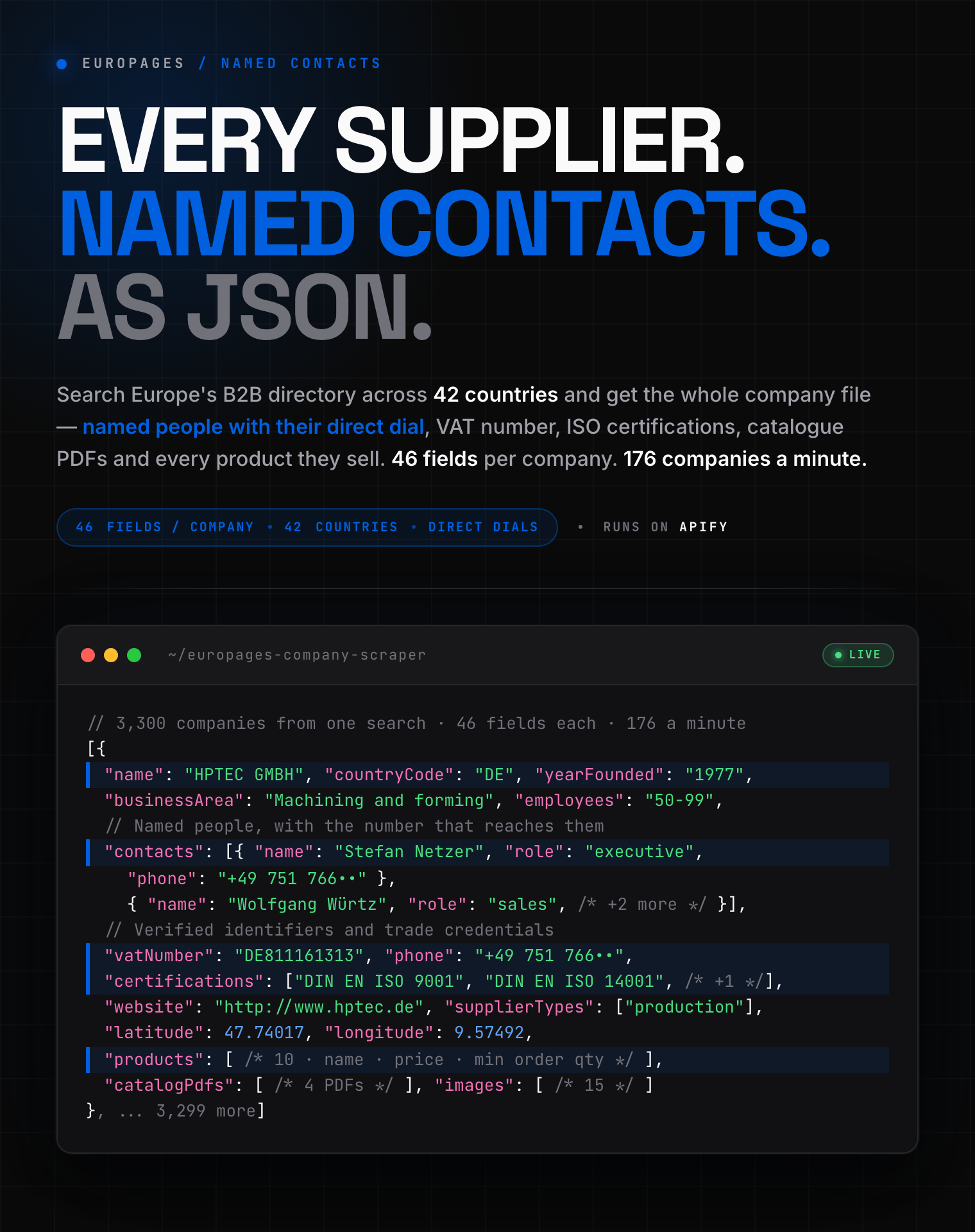
The people, their role, and the line that reaches them. Not a generic info@ address. |
| VAT number |
On about half of companies, so you can verify a business before you contact it. |
| What they sell |
Around 13 products per company, with descriptions, photos and minimum order quantities. |
| Trade credentials |
ISO certifications, incoterms, accepted payment methods and catalogue PDFs. |
**46 fields per company. 42 countries. 3,300 companies from a single search.**
#### Copy to your AI assistant
```
zen-studio/europages-company-scraper on Apify. Call: ApifyClient("TOKEN").actor("zen-studio/europages-company-scraper").call(run_input={...}), then client.dataset(run["defaultDatasetId"]).list_items().items for results. Key inputs: query (string, e.g. "precision machining"), country (2-letter code, 42 supported), category (browse an industry instead of searching), maxResults (integer), includeProducts (boolean, default true). Full actor spec (input schema with all params/enums/defaults, output dataset fields, README): GET https://api.apify.com/v2/acts/zen-studio~europages-company-scraper/builds/default (Bearer TOKEN) -> inputSchema, actorDefinition.storages.dataset, readme. Get token: https://console.apify.com/account/integrations
```
### Key Features
- **Named contacts with direct dials** on the companies that publish them, plus the company switchboard on 95%
- **Search by keyword** filtered to any of 42 European countries
- **Browse a whole industry** with no search term, from 41 suggested categories or any name you type
- **Every product a company lists**, with descriptions, photos and minimum order quantities
- **Goes deeper than one search allows**: a single query returned 3,300 companies in one run
- **Paste a search URL** from your browser, or look up specific companies by URL
### How to Scrape Europages Company Data
#### Search a keyword in one country
```json
{
"query": "precision machining",
"country": "DE",
"maxResults": 500
}
```
#### Browse a whole industry, no keyword needed
```json
{
"category": "Industrial valves",
"country": "IT",
"maxResults": 2000
}
```
The console suggests 41 of the largest categories and accepts any other name you type,
for example `essential oils` or `laser cutting`. The run states how many companies the
directory holds for what you asked: a real industry is thousands, a misspelling is a few
dozen.
#### Look up specific companies
```json
{
"companyUrls": [
"https://www.europages.co.uk/GES-SAS/SEAC000168429-001.html"
]
}
```
### Input Parameters
| Field | Type | Default | Description |
|---|---|---|---|
| `query` | string | — | What to search for, e.g. precision machining |
| `country` | string | — | Return only companies in this country. Any of the 42 |
| `category` | string | — | Browse a whole industry instead of searching |
| `maxResults` | integer | `100` | Stop after this many companies |
| `includeProducts` | boolean | `true` | Include every product each company lists |
| `searchUrls` | array | — | Paste search URLs. Takes priority over the search term |
| `companyUrls` | array | — | Scrape specific companies. Takes priority over everything |
### Which Countries Are Covered?
All 42 the directory indexes: Albania, Austria, Belarus, Belgium, Bosnia and Herzegovina,
Bulgaria, Croatia, Cyprus, Czechia, Denmark, Estonia, Finland, France, Germany, Greece,
Hungary, Iceland, Ireland, Italy, Latvia, Lithuania, Luxembourg, Malta, Moldova, Monaco,
Montenegro, Netherlands, North Macedonia, Norway, Poland, Portugal, Romania, Russia,
Serbia, Slovakia, Slovenia, Spain, Sweden, Switzerland, Turkey, Ukraine and the United
Kingdom.
Pick one with the **Country** field. Search URLs you paste yourself are used exactly as
given, so they work on the nine language sites the directory publishes.
### What Data Can You Extract from Europages?
| Category | Fields |
|---|---|
| **Contact** | Named people with role and direct line, company phone, website, fax |
| **Identity** | Company name, acronym, VAT number, directory IDs, profile language |
| **Location** | Street, postcode, city, country, latitude, longitude, map link, area served |
| **Firmographics** | Year founded, employee band, supplier type, business area |
| **Trade** | ISO certifications, incoterms, payment terms, accepted payment methods, trade restrictions |
| **Commercial** | Every product with description, selling points, photos, price and minimum order quantity |
| **Media** | Company photos, logo, catalogue PDFs, videos |
| **Signals** | Responds quickly, accepts enquiries, premium listing |
#### Output Example
One real row, every field the actor returns. Long arrays are trimmed here with a
`... N more` marker; a real run returns them in full.
```json
{
"name": "HPTEC GMBH",
"companyId": "00000004728334",
"profileUrl": "https://www.europages.de/HPTEC-GMBH/00000004728334-001.html",
"city": "Ravensburg",
"countryCode": "DE",
"employees": "50-99",
"areaServed": "international",
"epId": "00000004728334-001",
"description": "Seit 1977 sind wir stolz darauf, hochpräzise Werkzeuge für die spanende Industrie herzustellen. Unser Produktionsstandort im Süden Deutschlands steht...",
"street": "Im Karrer 6",
"postalCode": "88214",
"latitude": 47.74017,
"longitude": 9.57492,
"mapUrl": "https://www.google.com/maps?q=47.74017,9.57492",
"website": "http://www.hptec.de",
"websites": [
"http://www.hptec.de"
],
"phone": "+4975176690",
"fax": null,
"vatNumber": "DE811161313",
"yearFounded": "1977",
"supplierTypes": [
"production",
"customer_specific_manufacturing",
"... 1 more"
],
"businessArea": "Werkzeuge & Fertigungsbedarf",
"certifications": [
"DIN EN ISO 14001",
"DIN EN ISO 9001",
"... 1 more"
],
"incoterms": [],
"paymentTerms": [],
"keywords": [
"Bohren von Metallen",
"Bohrer",
"... 12 more"
],
"contacts": [
{
"name": "Stefan Netzer",
"role": "executive",
"phone": "+4975176690",
"email": null
},
"... 2 more"
],
"catalogPdfs": [
"https://wlw-1-company-facts-media20191122174836234900000006.s3.eu-central-1.amazonaws.com/21d0faaf-c6eb-4efd-b...",
"https://wlw-1-company-facts-media20191122174836234900000006.s3.eu-central-1.amazonaws.com/84cbe34e-0694-4e33-b...",
"... 2 more"
],
"videos": [],
"productCount": null,
"logo": "https://media.visable.com/https://wlw-1-company-facts-media20191122174836234900000006.s3.eu-central-1.amazonaws.com/b62fabb8-0912-433c-a509-ca68e95bfa...",
"images": [
"https://media.visable.com/https://wlw-1-company-facts-media20191122174836234900000006.s3.eu-central-1.amazonaw...",
"https://media.visable.com/https://wlw-1-company-facts-media20191122174836234900000006.s3.eu-central-1.amazonaw...",
"... 11 more"
],
"canonicalUrl": "https://www.europages.de/de/firma/hptec-gmbh-22220541",
"sourceUrl": "https://www.europages.de/HPTEC-GMBH/00000004728334-001.html",
"sourcePlatform": "europages.com",
"scrapedAt": "2026-09-13T05:50:22+00:00",
"acronym": "HPT",
"paymentMethods": [],
"directoryId": "22220541",
"companyUuid": "4d429414-3a7c-3f2b-a184-a0de275356e6",
"quickResponder": null,
"contactable": true,
"premiumListing": false,
"restrictedIn": [],
"profileLanguage": "de",
"products": [
{
"name": "Dentalwerkzeuge für präzises 3D-Fräsen",
"url": "https://www.europages.de/en/company/hptec-gmbh-22220541/products/dentalwerkzeuge-fuer-prae...",
"description": "Aufgrund der Verwendung von harten und stabilen Werkstoffen in der Dentalindustrie sind...",
"sellPoints": [
"Präzises 3D-Fräsen für Dentalanwendungen",
"... 2 more"
],
"images": [
"https://supplier-offers-media-production.s3.eu-central-1.amazonaws.com/68976bcc-b62d-11ef-8e11-0a58a9feac02.png"
],
"price": null,
"minimumOrderQuantity": null
},
"... 9 more"
]
}
```
### How to Run It and Put It on a Schedule
Run it from the Console, from your own code, or through any of Apify's integrations. Supplier lists go stale
as companies move, rebrand and change hands, so a **monthly** schedule keeps a territory
list current without you thinking about it. Point it at Google Sheets, Make, Zapier or a
webhook and the refreshed rows land where your team already works.
### Pricing: Pay Per Event (PPE)
**$2.99 per 1,000 companies** on the free and starter plans, falling to **$1.99 per
1,000** on higher plans. Every result is a complete profile; there is no cheaper partial
tier and no separate charge for the contact details.
| Companies | Cost |
|---|---|
| 100 | $0.30 |
| 500 | $1.50 |
| 1,000 | $2.99 |
Free tier: 10 lifetime runs, up to 30 companies per run.
### FAQ
**How many companies can one search return?**
More than the directory shows in one listing. A search for precision machining returned
3,300 companies in a single run, and the actor keeps going by narrowing the search itself
when a result set is too large to walk in one pass.
**Do I get email addresses?**
Phone numbers are the reliable channel here: the company switchboard is present on 95% of
records and named contacts carry their own line where the company publishes one. Email
appears only where a company chose to publish it, which is uncommon on this directory.
**Is the data in English?**
Company descriptions are in whatever language the company wrote them, and the row tells
you which in `profileLanguage`. Names, addresses, identifiers and numbers are
language-independent.
**What happens if I misspell a category?**
The directory answers an unknown category with loosely matched companies rather than an
error, so the run reports how many companies it found for what you asked. A real industry
is thousands; a typo is a few dozen. Check that line before letting a large run continue.
**Can I get products without the company profile?**
Not yet. Products come attached to their company, which is why `includeProducts` is on by
default and costs nothing extra.
### More Zen Studio scrapers for B2B and supplier data
**🏭 Industrial & supplier directories**
- 
 Kompass
 ThomasNet
 GlobalSpec
 **MakersRow**
- [MakersRow Factory Directory](https://apify.com/zen-studio/makersrow-manufacturer-search)
**📦 Wholesale & trade records**
-
**MakersRow**
- [MakersRow Factory Directory](https://apify.com/zen-studio/makersrow-manufacturer-search)
**📦 Wholesale & trade records**
-  **ImportYeti**
- [ImportYeti Import Records Scraper](https://apify.com/zen-studio/importyeti-scraper)
-
**ImportYeti**
- [ImportYeti Import Records Scraper](https://apify.com/zen-studio/importyeti-scraper)
-  **eSources**
- [eSources Wholesale Directory Scraper](https://apify.com/zen-studio/esources-wholesale-directory-scraper)
### Support
- **Bugs**: Issues tab
- **Features**: Issues tab
### Legal Compliance
Extracts publicly available data. Users must comply with Europages terms and data protection regulations (GDPR, CCPA).
***
*Turn a Europages search into a CRM-ready list of suppliers, contacts and phone numbers.*
# Actor input Schema
## `query` (type: `string`):
What to search for, e.g. precision machining or industrial valves. Combined with the country below.
## `country` (type: `string`):
Only return companies located in this country. All 42 countries the directory indexes are available.
## `maxResults` (type: `integer`):
Stop after this many companies.
## `searchUrls` (type: `array`):
Paste Europages search URLs to scrape directly. Takes priority over the search term, and is used exactly as given, so add your own country filter to the URL if you need one. Works on the Europages directories for the United Kingdom, Germany, France, Italy, Spain, Netherlands, Poland, Portugal and Sweden.
## `category` (type: `string`):
Browse a whole industry without a search term. Pick one of the suggestions or type any other category name, for example essential oils or laser cutting. Matches the directory's own categories and keeps going into related ones, so it reaches further than a single search can. Used only when no search term or URL is given.
## `companyUrls` (type: `array`):
Scrape specific companies by their Europages URL. Takes priority over everything else. Works on the same nine country directories.
## `includeProducts` (type: `boolean`):
Adds every product a company lists on its profile: name, link, description, selling points, photos, price and minimum order quantity. Costs nothing extra and does not slow the run. Turn it off for a smaller, simpler record.
## Actor input object example
```json
{
"query": "precision machining",
"country": "GB",
"maxResults": 100,
"includeProducts": true
}
```
# Actor output Schema
## `companies` (type: `string`):
No description
# API
You can run this Actor programmatically using our API. Below are code examples in JavaScript, Python, and CLI, as well as the OpenAPI specification and MCP server setup.
## JavaScript example
```javascript
import { ApifyClient } from 'apify-client';
// Initialize the ApifyClient with your Apify API token
// Replace the '
**eSources**
- [eSources Wholesale Directory Scraper](https://apify.com/zen-studio/esources-wholesale-directory-scraper)
### Support
- **Bugs**: Issues tab
- **Features**: Issues tab
### Legal Compliance
Extracts publicly available data. Users must comply with Europages terms and data protection regulations (GDPR, CCPA).
***
*Turn a Europages search into a CRM-ready list of suppliers, contacts and phone numbers.*
# Actor input Schema
## `query` (type: `string`):
What to search for, e.g. precision machining or industrial valves. Combined with the country below.
## `country` (type: `string`):
Only return companies located in this country. All 42 countries the directory indexes are available.
## `maxResults` (type: `integer`):
Stop after this many companies.
## `searchUrls` (type: `array`):
Paste Europages search URLs to scrape directly. Takes priority over the search term, and is used exactly as given, so add your own country filter to the URL if you need one. Works on the Europages directories for the United Kingdom, Germany, France, Italy, Spain, Netherlands, Poland, Portugal and Sweden.
## `category` (type: `string`):
Browse a whole industry without a search term. Pick one of the suggestions or type any other category name, for example essential oils or laser cutting. Matches the directory's own categories and keeps going into related ones, so it reaches further than a single search can. Used only when no search term or URL is given.
## `companyUrls` (type: `array`):
Scrape specific companies by their Europages URL. Takes priority over everything else. Works on the same nine country directories.
## `includeProducts` (type: `boolean`):
Adds every product a company lists on its profile: name, link, description, selling points, photos, price and minimum order quantity. Costs nothing extra and does not slow the run. Turn it off for a smaller, simpler record.
## Actor input object example
```json
{
"query": "precision machining",
"country": "GB",
"maxResults": 100,
"includeProducts": true
}
```
# Actor output Schema
## `companies` (type: `string`):
No description
# API
You can run this Actor programmatically using our API. Below are code examples in JavaScript, Python, and CLI, as well as the OpenAPI specification and MCP server setup.
## JavaScript example
```javascript
import { ApifyClient } from 'apify-client';
// Initialize the ApifyClient with your Apify API token
// Replace the '