# RedNote (Xiaohongshu) Product Detail Scraper - 39 Fields (`zen-studio/rednote-product-detail-scraper`) Actor

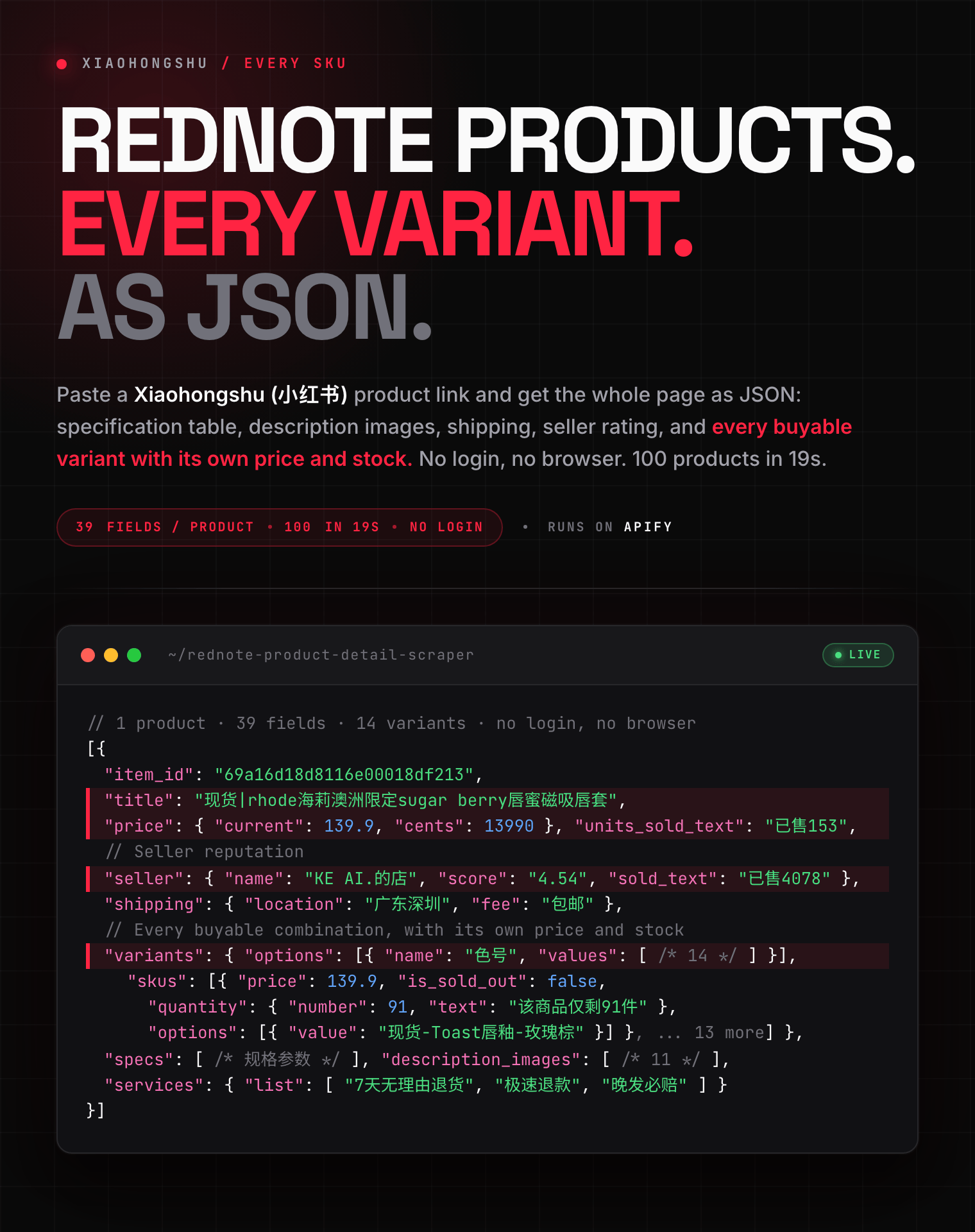
Scrape any Xiaohongshu (RedNote / 小红书) product page by URL: price, specs, every variant with its own price and stock, description images, shipping, and seller rating. 39 fields per product. Accepts product links, share links or IDs. No login, no browser. Export JSON, CSV, Excel.

- **URL**: https://apify.com/zen-studio/rednote-product-detail-scraper.md
- **Developed by:** [Zen Studio](https://apify.com/zen-studio) (community)
- **Categories:** E-commerce, Social media
- **Stats:** 2 total users, 1 monthly users, 100.0% runs succeeded, 0 bookmarks
- **User rating**: No ratings yet

## Pricing

from $3.29 / 1,000 product details

This Actor is paid per event. You are not charged for the Apify platform usage, but only a fixed price for specific events.
Since this Actor supports Apify Store discounts, the price gets lower the higher subscription plan you have.

Learn more: https://docs.apify.com/actors/running/actors-in-store.md#pay-per-event

## What's an Apify Actor?

Actors are web data automations that power AI and operations. They run on the Apify platform to scrape websites, process data, connect APIs, and automate workflows.
In Batch mode, an Actor accepts a well-defined JSON input, performs an action which can take anything from a few seconds to a few hours,
and optionally produces a well-defined JSON output, datasets with results, or files in key-value store.
In Standby mode, an Actor provides a web server which can be used as a website, API, or an MCP server.
Actors are written with capital "A".

## How to integrate an Actor?

If asked about integration, you help developers integrate Actors into their projects.
You adapt to their stack and deliver integrations that are safe, well-documented, and production-ready.
The best way to integrate Actors is as follows.

- **AI agents and MCP clients** — the [Apify MCP server](https://docs.apify.com/integrations/mcp.md) at `https://mcp.apify.com` (remote, streamable HTTP, OAuth on first use).
- **Agentic workflows and local Actor development** — [Agent Skills](https://apify.com/.well-known/agent-skills/index.json) with the [Apify CLI](https://docs.apify.com/cli/docs.md): `npm install -g apify-cli`, then `apify login`.
- **JavaScript/TypeScript projects** — the official [JS/TS client](https://docs.apify.com/api/client/js/docs.md): `npm install apify-client`.
- **Python projects** — the official [Python client](https://docs.apify.com/api/client/python/docs.md): `pip install apify-client`.
- **Any other language** — the [REST API](https://docs.apify.com/api/v2.md).

For usage examples, see the [API](#api) section below.

For more details, see Apify documentation as [Markdown index](https://docs.apify.com/llms.txt) and [Markdown full-text](https://docs.apify.com/llms-full.txt).

# README

## RedNote (Xiaohongshu / 小红书) Product Detail Scraper | Full Product Page by URL: Specs, Shipping, Variants & Stock (2026)

<blockquote style="border-left:4px solid #FF2442;background:#FFF5F5;padding:12px 16px">
<span style="font-size:16px;font-weight:700;color:#1C1917">The whole Xiaohongshu product page, 39 fields deep, in 0.19 seconds. 100 products in under 20.</span> <span style="font-size:15px;color:#57534E">Every buyable variant with its own price and stock. Paste a product link, an app link, a share link, or a bare ID.</span>
</blockquote>

<a href="https://console.apify.com/actors/p7sbxDHbG0NzrpYBB/input"><img src="https://api.apify.com/v2/key-value-stores/pJ7iaZsTFhR3k9tjV/records/rednote-product-detail-scraper-hero.png" alt="RedNote (Xiaohongshu) product detail scraper: full product page as structured JSON with specifications, shipping, seller rating and every variant with its price and stock" style="max-width:100%"></a>

<blockquote style="border-left:4px solid #FF2442;background:#FFF5F5;padding:12px 16px;margin:12px 0">
<span style="font-size:15px;color:#1C1917"><strong style="color:#1C1917">⚡ The variants are the point.</strong> A product with several option groups expands to every real combination, twenty-five SKUs is ordinary, each with its own price, discounted price, coupons and availability. Search listings do not carry any of that.</span>
</blockquote>

<table>
<tr>
<td colspan="4" style="padding:10px 14px;background:#4C945E;border:none;border-radius:4px 4px 0 0">
<span style="color:#FAFAF9;font-size:14px;font-weight:700;letter-spacing:0.5px">Zen Studio &middot; RedNote (小红书) suite</span>
<span style="color:#E8F5E9;font-size:13px">&nbsp;&nbsp;&bull;&nbsp;&nbsp;Products, reviews, search, and notes from Xiaohongshu</span>
</td>
</tr>
<tr>
<td style="background:#D3EDD9;padding:10px 12px;border:1px solid #E7E5E4;border-right:none;border-top:none;vertical-align:top;width:25%">
<span style="white-space:nowrap"><img src="https://apify-image-uploads-prod.s3.us-east-1.amazonaws.com/NWYsOG96fMDy8ycdf-actor-p7sbxDHbG0NzrpYBB-cdwnvgHaqp-xiaohongshu-search-scraper-logo-square.png" width="20" height="20" style="vertical-align:middle;border-radius:4px"> &nbsp;<a href="https://apify.com/zen-studio/rednote-product-detail-scraper" style="color:#4C945E;text-decoration:none;font-weight:700;font-size:13px">RedNote&nbsp;Product&nbsp;Detail</a></span><br>
<span style="color:#4C945E;font-size:11px;font-weight:600">&#10148; You are here</span>
</td>
<td style="background:#E8F5E9;padding:10px 12px;border:1px solid #E7E5E4;border-right:none;border-top:none;vertical-align:top;width:25%">
<span style="white-space:nowrap"><img src="https://apify-image-uploads-prod.s3.us-east-1.amazonaws.com/NWYsOG96fMDy8ycdf-actor-PFEF54yyh1ciefrLO-Yfg0xDwatS-xiaohongshu-search-scraper-logo-square.png" width="20" height="20" style="vertical-align:middle;border-radius:4px"> &nbsp;<a href="https://apify.com/zen-studio/rednote-product-search-scraper" style="color:#1C1917;text-decoration:none;font-weight:700;font-size:13px">RedNote&nbsp;Product&nbsp;Search</a></span><br>
<span style="color:#78716C;font-size:11px">Keyword search, variants &amp; stock</span>
</td>
<td style="background:#E8F5E9;padding:10px 12px;border:1px solid #E7E5E4;border-right:none;border-top:none;vertical-align:top;width:25%">
<span style="white-space:nowrap"><img src="https://apify-image-uploads-prod.s3.us-east-1.amazonaws.com/NWYsOG96fMDy8ycdf-actor-BoK3MbIR9v2fIf6Kc-8getWsTFqJ-xiaohongshu-search-scraper-logo-square.png" width="20" height="20" style="vertical-align:middle;border-radius:4px"> &nbsp;<a href="https://apify.com/zen-studio/rednote-product-reviews-scraper" style="color:#1C1917;text-decoration:none;font-weight:700;font-size:13px">RedNote&nbsp;Product&nbsp;Reviews</a></span><br>
<span style="color:#78716C;font-size:11px">Buyer reviews, photos, replies</span>
</td>
<td style="background:#E8F5E9;padding:10px 12px;border:1px solid #E7E5E4;border-top:none;vertical-align:top;width:25%">
<span style="white-space:nowrap"><img src="https://apify-image-uploads-prod.s3.us-east-1.amazonaws.com/NWYsOG96fMDy8ycdf-actor-KUsXYaUL4BmKEjYjf-X1HWVHrvau-xiaohongshu-search-scraper-logo-square.png" width="20" height="20" style="vertical-align:middle;border-radius:4px"> &nbsp;<a href="https://apify.com/zen-studio/rednote-note-detail-scraper" style="color:#1C1917;text-decoration:none;font-weight:700;font-size:13px">RedNote&nbsp;Note&nbsp;Detail</a></span><br>
<span style="color:#78716C;font-size:11px">Full note + video streams</span>
</td>
</tr>
</table>

#### Copy to your AI assistant

```
zen-studio/rednote-product-detail-scraper on Apify. Returns the full Xiaohongshu (RedNote / 小红书) product page for a given product. Input productUrls (string[]) accepts a goods-detail link, a pages.xiaohongshu.com/goods link, an xhslink share link (bare or inside share text), or a bare 24-hex product id. One dataset row per product with item_id, url, title, price (current/integer/decimal/deal/promotions), images, description_images, description, specs, services, shipping, faq, consume_warning, seller (id/name/score/fans/shop sold), and variants.options[] plus variants.skus[] carrying per-SKU price, deal_price, coupons, options and availability. Call ApifyClient("TOKEN").actor("zen-studio/rednote-product-detail-scraper").call(run_input={...}), then client.dataset(run["defaultDatasetId"]).list_items().items. Full spec: GET https://api.apify.com/v2/acts/zen-studio~rednote-product-detail-scraper/builds/default (Bearer TOKEN) → inputSchema, actorDefinition.storages.dataset, readme. Token: https://console.apify.com/account/integrations
```

### How to Scrape a RedNote Product Page

1. Open the product in Xiaohongshu and copy its link, or use **Share → Copy link**.
2. Paste it into **Product links**. Add as many as you want, one per line.
3. Hit **Start**. Each product comes back as one row.

```json
{
  "productUrls": [
    "https://www.xiaohongshu.com/goods-detail/69a16d18d8116e00018df213",
    "https://pages.xiaohongshu.com/goods/67b812b68e930600150168db",
    "6a06f1cddd034c0001cb71fe"
  ]
}
```

#### What counts as a product link

| Format | Example |
|---|---|
| Product page | `https://www.xiaohongshu.com/goods-detail/<id>` |
| App link | `https://pages.xiaohongshu.com/goods/<id>` |
| Share link | `https://xhslink.com/a/AbCd12`, bare or pasted with its share text |
| Bare product ID | `69a16d18d8116e00018df213` |

A whole column pasted out of a spreadsheet works too. Entries are split, deduplicated, and billed once each.

### Input Parameters

| Parameter | Type | Default | Description |
|-----------|------|---------|-------------|
| `productUrls` | string\[] | *required* | One or more Xiaohongshu products, in any of the four formats above. Duplicates are removed before billing. |

There is nothing else to configure. Variants come with every product rather than sitting behind a toggle.

### What Data You Get: One Row Per Product

The `images`, `description_images` and `variants.skus` arrays are truncated to one entry each below. Real rows carry every entry, typically five to ten gallery images, ten to thirty description images, and one SKU per buyable combination. No keys are omitted.

```json
{
  "item_id": "69a16d18d8116e00018df213",
  "url": "https://www.xiaohongshu.com/goods-detail/69a16d18d8116e00018df213",
  "title": "现货|rhode海莉澳洲限定sugar berry唇蜜磁吸唇套适用于苹果16手",
  "tags": [],
  "units_sold_text": "已售153",
  "stock_status": 1,
  "sku_type": "normal",
  "images": [
    { "url": "https://mall-i10.xhscdn.com/arkgoods/104103ng31vn8qt3q3q06ce6msvhg…", "thumbnail": null, "width": 2000, "height": 2000, "sizeBanner": null, "cover": null, "videoId": null, "media": null, "type": null }
  ],
  "marketing_image": null,
  "video": null,
  "description": "商品名称：现货|rhode海莉澳洲限定sugar berry唇蜜 发货地广东深圳 适用人群通用",
  "description_images": [
    { "url": "https://mall-i10.xhscdn.com/arkgoods/104103ng31vn8qt3q3q2mce6msvhg…", "thumbnail": null, "width": 1112, "height": 1112, "sizeBanner": null, "cover": null, "videoId": null, "media": null, "type": null }
  ],
  "brand": { "card": null, "authorization": null, "shop_active": null, "guide": null },
  "price": {
    "current": 139.9,
    "integer_part": "139",
    "decimal_part": "9",
    "cents": 13990,
    "deal": { "price": 22.75, "type": 17, "priceText": "券后价", "isShowPricePop": true },
    "promotion": null,
    "multiple_discount": [],
    "count_down": null,
    "tags": [],
    "warm_up": { "price": null, "promotion": null, "tips": null, "backgroundImage": null },
    "description": { "title": "价格说明", "list": [{ "name": "划线价格", "value": "指商品的专柜价、吊牌价、正品零售价…" }] }
  },
  "promotions": { "name": "优惠", "tags": ["2件9.8折", "商家券｜满19减2"], "profitType": "PROMOTION,COUPON", "couponTemplateId": "6a931cbf0fcd5400159e6be5", "promotionType": "M_PIECE_N_FOLD", "promotionId": "6a8c48aed889380015a090aa" },
  "promotion_detail": { "title": "优惠", "formula": { "result": { "name": "到手价", "price": 22.75 }, "step": [{ "name": "原始售价", "price": 24.75 }, { "name": "商家券", "price": 2.0 }] } },
  "installment": { "summary": { "title": null, "text": null }, "detail": { "title": null, "tips": null, "notice": null, "steps": [] } },
  "specs": [{ "name": "商品名称", "value": "现货|rhode海莉澳洲限定sugar berry唇蜜" }],
  "services": {
    "list": [{ "name": "7天无理由退货", "icon": "https://picasso-static.xiaohongshu.com/fe-platform/e624ca23…", "type": null }],
    "detail": [{ "title": "7天无理由退货", "description": "满足相应条件时，消费者可申请“七天无理由退货”。", "link": null, "icon": "https://qimg.xiaohongshu.com/beerdemo/90a8e4f4…" }],
    "brand_guarantee": null
  },
  "shipping": { "location": "广东深圳", "fee": "包邮", "shipmentIcon": null, "time": { "text": "09月04日发货" } },
  "faq": [],
  "consume_warning": { "title": null, "text": null },
  "campaign_banner": { "componentCode": null, "resourceObjects": [] },
  "selected_sku": { "text": "现货-saltytan唇釉-玫瑰豆沙", "skuId": "69a16d18d8116e00018df213", "desc": null, "specifications": [] },
  "seller": {
    "id": "6638e3d03bf50b00017d9f03",
    "name": "KE AI.的店",
    "logo": "https://sns-avatar-qc.xhscdn.com/avatar/1040g2jo31q30o4ah7o004a5boglpu0ttqda3rc0",
    "link": "https://www.xiaohongshu.com/shop/6638e3d03bf50b00017d9f03",
    "grade": "4.5", "score": "4.54", "score_label": "卖家口碑",
    "fans_text": "粉丝数 333", "sold_text": "已售4078",
    "sku_count": null, "slogan": null, "tag": null
  },
  "customer_service": { "available": true, "name": "客服", "link": "xhsdiscover://rn/eva-seraph/seller/6638e3d03bf50b00017d9f03/chat" },
  "buttons": [{ "type": "addCart", "text": "加入购物车", "actionType": "addCart", "styleType": "RedA6" }],
  "cart_item_count": 0,
  "activity_info": null,
  "is_single_variant": false,
  "header": { "hasMoreButton": true, "hasComments": null, "sellerId": "6638e3d03bf50b00017d9f03", "hasSearch": true, "hasPlaceholder": true, "hasFollowed": true, "isFollowed": false, "searchLink": null },
  "statistics": { "skuNum": 1 },
  "deposit_steps": null,
  "description_extra": null,
  "o2o_shop": null,
  "fission_coupon": null,
  "shipping_detail": null,
  "variants": {
    "options": [
      { "id": "5a60c42f69bd891ed8939a38", "name": "色号", "values": ["澳洲限定Sugar berry现货", "现货-Toast唇釉-玫瑰棕", "现货-ribbon唇釉-粉色"], "soldOutValues": [], "valuesExt": [], "variantType": null, "specBarTitle": null, "isMainSpec": null, "arrow": null }
    ],
    "skus": [
      {
        "sku_id": "67b812b612147e0015cafedc",
        "seller_id": "6638e3d03bf50b00017d9f03",
        "price": 39.2,
        "price_text": "39.2",
        "deal_price": "37.2",
        "deal_price_label": "到手价",
        "cart_price_cents": 3920,
        "stock_status": 1,
        "is_sold_out": false,
        "quantity": { "number": 91, "text": "该商品仅剩91件", "displayed": true, "tip": null },
        "options": [{ "id": "5a60c42f69bd891ed8939a38", "name": "色号", "value": "现货-saltytan唇釉-玫瑰豆沙", "imageUrl": "", "thumbnailUrl": null, "topSale": false, "saleTag": null, "variantType": null }],
        "image": "https://mall-i10.xhscdn.com/material_space/70efe8db-cc22-4746-be52-d109112bef23",
        "promotion_tips": null,
        "promotion_tag": null,
        "coupons": [{ "templateId": "6a931cbf0fcd5400159e6be5" }],
        "services": [{ "name": "7天无理由退货", "icon": "https://picasso-static.xiaohongshu.com/fe-platform/0f280e9b…", "type": null }],
        "gift_promotion": null,
        "selected": false
      }
    ],
    "specification": "none",
    "selected": null,
    "lowest_prices": null,
    "lowest_price_desc": null,
    "has_logistic_variant": false
  },
  "_input": "https://www.xiaohongshu.com/goods-detail/69a16d18d8116e00018df213"
}
```

Download it as JSON, CSV, Excel, XML, or HTML from the run's Storage tab, or pull it through the Apify API.

#### Reading the availability field

`quantity.number` always arrives with `quantity.text`, and the text is the part that tells you what the number means.

On some products it is the remaining stock (`该商品仅剩91件`), on others it is the per-order purchase limit (`单次最多可购买10件`). Both are passed through exactly as the platform states them, with no reinterpretation on our side.

### Pricing: Pay Per Event (PPE)

**$3.99 per 1,000 products.** One product page is one billable row. A product that turns out to be delisted is not charged.

| Plan | Per product | Per 1,000 |
|------|-------------|-----------|
| Free and Starter | $0.00399 | $3.99 |
| Scale | $0.00379 | $3.79 |
| Business and above | $0.00329 | $3.29 |

Volume discounts apply automatically, there is nothing to claim.

#### Free tier

**15 lifetime runs**, each capped at 5 products. No credit card required. Enough to see the full row shape, including the variant matrix, before you buy.

### Advanced Usage

#### Price and stock monitoring

```json
{ "productUrls": ["69a16d18d8116e00018df213", "67b812b68e930600150168db"] }
```

Schedule this daily against a fixed list of products. Track `price.current` and `price.deal` for the headline, then `variants.skus[].price` and `variants.skus[].quantity` to see individual colours or sizes move, which is where restocks and quiet price changes actually show up.

#### Competitor catalogue enrichment

Run [RedNote Product Search Scraper](https://apify.com/zen-studio/rednote-product-search-scraper) to find products by keyword, then feed the `id` of anything interesting into this actor for the full page. Product Search can also attach the same detail inline if you would rather do it in one run.

#### Supplier and sourcing research

`specs`, `description_images` and `shipping` together give you what a sourcing sheet needs: declared attributes, the seller's own detail imagery, dispatch origin and shipping terms, plus `seller.score` and `seller.sold_text` as a vendor-quality signal.

### FAQ

**What is RedNote (Xiaohongshu / Little Red Book)?**
RedNote is the international name of Xiaohongshu (小红书, often abbreviated XHS), China's leading lifestyle and social-commerce platform. Its built-in shop sells across beauty, fashion, home, and electronics, and this actor reads any product page from it.

**Does Xiaohongshu have a public product API?**
Not one you can sign up for. There is no documented public product endpoint, no developer portal, and no key to request, which is the gap this actor fills. You get a stable JSON row per product instead.

**Do I need a Xiaohongshu account or cookies?**
No. Nothing to log in with, nothing to paste, no captcha to solve.

**What happens if a product was removed?**
The run tells you which link could not be collected and carries on with the rest. A delisted product is never billed.

**Can I get buyer reviews here?**
No, reviews live in [RedNote Product Reviews Scraper](https://apify.com/zen-studio/rednote-product-reviews-scraper). Feed it the same product `id`.

**Why do some products have one variant and others have twenty-five?**
Because the seller configured them that way. Products with two option groups, say colour and pack size, expand to every real combination, and each one is a separate SKU with its own price and availability.

**How many products can I do in one run?**
As many as you paste. They are fetched concurrently, so a hundred products finish in well under a minute.

**Can I export to Excel or CSV?**
Yes. The dataset downloads as JSON, CSV, Excel, XML, or HTML from the run's Storage tab, or via the Apify API.

**Is it legal to scrape Xiaohongshu product pages?**
This actor reads publicly visible product pages, the same content any shopper sees without logging in. It collects no personal data. You remain responsible for complying with Xiaohongshu's terms and with GDPR, CCPA and PIPL where they apply to your use.

### More Zen Studio scrapers for Chinese platforms

**🎬 Short-video & social**

- <img src="https://apify-image-uploads-prod.s3.us-east-1.amazonaws.com/NWYsOG96fMDy8ycdf-actor-mHKEEgoDqr6btQQer-fUs5ZquIeN-xiaohongshu-search-scraper-logo-square.png" width="16" height="16" style="vertical-align:middle;border-radius:3px"> **RedNote 小红书**
  - [RedNote Search Scraper](https://apify.com/zen-studio/rednote-search-scraper)
  - [RedNote User Profile Scraper](https://apify.com/zen-studio/rednote-user-profile-scraper)
  - [RedNote Comments Scraper](https://apify.com/zen-studio/rednote-comments-scraper)
  - [RedNote Note Detail Scraper](https://apify.com/zen-studio/rednote-note-detail-scraper)
  - [RedNote Product Search Scraper](https://apify.com/zen-studio/rednote-product-search-scraper)
  - [RedNote Product Reviews Scraper](https://apify.com/zen-studio/rednote-product-reviews-scraper)
  - [RedNote Live Recorder](https://apify.com/zen-studio/rednote-live-recorder)
- <img src="https://apify-image-uploads-prod.s3.us-east-1.amazonaws.com/NWYsOG96fMDy8ycdf-actor-3TJaaOJDU1AMiOoJM-Vu2eVr0P6N-douyin-profile-scraper-logo.png" width="16" height="16" style="vertical-align:middle;border-radius:3px"> **Douyin 抖音**

  - [Douyin Search Scraper](https://apify.com/zen-studio/douyin-search-scraper)
  - [Douyin Profile Scraper](https://apify.com/zen-studio/douyin-profile-scraper)
  - [Douyin Video Scraper](https://apify.com/zen-studio/douyin-video-scraper)
  - [Douyin Comments Scraper](https://apify.com/zen-studio/douyin-comments-scraper)
  - [Douyin Transcripts Scraper](https://apify.com/zen-studio/douyin-transcripts-scraper)
  - [Douyin Creator Rankings Scraper](https://apify.com/zen-studio/douyin-xingtu-rankings-scraper)
  - [Douyin Live Recorder](https://apify.com/zen-studio/douyin-live-recorder)
  - [Douyin Hot Search Scraper](https://apify.com/zen-studio/douyin-hot-search-scraper)
  - [Douyin Product Search Scraper](https://apify.com/zen-studio/douyin-product-search-scraper)
- <img src="https://apify-image-uploads-prod.s3.us-east-1.amazonaws.com/NWYsOG96fMDy8ycdf-actor-dexCSKEZtKS8hg4fT-lD4weyiYga-shigua-____-scraper-logo.jpg" width="16" height="16" style="vertical-align:middle;border-radius:3px"> **Xigua 西瓜视频**

  - [Xigua Video Search Scraper](https://apify.com/zen-studio/xigua-video-search-scraper)
  - [Xigua Video Detail Scraper](https://apify.com/zen-studio/xigua-video-detail-scraper)
- <img src="https://apify-image-uploads-prod.s3.us-east-1.amazonaws.com/NWYsOG96fMDy8ycdf-actor-oSxuPDE1h3HAsHZSu-x3uV98mgTe-bilibili-scraper-logo.png" width="16" height="16" style="vertical-align:middle;border-radius:3px"> **Bilibili 哔哩哔哩**

  - [Bilibili Video Scraper](https://apify.com/zen-studio/bilibili-video-scraper)
  - [Bilibili Danmaku Scraper](https://apify.com/zen-studio/bilibili-danmaku-scraper)

**🛒 E-commerce**

- <img src="https://apify-image-uploads-prod.s3.us-east-1.amazonaws.com/NWYsOG96fMDy8ycdf-actor-yK9Fwkji44bQkuS7P-f1uyK15FaQ-naver-shopping-scraper.png" width="16" height="16" style="vertical-align:middle;border-radius:3px"> **Naver Search 네이버 검색**

  - [Naver Search Scraper](https://apify.com/zen-studio/naver-search-scraper)
- <img src="https://apify-image-uploads-prod.s3.us-east-1.amazonaws.com/NWYsOG96fMDy8ycdf-actor-LwARSYSMWLBZfXfdr-FrDaNbQarB-shopee-scraper-logo.png" width="16" height="16" style="vertical-align:middle;border-radius:3px"> **Shopee**

  - [Shopee Product Detail Scraper](https://apify.com/zen-studio/shopee-product-detail-scraper)
  - [Shopee Product Reviews Scraper](https://apify.com/zen-studio/shopee-product-reviews-scraper)
  - [Shopee Product Scraper](https://apify.com/zen-studio/shopee-product-scraper)
- <img src="https://apify-image-uploads-prod.s3.us-east-1.amazonaws.com/NWYsOG96fMDy8ycdf-actor-PsAKYWM55HG4AHXjK-ItywU7Bp0s-taobao-search-scraper-logo.png" width="16" height="16" style="vertical-align:middle;border-radius:3px"> **Taobao 淘宝**

  - [Taobao Search Scraper](https://apify.com/zen-studio/taobao-search-scraper)
  - [Taobao Product Detail Scraper](https://apify.com/zen-studio/taobao-detail-scraper)
  - [Taobao Seller Products Scraper](https://apify.com/zen-studio/taobao-seller-products-scraper)
- <img src="https://apify-image-uploads-prod.s3.us-east-1.amazonaws.com/NWYsOG96fMDy8ycdf-actor-uZy6tbKLKnSVtT4BN-emXnT123uR-jd-com-scraper-logo-square.png" width="16" height="16" style="vertical-align:middle;border-radius:3px"> **JD.com 京东**

  - [JD.com Search Scraper](https://apify.com/zen-studio/jd-com-search-scraper)
- <img src="https://apify-image-uploads-prod.s3.us-east-1.amazonaws.com/NWYsOG96fMDy8ycdf-actor-ghXSMZcW3GxsCrkiR-5hnvsKv4Yt-1688-wholesale-scraper-logo.png" width="16" height="16" style="vertical-align:middle;border-radius:3px"> **1688 阿里巴巴**

  - [1688 Wholesale Scraper](https://apify.com/zen-studio/1688-wholesale-scraper)
  - [Alibaba Scraper](https://apify.com/zen-studio/alibaba-scraper)
  - [1688 Reviews Scraper](https://apify.com/zen-studio/1688-reviews-scraper)
- <img src="https://apify-image-uploads-prod.s3.us-east-1.amazonaws.com/NWYsOG96fMDy8ycdf-actor-5QcLc4BHaLMBUKYs3-f3CWQ60Row-goofish-search-scraper-logo.png" width="16" height="16" style="vertical-align:middle;border-radius:3px"> **Goofish 闲鱼**

  - [Goofish (Xianyu) Search Scraper](https://apify.com/zen-studio/goofish-xianyu-search-scraper)
  - [Goofish (Xianyu) Seller Scraper](https://apify.com/zen-studio/goofish-xianyu-seller-scraper)
  - [Goofish (Xianyu) Item Detail Scraper](https://apify.com/zen-studio/goofish-xianyu-item-detail-scraper)
  - [Goofish (Xianyu) Item Comments & Q\&A Scraper](https://apify.com/zen-studio/goofish-xianyu-item-comments-scraper)
  - [Goofish (Xianyu) Reverse Image Search Scraper](https://apify.com/zen-studio/goofish-xianyu-visual-search-scraper)
- <img src="https://apify-image-uploads-prod.s3.us-east-1.amazonaws.com/NWYsOG96fMDy8ycdf-actor-0hS9yNh3RU8DC6puG-LozxRJkdHN-coupang-review-scraper-logo.png" width="16" height="16" style="vertical-align:middle;border-radius:3px"> **Coupang 쿠팡**

  - [Coupang Review Scraper](https://apify.com/zen-studio/coupang-review-scraper)
  - [Coupang Search Scraper](https://apify.com/zen-studio/coupang-search-scraper)
  - [Coupang Product Detail Scraper](https://apify.com/zen-studio/coupang-detail-scraper)

**🏠 Real estate & autos**

- <img src="https://apify-image-uploads-prod.s3.us-east-1.amazonaws.com/NWYsOG96fMDy8ycdf-actor-1tAzNSf8Kz0v7Q2Lr-AINJ7FsZVU-anjuke-scraper-logo.jpg" width="16" height="16" style="vertical-align:middle;border-radius:3px"> **Anjuke 安居客**

  - [Anjuke For-Sale Listings Scraper](https://apify.com/zen-studio/anjuke-real-estate-scraper)
  - [Anjuke New-Home Scraper](https://apify.com/zen-studio/anjuke-new-home-scraper)
  - [Anjuke Rental Listings Scraper](https://apify.com/zen-studio/anjuke-rent-scraper)
  - [Anjuke Listing Detail Scraper](https://apify.com/zen-studio/anjuke-sale-detail-scraper)
- <img src="https://apify-image-uploads-prod.s3.us-east-1.amazonaws.com/NWYsOG96fMDy8ycdf-actor-32OkWqsiUywoq2ci3-7JhFlW1qg3-58__-real-estate-scraper-logo.jpg" width="16" height="16" style="vertical-align:middle;border-radius:3px"> **58.com 58同城**

  - [58.com Real Estate Scraper](https://apify.com/zen-studio/58-real-estate-scraper)
- <img src="https://apify-image-uploads-prod.s3.us-east-1.amazonaws.com/NWYsOG96fMDy8ycdf-actor-ytaE4YpSmjXDmibPv-L1UMPHa2bO-che168-autohome-scraper-logo.png" width="16" height="16" style="vertical-align:middle;border-radius:3px"> **Autohome 汽车之家**

  - [Autohome (Che168) Used-Car Scraper](https://apify.com/zen-studio/che168-car-scraper)

### Support

- **Bugs**: Issues tab
- **Feature requests**: Issues tab

### Legal Compliance

Extracts publicly available product pages from Xiaohongshu (RedNote / 小红书). Users must comply with Xiaohongshu's terms of service and applicable data protection regulations (GDPR, CCPA, PIPL).

***

*RedNote (小红书 / Xiaohongshu) product search results: title, price, images, seller, and sales signals. One row per product, in clean JSON.*

***

*RedNote (Xiaohongshu / 小红书) product detail scraper: full product page by URL with specifications, shipping, seller stats, and every variant with its price and stock.*

# Actor input Schema

## `productUrls` (type: `array`):

Add one or more Xiaohongshu products. Each entry can be:<br><br>• a product page link, <code>https://www.xiaohongshu.com/goods-detail/\<id></code><br>• an app link, <code>https://pages.xiaohongshu.com/goods/\<id></code><br>• a share link from the app's <b>Share → Copy link</b>, bare or with its share text<br>• a bare 24-character product ID<br><br>Products are deduplicated, so the same product pasted twice is billed once.

## Actor input object example

```json
{
  "productUrls": [
    "https://www.xiaohongshu.com/goods-detail/69a16d18d8116e00018df213"
  ]
}
```

# Actor output Schema

## `results` (type: `string`):

Dataset of products, one row per requested product.

# API

You can run this Actor programmatically using our API. Below are code examples in JavaScript, Python, and CLI, as well as the OpenAPI specification and MCP server setup.

## JavaScript example

```javascript
import { ApifyClient } from 'apify-client';

// Initialize the ApifyClient with your Apify API token
// Replace the '<YOUR_API_TOKEN>' with your token
const client = new ApifyClient({
    token: '<YOUR_API_TOKEN>',
});

// Prepare Actor input
const input = {
    "productUrls": [
        "https://www.xiaohongshu.com/goods-detail/69a16d18d8116e00018df213"
    ]
};

// Run the Actor and wait for it to finish
const run = await client.actor("zen-studio/rednote-product-detail-scraper").call(input);

// Fetch and print Actor results from the run's dataset (if any)
console.log('Results from dataset');
console.log(`💾 Check your data here: https://console.apify.com/storage/datasets/${run.defaultDatasetId}`);
const { items } = await client.dataset(run.defaultDatasetId).listItems();
items.forEach((item) => {
    console.dir(item);
});

// 📚 Want to learn more 📖? Go to → https://docs.apify.com/api/client/js/docs

```

## Python example

```python
from apify_client import ApifyClient

# Initialize the ApifyClient with your Apify API token
# Replace '<YOUR_API_TOKEN>' with your token.
client = ApifyClient("<YOUR_API_TOKEN>")

# Prepare the Actor input
run_input = { "productUrls": ["https://www.xiaohongshu.com/goods-detail/69a16d18d8116e00018df213"] }

# Run the Actor and wait for it to finish
run = client.actor("zen-studio/rednote-product-detail-scraper").call(run_input=run_input)

# Fetch and print Actor results from the run's dataset (if there are any)
print(f"💾 Check your data here: https://console.apify.com/storage/datasets/{run.default_dataset_id}")
for item in client.dataset(run.default_dataset_id).iterate_items():
    print(item)

# 📚 Want to learn more 📖? Go to → https://docs.apify.com/api/client/python/docs/quick-start

```

## CLI example

```bash
echo '{
  "productUrls": [
    "https://www.xiaohongshu.com/goods-detail/69a16d18d8116e00018df213"
  ]
}' |
apify call zen-studio/rednote-product-detail-scraper --silent --output-dataset

```

## MCP server setup

```json
{
    "mcpServers": {
        "apify": {
            "type": "http",
            "url": "https://mcp.apify.com/?tools=fetch-actor-details,zen-studio/rednote-product-detail-scraper"
        }
    }
}

```

The hosted server signs you in with OAuth on first connect, so no API token belongs in this config. Clients without OAuth support can send an `Authorization: Bearer <APIFY_API_TOKEN>` header instead, using a token from API & Integrations in Apify Console (https://console.apify.com/settings/integrations).

## OpenAPI specification

Download the OpenAPI definition: https://api.apify.com/v2/actors/p7sbxDHbG0NzrpYBB/builds/1g326Zy7izNoVkhn1/openapi.json