# RedNote (Xiaohongshu) Product Search Scraper - Sales Data (`zen-studio/rednote-product-search-scraper`) Actor
Search Xiaohongshu (RedNote / 小红书) shop products by keyword. Get title, price (current & original), images, seller, units sold, shop sales, add-to-cart and save counts, and promo flags. 14 fields per product. No headless browser, no captcha. JSON/CSV/Excel export.
- **URL**: https://apify.com/zen-studio/rednote-product-search-scraper.md
- **Developed by:** [Zen Studio](https://apify.com/zen-studio) (community)
- **Categories:** Social media, Videos, E-commerce
- **Stats:** 2 total users, 1 monthly users, 100.0% runs succeeded, NaN bookmarks
- **User rating**: No ratings yet
## Pricing
from $4.99 / 1,000 results
This Actor is paid per event. You are not charged for the Apify platform usage, but only a fixed price for specific events.
Since this Actor supports Apify Store discounts, the price gets lower the higher subscription plan you have.
Learn more: https://docs.apify.com/platform/actors/running/actors-in-store#pay-per-event
## What's an Apify Actor?
Actors are a software tools running on the Apify platform, for all kinds of web data extraction and automation use cases.
In Batch mode, an Actor accepts a well-defined JSON input, performs an action which can take anything from a few seconds to a few hours,
and optionally produces a well-defined JSON output, datasets with results, or files in key-value store.
In Standby mode, an Actor provides a web server which can be used as a website, API, or an MCP server.
Actors are written with capital "A".
## How to integrate an Actor?
If asked about integration, you help developers integrate Actors into their projects.
You adapt to their stack and deliver integrations that are safe, well-documented, and production-ready.
The best way to integrate Actors is as follows.
In JavaScript/TypeScript projects, use official [JavaScript/TypeScript client](https://docs.apify.com/api/client/js.md):
```bash
npm install apify-client
```
In Python projects, use official [Python client library](https://docs.apify.com/api/client/python.md):
```bash
pip install apify-client
```
In shell scripts, use [Apify CLI](https://docs.apify.com/cli/docs.md):
````bash
# MacOS / Linux
curl -fsSL https://apify.com/install-cli.sh | bash
# Windows
irm https://apify.com/install-cli.ps1 | iex
```bash
In AI frameworks, you might use the [Apify MCP server](https://docs.apify.com/platform/integrations/mcp.md).
If your project is in a different language, use the [REST API](https://docs.apify.com/api/v2.md).
For usage examples, see the [API](#api) section below.
For more details, see Apify documentation as [Markdown index](https://docs.apify.com/llms.txt) and [Markdown full-text](https://docs.apify.com/llms-full.txt).
# README
## RedNote (小红书) Product Search Scraper — Shop Products by Keyword: Price, Seller & Sales Signals (2026)
Search Xiaohongshu (RedNote / 小红书) shop products by keyword — title, current and original price, product images, seller, units sold, shop sales, add-to-cart and save counts, and promo flags in clean structured JSON — one row per product, multiple keywords per run, each with its own result budget.
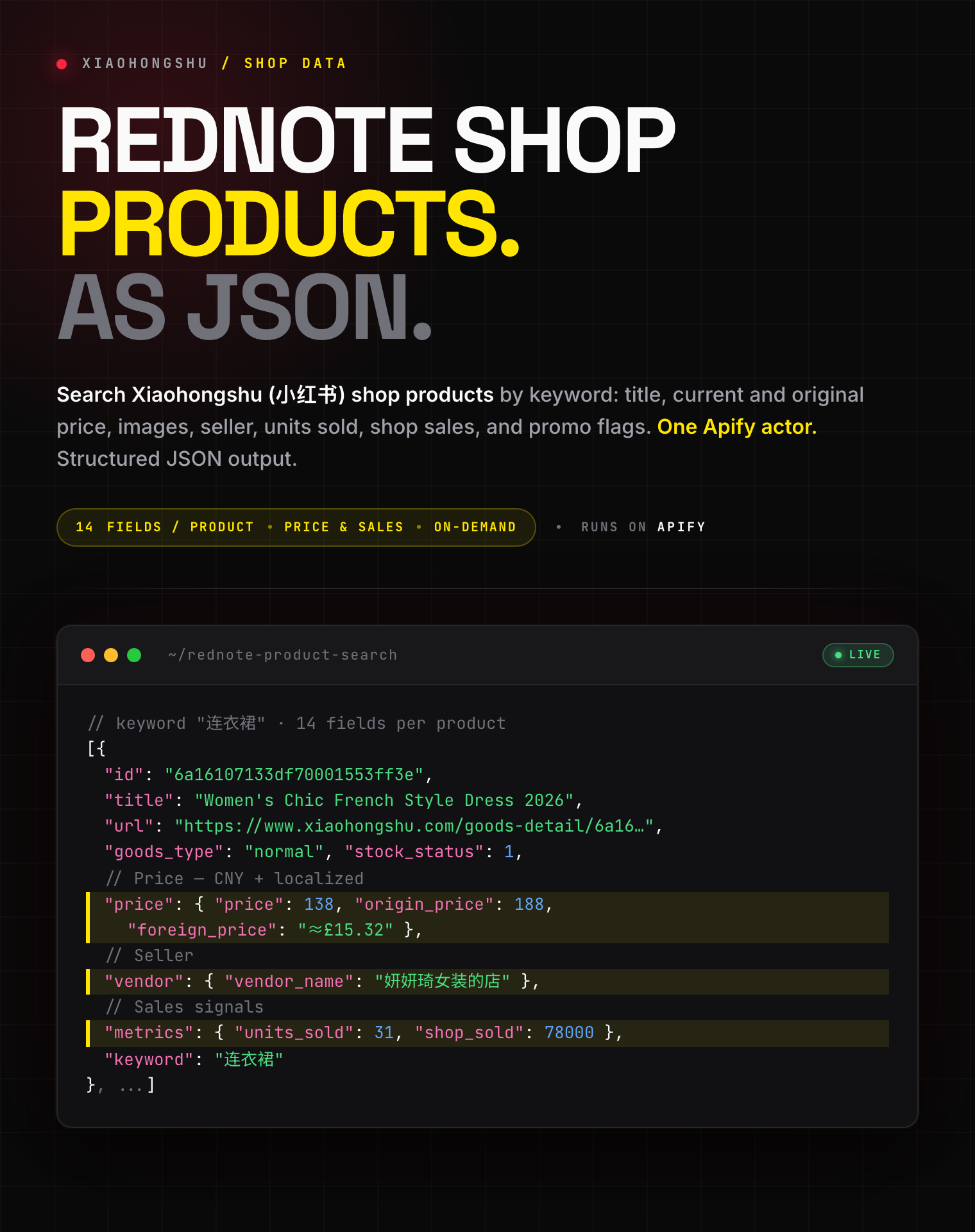
> ⚡ **Built for speed.** No headless browser, no per-page page-load wait, no captcha-solving overhead. Products arrive in clean JSON, hundreds per keyword. Most other Xiaohongshu scrapers drive a headless Chromium instance — this one doesn't.
#### Copy to your AI assistant
````
zen-studio/rednote-product-search-scraper on Apify. Scrapes Xiaohongshu (RedNote / 小红书) shop products by keyword. One row per product with title, price (current/original/foreign), product images, seller, units sold, shop sales, add-to-cart, saves, and promo signals. Call ApifyClient("TOKEN").actor("zen-studio/rednote-product-search-scraper").call(run\_input={...}), then client.dataset(run\["defaultDatasetId"]).list\_items().items. Requires keywords (string\[]); each keyword runs independently with its own maxResults budget. Related search keywords per keyword are written to the RELATED\_KEYWORDS key-value record. Full spec: GET https://api.apify.com/v2/acts/zen-studio~rednote-product-search-scraper/builds/default (Bearer TOKEN) → inputSchema, actorDefinition.storages.dataset, readme. Token: https://console.apify.com/account/integrations
````
### How to Search RedNote Products by Keyword
#### Basic — one keyword, default 100 results
```json
{
"keywords": ["手机壳"],
"maxResults": 100
}
````
#### Multiple keywords, each with its own budget
```json
{
"keywords": ["口红", "连衣裙", "casetify"],
"maxResults": 200
}
```
### Input Parameters
| Parameter | Type | Default | Description |
|-----------|------|---------|-------------|
| `keywords` | string\[] | *required* | Product search terms. Chinese works best (`手机壳`, `口红`, `连衣裙`); English and brand names work too (`casetify`, `lululemon`). Each keyword is searched independently with its own `maxResults` budget. |
| `maxResults` | integer | `100` | How many unique products to collect per keyword (1–1000). Cost scales linearly with products collected. Narrow keywords may yield fewer than the cap because the catalogue for that query is finite. |
#### Accepted keyword formats
| Format | Example |
|---|---|
| Chinese word or phrase | `手机壳`, `口红`, `连衣裙`, `保温杯` |
| English word | `phone case`, `lipstick`, `dress` |
| Brand name | `casetify`, `lululemon`, `dyson` |
Each keyword is searched independently and products are deduplicated by product ID within that keyword, so you never pay twice for the same product. A single keyword typically yields hundreds of unique products — use multiple related keywords for broader coverage.
### What Data You Get — One Row Per Product
```json
{
"id": "6a16107133df70001553ff3e",
"title": "Women's Chic and Elegant French Style Dress, 2026 Summer New Fashion, Black, Sleeveless or Short Sleeve",
"url": "https://www.xiaohongshu.com/goods-detail/6a16107133df70001553ff3e",
"link": "xhsdiscover://goods_detail/6a16107133df70001553ff3e?source=mall_search&...",
"price": {
"price": 138,
"origin_price": 188,
"foreign_price": "≈£15.32",
"price_description": ""
},
"images": [
{
"url": "https://mall-i8.xhscdn.com/arkgoods/1040g3no320lhp2jd5c0g5pb6nb2f3jacs6nh1dg?imageView2/2/w/540/format/webp/q/85",
"width": 540,
"height": 719,
"aspect_ratio": 0
}
],
"goods_type": "normal",
"stock_status": 1,
"has_buyer_explain": false,
"contract_id": "",
"vendor": {
"vendor_name": "妍妍琦女装的店",
"seller_id": "65d1cc0a6902e500017d477e",
"buyer_id": "",
"vendor_link": "xhsdiscover://shop_detail?seller_id=65d1cc0a6902e500017d477e&source=search_result_goods_seller_name"
},
"metrics": {
"units_sold": 31,
"units_sold_text": "31 sold",
"shop_sold": 78000,
"shop_sold_text": "78k+ sold"
},
"tag_strategy_map": { "...raw merchandising tags, untouched (every promo, sale, and badge string the platform returns)..." },
"keyword": "连衣裙"
}
```
Numeric `metrics` fields appear only when the platform returns that signal, so there is no null spam, and the raw `tag_strategy_map` always carries the complete, unmodified tag set.
#### Related keywords (free metadata)
Every run also writes a `RELATED_KEYWORDS` record to the run's key-value store: a map of each seed keyword to the related searches the platform suggests for it (e.g. `手机壳` → `苹果手机壳`, `casetify手机壳`, `iphone手机壳`, `磁吸手机壳`). Useful for keyword expansion. This is free metadata and never counts toward your bill.
### Pricing — Pay Per Event (PPE)
**$5.99 per 1,000 products.** Each product written to the dataset counts as one result. No charge for empty keywords, retries, or pagination overhead.
| Event | Per product | Per 1,000 |
|-------|-------------|-----------|
| `product-result` (one dataset row) | $0.00599 | $5.99 |
Volume discounts apply automatically on higher Apify Store plans.
#### Free tier
**10 lifetime runs**, each capped at approximately 20 products from the first keyword. No credit card required. Enough to evaluate the output shape and data quality before purchasing.
### Advanced Usage
#### Catalogue research across a category
```json
{
"keywords": ["保温杯", "玻璃杯", "马克杯"],
"maxResults": 500
}
```
Use the `keyword` field on each row to see which term surfaced each product. Sort by `metrics.shop_sold` or `metrics.units_sold` after the run to find the best-selling items in a category.
#### Brand and competitor tracking
```json
{
"keywords": ["casetify", "lululemon", "始祖鸟"],
"maxResults": 200
}
```
Compare price points (`price.price` vs `price.origin_price`), sales volume, and which shops carry a brand across keywords in a single run.
#### Price monitoring
```json
{
"keywords": ["iphone 17 pro max 手机壳"],
"maxResults": 300
}
```
Schedule this to track price (`price.price`), discounts (`metrics.promo_text`), and units sold over time for a specific product line.
### FAQ
**How many products can I expect per keyword?**
Typically hundreds of unique products before the catalogue for that query is exhausted. For broader coverage, add multiple related keywords — products are deduplicated by ID within each keyword.
**Are the prices in a specific currency?**
The numeric `price` and `origin_price` are in CNY (¥). A localized `foreign_price` string (e.g. `≈£15.32`) is also provided. Sale and units-sold text fields come pre-localized.
**What is the difference between `url` and `link`?**
`url` is the web product page (`https://www.xiaohongshu.com/goods-detail/`). `link` is the raw in-app deep link. Both reference the same product.
**How fresh is the data?**
Live — fetched on demand at run time. No cached or stale records.
**Are the image URLs permanent?**
Image CDN URLs (`images[].url`) are time-limited and typically expire within hours to days. The product `url` is the stable reference. Download images soon after a run if you need to store them.
**Can I get product reviews, full SKU lists, or shipping details?**
Not in this actor. This actor covers keyword product-search results at search granularity.
**What's the maximum `maxResults` per keyword?**
1,000. In practice the catalogue for a given query usually saturates before that ceiling.
### Use Cases
- **Product research** — find what's selling in any category on Xiaohongshu, ranked by units sold or shop sales.
- **Price monitoring** — track current vs original price and active promotions for a product line over time.
- **Brand and competitor tracking** — watch which shops carry a brand, at what price, with what sales volume.
- **Market research** — gauge category breadth, price distribution, and seller landscape before entering a market.
- **Sourcing and dropshipping** — discover trending products, sellers, and price points across keywords.
- **Keyword expansion** — use the free `RELATED_KEYWORDS` output to widen catalogue coverage.
### More Zen Studio scrapers for Chinese platforms
**🎬 Short-video & social**
-  **RedNote 小红书**
- [RedNote Search Scraper](https://apify.com/zen-studio/rednote-search-scraper)
- [RedNote User Profile Scraper](https://apify.com/zen-studio/rednote-user-profile-scraper)
- [RedNote Comments Scraper](https://apify.com/zen-studio/rednote-comments-scraper)
- [RedNote Note Detail Scraper](https://apify.com/zen-studio/rednote-note-detail-scraper)
-
**RedNote 小红书**
- [RedNote Search Scraper](https://apify.com/zen-studio/rednote-search-scraper)
- [RedNote User Profile Scraper](https://apify.com/zen-studio/rednote-user-profile-scraper)
- [RedNote Comments Scraper](https://apify.com/zen-studio/rednote-comments-scraper)
- [RedNote Note Detail Scraper](https://apify.com/zen-studio/rednote-note-detail-scraper)
-  **Douyin 抖音**
- [Douyin Search Scraper](https://apify.com/zen-studio/douyin-search-scraper)
- [Douyin Profile Scraper](https://apify.com/zen-studio/douyin-profile-scraper)
- [Douyin Video Scraper](https://apify.com/zen-studio/douyin-video-scraper)
- [Douyin Comments Scraper](https://apify.com/zen-studio/douyin-comments-scraper)
- [Douyin Transcripts Scraper](https://apify.com/zen-studio/douyin-transcripts-scraper)
- [Douyin Creator Rankings Scraper](https://apify.com/zen-studio/douyin-xingtu-rankings-scraper)
- [Douyin Live Recorder](https://apify.com/zen-studio/douyin-live-recorder)
- [Douyin Hot Search Scraper](https://apify.com/zen-studio/douyin-hot-search-scraper)
-
**Douyin 抖音**
- [Douyin Search Scraper](https://apify.com/zen-studio/douyin-search-scraper)
- [Douyin Profile Scraper](https://apify.com/zen-studio/douyin-profile-scraper)
- [Douyin Video Scraper](https://apify.com/zen-studio/douyin-video-scraper)
- [Douyin Comments Scraper](https://apify.com/zen-studio/douyin-comments-scraper)
- [Douyin Transcripts Scraper](https://apify.com/zen-studio/douyin-transcripts-scraper)
- [Douyin Creator Rankings Scraper](https://apify.com/zen-studio/douyin-xingtu-rankings-scraper)
- [Douyin Live Recorder](https://apify.com/zen-studio/douyin-live-recorder)
- [Douyin Hot Search Scraper](https://apify.com/zen-studio/douyin-hot-search-scraper)
-  **Xigua 西瓜视频**
- [Xigua Video Search Scraper](https://apify.com/zen-studio/xigua-video-search-scraper)
- [Xigua Video Detail Scraper](https://apify.com/zen-studio/xigua-video-detail-scraper)
**🛒 E-commerce**
-
**Xigua 西瓜视频**
- [Xigua Video Search Scraper](https://apify.com/zen-studio/xigua-video-search-scraper)
- [Xigua Video Detail Scraper](https://apify.com/zen-studio/xigua-video-detail-scraper)
**🛒 E-commerce**
-  **Taobao 淘宝**
- [Taobao Search Scraper](https://apify.com/zen-studio/taobao-search-scraper)
- [Taobao Product Detail Scraper](https://apify.com/zen-studio/taobao-detail-scraper)
- [Taobao Seller Products Scraper](https://apify.com/zen-studio/taobao-seller-products-scraper)
-
**Taobao 淘宝**
- [Taobao Search Scraper](https://apify.com/zen-studio/taobao-search-scraper)
- [Taobao Product Detail Scraper](https://apify.com/zen-studio/taobao-detail-scraper)
- [Taobao Seller Products Scraper](https://apify.com/zen-studio/taobao-seller-products-scraper)
-  **JD.com 京东**
- [JD.com Search Scraper](https://apify.com/zen-studio/jd-com-search-scraper)
-
**JD.com 京东**
- [JD.com Search Scraper](https://apify.com/zen-studio/jd-com-search-scraper)
-  **1688 阿里巴巴**
- [1688 Wholesale Scraper](https://apify.com/zen-studio/1688-wholesale-scraper)
-
**1688 阿里巴巴**
- [1688 Wholesale Scraper](https://apify.com/zen-studio/1688-wholesale-scraper)
-  **Goofish 闲鱼**
- [Goofish (Xianyu) Search Scraper](https://apify.com/zen-studio/goofish-xianyu-search-scraper)
- [Goofish (Xianyu) Seller Scraper](https://apify.com/zen-studio/goofish-xianyu-seller-scraper)
**🏠 Real estate & autos**
-
**Goofish 闲鱼**
- [Goofish (Xianyu) Search Scraper](https://apify.com/zen-studio/goofish-xianyu-search-scraper)
- [Goofish (Xianyu) Seller Scraper](https://apify.com/zen-studio/goofish-xianyu-seller-scraper)
**🏠 Real estate & autos**
-  **Anjuke 安居客**
- [Anjuke For-Sale Listings Scraper](https://apify.com/zen-studio/anjuke-real-estate-scraper)
- [Anjuke New-Home Scraper](https://apify.com/zen-studio/anjuke-new-home-scraper)
- [Anjuke Rental Listings Scraper](https://apify.com/zen-studio/anjuke-rent-scraper)
- [Anjuke Listing Detail Scraper](https://apify.com/zen-studio/anjuke-sale-detail-scraper)
-
**Anjuke 安居客**
- [Anjuke For-Sale Listings Scraper](https://apify.com/zen-studio/anjuke-real-estate-scraper)
- [Anjuke New-Home Scraper](https://apify.com/zen-studio/anjuke-new-home-scraper)
- [Anjuke Rental Listings Scraper](https://apify.com/zen-studio/anjuke-rent-scraper)
- [Anjuke Listing Detail Scraper](https://apify.com/zen-studio/anjuke-sale-detail-scraper)
-  **58.com 58同城**
- [58.com Real Estate Scraper](https://apify.com/zen-studio/58-real-estate-scraper)
-
**58.com 58同城**
- [58.com Real Estate Scraper](https://apify.com/zen-studio/58-real-estate-scraper)
-  **Autohome 汽车之家**
- [Autohome (Che168) Used-Car Scraper](https://apify.com/zen-studio/che168-car-scraper)
### Support
- **Bugs**: Issues tab
- **Feature requests**: Issues tab
### Legal Compliance
Extracts publicly available product search results from Xiaohongshu (RedNote / 小红书). Users must comply with Xiaohongshu's terms of service and applicable data protection regulations (GDPR, CCPA, PIPL).
***
*RedNote (小红书 / Xiaohongshu) product search results — title, price, images, seller, and sales signals — one row per product, in clean JSON.*
# Actor input Schema
## `keywords` (type: `array`):
Add one or more product search terms.
**Autohome 汽车之家**
- [Autohome (Che168) Used-Car Scraper](https://apify.com/zen-studio/che168-car-scraper)
### Support
- **Bugs**: Issues tab
- **Feature requests**: Issues tab
### Legal Compliance
Extracts publicly available product search results from Xiaohongshu (RedNote / 小红书). Users must comply with Xiaohongshu's terms of service and applicable data protection regulations (GDPR, CCPA, PIPL).
***
*RedNote (小红书 / Xiaohongshu) product search results — title, price, images, seller, and sales signals — one row per product, in clean JSON.*
# Actor input Schema
## `keywords` (type: `array`):
Add one or more product search terms.
• Chinese works best: 手机壳, 口红, 连衣裙
• English works too: casetify, lululemon
Each keyword runs independently with its own Max results budget.
## `maxResults` (type: `integer`):
How many unique products to collect for each keyword. Every result counts toward your bill.
Narrow keywords may yield fewer than the cap because the source has a finite catalogue per query.
## Actor input object example
```json
{
"keywords": [
"手机壳"
],
"maxResults": 100
}
```
# Actor output Schema
## `results` (type: `string`):
Dataset of products, one row per Xiaohongshu search result.
## `related_keywords` (type: `string`):
Related search keywords surfaced per seed keyword (free metadata).
# API
You can run this Actor programmatically using our API. Below are code examples in JavaScript, Python, and CLI, as well as the OpenAPI specification and MCP server setup.
## JavaScript example
```javascript
import { ApifyClient } from 'apify-client';
// Initialize the ApifyClient with your Apify API token
// Replace the '' with your token
const client = new ApifyClient({
token: '',
});
// Prepare Actor input
const input = {
"keywords": [
"手机壳"
]
};
// Run the Actor and wait for it to finish
const run = await client.actor("zen-studio/rednote-product-search-scraper").call(input);
// Fetch and print Actor results from the run's dataset (if any)
console.log('Results from dataset');
console.log(`💾 Check your data here: https://console.apify.com/storage/datasets/${run.defaultDatasetId}`);
const { items } = await client.dataset(run.defaultDatasetId).listItems();
items.forEach((item) => {
console.dir(item);
});
// 📚 Want to learn more 📖? Go to → https://docs.apify.com/api/client/js/docs
```
## Python example
```python
from apify_client import ApifyClient
# Initialize the ApifyClient with your Apify API token
# Replace '' with your token.
client = ApifyClient("")
# Prepare the Actor input
run_input = { "keywords": ["手机壳"] }
# Run the Actor and wait for it to finish
run = client.actor("zen-studio/rednote-product-search-scraper").call(run_input=run_input)
# Fetch and print Actor results from the run's dataset (if there are any)
print("💾 Check your data here: https://console.apify.com/storage/datasets/" + run["defaultDatasetId"])
for item in client.dataset(run["defaultDatasetId"]).iterate_items():
print(item)
# 📚 Want to learn more 📖? Go to → https://docs.apify.com/api/client/python/docs/quick-start
```
## CLI example
```bash
echo '{
"keywords": [
"手机壳"
]
}' |
apify call zen-studio/rednote-product-search-scraper --silent --output-dataset
```
## MCP server setup
```json
{
"mcpServers": {
"apify": {
"command": "npx",
"args": [
"mcp-remote",
"https://mcp.apify.com/?tools=zen-studio/rednote-product-search-scraper",
"--header",
"Authorization: Bearer "
]
}
}
}
```
## OpenAPI specification
```json
{
"openapi": "3.0.1",
"info": {
"title": "RedNote (Xiaohongshu) Product Search Scraper - Sales Data",
"description": "Search Xiaohongshu (RedNote / 小红书) shop products by keyword. Get title, price (current & original), images, seller, units sold, shop sales, add-to-cart and save counts, and promo flags. 14 fields per product. No headless browser, no captcha. JSON/CSV/Excel export.",
"version": "0.0",
"x-build-id": "Tj8TQNOTo8ecHGeLw"
},
"servers": [
{
"url": "https://api.apify.com/v2"
}
],
"paths": {
"/acts/zen-studio~rednote-product-search-scraper/run-sync-get-dataset-items": {
"post": {
"operationId": "run-sync-get-dataset-items-zen-studio-rednote-product-search-scraper",
"x-openai-isConsequential": false,
"summary": "Executes an Actor, waits for its completion, and returns Actor's dataset items in response.",
"tags": [
"Run Actor"
],
"requestBody": {
"required": true,
"content": {
"application/json": {
"schema": {
"$ref": "#/components/schemas/inputSchema"
}
}
}
},
"parameters": [
{
"name": "token",
"in": "query",
"required": true,
"schema": {
"type": "string"
},
"description": "Enter your Apify token here"
}
],
"responses": {
"200": {
"description": "OK"
}
}
}
},
"/acts/zen-studio~rednote-product-search-scraper/runs": {
"post": {
"operationId": "runs-sync-zen-studio-rednote-product-search-scraper",
"x-openai-isConsequential": false,
"summary": "Executes an Actor and returns information about the initiated run in response.",
"tags": [
"Run Actor"
],
"requestBody": {
"required": true,
"content": {
"application/json": {
"schema": {
"$ref": "#/components/schemas/inputSchema"
}
}
}
},
"parameters": [
{
"name": "token",
"in": "query",
"required": true,
"schema": {
"type": "string"
},
"description": "Enter your Apify token here"
}
],
"responses": {
"200": {
"description": "OK",
"content": {
"application/json": {
"schema": {
"$ref": "#/components/schemas/runsResponseSchema"
}
}
}
}
}
}
},
"/acts/zen-studio~rednote-product-search-scraper/run-sync": {
"post": {
"operationId": "run-sync-zen-studio-rednote-product-search-scraper",
"x-openai-isConsequential": false,
"summary": "Executes an Actor, waits for completion, and returns the OUTPUT from Key-value store in response.",
"tags": [
"Run Actor"
],
"requestBody": {
"required": true,
"content": {
"application/json": {
"schema": {
"$ref": "#/components/schemas/inputSchema"
}
}
}
},
"parameters": [
{
"name": "token",
"in": "query",
"required": true,
"schema": {
"type": "string"
},
"description": "Enter your Apify token here"
}
],
"responses": {
"200": {
"description": "OK"
}
}
}
}
},
"components": {
"schemas": {
"inputSchema": {
"type": "object",
"required": [
"keywords"
],
"properties": {
"keywords": {
"title": "🔍 Search keywords",
"minItems": 1,
"type": "array",
"description": "Add one or more product search terms.
• Chinese works best: 手机壳, 口红, 连衣裙
• English works too: casetify, lululemon
Each keyword runs independently with its own Max results budget.",
"items": {
"type": "string"
}
},
"maxResults": {
"title": "📊 Max results per keyword",
"minimum": 1,
"maximum": 1000,
"type": "integer",
"description": "How many unique products to collect for each keyword. Every result counts toward your bill.
Narrow keywords may yield fewer than the cap because the source has a finite catalogue per query.",
"default": 100
}
}
},
"runsResponseSchema": {
"type": "object",
"properties": {
"data": {
"type": "object",
"properties": {
"id": {
"type": "string"
},
"actId": {
"type": "string"
},
"userId": {
"type": "string"
},
"startedAt": {
"type": "string",
"format": "date-time",
"example": "2025-01-08T00:00:00.000Z"
},
"finishedAt": {
"type": "string",
"format": "date-time",
"example": "2025-01-08T00:00:00.000Z"
},
"status": {
"type": "string",
"example": "READY"
},
"meta": {
"type": "object",
"properties": {
"origin": {
"type": "string",
"example": "API"
},
"userAgent": {
"type": "string"
}
}
},
"stats": {
"type": "object",
"properties": {
"inputBodyLen": {
"type": "integer",
"example": 2000
},
"rebootCount": {
"type": "integer",
"example": 0
},
"restartCount": {
"type": "integer",
"example": 0
},
"resurrectCount": {
"type": "integer",
"example": 0
},
"computeUnits": {
"type": "integer",
"example": 0
}
}
},
"options": {
"type": "object",
"properties": {
"build": {
"type": "string",
"example": "latest"
},
"timeoutSecs": {
"type": "integer",
"example": 300
},
"memoryMbytes": {
"type": "integer",
"example": 1024
},
"diskMbytes": {
"type": "integer",
"example": 2048
}
}
},
"buildId": {
"type": "string"
},
"defaultKeyValueStoreId": {
"type": "string"
},
"defaultDatasetId": {
"type": "string"
},
"defaultRequestQueueId": {
"type": "string"
},
"buildNumber": {
"type": "string",
"example": "1.0.0"
},
"containerUrl": {
"type": "string"
},
"usage": {
"type": "object",
"properties": {
"ACTOR_COMPUTE_UNITS": {
"type": "integer",
"example": 0
},
"DATASET_READS": {
"type": "integer",
"example": 0
},
"DATASET_WRITES": {
"type": "integer",
"example": 0
},
"KEY_VALUE_STORE_READS": {
"type": "integer",
"example": 0
},
"KEY_VALUE_STORE_WRITES": {
"type": "integer",
"example": 1
},
"KEY_VALUE_STORE_LISTS": {
"type": "integer",
"example": 0
},
"REQUEST_QUEUE_READS": {
"type": "integer",
"example": 0
},
"REQUEST_QUEUE_WRITES": {
"type": "integer",
"example": 0
},
"DATA_TRANSFER_INTERNAL_GBYTES": {
"type": "integer",
"example": 0
},
"DATA_TRANSFER_EXTERNAL_GBYTES": {
"type": "integer",
"example": 0
},
"PROXY_RESIDENTIAL_TRANSFER_GBYTES": {
"type": "integer",
"example": 0
},
"PROXY_SERPS": {
"type": "integer",
"example": 0
}
}
},
"usageTotalUsd": {
"type": "number",
"example": 0.00005
},
"usageUsd": {
"type": "object",
"properties": {
"ACTOR_COMPUTE_UNITS": {
"type": "integer",
"example": 0
},
"DATASET_READS": {
"type": "integer",
"example": 0
},
"DATASET_WRITES": {
"type": "integer",
"example": 0
},
"KEY_VALUE_STORE_READS": {
"type": "integer",
"example": 0
},
"KEY_VALUE_STORE_WRITES": {
"type": "number",
"example": 0.00005
},
"KEY_VALUE_STORE_LISTS": {
"type": "integer",
"example": 0
},
"REQUEST_QUEUE_READS": {
"type": "integer",
"example": 0
},
"REQUEST_QUEUE_WRITES": {
"type": "integer",
"example": 0
},
"DATA_TRANSFER_INTERNAL_GBYTES": {
"type": "integer",
"example": 0
},
"DATA_TRANSFER_EXTERNAL_GBYTES": {
"type": "integer",
"example": 0
},
"PROXY_RESIDENTIAL_TRANSFER_GBYTES": {
"type": "integer",
"example": 0
},
"PROXY_SERPS": {
"type": "integer",
"example": 0
}
}
}
}
}
}
}
}
}
}
```