# WeChat Channels Scraper 视频号 | Videos, Creators & Comments (`zen-studio/wechat-channels-scraper`) Actor
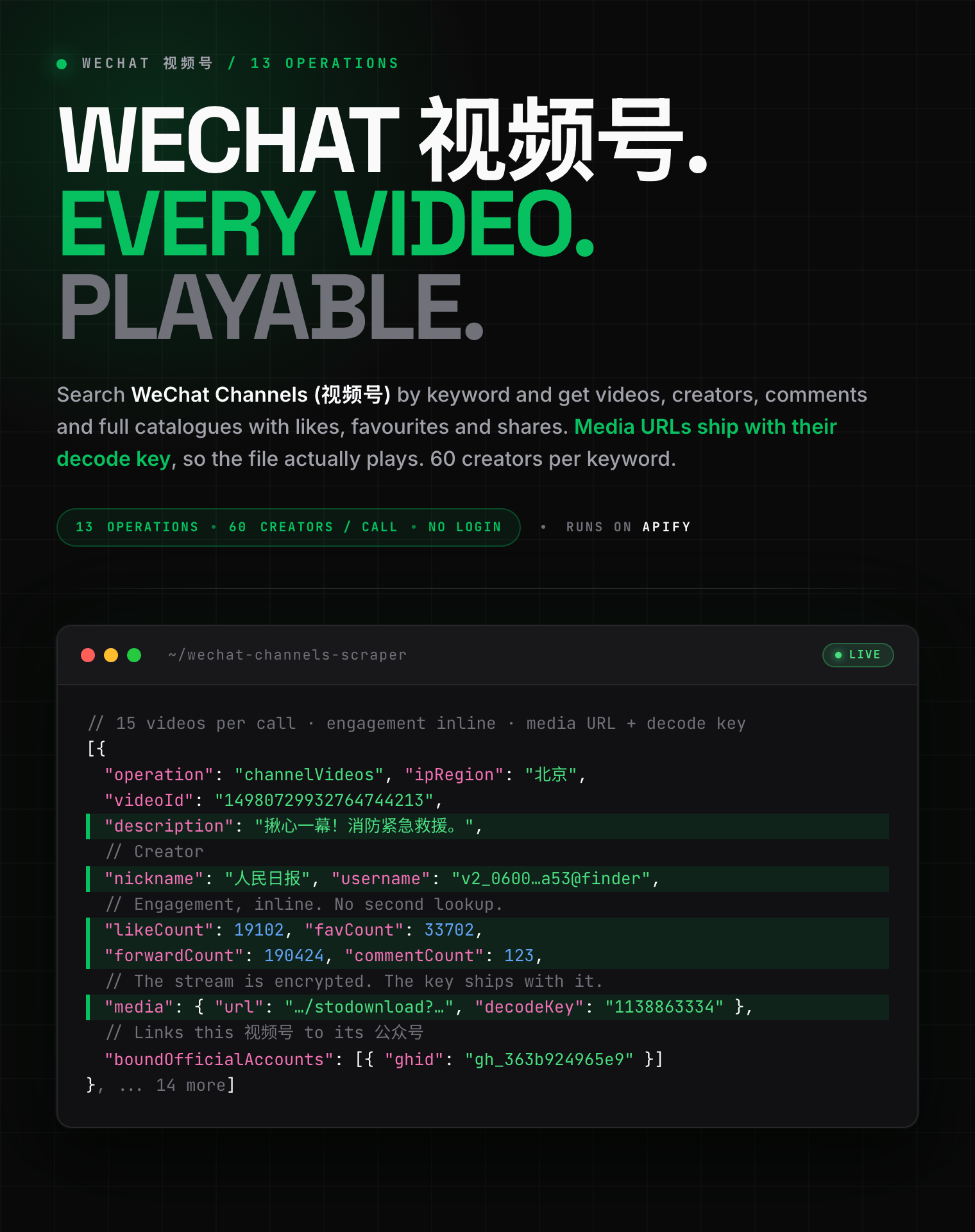
Extract WeChat Channels (视频号) data at scale. Search videos and creators by keyword, pull a creator's full catalogue with likes, comments, favourites and shares, read comment threads with IP regions, and get direct video URLs. 13 operations, no login.
- **URL**: https://apify.com/zen-studio/wechat-channels-scraper.md
- **Developed by:** [Zen Studio](https://apify.com/zen-studio) (community)
- **Categories:** Social media
- **Stats:** 2 total users, 0 monthly users, 92.1% runs succeeded, 0 bookmarks
- **User rating**: No ratings yet
## Pricing
from $2.99 / 1,000 video results
This Actor is paid per event. You are not charged for the Apify platform usage, but only a fixed price for specific events.
Since this Actor supports Apify Store discounts, the price gets lower the higher subscription plan you have.
Learn more: https://docs.apify.com/platform/actors/running/actors-in-store#pay-per-event
## What's an Apify Actor?
Actors are web data automations that power AI and operations. They run on the Apify platform to scrape websites, process data, connect APIs, and automate workflows.
In Batch mode, an Actor accepts a well-defined JSON input, performs an action which can take anything from a few seconds to a few hours,
and optionally produces a well-defined JSON output, datasets with results, or files in key-value store.
In Standby mode, an Actor provides a web server which can be used as a website, API, or an MCP server.
Actors are written with capital "A".
## How to integrate an Actor?
If asked about integration, you help developers integrate Actors into their projects.
You adapt to their stack and deliver integrations that are safe, well-documented, and production-ready.
The best way to integrate Actors is as follows.
- **AI agents and MCP clients** — the [Apify MCP server](https://docs.apify.com/integrations/mcp.md) at `https://mcp.apify.com` (remote, streamable HTTP, OAuth on first use).
- **Agentic workflows and local Actor development** — [Agent Skills](https://apify.com/.well-known/agent-skills/index.json) with the [Apify CLI](https://docs.apify.com/cli/docs.md): `npm install -g apify-cli`, then `apify login`.
- **JavaScript/TypeScript projects** — the official [JS/TS client](https://docs.apify.com/api/client/js/docs.md): `npm install apify-client`.
- **Python projects** — the official [Python client](https://docs.apify.com/api/client/python/docs.md): `pip install apify-client`.
- **Any other language** — the [REST API](https://docs.apify.com/api/v2.md).
For usage examples, see the [API](#api) section below.
For more details, see Apify documentation as [Markdown index](https://docs.apify.com/llms.txt) and [Markdown full-text](https://docs.apify.com/llms-full.txt).
# README
## WeChat Channels (视频号 / Weixin Channels) Scraper | Videos, Creators & Comments (2026)
13 operations, direct video URLs, no login: search 视频号 videos and creators by keyword, pull a creator's whole catalogue with likes, comments, favourites and shares, and read comment threads with IP regions.
 #### Copy to your AI assistant
```
zen-studio/wechat-channels-scraper on Apify. Call ApifyClient("TOKEN").actor("zen-studio/wechat-channels-scraper").call(run_input={...}), then client.dataset(run["defaultDatasetId"]).list_items().items. One of 13 operations per run; it picks which input array is read (keywords, channels, videos, collections, channelIds). Full spec: GET https://api.apify.com/v2/acts/zen-studio~wechat-channels-scraper/builds/default (Bearer TOKEN) -> inputSchema, actorDefinition.storages.dataset, readme. Token: https://console.apify.com/account/integrations
```
### Key Features
- **13 operations in one Actor**: video search, creator search, in-channel search, creator profiles, verification details, creator video catalogues, collections, video detail, video metrics, comments, share links, and two ID resolvers.
- **Direct video URLs with decode keys**: WeChat serves Channels media encrypted. Every video row carries the media URL *and* the `decodeKey` beside it, so the file is actually usable.
- **The 公众号 join key**: creator rows carry `boundOfficialAccounts` with the linked Official Account's `gh_` ID, so a Channels creator can be matched to their Official Account and vice versa.
- **Verification on the record**: verified entity, entity type, internet news licence number and certification date, straight off the creator's verification card.
- **Batch input**: up to 50 keywords, creators or videos per run, processed in parallel and de-duplicated.
- **Free tier**: 25 lifetime runs, one page of results each. No credit card required.
### How to Scrape WeChat Channels Videos
Pick one operation per run. Each reads a different part of WeChat Channels.
#### Find videos by keyword
```json
{
"operation": "videoSearch",
"keywords": ["美食"],
"sortBy": "hot",
"duration": "short",
"maxPages": 3
}
```
#### Find creators by keyword
```json
{
"operation": "channelSearch",
"keywords": ["健身教练"]
}
```
Returns 60 creators per keyword, each with signature, verified profession, region and their linked Official Account.
#### Everything a creator has posted
```json
{
"operation": "channelVideos",
"channels": ["v2_060000231003b20faec8c6e4811dc1d4c602ee30b0771bbcf220c67926bb76ab7702ac335a53@finder"],
"maxPages": 10
}
```
`channels` also accepts the `sph…` Channels ID or the creator's display name. Supplying the `v2_…@finder` ID is cheapest, because a name has to be resolved first.
#### Comments on a video
```json
{
"operation": "videoComments",
"videos": ["14980729932764744213"],
"expandReplies": true,
"maxPages": 4
}
```
### Input Parameters
| Parameter | Type | Used by | Description |
|---|---|---|---|
| `operation` | select | all | Which of the 13 capabilities to run. One per run. |
| `keywords` | array | video & creator search | Search terms. Chinese returns the richest results. |
| `channels` | array | creator operations | `v2_…@finder` ID, `sph…` ID, or display name. |
| `videos` | array | video operations | Numeric video ID, or an `export/…` ID from a search result. |
| `collections` | array | collection videos | Collection IDs, from a creator profile's `collections`. |
| `channelIds` | array | ID resolver | Public `sph…` IDs. |
| `searchKeyword` | string | in-channel search | The term to search inside one creator's videos. |
| `maxPages` | integer | paginated operations | Pages per entry, 1-50. Default 3. |
| `sortBy` | select | video search | Relevance, latest, or most liked. |
| `publishTime` | select | video search | Any time, past day, past week, past 6 months. |
| `duration` | select | video search | Any, under 5 min, 5-10 min, over 20 min. |
| `expandReplies` | boolean | comments | Fill in threads WeChat truncates to one reply. |
### What Data Can You Extract from WeChat Channels?
#### Output example: video search
```json
{
"operation": "channelVideos",
"videoId": "14981356100647848484",
"username": "v2_060000231003b20faec8c6e4811dc1d4c602ee30b0771bbcf220c67926bb76ab7702ac335a53@finder",
"nickname": "人民日报",
"description": "网友分享多种日常实用绳结,简单又实用。转存学习!@快看",
"createTime": 1785916817,
"likeCount": 54,
"commentCount": 0,
"favCount": 129,
"forwardCount": 118,
"readCount": 0,
"ipRegion": "北京",
"isOriginal": 0,
"media": {
"url": "http://wxapp.tc.qq.com/251/20302/stodownload?encfilekey=rgjNqbibdAo0ys…",
"urlToken": "&token=ic1n0xDG6aw8awIddGz5ZhP1bXVjAMCtgLLFhuOqql6cX29LrPADbKz8icBTalT…",
"fullUrl": "",
"fullUrlToken": "",
"decodeKey": "657853746",
"coverUrl": "https://wxapp.tc.qq.com/251/20304/stodownload?encfilekey=KGDRibp2wkicK…",
"coverUrlToken": "&token=ic1n0xDG6aw9OMyquunVd6MRbKH75HUhJyk5P9GibUlyO0ZHmOgxzCxicPM2pv4…",
"thumbUrl": "https://wxapp.tc.qq.com/251/20304/stodownload?encfilekey=KGDRibp2wkicL…",
"thumbUrlToken": "&token=ic1n0xDG6aw85WA3PHrOZ1uXYK7BDFfSAABLBbXWMLnkIWtQcJKN0LPx5coEfEi…",
"width": 1080,
"height": 1920,
"fileSize": 10697242,
"fullFileSize": 0,
"md5Sum": "9e13f5533b99414ddd29b32eb36f90e3",
"fullMd5Sum": "",
"bitrate": 2747392,
"fullBitrate": 0,
"videoPlayLen": 31,
"videoType": 1,
"mediaType": 4,
"spec": [
{
"pbRequestMsgInfo": null,
"bitRate": 197,
"bypass": "{\"rid\":\"1785918115420\";\"level_order\":100;\"ip_area_id\":\"us\";\"speed_samp…",
"dynamicRangeType": 0,
"codingFormat": "h264",
"enhance": "0",
"qualityScore": 75,
"meanVol": 0,
"durationMs": 31101,
"firstLoadBytes": 1195691,
"is3Az": 0,
"levelOrder": 100,
"audioBitrate": 69,
"meanVol3Sec": 0,
"height": 1280,
"width": 720,
"vfps": 30,
"videoBitrate": 1543,
"usePcdn": 0,
"fileFormat": "xWT111",
"selectSuggest": 0
},
{
"pbRequestMsgInfo": null,
"bitRate": 150,
"bypass": "{\"rid\":\"1785918115420\";\"level_order\":200;\"ip_area_id\":\"us\";\"speed_samp…",
"dynamicRangeType": 0,
"codingFormat": "h264",
"enhance": "0",
"qualityScore": 71,
"meanVol": 0,
"durationMs": 31101,
"firstLoadBytes": 946766,
"is3Az": 1,
"levelOrder": 200,
"audioBitrate": 69,
"meanVol3Sec": 0,
"height": 1024,
"width": 576,
"vfps": 30,
"videoBitrate": 1160,
"usePcdn": 0,
"fileFormat": "xWT112",
"selectSuggest": 0
},
"… 1 more"
],
"codecInfo": {
"videoAudioScore": 0,
"shareCoverScore": 0,
"pbRequestMsgInfo": null,
"videoCoverScore": 0,
"videoScore": 42,
"thumbScore": 0,
"hasStickers": false,
"hdimgScore": 0,
"useAlgorithmCover": false
},
"nonWatermarkUrl": ""
},
"mediaCount": 1,
"objectNonceId": "17058114281877943058_0_0_2_0_1785918115160805_b8069cfc-90a6-11f1-8a3a-073a716f96b9"
}
```
#### Output example: creator search
```json
{
"operation": "channelSearch",
"resultType": "channel",
"username": "v2_060000231003b20faec8c6e4811dc1d4c602ee30b0771bbcf220c67926bb76ab7702ac335a53@finder",
"nickname": "人民日报",
"signature": "参与、沟通、记录时代。",
"avatarUrl": "https://wx.qlogo.cn/finderhead/ver_1/15Oiaiad7vOc9oABFDouu0B3K4kzvBUjj7Utas77h7LJF2rwGuxHRBFlyLNGMAQro4wuwqs6M…",
"verifiedProfession": "人民日报社",
"isVerified": true,
"liveStatus": 2,
"country": "CN",
"province": "Beijing",
"city": "",
"boundOfficialAccounts": [
{
"ghid": "gh_363b924965e9",
"nickname": "人民日报",
"avatarUrl": "https://wx.qlogo.cn/mmhead/ver_1/15Oiaiad7vOc9oABFDouu0Bwu7qjmuLwVcjicsicTe0XwH8GsKhbpFUz8WY9ROBPWaYKjn7M30JwibRyHkI7kA0Vk3abljDgjWRGoQtlribnQX27g/132"
}
],
"friend_follow_count": 0
}
```
#### Output example: creator profile
```json
{
"operation": "channelProfile",
"username": "v2_060000231003b20faec8c6e4811dc1d4c602ee30b0771bbcf220c67926bb76ab7702ac335a53@finder",
"nickname": "人民日报",
"signature": "参与、沟通、记录时代。",
"avatarUrl": "https://wx.qlogo.cn/finderhead/ver_1/SgAQqbvNLjoo8SM4KibZnBlGATVAshM1ib5vcNc002G4MGcVvNU2nRicCAyk4l2zCygr5Yicq…",
"ipRegion": "北京",
"profileRegion": "北京",
"videoCount": 11327,
"originalVideoCount": 2025,
"liveDurationHours": 8376,
"totalLiveCount": 1199,
"recentLiveCount": 12,
"collectionCount": 6,
"collections": [
{
"collectionId": "14939347649320519707",
"name": "了不起的文物",
"description": "",
"videoCount": 14,
"coverUrl": "http://wxapp.tc.qq.com/251/20304/stodownload?filekey=30250201010411300…",
"lastUpdateTime": 1785539294,
"collectionType": 16
},
{
"collectionId": "14566193340220246217",
"name": "习语",
"description": "",
"videoCount": 223,
"coverUrl": "http://wxapp.tc.qq.com/251/20304/stodownload?filekey=30250201010411300…",
"lastUpdateTime": 1785513843,
"collectionType": 16
},
"… 4 more"
],
"userTags": [
"北京"
],
"boundOfficialAccounts": [
{
"ghid": "gh_363b924965e9",
"nickname": "人民日报",
"serviceType": "公众号",
"avatarUrl": ""
}
],
"fansCount": 0
}
```
#### Output example: verification details
```json
{
"operation": "channelVerification",
"channelId": "sphi9BjV8GK0Zsl",
"verifiedEntity": "人民日报社",
"entityType": "互联网新闻信息服务单位",
"newsLicenceNumber": "10120180018",
"serviceCategories": "互联网新闻信息采编发布服务、传播平台服务、采编发布服务、传播平台服务、采编发布服务、传播平台服务",
"verifiedSince": "2022年1月26日完成WeChat认证,每年腾讯及第三方审核机构都会对其资料进行审核",
"ipRegion": "北京",
"profileRegion": "北京",
"isVerified": true
}
```
#### Output example: comments
```json
{
"operation": "videoComments",
"commentId": "14980751990048426397",
"content": "这是一个很疼的事故…",
"nickname": "老板發財炮",
"username": "v2_060000231003b20faec8c5e58d19c3d5cc02ee31b077583a0768506eeca5605c8c94626daef0@finder",
"avatarUrl": "https://wx.qlogo.cn/finderhead/HmVQlX9WkBvwzjbgaqMGBD2sLmo6SfTa5WMeLicZeqjlDpWiaL9o0t7u8zVk9lMz0GbfM3mW4mlUg/0",
"createTime": 1785844801,
"likeCount": 5110,
"dislikeCount": 2,
"ipRegion": "河南",
"replyCount": 1,
"repliesTruncated": false,
"replies": [
{
"commentId": "14981162900703873400",
"content": "他疼你不疼系列",
"nickname": "超级会员7184",
"username": "v2_060000231003b20faec8c6e68d1bc3d7cc06ed30b077f6ae52be760ac76c1c602ba3d4d54522@finder",
"avatarUrl": "https://wx.qlogo.cn/finderhead/Q3auHgzwzM7qWHUdHU7oDMoKWwHnl1X60GpCHrdaeIRNetMVJsWvnw/0",
"createTime": 1785893786,
"likeCount": 403,
"ipRegion": "山东",
"replyToNickname": "",
"replyToUsername": ""
}
]
}
```
### Advanced Usage
#### KOL discovery: find and vet creators in a niche
Run `channelSearch` on your niche term to get 60 creators with their verified profession and region, then `channelProfile` on the shortlist for video counts, original-content counts and live hours.
#### Competitor tracking: what a creator posted and how it landed
`channelVideos` gives every video with likes, comments, favourites and shares. Schedule it daily and diff the counts to see which posts kept climbing.
#### Cross-platform matching: connect 视频号 to 公众号
Creator rows carry `boundOfficialAccounts`. Feed that `gh_` ID into the [WeChat Official Account Scraper](https://apify.com/zen-studio/wechat-official-account-scraper) to pull the same brand's articles and read counts.
#### Audience research: what commenters actually say
`videoComments` returns comment text with like counts and IP region, so you can see which provinces respond to a campaign.
#### Media archiving
Every video row carries `media.url` plus `media.decodeKey`. WeChat serves the stream encrypted; the key is what makes the download playable.
### Integrations
Results land in a dataset you can export as JSON, CSV or Excel, or pipe onward:
- **Google Sheets** for a shared creator shortlist that refreshes on a schedule
- **Make / Zapier** to post new videos from a tracked creator into Slack
- **Webhooks** to trigger your own pipeline the moment a run finishes
- **Apify Scheduler** for recurring monitoring. Daily is the right cadence for creator tracking; hourly only helps during a campaign.
New to scheduling on Apify? [Apify's scheduling walkthrough](https://www.youtube.com/watch?v=8Ovz82Tnxis) covers the setup end to end.
### Pricing: Pay Per Event (PPE)
You pay per result, not per minute. Platform usage is included.
| Event | Price (Free tier) | What it covers |
|---|---|---|
| Video result | $3.99 / 1,000 | One video from search, in-channel search or a collection |
| Creator video | $3.99 / 1,000 | One video from a creator's catalogue |
| Comment | $3.99 / 1,000 | One comment. Nested replies included free. |
| Creator result | $8.99 / 1,000 | One creator from keyword search |
| Video detail | $24.99 / 1,000 | Full details for one video |
| Video metrics | $24.99 / 1,000 | Likes, comments, favourites, shares for one video |
| Creator info | $24.99 / 1,000 | One creator profile or verification record |
| Resolved identifier | $24.99 / 1,000 | One ID conversion or share link |
Paid plans get progressively lower rates; the Business tier pays $2.99 / 1,000 for video results.
### FAQ
**Do I need a WeChat account, cookies or an API key?**
No. Provide input, get results.
**Can I get follower counts for a creator?**
No, and neither can anyone else. WeChat does not publish Channels follower counts. Judge reach from likes, comments, favourites and shares, plus `videoCount` and `liveDurationHours` on the profile.
**Are view counts available?**
No. `readCount` is present on every video and is always 0 — WeChat does not publish Channels view counts. Engagement counters are the real signal.
**Can I paste a WeChat share link?**
No. `weixin.qq.com/sph/…` links cannot be looked up, and they rotate per share. Use the numeric video ID, or the `exportId` from a video search result.
**Why does my search sometimes return nothing?**
WeChat's search occasionally goes quiet for a few minutes and returns an empty result that is indistinguishable from a keyword with no matches. The Actor retries before believing it. If a run comes back empty for a term you know exists, try again shortly.
**What is the difference between 视频号 and 公众号?**
Channels (视频号) is WeChat's short-video feed. Official Accounts (公众号) is the article/newsletter side. They are separate products with separate content — this Actor covers Channels, and its [sibling](https://apify.com/zen-studio/wechat-official-account-scraper) covers Official Accounts.
**Can I download the videos?**
Every video row carries `media.url` and `media.decodeKey`. The stream is encrypted; the key decrypts it.
**How many results per run?**
Up to 50 entries per run, each paginated up to 50 pages. Creator search returns 60 creators per keyword in a single call.
### More Zen Studio scrapers for Chinese platforms
**💬 WeChat 微信**
- [WeChat Official Account Scraper](https://apify.com/zen-studio/wechat-official-account-scraper) — articles, read counts, WeChat Index
- **WeChat Channels Scraper** — you are here
**🎬 Short-video & social**
-
#### Copy to your AI assistant
```
zen-studio/wechat-channels-scraper on Apify. Call ApifyClient("TOKEN").actor("zen-studio/wechat-channels-scraper").call(run_input={...}), then client.dataset(run["defaultDatasetId"]).list_items().items. One of 13 operations per run; it picks which input array is read (keywords, channels, videos, collections, channelIds). Full spec: GET https://api.apify.com/v2/acts/zen-studio~wechat-channels-scraper/builds/default (Bearer TOKEN) -> inputSchema, actorDefinition.storages.dataset, readme. Token: https://console.apify.com/account/integrations
```
### Key Features
- **13 operations in one Actor**: video search, creator search, in-channel search, creator profiles, verification details, creator video catalogues, collections, video detail, video metrics, comments, share links, and two ID resolvers.
- **Direct video URLs with decode keys**: WeChat serves Channels media encrypted. Every video row carries the media URL *and* the `decodeKey` beside it, so the file is actually usable.
- **The 公众号 join key**: creator rows carry `boundOfficialAccounts` with the linked Official Account's `gh_` ID, so a Channels creator can be matched to their Official Account and vice versa.
- **Verification on the record**: verified entity, entity type, internet news licence number and certification date, straight off the creator's verification card.
- **Batch input**: up to 50 keywords, creators or videos per run, processed in parallel and de-duplicated.
- **Free tier**: 25 lifetime runs, one page of results each. No credit card required.
### How to Scrape WeChat Channels Videos
Pick one operation per run. Each reads a different part of WeChat Channels.
#### Find videos by keyword
```json
{
"operation": "videoSearch",
"keywords": ["美食"],
"sortBy": "hot",
"duration": "short",
"maxPages": 3
}
```
#### Find creators by keyword
```json
{
"operation": "channelSearch",
"keywords": ["健身教练"]
}
```
Returns 60 creators per keyword, each with signature, verified profession, region and their linked Official Account.
#### Everything a creator has posted
```json
{
"operation": "channelVideos",
"channels": ["v2_060000231003b20faec8c6e4811dc1d4c602ee30b0771bbcf220c67926bb76ab7702ac335a53@finder"],
"maxPages": 10
}
```
`channels` also accepts the `sph…` Channels ID or the creator's display name. Supplying the `v2_…@finder` ID is cheapest, because a name has to be resolved first.
#### Comments on a video
```json
{
"operation": "videoComments",
"videos": ["14980729932764744213"],
"expandReplies": true,
"maxPages": 4
}
```
### Input Parameters
| Parameter | Type | Used by | Description |
|---|---|---|---|
| `operation` | select | all | Which of the 13 capabilities to run. One per run. |
| `keywords` | array | video & creator search | Search terms. Chinese returns the richest results. |
| `channels` | array | creator operations | `v2_…@finder` ID, `sph…` ID, or display name. |
| `videos` | array | video operations | Numeric video ID, or an `export/…` ID from a search result. |
| `collections` | array | collection videos | Collection IDs, from a creator profile's `collections`. |
| `channelIds` | array | ID resolver | Public `sph…` IDs. |
| `searchKeyword` | string | in-channel search | The term to search inside one creator's videos. |
| `maxPages` | integer | paginated operations | Pages per entry, 1-50. Default 3. |
| `sortBy` | select | video search | Relevance, latest, or most liked. |
| `publishTime` | select | video search | Any time, past day, past week, past 6 months. |
| `duration` | select | video search | Any, under 5 min, 5-10 min, over 20 min. |
| `expandReplies` | boolean | comments | Fill in threads WeChat truncates to one reply. |
### What Data Can You Extract from WeChat Channels?
#### Output example: video search
```json
{
"operation": "channelVideos",
"videoId": "14981356100647848484",
"username": "v2_060000231003b20faec8c6e4811dc1d4c602ee30b0771bbcf220c67926bb76ab7702ac335a53@finder",
"nickname": "人民日报",
"description": "网友分享多种日常实用绳结,简单又实用。转存学习!@快看",
"createTime": 1785916817,
"likeCount": 54,
"commentCount": 0,
"favCount": 129,
"forwardCount": 118,
"readCount": 0,
"ipRegion": "北京",
"isOriginal": 0,
"media": {
"url": "http://wxapp.tc.qq.com/251/20302/stodownload?encfilekey=rgjNqbibdAo0ys…",
"urlToken": "&token=ic1n0xDG6aw8awIddGz5ZhP1bXVjAMCtgLLFhuOqql6cX29LrPADbKz8icBTalT…",
"fullUrl": "",
"fullUrlToken": "",
"decodeKey": "657853746",
"coverUrl": "https://wxapp.tc.qq.com/251/20304/stodownload?encfilekey=KGDRibp2wkicK…",
"coverUrlToken": "&token=ic1n0xDG6aw9OMyquunVd6MRbKH75HUhJyk5P9GibUlyO0ZHmOgxzCxicPM2pv4…",
"thumbUrl": "https://wxapp.tc.qq.com/251/20304/stodownload?encfilekey=KGDRibp2wkicL…",
"thumbUrlToken": "&token=ic1n0xDG6aw85WA3PHrOZ1uXYK7BDFfSAABLBbXWMLnkIWtQcJKN0LPx5coEfEi…",
"width": 1080,
"height": 1920,
"fileSize": 10697242,
"fullFileSize": 0,
"md5Sum": "9e13f5533b99414ddd29b32eb36f90e3",
"fullMd5Sum": "",
"bitrate": 2747392,
"fullBitrate": 0,
"videoPlayLen": 31,
"videoType": 1,
"mediaType": 4,
"spec": [
{
"pbRequestMsgInfo": null,
"bitRate": 197,
"bypass": "{\"rid\":\"1785918115420\";\"level_order\":100;\"ip_area_id\":\"us\";\"speed_samp…",
"dynamicRangeType": 0,
"codingFormat": "h264",
"enhance": "0",
"qualityScore": 75,
"meanVol": 0,
"durationMs": 31101,
"firstLoadBytes": 1195691,
"is3Az": 0,
"levelOrder": 100,
"audioBitrate": 69,
"meanVol3Sec": 0,
"height": 1280,
"width": 720,
"vfps": 30,
"videoBitrate": 1543,
"usePcdn": 0,
"fileFormat": "xWT111",
"selectSuggest": 0
},
{
"pbRequestMsgInfo": null,
"bitRate": 150,
"bypass": "{\"rid\":\"1785918115420\";\"level_order\":200;\"ip_area_id\":\"us\";\"speed_samp…",
"dynamicRangeType": 0,
"codingFormat": "h264",
"enhance": "0",
"qualityScore": 71,
"meanVol": 0,
"durationMs": 31101,
"firstLoadBytes": 946766,
"is3Az": 1,
"levelOrder": 200,
"audioBitrate": 69,
"meanVol3Sec": 0,
"height": 1024,
"width": 576,
"vfps": 30,
"videoBitrate": 1160,
"usePcdn": 0,
"fileFormat": "xWT112",
"selectSuggest": 0
},
"… 1 more"
],
"codecInfo": {
"videoAudioScore": 0,
"shareCoverScore": 0,
"pbRequestMsgInfo": null,
"videoCoverScore": 0,
"videoScore": 42,
"thumbScore": 0,
"hasStickers": false,
"hdimgScore": 0,
"useAlgorithmCover": false
},
"nonWatermarkUrl": ""
},
"mediaCount": 1,
"objectNonceId": "17058114281877943058_0_0_2_0_1785918115160805_b8069cfc-90a6-11f1-8a3a-073a716f96b9"
}
```
#### Output example: creator search
```json
{
"operation": "channelSearch",
"resultType": "channel",
"username": "v2_060000231003b20faec8c6e4811dc1d4c602ee30b0771bbcf220c67926bb76ab7702ac335a53@finder",
"nickname": "人民日报",
"signature": "参与、沟通、记录时代。",
"avatarUrl": "https://wx.qlogo.cn/finderhead/ver_1/15Oiaiad7vOc9oABFDouu0B3K4kzvBUjj7Utas77h7LJF2rwGuxHRBFlyLNGMAQro4wuwqs6M…",
"verifiedProfession": "人民日报社",
"isVerified": true,
"liveStatus": 2,
"country": "CN",
"province": "Beijing",
"city": "",
"boundOfficialAccounts": [
{
"ghid": "gh_363b924965e9",
"nickname": "人民日报",
"avatarUrl": "https://wx.qlogo.cn/mmhead/ver_1/15Oiaiad7vOc9oABFDouu0Bwu7qjmuLwVcjicsicTe0XwH8GsKhbpFUz8WY9ROBPWaYKjn7M30JwibRyHkI7kA0Vk3abljDgjWRGoQtlribnQX27g/132"
}
],
"friend_follow_count": 0
}
```
#### Output example: creator profile
```json
{
"operation": "channelProfile",
"username": "v2_060000231003b20faec8c6e4811dc1d4c602ee30b0771bbcf220c67926bb76ab7702ac335a53@finder",
"nickname": "人民日报",
"signature": "参与、沟通、记录时代。",
"avatarUrl": "https://wx.qlogo.cn/finderhead/ver_1/SgAQqbvNLjoo8SM4KibZnBlGATVAshM1ib5vcNc002G4MGcVvNU2nRicCAyk4l2zCygr5Yicq…",
"ipRegion": "北京",
"profileRegion": "北京",
"videoCount": 11327,
"originalVideoCount": 2025,
"liveDurationHours": 8376,
"totalLiveCount": 1199,
"recentLiveCount": 12,
"collectionCount": 6,
"collections": [
{
"collectionId": "14939347649320519707",
"name": "了不起的文物",
"description": "",
"videoCount": 14,
"coverUrl": "http://wxapp.tc.qq.com/251/20304/stodownload?filekey=30250201010411300…",
"lastUpdateTime": 1785539294,
"collectionType": 16
},
{
"collectionId": "14566193340220246217",
"name": "习语",
"description": "",
"videoCount": 223,
"coverUrl": "http://wxapp.tc.qq.com/251/20304/stodownload?filekey=30250201010411300…",
"lastUpdateTime": 1785513843,
"collectionType": 16
},
"… 4 more"
],
"userTags": [
"北京"
],
"boundOfficialAccounts": [
{
"ghid": "gh_363b924965e9",
"nickname": "人民日报",
"serviceType": "公众号",
"avatarUrl": ""
}
],
"fansCount": 0
}
```
#### Output example: verification details
```json
{
"operation": "channelVerification",
"channelId": "sphi9BjV8GK0Zsl",
"verifiedEntity": "人民日报社",
"entityType": "互联网新闻信息服务单位",
"newsLicenceNumber": "10120180018",
"serviceCategories": "互联网新闻信息采编发布服务、传播平台服务、采编发布服务、传播平台服务、采编发布服务、传播平台服务",
"verifiedSince": "2022年1月26日完成WeChat认证,每年腾讯及第三方审核机构都会对其资料进行审核",
"ipRegion": "北京",
"profileRegion": "北京",
"isVerified": true
}
```
#### Output example: comments
```json
{
"operation": "videoComments",
"commentId": "14980751990048426397",
"content": "这是一个很疼的事故…",
"nickname": "老板發財炮",
"username": "v2_060000231003b20faec8c5e58d19c3d5cc02ee31b077583a0768506eeca5605c8c94626daef0@finder",
"avatarUrl": "https://wx.qlogo.cn/finderhead/HmVQlX9WkBvwzjbgaqMGBD2sLmo6SfTa5WMeLicZeqjlDpWiaL9o0t7u8zVk9lMz0GbfM3mW4mlUg/0",
"createTime": 1785844801,
"likeCount": 5110,
"dislikeCount": 2,
"ipRegion": "河南",
"replyCount": 1,
"repliesTruncated": false,
"replies": [
{
"commentId": "14981162900703873400",
"content": "他疼你不疼系列",
"nickname": "超级会员7184",
"username": "v2_060000231003b20faec8c6e68d1bc3d7cc06ed30b077f6ae52be760ac76c1c602ba3d4d54522@finder",
"avatarUrl": "https://wx.qlogo.cn/finderhead/Q3auHgzwzM7qWHUdHU7oDMoKWwHnl1X60GpCHrdaeIRNetMVJsWvnw/0",
"createTime": 1785893786,
"likeCount": 403,
"ipRegion": "山东",
"replyToNickname": "",
"replyToUsername": ""
}
]
}
```
### Advanced Usage
#### KOL discovery: find and vet creators in a niche
Run `channelSearch` on your niche term to get 60 creators with their verified profession and region, then `channelProfile` on the shortlist for video counts, original-content counts and live hours.
#### Competitor tracking: what a creator posted and how it landed
`channelVideos` gives every video with likes, comments, favourites and shares. Schedule it daily and diff the counts to see which posts kept climbing.
#### Cross-platform matching: connect 视频号 to 公众号
Creator rows carry `boundOfficialAccounts`. Feed that `gh_` ID into the [WeChat Official Account Scraper](https://apify.com/zen-studio/wechat-official-account-scraper) to pull the same brand's articles and read counts.
#### Audience research: what commenters actually say
`videoComments` returns comment text with like counts and IP region, so you can see which provinces respond to a campaign.
#### Media archiving
Every video row carries `media.url` plus `media.decodeKey`. WeChat serves the stream encrypted; the key is what makes the download playable.
### Integrations
Results land in a dataset you can export as JSON, CSV or Excel, or pipe onward:
- **Google Sheets** for a shared creator shortlist that refreshes on a schedule
- **Make / Zapier** to post new videos from a tracked creator into Slack
- **Webhooks** to trigger your own pipeline the moment a run finishes
- **Apify Scheduler** for recurring monitoring. Daily is the right cadence for creator tracking; hourly only helps during a campaign.
New to scheduling on Apify? [Apify's scheduling walkthrough](https://www.youtube.com/watch?v=8Ovz82Tnxis) covers the setup end to end.
### Pricing: Pay Per Event (PPE)
You pay per result, not per minute. Platform usage is included.
| Event | Price (Free tier) | What it covers |
|---|---|---|
| Video result | $3.99 / 1,000 | One video from search, in-channel search or a collection |
| Creator video | $3.99 / 1,000 | One video from a creator's catalogue |
| Comment | $3.99 / 1,000 | One comment. Nested replies included free. |
| Creator result | $8.99 / 1,000 | One creator from keyword search |
| Video detail | $24.99 / 1,000 | Full details for one video |
| Video metrics | $24.99 / 1,000 | Likes, comments, favourites, shares for one video |
| Creator info | $24.99 / 1,000 | One creator profile or verification record |
| Resolved identifier | $24.99 / 1,000 | One ID conversion or share link |
Paid plans get progressively lower rates; the Business tier pays $2.99 / 1,000 for video results.
### FAQ
**Do I need a WeChat account, cookies or an API key?**
No. Provide input, get results.
**Can I get follower counts for a creator?**
No, and neither can anyone else. WeChat does not publish Channels follower counts. Judge reach from likes, comments, favourites and shares, plus `videoCount` and `liveDurationHours` on the profile.
**Are view counts available?**
No. `readCount` is present on every video and is always 0 — WeChat does not publish Channels view counts. Engagement counters are the real signal.
**Can I paste a WeChat share link?**
No. `weixin.qq.com/sph/…` links cannot be looked up, and they rotate per share. Use the numeric video ID, or the `exportId` from a video search result.
**Why does my search sometimes return nothing?**
WeChat's search occasionally goes quiet for a few minutes and returns an empty result that is indistinguishable from a keyword with no matches. The Actor retries before believing it. If a run comes back empty for a term you know exists, try again shortly.
**What is the difference between 视频号 and 公众号?**
Channels (视频号) is WeChat's short-video feed. Official Accounts (公众号) is the article/newsletter side. They are separate products with separate content — this Actor covers Channels, and its [sibling](https://apify.com/zen-studio/wechat-official-account-scraper) covers Official Accounts.
**Can I download the videos?**
Every video row carries `media.url` and `media.decodeKey`. The stream is encrypted; the key decrypts it.
**How many results per run?**
Up to 50 entries per run, each paginated up to 50 pages. Creator search returns 60 creators per keyword in a single call.
### More Zen Studio scrapers for Chinese platforms
**💬 WeChat 微信**
- [WeChat Official Account Scraper](https://apify.com/zen-studio/wechat-official-account-scraper) — articles, read counts, WeChat Index
- **WeChat Channels Scraper** — you are here
**🎬 Short-video & social**
-  **RedNote 小红书**
- [RedNote Search Scraper](https://apify.com/zen-studio/rednote-search-scraper)
- [RedNote User Profile Scraper](https://apify.com/zen-studio/rednote-user-profile-scraper)
- [RedNote Comments Scraper](https://apify.com/zen-studio/rednote-comments-scraper)
- [RedNote Product Search Scraper](https://apify.com/zen-studio/rednote-product-search-scraper)
- [RedNote Note Detail Scraper](https://apify.com/zen-studio/rednote-note-detail-scraper)
- [RedNote Product Reviews Scraper](https://apify.com/zen-studio/rednote-product-reviews-scraper)
- [RedNote Live Recorder](https://apify.com/zen-studio/rednote-live-recorder)
-
**RedNote 小红书**
- [RedNote Search Scraper](https://apify.com/zen-studio/rednote-search-scraper)
- [RedNote User Profile Scraper](https://apify.com/zen-studio/rednote-user-profile-scraper)
- [RedNote Comments Scraper](https://apify.com/zen-studio/rednote-comments-scraper)
- [RedNote Product Search Scraper](https://apify.com/zen-studio/rednote-product-search-scraper)
- [RedNote Note Detail Scraper](https://apify.com/zen-studio/rednote-note-detail-scraper)
- [RedNote Product Reviews Scraper](https://apify.com/zen-studio/rednote-product-reviews-scraper)
- [RedNote Live Recorder](https://apify.com/zen-studio/rednote-live-recorder)
-  **Douyin 抖音**
- [Douyin Search Scraper](https://apify.com/zen-studio/douyin-search-scraper)
- [Douyin Profile Scraper](https://apify.com/zen-studio/douyin-profile-scraper)
- [Douyin Video Scraper](https://apify.com/zen-studio/douyin-video-scraper)
- [Douyin Comments Scraper](https://apify.com/zen-studio/douyin-comments-scraper)
- [Douyin Transcripts Scraper](https://apify.com/zen-studio/douyin-transcripts-scraper)
- [Douyin Creator Rankings Scraper](https://apify.com/zen-studio/douyin-xingtu-rankings-scraper)
- [Douyin Live Recorder](https://apify.com/zen-studio/douyin-live-recorder)
- [Douyin Hot Search Scraper](https://apify.com/zen-studio/douyin-hot-search-scraper)
- [Douyin Product Search Scraper](https://apify.com/zen-studio/douyin-product-search-scraper)
-
**Douyin 抖音**
- [Douyin Search Scraper](https://apify.com/zen-studio/douyin-search-scraper)
- [Douyin Profile Scraper](https://apify.com/zen-studio/douyin-profile-scraper)
- [Douyin Video Scraper](https://apify.com/zen-studio/douyin-video-scraper)
- [Douyin Comments Scraper](https://apify.com/zen-studio/douyin-comments-scraper)
- [Douyin Transcripts Scraper](https://apify.com/zen-studio/douyin-transcripts-scraper)
- [Douyin Creator Rankings Scraper](https://apify.com/zen-studio/douyin-xingtu-rankings-scraper)
- [Douyin Live Recorder](https://apify.com/zen-studio/douyin-live-recorder)
- [Douyin Hot Search Scraper](https://apify.com/zen-studio/douyin-hot-search-scraper)
- [Douyin Product Search Scraper](https://apify.com/zen-studio/douyin-product-search-scraper)
-  **Xigua 西瓜视频**
- [Xigua Video Search Scraper](https://apify.com/zen-studio/xigua-video-search-scraper)
- [Xigua Video Detail Scraper](https://apify.com/zen-studio/xigua-video-detail-scraper)
-
**Xigua 西瓜视频**
- [Xigua Video Search Scraper](https://apify.com/zen-studio/xigua-video-search-scraper)
- [Xigua Video Detail Scraper](https://apify.com/zen-studio/xigua-video-detail-scraper)
-  **Bilibili 哔哩哔哩**
- [Bilibili Video Scraper](https://apify.com/zen-studio/bilibili-video-scraper)
- [Bilibili Danmaku Scraper](https://apify.com/zen-studio/bilibili-danmaku-scraper)
**🛒 E-commerce**
-
**Bilibili 哔哩哔哩**
- [Bilibili Video Scraper](https://apify.com/zen-studio/bilibili-video-scraper)
- [Bilibili Danmaku Scraper](https://apify.com/zen-studio/bilibili-danmaku-scraper)
**🛒 E-commerce**
-  **Shopee**
- [Shopee Product Detail Scraper](https://apify.com/zen-studio/shopee-product-detail-scraper)
- [Shopee Product Reviews Scraper](https://apify.com/zen-studio/shopee-product-reviews-scraper)
- [Shopee Product Scraper](https://apify.com/zen-studio/shopee-product-scraper)
-
**Shopee**
- [Shopee Product Detail Scraper](https://apify.com/zen-studio/shopee-product-detail-scraper)
- [Shopee Product Reviews Scraper](https://apify.com/zen-studio/shopee-product-reviews-scraper)
- [Shopee Product Scraper](https://apify.com/zen-studio/shopee-product-scraper)
-  **Taobao 淘宝**
- [Taobao Search Scraper](https://apify.com/zen-studio/taobao-search-scraper)
- [Taobao Product Detail Scraper](https://apify.com/zen-studio/taobao-detail-scraper)
- [Taobao Seller Products Scraper](https://apify.com/zen-studio/taobao-seller-products-scraper)
-
**Taobao 淘宝**
- [Taobao Search Scraper](https://apify.com/zen-studio/taobao-search-scraper)
- [Taobao Product Detail Scraper](https://apify.com/zen-studio/taobao-detail-scraper)
- [Taobao Seller Products Scraper](https://apify.com/zen-studio/taobao-seller-products-scraper)
-  **JD.com 京东**
- [JD.com Search Scraper](https://apify.com/zen-studio/jd-com-search-scraper)
-
**JD.com 京东**
- [JD.com Search Scraper](https://apify.com/zen-studio/jd-com-search-scraper)
-  **1688 阿里巴巴**
- [1688 Wholesale Scraper](https://apify.com/zen-studio/1688-wholesale-scraper)
- [Alibaba Scraper](https://apify.com/zen-studio/alibaba-scraper)
- [1688 Reviews Scraper](https://apify.com/zen-studio/1688-reviews-scraper)
-
**1688 阿里巴巴**
- [1688 Wholesale Scraper](https://apify.com/zen-studio/1688-wholesale-scraper)
- [Alibaba Scraper](https://apify.com/zen-studio/alibaba-scraper)
- [1688 Reviews Scraper](https://apify.com/zen-studio/1688-reviews-scraper)
-  **Goofish 闲鱼**
- [Goofish (Xianyu) Search Scraper](https://apify.com/zen-studio/goofish-xianyu-search-scraper)
- [Goofish (Xianyu) Seller Scraper](https://apify.com/zen-studio/goofish-xianyu-seller-scraper)
- [Goofish (Xianyu) Item Detail Scraper](https://apify.com/zen-studio/goofish-xianyu-item-detail-scraper)
- [Goofish (Xianyu) Item Comments & Q\&A Scraper](https://apify.com/zen-studio/goofish-xianyu-item-comments-scraper)
- [Goofish (Xianyu) Reverse Image Search Scraper](https://apify.com/zen-studio/goofish-xianyu-visual-search-scraper)
-
**Goofish 闲鱼**
- [Goofish (Xianyu) Search Scraper](https://apify.com/zen-studio/goofish-xianyu-search-scraper)
- [Goofish (Xianyu) Seller Scraper](https://apify.com/zen-studio/goofish-xianyu-seller-scraper)
- [Goofish (Xianyu) Item Detail Scraper](https://apify.com/zen-studio/goofish-xianyu-item-detail-scraper)
- [Goofish (Xianyu) Item Comments & Q\&A Scraper](https://apify.com/zen-studio/goofish-xianyu-item-comments-scraper)
- [Goofish (Xianyu) Reverse Image Search Scraper](https://apify.com/zen-studio/goofish-xianyu-visual-search-scraper)
-  **Coupang 쿠팡**
- [Coupang Review Scraper](https://apify.com/zen-studio/coupang-review-scraper)
- [Coupang Search Scraper](https://apify.com/zen-studio/coupang-search-scraper)
- [Coupang Product Detail Scraper](https://apify.com/zen-studio/coupang-detail-scraper)
**🏠 Real estate & autos**
-
**Coupang 쿠팡**
- [Coupang Review Scraper](https://apify.com/zen-studio/coupang-review-scraper)
- [Coupang Search Scraper](https://apify.com/zen-studio/coupang-search-scraper)
- [Coupang Product Detail Scraper](https://apify.com/zen-studio/coupang-detail-scraper)
**🏠 Real estate & autos**
-  **Anjuke 安居客**
- [Anjuke For-Sale Listings Scraper](https://apify.com/zen-studio/anjuke-real-estate-scraper)
- [Anjuke New-Home Scraper](https://apify.com/zen-studio/anjuke-new-home-scraper)
- [Anjuke Rental Listings Scraper](https://apify.com/zen-studio/anjuke-rent-scraper)
- [Anjuke Listing Detail Scraper](https://apify.com/zen-studio/anjuke-sale-detail-scraper)
-
**Anjuke 安居客**
- [Anjuke For-Sale Listings Scraper](https://apify.com/zen-studio/anjuke-real-estate-scraper)
- [Anjuke New-Home Scraper](https://apify.com/zen-studio/anjuke-new-home-scraper)
- [Anjuke Rental Listings Scraper](https://apify.com/zen-studio/anjuke-rent-scraper)
- [Anjuke Listing Detail Scraper](https://apify.com/zen-studio/anjuke-sale-detail-scraper)
-  **58.com 58同城**
- [58.com Real Estate Scraper](https://apify.com/zen-studio/58-real-estate-scraper)
-
**58.com 58同城**
- [58.com Real Estate Scraper](https://apify.com/zen-studio/58-real-estate-scraper)
-  **Autohome 汽车之家**
- [Autohome (Che168) Used-Car Scraper](https://apify.com/zen-studio/che168-car-scraper)
**✈️ Travel & stays**
-
**Autohome 汽车之家**
- [Autohome (Che168) Used-Car Scraper](https://apify.com/zen-studio/che168-car-scraper)
**✈️ Travel & stays**
-  **Ctrip 携程**
- [Ctrip Hotel Prices Scraper](https://apify.com/zen-studio/ctrip-hotel-prices-scraper)
- [Ctrip Hotel Reviews Scraper](https://apify.com/zen-studio/ctrip-hotel-reviews-scraper)
### Support
Questions or a field you need that is not here? Open an issue on the Actor's page and I will take a look.
### Legal Compliance
This Actor collects only publicly available data from WeChat Channels — the same content any visitor can see without logging in. It does not access private accounts, bypass authentication, or collect personal data beyond what creators publish publicly. You are responsible for how you use the output, including compliance with GDPR, CCPA and WeChat's terms where they apply to you.
# Actor input Schema
## `operation` (type: `string`):
选择本次运行要抓取的能力,每次运行只跑一个。不同能力读取视频号的不同部分,并使用下方对应的输入框(说明里已标注)。
**Ctrip 携程**
- [Ctrip Hotel Prices Scraper](https://apify.com/zen-studio/ctrip-hotel-prices-scraper)
- [Ctrip Hotel Reviews Scraper](https://apify.com/zen-studio/ctrip-hotel-reviews-scraper)
### Support
Questions or a field you need that is not here? Open an issue on the Actor's page and I will take a look.
### Legal Compliance
This Actor collects only publicly available data from WeChat Channels — the same content any visitor can see without logging in. It does not access private accounts, bypass authentication, or collect personal data beyond what creators publish publicly. You are responsible for how you use the output, including compliance with GDPR, CCPA and WeChat's terms where they apply to you.
# Actor input Schema
## `operation` (type: `string`):
选择本次运行要抓取的能力,每次运行只跑一个。不同能力读取视频号的不同部分,并使用下方对应的输入框(说明里已标注)。
Pick one capability per run. Each reads a different part of WeChat Channels and uses the input field named in its description.
## `keywords` (type: `array`):
用于视频搜索和视频号搜索。可一次填入多个关键词,并行抓取。中文关键词效果最好(如 人工智能、美食、健身教练)。
Used by Video search and Creator search. Add several to cover them in one run; Chinese keywords return the richest results.
## `channels` (type: `array`):
用于账号资料、认证信息、创作者作品和号内搜索。支持三种写法,均可自动识别:账号 ID(v2\_…@finder)、视频号 ID(sphi9BjV8GK0Zsl),或账号名称(人民日报)。直接填 v2\_…@finder 最省钱,用名称或 sph ID 需要额外一步解析。
Used by the creator operations. Accepts a v2\_…@finder id, an sph… Channels ID, or the display name. Supplying the v2\_…@finder id directly is cheapest; a name or an sph id costs one extra resolution step.
## `videos` (type: `array`):
用于作品详情、作品数据、作品评论、分享链接和作品ID解析。支持两种写法:作品 ID(14980729932764744213),或搜索结果里 export/ 开头的 ID。作品 ID 请以文本形式填写,它超出常规数字精度范围。微信分享短链(weixin.qq.com/sph/…)无法用于查询,请改用搜索结果中的 export/ ID。
Used by the video operations. Accepts a numeric video id or an export/… id from a search result. Enter numeric ids as text — they exceed normal number precision. WeChat share links cannot be looked up; use the export/… id from a search result instead.
## `collections` (type: `array`):
用于合集作品。合集 ID 来自账号资料返回的 collections 列表。
Used by Collection videos. Collection IDs come from the `collections` list returned by Creator profile.
## `channelIds` (type: `array`):
用于视频号ID解析。填写 sph 开头的公开视频号 ID,例如 sphi9BjV8GK0Zsl。
Used by Resolve Channels ID. The public sph… id shown on a creator's profile.
## `searchKeyword` (type: `string`):
仅用于号内搜索,与上方“视频号账号”配合使用。
Only for Search within a creator, used together with Creator accounts above.
## `maxPages` (type: `integer`):
每个关键词或账号最多翻多少页。页数越多结果越多,费用也越高。不分页的能力会忽略此项。
How many pages to fetch per entry. More pages means more results and a higher cost. Ignored by operations that return a single page.
## `sortBy` (type: `string`):
用于视频搜索。
Used by Video search.
## `publishTime` (type: `string`):
用于视频搜索。
Used by Video search.
## `duration` (type: `string`):
用于视频搜索。
Used by Video search.
## `expandReplies` (type: `boolean`):
仅用于作品评论。微信每条评论默认只带 1 条回复,开启后会补全回复较多的评论。回复不额外收费,但会增加运行时间,每页最多补全 5 条评论。
Only for Video comments. WeChat returns just one reply per comment by default; turning this on fills in threads that have more. Replies are not charged separately, but the run takes longer; capped at 5 threads per page.
## `collectionChannel` (type: `string`):
可选,仅用于合集作品。填写合集所属的账号 ID(v2\_…@finder)可提高命中率。
Optional, only for Collection videos. Supplying the owning creator's v2\_…@finder id improves the hit rate.
## Actor input object example
```json
{
"operation": "videoSearch",
"keywords": [
"人工智能"
],
"maxPages": 3,
"sortBy": "relevance",
"publishTime": "all",
"duration": "all",
"expandReplies": false
}
```
# Actor output Schema
## `results` (type: `string`):
No description
# API
You can run this Actor programmatically using our API. Below are code examples in JavaScript, Python, and CLI, as well as the OpenAPI specification and MCP server setup.
## JavaScript example
```javascript
import { ApifyClient } from 'apify-client';
// Initialize the ApifyClient with your Apify API token
// Replace the '' with your token
const client = new ApifyClient({
token: '',
});
// Prepare Actor input
const input = {
"keywords": [
"人工智能"
]
};
// Run the Actor and wait for it to finish
const run = await client.actor("zen-studio/wechat-channels-scraper").call(input);
// Fetch and print Actor results from the run's dataset (if any)
console.log('Results from dataset');
console.log(`💾 Check your data here: https://console.apify.com/storage/datasets/${run.defaultDatasetId}`);
const { items } = await client.dataset(run.defaultDatasetId).listItems();
items.forEach((item) => {
console.dir(item);
});
// 📚 Want to learn more 📖? Go to → https://docs.apify.com/api/client/js/docs
```
## Python example
```python
from apify_client import ApifyClient
# Initialize the ApifyClient with your Apify API token
# Replace '' with your token.
client = ApifyClient("")
# Prepare the Actor input
run_input = { "keywords": ["人工智能"] }
# Run the Actor and wait for it to finish
run = client.actor("zen-studio/wechat-channels-scraper").call(run_input=run_input)
# Fetch and print Actor results from the run's dataset (if there are any)
print(f"💾 Check your data here: https://console.apify.com/storage/datasets/{run.default_dataset_id}")
for item in client.dataset(run.default_dataset_id).iterate_items():
print(item)
# 📚 Want to learn more 📖? Go to → https://docs.apify.com/api/client/python/docs/quick-start
```
## CLI example
```bash
echo '{
"keywords": [
"人工智能"
]
}' |
apify call zen-studio/wechat-channels-scraper --silent --output-dataset
```
## MCP server setup
```json
{
"mcpServers": {
"apify": {
"type": "http",
"url": "https://mcp.apify.com/?tools=fetch-actor-details,zen-studio/wechat-channels-scraper"
}
}
}
```
The hosted server signs you in with OAuth on first connect, so no API token belongs in this config. Clients without OAuth support can send an `Authorization: Bearer ` header instead, using a token from API & Integrations in Apify Console (https://console.apify.com/settings/integrations).
## OpenAPI specification
Download the OpenAPI definition: https://api.apify.com/v2/actors/Owsy1xB5AmQPKYHfD/builds/tFimjIXcvqicYQH7h/openapi.json