# Bluesky Monitor — Hashtags, Profiles & Webhooks (`abaddon/bluesky-monitor`) Actor
Watch Bluesky hashtags live, pull profile feeds, and get webhook alerts for only-new posts. Built on Jetstream for cloud-friendly monitoring — schedule it, don’t babysit it.
- **URL**: https://apify.com/abaddon/bluesky-monitor.md
- **Developed by:** [Abaddon](https://apify.com/abaddon) (community)
- **Categories:** Social media, Automation, Marketing
- **Stats:** 2 total users, 1 monthly users, 96.2% runs succeeded, 0 bookmarks
- **User rating**: No ratings yet
## Pricing
from $0.80 / 1,000 post results
This Actor is paid per event. You are not charged for the Apify platform usage, but only a fixed price for specific events.
Learn more: https://docs.apify.com/actors/running/actors-in-store.md#pay-per-event
## What's an Apify Actor?
An Actor is a serverless cloud program that runs on the Apify platform. It has two run modes.
In Batch mode, an Actor accepts a well-defined JSON input, performs an action which can take anything from a few seconds to a few hours,
and optionally produces a well-defined JSON output, datasets with results, or files in key-value store.
In Standby mode, an Actor provides a web server which can be used as a website, API, or an MCP server.
Apify vocabulary and the platform model are defined once, in the agent quickstart at https://apify.com/agents.md.
## How to integrate an Actor?
If asked about integration, you help developers integrate Actors into their projects.
You adapt to their stack and deliver integrations that are safe, well-documented, and production-ready.
Do not guess an integration path. Every one of them is in the agent quickstart at https://apify.com/agents.md: the Apify MCP server, Agent Skills with the Apify CLI, the JavaScript and Python clients, the REST API, and the account-free path for an agent with no human to sign in. It also carries the rule on stating cost before the first paid run.
For examples already wired to this Actor's own input schema, see the [API](#api) section below.
Each client library has reference documentation the quickstart does not restate: [JavaScript/TypeScript](https://docs.apify.com/api/client/js/docs.md) (`npm install apify-client`) and [Python](https://docs.apify.com/api/client/python/docs.md) (`pip install apify-client`).
# README
## Bluesky Hashtag Monitor & Scraper — Live Jetstream, Profile Feeds & Webhook Alerts
**Bluesky Monitor** by [Abaddon](https://apify.com/abaddon) is a production-ready Apify Actor for **Bluesky hashtag monitoring**, **social listening**, and **scheduled only-new alerts**. It listens on the public **live Jetstream** firehose for hashtags, pulls **profile feeds** by handle, and pairs with Apify **Schedule + webhook** so your agency stack gets new posts without babysitting a long run.
Use it for brand hashtags, campaign tags, competitor handles, and lightweight social listening on Bluesky / AT Proto — without pretending keyword AppView search or a full archive works from the cloud.
> **Honest limits up front:** Jetstream is **live + short free lookback**, not a historical archive. Keyword AppView search is **experimental** and usually returns **HTTP 403** from Apify cloud. Prefer **hashtag** or **profile**.
***
### Screenshots
Store listing, Example tasks, and a Posts dataset from a real run:
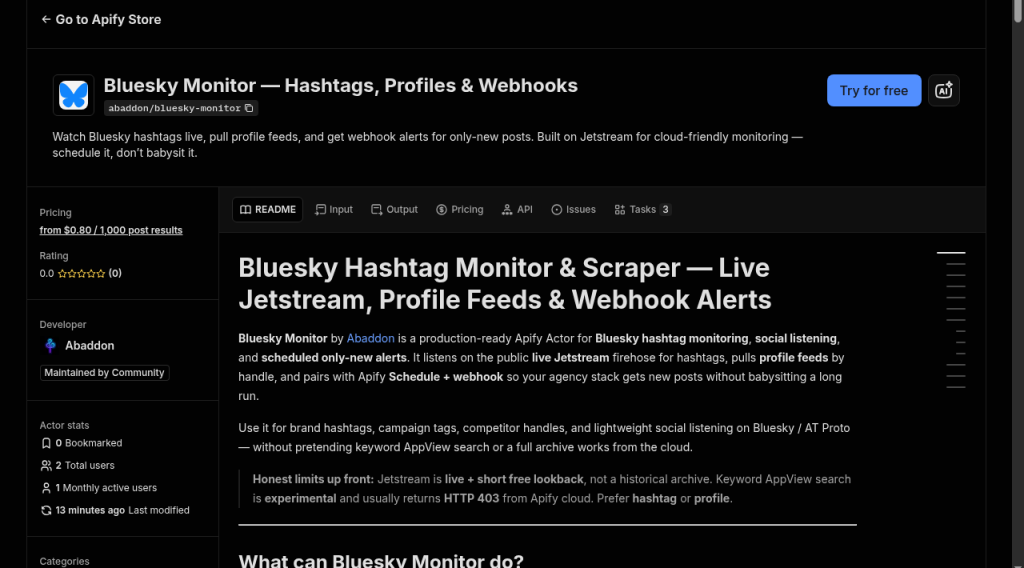
*Store page — Try for free, PPE from $0.80 / 1k posts, Example tasks on the Tasks tab.*

*Example task input — `hashtag` mode, `#art`, max 10 posts, short Jetstream window.*
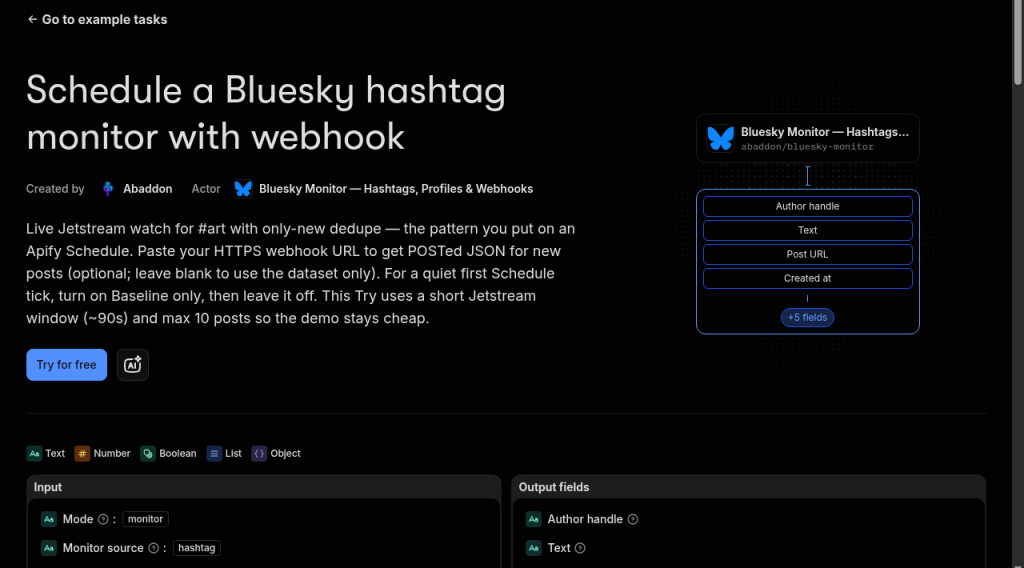
*Published Example task: [Schedule a Bluesky hashtag monitor with webhook](https://apify.com/abaddon/bluesky-monitor/examples/bluesky-monitor-scheduled-hashtag-webhook) — only-new + optional webhook for Apify Schedule.*
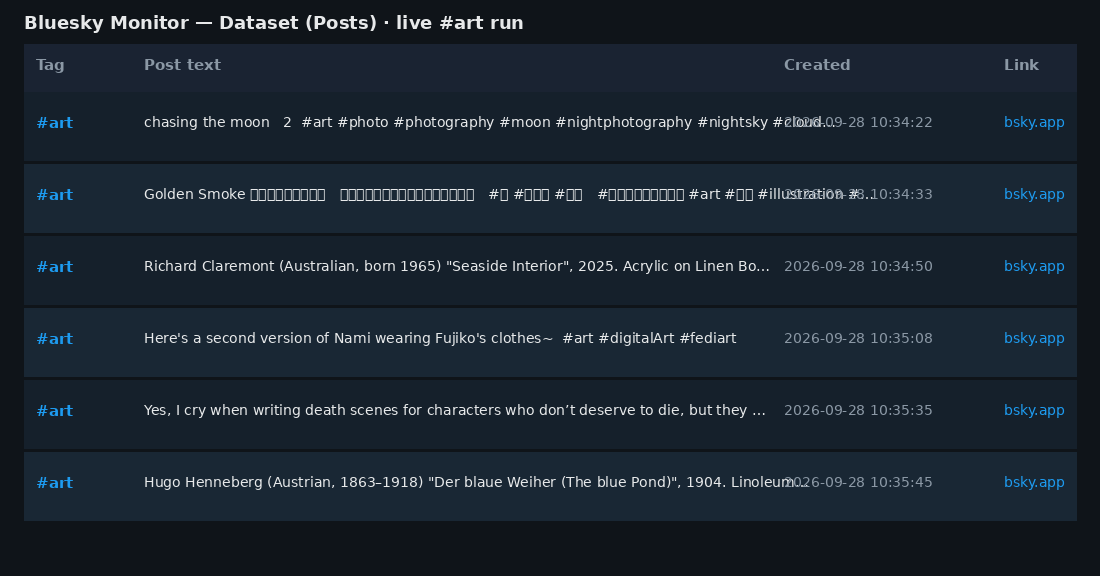
*Posts dataset preview from a real `#art` Jetstream run (tag, text, time, link).*
Also try: [live #art hashtag](https://apify.com/abaddon/bluesky-monitor/examples/bluesky-monitor-demo-art-hashtag) · [profile feed](https://apify.com/abaddon/bluesky-monitor/examples/bluesky-monitor-demo-profile-feed)
***
### What can Bluesky Monitor do?
| Use case | How |
| --- | --- |
| **Brand / campaign hashtag monitoring** | Live Jetstream listen for tags; Schedule every 5–15 min with `mode=monitor` |
| **Webhook alerts for only-new posts** | `webhookUrl` + KV watermarks — Slack, Make, n8n, or your own HTTPS inbox |
| **Competitor or creator watches** | `profile` mode on handles; optional monitor + `monitorSource=profile` |
| **Topic / trend sampling** | Short `hashtag` runs on busy tags (`maxItems` + `jetstreamMaxSeconds`) |
| **Agency / automation pipelines** | Dataset export (JSON/CSV/Excel) or Apify API → classifiers, digests, dashboards |
| What you collect | Features |
| --- | --- |
| Hashtag posts from the live network | Region failover + reconnect backoff |
| Profile / author feeds by handle | Schedule-friendly short listen windows |
| Only-new posts across runs | Optional webhook on new posts |
| Text, URI, time, author DID, matched tags | Clear OUTPUT stats for support |
***
### Sample output
Each dataset item is one normalized Bluesky post:
```json
{
"platform": "bluesky",
"uri": "at://did:plc:…/app.bsky.feed.post/…",
"url": "https://bsky.app/profile/…/post/…",
"text": "Shipping on AT Proto today #art",
"createdAt": "2026-09-22T10:00:00.000Z",
"author": { "did": "did:plc:…", "handle": "someone.bsky.social" },
"authorHandle": "someone.bsky.social",
"hashtags": ["art"],
"matchedQuery": "#art",
"matchedOn": "#art",
"mode": "hashtag",
"likeCount": 0,
"repostCount": 0
}
```
Items also dual-write shared cross-check fields (`platform`, `matchedOn`, `authorId`, `language`, `media`) alongside the Bluesky names above — same row shape for joining with sibling monitors.
Live Jetstream rows often show `likeCount` / `repostCount` as `0` at create time, and `handle` may be unset until AppView enrichment — **URI**, **text**, **createdAt**, and author **DID** are the stable fields.
***
### How much does Bluesky hashtag monitoring cost?
**Pay-per-event (PPE)** — platform usage included (no compute-unit pass-through on Store pricing):
| Event | When | Price (USD) |
| --- | --- | --- |
| `actor-start` | Once per run | **$0.005** |
| `post-result` | Per post written to the dataset | **$0.0008** ($0.80 / 1k) |
| `monitor-check` | Per watermark check (monitor mode) | **$0.0003** |
**Buyer math (examples):**
- 1 scheduled monitor run, 5 new posts → ≈ **$0.0093**
- Quiet hashtag (0 matches) → **$0.005** start (+ **$0.0003** in monitor mode) — you are not billed invented posts
Keep `jetstreamMaxSeconds` short (**60–120s**) and use an Apify **Schedule** for ongoing watches instead of multi-hour single runs.
***
### How to scrape Bluesky hashtags / monitor with Schedule + webhook
1. Open **[Bluesky Monitor](https://apify.com/abaddon/bluesky-monitor)** in Apify Console (or create a free Apify account first).
2. Set **mode** to `hashtag` (one-shot sample) or `monitor` (only-new for Schedules).
3. Add **hashtags** (e.g. `art`, `atproto` — with or without `#`).
4. Cap the run: `maxItems` and `jetstreamMaxSeconds` (default 90s).
5. Optional: paste a `webhookUrl` for alert flows.
6. Click **Start**. Open the **Dataset** for posts; check **OUTPUT** for `connectedHost`, `eventsSeen`, `matched`, `pushed`.
7. For ongoing alerts: save as a **Task** → attach a **Schedule** (every 5–15 minutes) with `mode=monitor`, `monitorSource=hashtag`, `monitorEnabled=true`. Use `baselineOnly: true` on the first run if you do not want a backlog dump.
***
### Modes
| Mode | Input | Behavior |
| --- | --- | --- |
| **`hashtag`** (default) | `hashtags[]` | Live Jetstream WebSocket until `maxItems` or `jetstreamMaxSeconds`. Region failover on connect failure. |
| **`profile`** | `handles[]` | AppView author feeds (works from Apify without proxy). |
| **`monitor`** | + `monitorSource` | Same sources, **only-new** posts via KV watermarks. Pair with Schedule + optional `webhookUrl`. |
| **`search`** (experimental) | `query` | AppView `searchPosts` — usually **403** from cloud. Soft-disabled unless `forceAppViewSearch: true`. Prefer hashtag or profile. |
***
### Example inputs
#### Hashtag live scrape (Store demo — `#art`)
```json
{
"mode": "hashtag",
"hashtags": ["art"],
"maxItems": 10,
"jetstreamMaxSeconds": 90,
"jetstreamLookbackSeconds": 120
}
```
#### Profile feed
```json
{
"mode": "profile",
"handles": ["jay.bsky.team"],
"maxItems": 25
}
```
#### Monitor + webhook (schedule this)
```json
{
"mode": "monitor",
"monitorSource": "hashtag",
"hashtags": ["yourbrand"],
"monitorEnabled": true,
"baselineOnly": true,
"webhookUrl": "https://hooks.example.com/bluesky",
"maxItems": 20,
"jetstreamMaxSeconds": 120
}
```
Quiet tags that match nothing still **SUCCEEDED** — check OUTPUT `eventsSeen` vs `matched`.
***
### FAQ
**Why did I get 0 posts but the run succeeded?**\
Quiet hashtag or short listen window. OUTPUT shows `eventsSeen` vs `matched`: the stream was up; nothing matched. You pay start (+ monitor-check), not fake posts.
**Why not keyword search?**\
Bluesky AppView `searchPosts` often returns **HTTP 403** from datacenter / Apify IPs — even with proxies. Jetstream hashtag listening is the reliable cloud path.
**Do I need a Bluesky login?**\
No for hashtag (public Jetstream) or normal profile feeds.
**Do I need Apify Proxy?**\
Not for Jetstream hashtag mode. Profile AppView usually works without proxy too.
**Will likes and handles always be filled?**\
Not on brand-new live posts. URI, text, timestamp, and author DID are the stable fields.
**Is it legal?**\
Only collect **public** data for a legitimate purpose. You are responsible for Bluesky / AT Proto terms and applicable privacy law (e.g. GDPR).
***
### Technical notes
- **Jetstream:** free, unauthenticated live firehose. Default preferred region `us-east` (v2); on connect failure tries `us-west` then v1 public endpoints. Setting `jetstreamUrl` forces one host (no failover).
- **Matching:** facets + `#tag` word boundaries. **Short tags (≤2 chars)** need a facet tag or a strict `#tag` token — `#ai` will **not** match inside the word `said`.
- **Lookback:** `jetstreamLookbackSeconds` (default **120**) then live-tail — free cursor window, not metered archive.
- **Reconnects:** up to **5** mid-listen reconnects with exponential backoff (never past `maxSeconds`).
- **OUTPUT** (default KV) includes: `mode` / `sourceMode`, `hostsTried` / `connectedHost`, `listenSeconds` / `eventsSeen`, `matched` / `pushed` / `deduped`, `webhookStatus` / `webhookError`, `isFirstRun` (monitor), and a `jetstream` block when used.
- Defaults: `mode=hashtag`, `useJetstream=true`, `maxItems=50`, `jetstreamMaxSeconds=90`, `jetstreamRegion=us-east`.
***
### Known gaps
- No reliable keyword search from Apify cloud (AppView 403)
- No historical hashtag backfill / metered archive replay
- Jetstream rows lack AppView enrichment at emit time (engagement often 0; handle may be missing)
***
*Built by Abaddon for agencies and automation teams who need honest Bluesky social listening — live hashtags, profiles, and schedule-ready webhooks.*
# Actor input Schema
## `mode` (type: `string`):
hashtag (recommended) = live Jetstream; profile = user feeds; monitor = only-new via Schedule; search = EXPERIMENTAL/BROKEN from Apify cloud (AppView 403) — requires forceAppViewSearch.
## `query` (type: `string`):
Keyword string for search mode only (usually broken from cloud). Prefer hashtags\[] for hashtag mode.
## `hashtags` (type: `array`):
Hashtags to watch (with or without #). Live Jetstream matches facets + #word boundaries. Short tags (≤2 chars) require facet or strict #tag (e.g. #ai will not match inside "said").
## `handles` (type: `array`):
Bluesky handles to watch (with or without @), e.g. jay.bsky.team
## `monitorSource` (type: `string`):
When mode is monitor: which source to watch. hashtag uses live Jetstream. search requires forceAppViewSearch.
## `monitorEnabled` (type: `boolean`):
If true (default when mode=monitor), dedupe against prior runs and emit only new posts.
## `baselineOnly` (type: `boolean`):
On the first monitor run, record seen posts but emit nothing. Next scheduled run only gets truly new posts.
## `maxItems` (type: `integer`):
Maximum posts to collect this run. For Jetstream hashtag: stop after this many matches (or when jetstreamMaxSeconds elapses).
## `useJetstream` (type: `boolean`):
For hashtag mode: listen on public Bluesky Jetstream (live-only, no history). Default true. Setting false requires forceAppViewSearch and usually fails with 403.
## `jetstreamMaxSeconds` (type: `integer`):
How long to listen on Jetstream for matching hashtags. Actors bill CU while listening. Default 90s. Use Apify Schedule for ongoing monitors instead of very long windows.
## `jetstreamRegion` (type: `string`):
Preferred Jetstream region. On connect failure the Actor fails over to other public regions / v1 endpoints (unless jetstreamUrl is set).
## `jetstreamUrl` (type: `string`):
Optional full WebSocket base URL. Forces a single host (disables region failover).
## `jetstreamLookbackSeconds` (type: `integer`):
On connect, resume from this many seconds ago via Jetstream live cursor (unix µs). Speeds up hashtag matches using the free lookback window — not the metered archive API. Default 120. Set 0 for live-tail only.
## `forceAppViewSearch` (type: `boolean`):
HIDDEN/ADVANCED. Keyword search via AppView is unreliable from Apify (HTTP 403). Leave false. Only set true if you accept likely failure / are debugging.
## `sort` (type: `string`):
AppView search sort (only with forceAppViewSearch). Ignored for Jetstream.
## `lang` (type: `string`):
Optional BCP47 language filter for AppView search (e.g. en). Not applied on Jetstream.
## `includeReplies` (type: `boolean`):
For profile mode, include reply posts.
## `minLikes` (type: `integer`):
Drop posts with fewer likes than this. Live Jetstream posts usually have 0 likes at create time.
## `webhookUrl` (type: `string`):
Optional HTTPS endpoint. New posts are POSTed as JSON after the run. Failures are logged; the run still SUCCEEDS with dataset data.
## `monitorStoreName` (type: `string`):
Optional named KV store for watermarks (use different names for parallel watches).
## `proxyConfiguration` (type: `object`):
Optional. Used for AppView profile/search only — Jetstream does not use Apify proxy. Search often 403 even with residential.
## Actor input object example
```json
{
"mode": "hashtag",
"hashtags": [
"art"
],
"monitorSource": "hashtag",
"monitorEnabled": false,
"baselineOnly": false,
"maxItems": 10,
"useJetstream": true,
"jetstreamMaxSeconds": 90,
"jetstreamRegion": "us-east",
"jetstreamLookbackSeconds": 120,
"forceAppViewSearch": false,
"sort": "latest",
"includeReplies": false,
"minLikes": 0,
"proxyConfiguration": {
"useApifyProxy": false
}
}
```
# Actor output Schema
## `posts` (type: `string`):
Scraped Bluesky posts (hashtag / profile / monitor).
## `postsDetailed` (type: `string`):
Same posts with URI, hashtags, and author DID.
# API
You can run this Actor programmatically using our API. Below are code examples in JavaScript, Python, and CLI, as well as the OpenAPI specification and MCP server setup.
## JavaScript example
```javascript
import { ApifyClient } from 'apify-client';
// Initialize the ApifyClient with your Apify API token
// Replace the '' with your token
const client = new ApifyClient({
token: '',
});
// Prepare Actor input
const input = {
"hashtags": [
"art"
]
};
// Run the Actor and wait for it to finish
const run = await client.actor("abaddon/bluesky-monitor").call(input);
// Fetch and print Actor results from the run's dataset (if any)
console.log('Results from dataset');
console.log(`💾 Check your data here: https://console.apify.com/storage/datasets/${run.defaultDatasetId}`);
const { items } = await client.dataset(run.defaultDatasetId).listItems();
items.forEach((item) => {
console.dir(item);
});
// 📚 Want to learn more 📖? Go to → https://docs.apify.com/api/client/js/docs
```
## Python example
```python
from apify_client import ApifyClient
# Initialize the ApifyClient with your Apify API token
# Replace '' with your token.
client = ApifyClient("")
# Prepare the Actor input
run_input = { "hashtags": ["art"] }
# Run the Actor and wait for it to finish
run = client.actor("abaddon/bluesky-monitor").call(run_input=run_input)
# Fetch and print Actor results from the run's dataset (if there are any)
print(f"💾 Check your data here: https://console.apify.com/storage/datasets/{run.default_dataset_id}")
for item in client.dataset(run.default_dataset_id).iterate_items():
print(item)
# 📚 Want to learn more 📖? Go to → https://docs.apify.com/api/client/python/docs/quick-start
```
## CLI example
```bash
echo '{
"hashtags": [
"art"
]
}' |
apify call abaddon/bluesky-monitor --silent --output-dataset
```
## MCP server setup
```json
{
"mcpServers": {
"apify": {
"type": "http",
"url": "https://mcp.apify.com/?tools=fetch-actor-details,abaddon/bluesky-monitor"
}
}
}
```
The hosted server signs you in with OAuth on first connect, so no API token belongs in this config. Clients without OAuth support can send an `Authorization: Bearer ` header instead, using a token from API & Integrations in Apify Console (https://console.apify.com/settings/integrations).
## OpenAPI specification
Download the OpenAPI definition: https://api.apify.com/v2/actors/IVJVGVuvS20t2aRd3/builds/hgIFISQywnyk3Q0Zd/openapi.json