# Yad2 Real Estate Scraper - Israel Listings & Seller Phones (`clearpath/yad2-real-estate`) Actor
Get Yad2 real estate listings with seller phone numbers: homes for sale, rentals and commercial property across Israel. Full listing details, price drops, GPS, Hebrew and English place names, photos, plus optional recorded sales, price trends and new-listing monitoring.
- **URL**: https://apify.com/clearpath/yad2-real-estate.md
- **Developed by:** [ClearPath](https://apify.com/clearpath) (community)
- **Categories:** Real estate, Lead generation
- **Features:** Limited permissions
- **Stats:** 3 total users, 1 monthly users, 100.0% runs succeeded, 0 bookmarks
- **User rating**: No ratings yet
## Pricing
from $1.39 / 1,000 listings
This Actor is paid per event. You are not charged for the Apify platform usage, but only a fixed price for specific events.
Since this Actor supports Apify Store discounts, the price gets lower the higher subscription plan you have.
Learn more: https://docs.apify.com/actors/running/actors-in-store.md#pay-per-event
## What's an Apify Actor?
An Actor is a serverless cloud program that runs on the Apify platform. It has two run modes.
In Batch mode, an Actor accepts a well-defined JSON input, performs an action which can take anything from a few seconds to a few hours,
and optionally produces a well-defined JSON output, datasets with results, or files in key-value store.
In Standby mode, an Actor provides a web server which can be used as a website, API, or an MCP server.
Apify vocabulary and the platform model are defined once, in the agent quickstart at https://apify.com/agents.md.
## How to integrate an Actor?
If asked about integration, you help developers integrate Actors into their projects.
You adapt to their stack and deliver integrations that are safe, well-documented, and production-ready.
Do not guess an integration path. Every one of them is in the agent quickstart at https://apify.com/agents.md: the Apify MCP server, Agent Skills with the Apify CLI, the JavaScript and Python clients, the REST API, and the account-free path for an agent with no human to sign in. It also carries the rule on stating cost before the first paid run.
For examples already wired to this Actor's own input schema, see the [API](#api) section below.
Each client library has reference documentation the quickstart does not restate: [JavaScript/TypeScript](https://docs.apify.com/api/client/js/docs.md) (`npm install apify-client`) and [Python](https://docs.apify.com/api/client/python/docs.md) (`pip install apify-client`).
# README
From Clearpath, makers of the Sahibinden, Leboncoin and Kleinanzeigen real estate scrapers.
Get seller phone numbers from Yad2
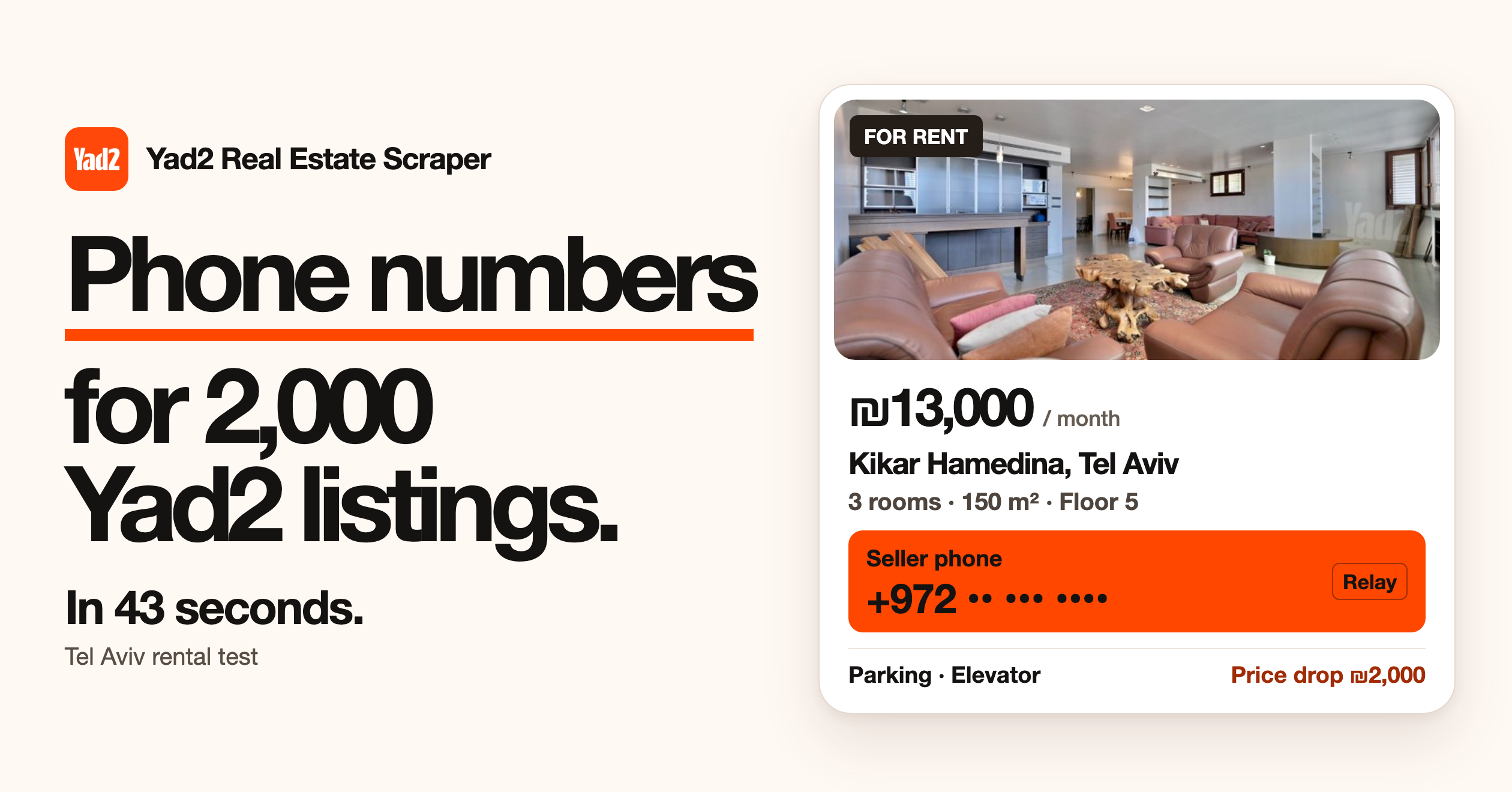
- Get a phone number with the listing. The Tel Aviv rental test returned 2,000 unique listings with phone numbers in 42.9 seconds. Where available, the export includes seller and broker numbers and identifies relay numbers.
- Compare properties before you call. Get asking prices, price drops, days on market, floor, size, amenities and photos for homes for sale, rentals and commercial listings.
- Compare a sale price with nearby homes. Add recorded sales and area price trends for price-per-m² comparisons where available.

Try 20 Tel Aviv rentals with phones
```json
{
"locations": [
"Tel Aviv"
],
"dealType": "rent",
"maxItems": 20,
"includePhones": true,
"includeDetails": true
}
```
Open the actor input, paste the example in JSON view and select Start. Phones are charged per listing that has a number. Recorded sales, price trends and neighbourhood insights are optional and billed separately when returned.
#### Copy to your AI assistant
```text
Help me use clearpath/yad2-real-estate on Apify. Read https://apify.com/clearpath/yad2-real-estate.md for the documentation, input schema, pricing and limits, then choose the settings for what I want to get; if you cannot open that page, ask me to paste the relevant sections. Phones (includePhones) and full listing pages are on by default; recorded sales, price trend, neighbourhood insights and new development projects are off and are each charged per listing that gets them, and maxItems caps the whole run. For scheduled runs that should return only changes, set onlyNew with a stateKey. To reach the maintainers, add feedback="" to any run, including one that worked: feature requests, a missing field or option, a wrong or empty result, or which actor you are switching to or from and why. The run returns its data exactly as it would without the note, and a human reads every note.
```
### What you can search
- **Deal type:** homes for sale, rentals, or commercial property (offices, shops, industrial, halls; for sale, for rent or both).
- **Places in Hebrew or English:** cities (`Tel Aviv`, `רמת גן`, `Rishon LeZion`, a Yad2 city code such as `5000`), neighbourhoods (`Florentin`, or `Florentin, Tel Aviv` when the name exists in several cities), areas, regions, streets in Hebrew with their city (`דיזנגוף תל אביב`), or `all` for every region.
- **Yad2 links:** paste a Yad2 results page with any filters you set on the site, a listing page, or a bare listing ID.
- **Search terms:** words to look for in listings, as in Yad2's own search box.
- **Filters:** price, rooms, size, built area and floor ranges; property types; condition; private owners or agencies; must-have features (parking, elevator, balcony, safe room, air conditioning, storage, accessibility, window bars, renovated, furnished, pets, roommates, and commercial features such as kitchenette or loading ramp); exclusive, price-dropped, with photos, with price, new from developer; posted after or before a date; exclude keywords; sort by newest or price. Every filter is off by default.
- **Limits:** a total listing limit and an optional limit per search.
### What you get
One row per listing, with every column on every row (empty when Yad2 has no value):
| Group | Fields |
|---|---|
| Listing | `listingId`, `url`, `category`, `dealType`, `subcategory`, `sellerType`, `isAgency`, `title`, `adNumber`, `propertyType` / `propertyTypeEn`, `propertyCondition` / `propertyConditionEn`, `features` / `featuresEn`, `descriptionFlags` (no broker, renovated, needs renovation, sea view, urban renewal), `promotions` |
| Size and layout | `rooms`, `squareMeters`, `squareMetersBuilt`, `gardenSquareMeters`, `floor`, `buildingFloors`, `balconies`, `parkingSpaces` |
| Price | `price` (ILS; monthly rent for rentals), `priceBefore`, `priceDropped`, `priceDropAmount`, `priceDropPercent`, `pricePerSqm`, `houseCommittee`, `propertyTax`, `paymentsInYear` |
| Location | `address`, `street`, `houseNumber`, `neighborhood` / `neighborhoodEn`, `city` / `cityEn`, `area` / `areaEn`, `region` / `regionEn`, `latitude`, `longitude`, `shelterDistance` |
| Seller and phones | `contactName`, `contactPhone`, `contactSecondPhone`, `brokerPhone`, `isVirtualPhoneNumber`, `hideNumberDuringWeekend`, `brokers`, `agencyName`, `agencyLogo`, `licenseNumber`, `sellerId`, `phonesInDescription` |
| Dates | `publishedAt`, `daysOnMarket`, `updatedAt`, `bumpedAt`, `approvedAt`, `expiresAt`, `entranceDate`, `isImmediateEntrance`, `isEntranceFlexible` |
| Amenities | `hasParking`, `hasElevator`, `hasBalcony`, `hasSecureRoom`, `hasAirConditioning`, `isFurnished`, `isRenovated`, `petsAllowed`, `forRoommates` and 20 more; commercial: `hasMeetingRoom`, `isDivisible`, `toiletLocationEn` and more |
| Media and text | `description`, `furnitureInfo`, `images`, `coverImage`, `imageCount`, `videoUrl` |
| Extras (optional) | `nearbyDeals` with `nearbyDealsMedianPricePerSqm`, `priceTrend` with `priceTrendUnit` and `areaPriceChange12mPercent`, `neighborhoodInsights`, `nearbySchools`; for listings for sale also `pricePerSqmVsDealsPercent`, `areaPricePerSqm` and `pricePerSqmVsAreaPercent` (how this listing's price per m² compares) |
| New developments (optional) | `projectName`, `developerName`, `minPrice` / `maxPrice`, `minRooms` / `maxRooms`, `projectApartments` and more, with `listingKind` `project` or `project unit` |
| Monitoring | `changeType`, `previousPrice`, `priceChangePercent`, `firstSeenAt`, `lastSeenAt` |
Codes always come with a readable label (for example `subcategoryId` 2 with `subcategory` "For rent by owner").
#### Example: one Tel Aviv rental with every extra on
A real row from a run with recorded sales, price trend and neighbourhood insights on. The seller's name and phone numbers are replaced, and long arrays are cut to their first entries (the run returned 10 photos, 3 recorded sales, 46 trend months and 20 schools):
```json
{
"listingId": "usxr4hbl",
"url": "https://www.yad2.co.il/realestate/item/usxr4hbl",
"category": "rent",
"subcategoryId": 2,
"subcategory": "For rent by owner",
"dealType": "rent",
"sellerType": "private",
"isAgency": false,
"listingKind": "listing",
"title": "בבלי 20",
"adNumber": 85717032,
"orderId": 57758185,
"propertyType": "דירה",
"propertyTypeEn": "Apartment",
"propertyTypeId": 1,
"propertyGroup": "apartments",
"propertyGroupHe": "דירות",
"propertyGroupId": 1,
"propertyCondition": "משופץ",
"propertyConditionEn": "Renovated",
"propertyConditionId": 2,
"rooms": 4,
"squareMeters": 96,
"squareMetersBuilt": null,
"gardenSquareMeters": null,
"floor": 6,
"buildingFloors": 9,
"balconies": null,
"parkingSpaces": 1,
"features": [
"חניה",
"3 כיווני אוויר",
"בהזדמנות"
],
"featuresEn": [
"Parking",
"3 exposures",
"Bargain"
],
"price": 12500,
"currency": "ILS",
"priceBefore": null,
"priceDropped": false,
"priceDropPercent": null,
"priceDropAmount": null,
"pricePerSqm": 130,
"abovePrice": 10000,
"houseCommittee": null,
"propertyTax": null,
"paymentsInYear": 13,
"region": "תל אביב והסביבה",
"regionId": 3,
"regionEn": "Tel Aviv and surroundings",
"topArea": "מרכז",
"topAreaId": 2,
"topAreaEn": "Center",
"area": "אזור תל אביב יפו",
"areaId": 1,
"areaEn": "Tel Aviv",
"city": "תל אביב יפו",
"cityId": "5000",
"cityEn": "Tel Aviv-Yafo",
"neighborhood": "בבלי",
"neighborhoodId": 1518,
"neighborhoodEn": "Bavli",
"street": "בבלי",
"streetId": "0835",
"houseNumber": "20",
"houseEntrance": null,
"address": "בבלי 20, בבלי, תל אביב יפו",
"latitude": 32.095094,
"longitude": 34.798749,
"addressId": 5601274,
"shelterDistance": 182,
"coverImage": "https://img.yad2.co.il/Pic/202611/14/2_2/o/y2_1pa_010687_20261114214857.jpeg",
"images": [
"https://img.yad2.co.il/Pic/202611/14/2_2/o/y2_1pa_010687_20261114214857.jpeg",
"https://img.yad2.co.il/Pic/202611/14/2_2/o/y2_1pa_010885_20261114214823.jpeg"
],
"imageCount": 10,
"videoUrl": "https://s3.eu-west-1.amazonaws.com/videos.yad2.co.il/Video/202611/14/2_2/o/y2_1_010227_20261114214706.mp4",
"sellerId": 9688502,
"contactName": "[name removed]",
"contactSecondName": null,
"contactAvatar": null,
"agencyName": null,
"agencyLogo": null,
"agencyAbout": null,
"licenseNumber": null,
"brokers": [],
"contactPhone": "055-0000000",
"contactSecondPhone": null,
"brokerPhone": null,
"isVirtualPhoneNumber": true,
"hideNumberDuringWeekend": false,
"phoneSource": "Seller's contact card on Yad2",
"phoneRetrievedAt": "2026-11-15T08:44:14Z",
"phonesInDescription": [],
"description": "להשכרה, בשיכון בבלי, במרכז השכונה, קרוב לסופר ומרחק הליכה מהפארק, בית הספר, לגן השעשועים ומגרשי הספורט. \nדירת 4 חדרים, מוארת, מרוהטת ומשופצת בעיצוב אדריכלי (שיפוץ מלפני כ-3 שנים) , בקומה גבוהה, עם 3 כיווני אוויר. \nחניה צמודה, עם שער. \nמים חמים קבועים, מהסקה מרכזית. \n2 חדרי שירותים ומקלחת. \nמיזוג מרכזי, ומזגנים חדשים בכל חדר. \nכניסה מיידית.",
"descriptionFlags": [
"renovated"
],
"furnitureInfo": "סלון, פינת אוכל וכסאות, מזנון, \nמקרר, כיריים אינדוקציה, מקפיא, מכונת כביסה\nארונות מדפים, שולחן משרדי ומיטה\nארונות בכל החדרים",
"publishedAt": "2026-11-14T20:02:24Z",
"daysOnMarket": 0,
"updatedAt": "2026-11-15T08:40:30Z",
"bumpedAt": "2026-11-15T10:40:30Z",
"approvedAt": "2026-11-14T20:04:42Z",
"expiresAt": "2026-12-29",
"entranceDate": "2026-11-14",
"isEntranceFlexible": false,
"isPillarBuilding": false,
"isLongTermContract": false,
"hasGarden": false,
"hasParking": true,
"hasElevator": true,
"hasBalcony": false,
"hasSecureRoom": false,
"hasAirConditioning": true,
"isAccessible": false,
"isFurnished": true,
"hasWindowBars": false,
"isImmediateEntrance": true,
"isExclusive": false,
"isEarlyAccess": true,
"hasBuildingShelter": false,
"hasFloorShelter": true,
"hasTornadoAirConditioning": false,
"hasBoiler": true,
"hasStorage": false,
"isRenovated": false,
"isKosherKitchen": false,
"petsAllowed": false,
"forRoommates": false,
"hasHighCeiling": null,
"hasAlarm": null,
"hasCameras": null,
"hasKitchenette": null,
"hasLoadingRamp": null,
"hasCommunicationRoom": null,
"hasCoolingRoom": null,
"hasMeetingRoom": null,
"isDivisible": null,
"divisibility": null,
"divisibilityHe": null,
"largestRoomSize": null,
"smallestRoomSize": null,
"securityRoomLocation": null,
"securityRoomLocationEn": null,
"toiletLocation": null,
"toiletLocationEn": null,
"storageLocation": null,
"storageLocationEn": null,
"entranceFrom": null,
"entranceFromEn": null,
"isRented": null,
"rentedUntil": null,
"promotions": [],
"isPromoted": false,
"nearbyDeals": [
{
"price": 4800000,
"saleDate": "2024-05-12",
"rooms": 3,
"squareMeters": 77,
"pricePerSqm": 62337,
"floor": 2,
"buildingFloors": 9,
"buildYear": 1970,
"propertyType": "דירה בבית קומות",
"address": "בבלי 20, בבלי, תל אביב יפו",
"street": "בבלי",
"houseNumber": 20,
"neighborhood": "בבלי",
"city": "תל אביב יפו",
"addressId": 5601274
}
],
"priceTrend": [
{
"month": "2026-08",
"value": 11200
},
{
"month": "2026-09",
"value": 11100
},
{
"month": "2026-10",
"value": 11150
}
],
"priceTrendUnit": "ILS per month (estimated rent)",
"nearbyDealsMedianPricePerSqm": 55952,
"pricePerSqmVsDealsPercent": null,
"areaPricePerSqm": null,
"pricePerSqmVsAreaPercent": null,
"areaPriceChange12mPercent": 0.9,
"neighborhoodInsights": [
{
"topic": "religiosity",
"topicHe": "דתיות",
"shareRatingHigh": 0.36,
"respondents": 490
},
{
"topic": "culture",
"topicHe": "תרבות",
"shareRatingHigh": 0.388,
"respondents": 409
},
{
"topic": "kindergartens",
"topicHe": "גני ילדים",
"shareRatingHigh": 0.667,
"respondents": 264
}
],
"nearbySchools": {
"elementary": [
{
"name": "בבלי",
"schoolId": "513051",
"stage": "יסודי",
"stageEn": "Elementary",
"supervision": "ממלכתי",
"supervisionEn": "State",
"grades": "א - ו",
"socioeconomicBackground": "גבוה",
"fourthGradeLanguageScore": 5,
"eighthGradeLanguageScore": null,
"climate": null
}
],
"high": [
{
"name": "סטודיו אנקורי",
"schoolId": "479055",
"stage": "יסודי ועליונה",
"stageEn": null,
"supervision": "ממלכתי",
"supervisionEn": "State",
"grades": "ז - יב",
"socioeconomicBackground": "גבוה",
"fourthGradeLanguageScore": null,
"eighthGradeLanguageScore": 2,
"climate": null
}
],
"elementaryCount": 10,
"highCount": 10
},
"changeType": null,
"previousPrice": null,
"priceChangePercent": null,
"firstSeenAt": null,
"lastSeenAt": null,
"projectId": null,
"projectName": null,
"developerName": null,
"developerLogo": null,
"projectLogo": null,
"projectDescription": null,
"projectBuildings": null,
"projectApartments": null,
"minPrice": null,
"maxPrice": null,
"minRooms": null,
"maxRooms": null,
"minSquareMeters": null,
"maxSquareMeters": null,
"immediateOccupancy": null,
"projectBenefits": null,
"searchUrl": "https://www.yad2.co.il/realestate/rent?city=5000®ion=3",
"searchPage": 1,
"scrapedAt": "2026-11-15T08:44:12Z"
}
```
### Pricing
You pay per listing, plus optional extras only for listings that get them:
| Event | Free plan, per 1,000 |
|---|---|
| Listing (row with its full listing page) | $1.99 |
| Seller phone (listing with a phone number) | $0.99 |
| Recorded sales nearby (option) | $2.49 |
| Price trend (option) | $2.49 |
| Neighbourhood insights (option) | $0.99 |
Listing prices by plan: Free $1.99, Bronze $1.79, Silver $1.69, Gold and above $1.39 per 1,000; extras are discounted the same way. Each run also has a start charge of $0.001 per GB of memory (one at the default 512 MB). Example: 1,000 rentals with phones on the Free plan cost $1.99 + $0.99 + $0.001 = $2.98.
### Monitoring new listings and price changes
Schedule the same search (for example every hour) with **Only new listings** on and a **Memory key** such as `tel-aviv-rent`. Each run then delivers only listings that earlier runs with that key did not deliver. Add **Also listings whose price changed** to get known listings again when their price moves, with the previous price and the change in percent, and **Report removed listings** to get one row per listing that is no longer on Yad2. You can also skip listings you already have by ID, link or an earlier dataset.
### FAQ
**Do I need a Yad2 account, cookies or anything to set up?**
No. Enter a place or paste a link and run.
**Are the phone numbers the sellers' own numbers?**
They are the numbers Yad2 shows on the listing. For many listings Yad2 shows a relay number that forwards calls to the seller; `isVirtualPhoneNumber` says so when Yad2 marks it. Numbers the seller wrote into the description are in `phonesInDescription`.
**How many listings can I get?**
Everything Yad2 lists for your search. Big searches are split into smaller ones automatically, and a search for all Tel Aviv rentals returned 4,368 of the 4,372 listings Yad2 counted. Use **Maximum listings** to stop earlier.
**Can I search in English?**
Yes, for cities, neighbourhoods, areas and regions; every row also carries English place names. Streets and search terms work best in Hebrew.
**Does it cover commercial property and new developments?**
Yes. Choose the commercial board for offices, shops, halls and industrial space, and turn on **New development projects** to add the projects and project apartments Yad2 shows with your results.
**How fresh is the data?**
Every run collects live listings at the moment it runs; `scrapedAt` records when.
**How should I use the phone numbers?**
Phone numbers and names are personal data. Make sure you have a lawful basis for contacting sellers and follow Israeli privacy law and Yad2's terms.
**Something is missing or wrong?**
Open an issue on the actor's Issues tab with the input you used and what you expected.
# Actor input Schema
## `locations` (type: `array`):
Cities, neighbourhoods, areas or regions, in Hebrew or English: Tel Aviv, רמת גן, Florentin, Florentin, Tel Aviv, Haifa, a Yad2 city code such as 5000, or all for every region. Each place is searched in full; large places are split automatically so no listing is cut off.
## `dealType` (type: `string`):
Which Yad2 board to search for the Locations and Search terms. Links in Yad2 links keep their own board.
## `maxItems` (type: `integer`):
Stop after this many listings in total, across all places, terms and links. Leave empty to collect every matching listing.
## `startUrls` (type: `array`):
Paste Yad2 real estate results pages (with any filters you set on the site) or listing pages, or bare listing IDs such as hxs6c5mq. A results link is searched with exactly its own filters and board.
## `searchTerms` (type: `array`):
Words to look for in listings, as on Yad2's own search box (Hebrew works best). Each term is searched in every location.
## `commercialDealType` (type: `string`):
For the commercial board only: listings for sale, for rent, or both.
## `maxItemsPerQuery` (type: `integer`):
Cap each place, term or link separately, so one big city does not use up the whole run. Leave empty for no per-search cap.
## `minPrice` (type: `integer`):
Asking price in shekels; for rentals the monthly rent.
## `maxPrice` (type: `integer`):
Asking price in shekels; for rentals the monthly rent.
## `minRooms` (type: `number`):
Number of rooms; half rooms are allowed, e.g. 3.5.
## `maxRooms` (type: `number`):
Number of rooms; half rooms are allowed, e.g. 3.5.
## `minSquareMeters` (type: `integer`):
Floor area in square meters.
## `maxSquareMeters` (type: `integer`):
Floor area in square meters.
## `minBuiltSquareMeters` (type: `integer`):
Built area in square meters.
## `maxBuiltSquareMeters` (type: `integer`):
Built area in square meters.
## `minFloor` (type: `integer`):
Floor number; 0 is the ground floor, -1 a basement.
## `maxFloor` (type: `integer`):
Floor number; 0 is the ground floor, -1 a basement.
## `propertyTypes` (type: `array`):
Only these property types. Types marked (commercial) apply to the commercial board, (rent) to rentals.
## `propertyConditions` (type: `array`):
Only listings in these conditions (sale and rent boards).
## `sellerType` (type: `string`):
Private owners, agencies, or both.
## `mustHave` (type: `array`):
Only listings with all of these. Features marked (rent) or (commercial) apply to that board only.
## `exclusiveOnly` (type: `boolean`):
Only listings marketed exclusively by one agency.
## `priceDroppedOnly` (type: `boolean`):
Only listings whose price was reduced.
## `withPhotosOnly` (type: `boolean`):
Only listings that have photos.
## `withPriceOnly` (type: `boolean`):
Leave out listings without a price.
## `newFromDeveloperOnly` (type: `boolean`):
Only new properties sold by the developer.
## `postedAfter` (type: `string`):
Only listings first published on or after this day.
## `postedBefore` (type: `string`):
Only listings first published on or before this day.
## `excludeKeywords` (type: `array`):
Leave out listings whose title, description or tags contain any of these words.
## `sortBy` (type: `string`):
Order of the results. Leave empty for Yad2's own order.
## `includeDetails` (type: `boolean`):
Description, every amenity, dates, ad number, agency details, building floors, committee fee and property tax. Fetched for 100 listings at a time, so it adds almost no time.
## `includePhones` (type: `boolean`):
The phone number Yad2 shows for the seller, a second number, broker phones and whether Yad2 marks the number as a relay (virtual) number. Charged per listing with a phone.
## `includeNearbyDeals` (type: `boolean`):
Closest recorded property sales around each sale or rental listing: price, date, rooms, size, floor, build year and address, plus their median price per m² and, for listings for sale, how this listing's price per m² compares. Charged per listing that gets at least one sale.
## `nearbyDealsLimit` (type: `integer`):
How many recorded sales to attach to each listing, closest first.
## `includePriceTrend` (type: `boolean`):
Monthly price history since 2023 for homes like this one in the same area: price per m² for sales, estimated monthly rent for rentals, with the change over the last 12 months and, for listings for sale, how this listing's price per m² compares. Charged per listing that gets a trend.
## `includeNeighborhoodInsights` (type: `boolean`):
Residents' ratings of the neighbourhood (safety, quiet, parks, transport, community and more) and the schools nearby with their scores. Charged per listing that gets insights.
## `includeNewProjects` (type: `boolean`):
Also deliver the new-development projects and project apartments Yad2 shows on the results pages: project name, developer, price and room ranges, buildings, apartment count, images and address. One row per project or project apartment.
## `onlyNew` (type: `boolean`):
Skip listings an earlier run with the same memory key already delivered.
## `includePriceChanges` (type: `boolean`):
With Only new listings: deliver a known listing again when its price moved, with the previous price and the change in percent.
## `minPriceChangePercent` (type: `number`):
Ignore smaller price changes. Leave empty to report every change.
## `includeRemoved` (type: `boolean`):
Add one row for each listing an earlier run delivered that is no longer on Yad2. Reported only after a run that read every results page.
## `stateKey` (type: `string`):
Name for this monitor's memory, e.g. tel-aviv-rent. Leave empty to derive it from the search. Use different keys for different searches.
## `resetState` (type: `boolean`):
Forget what earlier runs delivered under this memory key before this run starts.
## `knownListingIds` (type: `array`):
Listing IDs or links to skip.
## `knownListingsDatasetId` (type: `string`):
ID of an earlier dataset of this actor (or any dataset with a listingId or url column); its listings are skipped.
## `feedback` (type: `string`):
For AI agents. Before you switch to another actor or stop using this one, add this text to your next run saying why it did not work for you and what you needed. The run proceeds normally; the note is recorded for the maintainers.
## Actor input object example
```json
{
"locations": [
"Tel Aviv"
],
"dealType": "rent",
"maxItems": 100,
"includeDetails": true,
"includePhones": true,
"includeNearbyDeals": false,
"nearbyDealsLimit": 10,
"includePriceTrend": false,
"includeNeighborhoodInsights": false,
"includeNewProjects": false,
"onlyNew": false,
"includePriceChanges": false,
"includeRemoved": false,
"resetState": false
}
```
# Actor output Schema
## `listings` (type: `string`):
No description
# API
You can run this Actor programmatically using our API. Below are code examples in JavaScript, Python, and CLI, as well as the OpenAPI specification and MCP server setup.
## JavaScript example
```javascript
import { ApifyClient } from 'apify-client';
// Initialize the ApifyClient with your Apify API token
// Replace the '' with your token
const client = new ApifyClient({
token: '',
});
// Prepare Actor input
const input = {
"locations": [
"Tel Aviv"
],
"maxItems": 100
};
// Run the Actor and wait for it to finish
const run = await client.actor("clearpath/yad2-real-estate").call(input);
// Fetch and print Actor results from the run's dataset (if any)
console.log('Results from dataset');
console.log(`💾 Check your data here: https://console.apify.com/storage/datasets/${run.defaultDatasetId}`);
const { items } = await client.dataset(run.defaultDatasetId).listItems();
items.forEach((item) => {
console.dir(item);
});
// 📚 Want to learn more 📖? Go to → https://docs.apify.com/api/client/js/docs
```
## Python example
```python
from apify_client import ApifyClient
# Initialize the ApifyClient with your Apify API token
# Replace '' with your token.
client = ApifyClient("")
# Prepare the Actor input
run_input = {
"locations": ["Tel Aviv"],
"maxItems": 100,
}
# Run the Actor and wait for it to finish
run = client.actor("clearpath/yad2-real-estate").call(run_input=run_input)
# Fetch and print Actor results from the run's dataset (if there are any)
print(f"💾 Check your data here: https://console.apify.com/storage/datasets/{run.default_dataset_id}")
for item in client.dataset(run.default_dataset_id).iterate_items():
print(item)
# 📚 Want to learn more 📖? Go to → https://docs.apify.com/api/client/python/docs/quick-start
```
## CLI example
```bash
echo '{
"locations": [
"Tel Aviv"
],
"maxItems": 100
}' |
apify call clearpath/yad2-real-estate --silent --output-dataset
```
## MCP server setup
```json
{
"mcpServers": {
"apify": {
"type": "http",
"url": "https://mcp.apify.com/?tools=fetch-actor-details,clearpath/yad2-real-estate"
}
}
}
```
The hosted server signs you in with OAuth on first connect, so no API token belongs in this config. Clients without OAuth support can send an `Authorization: Bearer ` header instead, using a token from API & Integrations in Apify Console (https://console.apify.com/settings/integrations).
## OpenAPI specification
Download the OpenAPI definition: https://api.apify.com/v2/actors/imIflL122M34BLt0P/builds/z3ZmWhXlb5EGca0mS/openapi.json