# Zalo Exporter - Group Members, Contacts and Chats (`kazkn/zalo-member-profile-exporter`) Actor
Connect your Zalo account by QR and export joined groups, visible members, contacts, profiles, or bounded chat history to CSV/JSON. Choose a guided preset, reuse the encrypted session, and track conversation completeness and run limits.
- **URL**: https://apify.com/kazkn/zalo-member-profile-exporter.md
- **Developed by:** [KazKN](https://apify.com/kazkn) (community)
- **Categories:** Lead generation, Social media, Automation
- **Stats:** 3 total users, 0 monthly users, 0.0% runs succeeded, 1 bookmarks
- **User rating**: No ratings yet
## Pricing
from $1.50 / 1,000 group members
This Actor is paid per event. You are not charged for the Apify platform usage, but only a fixed price for specific events.
Since this Actor supports Apify Store discounts, the price gets lower the higher subscription plan you have.
Learn more: https://docs.apify.com/platform/actors/running/actors-in-store#pay-per-event
## What's an Apify Actor?
Actors are web data automations that power AI and operations. They run on the Apify platform to scrape websites, process data, connect APIs, and automate workflows.
In Batch mode, an Actor accepts a well-defined JSON input, performs an action which can take anything from a few seconds to a few hours,
and optionally produces a well-defined JSON output, datasets with results, or files in key-value store.
In Standby mode, an Actor provides a web server which can be used as a website, API, or an MCP server.
Actors are written with capital "A".
## How to integrate an Actor?
If asked about integration, you help developers integrate Actors into their projects.
You adapt to their stack and deliver integrations that are safe, well-documented, and production-ready.
The best way to integrate Actors is as follows.
- **AI agents and MCP clients** — the [Apify MCP server](https://docs.apify.com/integrations/mcp.md) at `https://mcp.apify.com` (remote, streamable HTTP, OAuth on first use).
- **Agentic workflows and local Actor development** — [Agent Skills](https://apify.com/.well-known/agent-skills/index.json) with the [Apify CLI](https://docs.apify.com/cli/docs.md): `npm install -g apify-cli`, then `apify login`.
- **JavaScript/TypeScript projects** — the official [JS/TS client](https://docs.apify.com/api/client/js/docs.md): `npm install apify-client`.
- **Python projects** — the official [Python client](https://docs.apify.com/api/client/python/docs.md): `pip install apify-client`.
- **Any other language** — the [REST API](https://docs.apify.com/api/v2.md).
For usage examples, see the [API](#api) section below.
For more details, see Apify documentation as [Markdown index](https://docs.apify.com/llms.txt) and [Markdown full-text](https://docs.apify.com/llms-full.txt).
# README
## Zalo Data Exporter — Visible Group Members, Contacts & Bounded Chat History




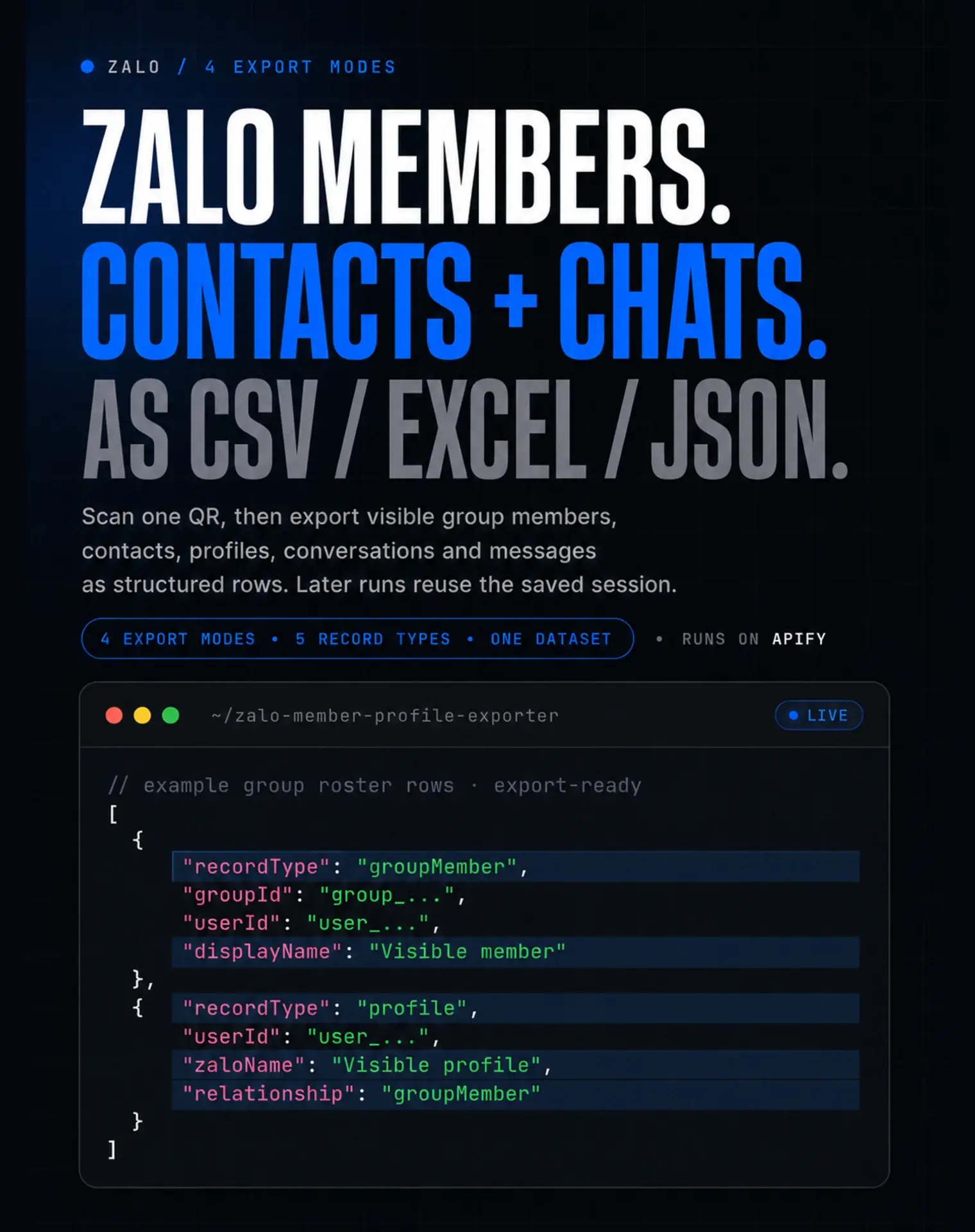
Zalo members, contacts and chats — as structured data.
Connect a Zalo account you own or are authorized to operate, choose one
export, then download visible rows as CSV, Excel or JSON. Later runs can reuse
the encrypted saved login for the same Apify user and account alias while it
remains valid. Built for developers, automation agencies, and data teams
working with Vietnam.
 ### Copy to your AI assistant
```text
Use kazkn/zalo-member-profile-exporter on Apify. The first connection is interactive: start one run in the Apify Console, open Output → ① First run: scan this Zalo QR, and approve it in the Zalo app. Later calls reuse the encrypted session for the same Apify user and accountAlias. Use APIFY_API_TOKEN from the environment—never paste the secret into this prompt.
Python:
import os
from apify_client import ApifyClient
client = ApifyClient(os.environ["APIFY_API_TOKEN"])
run = client.actor("kazkn/zalo-member-profile-exporter").call(run_input={"exportMode":"groupRoster","accountAlias":"main","maxGroups":1,"maxMembersPerGroup":100})
items = client.dataset(run["defaultDatasetId"]).list_items().items
Presets: groupRoster, contactsAndProfiles, conversationBackup, completeSnapshot. Only data visible to the connected account is returned. Use a new accountAlias for a different Zalo account. Full spec: GET https://api.apify.com/v2/acts/kazkn~zalo-member-profile-exporter/builds/default (Bearer APIFY_API_TOKEN) → inputSchema, actorDefinition.storages.dataset, readme. Token settings: https://console.apify.com/account/integrations
```
### 👥 Built for teams working with Vietnam
- **Developers** get typed Dataset records, stable IDs, and a Python/API path
for group, profile, conversation, and message workflows.
- **Automation agencies** can keep one saved account alias per authorized Zalo
account and repeat bounded exports after the client's first QR approval.
- **Data teams** can send focused CSV, Excel, or JSON views to CRM staging,
warehouse, or internal analysis workflows without flattening record types.
This is an authenticated, read-only account exporter. It is not a public or
anonymous Zalo scraper.
### First run: scan once, then reuse the login
| First connection | Later runs |
|---|---|
| 1. Keep **👥 Group roster** and the starter limits.
### Copy to your AI assistant
```text
Use kazkn/zalo-member-profile-exporter on Apify. The first connection is interactive: start one run in the Apify Console, open Output → ① First run: scan this Zalo QR, and approve it in the Zalo app. Later calls reuse the encrypted session for the same Apify user and accountAlias. Use APIFY_API_TOKEN from the environment—never paste the secret into this prompt.
Python:
import os
from apify_client import ApifyClient
client = ApifyClient(os.environ["APIFY_API_TOKEN"])
run = client.actor("kazkn/zalo-member-profile-exporter").call(run_input={"exportMode":"groupRoster","accountAlias":"main","maxGroups":1,"maxMembersPerGroup":100})
items = client.dataset(run["defaultDatasetId"]).list_items().items
Presets: groupRoster, contactsAndProfiles, conversationBackup, completeSnapshot. Only data visible to the connected account is returned. Use a new accountAlias for a different Zalo account. Full spec: GET https://api.apify.com/v2/acts/kazkn~zalo-member-profile-exporter/builds/default (Bearer APIFY_API_TOKEN) → inputSchema, actorDefinition.storages.dataset, readme. Token settings: https://console.apify.com/account/integrations
```
### 👥 Built for teams working with Vietnam
- **Developers** get typed Dataset records, stable IDs, and a Python/API path
for group, profile, conversation, and message workflows.
- **Automation agencies** can keep one saved account alias per authorized Zalo
account and repeat bounded exports after the client's first QR approval.
- **Data teams** can send focused CSV, Excel, or JSON views to CRM staging,
warehouse, or internal analysis workflows without flattening record types.
This is an authenticated, read-only account exporter. It is not a public or
anonymous Zalo scraper.
### First run: scan once, then reuse the login
| First connection | Later runs |
|---|---|
| 1. Keep **👥 Group roster** and the starter limits.
2. Click **Start**.
3. Immediately open **Output → ① First run: scan this Zalo QR**.
4. Scan and approve it in the Zalo app within about 100 seconds.
5. Keep the run open until the Dataset appears. | Choose the export you want and click **Start**. The encrypted login saved under `main` reconnects automatically. If it expires, enable **🔄 Refresh this saved login** once and scan a new QR. |
> If the temporary QR expires, the run ends with `QR_EXPIRED`. Start a new run
> and scan the new QR immediately; the expired image cannot be reused.
### 🎯 Find the right Zalo export
| I want to… | Choose this preset | Download |
|---|---|---|
| Back up accessible Zalo messages | 💬 **Conversation backup** | Messages and conversation summaries |
| Export visible joined-group members | 👥 **Group roster** | Groups, members, and linked profiles |
| Export visible Zalo contacts | 👤 **Contacts & profiles** | Contacts and profile rows |
| Export all visible account data | 📦 **Complete visible-account snapshot** | Contacts, profiles, groups, members, conversations, and messages |
Every workflow uses the connected account and returns only data visible to it.
Download the matching Dataset view as CSV, Excel, or JSON.
### 🚀 Quick start
1. Choose the result in **📦 Export preset**.
2. Keep the starter limits: **1 group / 100 members** or **3 conversations /
200 messages each**.
3. Click **Start** and follow the first-connection table above if Output asks
for a QR.
4. Open **③ Exported records** and download the relevant Dataset view as CSV,
Excel or JSON.
No cookies, token, IMEI, proxy or session passphrase is required in the input.
### ✨ Why use this Zalo exporter?
- 🎯 **Choose the result, not a technical scope** — group roster, contacts,
conversation backup, or a complete snapshot.
- 📊 **Download useful files immediately** — CSV and Excel for spreadsheets,
JSON and the API for automations.
- ⚡ **Get a useful first result quickly** — conservative starter limits avoid
launching a huge account-wide export by accident.
- 💵 **Pay for delivered records** — separate prices for profiles, groups,
members, conversations, and messages, with Apify subscription discounts.
### 🎬 Watch the step-by-step tutorial
Watch the complete **Group roster** workflow: choose the preset, connect Zalo,
review the Dataset and export visible group members.
[](https://www.youtube.com/watch?v=7RLJMDQBHqo)
👉 **[Watch: How to Export Zalo Group Members to Excel or CSV](https://www.youtube.com/watch?v=7RLJMDQBHqo)**
### 🧭 50 ready-made examples
The **Examples** tab contains 50 published workflows across group rosters,
contacts, chats and complete snapshots. Each example has its own explicit
limits; inspect its input and Apify's maximum-charge estimate before running.
Start with the small inputs shown here, then increase only the limit that
matches the result you need.
- 👥 [Export Zalo group members to CSV](https://apify.com/kazkn/zalo-member-profile-exporter/examples/zalo-group-members-csv)
- 👤 [Export Zalo contacts to CSV](https://apify.com/kazkn/zalo-member-profile-exporter/examples/zalo-contacts-csv)
- 💬 [Export Zalo chat history](https://apify.com/kazkn/zalo-member-profile-exporter/examples/zalo-chat-history-export)
- 📦 [Export a complete visible-data snapshot](https://apify.com/kazkn/zalo-member-profile-exporter/examples/zalo-account-data-export)
Each example opens the matching Dataset view. Duplicate it before increasing its
limits; limits determine runtime, output volume and the maximum possible charge.
### 💵 Pricing
Pricing follows the value of the result. You pay for one successfully saved
Dataset record at a time. Profiles, groups, members, conversations, and
messages have separate paid events; messages remain the lowest-cost record
because chat backups can contain thousands of them.
The start event is charged once per allocated GB of memory. With the default
4 GB memory, the start charge is four times the value shown below.
| Paid result | Free | Bronze | Silver | Gold+ |
|---|---:|---:|---:|---:|
| Start / GB | $0.0500 | $0.0450 | $0.0400 | $0.0350 |
| Profile | $0.0030 | $0.0027 | $0.00225 | $0.0018 |
| Group | $0.0040 | $0.0036 | $0.0030 | $0.0024 |
| Group member | $0.0025 | $0.00225 | $0.001875 | $0.0015 |
| Conversation summary | $0.0035 | $0.00315 | $0.002625 | $0.0021 |
| Message | $0.0018 | $0.00162 | $0.00135 | $0.00108 |
Example prices at 4 GB:
| Example export | Free | Bronze | Silver | Gold+ |
|---|---:|---:|---:|---:|
| 100 contacts / profiles | ~$0.50 | ~$0.45 | ~$0.39 | ~$0.32 |
| 2 conversations + 500 messages | ~$1.11 | ~$1.00 | ~$0.84 | ~$0.68 |
| 1 group + 100 members + 100 profile rows | ~$0.75 | ~$0.68 | ~$0.58 | ~$0.47 |
Gold, Platinum, and Diamond currently use the same unit prices. Actual cost
depends on the visible rows returned. Apify shows the maximum run charge before
launch. Use **📅 Messages from** and the safety limits to control large
conversation exports.
### ✅ Verified output snapshots
- **Verified build `0.1.29`** — a bounded saved-session run returned 1 joined
group, 2 visible group members, and 2 profile rows. The Dataset and Output
summary matched.
- **Earlier build `0.1.23`** — a conversation export returned 6 conversation
rows and 522 message rows with no duplicate record keys. This is dated
historical proof; test your desired chat boundary with a small first run.
These snapshots prove specific private runs, not universal account coverage or
the number of records your account will return.
### 📦 What you get
The default Dataset uses one predictable schema with five record types:
| Record type | Includes |
|---|---|
| `profile` | Zalo user ID, display name, Zalo name, avatar URL, relationship |
| `group` | Group ID, name, and visible member count |
| `groupMember` | Group ID, user ID, display name, stable record key |
| `conversation` | Conversation ID, type, completeness, and stop reason |
| `message` | Message ID, thread, sender, direction, date, text, attachment metadata |
Raw cookies, QR tokens, IMEI, session encryption material, and the internal
account fingerprint are never Dataset fields.
### 🔎 Find the result you need
The Output tab provides five focused views:
- 👥 **Group members**
- 🏘️ **Groups**
- 👤 **Contacts and profiles**
- 💬 **Conversations**
- 📨 **Messages**
Apify views select the most useful columns. When downloading the unified
Dataset or using the API, filter on `recordType` to select a result family.
### 🔐 QR login and automatic reconnect
1. The first run creates one temporary QR in that run's Key-Value Store.
2. You scan and approve it with the Zalo mobile app.
3. The reusable session is encrypted with AES-256-GCM and separated by Apify
user and saved account name.
4. Later runs reconnect automatically.
5. Enable **🔄 Refresh this saved login** only after expiry or revocation.
To connect another Zalo account, create a new saved account name.
The QR record is deleted after success, rejection, or expiry. Two users can
both use the saved account name `main` without sharing session data.
### ⚙️ Input examples
The default group-roster export needs no input:
```json
{}
```
Back up conversations from a chosen date:
```json
{
"exportMode": "conversationBackup",
"messagesSince": "2026-07-01",
"maxConversations": 3,
"maxMessagesPerConversation": 200,
"includeMessageText": true,
"includeAttachmentMetadata": true
}
```
Export selected joined groups only:
```json
{
"exportMode": "groupRoster",
"groupIds": ["joined-group-id-1", "joined-group-id-2"],
"maxMembersPerGroup": 500
}
```
Available presets are `groupRoster`, `contactsAndProfiles`,
`conversationBackup`, and `completeSnapshot`. Existing API integrations that
send the legacy `scopes` field remain compatible in the runtime parser; the
obsolete field is no longer published in the input schema.
### ❓ Zalo export FAQ
#### How do I export Zalo group members to CSV or Excel?
Choose **👥 Group roster**, scan the temporary QR if requested, then download
the Dataset as CSV, Excel, or JSON. For a specific joined group, add its ID in
**Only these group IDs**.
#### Can I export Zalo contacts and profiles?
Yes. Choose **👤 Contacts & profiles** to save the contacts and profile fields
visible to the connected account. Fields remain empty when Zalo does not expose
them.
#### Can I back up Zalo chats and messages?
Choose **💬 Conversation backup** and set **Messages from** or a per-chat
message limit. The Actor exports accessible direct and joined-group history; it
does not recover deleted messages or mobile-only encrypted archives.
### 🛡️ Limits and completeness
Conversation history stops at the first configured boundary: message limit,
date limit, the real start returned by Zalo, a safe page ceiling, or 180
seconds. Each `conversation` record explains what happened:
| Status | Meaning |
|---|---|
| `COMPLETE_TO_ZALO_WEB_START` | Zalo returned the real start available on Zalo Web |
| `PARTIAL_LIMIT` | Your date or message limit was reached |
| `PARTIAL_ZALO_BOUNDARY` | Zalo or a safety ceiling stopped the read first |
| `FAILED` | No safe history result could be returned for that conversation |
Direct and joined-group conversations are bounded separately. History pages
are read sequentially with a delay between requests.
### 🧯 If a run fails
- **QR expired** — start the Actor again and scan the new QR promptly. The old
QR is intentionally temporary.
- **Zalo asks for another browser check** — approve the check in Zalo, enable
**🔄 Refresh this saved login**, and retry with a small preset.
- **Saved login is no longer valid** — enable **🔄 Refresh this saved login**
once to refresh that same account. Use a new saved account name for another
Zalo account.
- **Zalo page changed** — retry once. If the same error returns, open an Actor
issue with the run ID so the page model can be updated.
The run log uses plain error names such as `QR_EXPIRED`, `ZALO_CHALLENGE`, and
`SELECTOR_DRIFT` to make the next action clear.
### 🔒 Read-only and privacy-first
- No send-message, friend-request, group-add, or group-remove path.
- No proxy, CAPTCHA, rate-limit, or authentication bypass.
- Optional message text and attachment metadata can be disabled.
- Attachment metadata can include visible names, links, and thumbnails; files
themselves are never downloaded.
- Account and session mismatches stop before the first Dataset write.
- Concurrent runs for the same saved account fail with `ACCOUNT_ALIAS_BUSY`.
### ⚠️ Boundaries
The Actor exports only data visible to the connected account. It does not
discover hidden profiles, unjoined groups, invisible members, deleted messages,
phone-number databases, or mobile-only encrypted archives.
`zca-js` is an unofficial dependency. Zalo can change private behavior,
invalidate sessions, challenge the account, or rate-limit access. Start with a
non-critical account and conservative limits. Apply an appropriate retention
policy to exported membership lists and message content.
### 🇻🇳 Hướng dẫn xuất dữ liệu Zalo
Kết nối tài khoản Zalo của bạn bằng một mã QR tạm thời để xuất dữ liệu mà tài
khoản có thể xem. Actor chỉ đọc dữ liệu: không gửi tin nhắn, kết bạn hoặc thay
đổi thành viên nhóm. Phần hướng dẫn này dành cho quản trị viên nhóm, đội
ngũ bán hàng, CRM và vận hành cần dữ liệu Zalo dạng bảng tính hoặc API.
| Bạn muốn… | Chọn chế độ | Kết quả tải xuống |
|---|---|---|
| Sao lưu tin nhắn Zalo có thể truy cập | 💬 **Conversation backup** | Tin nhắn và thông tin tóm tắt cuộc trò chuyện |
| Xuất thành viên nhóm Zalo đã tham gia | 👥 **Group roster** | Nhóm, thành viên hiển thị và hồ sơ liên kết |
| Xuất danh bạ Zalo và hồ sơ hiển thị | 👤 **Contacts & profiles** | Danh bạ và các dòng hồ sơ |
| Xuất dữ liệu Zalo mà tài khoản có thể xem | 📦 **Complete visible-account snapshot** | Danh bạ, hồ sơ, nhóm, thành viên, cuộc trò chuyện và tin nhắn |
#### 🚀 Bắt đầu nhanh
1. Chọn **Export preset** phù hợp với kết quả bạn cần.
2. Bấm **Start**.
3. Trong lần chạy đầu tiên, mở **① First run: scan this Zalo QR** trong tab Output và xác nhận
bằng ứng dụng Zalo trên điện thoại.
4. Mở **Exported records** để tải CSV, Excel hoặc JSON.
> 🔐 Mã QR chỉ dùng tạm thời. Các lần chạy sau sẽ tự động kết nối lại bằng
> phiên đăng nhập đã được mã hóa.
> ⚠️ Actor chỉ trả về dữ liệu hiển thị cho tài khoản đã kết nối. Actor không
> khôi phục tin nhắn đã xóa, nhóm chưa tham gia, thành viên bị ẩn hoặc dữ liệu
> chỉ có trên ứng dụng di động.
#### 🧭 Ví dụ sẵn sàng chạy
- 👥 [Xuất thành viên nhóm Zalo](https://apify.com/kazkn/zalo-member-profile-exporter/examples/xuat-thanh-vien-nhom-zalo)
- 👤 [Xuất danh bạ Zalo ra Excel](https://apify.com/kazkn/zalo-member-profile-exporter/examples/xuat-danh-ba-zalo-excel)
- 💬 [Sao lưu tin nhắn Zalo](https://apify.com/kazkn/zalo-member-profile-exporter/examples/sao-luu-tin-nhan-zalo)
- 📦 [Xuất dữ liệu Zalo](https://apify.com/kazkn/zalo-member-profile-exporter/examples/xuat-du-lieu-zalo)
🧪 Developer verification
Requires Node.js 22:
```bash
npm ci
npm test
npm run test:coverage
npm run typecheck
npm run build
npm run smoke
npm audit --omit=dev
apify validate-schema
```
Expected smoke result:
```text
PASS local-private-smoke
```
The Actor runs with `LIMITED_PERMISSIONS`, Node 22, and Playwright 1.62.0.
It uses the single `latest` build tag.
# Actor input Schema
## `exportMode` (type: `string`):
Select the result you want. The preset configures the right data automatically.
## `messagesSince` (type: `string`):
Optional. Choose a date to limit cost and runtime. Leave empty to read as far back as Zalo returns.
## `includeMessageText` (type: `boolean`):
When disabled, message bodies are omitted from the Dataset.
## `includeAttachmentMetadata` (type: `boolean`):
Includes names, links and thumbnails when visible. Files themselves are never downloaded.
## `accountAlias` (type: `string`):
Leave this as “main”. For another account, use a separate lowercase label such as “work-account”.
## `reconnectZalo` (type: `boolean`):
Leave disabled. Enable only when the login saved under this name expired or was revoked. It cannot switch this saved name to another Zalo account; use a new saved account name instead.
## `groupIds` (type: `array`):
Optional. Enter joined group IDs; leave empty to process all joined groups within the safety limit.
## `conversationIds` (type: `array`):
Optional. Enter accessible conversation IDs; leave empty to discover conversations within the safety limit.
## `maxGroups` (type: `integer`):
Stops after this many joined groups.
## `maxMembersPerGroup` (type: `integer`):
Stops after this many visible members in each group.
## `maxConversations` (type: `integer`):
Stops after this many visible direct conversations and this many joined-group conversations.
## `maxMessagesPerConversation` (type: `integer`):
Stops after this many messages in each conversation. The Actor loads older pages automatically, with a safe delay between requests.
## `listenSeconds` (type: `integer`):
Optional. Keep 0 unless you want the run to wait for newly received messages.
## Actor input object example
```json
{
"exportMode": "groupRoster",
"includeMessageText": true,
"includeAttachmentMetadata": true,
"accountAlias": "main",
"reconnectZalo": false,
"groupIds": [],
"conversationIds": [],
"maxGroups": 1,
"maxMembersPerGroup": 100,
"maxConversations": 3,
"maxMessagesPerConversation": 200,
"listenSeconds": 0
}
```
# Actor output Schema
## `qrCode` (type: `string`):
When the run asks for a QR, open this item immediately, scan it with the Zalo mobile app within about 100 seconds, approve the login, and keep the run open. It is unavailable after approval, expiry, or when a saved login was reused.
## `qrStatus` (type: `string`):
Shows WAITING\_FOR\_SCAN, then SCANNED\_APPROVAL\_PENDING while Zalo completes approval. It contains no profile data or Zalo login token.
## `results` (type: `string`):
Profiles, groups, members, conversations, and messages from this run.
## `summary` (type: `string`):
Safe counts, completeness statuses, and limitations without message content or credentials.
# API
You can run this Actor programmatically using our API. Below are code examples in JavaScript, Python, and CLI, as well as the OpenAPI specification and MCP server setup.
## JavaScript example
```javascript
import { ApifyClient } from 'apify-client';
// Initialize the ApifyClient with your Apify API token
// Replace the '' with your token
const client = new ApifyClient({
token: '',
});
// Prepare Actor input
const input = {};
// Run the Actor and wait for it to finish
const run = await client.actor("kazkn/zalo-member-profile-exporter").call(input);
// Fetch and print Actor results from the run's dataset (if any)
console.log('Results from dataset');
console.log(`💾 Check your data here: https://console.apify.com/storage/datasets/${run.defaultDatasetId}`);
const { items } = await client.dataset(run.defaultDatasetId).listItems();
items.forEach((item) => {
console.dir(item);
});
// 📚 Want to learn more 📖? Go to → https://docs.apify.com/api/client/js/docs
```
## Python example
```python
from apify_client import ApifyClient
# Initialize the ApifyClient with your Apify API token
# Replace '' with your token.
client = ApifyClient("")
# Prepare the Actor input
run_input = {}
# Run the Actor and wait for it to finish
run = client.actor("kazkn/zalo-member-profile-exporter").call(run_input=run_input)
# Fetch and print Actor results from the run's dataset (if there are any)
print("💾 Check your data here: https://console.apify.com/storage/datasets/" + run["defaultDatasetId"])
for item in client.dataset(run["defaultDatasetId"]).iterate_items():
print(item)
# 📚 Want to learn more 📖? Go to → https://docs.apify.com/api/client/python/docs/quick-start
```
## CLI example
```bash
echo '{}' |
apify call kazkn/zalo-member-profile-exporter --silent --output-dataset
```
## MCP server setup
```json
{
"mcpServers": {
"apify": {
"command": "npx",
"args": [
"mcp-remote",
"https://mcp.apify.com/?tools=kazkn/zalo-member-profile-exporter",
"--header",
"Authorization: Bearer "
]
}
}
}
```
## OpenAPI specification
Download the OpenAPI definition: https://api.apify.com/v2/actors/JM8vAV7e7dJ6dG5vZ/builds/m3aP08j51kjkYb3ph/openapi.json
 Zalo Data Exporter
 Vinted Smart Scraper
 Shopify Apps Spy
 App Store Localization