

Vinted Smart Scraper - Cross-Country Arbitrage Scanner
Pricing
from $1.88 / 1,000 results
Vinted Smart Scraper - Cross-Country Arbitrage Scanner
Find profitable Vinted arbitrage across 26 markets, compare buy-low / sell-higher country price gaps, schedule deal alerts, monitor sellers, and export structured data to CSV, API, or webhooks.
Pricing
from $1.88 / 1,000 results
Rating
5.0
(5)
Developer

KazKN
Maintained by CommunityActor stats
10
Bookmarked
1.1K
Total users
55
Monthly active users
33 days
Issues response
7 days ago
Last modified
Categories
Share
🛍️ Vinted Smart Scraper — Cross-Country Arbitrage Scanner for 26 Vinted Markets



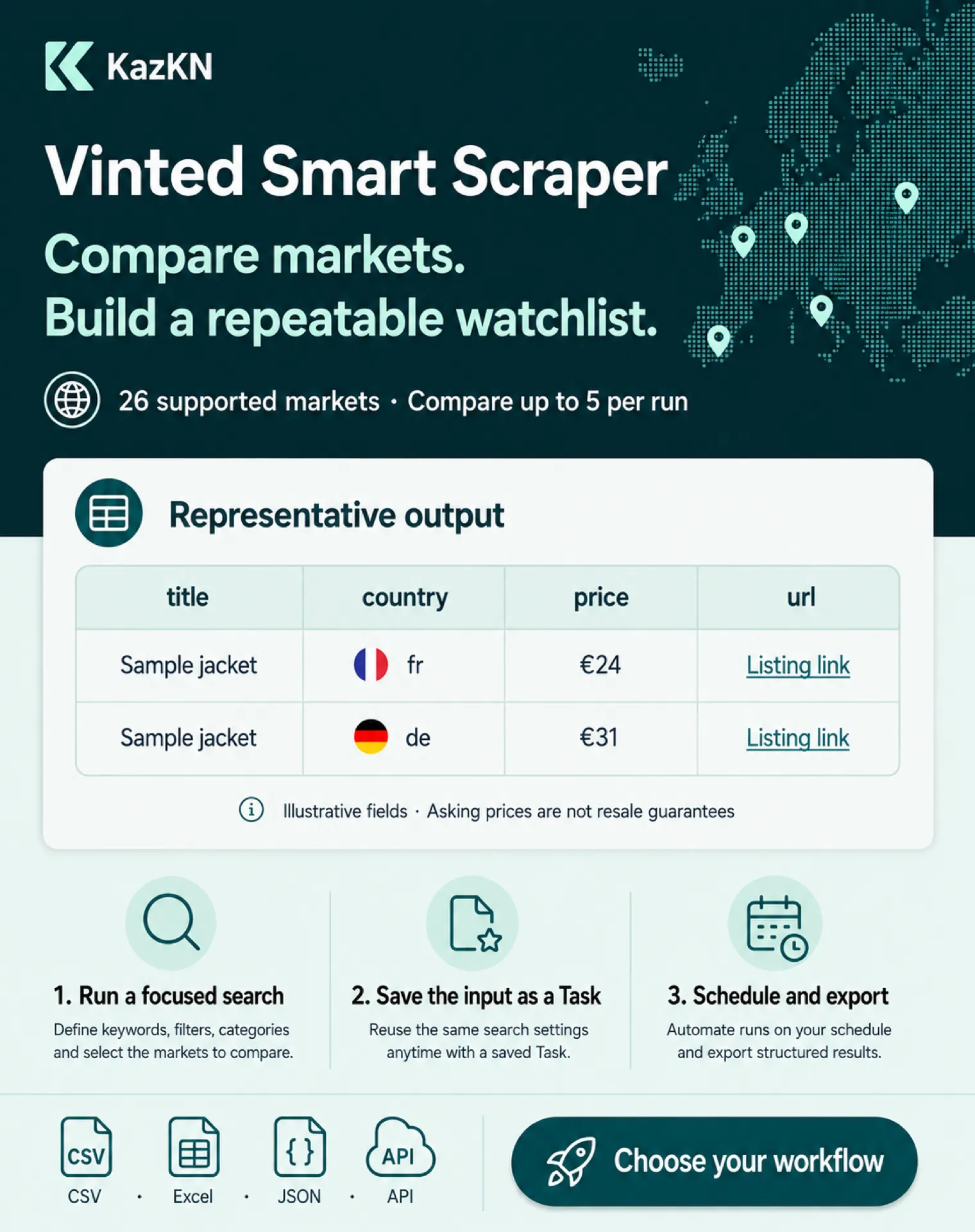
Vinted Smart Scraper helps resellers investigate Vinted price gaps across countries. Search a niche, compare up to 5 Vinted markets, inspect underpriced listings, then export structured results to CSV, Excel, JSON, API, or webhooks.
| KazKN · Resale & market intelligence suite • Vinted arbitrage, luxury resale, Shopify intelligence, App Store research | |||
 Vinted ➤ You are here Compare markets, listings, and sellers. |
 Vestiaire Research luxury listings and sellers. |
 Shopify Apps Research stores, products, and apps. |
 App Store Compare localized app metadata. |
Copy to your AI assistant
🎯 Choose the result you need
| I want to… | Choose this outcome preset | Open this Dataset view |
|---|---|---|
| Compare a product across countries | 🌍 ARBITRAGE_SCANNER | Arbitrage opportunities for the summary, then Arbitrage items for sampled listings |
| Monitor fresh listings for one niche | ⚡ DEAL_ALERTS | Overview for listing rows and URLs |
| Inspect seller inventory and profile signals | 👤 SELLER_WATCHLIST | Seller profiles for seller-level rows |
Live usage changes; check the current Store page before quoting users or reviews. Public counters are directional usage signals, not payer or creator-revenue proof.
Pricing is pay-per-event: a small start event, result rows, and a fixed event for premium workflows. Rates were read back on September 5, 2026. The result-row rates shown as active apply through September 19, 2026; the scheduled result-row rates below take effect at 2026-09-20T00:00:00.000Z. Start and premium workflow event rates stay unchanged.
🧭 Start With One of These 3 Workflows
| Workflow | Outcome preset | Runtime mode | What you get |
|---|---|---|---|
| 🌍 Arbitrage Scanner | ARBITRAGE_SCANNER | CROSS_COUNTRY | Price-gap summary and sampled listings |
| ⚡ Deal Alerts | DEAL_ALERTS | SEARCH | Fresh filtered listings for a schedule or webhook |
| 👤 Seller Watchlist | SELLER_WATCHLIST | SELLER_PROFILE | Seller inventory, profile, and rating signals |
Advanced modes are still available: PRICE_TRACK for exact listing price history, SELL_THROUGH_TRACKER for demand validation over time, ITEM_DETAIL for URL lookups, SOLD_ITEMS for explicit sold signals only, and TRENDING for engagement-ranked discovery.
✅ Arbitrage Workflow to Sell
Use this actor to make a buy/no-buy decision fast:
Workflow to sell: search opportunity -> compare countries -> detect underpriced listings -> alert/export -> buy/resell.
| 1. Search opportunity | 2. Compare countries | 3. Detect underpriced listings | 4. Alert / export | 5. Buy / resell |
|---|---|---|---|---|
| Pick a niche, brand, size, or seller | Run CROSS_COUNTRY across 2-5 markets | Sort by spread, price gap, and opportunity score | Send CSV/API/webhook/Telegram | Validate shipping, fees, condition, and demand before buying |
The main output to watch is the arbitrage summary row. This is a sanitized representative shape; values vary by run:
👤 Who Should Run This?
- Vinted arbitrageurs watching price gaps across France, Germany, Italy, Spain, and the Netherlands
- Resellers who need a fast “is this underpriced?” signal before buying inventory
- Deal hunters who want scheduled alerts instead of refreshing Vinted manually
- Pricing analysts comparing active supply by country, brand, size, and condition
- Agencies and automation builders delivering Vinted opportunity feeds to clients
🔁 Recipes for recurring use
The fastest path from a useful first result to repeat usage is to save one focused Apify Task, schedule it, and send each completed Dataset to the destination where you make decisions. The Bronze estimates below assume at most 1 GB of Actor memory and the listed number of saved rows; they are client-billed list-price examples, not a promise of creator revenue.
| Recipe | Cadence | Dataset output | Bronze active through 2026-09-19 | Bronze scheduled from 2026-09-20 |
|---|---|---|---|---|
| ⚡ Daily deal alerts | 30 runs / month | New listing rows and URLs | $0.243/run · $7.29/month | $0.288/run · $8.64/month |
| 👤 Daily seller watchlist | 30 runs / month | One seller profile row | $0.1098/run · $3.294/month | $0.11025/run · $3.3075/month |
| 🌍 Weekly cross-country comparison | 4 runs / month | Summary plus up to 100 listing rows | $0.3798/run · $1.5192/month | $0.42525/run · $1.701/month |
⚡ Daily deal alerts
Use a narrow query and newest_first so every scheduled run answers one clear question: “what new listings should I review today?” The SEARCH mode does not persist a cross-run deduplication list, so a fresh result can reappear in later Datasets; keep the Dataset history or deduplicate by item ID in your own export/workflow. Save the input below as a Task with daily as the default cadence, then connect each Dataset to a webhook, Google Sheets, Telegram, or your own API. A faster schedule multiplies the per-run budget; estimate that cost before enabling it.
At the active Bronze rates through 2026-09-19, 100 saved listing rows cost about $0.018 start + $0.045 monitor-check + $0.180 results = $0.243 per run, or $7.29 for 30 runs. From 2026-09-20T00:00:00.000Z, the same usage is $0.288 per run, or $8.64 for 30 runs. Actual charges follow rows saved and the selected workflow. This preset field is intentional: the legacy direct SEARCH input remains supported, while workflowPreset: DEAL_ALERTS selects the Deal Alerts outcome and its monitor check.
👤 Daily seller watchlist
Start with one seller whose public closet you want to understand. Save the input below as a daily Task and preserve each profile snapshot in the Dataset, CSV, or Google Sheets export. Compare rating, ratingCount, itemCount, soldItemCount, sellThroughRate, followerCount, and activeItems between those exports; the Actor does not provide a built-in cross-run seller-watchlist delta. The seller URL was observed in historical successful Actor output; the URL was rechecked read-only and no new canary was run. It is included so the example is immediately runnable rather than a made-up ID.
Ready-made daily example: open the public Daily Seller Watchlist example, then copy Task ID k2rF3OtqbpUS4P0jh into your Apify account and schedule it daily.
For one seller and one saved profile row, the active Bronze rate through 2026-09-19 is approximately $0.018 start + $0.090 seller details + $0.0018 result = $0.1098 per run, or $3.294 for 30 daily runs. From 2026-09-20T00:00:00.000Z, the same run is $0.11025, or $3.3075 for 30 runs. A confirmed Free account is limited to one seller per Free run; use a paid Apify plan when a watchlist needs more sellers, and keep the same URLs and schedule for comparable snapshots.
🌍 Weekly cross-country comparison
Run the same focused query once per week across five markets. Review the ARBITRAGE_SUMMARY row first, then inspect the returned listings before checking shipping, fees, condition, and demand. This is a repeatable market check, not an automatic buy decision.
Assuming up to 100 listing rows plus one summary row, the active Bronze rate through 2026-09-19 is about $0.018 start + $0.180 arbitrage-check + $0.1818 results = $0.3798 per run, or $1.5192 for 4 weekly runs. From 2026-09-20T00:00:00.000Z it is $0.42525 per run, or $1.701 per month. Use a schedule only after the first result is relevant enough to review.
🧩 Ready-to-Use Apify Task Templates
Create an Apify Task with one of these inputs, run it once, then add a schedule or webhook. Use maxItems: 100 for a focused scan and 300 for a broader arbitrage or alert workflow. Very small 8-30 row samples can be too narrow for useful market comparison.
Example URL note: numeric item URLs in generic advanced examples are illustrative. The Seller Watchlist recipe above uses a public seller URL observed in historical successful Actor output; the URL was rechecked read-only and no new canary was run. For your own watchlist, use the current public profile URL you want to monitor.
| Template | Use it for | Default cadence | Main guardrail |
|---|---|---|---|
| Cross-Country Arbitrage Scanner | Buy-low / sell-high country gaps | Daily or weekly | maxItems: 300, max 5 countries |
| Vinted Deal Alerts | New cheap listings for one niche | Daily by default | maxItems: 100-300, webhook/Telegram export |
| Seller Watchlist | Competitor seller stats and inventory signals | Daily | SELLER_PROFILE for stats; PRICE_TRACK for specific listings |
1. Cross-Country Arbitrage Scanner
Use this first. It answers: which returned country sample is cheaper, which is more expensive, and is the observed spread large enough to investigate?
2. Vinted Deal Alerts
Save as an Apify Task and schedule it daily by default, then send successful run results to a webhook, n8n, Discord, Telegram, Google Sheets, or your own API. A 15–60 minute cadence is optional but multiplies the per-run cost; set a budget before choosing a faster frequency.
The legacy direct SEARCH input remains supported; keep workflowPreset: DEAL_ALERTS when you intend the Deal Alerts outcome and its monitor check.
3. Seller Watchlist
Schedule this daily to capture seller rating, review count, follower count, item count, and sold item count. Store each profile snapshot in your Dataset export and compare it in your own workflow; there is no built-in cross-run seller-watchlist delta. This is the same public fixture used in the recurring Seller Watchlist recipe above; the URL was observed in historical successful Actor output and rechecked read-only. Replace it only with a current public profile URL when creating your own Task.
For exact listing watchlists, use PRICE_TRACK. On paid plans, keep each Task to 100 or fewer item URLs as an operational guardrail; Free runs are capped to 10 URLs.
💸 Cost Guardrails
Free Apify accounts are best for proof runs: broad arbitrage/search/monitor workflows are transparently capped to 30 results, Price Track URL watchlists to 10 item URLs, and Seller Profile URL watchlists to one seller per Free run. For scheduled 100 / 300 result Vinted monitors, use an Apify paid plan and save the setup as a Task.
Each run combines the applicable fixed workflow event with the Actor start and the Dataset rows actually saved. Rates were observed and read back on September 5, 2026. Result-row rates remain active through 2026-09-19; the separate schedule below starts at 2026-09-20T00:00:00.000Z.
| Paid event | Free (active) | Bronze (active) | Silver (active) | Gold (active) | Platinum (active) | Diamond (active) |
|---|---|---|---|---|---|---|
| Result row | $0.002 | $0.0018 | $0.0017 | $0.0015 | $0.0015 | $0.0015 |
| Actor start | $0.020 | $0.018 | $0.017 | $0.015 | $0.015 | $0.015 |
| Cross-country arbitrage check | $0.20 | $0.18 | $0.17 | $0.15 | $0.15 | $0.15 |
| Daily monitor check | $0.05 | $0.045 | $0.0425 | $0.0375 | $0.0375 | $0.0375 |
| Seller details | $0.10 | $0.09 | $0.085 | $0.075 | $0.075 | $0.075 |
| Price tracking persistence | $0.06 | $0.054 | $0.051 | $0.045 | $0.045 | $0.045 |
| Sell-through check | $0.08 | $0.072 | $0.068 | $0.06 | $0.06 | $0.06 |
| Sold signal check | $0.02 | $0.018 | $0.017 | $0.015 | $0.015 | $0.015 |
📅 Scheduled result-row pricing — effective 2026-09-20 00:00 UTC
Pricing was read back on September 5, 2026. The active rates above remain in effect through 2026-09-19; the following +25% result-only schedule starts at 2026-09-20T00:00:00.000Z. It is not active before that timestamp. Actor start and premium workflow event prices stay unchanged.
| Apify plan | Result rows / 1,000 active through 2026-09-19 | Result rows / 1,000 from 2026-09-20 |
|---|---|---|
| Free | $2.0000 | $2.5000 |
| Bronze | $1.8000 | $2.2500 |
| Silver | $1.7000 | $2.1250 |
| Gold | $1.5000 | $1.8750 |
| Platinum | $1.5000 | $1.8750 |
| Diamond | $1.5000 | $1.8750 |
Only the Dataset result-row event changes in this schedule. Actor start, arbitrage-check, monitor-check, seller-enriched, price-track-check, sell-through-check, and sold-signal-check events remain unchanged.
Example: at the active Free-tier rates through 2026-09-19, an Arbitrage Scanner proof run capped at 30 item rows can also emit one summary row, for up to 31 charged result rows: $0.20 workflow + $0.02 start + $0.062 results = about $0.282. Actual cost follows saved rows and the workflow selected; review the charge estimate shown by Apify before starting.
Important guardrails:
- The current runtime accepts up to 300 items per run and up to 5 markets for stability. Use multiple tasks if you need 1,000+ rows.
- Dataset rows are what drive the result fee. For arbitrage and deal alerts, control spend with
maxItems; for Sell-Through Tracker,emitActiveItems: falsecan reduce daily charges after the first baseline. - Start focused with
maxItems: 100; use300for serious arbitrage scans or deal-alert tasks once the output is useful. - For item URL watchlists, each watched URL can emit one status row per run; Sell-Through Tracker now caps watched URLs by
maxItemsfor billing control.
📌 Advanced Sell-Through Report
| Runtime fields | What it means | What a reseller does next |
|---|---|---|
trackingStatus: active, changeType: first_seen | New item entered the tracker | Check if price is below your buy threshold |
trackingStatus: active, changeType: still_active | Item stayed visible | Watch price, favourites, or seller behavior |
trackingStatus: missing, changeType: missing | Item disappeared once | Wait for confirmation before calling it sold |
trackingStatus: likely_sold, changeType: likely_sold | Item disappeared for enough scheduled runs | Treat it as demand signal |
trackingStatus: active, changeType: reappeared | Item came back after disappearing | Avoid counting it as a clean sale |
trackingStatus: sold, changeType: explicit_sold | Vinted exposed it as sold | High-confidence sale signal |
Each Sell-Through Tracker run can also emit a final summary row. This is a sanitized representative shape; values vary by run:
Use this optional Sell-Through summary row after you already found a promising niche with arbitrage or deal-alert scans. It is useful for scheduled webhooks, Telegram alerts, and CSV reports. Item-level rows still include recordType: "SELL_THROUGH_ITEM".
🎯 Who Is This For?
- 👟 Fashion & sneaker resellers who source in one country and sell in another
- 🔍 Vinted buyers comparing returned prices across supported markets
- 📊 Data analysts & developers who need structured Vinted data for their projects
- 🏪 Businesses tracking competitor pricing on Vinted at scale
⚡ Why Use Vinted Smart Scraper?
- 💰 Investigate cross-border price gaps using comparable returned listings from up to 5 countries per run across 26 supported markets.
- 🏷️ Price your listings right by comparing active market prices and sell-through signals over time
- 🕵️ Track competitor sellers — monitor their pricing, inventory, and sell-through rates
- 📈 Explore engagement trends in the returned sample to see which brands and items may be gaining momentum
- 🤖 AI-ready — optional Claude Desktop + MCP integration for natural language queries
🏆 Built for Vinted arbitrage workflows: cross-country price gaps, scheduled deal alerts, seller watchlists, and advanced sell-through validation across 26 supported Vinted markets.
✅ Advanced Feature: Sell-Through Tracker
Vinted often hides sold listings from public search results. That makes classic "sold item" scraping unreliable: a missing listing can mean sold, removed, relisted, moderated, or temporarily hidden.
SELL_THROUGH_TRACKER compares scheduled snapshots over time. The first run builds a baseline for a query or watched URLs. Later runs set trackingStatus to active, missing, likely_sold, or sold; an item that returns is active with changeType: reappeared.
Use it after an arbitrage or deal-alert scan reveals a promising niche. The advanced workflow is: find opportunity -> save tracker -> schedule daily -> validate demand -> webhook/Telegram/CSV.
Use it when you need:
- Sell-through signals for a niche, brand, size, or country
- Demand tracking before buying inventory
- Competitor monitoring without trusting Vinted's hidden sold pages
- A repeatable daily dataset for pricing and restock decisions
🎬 Video Tutorial — See It in Action
▶️ Watch the full tutorial — from search to export.
🇬🇧 English tutorial | 🇫🇷 Tutoriel français | 🇩🇪 Deutsches Tutorial
📊 What Data Can You Scrape from Vinted?
📦 Item Listings Title, price, brand, size, condition, colour/color when returned, photos 👤 Seller Profiles Username, rating, reviews, followers, verification 💰 Price Comparison Avg, median, min, max prices across countries 🔥 Trending Items Engagement-ranked items in the returned sample ✅ Sold Signals Only items Vinted explicitly marks as sold; returns empty when Vinted hides sold results 🏪 Seller Closet Visible seller inventory returned by the current lookup 📍 26 Markets FR, DE, UK, IT, ES, NL, PL, PT, BE, AT, LT, CZ, SK, HU, RO, HR, FI, DK, SE, EE, GR, IE, LU, LV, SI, US 📉 Price Tracking Monitor price drops and days listed ✅ Sell-Through Tracking Detect likely sold items from scheduled snapshots
👆 Screenshot: Apify input form — select mode, enter query, pick countries
🚀 How to Scrape Vinted in 5 Steps
- Create a free Apify account at apify.com
- Open Vinted Smart Scraper and click "Try for free"
- Pick a workflow: Arbitrage Scanner, Deal Alerts, or Seller Watchlist
- Click Start and wait for the run to finish
- Download your data in JSON, CSV, Excel, or connect via API
That's it. No coding, no proxies to configure, no Vinted account needed.
🔍 8 Powerful Vinted Scraping Modes
Start with CROSS_COUNTRY if your goal is arbitrage. Use SEARCH for scheduled deal alerts and SELLER_PROFILE for seller watchlists. Sell-Through is an advanced validation layer once you already know which niche is worth tracking.
| Mode | Best for | Recurring value |
|---|---|---|
CROSS_COUNTRY | Arbitrage and country price-gap monitoring | Primary workflow |
SEARCH | Scheduled deal alerts for one niche | High when saved as a task |
SELLER_PROFILE | Seller watchlists | High |
PRICE_TRACK | Specific listing price changes | Medium to high for exact watchlists |
SELL_THROUGH_TRACKER | Advanced demand and sell-through validation | High after you find a niche |
ITEM_DETAIL | Deep inspection of known URLs | Low |
SOLD_ITEMS | Explicit sold listings only | Limited by Vinted visibility |
TRENDING | Fast trend discovery | Medium |
🔍 1. Search Items
Search the Vinted catalog with filters: keywords, brand, size, price range, condition, category.
Input example:
Output example (sanitized representative shape; values vary by run):
The number of returned rows depends on current Vinted visibility, filters, plan caps, and maxItems.
📦 2. Item Detail
Inspect the item fields visible to the current lookup, including available description, photos, seller info, views, and favorites.
Input example:
Output example (sanitized representative shape; values vary by run):
👤 3. Seller Profile
Analyze any Vinted seller. Rating, reviews, followers, sold items count, verification status.
Input example:
Output example (sanitized representative shape; values vary by run):
🌍 4. Cross-Country Vinted Price Comparison
Compare active listing prices for the same search across multiple Vinted markets. Use the output to investigate possible cross-border gaps before checking fees, shipping, condition, and real demand.
Input example:
Output example (sanitized representative shape; values vary by run):
This example illustrates the comparison fields. Treat a price gap as a research lead, then verify current listings, shipping, fees, condition, and demand before acting.
👆 Screenshot: Dataset output — cross-country price comparison with avg/median/min/max per country
💰 5. Vinted Price Tracking
Track prices of specific items over time. Monitor price drops, calculate days listed, and get price history.
Keep the same trackingStoreName when scheduling this mode. The actor writes price history to a named Apify key-value store so later runs can output real priceHistory and priceDropPct values.
✅ 6. Daily Sell-Through Tracker
Detect what likely sold by comparing scheduled snapshots. The first run builds a baseline from a search query and/or item URLs. Later runs use trackingStatus values such as active, missing, likely_sold, or sold; a returned item uses changeType: reappeared.
Use an Apify schedule daily or every few hours. Keep the same trackingStoreName and trackerId to compare runs over time. Send successful run outputs to CSV/API, an Apify webhook, a self-hosted n8n flow, or your Telegram bot.
You can also track specific item URLs:
🏷️ 7. Sold Signals
Return only listings that Vinted explicitly marks as sold. Vinted currently removes or hides sold listings from many public search results, so this mode may return an empty dataset instead of active listings.
For market research and sell-through analysis, use SELL_THROUGH_TRACKER instead. It compares scheduled snapshots and detects items that disappear over time.
🔥 8. Trending Items
Explore the returned product sample sorted by engagement (favorites) to identify items worth further research.
The output includes trendScore, favsGrowthRate, viewsGrowthRate, and listedHoursAgo so you can rank items by engagement speed, not only by raw favorites.
🌍 26 Supported Vinted Markets
| Region | Markets |
|---|---|
| Western Europe | FR, DE, UK, IT, ES, NL, BE, AT, IE, LU |
| Central / Eastern Europe | PL, CZ, SK, HU, RO, HR, LT, LV, SI, EE |
| Northern Europe | FI, DK, SE |
| Southern Europe | PT, GR |
| North America | US |
🇫🇷 France vinted.fr EUR | 🇩🇪 Germany vinted.de EUR | 🇬🇧 United Kingdom vinted.co.uk GBP
🇮🇹 Italy vinted.it EUR | 🇪🇸 Spain vinted.es EUR | 🇳🇱 Netherlands vinted.nl EUR
🇵🇱 Poland vinted.pl PLN | 🇵🇹 Portugal vinted.pt EUR | 🇧🇪 Belgium vinted.be EUR
🇦🇹 Austria vinted.at EUR | 🇱🇹 Lithuania vinted.lt EUR | 🇨🇿 Czechia vinted.cz CZK
🇸🇰 Slovakia vinted.sk EUR | 🇭🇺 Hungary vinted.hu HUF | 🇷🇴 Romania vinted.ro RON
🇭🇷 Croatia vinted.hr EUR | 🇫🇮 Finland vinted.fi EUR | 🇩🇰 Denmark vinted.dk DKK
🇸🇪 Sweden vinted.se SEK | 🇪🇪 Estonia vinted.ee EUR | 🇬🇷 Greece vinted.gr EUR
🇮🇪 Ireland vinted.ie EUR | 🇱🇺 Luxembourg vinted.lu EUR | 🇱🇻 Latvia vinted.lv EUR
🇸🇮 Slovenia vinted.si EUR | 🇺🇸 United States vinted.com USD
💡 Vinted Scraper Use Cases
🏪 For Resellers & Flippers
- Find underpriced items across different countries
- Cross-border research: compare returned country samples to identify a possible spread before checking shipping, fees, demand, and resale risk
- Monitor competitors' prices and adjust your listings
- Track price drops on items you want to buy
- Track sell-through over time with scheduled snapshots; use Sold Signals only when Vinted explicitly exposes sold listings
📊 For Market Researchers & Analysts
- Analyze pricing trends across the European second-hand market
- Study seller behavior: top sellers' strategies, pricing patterns, inventory size
- Monitor brand popularity and demand by country
- Export data for analysis in Excel, Google Sheets, or BI tools
- Study seasonal changes in returned listings and engagement signals
🤖 For Developers & Automation Builders
- Build Vinted price comparison tools using our structured JSON output
- Create Vinted alerts with Apify webhooks, self-hosted n8n, or your Telegram bot endpoint
- Feed data into ML models for price prediction
- Integrate via Vinted API alternative for structured scheduled data access
- Connect to AI assistants via MCP protocol (see below)
🧠 How to Use Vinted Scraper with Claude Desktop (MCP)
Use this when you want to query Vinted data through an AI assistant instead of manually opening datasets.
With the Vinted MCP Server, you can connect Claude Desktop (or Cursor, Windsurf, or any MCP-compatible AI) directly to Vinted data. Ask questions in plain English:
- "Find me Nike Air Force 1 under €40 in France"
- "Compare PS5 prices across Germany, Spain, and Italy"
- "Show me the top sellers for vintage Levi's in the Netherlands"
Setup:
Add this to your Claude Desktop config, then test the connection with a small query. See the linked Apify MCP page above for current setup details.
📖 Deep dive: I Built an MCP Server for Vinted. Here's How Cross-Border Price Gaps Make You Money
🔌 How to Scrape Vinted via API
Via Apify API (cURL)
Via JavaScript/Node.js
Via Python
🔗 Integrations
This Vinted scraper works with:
- CSV / Excel exports for daily reseller spreadsheets
- Apify API for programmatic market monitors
- Apify webhooks for run-complete notifications
- Self-hosted n8n for zero-subscription automations
- Telegram bot workflows through your own webhook endpoint
- Claude Desktop / Cursor via Vinted MCP Server
💰 Vinted Scraper Pricing
This Actor uses pay-per-event pricing. A run can include three components: one Actor start, the fixed event for the selected premium workflow, and one result event per saved Dataset row. See Cost Guardrails above for the dated tier-by-tier table. Cap maxItems; for Sell-Through Tracker, turn off emitActiveItems after the first baseline if you only need changes.
⚡ Performance & Limits
📦 Max items per run: 300 in the current stable runtime 🌍 Markets per run: up to 5 ⏱️ Default timeout: 600 seconds 🛡️ Access can be partial: Vinted can change visible surfaces, challenge requests, or return fewer rows than requested 🌐 Proxy input: optional; start with the default and change it only when a run needs it
❓ Frequently Asked Questions
Is it legal to scrape Vinted?
The Actor is designed for publicly visible listing and seller surfaces; it does not automate purchases or sales. Rules can depend on your use, location, data, and current platform terms, so assess those separately. This README is product documentation, not legal advice.
When is this Vinted scraper a good fit?
Use it when you need cross-country listing comparisons, scheduled deal alerts, seller watchlists, or structured exports. Start with a small run and confirm that the visible fields match your workflow before scheduling it.
How to compare Vinted prices across countries?
Use the CROSS_COUNTRY mode. Enter your search query and select which countries to compare, up to 5 countries per run. The scraper returns average, median, min, and max prices per country, plus opportunityScore, buyCountry, sellCountry, spread, estimatedResellPrice, priceGapPercent, and alertReason.
Can I use this as a Vinted bot alternative?
It can monitor and structure visible data, but it does not automate buying, selling, messaging, or account actions.
Can I download Vinted data to Excel or Google Sheets?
Absolutely. Apify lets you export results in JSON, CSV, Excel, XML, and RSS. You can also connect directly to Google Sheets via the Apify integration for automatic updates.
How often can I run this Vinted scraper?
Use sensible schedules based on your workflow. For arbitrage scans, start daily with maxItems: 100. For deal alerts on fast-moving niches, test a tight filter first, then choose a cadence based on run stability and cost.
How do I avoid a surprise bill on daily schedules?
Set maxItems, keep countries to 5 or fewer per run, and include the workflow event shown in Cost Guardrails when estimating each run. For Sell-Through Tracker only, use emitActiveItems: false after the first baseline if you want fewer daily result rows.
Does this work with all 26 supported Vinted markets?
Yes. The actor currently supports 26 Vinted markets: France, Germany, United Kingdom, Italy, Spain, Netherlands, Poland, Portugal, Belgium, Austria, Lithuania, Czech Republic, Slovakia, Hungary, Romania, Croatia, Finland, Denmark, Sweden, Estonia, Greece, Ireland, Luxembourg, Latvia, Slovenia, and the United States.
How is this different from the Vinted API?
This is an independent Apify Actor, not an official Vinted API. It turns supported visible surfaces into structured Dataset rows and adds cross-country comparison and tracking workflows.
Can I connect this to AI assistants like Claude or ChatGPT?
Yes. The Vinted MCP Server lets you connect Claude Desktop, Cursor, or any MCP-compatible AI to Vinted data. Ask questions in plain English and get structured results.
⭐ Recent User CTA
If Vinted Smart Scraper saved you time or helped you find a real market gap, leave a short Apify review with your use case:
"I use it to monitor [brand/query] in [countries] every [day/week]. It helps me [source inventory / price listings / track sellers / report to clients]."
That feedback decides which daily templates and output fields get improved next.
📋 Changelog
v1.2 (June 2026)
- Recentered the Store README around cross-country Vinted arbitrage and scheduled deal alerts
- Promoted 3 primary workflows above the fold: Arbitrage Scanner, Deal Alerts, and Seller Watchlist
- Added arbitrage-first output fields:
opportunityScore,buyCountry,sellCountry,spread,estimatedResellPrice,priceGapPercent, andalertReason - Moved Sell-Through Tracker to advanced demand validation instead of the first workflow new users see
- Updated cost guardrails to explain
maxItemsfor arbitrage/alerts andemitActiveItemsonly for Sell-Through Tracker
v1.1 (May 2026)
- Added
SELL_THROUGH_TRACKERas a daily demand-validation workflow - Added Apify Task templates for daily sneaker monitoring, seller watchlists, and cross-country arbitrage
- Updated daily templates and input defaults toward
maxItems: 100or300 - Added
SELL_THROUGH_DAILY_SUMMARYoutput rows for schedules, webhooks, Telegram, and CSV reports - Added cost guardrails for 300, 1,000, 10,000 emitted rows, and monthly daily schedules
- Added status guide for
first_seen,missing,likely_sold,explicit_sold, and thereappearedchange event - Updated Store copy, input guidance, and actor descriptions around 26 supported Vinted markets
- Clarified current pay-per-event pricing: dataset item fee plus actor start fee
v1.0 (February 2026)
- Initial release
- 8 scraping modes: Search, Item Detail, Seller Profile, Cross-Country, Price Track, Sell-Through Tracker, Sold Signals, Trending
- 26 Vinted markets supported
- Initial request pacing and retry controls
- Initial pay-per-result pricing


