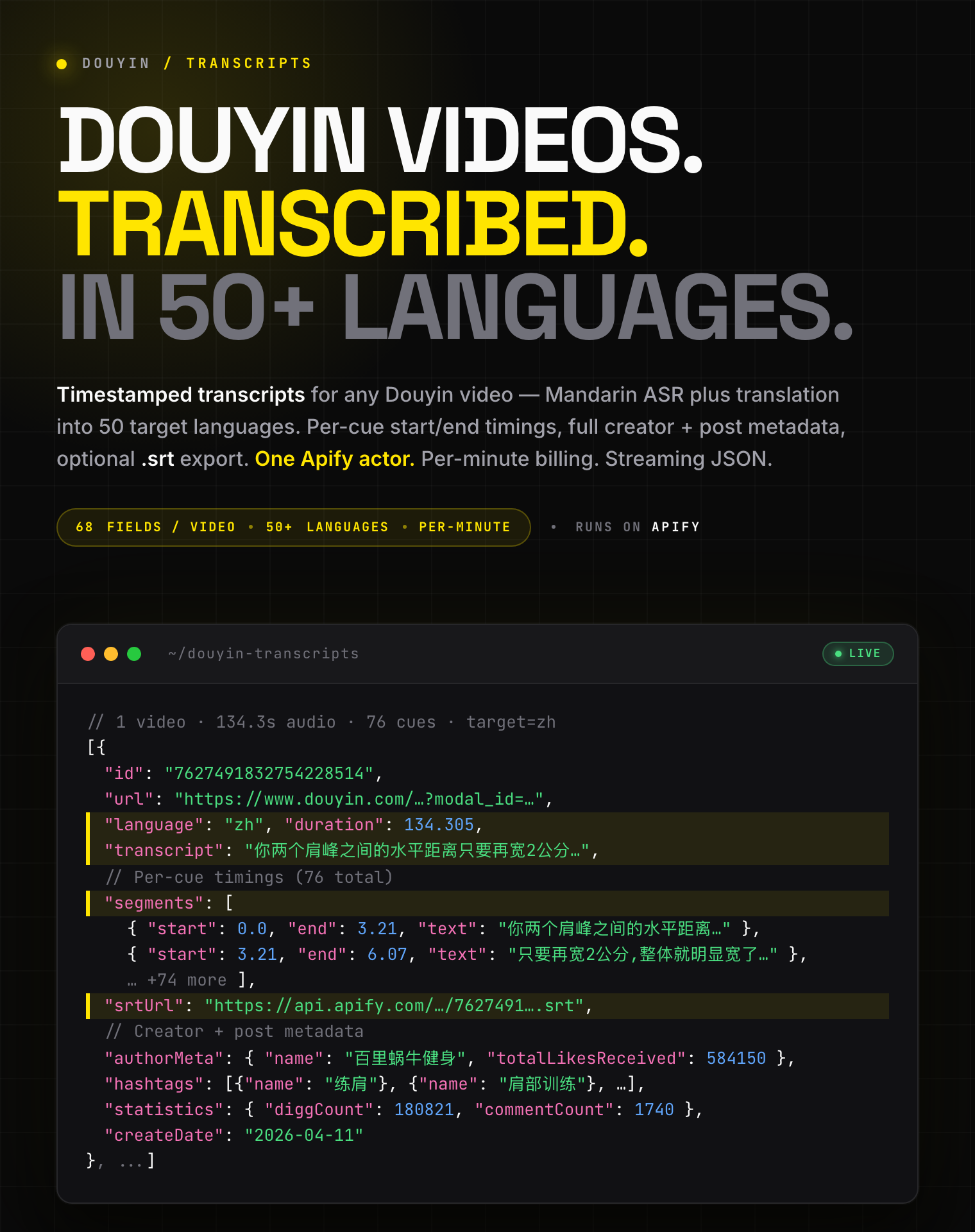
# Douyin 抖音 Transcripts Scraper - 50+ Languages, .srt + MP4 (`zen-studio/douyin-transcripts-scraper`) Actor

Extract timestamped transcripts and .srt 字幕 from any Douyin (抖音) video. Mandarin speech-to-text plus translation into 50 languages. Optionally save the source MP4 and cover image to your key-value store at no extra cost. 60+ metadata fields. Per-minute pricing, free tier.

- **URL**: https://apify.com/zen-studio/douyin-transcripts-scraper.md
- **Developed by:** [Zen Studio](https://apify.com/zen-studio) (community)
- **Categories:** Videos, Social media, Automation
- **Stats:** 7 total users, 2 monthly users, 94.7% runs succeeded, NaN bookmarks
- **User rating**: No ratings yet

## Pricing

from $0.039 / chinese transcript per minute

This Actor is paid per event. You are not charged for the Apify platform usage, but only a fixed price for specific events.

Learn more: https://docs.apify.com/platform/actors/running/actors-in-store#pay-per-event

## What's an Apify Actor?

Actors are a software tools running on the Apify platform, for all kinds of web data extraction and automation use cases.
In Batch mode, an Actor accepts a well-defined JSON input, performs an action which can take anything from a few seconds to a few hours,
and optionally produces a well-defined JSON output, datasets with results, or files in key-value store.
In Standby mode, an Actor provides a web server which can be used as a website, API, or an MCP server.
Actors are written with capital "A".

## How to integrate an Actor?

If asked about integration, you help developers integrate Actors into their projects.
You adapt to their stack and deliver integrations that are safe, well-documented, and production-ready.
The best way to integrate Actors is as follows.

In JavaScript/TypeScript projects, use official [JavaScript/TypeScript client](https://docs.apify.com/api/client/js.md):

```bash
npm install apify-client
```

In Python projects, use official [Python client library](https://docs.apify.com/api/client/python.md):

```bash
pip install apify-client
```

In shell scripts, use [Apify CLI](https://docs.apify.com/cli/docs.md):

````bash
# MacOS / Linux
curl -fsSL https://apify.com/install-cli.sh | bash
# Windows
irm https://apify.com/install-cli.ps1 | iex
```bash

In AI frameworks, you might use the [Apify MCP server](https://docs.apify.com/platform/integrations/mcp.md).

If your project is in a different language, use the [REST API](https://docs.apify.com/api/v2.md).

For usage examples, see the [API](#api) section below.

For more details, see Apify documentation as [Markdown index](https://docs.apify.com/llms.txt) and [Markdown full-text](https://docs.apify.com/llms-full.txt).


# README

## Douyin Transcripts Scraper | 抖音 Subtitles & Translations in 50+ Languages (2026)

<blockquote style="border-left:4px solid #4C945E;background:#F0FDF4;padding:12px 16px">
<span style="font-size:16px;font-weight:700;color:#1C1917">Timestamped transcripts &amp; .srt subtitles for any 抖音 video, any length</span> <span style="font-size:15px;color:#57534E"> — Mandarin &rarr; 50 languages &middot; Creator + post metadata &middot; No duration caps &middot; Frontier AI quality</span>
</blockquote>

![Douyin Transcripts Scraper hero](https://iili.io/BZLR8Cb.png)

<table>
<tr>
<td colspan="4" style="padding:10px 14px;background:#4C945E;border:none;border-radius:4px 4px 0 0">
<span style="color:#FAFAF9;font-size:14px;font-weight:700;letter-spacing:0.5px">Zen Studio · 抖音 + 西瓜视频 (Xigua)</span>
<span style="color:#E8F5E9;font-size:13px">&nbsp;&nbsp;&bull;&nbsp;&nbsp;Full-stack China short-video data: profiles, posts, transcripts, subtitles</span>
</td>
</tr>
<tr>
<td style="padding:12px 16px;border:1px solid #E7E5E4;border-radius:0 0 0 4px;background:#E8F5E9;border-right:none;border-top:none;vertical-align:top;width:25%">
<a href="https://apify.com/zen-studio/douyin-transcripts-scraper" style="color:#4C945E;text-decoration:none;font-weight:700;font-size:14px">Douyin Transcripts</a><br>
<span style="color:#4C945E;font-size:12px;font-weight:600">&#10148; You are here</span>
</td>
<td style="padding:12px 16px;border:1px solid #E7E5E4;border-right:none;border-top:none;vertical-align:top;width:25%">
<img src="https://images.apifyusercontent.com/Q5VZgueP76zs2YgqL8cIpwDPRLMCsVvWyS-GMMaP6_I/rs:fill:76:76/cb:1/aHR0cHM6Ly9hcGlmeS1pbWFnZS11cGxvYWRzLXByb2QuczMudXMtZWFzdC0xLmFtYXpvbmF3cy5jb20vTldZc09HOTZmTUR5OHljZGYtYWN0b3ItMDQzSHB5N2dWUXZXQ09pdnItQ2NlcjNmdjQ2TC1kb3V5aW4tcHJvZmlsZS1zY3JhcGVyLWxvZ28ucG5n.webp" width="24" height="24" style="vertical-align:middle"> &nbsp;<a href="https://apify.com/zen-studio/douyin-profile-scraper" style="color:#1C1917;text-decoration:none;font-weight:700;font-size:14px">Douyin Profiles</a><br>
<span style="color:#78716C;font-size:12px">博主 followers, posts, hashtags</span>
</td>
<td style="padding:12px 16px;border:1px solid #E7E5E4;border-right:none;border-top:none;vertical-align:top;width:25%">
<img src="https://images.apifyusercontent.com/8G2ROa7VpUmRZe9UiYtMfrCcQ4mBgsIvFsWXdTSepr4/rs:fill:76:76/cb:1/aHR0cHM6Ly9hcGlmeS1pbWFnZS11cGxvYWRzLXByb2QuczMudXMtZWFzdC0xLmFtYXpvbmF3cy5jb20vTldZc09HOTZmTUR5OHljZGYtYWN0b3ItZGV4Q1NLRVp0S1M4aGc0ZlQtbEQ0d2V5aVlnYS1zaGlndWEtX19fXy1zY3JhcGVyLWxvZ28uanBn.webp" width="24" height="24" style="vertical-align:middle"> &nbsp;<a href="https://apify.com/zen-studio/xigua-video-search-scraper" style="color:#1C1917;text-decoration:none;font-weight:700;font-size:14px">Xigua Search</a><br>
<span style="color:#78716C;font-size:12px">西瓜视频 keyword + comments</span>
</td>
<td style="padding:12px 16px;border:1px solid #E7E5E4;border-radius:0 0 4px 0;border-top:none;vertical-align:top;width:25%">
<img src="https://images.apifyusercontent.com/ywvlfz3SrzO9poFvwS-_eIhaQeKwNevjwDMFPJpqyVQ/rs:fill:76:76/cb:1/aHR0cHM6Ly9hcGlmeS1pbWFnZS11cGxvYWRzLXByb2QuczMudXMtZWFzdC0xLmFtYXpvbmF3cy5jb20vTldZc09HOTZmTUR5OHljZGYtYWN0b3ItdXNOcEJUTVNqTG1jM2hUOGYtRElRSzlPcExRUC1zaGlndWEtX19fXy1zY3JhcGVyLWxvZ28uanBn.webp" width="24" height="24" style="vertical-align:middle"> &nbsp;<a href="https://apify.com/zen-studio/xigua-video-detail-scraper" style="color:#1C1917;text-decoration:none;font-weight:700;font-size:14px">Xigua Detail</a><br>
<span style="color:#78716C;font-size:12px">70+ fields + MP4 下载</span>
</td>
</tr>
</table>

#### Copy to your AI assistant

````

zen-studio/douyin-transcripts-scraper on Apify. Returns timestamped transcripts and optional .srt subtitles for any 抖音 (Douyin) video, in Mandarin or any of 50 translated languages. Call ApifyClient("TOKEN").actor("zen-studio/douyin-transcripts-scraper").call(run\_input={...}), then client.dataset(run\["defaultDatasetId"]).list\_items().items. Full spec: GET https://api.apify.com/v2/acts/zen-studio~douyin-transcripts-scraper/builds/default (Bearer TOKEN) → inputSchema, actorDefinition.storages.dataset, readme. Token: https://console.apify.com/account/integrations

````

### Key Features

- **Frontier-model transcription quality** — best-in-class Mandarin speech-to-text paired with state-of-the-art LLM translation. Two-tier translation pipeline self-escalates to a stronger model when needed for line-aligned accuracy.
- **51 languages** — 中文 (zh, no translation) plus 50 translation targets covering ~95% of global speakers. Top picks first (English, Spanish, Hindi, Arabic, Portuguese, Russian, Japanese, German, French, Korean, …) then the long tail (Bulgarian, Catalan, Czech, Hebrew, Swedish, Tamil, …). Full table below.
- **Timestamped per-cue segments** — every line of the transcript carries `start` / `end` floats so you can sync to player timelines, build interactive transcripts, or edit clips around specific phrases.
- **Optional .srt subtitle export** — flip one switch and get a SubRip (`.srt`) subtitle file ready to upload to YouTube, Instagram, TikTok, Premiere, CapCut, Final Cut, DaVinci Resolve. Pay only when you ask for it.
- **Bonus: keep the MP4 + cover, free** — flip `shouldDownloadVideos` and the original MP4 lands in your key-value store alongside the transcript. The actor already streams the video to extract audio, so saving a copy costs nothing extra. Same toggle for cover images. No need to also run the Douyin Video Scraper.
- **Full creator + post metadata** — 60+ fields per video: author profile, statistics, hashtags, music, chapters, video tags, share URL, cover image, and more. Same shape as the Douyin Video Scraper, with the transcript layered on top.
- **Free tier** — 5 minutes of audio lifetime, no credit card. Long videos get a partial transcript so you can preview the output before committing.
- **Robust URL parsing** — paste a desktop URL, a `v.douyin.com/...` short link, a `?modal_id=...` web-feed URL, the entire mobile share blob (复制此链接 ...), or just a numeric aweme ID. All work.

### How to Get 抖音 Video Transcripts

#### Basic — original Chinese transcript

```json
{
  "videoUrls": [
    "https://www.douyin.com/video/7534679152504376595"
  ],
  "targetLanguage": "zh"
}
````

#### English subtitles for a Douyin video

```json
{
  "videoUrls": [
    "https://www.douyin.com/video/7534679152504376595"
  ],
  "targetLanguage": "en",
  "outputSrt": true
}
```

#### Bulk translation — German subtitles for a batch

```json
{
  "videoUrls": [
    "https://www.douyin.com/video/7534679152504376595",
    "https://www.douyin.com/video/7627491832754228514",
    "https://v.douyin.com/abc123/",
    "8.79 0bH:/ ## 看看这个 https://v.douyin.com/xyz999/ 复制此链接"
  ],
  "targetLanguage": "de",
  "outputSrt": true
}
```

#### Archive .srt files across many runs

```json
{
  "videoUrls": ["7534679152504376595"],
  "targetLanguage": "en",
  "outputSrt": true,
  "srtKvStoreName": "douyin-subtitles-archive"
}
```

The default key-value store is wiped 7 days after a run. Use `srtKvStoreName` to drop your subtitle files into a named store that lives forever and accumulates across runs.

### Input Parameters

| Parameter | Type | Default | Description |
|-----------|------|---------|-------------|
| `videoUrls` | array of strings | *required* | One or more 抖音 video URLs. Most URL formats accepted (see below). Max 5 per run. |
| `targetLanguage` | string (enum) | `"zh"` | Output language. `zh` returns the original Chinese transcript with no translation cost. Any other code triggers an LLM translation pass. |
| `outputSrt` | boolean | `false` | When `true`, also generates a SubRip (`.srt`) subtitle file and includes `srtUrl` on the row. |
| `srtKvStoreName` | string | `""` | Optional named key-value store for `.srt` files. Lowercase letters, digits, and dashes only. Empty = the run's default store. |

#### Supported URL formats

All of these resolve to the same video:

- `https://www.douyin.com/video/7534679152504376595` — desktop URL
- `https://www.iesdouyin.com/share/video/7534679152504376595/` — share URL
- `https://v.douyin.com/<short>/` — mobile app share link
- `https://www.douyin.com/jingxuan/sports?modal_id=7534679152504376595` — web-feed modal
- `https://www.douyin.com/note/7534679152504376595` — image-post URL
- `7534679152504376595` — bare numeric aweme ID
- `8.79 0bH:/ ## 看看这个 https://v.douyin.com/abc/ 复制此链接 ...` — full mobile share blob (URL extracted)

#### Supported languages (`targetLanguage`)

`zh` returns the original Mandarin transcript with no translation pass (lowest cost). Any other code triggers an LLM translation. The list is curated to languages where the model produces natural, conversational output — top demand first, then alphabetical.

| Code | Language | Code | Language |
|------|----------|------|----------|
| `zh` | 中文 — Chinese (no translation) | `en` | English |
| `es` | Español — Spanish | `hi` | हिन्दी — Hindi |
| `ar` | العربية — Arabic | `pt` | Português — Portuguese |
| `ru` | Русский — Russian | `ja` | 日本語 — Japanese |
| `de` | Deutsch — German | `fr` | Français — French |
| `ko` | 한국어 — Korean | `id` | Bahasa Indonesia — Indonesian |
| `tr` | Türkçe — Turkish | `it` | Italiano — Italian |
| `vi` | Tiếng Việt — Vietnamese | `th` | ภาษาไทย — Thai |
| `pl` | Polski — Polish | `nl` | Nederlands — Dutch |
| `bn` | বাংলা — Bengali | `ur` | اردو — Urdu |
| `fa` | فارسی — Persian | `uk` | Українська — Ukrainian |
| `ms` | Bahasa Melayu — Malay | `tl` | Filipino — Filipino (Tagalog) |
| `bg` | Български — Bulgarian | `ca` | Català — Catalan |
| `cs` | Čeština — Czech | `da` | Dansk — Danish |
| `el` | Ελληνικά — Greek | `et` | Eesti — Estonian |
| `fi` | Suomi — Finnish | `gu` | ગુજરાતી — Gujarati |
| `he` | עברית — Hebrew | `hr` | Hrvatski — Croatian |
| `hu` | Magyar — Hungarian | `is` | Íslenska — Icelandic |
| `kn` | ಕನ್ನಡ — Kannada | `lt` | Lietuvių — Lithuanian |
| `lv` | Latviešu — Latvian | `ml` | മലയാളം — Malayalam |
| `mr` | मराठी — Marathi | `nb` | Norsk bokmål — Norwegian (Bokmål) |
| `pa` | ਪੰਜਾਬੀ — Punjabi | `ro` | Română — Romanian |
| `sk` | Slovenčina — Slovak | `sl` | Slovenščina — Slovenian |
| `sr` | Српски — Serbian | `sv` | Svenska — Swedish |
| `sw` | Kiswahili — Swahili | `ta` | தமிழ் — Tamil |
| `te` | తెలుగు — Telugu |  |  |

### What Data Can You Extract from 抖音 Videos?

Every dataset row pairs the **transcript and subtitle data** with the same rich metadata shape used by the Douyin Video Scraper. 60+ top-level fields per video.

#### Transcript-specific fields

- `transcript` — full plain-text transcript in the chosen language
- `segments` — array of `{start, end, text}` cues with float second timing
- `language` — output language code (`zh`, `en`, `de`, ...)
- `srtUrl` — public link to the `.srt` file in your key-value store (only when `outputSrt: true`)
- `duration` — total video duration in seconds (float)
- `truncatedFromSeconds` — set on free-tier rows where the audio was truncated to fit the quota
- `mp4Url` — direct link to the saved MP4 in your key-value store. Populated when `shouldDownloadVideos: true`, `null` otherwise. Same URL as `videoFile.kvUrl`, lifted to the top level so it's clickable in the Apify Console and easy to pipe into a download script.
- `coverImageUrl` — direct link to the saved cover JPEG. Populated when `shouldDownloadCovers: true`, `null` otherwise. Lifted from `coverFile.kvUrl`.
- `videoFile` — full metadata block for the saved MP4 (`kvUrl`, `kvStoreKey`, `kvStoreId`, `sizeBytes`, `mimeType`, `sourceUrl`) when `shouldDownloadVideos: true`, else `null`. Use this when you need the file size or the original source CDN URL alongside the saved location.
- `coverFile` — same shape as `videoFile` for the cover JPEG. `null` when the toggle is off.

#### Metadata fields

- **Identity & URLs:** `id`, `groupId`, `url`, `shareUrl`, `videoUrl`, `audioUrl`, `inputUrl`
- **Type & flags:** `type`, `awemeType`, `mediaType`, `horizontalType`, plus 14 boolean flags (`isPinned`, `isAd`, `isPgc`, `isStory`, `isVr`, ...)
- **Caption variants:** `text` (full description), `caption`, `itemTitle`, `previewTitle`, `descLanguage`
- **Time & locality:** `createTime`, `createDate`, `region`, `city`, `cityCode`
- **Nested rich blocks:**
  - `authorMeta` — name, sec\_uid, verified status, total likes received, avatars (5 sizes), signature, region, demographics (gender/language/userAge/birthday/constellation), commerce flags, school, cross-platform IDs (42 fields)
  - `videoMeta` — cover image, dimensions, ratio, bit-rate variants, watermark flag, CDN expiry
  - `musicMeta` — track title, author, original-sound flag, play URL, cover art
  - `statistics` — diggCount, commentCount, shareCount, collectCount, downloadCount, ...
  - `permissions` — duet / stitch / share / comment / download flags
  - `commerce`, `share`, `interaction`, `xiguaCrossPost`, `aiMetadata`, `risk`
- **Repeated sections:** `hashtags`, `mentions`, `videoTags`, `chapters`, `images`, `series`, `location`

#### Output Example

```json
[
  {
    "id": "7627491832754228514",
    "url": "https://www.douyin.com/jingxuan/sports?modal_id=7627491832754228514",
    "shareUrl": "https://www.iesdouyin.com/share/video/7627491832754228514/",
    "type": "video",
    "awemeType": 0,
    "awemeTypeLabel": "video",
    "horizontalType": 1,
    "horizontalTypeLabel": "horizontal",
    "language": "en",
    "transcript": "The horizontal distance between your shoulder peaks only needs to be 2 cm wider for your entire silhouette to look noticeably broader. The problem is most people train for thickness instead of width. Shoulder training really has two directions ...",
    "segments": [
      { "start": 0.0,  "end": 3.21,  "text": "The horizontal distance between your shoulder peaks only needs to be 2 cm wider," },
      { "start": 3.21, "end": 6.07,  "text": "for your entire silhouette to look noticeably broader." },
      { "start": 6.07, "end": 9.82,  "text": "The problem is most people train for thickness instead of width." }
      // ... 73 more cues
    ],
    "srtUrl": "https://api.apify.com/v2/key-value-stores/<store-id>/records/7627491832754228514.srt",
    "text": "决定肩宽的5个肌群，5招解锁3D大宽肩，视觉宽度直接+2cm 为什么你每天练推举，肩膀还是不见宽？...",
    "caption": "为什么你每天练推举，肩膀还是不见宽？...",
    "itemTitle": "决定肩宽的5个肌群，5招解锁3D大宽肩",
    "descLanguage": "zh",
    "duration": 134.305,
    "createTime": 1775913854,
    "createDate": "2026-04-11",
    "region": "",
    "city": "Henan",
    "cityCode": "411300",
    "authorMeta": {
      "id": "4297362470867675",
      "secUid": "MS4wLjABAAAAY0GGwerhkqmPWw_1UUtglG3P8btfpFqRQnWOt1_fEVsWyeuktMR3id1pChWn7XQ4",
      "name": "百里蜗牛健身",
      "username": "93576882461",
      "verified": false,
      "signature": "📖健身科普，训练不走弯路。\n🫡搞懂健身逻辑，越练越对路。",
      "avatarThumb": "https://p11.douyinpic.com/aweme/100x100/...webp",
      "totalLikesReceived": 584150,
      "country": "CN",
      "ipLocation": "河南"
    },
    "videoMeta": {
      "cover": "https://p3-sign.douyinpic.com/.../cover.jpg",
      "originCover": "https://p3-sign.douyinpic.com/.../origin.jpg",
      "height": 576,
      "width": 1024,
      "ratio": "540p",
      "duration": 134305,
      "playUrl": "https://v5-ali-northeast.douyinvod.com/.../video.mp4",
      "downloadUrl": "https://v5-ali-northeast.douyinvod.com/.../download.mp4",
      "isHdr": false,
      "hasWatermark": false
    },
    "musicMeta": {
      "id": "7627491894452472618",
      "name": "@百里蜗牛健身创作的原声",
      "author": "百里蜗牛健身",
      "isOriginal": true,
      "duration": 134
    },
    "statistics": {
      "diggCount": 180821,
      "commentCount": 1740,
      "shareCount": 21858,
      "collectCount": 116460,
      "playCount": null
    },
    "hashtags": [
      { "id": "1564018778966018", "name": "练肩" },
      { "id": "1596256922190862", "name": "肩部训练" },
      { "id": "1627603959954444", "name": "宽肩" },
      { "id": "1604211373588483", "name": "健身干货" }
    ],
    "videoTags": [
      { "name": "运动健身", "level": 1 },
      { "name": "健身", "level": 2 }
    ],
    "chapters": [
      { "startMs": 0,      "title": "Side-tilt lateral raise" },
      { "startMs": 46078,  "title": "Push-up with hip distance + lean forward" },
      { "startMs": 67973,  "title": "Hanging scapular contraction pull-ups" }
      // ... 3 more
    ],
    "permissions": {
      "canDuet": true,
      "canStitch": true,
      "canDownload": false,
      "canShare": true,
      "canComment": true
    },
    "mentions": [],
    "images": [],
    "series": null,
    "location": null,
    "errMsg": "",
    "truncatedFromSeconds": null,
    "timestamp": "2026-05-07T06:13:55+00:00"
  }
]
```

### Advanced Usage

#### Custom subtitle archive across multiple runs

The default key-value store on every run gets garbage-collected after 7 days. Drop your `.srt` files into a named persistent store instead:

```json
{
  "videoUrls": ["7534679152504376595", "7627491832754228514"],
  "targetLanguage": "en",
  "outputSrt": true,
  "srtKvStoreName": "douyin-subtitles-2026-q2"
}
```

Browse and re-download files at any time at [console.apify.com/storage/key-value](https://console.apify.com/storage/key-value).

#### Translating one video into multiple languages

Run the actor once per target language; each run charges only for that language. The transcript stage is the expensive part — translation alone is the smaller share of the per-minute price.

```json
{ "videoUrls": ["7534679152504376595"], "targetLanguage": "ja", "outputSrt": true }
{ "videoUrls": ["7534679152504376595"], "targetLanguage": "ko", "outputSrt": true }
{ "videoUrls": ["7534679152504376595"], "targetLanguage": "es", "outputSrt": true }
```

#### Bulk transcription from a profile or hashtag scrape

Pipe video IDs from a sibling actor straight into `videoUrls`. Two-step pattern:

1. Run **[Douyin Profile Scraper](https://apify.com/zen-studio/douyin-profile-scraper)** to pull a creator's recent posts.
2. Feed the `id` field from each post into this actor's `videoUrls`.

```python
from apify_client import ApifyClient

client = ApifyClient("YOUR_APIFY_TOKEN")

## Step 1: pull every post by a creator
profile_run = client.actor("zen-studio/douyin-profile-scraper").call(
    run_input={"profileUrls": ["https://www.douyin.com/user/MS4wLj..."]}
)
posts = list(client.dataset(profile_run["defaultDatasetId"]).iterate_items())
video_ids = [p["id"] for p in posts]

## Step 2: transcribe them all in one batch
transcripts_run = client.actor("zen-studio/douyin-transcripts-scraper").call(
    run_input={
        "videoUrls": video_ids,
        "targetLanguage": "en",
        "outputSrt": True,
        "srtKvStoreName": "creator-archive",
    }
)
transcripts = list(client.dataset(transcripts_run["defaultDatasetId"]).iterate_items())
```

This gives you a creator's complete searchable transcript library in any language.

#### Want the MP4 video file too?

Just flip the toggle — this actor already downloads the video to extract audio, so saving a permanent copy is free.

```json
{
  "videoUrls": ["https://www.douyin.com/video/7534679152504376595"],
  "targetLanguage": "en",
  "outputSrt": true,
  "shouldDownloadVideos": true,
  "shouldDownloadCovers": true,
  "videoKvStoreName": "douyin-mp4-archive"
}
```

The MP4 lands in your key-value store at `<aweme_id>.mp4` and the cover at `<aweme_id>.jpg`. The dataset row carries flat top-level `mp4Url` and `coverImageUrl` strings so you can grab the file URL directly — no nested object lookup. The full `videoFile` / `coverFile` blocks are also there if you need the byte size or the original source CDN URL.

```python
from apify_client import ApifyClient

client = ApifyClient("YOUR_APIFY_TOKEN")
run = client.actor("zen-studio/douyin-transcripts-scraper").call(
    run_input={
        "videoUrls": ["https://www.douyin.com/video/7534679152504376595"],
        "targetLanguage": "en",
        "outputSrt": True,
        "shouldDownloadVideos": True,
        "shouldDownloadCovers": True,
        "videoKvStoreName": "douyin-archive",
    }
)
for row in client.dataset(run["defaultDatasetId"]).iterate_items():
    print(row["transcript"][:80])
    print("MP4:  ", row.get("mp4Url")        or "—")
    print("Cover:", row.get("coverImageUrl") or "—")
    print("SRT:  ", row.get("srtUrl")        or "—")
```

Pricing is unchanged — only the per-minute transcription rate applies. The MP4 and cover come along for free because the bandwidth is already paid for by the transcription work.

If you only want MP4s (no transcripts) the **[Douyin Video Scraper](https://apify.com/zen-studio/douyin-video-scraper)** is the right tool: it skips the transcription step entirely and bills $4.99 / 1,000 MP4 downloads with no per-minute charge. Use it for bulk archiving; use this actor when you want transcripts and would also like a copy of the video.

#### Failed videos still emit a row

Every input video produces exactly one dataset row. If a video can't be loaded or transcribed (private, deleted, no audio track, etc.), the row carries a clear `errMsg` field:

```json
{
  "id": "9999999999999999999",
  "url": "https://www.douyin.com/video/9999999999999999999",
  "errMsg": "Video not available",
  "transcript": "",
  "segments": [],
  "language": "zh"
}
```

### Pricing — Pay Per Event (PPE)

Per audio-minute billing. Round-up to whole minutes — a 0:50 clip is billed as 1 minute, a 19:20 clip as 20 minutes.

| Event | Per call |
|-------|---------:|
| Original Chinese transcript per minute (`zh`) | **$0.04** |
| Translated transcript per minute (any non-`zh` language) | **$0.06** |
| `.srt` subtitle file export (when `outputSrt: true`) | **$0.02** |

Translated rate replaces — does not stack on top of — the Chinese rate.

#### Cost Examples

| Video | Language | SRT? | Cost |
|---|---|---|---:|
| 30-second clip | Chinese | No | $0.04 |
| 90-second clip | English | No | $0.12 |
| 2-minute clip | German | Yes | $0.14 |
| 10-minute video | Japanese | Yes | $0.62 |

#### Free Tier

**5 audio-minutes lifetime per non-paying user, no credit card required.**

For videos longer than your remaining quota, the actor processes the first N minutes that fit, ships a partial transcript, and stamps the row with an upgrade message + a `truncatedFromSeconds` field. Quota is **only debited on successful processing** — failed videos don't burn your free minutes.

#### Cost Optimization Tips

- Stick with `targetLanguage: "zh"` if your downstream pipeline already translates. The original Mandarin transcript is the cheapest and most accurate output.
- Skip `outputSrt` for use cases that only need the JSON segments. `srtUrl` is for direct video-editor / player ingestion.
- Batch 50–100 video URLs into a single run to amortize the actor-start fee.

### FAQ

**How accurate is the Chinese speech recognition?**
We use a frontier-model Mandarin ASR engine tuned for short-form social video. Quality is comparable to professional human transcripts on clean audio; degrades gracefully on heavy background music or thick regional accents.

**How accurate are the translations?**
Two-tier LLM translation pipeline: a fast model handles the bulk, with automatic escalation to a stronger model when line-count alignment fails. Each transcript line maps 1:1 to a translated line so timestamps stay accurate.

**Can I get word-level timestamps?**
Not currently — segments are sentence- or clause-level. Each segment carries float-second `start` / `end` precision, which is enough for subtitle display and timeline navigation.

**What's the difference between this and Douyin Video Scraper?**
Video Scraper is for bulk MP4 / cover / slideshow archiving without transcription, billed at $4.99 / 1,000 MP4 downloads with no per-minute charge. This actor adds the spoken-content transcript, segment-level timing, optional `.srt` subtitle file, and translation into 50 target languages — and now also lets you save the original MP4 + cover to your key-value store as a free bonus (the bytes are already on disk for audio extraction). Pick this one when you want transcripts and would also like the video; pick Video Scraper when you only want the video.

**Can I scrape transcripts at scale?**
Yes. Pass up to 5 URLs per run; the actor processes them concurrently. For larger batches, run multiple jobs in parallel — each is fully isolated.

**Does it work with private or age-gated videos?**
No. The actor extracts publicly available data only. Private videos return an `errMsg: "Video not available"` row.

**What happens with videos that have no audio?**
The actor detects "no audio track" cleanly and returns an empty transcript with `errMsg: "Video has no audio track"`. You're not charged the transcription fee in this case.

**Can the .srt subtitle file be uploaded to YouTube / Instagram / CapCut?**
Yes. The output is standard SubRip format — directly compatible with YouTube subtitle uploads, Instagram closed captions, CapCut auto-import, Premiere Pro, Final Cut Pro, DaVinci Resolve, and any other video editor that supports `.srt`.

**How do I keep `.srt` files across runs?**
Set `srtKvStoreName` to any name you want (e.g. `"douyin-subtitles"`). Files land in a named, persistent key-value store you can browse at [console.apify.com/storage/key-value](https://console.apify.com/storage/key-value). The default per-run store is wiped after 7 days; named stores live forever.

**What's the free tier?**
5 audio-minutes lifetime per user. For longer videos, the actor returns a partial transcript covering the first minutes that fit your quota, plus an upgrade prompt. Quota debits only on successful runs.

**Does the per-minute rate include translation?**
Yes. The `transcript_translated_minute` rate ($0.06) covers both the original transcription AND the translation step — it replaces the Chinese rate, not stacks on top of it.

### Support

- **Bugs**: Issues tab
- **Features**: Issues tab

### Legal Compliance

Extracts publicly available data from public 抖音 video pages. Users are responsible for complying with Douyin's terms of service, copyright law, and applicable data-protection regulations (GDPR, CCPA). Downstream use of transcripts and subtitles must respect the original creator's rights — attribution is recommended when republishing.

***

*Timestamped Mandarin transcripts and translated subtitles for any 抖音 (Douyin) video. 50+ languages, .srt export, full creator metadata. Frontier-model AI quality, per-minute pricing.*

# Actor input Schema

## `videoUrls` (type: `array`):

One or more Douyin video URLs. Most URL forms work — paste the desktop URL, the mobile share link, the discovery-feed URL with <code>?modal\_id=…</code>, or even the entire app share text (the URL is extracted from any surrounding noise). Bare numeric IDs also work.

## `targetLanguage` (type: `string`):

Language to deliver the transcript in. Pick <code>zh</code> for the original Mandarin (no translation, lowest cost). Any other choice runs an LLM translation pass. The list below covers 50 translation targets — the most-requested languages first, then the rest alphabetically.

## `shouldDownloadVideos` (type: `boolean`):

Save the original MP4 file for each video to your key-value store. <b>Free</b> — the actor already downloads the video to extract audio, so saving a copy is no extra work. Get the transcript and the source video in one run; no need to also run the Douyin Video Scraper.

## `shouldDownloadCovers` (type: `boolean`):

Save each video's cover image (JPEG) to your key-value store. <b>Free.</b>

## `outputSrt` (type: `boolean`):

When enabled, a SubRip subtitle file is written to the run's key-value store. The dataset record then includes <code>srtUrl</code>.

## `videoKvStoreName` (type: `string`):

Save downloaded MP4s and cover images to a <b>named, persistent</b> key-value store instead of this run's default store. Useful for archiving (the named store survives forever; the default one is cleaned up 7 days after the run) and for combining downloads from many runs into one bucket.<br><br><b>Naming rules:</b> lowercase letters, digits, and dashes only.<br><br><b>Common patterns:</b><ul><li><code>douyin-videos</code> — single shared archive</li><li><code>douyin-2026-q2</code> — partition by quarter</li></ul>Browse and re-download anything you've saved at <a href="https://console.apify.com/storage/key-value" target="_blank">console.apify.com/storage/key-value</a>.<br><br>Leave empty to use this run's default store. Has no effect when both <b>Also save the MP4 video</b> and <b>Also save the cover image</b> are off.

## `srtKvStoreName` (type: `string`):

Save generated SRT files to a <b>named, persistent</b> key-value store instead of this run's default store. Useful for archiving (the named store survives forever; the default one is cleaned up 7 days after the run) and for combining SRT files from many runs into one bucket.<br><br><b>Naming rules:</b> lowercase letters, digits, and dashes only.<br><br><b>Common patterns:</b><ul><li><code>douyin-transcripts</code> — single shared archive</li><li><code>douyin-transcripts-2026-q2</code> — partition by quarter</li></ul>Browse and re-download anything you've saved at <a href="https://console.apify.com/storage/key-value" target="_blank">console.apify.com/storage/key-value</a>.<br><br>Leave empty to use this run's default store. Has no effect when <b>Also produce a subtitle file</b> is off.

## Actor input object example

```json
{
  "videoUrls": [
    "https://www.douyin.com/video/7534679152504376595"
  ],
  "targetLanguage": "zh",
  "shouldDownloadVideos": false,
  "shouldDownloadCovers": false,
  "outputSrt": false,
  "videoKvStoreName": "",
  "srtKvStoreName": ""
}
```

# Actor output Schema

## `transcripts` (type: `string`):

Link to the dataset containing all transcribed Douyin videos.

# API

You can run this Actor programmatically using our API. Below are code examples in JavaScript, Python, and CLI, as well as the OpenAPI specification and MCP server setup.

## JavaScript example

```javascript
import { ApifyClient } from 'apify-client';

// Initialize the ApifyClient with your Apify API token
// Replace the '<YOUR_API_TOKEN>' with your token
const client = new ApifyClient({
    token: '<YOUR_API_TOKEN>',
});

// Prepare Actor input
const input = {
    "videoUrls": [
        "https://www.douyin.com/video/7534679152504376595"
    ]
};

// Run the Actor and wait for it to finish
const run = await client.actor("zen-studio/douyin-transcripts-scraper").call(input);

// Fetch and print Actor results from the run's dataset (if any)
console.log('Results from dataset');
console.log(`💾 Check your data here: https://console.apify.com/storage/datasets/${run.defaultDatasetId}`);
const { items } = await client.dataset(run.defaultDatasetId).listItems();
items.forEach((item) => {
    console.dir(item);
});

// 📚 Want to learn more 📖? Go to → https://docs.apify.com/api/client/js/docs

```

## Python example

```python
from apify_client import ApifyClient

# Initialize the ApifyClient with your Apify API token
# Replace '<YOUR_API_TOKEN>' with your token.
client = ApifyClient("<YOUR_API_TOKEN>")

# Prepare the Actor input
run_input = { "videoUrls": ["https://www.douyin.com/video/7534679152504376595"] }

# Run the Actor and wait for it to finish
run = client.actor("zen-studio/douyin-transcripts-scraper").call(run_input=run_input)

# Fetch and print Actor results from the run's dataset (if there are any)
print("💾 Check your data here: https://console.apify.com/storage/datasets/" + run["defaultDatasetId"])
for item in client.dataset(run["defaultDatasetId"]).iterate_items():
    print(item)

# 📚 Want to learn more 📖? Go to → https://docs.apify.com/api/client/python/docs/quick-start

```

## CLI example

```bash
echo '{
  "videoUrls": [
    "https://www.douyin.com/video/7534679152504376595"
  ]
}' |
apify call zen-studio/douyin-transcripts-scraper --silent --output-dataset

```

## MCP server setup

```json
{
    "mcpServers": {
        "apify": {
            "command": "npx",
            "args": [
                "mcp-remote",
                "https://mcp.apify.com/?tools=zen-studio/douyin-transcripts-scraper",
                "--header",
                "Authorization: Bearer <YOUR_API_TOKEN>"
            ]
        }
    }
}

```

## OpenAPI specification

```json
{
    "openapi": "3.0.1",
    "info": {
        "title": "Douyin 抖音 Transcripts Scraper - 50+ Languages, .srt + MP4",
        "description": "Extract timestamped transcripts and .srt 字幕 from any Douyin (抖音) video. Mandarin speech-to-text plus translation into 50 languages. Optionally save the source MP4 and cover image to your key-value store at no extra cost. 60+ metadata fields. Per-minute pricing, free tier.",
        "version": "0.0",
        "x-build-id": "hmDaI0sDVqSINJ9pc"
    },
    "servers": [
        {
            "url": "https://api.apify.com/v2"
        }
    ],
    "paths": {
        "/acts/zen-studio~douyin-transcripts-scraper/run-sync-get-dataset-items": {
            "post": {
                "operationId": "run-sync-get-dataset-items-zen-studio-douyin-transcripts-scraper",
                "x-openai-isConsequential": false,
                "summary": "Executes an Actor, waits for its completion, and returns Actor's dataset items in response.",
                "tags": [
                    "Run Actor"
                ],
                "requestBody": {
                    "required": true,
                    "content": {
                        "application/json": {
                            "schema": {
                                "$ref": "#/components/schemas/inputSchema"
                            }
                        }
                    }
                },
                "parameters": [
                    {
                        "name": "token",
                        "in": "query",
                        "required": true,
                        "schema": {
                            "type": "string"
                        },
                        "description": "Enter your Apify token here"
                    }
                ],
                "responses": {
                    "200": {
                        "description": "OK"
                    }
                }
            }
        },
        "/acts/zen-studio~douyin-transcripts-scraper/runs": {
            "post": {
                "operationId": "runs-sync-zen-studio-douyin-transcripts-scraper",
                "x-openai-isConsequential": false,
                "summary": "Executes an Actor and returns information about the initiated run in response.",
                "tags": [
                    "Run Actor"
                ],
                "requestBody": {
                    "required": true,
                    "content": {
                        "application/json": {
                            "schema": {
                                "$ref": "#/components/schemas/inputSchema"
                            }
                        }
                    }
                },
                "parameters": [
                    {
                        "name": "token",
                        "in": "query",
                        "required": true,
                        "schema": {
                            "type": "string"
                        },
                        "description": "Enter your Apify token here"
                    }
                ],
                "responses": {
                    "200": {
                        "description": "OK",
                        "content": {
                            "application/json": {
                                "schema": {
                                    "$ref": "#/components/schemas/runsResponseSchema"
                                }
                            }
                        }
                    }
                }
            }
        },
        "/acts/zen-studio~douyin-transcripts-scraper/run-sync": {
            "post": {
                "operationId": "run-sync-zen-studio-douyin-transcripts-scraper",
                "x-openai-isConsequential": false,
                "summary": "Executes an Actor, waits for completion, and returns the OUTPUT from Key-value store in response.",
                "tags": [
                    "Run Actor"
                ],
                "requestBody": {
                    "required": true,
                    "content": {
                        "application/json": {
                            "schema": {
                                "$ref": "#/components/schemas/inputSchema"
                            }
                        }
                    }
                },
                "parameters": [
                    {
                        "name": "token",
                        "in": "query",
                        "required": true,
                        "schema": {
                            "type": "string"
                        },
                        "description": "Enter your Apify token here"
                    }
                ],
                "responses": {
                    "200": {
                        "description": "OK"
                    }
                }
            }
        }
    },
    "components": {
        "schemas": {
            "inputSchema": {
                "type": "object",
                "required": [
                    "videoUrls"
                ],
                "properties": {
                    "videoUrls": {
                        "title": "Douyin video URLs",
                        "maxItems": 5,
                        "uniqueItems": true,
                        "type": "array",
                        "description": "One or more Douyin video URLs. Most URL forms work — paste the desktop URL, the mobile share link, the discovery-feed URL with <code>?modal_id=…</code>, or even the entire app share text (the URL is extracted from any surrounding noise). Bare numeric IDs also work.",
                        "items": {
                            "type": "string"
                        }
                    },
                    "targetLanguage": {
                        "title": "Output language",
                        "enum": [
                            "zh",
                            "en",
                            "es",
                            "hi",
                            "ar",
                            "pt",
                            "ru",
                            "ja",
                            "de",
                            "fr",
                            "ko",
                            "id",
                            "tr",
                            "it",
                            "vi",
                            "th",
                            "pl",
                            "nl",
                            "bn",
                            "ur",
                            "fa",
                            "uk",
                            "ms",
                            "tl",
                            "bg",
                            "ca",
                            "cs",
                            "da",
                            "el",
                            "et",
                            "fi",
                            "gu",
                            "he",
                            "hr",
                            "hu",
                            "is",
                            "kn",
                            "lt",
                            "lv",
                            "ml",
                            "mr",
                            "nb",
                            "pa",
                            "ro",
                            "sk",
                            "sl",
                            "sr",
                            "sv",
                            "sw",
                            "ta",
                            "te"
                        ],
                        "type": "string",
                        "description": "Language to deliver the transcript in. Pick <code>zh</code> for the original Mandarin (no translation, lowest cost). Any other choice runs an LLM translation pass. The list below covers 50 translation targets — the most-requested languages first, then the rest alphabetically.",
                        "default": "zh"
                    },
                    "shouldDownloadVideos": {
                        "title": "📥 Also save the MP4 video",
                        "type": "boolean",
                        "description": "Save the original MP4 file for each video to your key-value store. <b>Free</b> — the actor already downloads the video to extract audio, so saving a copy is no extra work. Get the transcript and the source video in one run; no need to also run the Douyin Video Scraper.",
                        "default": false
                    },
                    "shouldDownloadCovers": {
                        "title": "🖼️ Also save the cover image",
                        "type": "boolean",
                        "description": "Save each video's cover image (JPEG) to your key-value store. <b>Free.</b>",
                        "default": false
                    },
                    "outputSrt": {
                        "title": "Also produce a subtitle file (.srt)",
                        "type": "boolean",
                        "description": "When enabled, a SubRip subtitle file is written to the run's key-value store. The dataset record then includes <code>srtUrl</code>.",
                        "default": false
                    },
                    "videoKvStoreName": {
                        "title": "Custom key-value store name (videos & covers)",
                        "type": "string",
                        "description": "Save downloaded MP4s and cover images to a <b>named, persistent</b> key-value store instead of this run's default store. Useful for archiving (the named store survives forever; the default one is cleaned up 7 days after the run) and for combining downloads from many runs into one bucket.<br><br><b>Naming rules:</b> lowercase letters, digits, and dashes only.<br><br><b>Common patterns:</b><ul><li><code>douyin-videos</code> — single shared archive</li><li><code>douyin-2026-q2</code> — partition by quarter</li></ul>Browse and re-download anything you've saved at <a href=\"https://console.apify.com/storage/key-value\" target=\"_blank\">console.apify.com/storage/key-value</a>.<br><br>Leave empty to use this run's default store. Has no effect when both <b>Also save the MP4 video</b> and <b>Also save the cover image</b> are off.",
                        "default": ""
                    },
                    "srtKvStoreName": {
                        "title": "Custom key-value store name (SRT files)",
                        "type": "string",
                        "description": "Save generated SRT files to a <b>named, persistent</b> key-value store instead of this run's default store. Useful for archiving (the named store survives forever; the default one is cleaned up 7 days after the run) and for combining SRT files from many runs into one bucket.<br><br><b>Naming rules:</b> lowercase letters, digits, and dashes only.<br><br><b>Common patterns:</b><ul><li><code>douyin-transcripts</code> — single shared archive</li><li><code>douyin-transcripts-2026-q2</code> — partition by quarter</li></ul>Browse and re-download anything you've saved at <a href=\"https://console.apify.com/storage/key-value\" target=\"_blank\">console.apify.com/storage/key-value</a>.<br><br>Leave empty to use this run's default store. Has no effect when <b>Also produce a subtitle file</b> is off.",
                        "default": ""
                    }
                }
            },
            "runsResponseSchema": {
                "type": "object",
                "properties": {
                    "data": {
                        "type": "object",
                        "properties": {
                            "id": {
                                "type": "string"
                            },
                            "actId": {
                                "type": "string"
                            },
                            "userId": {
                                "type": "string"
                            },
                            "startedAt": {
                                "type": "string",
                                "format": "date-time",
                                "example": "2025-01-08T00:00:00.000Z"
                            },
                            "finishedAt": {
                                "type": "string",
                                "format": "date-time",
                                "example": "2025-01-08T00:00:00.000Z"
                            },
                            "status": {
                                "type": "string",
                                "example": "READY"
                            },
                            "meta": {
                                "type": "object",
                                "properties": {
                                    "origin": {
                                        "type": "string",
                                        "example": "API"
                                    },
                                    "userAgent": {
                                        "type": "string"
                                    }
                                }
                            },
                            "stats": {
                                "type": "object",
                                "properties": {
                                    "inputBodyLen": {
                                        "type": "integer",
                                        "example": 2000
                                    },
                                    "rebootCount": {
                                        "type": "integer",
                                        "example": 0
                                    },
                                    "restartCount": {
                                        "type": "integer",
                                        "example": 0
                                    },
                                    "resurrectCount": {
                                        "type": "integer",
                                        "example": 0
                                    },
                                    "computeUnits": {
                                        "type": "integer",
                                        "example": 0
                                    }
                                }
                            },
                            "options": {
                                "type": "object",
                                "properties": {
                                    "build": {
                                        "type": "string",
                                        "example": "latest"
                                    },
                                    "timeoutSecs": {
                                        "type": "integer",
                                        "example": 300
                                    },
                                    "memoryMbytes": {
                                        "type": "integer",
                                        "example": 1024
                                    },
                                    "diskMbytes": {
                                        "type": "integer",
                                        "example": 2048
                                    }
                                }
                            },
                            "buildId": {
                                "type": "string"
                            },
                            "defaultKeyValueStoreId": {
                                "type": "string"
                            },
                            "defaultDatasetId": {
                                "type": "string"
                            },
                            "defaultRequestQueueId": {
                                "type": "string"
                            },
                            "buildNumber": {
                                "type": "string",
                                "example": "1.0.0"
                            },
                            "containerUrl": {
                                "type": "string"
                            },
                            "usage": {
                                "type": "object",
                                "properties": {
                                    "ACTOR_COMPUTE_UNITS": {
                                        "type": "integer",
                                        "example": 0
                                    },
                                    "DATASET_READS": {
                                        "type": "integer",
                                        "example": 0
                                    },
                                    "DATASET_WRITES": {
                                        "type": "integer",
                                        "example": 0
                                    },
                                    "KEY_VALUE_STORE_READS": {
                                        "type": "integer",
                                        "example": 0
                                    },
                                    "KEY_VALUE_STORE_WRITES": {
                                        "type": "integer",
                                        "example": 1
                                    },
                                    "KEY_VALUE_STORE_LISTS": {
                                        "type": "integer",
                                        "example": 0
                                    },
                                    "REQUEST_QUEUE_READS": {
                                        "type": "integer",
                                        "example": 0
                                    },
                                    "REQUEST_QUEUE_WRITES": {
                                        "type": "integer",
                                        "example": 0
                                    },
                                    "DATA_TRANSFER_INTERNAL_GBYTES": {
                                        "type": "integer",
                                        "example": 0
                                    },
                                    "DATA_TRANSFER_EXTERNAL_GBYTES": {
                                        "type": "integer",
                                        "example": 0
                                    },
                                    "PROXY_RESIDENTIAL_TRANSFER_GBYTES": {
                                        "type": "integer",
                                        "example": 0
                                    },
                                    "PROXY_SERPS": {
                                        "type": "integer",
                                        "example": 0
                                    }
                                }
                            },
                            "usageTotalUsd": {
                                "type": "number",
                                "example": 0.00005
                            },
                            "usageUsd": {
                                "type": "object",
                                "properties": {
                                    "ACTOR_COMPUTE_UNITS": {
                                        "type": "integer",
                                        "example": 0
                                    },
                                    "DATASET_READS": {
                                        "type": "integer",
                                        "example": 0
                                    },
                                    "DATASET_WRITES": {
                                        "type": "integer",
                                        "example": 0
                                    },
                                    "KEY_VALUE_STORE_READS": {
                                        "type": "integer",
                                        "example": 0
                                    },
                                    "KEY_VALUE_STORE_WRITES": {
                                        "type": "number",
                                        "example": 0.00005
                                    },
                                    "KEY_VALUE_STORE_LISTS": {
                                        "type": "integer",
                                        "example": 0
                                    },
                                    "REQUEST_QUEUE_READS": {
                                        "type": "integer",
                                        "example": 0
                                    },
                                    "REQUEST_QUEUE_WRITES": {
                                        "type": "integer",
                                        "example": 0
                                    },
                                    "DATA_TRANSFER_INTERNAL_GBYTES": {
                                        "type": "integer",
                                        "example": 0
                                    },
                                    "DATA_TRANSFER_EXTERNAL_GBYTES": {
                                        "type": "integer",
                                        "example": 0
                                    },
                                    "PROXY_RESIDENTIAL_TRANSFER_GBYTES": {
                                        "type": "integer",
                                        "example": 0
                                    },
                                    "PROXY_SERPS": {
                                        "type": "integer",
                                        "example": 0
                                    }
                                }
                            }
                        }
                    }
                }
            }
        }
    }
}
```