# Kwai Scraper (Kuaishou Brazil) - Search, Hashtags & Creators (`zen-studio/kwai-search-scraper`) Actor

Scrape Kwai (Kuaishou) videos by keyword, hashtag or creator. 100+ fields per video: views, likes, comments, shares, direct MP4 and cover URLs, music, duration and full creator profile. Goes far deeper than Kwai's own search, which stops at ~20 results. No login. Export to JSON, CSV or Excel.

- **URL**: https://apify.com/zen-studio/kwai-search-scraper.md
- **Developed by:** [Zen Studio](https://apify.com/zen-studio) (community)
- **Categories:** Social media, Videos, Automation
- **Stats:** 2 total users, 1 monthly users, 0.0% runs succeeded, 0 bookmarks
- **User rating**: No ratings yet

## Pricing

from $1.99 / 1,000 video results

This Actor is paid per event. You are not charged for the Apify platform usage, but only a fixed price for specific events.

Learn more: https://docs.apify.com/actors/running/actors-in-store.md#pay-per-event

## What's an Apify Actor?

Actors are web data automations that power AI and operations. They run on the Apify platform to scrape websites, process data, connect APIs, and automate workflows.
In Batch mode, an Actor accepts a well-defined JSON input, performs an action which can take anything from a few seconds to a few hours,
and optionally produces a well-defined JSON output, datasets with results, or files in key-value store.
In Standby mode, an Actor provides a web server which can be used as a website, API, or an MCP server.
Actors are written with capital "A".

## How to integrate an Actor?

If asked about integration, you help developers integrate Actors into their projects.
You adapt to their stack and deliver integrations that are safe, well-documented, and production-ready.
The best way to integrate Actors is as follows.

- **AI agents and MCP clients** — the [Apify MCP server](https://docs.apify.com/integrations/mcp.md) at `https://mcp.apify.com` (remote, streamable HTTP, OAuth on first use).
- **Agentic workflows and local Actor development** — [Agent Skills](https://apify.com/.well-known/agent-skills/index.json) with the [Apify CLI](https://docs.apify.com/cli/docs.md): `npm install -g apify-cli`, then `apify login`.
- **JavaScript/TypeScript projects** — the official [JS/TS client](https://docs.apify.com/api/client/js/docs.md): `npm install apify-client`.
- **Python projects** — the official [Python client](https://docs.apify.com/api/client/python/docs.md): `pip install apify-client`.
- **Any other language** — the [REST API](https://docs.apify.com/api/v2.md).

For usage examples, see the [API](#api) section below.

For more details, see Apify documentation as [Markdown index](https://docs.apify.com/llms.txt) and [Markdown full-text](https://docs.apify.com/llms-full.txt).

# README

## Kwai Scraper | Keyword Search, Hashtag & Creator Videos (Kuaishou Brazil, 2026)

<blockquote style="border-left:4px solid #FF6600;background:#FFF7ED;padding:12px 16px;margin:12px 0">
<span style="font-size:16px;font-weight:700;color:#1C1917">Kwai's own search stops at about 20 results. This one returned 4,660.</span> <span style="font-size:15px;color:#57534E">Three keywords, one run, zero duplicates, <b>100+ fields per video</b>.</span>
</blockquote>

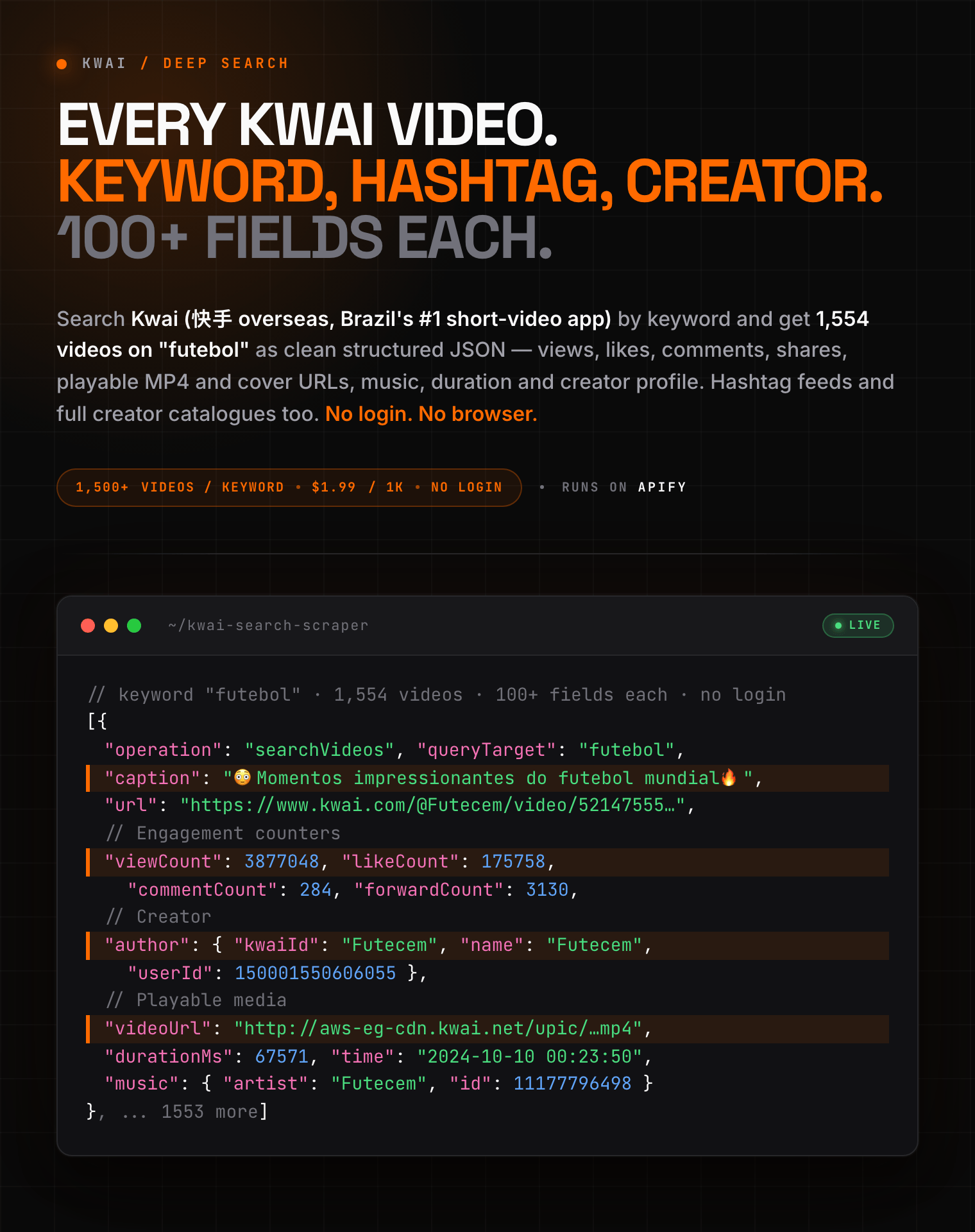
<a href="https://console.apify.com/actors/euYaQMbH2g53W4ds2/input"><img src="https://api.apify.com/v2/key-value-stores/pJ7iaZsTFhR3k9tjV/records/kwai-search-scraper-hero.png" alt="Kwai (Kuaishou) video scraper: search Kwai by keyword, hashtag and creator for views, likes, comments, shares, playable MP4 and cover URLs, music and creator profile as structured JSON" style="max-width:100%"></a>

<blockquote style="border-left:4px solid #FF6600;background:#FFF7ED;padding:12px 16px;margin:12px 0">
<span style="color:#1C1917">&#9889; <b>Whole creator catalogues, not just search.</b> One profile returned <b>2,109 videos in 85 seconds</b>. Keyword, hashtag or creator, <b>$1.99 per 1,000</b>.</span>
</blockquote>

<table>
<tr>
<td colspan="4" style="padding:10px 14px;background:#FF6600;border:none;border-radius:4px 4px 0 0">
<span style="color:#FFFFFF;font-size:14px;font-weight:700;letter-spacing:0.5px">Zen Studio · Short-video suite</span>
<span style="color:#FFE8D6;font-size:13px">&nbsp;&nbsp;&bull;&nbsp;&nbsp;Kwai (Kuaishou), Douyin (抖音), RedNote (小红书), Xigua (西瓜视频)</span>
</td>
</tr>
<tr>
<td style="padding:10px 12px;border:1px solid #E7E5E4;background:#FFEDD5;border-right:none;border-top:none;vertical-align:top;width:25%">
<span style="white-space:nowrap"><a href="https://apify.com/zen-studio/kwai-search-scraper" style="color:#C2410C;text-decoration:none;font-weight:700;font-size:13px">Kwai&nbsp;Search</a></span><br>
<span style="color:#C2410C;font-size:11px;font-weight:600">&#10148; You are here</span>
</td>
<td style="background:#FFF7ED;padding:10px 12px;border:1px solid #E7E5E4;border-right:none;border-top:none;vertical-align:top;width:25%">
<span style="white-space:nowrap"><img src="https://apify-image-uploads-prod.s3.us-east-1.amazonaws.com/NWYsOG96fMDy8ycdf-actor-3TJaaOJDU1AMiOoJM-Vu2eVr0P6N-douyin-profile-scraper-logo.png" width="20" height="20" style="vertical-align:middle;border-radius:4px"> &nbsp;<a href="https://apify.com/zen-studio/douyin-search-scraper" style="color:#1C1917;text-decoration:none;font-weight:700;font-size:13px">Douyin&nbsp;Search</a></span><br>
<span style="color:#78716C;font-size:11px">Keyword + filters, 60+ fields</span>
</td>
<td style="background:#FFF7ED;padding:10px 12px;border:1px solid #E7E5E4;border-right:none;border-top:none;vertical-align:top;width:25%">
<span style="white-space:nowrap"><img src="https://apify-image-uploads-prod.s3.us-east-1.amazonaws.com/NWYsOG96fMDy8ycdf-actor-hO5NqsA6aC1bz3jra-MjB05eVFEt-xiaohongshu-search-scraper-logo-square.png" width="20" height="20" style="vertical-align:middle;border-radius:4px"> &nbsp;<a href="https://apify.com/zen-studio/rednote-search-scraper" style="color:#1C1917;text-decoration:none;font-weight:700;font-size:13px">RedNote&nbsp;Search</a></span><br>
<span style="color:#78716C;font-size:11px">500 notes / 30s, 24 fields</span>
</td>
<td style="background:#FFF7ED;padding:10px 12px;border:1px solid #E7E5E4;border-top:none;vertical-align:top;width:25%">
<span style="white-space:nowrap"><a href="https://apify.com/zen-studio/kwai-comments-scraper" style="color:#1C1917;text-decoration:none;font-weight:700;font-size:13px">Kwai&nbsp;Comments</a></span><br>
<span style="color:#78716C;font-size:11px">Every comment + reply thread</span>
</td>
</tr>
</table>

#### Copy to your AI assistant

```
zen-studio/kwai-search-scraper on Apify. Scrapes Kwai (Kuaishou international, big in Brazil) videos by keyword search, by hashtag, or by creator, 100+ fields per video including view/like/comment/share counts, direct MP4 and cover URLs, music, duration and creator profile. Call ApifyClient("TOKEN").actor("zen-studio/kwai-search-scraper").call(run_input={"operation":"searchVideos","input":["futebol"],"maxItemsPerQuery":100}), then client.dataset(run["defaultDatasetId"]).list_items().items. operation is searchVideos | hashtag | userVideos; input takes keywords, #hashtags, or creator profile URLs / @handles / IDs; maxItemsPerQuery 0 = as deep as Kwai allows. Full spec: GET https://api.apify.com/v2/acts/zen-studio~kwai-search-scraper/builds/default (Bearer TOKEN) -> inputSchema, actorDefinition.storages.dataset, readme. Token: https://console.apify.com/account/integrations
```

### Key Features

- **Deep keyword search, not the 20-result preview.** Kwai's own website stops at roughly 20 results per keyword. This Actor keeps paginating: three keywords in one test run returned **4,660 videos with zero duplicates**, and every one of them was still climbing when the run was stopped. Set `maxItemsPerQuery: 0` and take the lot.
- **100+ fields per video.** Every field the source exposes is preserved: the normalised, ready-to-use fields on top and the complete untouched source object under `raw`.
- **Three scrape types, one Actor.** Search videos by keyword, pull a hashtag feed, or export a creator's entire video catalogue. One creator export in testing returned **2,109 videos** from a single profile.
- **Direct MP4 and cover URLs.** Every video row carries a playable MP4 URL, a cover thumbnail and a first-frame image. Kwai's image-gallery posts carry the full picture list instead, and `mediaType` tells you which is which.
- **Flexible input.** Keywords, `#hashtags`, `@handles`, numeric creator IDs, full Kwai video or profile URLs, and the share links the Kwai app copies (`k.kwai.com/p/...`). Paste whatever you have, including the whole "Acho que você vai adorar este vídeo!" message the app puts around the link, and the Actor reads the ID out of it.
- **Nothing to configure.** No Kwai account, no login, no cookies, no proxy settings, no headless browser.
- **Free tier**: 25 lifetime runs, 20 videos from the first entry, no credit card.

### How to Scrape Kwai Videos

1. Open **Kwai Scraper** on Apify and click **Try for free**.
2. Pick a **scrape type**: search videos by keyword, a hashtag feed, or a creator's videos.
3. Paste your keywords, hashtags or creator profiles into **Keywords, hashtags or creators**, one per line.
4. Set **Max videos per entry**, or leave it at `0` to go as deep as Kwai allows.
5. Click **Start**, then download the results as JSON, CSV, Excel, XML or HTML from the **Storage** tab.

#### Basic: search Kwai videos by keyword

```json
{
    "operation": "searchVideos",
    "input": ["futebol"],
    "maxItemsPerQuery": 100
}
```

#### Deep search: everything Kwai has for several keywords

```json
{
    "operation": "searchVideos",
    "input": ["receitas", "humor", "pagode"],
    "maxItemsPerQuery": 0
}
```

#### Scrape a Kwai hashtag feed

```json
{
    "operation": "hashtag",
    "input": ["#futebol", "#receitas"],
    "maxItemsPerQuery": 200
}
```

#### Export every video from a Kwai creator, from an app share link

```json
{
    "operation": "userVideos",
    "input": ["Acho que você vai adorar este vídeo! https://k.kwai.com/p/YUGeCnxG"],
    "maxItemsPerQuery": 0
}
```

Paste what the Kwai app gave you. The Actor resolves the share link to the creator behind it.

#### Export every video from a Kwai creator

`maxItemsPerQuery: 0` walks a profile back to its first post. One creator in testing returned 2,109 videos in 85 seconds.

```json
{
    "operation": "userVideos",
    "input": [
        "https://www.kwai.com/@ocraquedavez",
        "@Futecem",
        "150001550606055"
    ],
    "maxItemsPerQuery": 0
}
```

### Input Parameters

| Parameter | Type | Default | Description |
|-----------|------|---------|-------------|
| `operation` | enum | `searchVideos` | `searchVideos` (keyword search), `hashtag` (hashtag feed), or `userVideos` (a creator's catalogue) |
| `input` | array | *required* | Up to 200 entries, one per line. A search keyword, a `#hashtag`, or a creator as a profile URL, `@handle` or numeric ID. Kwai video and profile URLs are accepted anywhere, as are the app's `k.kwai.com/p/...` share links (paste the whole shared message if you like), and the ID is read out of them. |
| `maxItemsPerQuery` | integer | `100` | Stop after this many videos per entry. `0` = as deep as Kwai allows. |

Every entry runs independently, so one bad keyword never costs you the rest of the run.

### What Data Can You Extract from Kwai Videos?

Each dataset row is one Kwai video.

**Identity and links:**

- `photoId`, `photoIdStr` (use the string form as your join key: the numeric ID is larger than a JavaScript safe integer)
- `url` (the video's page on Kwai), `operation`, `queryTarget` (which keyword, hashtag or creator produced this row)

**Content:**

- `caption`, `coverCaption`, `tags`, `hetuTags` (Kwai's own topic labels)
- `time`, `timestamp`, `durationMs`, `width`, `height`

**Engagement:**

- `viewCount`, `likeCount`, `commentCount`, `forwardCount` (shares)

**Media:**

- `mediaType`: `video` or `images`. Kwai hosts both short videos and image-gallery posts, and search returns both.
- `videoUrl` (direct MP4), populated on `video` rows
- `images` (every picture in the post, in order), populated on `images` rows
- `coverUrl` (thumbnail) and `coverFirstFrameUrl`, on both types

All media URLs are returned over HTTPS, so they embed in a page without a mixed-content warning.

**Creator (`author`):**

- `userId`, `kwaiId` (the public @handle), `name`, `bio`
- `avatarUrl`, `profileUrl`, `verified`, `verifiedType`

**Music (`music`):**

- `id`, `name`, `artist`, `url` (the audio file), `avatarUrl`

**Everything else (`raw`):**

- The complete, untouched source object, around 100 fields per video, including download permissions, transcode variants, extended parameters and the fields Kwai adds over time. Nothing is thrown away.

Plus `scrapedAt`, an ISO-8601 UTC timestamp for the row.

#### Output Example

```json
{
  "operation": "searchVideos",
  "queryTarget": "futebol",
  "photoId": 5214755523601622914,
  "photoIdStr": "5214755523601622914",
  "url": "https://www.kwai.com/@Futecem/video/5214755523601622914",
  "caption": "😳Momentos impressionantes do futebol mundial🔥 #neymar #futebol #messi #lancesdefutebol #esports",
  "coverCaption": "😳Momentos impressionantes do futebol mundial🔥",
  "viewCount": 3877048,
  "likeCount": 175758,
  "commentCount": 284,
  "forwardCount": 3130,
  "durationMs": 67571,
  "width": 720,
  "height": 1280,
  "timestamp": 1728491030808,
  "time": "2024-10-10 00:23:50",
  "mediaType": "video",
  "videoUrl": "https://aws-eg-cdn.kwai.net/upic/2024/10/10/00/BMjAyNDEwMTAwMDIzMjVfMTUwMDAxNTUwNjA2MDU1XzE...",
  "images": [],
  "coverUrl": "https://p1-kimg.kwai.net/kimg/EKzM1y8qmQEKAnMzEg1waG90by1vdmVyc2VhGoMBdXBpYy8yMDI0LzEwLzEwL...",
  "coverFirstFrameUrl": "https://ak-eg-pic.kwai.net/upic/2024/10/10/00/BMjAyNDEwMTAwMDIzMjVfMTUwMDAxNTUwNjA2MDU1XzE1...",
  "author": {
    "userId": 150001550606055,
    "kwaiId": "Futecem",
    "name": "Futecem",
    "avatarUrl": "https://ak-eg-pic.kwai.net/bs2/overseaHead/20231206233125_BMTUwMDAxNTUw...",
    "bio": "Propostas ⬇️\nfutecemfc@gmail.com \nFantástico mundo do futebol",
    "verified": false,
    "verifiedType": 0,
    "profileUrl": "https://www.kwai.com/@Futecem"
  },
  "music": {
    "id": 11177796498,
    "name": "",
    "artist": "Futecem",
    "url": "https://aws-eg-pic.kwai.net/bs2/ost/MTUwMTA3Mjc0NTUzNzk4XzE1MDAwMTU1MD...",
    "avatarUrl": "https://ak-eg-pic.kwai.net/bs2/overseaHead/20231206233125_BMTUwMDAxNTUw..."
  },
  "tags": [],
  "hetuTags": ["足球"],
  "scrapedAt": "2026-09-08T10:50:15.678489+00:00",
  "raw": {
    "photo_id_str": "5214755523601622914",
    "caption": "😳Momentos impressionantes do futebol mundial🔥 #neymar #futebol #messi ...",
    "view_count": 3877048,
    "like_count": 175758,
    "comment_count": 284,
    "forward_count": 3130,
    "share_info": "",
    "allowDownload": true,
    "photo_status": 0,
    "user_sex": "M",
    "user_text": "Propostas ⬇️\nfutecemfc@gmail.com \nFantástico mundo do futebol",
    "verifiedNum": 0,
    "ext_params": "...",
    "exp_tag": "1_a/4886748422208536651_sr0",
    "tag_hash_type": 1,
    "music": "...",
    "hetuTag": "...",
    "transcode_manifest_info": "...",
    "... 82 more source fields": "..."
  }
}
```

### Advanced Usage

#### Find Kwai influencers in a niche

Run a keyword search over the vocabulary your audience actually uses, then sort the dataset by `author.userId` and aggregate `viewCount` and `likeCount`. Creators who appear repeatedly at high engagement are your shortlist, and `author.bio` regularly contains a business email.

```json
{
    "operation": "searchVideos",
    "input": ["maquiagem", "skincare", "resenha de produto"],
    "maxItemsPerQuery": 500
}
```

#### Track a brand or campaign hashtag

```json
{
    "operation": "hashtag",
    "input": ["#minhamarca"],
    "maxItemsPerQuery": 0
}
```

Schedule this **once a day** (or hourly during a campaign burst) from the Apify Console's Schedules tab. Each run returns the current feed, so a day-over-day diff of `photoIdStr` gives you new posts, and the difference in `viewCount` gives you velocity.

#### Benchmark competitors

```json
{
    "operation": "userVideos",
    "input": [
        "https://www.kwai.com/@competitor-one",
        "https://www.kwai.com/@competitor-two"
    ],
    "maxItemsPerQuery": 0
}
```

`queryTarget` tells you which creator each row belongs to, so a single run gives you a like-for-like posting cadence and engagement comparison.

#### Match the talk against what actually sells

Selling on Shopee Brazil? Pair this with the [Shopee Product Scraper](https://apify.com/zen-studio/shopee-product-scraper) and line the comments up against real prices and stock in the same market.

#### Integrations

The dataset is a normal Apify dataset, so everything downstream works out of the box:

- **Google Sheets**: push results straight into a sheet with the Google Sheets integration
- **Make and Zapier**: trigger a scenario on run completion and route rows into a CRM, Airtable or Notion
- **Webhooks**: POST the dataset URL to your own service the moment a run succeeds
- **Slack / email**: get notified when a scheduled monitoring run finds new videos
- **API and SDKs**: call the Actor and read the dataset from Python, JavaScript, or plain HTTP

New to scheduling and integrations on Apify? These short official walkthroughs cover both:

[![Getting Started with Apify - Schedule your Actor](https://img.youtube.com/vi/1jI7WcVQmwM/0.jpg)](https://www.youtube.com/watch?v=1jI7WcVQmwM)

### How Much Does It Cost to Scrape Kwai?

**$1.99 per 1,000 videos, flat, on every plan.** No per-page charge, no charge for entries that return nothing.

| Event | Per call | Per 1,000 |
|-------|----------|-----------|
| Video result | $0.00199 | $1.99 |

Notes:

- The same video matched by two different keywords is two rows (each tagged with its own `queryTarget`) and is billed twice. Deduplicate on `photoIdStr` afterwards if you only want uniques.
- Use `maxItemsPerQuery` and the Apify run's max-cost setting to cap spend on a deep run.

Free tier: 25 lifetime runs, 20 videos from the first entry, no credit card.

### FAQ

**Does Kwai have a public API for video data?**
No. Kwai's official developer programmes cover advertising and attribution, not video, hashtag or creator data. This Actor is the practical substitute: it collects publicly visible Kwai video data and returns it as JSON, CSV or Excel, and you can drive it programmatically through the Apify API.

**How do I scrape Kwai videos by keyword?**
Set `operation` to `searchVideos`, put your keywords in `input` (one per line), and set `maxItemsPerQuery`. That is the whole setup. No account, no cookies, no proxy configuration.

**How many videos can I get per keyword?**
Far more than the Kwai website shows. The site's own search stops at roughly 20 results; this Actor keeps paginating. In testing, single keywords passed **1,500 unique videos** and were still returning fresh results when the run was stopped. Set `maxItemsPerQuery: 0` to go as deep as Kwai allows.

**Is scraping Kwai legal?**
This Actor collects only publicly visible data (videos, captions, public counts and public creator profiles) with no login and nothing behind an account wall. How you then use the data is your responsibility: comply with Kwai's terms of service and with applicable data protection law (GDPR, CCPA, LGPD), since creator names, handles and bios are personal data.

**Do I need a Kwai account, login or cookies?**
No. There is nothing to sign in to and nothing to export from a browser.

**Do I need a proxy?**
No. Kwai serves this data regionally and the Actor handles that for you. There is no proxy option to get wrong.

**What data fields do I get for each Kwai video?**
Views, likes, comments, shares, duration, resolution, post time, caption, hashtags, the direct MP4 URL, cover and first-frame images, the music track, and the full creator profile, plus the complete untouched source object (around 100 fields) under `raw`.

**Can I get the direct MP4 URL of a Kwai video?**
Yes. Every video row carries `videoUrl`, a direct link to the MP4, plus `coverUrl` and `coverFirstFrameUrl`.

Kwai also hosts image-gallery posts, and keyword search returns them alongside videos. Those rows have `mediaType: "images"` and carry every picture in `images` instead of an MP4.

**Can I scrape Kwai by hashtag?**
Yes. Set `operation` to `hashtag` and pass hashtags with or without the leading `#`.

**Can I get all videos from a specific Kwai creator?**
Yes. Set `operation` to `userVideos` and pass profile URLs, `@handles`, numeric creator IDs, or a `k.kwai.com/p/...` share link copied straight out of the app. With `maxItemsPerQuery: 0` you get the whole catalogue back to the creator's first post: one profile in testing returned 2,109 videos in 85 seconds.

**Kwai vs Kuaishou: does this work for both?**
Kwai and Kuaishou are the same company's apps, but separate content: Kuaishou (快手) serves mainland China, Kwai serves international markets and is enormous in Brazil (tens of millions of daily users). This Actor covers Kwai.

**Does it work for Spanish, Arabic or Indonesian keywords?**
Yes, and the result set is the same whichever country you run from. Kwai's search index is global, not split per country: running the same keywords from a Brazilian exit and an Indonesian one returned identical results.

What changes is how much is actually there. Measured on one run: `futebol` came back at a median **507,682 views** per video, `recetas faciles` at **32,715**, and `resep masakan` at **681**. Brazil is where Kwai's content lives, so Portuguese keywords go by far the deepest.

**How much does it cost to scrape 1,000 Kwai videos?**
$1.99, on every plan.

**Can I export Kwai data to CSV, Excel or JSON?**
Yes. Every run's dataset downloads as JSON, CSV, Excel, XML or HTML from the Storage tab, and is available programmatically through the Apify API.

**How fresh is the data, and can I run this on a schedule?**
Every run reads Kwai live, with no cache. Use the Apify Console's Schedules tab to run it daily for trend tracking, or hourly while a campaign is live.

**Why did my run return fewer videos than `maxItemsPerQuery`?**
Because the entry ran out. A niche keyword, a small hashtag or a creator with a short catalogue simply has less to give. You are never billed for videos that were not returned.

**Can I scrape comments on a Kwai video?**
Not in this Actor, which collects videos. Use the [Kwai Comments Scraper](https://apify.com/zen-studio/kwai-comments-scraper) for that: paste the `url` column from this Actor's dataset into it and you get every comment and every reply thread.

#### Perguntas frequentes (PT-BR)

**O Kwai tem uma API pública de dados?** Não. Os programas oficiais do Kwai cobrem publicidade e atribuição, não dados de vídeos ou criadores. Este Actor é a alternativa prática.

**Como raspar vídeos do Kwai por palavra-chave?** Escolha `searchVideos`, coloque as palavras-chave em `input`, defina `maxItemsPerQuery`. Sem conta, sem cookies, sem proxy.

**Quantos vídeos consigo por palavra-chave?** Muito mais do que o site mostra: o site para em cerca de 20 resultados, aqui palavras-chave passaram de **1.500 vídeos únicos**. Use `maxItemsPerQuery: 0`.

**É legal raspar dados do Kwai?** O Actor coleta apenas dados públicos, sem login. O uso dos dados é responsabilidade sua: respeite os termos do Kwai e a LGPD/GDPR.

**Preciso de conta no Kwai ou de proxy do Brasil?** Não e não. O Actor cuida disso.

**Quais dados recebo de cada vídeo?** Visualizações, curtidas, comentários, compartilhamentos, duração, legenda, hashtags, o link MP4 direto, a capa, a música e o perfil completo do criador, mais o objeto original inteiro (cerca de 100 campos) em `raw`. Posts de galeria de imagens vêm com `mediaType: "images"` e a lista completa de fotos em `images`.

**Consigo o link MP4 do vídeo?** Sim, no campo `videoUrl`.

**Quanto custa raspar 1.000 vídeos do Kwai?** $1,99, em qualquer plano.

**Como exporto para CSV ou Excel?** Pela aba Storage da execução, ou pela API do Apify.

**Como encontro influenciadores do Kwai por nicho?** Rode uma busca por palavra-chave do nicho e agrupe por `author.userId`; quem aparece várias vezes com alto engajamento é a sua lista, e `author.bio` costuma trazer um e-mail comercial.

### More Zen Studio short-video scrapers

- [Kwai (Kuaishou) Comments Scraper](https://apify.com/zen-studio/kwai-comments-scraper): every comment and reply thread on a Kwai video
- [Douyin 抖音 Search Scraper + Video Downloader](https://apify.com/zen-studio/douyin-search-scraper): keyword search with filters, 60+ fields, MP4 downloads
- [Douyin 抖音 Video Scraper](https://apify.com/zen-studio/douyin-video-scraper): video metadata and MP4 downloads by URL
- [Douyin 抖音 Profile Scraper](https://apify.com/zen-studio/douyin-profile-scraper): creator followers, posts and hashtags
- [RedNote (Xiaohongshu) Search Scraper](https://apify.com/zen-studio/rednote-search-scraper): 500 notes per 30 seconds, 24 fields
- [Xigua 西瓜视频 Search Scraper](https://apify.com/zen-studio/xigua-video-search-scraper): keyword search, comments and MP4 downloads

### Support

- **Bugs**: Issues tab
- **Feature requests**: Issues tab

### Is It Legal to Scrape Kwai?

Yes, within limits. This Actor extracts publicly available data only: videos, captions, public engagement counts and public creator profiles, with no login and nothing behind an account wall.

You are responsible for how you use it. Comply with Kwai's terms of service and with applicable data protection regulations (GDPR, CCPA, LGPD), since creator names, handles and bios are personal data.

***

*Scrape Kwai (Kuaishou) videos by keyword, hashtag or creator. 100+ fields per video including views, likes, comments, shares, direct MP4 and cover URLs, music and full creator profiles. Raspe dados do Kwai por palavra-chave, hashtag ou criador.*

# Actor input Schema

## `operation` (type: `string`):

<b>Search videos by keyword</b>: finds Kwai videos matching a keyword, far deeper than the Kwai website shows.<br><b>Hashtag feed</b>: every video posted under a hashtag.<br><b>Creator videos</b>: a creator's full video catalogue.

## `input` (type: `array`):

Up to 200 entries, one per line, matching the scrape type above: a search keyword, a hashtag, or a creator as a profile URL, @handle or ID. Kwai video and profile URLs are accepted anywhere and the ID is read out of them, including the share links the Kwai app copies (<b>k.kwai.com/p/...</b>), which you can paste with the message around them.

## `maxItemsPerQuery` (type: `integer`):

Stop after this many videos for each keyword, hashtag or creator. Set to <b>0</b> to go as deep as Kwai allows. Keyword search regularly returns well over 1,000 videos per keyword.

## Actor input object example

```json
{
  "operation": "searchVideos",
  "input": [
    "futebol"
  ],
  "maxItemsPerQuery": 100
}
```

# Actor output Schema

## `videos` (type: `string`):

No description

# API

You can run this Actor programmatically using our API. Below are code examples in JavaScript, Python, and CLI, as well as the OpenAPI specification and MCP server setup.

## JavaScript example

```javascript
import { ApifyClient } from 'apify-client';

// Initialize the ApifyClient with your Apify API token
// Replace the '<YOUR_API_TOKEN>' with your token
const client = new ApifyClient({
    token: '<YOUR_API_TOKEN>',
});

// Prepare Actor input
const input = {
    "operation": "searchVideos",
    "input": [
        "futebol"
    ],
    "maxItemsPerQuery": 100
};

// Run the Actor and wait for it to finish
const run = await client.actor("zen-studio/kwai-search-scraper").call(input);

// Fetch and print Actor results from the run's dataset (if any)
console.log('Results from dataset');
console.log(`💾 Check your data here: https://console.apify.com/storage/datasets/${run.defaultDatasetId}`);
const { items } = await client.dataset(run.defaultDatasetId).listItems();
items.forEach((item) => {
    console.dir(item);
});

// 📚 Want to learn more 📖? Go to → https://docs.apify.com/api/client/js/docs

```

## Python example

```python
from apify_client import ApifyClient

# Initialize the ApifyClient with your Apify API token
# Replace '<YOUR_API_TOKEN>' with your token.
client = ApifyClient("<YOUR_API_TOKEN>")

# Prepare the Actor input
run_input = {
    "operation": "searchVideos",
    "input": ["futebol"],
    "maxItemsPerQuery": 100,
}

# Run the Actor and wait for it to finish
run = client.actor("zen-studio/kwai-search-scraper").call(run_input=run_input)

# Fetch and print Actor results from the run's dataset (if there are any)
print(f"💾 Check your data here: https://console.apify.com/storage/datasets/{run.default_dataset_id}")
for item in client.dataset(run.default_dataset_id).iterate_items():
    print(item)

# 📚 Want to learn more 📖? Go to → https://docs.apify.com/api/client/python/docs/quick-start

```

## CLI example

```bash
echo '{
  "operation": "searchVideos",
  "input": [
    "futebol"
  ],
  "maxItemsPerQuery": 100
}' |
apify call zen-studio/kwai-search-scraper --silent --output-dataset

```

## MCP server setup

```json
{
    "mcpServers": {
        "apify": {
            "type": "http",
            "url": "https://mcp.apify.com/?tools=fetch-actor-details,zen-studio/kwai-search-scraper"
        }
    }
}

```

The hosted server signs you in with OAuth on first connect, so no API token belongs in this config. Clients without OAuth support can send an `Authorization: Bearer <APIFY_API_TOKEN>` header instead, using a token from API & Integrations in Apify Console (https://console.apify.com/settings/integrations).

## OpenAPI specification

Download the OpenAPI definition: https://api.apify.com/v2/actors/euYaQMbH2g53W4ds2/builds/eXCIgrf77mPGsS9Iy/openapi.json