

RedNote (Xiaohongshu) Search Scraper - 500 Notes/30s
Pricing
from $4.99 / 1,000 results
RedNote (Xiaohongshu) Search Scraper - 500 Notes/30s
Extract Xiaohongshu (RedNote / 小红书) search results by keyword. Get author profile, engagement counts (likes, comments, collects), image galleries, and playable video stream URLs — 24 fields per note. 500 notes in 30s. Filter by note type. JSON/CSV/Excel export.
Pricing
from $4.99 / 1,000 results
Rating
4.0
(4)
Developer

Zen Studio
Maintained by CommunityActor stats
8
Bookmarked
7.7K
Total users
2.3K
Monthly active users
3 days ago
Last modified
Categories
Share
RedNote (Xiaohongshu / 小红书) Search Scraper | Keyword Search, Filters & Full Note Metadata (2026)
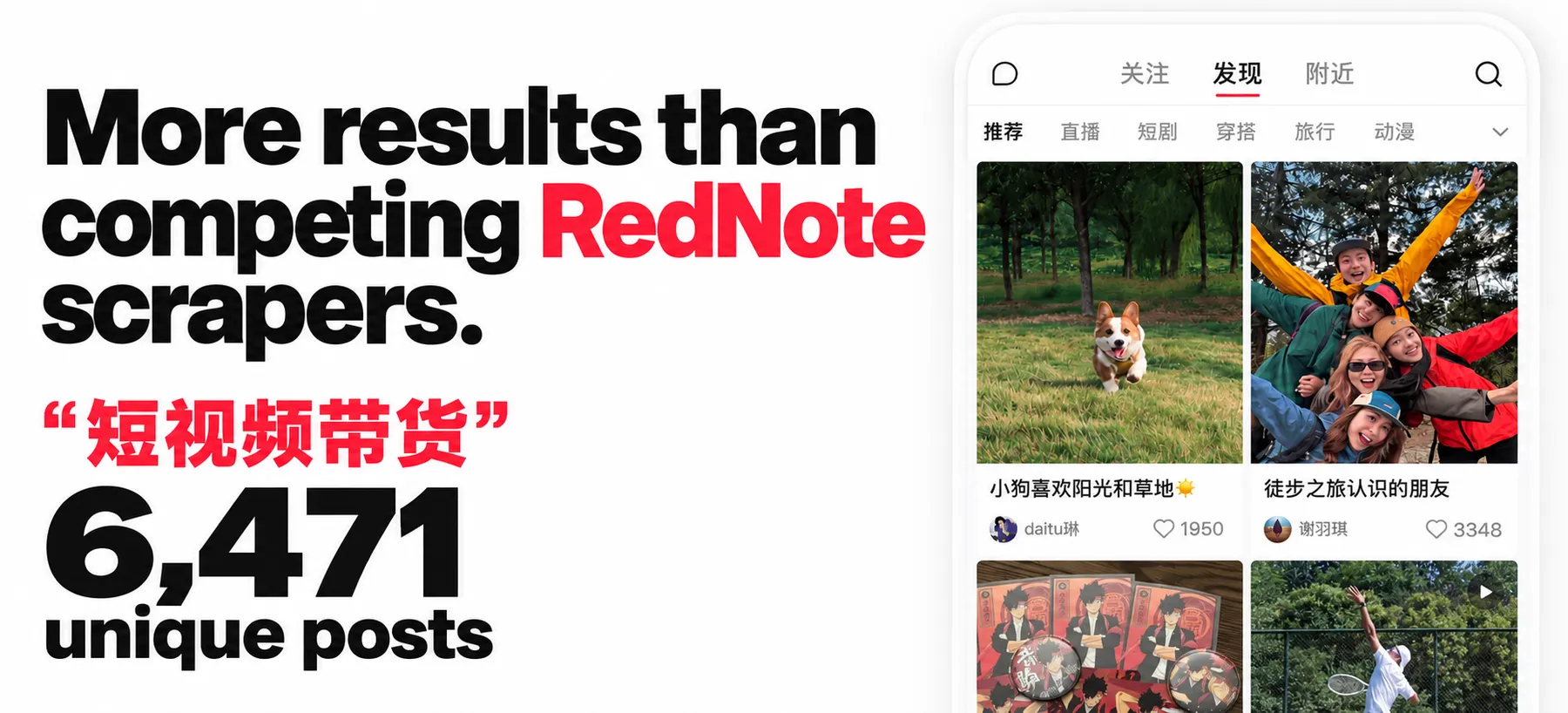
From Zen Studio. RedNote Search and Douyin Search have ranked #1 for “rednote” and “douyin”, respectively, in Apify Store relevance results, with 100,000+ combined lifetime runs.
Why choose this actor?
- More posts per keyword. A recorded coverage test for 短视频带货 (“short-video commerce”) collected 6,471 unique posts. Maximize results combines search orders and time windows, removing duplicates within each keyword.
- Media and engagement, together. Get full-resolution image URLs, available video qualities, creator details and engagement counts (likes, comments, saves and shares) in the same output.
- Fast at useful volumes. An owner-measured run collected 1,000 posts in 118 seconds. Results and runtime vary by search.

Try the example keyword
Open the actor’s input page, switch to JSON and paste this to request up to 100 posts. Then start the run.
For the widest search, set maxResults to 0 and keep Maximize results enabled with Any time selected. Available results depend on the keyword.
Apify Free plan: 3 lifetime preview runs, up to 20 posts from the first keyword. A paid Apify plan enables full collection.
Continue your research
| Zen Studio · RedNote & Likee |
 RedNote Search RedNote SearchYou are here  Likee Scraper Likee ScraperVideos and MP4 files  Comments CommentsComments & replies  Creator Profiles Creator ProfilesCreators & posts  Note Detail Note DetailPost details |
Research the same brands in Zhihu answers and discussions ↗.
Copy to your AI assistant
How to Search RedNote by Keyword
Basic: one keyword, default 100 results
Multi-keyword with sort and type filter
Newest-first with recency filter: trend monitoring
Maximum coverage: every note for a keyword
0 collects all available notes, up to ~7,000 for a broad keyword. Keep Maximize results on (the default) for the full sweep across sort orders and time ranges. Prefer a hard ceiling instead of all? Use any number above 1,000 in place of 0.
Input Parameters
| Parameter | Type | Default | Description |
|---|---|---|---|
keywords | string[] | required | Search terms. Chinese, English, hashtags, brand names, and emoji all work. Each keyword is searched independently with its own maxResults budget. |
maxResults | integer | 100 | How many unique notes to collect per keyword (0–10000; 0 = all available). Cost scales linearly with results collected. Broad keywords return several thousand (up to ~7,000); narrow or niche keywords yield fewer. |
sortType | string | general | general (Most relevant) / popularity_descending (Most popular) / time_descending (Newest first). Controls how the platform ranks results for your search. |
topUpFromOtherSorts | boolean | true | "Maximize results." Gathers across all sort orders and time ranges, merging and de-duplicating, for the most unique notes per keyword. Recommended ON, same per-result price. The deeper time-range sweep engages only when you raise maxResults above 1,000; at or below 1,000 only the sort sweep runs. |
noteType | string | all | all / video / image / live. Restrict results to a single note format. |
timeFilter | string | all | all / 1d (Past 24 hours) / 1w (Past week) / 6mo (Past 6 months). Restrict to notes published in a recent window. |
Accepted keyword formats
Any term the Xiaohongshu search box accepts:
| Format | Example |
|---|---|
| Chinese word or phrase | 美食推荐, 护肤心得, 家常菜 |
| English word | skincare, minimalist, coffee |
| Brand or person name | iPhone, lululemon, 张大奕 |
| Hashtag | #美食, #穿搭 |
| Emoji | 🍜, ✨ |
Each keyword is searched independently, then results are deduplicated so you never pay twice for the same note. With "Maximize results" on, a broad keyword can yield several thousand unique notes (up to ~7,000); a narrower one yields fewer once the platform's catalogue for that query is exhausted. Use multiple related keywords for even broader coverage.
What Data Can You Extract from RedNote (Xiaohongshu)?
One row per note in clean JSON. Each row covers the note content, author, engagement, full image gallery, and, for video notes, all available quality and codec variants.
| Field | Type | Description |
|---|---|---|
id | string | Note ID (24-char hex). |
type | string | video, normal (image / text), or live. |
title | string | Note title. |
desc | string | Note body preview, hashtags included inline. The search surface returns about the first 60 characters, so longer bodies arrive cut off; for the complete body pass the id and xsec_token to RedNote Note Detail Scraper. |
url | string | Stable share URL with xsec_token; opens the note in a browser. |
xsec_token | string | Share token required to re-open the note. |
timestamp | integer | Publish time (Unix seconds). |
update_time | integer | Last edit (Unix milliseconds). |
last_update_time | integer | Last edit (Unix seconds). |
engagement | object | liked_count, comments_count, collected_count, shared_count, nice_count. |
author | object | userid, red_id, nickname, avatar, verified, verify_type, show_verify_icon, followed, track_duration, live (live-stream status, or null when the author is not live), additional_tags (author tags and badges). |
images | array | Gallery images. Each entry: url, url_large, width, height, original (full-resolution URL), fileid (image file identifier), live_photo (motion-photo payload when the image is a live photo, otherwise absent), live_photo_file_id (live photo file identifier, when present). |
video | object | null | null for non-video notes. Otherwise: duration_seconds, thumbnail, thumbnail_dim, streams[] (all available quality and codec variants), url_720p (convenience 720p link), first_frame (first-frame preview image URL), audio_streams (available audio stream variants), audio_info (audio track metadata), video_id (video identifier). |
video_preview_type | string | null | Preview style hint when present. |
cover_image_index | integer | Index of the cover within images. |
tag_info | object | Note tag (title, type). |
note_attributes | array | Platform attribute flags on the note. |
at_user_list | array | Mentioned users, each user_id, nickname, user_oid. |
has_music | boolean | Whether a music track is attached. |
geo_info | object | Location metadata (e.g. distance). |
click_score | number | Platform relevance score for the query. |
result_from | string | Platform's result-source label. |
keyword | string | Which input keyword surfaced this row. |
sortSource | string | Which sort pass produced the row: general, popularity_descending, or time_descending. |
Example row
A video note (image / text notes have video: null and a multi-image images array). The streams array is truncated below: a real video note returns all available quality and codec variants. desc shows the body preview at its usual length.
Integrations and scheduling
Run the RedNote search results scraper on a schedule in Apify Console, hourly or daily for brand and trend monitoring. Each run can call a webhook when it finishes, so n8n, Make and Zapier flows pick up new rows without polling. The Apify API and the Apify MCP server take the same input, for scripts and AI agents.
Pricing: Pay Per Event (PPE)
$5.99 per 1,000 results. Each note written to the dataset counts as one result. No charge for empty keywords, retries, or pagination overhead.
| Event | Per note | Per 1,000 |
|---|---|---|
search-result (one dataset row) | $0.00599 | $5.99 |
Free tier
3 lifetime runs, each capped at approximately 20 results from the first keyword. No credit card required. Sufficient for evaluating the output shape and content quality before purchasing.
Advanced Usage
Ready-made configurations for content discovery, trend monitoring, brand and competitor monitoring, influencer research, market research, and complete-coverage datasets.
Trend monitoring: newest notes on a rising topic
Schedule this daily to track how quickly a topic gains traction. The timestamp field gives exact publish time; engagement.liked_count and engagement.collected_count reflect current totals.
Brand or competitor monitoring
The keyword field on each row identifies which brand surfaced the note. Cross-keyword deduplication is automatic.
Influencer discovery by niche
Sort by engagement.liked_count or engagement.collected_count after the run to surface the most influential creators for your niche.
Maximizing yield: collect everything available
maxResults: 0 collects every available note for the keyword. With "Maximize results" on (the default), broad keywords can reach several thousand unique notes (up to ~7,000) by gathering across all sort orders and time ranges; niche topics like this one yield whatever the platform's catalogue holds. You pay only for unique notes actually collected.
Local discovery: products and places by city
Combine a product or category with a city or country to surface location-tagged notes; works for cafés, restaurants, shops, neighbourhoods, duty-free, travel itineraries, regional product comparisons. English and Chinese keywords can be mixed in the same run.
Home and lifestyle inspiration
noteType: "image" filters to image-heavy notes; useful when the inspiration value is visual: interior design, fashion outfits, hair styling, beauty looks, food plating.
FAQ
What is RedNote (Xiaohongshu / Little Red Book)? RedNote is the international name of Xiaohongshu (小红书, literally "Little Red Book", often abbreviated XHS), China's leading lifestyle and social-commerce platform with 300+ million monthly users. Notes mix photos, video, and review-style text across beauty, fashion, food, travel, fitness, and shopping.
How many results can I expect per keyword?
With "Maximize results" on (the default), broad keywords can reach several thousand unique notes (up to ~7,000 for the broadest terms); mid and niche keywords saturate lower (often a few hundred to a couple thousand) once the platform's index for that query is exhausted. Set maxResults to 0 to collect everything available. For even broader coverage, add multiple related keywords; cross-keyword deduplication is automatic.
What does topUpFromOtherSorts do exactly?
It's the "Maximize results" toggle. The actor gathers across all three sort orders and merges the results, deduplicated by note ID, so you get the most unique notes per keyword at no extra per-result cost. When you raise maxResults above 1,000, it additionally gathers across the time ranges to surface more fresh and niche notes; at or below 1,000 it stays on the sort-only behaviour. Recommended on.
Do the filters combine?
Yes. sortType, noteType, and timeFilter all apply together. For example, sortType=popularity_descending + noteType=video + timeFilter=1w returns the most-liked video notes from the past 7 days. Narrow combinations may reduce the result count.
How fresh is the data? Live: fetched on demand at run time. No cached or stale records.
Do I need a Xiaohongshu account or cookies? No. The actor needs no Xiaohongshu account, cookie export, or QR login. Provide keywords and run.
Are the media URLs permanent?
The note url (e.g., https://www.xiaohongshu.com/discovery/item/<id>?xsec_token=…) is the stable reference. Image and video CDN URLs (images[].url, video.url_720p, etc.) are time-limited and typically expire within hours to a few days. Download media immediately after a run if you need to store it long-term.
What note types does this cover?
All three types the Xiaohongshu search surface returns: video notes, image/text notes (called "normal"), and live notes. Filter with the noteType input to restrict to one type. The type field on each output row tells you which category a note belongs to.
Can I search by hashtag specifically?
Yes: pass "#美食" as a keyword. The search behaviour and row shape are identical to free-text search.
Can I scrape a creator's profile, their follower list, or individual note comments? Not in this actor; it covers keyword search results only. For those, use RedNote User Profile Scraper (profile plus every post), RedNote Comments Scraper (nested comment threads), or RedNote Note Detail Scraper (full detail for a single note).
Does a row include the full note body?
desc is the body preview the search surface returns: about the first 60 characters, hashtags inline, cut off for longer notes. title is complete. For the full body, feed the id and xsec_token of the rows you care about to RedNote Note Detail Scraper.
What is the sortSource field?
It records which sort pass produced the row: general (Most relevant), popularity_descending (Most popular), or time_descending (Newest first). Useful when topUpFromOtherSorts is on and you want to know how each note was surfaced.
What's the maximum maxResults per keyword?
10,000, or 0 for all available. Broad keywords top out around ~7,000 unique notes; the platform's index for a given query saturates before the ceiling. Keep "Maximize results" on to get the most per keyword.
How do I export the data? Every run writes to an Apify dataset you can download as JSON, CSV, Excel, XML, or HTML from the run's Storage tab, or fetch programmatically via the Apify API.
Is it legal to scrape Xiaohongshu (RedNote)? The actor collects publicly available search results only, nothing behind a login. You are responsible for complying with Xiaohongshu's terms of service and applicable data protection law (GDPR, CCPA, PIPL) in how you use the data, particularly personal data such as author profiles.
How do I get more than 1,000 results per keyword?
Set Max results per keyword to 0 (all available) or any number above 1,000, and keep Maximize results on (the default). At or below 1,000 the actor runs the standard pass; above it, it sweeps all sort orders and time ranges for up to ~7,000 unique notes per broad keyword.
More Zen Studio scrapers for Chinese platforms
- RedNote User Profile Scraper
- RedNote Comments Scraper
- RedNote Product Search Scraper
- RedNote Note Detail Scraper
- RedNote Product Reviews Scraper
Also from the same studio (name, then account/slug for the URL https://apify.com/account/slug):
- Douban Scraper (
zen-studio/douban-scraper) - Douban Reviews Scraper (
zen-studio/douban-reviews-scraper) - Douban Group Scraper (
zen-studio/douban-group-scraper) - Zhihu Scraper (
zen-studio/zhihu-scraper) - Weibo Search Scraper (
zen-studio/weibo-search-scraper) - Weibo Comments Scraper (
zen-studio/weibo-comments-scraper) - Kwai Search Scraper (
zen-studio/kwai-search-scraper) - Kwai Comments Scraper (
zen-studio/kwai-comments-scraper) - RedNote Live Recorder (
zen-studio/rednote-live-recorder) - RedNote Product Detail Scraper (
zen-studio/rednote-product-detail-scraper) - Douyin Search Scraper (
zen-studio/douyin-search-scraper) - Douyin Profile Scraper (
zen-studio/douyin-profile-scraper) - Douyin Video Scraper (
zen-studio/douyin-video-scraper) - Douyin Comments Scraper (
zen-studio/douyin-comments-scraper) - Douyin Transcripts Scraper (
zen-studio/douyin-transcripts-scraper) - Douyin Creator Rankings Scraper (
zen-studio/douyin-xingtu-rankings-scraper) - Douyin Live Recorder (
zen-studio/douyin-live-recorder) - Douyin Hot Search Scraper (
zen-studio/douyin-hot-search-scraper) - Douyin Product Search Scraper (
zen-studio/douyin-product-search-scraper) - Xigua Video Search Scraper (
zen-studio/xigua-video-search-scraper) - Xigua Video Detail Scraper (
zen-studio/xigua-video-detail-scraper) - Bilibili Video Scraper (
zen-studio/bilibili-video-scraper) - Bilibili Danmaku Scraper (
zen-studio/bilibili-danmaku-scraper) - TikTok Shop Review Scraper (
zen-studio/tiktok-shop-review-scraper) - Naver Search Scraper (
zen-studio/naver-search-scraper) - Shopee Product Detail Scraper (
zen-studio/shopee-product-detail-scraper) - Shopee Product Reviews Scraper (
zen-studio/shopee-product-reviews-scraper) - Shopee Product Scraper (
zen-studio/shopee-product-scraper) - Shopee Live Scraper (
zen-studio/shopee-live-scraper) - Taobao Search Scraper (
zen-studio/taobao-search-scraper) - Taobao Product Detail Scraper (
zen-studio/taobao-detail-scraper) - Taobao Seller Products Scraper (
zen-studio/taobao-seller-products-scraper) - JD.com Search Scraper (
zen-studio/jd-com-search-scraper) - 1688 Wholesale Scraper (
zen-studio/1688-wholesale-scraper) - Alibaba Scraper (
zen-studio/alibaba-scraper) - 1688 Reviews Scraper (
zen-studio/1688-reviews-scraper) - Goofish (Xianyu) Search Scraper (
zen-studio/goofish-xianyu-search-scraper) - Goofish (Xianyu) Seller Scraper (
zen-studio/goofish-xianyu-seller-scraper) - Goofish (Xianyu) Item Detail Scraper (
zen-studio/goofish-xianyu-item-detail-scraper) - Goofish (Xianyu) Item Comments & Q&A Scraper (
zen-studio/goofish-xianyu-item-comments-scraper) - Goofish (Xianyu) Reverse Image Search Scraper (
zen-studio/goofish-xianyu-visual-search-scraper) - Coupang Review Scraper (
zen-studio/coupang-review-scraper) - Coupang Search Scraper (
zen-studio/coupang-search-scraper) - Coupang Product Detail Scraper (
zen-studio/coupang-detail-scraper) - Anjuke For-Sale Listings Scraper (
zen-studio/anjuke-real-estate-scraper) - Anjuke New-Home Scraper (
zen-studio/anjuke-new-home-scraper) - Anjuke Rental Listings Scraper (
zen-studio/anjuke-rent-scraper) - Anjuke Listing Detail Scraper (
zen-studio/anjuke-sale-detail-scraper) - 58.com Real Estate Scraper (
zen-studio/58-real-estate-scraper) - Autohome (Che168) Used-Car Scraper (
zen-studio/che168-car-scraper) - Baidu Search Scraper (
zen-studio/baidu-search-scraper)
Full directory: Zen Studio on Apify
Support
- Bugs: Issues tab
- Feature requests: Issues tab
Legal Compliance
Extracts publicly available search results from Xiaohongshu (RedNote / 小红书). Users must comply with Xiaohongshu's terms of service and applicable data protection regulations (GDPR, CCPA, PIPL).
RedNote (小红书 / Xiaohongshu) search results: full note content, author profile, engagement counts, image gallery, and video stream URLs. One row per match, in clean JSON.


