# 네이버 카페·블로그·뉴스 스크래퍼 | Naver Cafe, Blog & News Scraper (`zen-studio/naver-blog-cafe-scraper`) Actor

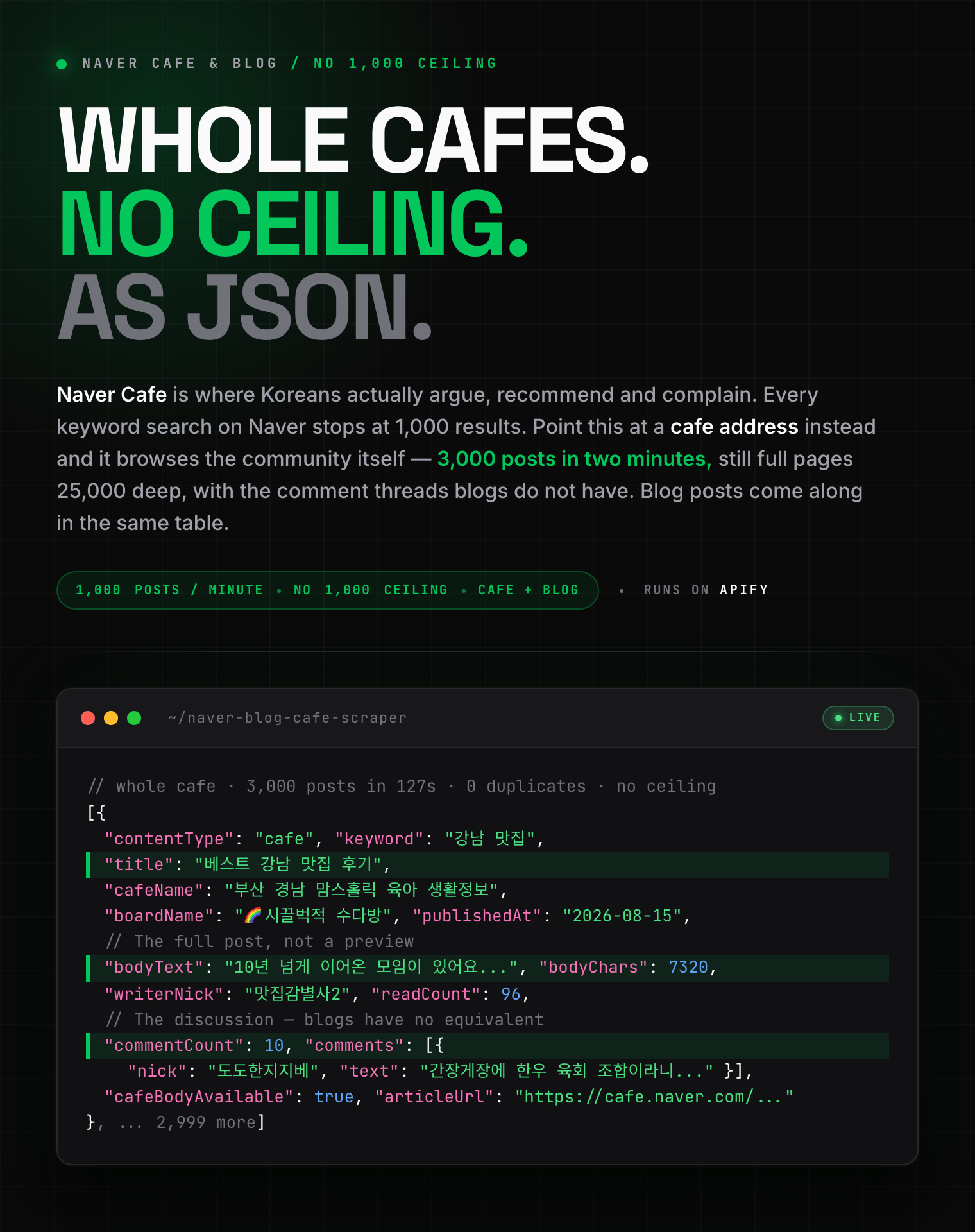
Extract Naver Cafe posts, Naver Blog posts and Naver News articles by keyword: full text, author, date, images and comment threads. Point it at a cafe address to go past Naver's 1,000-result limit, about 1,000 posts a minute. News adds publisher, section and reader comments.

- **URL**: https://apify.com/zen-studio/naver-blog-cafe-scraper.md
- **Developed by:** [Zen Studio](https://apify.com/zen-studio) (community)
- **Categories:** Social media
- **Stats:** 2 total users, 1 monthly users, 0.0% runs succeeded, 0 bookmarks
- **User rating**: No ratings yet

## Pricing

from $1.29 / 1,000 posts

This Actor is paid per event. You are not charged for the Apify platform usage, but only a fixed price for specific events.
Since this Actor supports Apify Store discounts, the price gets lower the higher subscription plan you have.

Learn more: https://docs.apify.com/platform/actors/running/actors-in-store#pay-per-event

## What's an Apify Actor?

Actors are web data automations that power AI and operations. They run on the Apify platform to scrape websites, process data, connect APIs, and automate workflows.
In Batch mode, an Actor accepts a well-defined JSON input, performs an action which can take anything from a few seconds to a few hours,
and optionally produces a well-defined JSON output, datasets with results, or files in key-value store.
In Standby mode, an Actor provides a web server which can be used as a website, API, or an MCP server.
Actors are written with capital "A".

## How to integrate an Actor?

If asked about integration, you help developers integrate Actors into their projects.
You adapt to their stack and deliver integrations that are safe, well-documented, and production-ready.
The best way to integrate Actors is as follows.

- **AI agents and MCP clients** — the [Apify MCP server](https://docs.apify.com/integrations/mcp.md) at `https://mcp.apify.com` (remote, streamable HTTP, OAuth on first use).
- **Agentic workflows and local Actor development** — [Agent Skills](https://apify.com/.well-known/agent-skills/index.json) with the [Apify CLI](https://docs.apify.com/cli/docs.md): `npm install -g apify-cli`, then `apify login`.
- **JavaScript/TypeScript projects** — the official [JS/TS client](https://docs.apify.com/api/client/js/docs.md): `npm install apify-client`.
- **Python projects** — the official [Python client](https://docs.apify.com/api/client/python/docs.md): `pip install apify-client`.
- **Any other language** — the [REST API](https://docs.apify.com/api/v2.md).

For usage examples, see the [API](#api) section below.

For more details, see Apify documentation as [Markdown index](https://docs.apify.com/llms.txt) and [Markdown full-text](https://docs.apify.com/llms-full.txt).

# README

## 네이버 카페·블로그·뉴스 스크래퍼 | Naver Cafe, Blog & News Scraper | 1,000개 제한 없이 수집 (2026)

<blockquote style="border-left:4px solid #4C945E;background:#F0FDF4;padding:14px 18px;margin:14px 0">
<span style="font-size:20px;font-weight:800;color:#1C1917">1,000개 제한 없음. 카페 하나를 통째로: 분당 1,000개, 댓글까지. 뉴스 기사도 본문·댓글까지.</span><br><span style="font-size:16px;font-weight:600;color:#44403C">No 1,000-post ceiling. Pull an entire Korean community: 1,000 cafe posts a minute, with the comment threads. Naver News articles too, full text and reader comments.</span>
</blockquote>

<a href="https://console.apify.com/actors/49Zb7Ewj7OXyRFnLp/input"><img src="https://api.apify.com/v2/key-value-stores/pJ7iaZsTFhR3k9tjV/records/naver-blog-cafe-scraper-hero.png" alt="네이버 카페·블로그 스크래퍼. Naver Cafe and Blog scraper for Korean content: 카페 글, 블로그 글, 본문 전체, 댓글, 작성자, 작성일을 구조화된 JSON으로" style="max-width:100%"></a>

<blockquote style="border-left:4px solid #4C945E;padding:10px 16px;margin:12px 0">
<span style="font-size:17px;font-weight:700">⚡ 다른 스크래퍼는 1,000개에서 멈춥니다. 카페 주소를 넣으면 계속됩니다: 2분에 3,000개, 25,000개 깊이에서도 그대로.</span><br><span style="font-size:15px;font-weight:500">Every other Naver scraper stops at 1,000 results. This one keeps going: 3,000 posts in two minutes, still full pages 25,000 deep.</span>
</blockquote>

<table>
<tr>
<td colspan="5" style="padding:10px 14px;background:#4C945E;border:none;border-radius:4px 4px 0 0">
<span style="color:#FAFAF9;font-size:14px;font-weight:700;letter-spacing:0.5px">Zen Studio Naver Scrapers</span>
<span style="color:#E8F5E9;font-size:13px">&nbsp;&nbsp;&bull;&nbsp;&nbsp;Korea's search, shopping, local and community platforms</span>
</td>
</tr>
<tr>
<td style="padding:14px 16px;border:1px solid #E7E5E4;background:#D3EDD9;border-right:none;border-top:none;vertical-align:top;width:20%">
<img src="https://apify-image-uploads-prod.s3.us-east-1.amazonaws.com/NWYsOG96fMDy8ycdf-actor-49Zb7Ewj7OXyRFnLp-kYOJCOdhrR-naver-cafe-scraper-logo.png" width="22" height="22" alt="Naver Cafe and Blog scraper" style="vertical-align:middle;border-radius:4px">&nbsp;<a href="https://apify.com/zen-studio/naver-blog-cafe-scraper" style="color:#4C945E;text-decoration:none;font-weight:700;font-size:15px">Naver Blog &amp; Cafe</a><br>
<span style="color:#4C945E;font-size:14px;font-weight:700">&#10148; You are here</span>
</td>
<td style="padding:14px 16px;border:1px solid #E7E5E4;background:#E8F5E9;border-right:none;border-top:none;vertical-align:top;width:20%">
<img src="https://apify-image-uploads-prod.s3.us-east-1.amazonaws.com/NWYsOG96fMDy8ycdf-actor-F5g6zADHgY9XgfKpv-uUDQtIEe9Q-naver-place-maps-scraper-logo.png" width="22" height="22" alt="Naver Map and Place scraper" style="vertical-align:middle;border-radius:4px">&nbsp;<a href="https://apify.com/zen-studio/naver-place-scraper" style="color:#1C1917;text-decoration:none;font-weight:700;font-size:15px">Naver Place</a><br>
<span style="color:#44403C;font-size:14px">Local businesses &amp; reviews</span>
</td>
<td style="padding:14px 16px;border:1px solid #E7E5E4;background:#E8F5E9;border-right:none;border-top:none;vertical-align:top;width:20%">
<img src="https://apify-image-uploads-prod.s3.us-east-1.amazonaws.com/NWYsOG96fMDy8ycdf-actor-DHVT6jhgablck1CTx-kFq5oLPY2n-naver-shopping-scraper.png" width="22" height="22" alt="Naver Shopping scraper" style="vertical-align:middle;border-radius:4px">&nbsp;<a href="https://apify.com/zen-studio/naver-shopping-scraper" style="color:#1C1917;text-decoration:none;font-weight:700;font-size:15px">Naver Shopping</a><br>
<span style="color:#44403C;font-size:14px">Keyword &amp; category search</span>
</td>
<td style="padding:14px 16px;border:1px solid #E7E5E4;background:#E8F5E9;border-right:none;border-top:none;vertical-align:top;width:20%">
<img src="https://apify-image-uploads-prod.s3.us-east-1.amazonaws.com/NWYsOG96fMDy8ycdf-actor-DnRAYhaJeSlPFDXy2-5fXapKgOpk-naver-shopping-scraper.png" width="22" height="22" alt="Naver product detail scraper" style="vertical-align:middle;border-radius:4px">&nbsp;<a href="https://apify.com/zen-studio/naver-product-detail-scraper" style="color:#1C1917;text-decoration:none;font-weight:700;font-size:15px">Naver Detail</a><br>
<span style="color:#44403C;font-size:14px">Specs, sellers, history</span>
</td>
<td style="padding:14px 16px;border:1px solid #E7E5E4;border-radius:0 4px 0 0;background:#E8F5E9;border-top:none;vertical-align:top;width:20%">
<img src="https://apify-image-uploads-prod.s3.us-east-1.amazonaws.com/NWYsOG96fMDy8ycdf-actor-REhyatWcBlDEfFhQN-pcFLbZbyov-naver-shopping-scraper.png" width="22" height="22" alt="Naver review scraper" style="vertical-align:middle;border-radius:4px">&nbsp;<a href="https://apify.com/zen-studio/naver-review-scraper" style="color:#1C1917;text-decoration:none;font-weight:700;font-size:15px">Naver Review</a><br>
<span style="color:#44403C;font-size:14px">Product reviews &amp; photos</span>
</td>
</tr>
</table>

#### Copy to your AI assistant

```
zen-studio/naver-blog-cafe-scraper on Apify. Scrapes Naver Blog, Naver Cafe (Korean community) and Naver News by keyword, plus every post from a given blog or cafe. Call ApifyClient("TOKEN").actor("zen-studio/naver-blog-cafe-scraper").call(run_input={...}), then client.dataset(run["defaultDatasetId"]).list_items().items. One dataset split by contentType "blog"/"cafe"/"news"; news is OFF by default, set includeNews. Full spec: GET https://api.apify.com/v2/acts/zen-studio~naver-blog-cafe-scraper/builds/default (Bearer TOKEN) → inputSchema, actorDefinition.storages.dataset, readme. Token: https://console.apify.com/account/integrations
```

### 주요 기능 | Key Features

- **뉴스 기사까지 한 테이블에.** 네이버 뉴스 기사를 본문 전체, 언론사, 섹션, 입력·수정 시각, 이미지, 독자 댓글까지 수집합니다. 블로그·카페 글과 같은 테이블에 `contentType`으로 구분되어 담깁니다.
  *Naver News in the same table: full article text, publisher, section, publish and edit times, images and the reader comment thread.*
- **1,000개 제한 없음 (카페 전체 수집).** 네이버의 키워드 검색은 어떤 스크래퍼든 약 1,000개에서 멈춥니다. **카페 주소**를 넣으면 검색이 아니라 카페 자체를 훑기 때문에 멈추지 않습니다: **2분에 3,000개**, 대략 **분당 1,000개**, 25,000개 깊이에서도 계속 나옵니다.
  *No 1,000-post ceiling: point it at a cafe address and it browses the community itself, ~1,000 posts a minute.*
- **카페 댓글 전체.** 게시글 아래 토론을 작성자·내용·날짜까지 그대로 가져옵니다. 블로그에는 없는 데이터입니다.
  *Full cafe comment threads: the discussion blogs simply do not have.*
- **본문 전체, 요약이 아님.** 카페 글은 기본으로 본문 전체가 포함되고, 블로그는 토글 하나로 본문과 이미지까지 받습니다.
  *Full post text, not previews.*
- **카페와 블로그가 한 테이블에.** `contentType` 열로 구분되므로 섞어서 받아도 하나의 시트로 내보낼 수 있습니다.
  *Both sources in one table, split by `contentType`.*
- **블로그 검색은 1,000개를 넘어갑니다.** 정확도순과 최신순이 서로 다른 결과를 주고 기간을 나누면 또 달라지므로, 많이 요청할수록 실제로 더 많이 수집됩니다.
  *Blog search sweeps past 1,000 by combining both orders with sliced date ranges.*
- **블로그 전체 아카이브.** 블로그 주소만 넣으면 그 블로그가 쓴 모든 글을 최신순으로 가져옵니다.
  *A whole blog's archive from its address.*
- **읽을 수 없는 글은 숨기지 않습니다.** 가입해야 보이는 카페는 미리보기만 제공되며, 모든 행의 `cafeBodyAvailable`이 어느 쪽인지 알려줍니다.
  *Members-only cafes are marked, never silently blank.*
- **날짜 필터**와 정확도순·최신순·둘 다 선택. 블로그 글 최대 **33개 필드**, 카페 글은 댓글 포함 **23개**.
  *Date filters, three sort modes, 33 fields on a blog post and 23 on a cafe post.*

### 사용 방법 | How to Scrape Naver Cafe and Blog

1. **검색어(Keywords)** 에 찾을 키워드를 넣습니다. 예: `강남 맛집`, `다이슨 청소기`.
2. **카페 글 포함(Include cafe posts)** 은 켜 두세요. 커뮤니티 글과 댓글이 함께 수집됩니다.
3. 카페를 통째로 원하면 **카페 주소(Cafe addresses)** 에 주소를 넣으세요. 이때는 1,000개 제한이 없습니다.
4. **시작(Start)** 을 누르고 JSON·CSV·Excel로 내려받거나 API로 가져갑니다.

*Type a keyword, leave cafe posts on, paste a cafe address for unlimited collection, then press Start.*

#### 기본: 특정 주제에 대한 반응 보기 | Basic: what Koreans are saying

```json
{
  "keywords": ["강남 맛집"],
  "maxItemsPerKeyword": 500
}
```

#### 블로그만, 본문·이미지 포함 | Blog posts only, with full text and images

```json
{
  "keywords": ["다이슨 청소기"],
  "includeCafes": false,
  "includePostBody": true,
  "maxItemsPerKeyword": 200
}
```

#### 카페 글만, 댓글 포함 | Community discussion only, with comments

```json
{
  "keywords": ["전세 사기"],
  "includeBlogs": false,
  "includeCafes": true,
  "maxItemsPerKeyword": 300
}
```

#### 블로그 전체 아카이브 | A whole blog's archive

```json
{
  "blogIds": ["https://blog.naver.com/rabochang"],
  "maxItemsPerKeyword": 1000
}
```

#### 카페 전체, 검색 제한을 넘어서 | A whole cafe, past the search limit

```json
{
  "cafeIds": ["https://cafe.naver.com/ungsangjang"],
  "includeBlogs": false,
  "maxItemsPerKeyword": 10000
}
```

#### 특정 기간, 최신순 | One quarter, newest first

```json
{
  "keywords": ["제주도 여행"],
  "sortBy": "recency",
  "dateFrom": "2026-01-01",
  "dateTo": "2026-03-31",
  "maxItemsPerKeyword": 1000
}
```

### 입력 항목 | Input Parameters

| 항목 Parameter | Type | 설명 Description |
|---|---|---|
| `keywords` | array | **검색어.** 한국어가 결과가 가장 많습니다. 키워드마다 따로 검색합니다. *What to search for; each keyword is searched separately.* |
| `blogIds` | array | **블로그 주소.** 그 블로그의 모든 글을 최신순으로 수집합니다. *Every post from a blog.* |
| `cafeIds` | array | **카페 주소.** 카페를 통째로 수집합니다. **1,000개 제한이 없습니다.** *A whole cafe, not capped at 1,000.* |
| `includeBlogs` | boolean | 네이버 블로그 글 포함. 기본 켜짐. *Naver Blog posts, on by default.* |
| `includeCafes` | boolean | 네이버 카페 글 포함(댓글 포함). 기본 켜짐. *Naver Cafe posts with comments, on by default.* |
| `includeCafeBodies` | boolean | 카페 글의 본문·댓글까지 가져오기. 끄면 훨씬 빠르고 미리보기만 수집합니다. *Full cafe text and comments; off is much faster.* |
| `includeNews` | boolean | 네이버 뉴스 기사 포함. 기본 **꺼짐**. *Naver News articles, off by default.* |
| `includeNewsBodies` | boolean | 기사 본문 가져오기. 기본 켜짐. *Full article text; on by default.* |
| `includeNewsComments` | boolean | 기사 독자 댓글 가져오기. 기본 켜짐. *Reader comments on news articles; on by default.* |
| `maxCommentsPerArticle` | integer | 기사당 최대 댓글 수(공감순). 기본 20. *Comments per article, best-rated first.* |
| `maxItemsPerKeyword` | integer | 키워드·블로그·카페 각각의 최대 수집 개수. *Max per keyword, per blog and per cafe.* |
| `sortBy` | select | `both`(기본) · `relevance`(정확도순) · `recency`(최신순). 블로그는 **both**가 1,000개를 넘기는 방법입니다. *`both` is what beats the blog cap.* |
| `dateFrom` / `dateTo` | string | 작성일 범위, `YYYY-MM-DD`. *Publication window.* |
| `includePostBody` | boolean | 블로그 본문 전체와 이미지. 글마다 요청이 하나씩 더 필요해 기본 꺼짐. *Full blog text and images, off by default.* |

#### 카페·블로그 주소는 어떤 형태든 됩니다 | Any address format works

**카페 (cafe):**
`https://cafe.naver.com/ungsangjang` · `https://cafe.naver.com/ungsangjang/867017` (글 링크) ·
`https://cafe.naver.com/f-e/cafes/26334430` (새 주소 형식) ·
`https://cafe.naver.com/ArticleRead.nhn?clubid=26334430` (예전 주소 형식) ·
`ungsangjang` 또는 `26334430`

**블로그 (blog):**
`https://blog.naver.com/rabochang` · `https://blog.naver.com/rabochang/224370104013` (글 링크) ·
`rabochang`

카페가 아닌 주소는 건너뛰고 로그에 남깁니다. *Anything that is not a cafe is skipped with a note in the log.*

#### 없는 옵션과 그 이유 | Why there is no post-type filter

Naver's blog search accepts a `type` parameter and then ignores it: every value, including a nonsense one, returns identical results. It is not offered here, because an input that silently does nothing is worse than no input at all. The same applies to a third sort value the source accepts and quietly treats as best-match.

#### 어디까지 수집되나 | How far each source reaches

**Blog keyword search** has no practical ceiling: best-match and newest-first return different sets, and so does every date range, so the sweep keeps finding more.

**Cafe keyword search** is capped at about **1,000 posts per keyword**. Its two sort orders are the same pool in a different order, and it has no date filter, and that is a real limit, not something to work around.

**Cafe addresses have no such cap.** Paste a cafe into **Cafe addresses** and the Actor browses the community itself rather than searching it: measured **2,500 posts in 34 seconds**, still returning full pages 25,000 posts deep. That is the way to collect a Korean community in bulk.

### 수집되는 데이터 | What Data Can You Extract from Naver Cafe, Blog and News?

글 하나가 한 행입니다. `contentType`이 `blog`, `cafe`, `news`로 구분합니다. 블로그 제목은 검색어가 강조 마크업으로 감싸져 오는데, `titleClean`이 그것을 제거한 텍스트이고 **원본도 함께 보관**하므로 어떤 단어가 매칭됐는지 확인할 수 있습니다. 날짜는 모두 한국 시간(KST) 기준입니다.

*One row per post or article, split by `contentType` into blog, cafe and news. Highlight markup is stripped into `titleClean` with the original kept alongside. Dates are KST.*

The examples below are real rows. Only two things are shortened: **arrays are cut to their first item or two**, and single strings longer than 200 characters are middle-truncated. **Every key is shown, at every level.**

#### 출력 예시: 블로그 글 | Output Example: a blog post

```json
{
  "domainIdOrBlogId": "rabochang",
  "logNo": "224370104013",
  "gdid": "90000003_00000000000000343D8016CD",
  "postUrl": "https://blog.naver.com/rabochang/224370104013",
  "title": "<strong class=\"search_keyword\">강남</strong>역 <strong class=\"search_keyword\">맛집</strong>,  팔도밀방 <strong class=\"search_keyword\">강남</strong>본점 토요일 점심 솔직후기",
  "noTagTitle": null,
  "contents": "오늘은 <strong class=\"search_keyword\">강남</strong>역 인근에서 맛과 비주얼 그리고 섬세한 친절함까지 완벽했던 한식 <strong class=\"s…방문 후기를 가져왔습니다! 저희는 주말인 토요일 점심시간에 아이를 동반해서 다녀왔는데요 아이와 함께 방문해도 정말 편하게 식사할 수 있도록 배려해 주신 배려 깊은 서비스... ",
  "nickName": "rabochang",
  "blogName": "rabochang님의 블로그",
  "profileImgUrl": "https://blogpfthumb-phinf.pstatic.net/MjAyNjAyMjVfMjQ0/MDAxNzcyMDI0NzQ0NDI1.F1H_rhEK5iRceIybtmyY7xfr3vdOW5I23uBI-rJzxN0g.u0vI2QuI_dC-66G6PsXpEVgaWmkX2OxTQQf2IrbjE0cg.JPEG/profileImage.jpg?type=s1",
  "addDate": 1785998760000,
  "thumbnails": [
    {
      "url": "https://blogthumb.pstatic.net/MjAyNjA4MDZfMTg3/MDAxNzg1OTk4NzMwODE3.JMmPh9Wnf95W3p57Ec7zZsYqLxfE_C…-tAg.9f2Zp_eCZ0ZqcLkhMYU_PBkrAtTy8qYlLtpX_0KZ4jYg.JPEG/KakaoTalk_20260801_131738233_10.jpg?type=s2",
      "videoThumbnail": false,
      "vrthumbnail": false
    },
    {
      "url": "https://blogthumb.pstatic.net/MjAyNjA4MDZfMTAx/MDAxNzg1OTc4NjM3NzEy.pm4crsqb6TRt8p8S2Jomxip-21jIFd…GY7xuEg.tZ2lAfgQmIAVJnAPrAVzey9EyViiJu6ajKOwagLVTpUg.JPEG/KakaoTalk_20260801_131738233.jpg?type=s2",
      "videoThumbnail": false,
      "vrthumbnail": false
    },
    {
      "url": "https://blogthumb.pstatic.net/MjAyNjA4MDZfMjkw/MDAxNzg1OTc5MDU5MDg3.d6AF2hFwFpxpd_jdcI0zl2Jpg3rrOs…31Yg.T9O7J4IUK-SjTEFxPYv3lcXJTeNOBrfVP2jnLl_ZrFsg.JPEG/KakaoTalk_20260801_131738233_01.jpg?type=s2",
      "videoThumbnail": false,
      "vrthumbnail": false
    }
  ],
  "product": null,
  "titleHead": null,
  "titleHeadColor": null,
  "buyWithMyOwnMoney": false,
  "marketPost": false,
  "hasThumbnail": true,
  "contentType": "blog",
  "blogId": "rabochang",
  "titleClean": "강남역 맛집,  팔도밀방 강남본점 토요일 점심 솔직후기",
  "contentsClean": "오늘은 강남역 인근에서 맛과 비주얼 그리고 섬세한 친절함까지 완벽했던 한식 맛집 팔도밀방 강남본점 내돈내산 주말 방문 후기를 가져왔습니다! 저희는 주말인 토요일 점심시간에 아이를 동반해서 다녀왔는데요 아이와 함께 방문해도 정말 편하게 식사할 수 있도록 배려해 주신 배려 깊은 서비스...",
  "publishedAt": "2026-08-06",
  "publishedAtTime": "2026-08-06T15:46:00+09:00",
  "thumbnailUrls": [
    "https://blogthumb.pstatic.net/MjAyNjA4MDZfMTg3/MDAxNzg1OTk4NzMwODE3.JMmPh9Wnf95W3p57Ec7zZsYqLxfE_C…-tAg.9f2Zp_eCZ0ZqcLkhMYU_PBkrAtTy8qYlLtpX_0KZ4jYg.JPEG/KakaoTalk_20260801_131738233_10.jpg?type=s2",
    "https://blogthumb.pstatic.net/MjAyNjA4MDZfMTAx/MDAxNzg1OTc4NjM3NzEy.pm4crsqb6TRt8p8S2Jomxip-21jIFd…GY7xuEg.tZ2lAfgQmIAVJnAPrAVzey9EyViiJu6ajKOwagLVTpUg.JPEG/KakaoTalk_20260801_131738233.jpg?type=s2",
    "https://blogthumb.pstatic.net/MjAyNjA4MDZfMjkw/MDAxNzg1OTc5MDU5MDg3.d6AF2hFwFpxpd_jdcI0zl2Jpg3rrOs…31Yg.T9O7J4IUK-SjTEFxPYv3lcXJTeNOBrfVP2jnLl_ZrFsg.JPEG/KakaoTalk_20260801_131738233_01.jpg?type=s2"
  ],
  "thumbnailCount": 4,
  "keyword": "강남 맛집",
  "sortUsed": "both",
  "dateWindow": "",
  "bodyText": "강남역 맛집,  팔도밀방 강남본점 토요일 점심 솔직후기\n오늘은 강남역 인근에서\n맛과 비주얼 그리고 섬세한 친절함까지\n완벽했던 한식 맛집 팔도밀방 강남본점\n내돈내산 주말 방문\n후…이 많으셨던 분들도\n걱정 없이 방문하실 수 있는 곳입니다\n맛있는 치즈감자전과\n찰진 진미 한우 뭉티기\n그리고 배려 넘치는 수육전골까지\n꼭 한번 드셔보시길\n강력하게 추천해 드려요!",
  "bodyChars": 1638,
  "imageUrls": [
    "https://blogfiles.pstatic.net/MjAyNjAzMTlfMTM5/MDAxNzczOTIwMDU1NTc5.RSYi88Qrov7vHT0SGzqi1__ORBb5Qp…BScg2Qg.QZI2147xczzG5XZqrF_6YBvYk_-zP2U0t56gDf0H1jQg.PNG/8_%EC%9E%A5%EB%AF%BC%EC%84%9D.png/backtop",
    "https://postfiles.pstatic.net/MjAyNjA4MDZfMTAx/MDAxNzg1OTc4NjM3NzEy.pm4crsqb6TRt8p8S2Jomxip-21jIFdf9dcAj0GY7xuEg.tZ2lAfgQmIAVJnAPrAVzey9EyViiJu6ajKOwagLVTpUg.JPEG/KakaoTalk_20260801_131738233.jpg",
    "https://postfiles.pstatic.net/MjAyNjA4MDZfMTI5/MDAxNzg1OTc5MTk0MDg2.mmZL5VIF0fvaa6RIwypMyWfGl_IaQUpbnQb3n60-AZUg.Htj0fcGWlUR6i0UWALmJuCsI911bWHJsIk7D1fYwFCcg.JPEG/KakaoTalk_20260801_131738233_03.jpg"
  ],
  "hasBody": true
}
```

#### 출력 예시: 카페 글과 댓글 | Output Example: a cafe post with comments

```json
{
  "cafeSlug": "ungsangjang",
  "articleId": "867017",
  "articleUrl": "https://cafe.naver.com/ungsangjang/867017",
  "cafeHomeUrl": "https://cafe.naver.com/ungsangjang",
  "title": "베스트 강남 맛집 후기",
  "snippet": "저녁에 모여 제대로 먹고 나왔는데, 결론부터 말하면 밥도둑이 따로 없던 강남 맛집이었습니다. 저희가 간 곳은 더오다리집 강남점이에요. 역삼역 7번 출구에서 걸어서 2분이면 도착… 쉬웠습니다. 퇴근하고 각자 오는 자리라 이 정도 접근성이면 아무도 늦을 일이 없더라고요. 주차는 매장 앞에 3대 정도 가능하니 참고하세요. 들어가자마자 규모에 놀랐어요....",
  "cafeName": "부산 경남 맘스홀릭 육아 생활정보 체험단 이벤트 중고거래",
  "publishedAtText": "5일 전",
  "publishedAt": "2026-08-16",
  "keyword": "강남 맛집",
  "contentType": "cafe",
  "sortUsed": "both",
  "cafeBodyAvailable": true,
  "cafeId": 26334430,
  "subject": "베스트 강남 맛집 후기",
  "bodyText": "10년 넘게 이어온 모임이 있어요. 문제는 만날 때마다 늘 가던 데만 간다는 겁니다. 이번엔 한 명이 강남에 확장 이전한 게장집이 있다며 밀어서, 오랜만에 새로운 곳으로 잡았어…      \n                        \n                            \n                                    ​",
  "bodyChars": 7320,
  "boardName": "🌈시끌벅적 수다방",
  "writerNick": "맛집감별사2",
  "writerLevel": "성실멤버",
  "readCount": 96,
  "commentCount": 10,
  "comments": [
    {
      "nick": "도도한지지베",
      "text": "간장게장에 한우 육회 조합이라니 보기만 해도 군침 도네요! 오랜 시간 함께한 모임에서 새로운 맛집을 찾는 재미까지 더해져 더 특별한 시간이었을 것 같아요. 넓은 공간에 정갈한 반찬, 꽉 찬 게살까지 제대로 된 한 끼였다는 게 느껴집니다.",
      "date": 1786852114000
    },
    {
      "nick": "따뜻한봄날",
      "text": "게딱지에 밥 비벼 먹으면 진짜 밥 한 공기 순식간에 사라지죠~\r\n김이랑 감태에 육회까지 곁들여 먹고프네요~",
      "date": 1786852222000
    },
    {
      "nick": "수아용준맘",
      "text": "간장게장 알과내장 가득이네요\r\n게딱지 밥 비벼 먹으면 좋죠\r\n육회랑 하이볼까지 맛나겠어요",
      "date": 1786852381000
    }
  ]
}
```

#### 출력 예시: 뉴스 기사와 댓글 | Output Example: a news article with comments

```json
{
  "newsId": "047/0002526287",
  "pressId": "047",
  "articleId": "0002526287",
  "title": "예측이 안 되는 여행, 웃음이 빵빵 터지네",
  "titleHighlighted": "예측이 안 되는 <mark>여행</mark>, 웃음이 빵빵 터지네",
  "snippet": "ⓒ 뜬뜬 중요한 건 계획이 아니다 지난달 우리 가족의 제주도 여행을 떠올려 보았다. 난 여행 일정이 정해지자마자 폭풍 검색을 시작했다. 코로나 이후 처음 가는 제주도 여행이라 그런지 알차게 시간을 보내고 싶은 욕심이 그득그득해서 덜어내지지가 않았다. 여행 기간과 장마 ...",
  "snippetHighlighted": "ⓒ 뜬뜬 중요한 건 계획이 아니다 지난달 우리 가족의 <mark>제주도 여행</mark>을 떠올려 보았다. 난 여행 일정이 정해지자마자 폭풍 검색을 시작했다. 코로나 이후 처음 가는 <mark>제주도 여행</mark>이라 그런지 알차게 시간을 보내고 싶은 욕심이 그득그...",
  "press": "오마이뉴스",
  "pressUrl": "https://media.naver.com/press/047",
  "isPressPick": true,
  "originalUrl": "https://www.ohmynews.com/NWS_Web/View/at_pg.aspx?CNTN_CD=A0003260196&CMPT_CD=P0010&utm_source=naver&utm_medium=newsearch&utm_campaign=naver_news",
  "articleUrl": "https://n.news.naver.com/mnews/article/047/0002526287?sid=103",
  "thumbnailUrl": "https://search.pstatic.net/common/?src=https%3A%2F%2Fimgnews.pstatic.net%2Fimage%2Forigin%2F047%2F2026%2F08%2F21%2F2526287.jpg&type=fface200_200&expir...",
  "publishedAtText": "1일 전",
  "publishedAt": "2026-08-21",
  "hasSnippet": true,
  "keyword": "제주도 여행",
  "sortUsed": "relevance",
  "contentType": "news",
  "articleBodyAvailable": true,
  "bodyText": "[김지은의 그거 봤어?] 내비없이 국도로 여행하는 예능 '풍향중'기자말짧은 숏폼 콘텐츠가 대세인 시대에 느림에 주목합니다. ‘결과보다는 과정'을, '성공보다는 태도'를 보여주는 드라마나 예능에서 마음의 위로를 얻고 인생의 지혜를 발견하기도 합니다. '김지은의 그거 봤어...",
  "bodyChars": 3271,
  "imageUrls": [
    "https://imgnews.pstatic.net/image/047/2026/08/21/0002526287_001_20260821141613995.jpg",
    "https://imgnews.pstatic.net/image/047/2026/08/21/0002526287_002_20260821141614034.jpg",
    "... 61 more"
  ],
  "category": "생활",
  "publishedAtTime": "2026-08-21 14:16:13",
  "updatedAtTime": null,
  "reporter": null,
  "articleTitle": "예측이 안 되는 여행, 웃음이 빵빵 터지네",
  "comments": [
    {
      "commentId": "902594086630850603",
      "text": "편리함을 추구하는 시대 속에서 굳이 불편함을 쫓아 웃음을 선사하는 모습에 옛 추억도 떠오르고, 또 그 불편함 속에서 생각지 못...",
      "author": "na****",
      "date": "2026-08-21T14:44:08+0900",
      "likes": 4,
      "dislikes": 1,
      "replyCount": 0,
      "isReply": false
    },
    {
      "commentId": "902593351201587457",
      "text": "정말 재밌음, 한국에 이렇게 좋은곳도 많다는것도 알게되고 핑계고 제작진들도 같이 나와서 더 좋음",
      "author": "ic****",
      "date": "2026-08-21T14:32:43+0900",
      "likes": 2,
      "dislikes": 1,
      "replyCount": 0,
      "isReply": false
    },
    {
      "commentId": "902688780375294130",
      "text": "연예인들의 뻔한 여행예능이 아닌 전혀 새로운 아이디어가 빛났어요. 역시 유재석이 하면 다르다는 걸 새삼 확인했네요. 그의 영향...",
      "author": "sh****",
      "date": "2026-08-22T15:13:59+0900",
      "likes": 0,
      "dislikes": 0,
      "replyCount": 0,
      "isReply": false
    }
  ],
  "commentCount": 3,
  "commentsFetched": 3
}
```

### 요금 | How Much Does It Cost to Scrape Naver Cafe, Blog and News?

| 수집량 Volume | 요금 Cost |
|---|---|
| 1,000개 | **$1.49** |
| 10,000개 | **$14.90** |

블로그 글, 카페 글, 그리고 카페 글의 댓글 전체까지 모두 **1건**으로 계산되는 단일 요금입니다.
*One price for everything: a post and its whole comment thread count as one result.*

| Tier | Per 1,000 posts |
|---|---|
| Free / Bronze | $1.49 |
| Silver | $1.39 |
| Gold, Platinum, Diamond | $1.29 |

실행당 $0.005가 추가됩니다. 댓글·이미지·본문 전체에 대한 별도 요금은 없습니다.
*Plus $0.005 per Actor start. No separate charge for comments, images or full post text.*

카페 하나에 글이 수백만 개 있습니다. 무제한 수집이 실제로 감당 가능한 가격입니다.
*A single cafe holds millions of posts, and this is priced so collecting them is actually affordable.*

### 활용 팁 | Advanced Usage

#### 카페 글 1,000개 넘게 받기 | Get more than 1,000 cafe posts

Keyword search stops at ~1,000 per keyword and no setting changes that. Use **Cafe addresses** instead: browsing a community is uncapped, and 2,500 posts took 34 seconds. Find the cafes worth browsing by running a keyword search first; every row carries the cafe it came from.

#### 키워드 하나로 1,000개 넘게 | More than 1,000 for one keyword

Just ask for more. Leave `sortBy` on **both** and set `maxItemsPerKeyword` high. The Actor searches both orders and slices the date range, which reach different sets. A request for 1,600 returned 1,600 unique posts.

#### 기간별 추이 추적 | Track a topic over time

Set `dateFrom` and `dateTo` to a month and schedule it monthly. Each month's window returns its own set, so the results stitch together into a clean time series with no overlap.

#### 브랜드 모니터링 | Brand monitoring in Korea

Schedule your brand name **daily** with `sortBy: "recency"` and a small `maxItemsPerKeyword`. New posts appear at the top of the newest-first order, so a small daily run catches everything without re-collecting the archive.

#### 뉴스 데일리 모니터링 | Daily Korean news monitoring

```json
{
    "keywords": ["브랜드명"],
    "includeBlogs": false,
    "includeCafes": false,
    "includeNews": true,
    "sortBy": "recency",
    "maxItemsPerKeyword": 200,
    "maxCommentsPerArticle": 50
}
```

#### 광고 말고 진짜 후기 찾기 | Find the complaints, not the ads

Set `includeBlogs: false`. Korean blog content is heavily monetised; cafe posts are community members talking to each other, and the comment threads are where the real opinions are.

#### Place 액터와 함께 쓰기 | Feed it from the Place Actor

Collect Korean businesses with **Naver Place Scraper**, then run their names through this Actor to see what people write about them.

### 예약 실행·연동 | Scheduling and Integrations

Apify Console에서 예약 실행할 수 있습니다. 브랜드·주제 모니터링은 **매일**, 기간별 아카이브 구축은 **매월**이 적당합니다. 결과는 Google Sheets, Airtable, Make, Zapier, Slack 또는 웹훅으로 바로 보낼 수 있고, 모든 실행 결과를 API로 JSON·CSV·Excel로 가져갈 수 있습니다.

*Schedule daily for monitoring, monthly for archive building. Pushes to Sheets, Airtable, Make, Zapier, Slack or your own webhook.*

New to scheduling on Apify? Apify's own walkthroughs cover it:

- [How to schedule Actors](https://www.youtube.com/watch?v=vvcHhjLrLR8)
- [Integrations and webhooks](https://www.youtube.com/watch?v=BsidLZKdYWQ)

### 자주 묻는 질문 | FAQ

**뉴스 기사도 수집되나요? | Does this collect Naver News articles?**
네. **뉴스 기사 포함**을 켜면 같은 키워드로 뉴스도 함께 수집합니다. 기사마다 본문 전체, 언론사, 섹션, 입력 시각과 수정 시각, 이미지, 그리고 독자 댓글이 함께 옵니다. 기본값은 꺼짐이라, 기존에 쓰던 설정은 예전과 똑같은 결과를 돌려줍니다.
*Yes. Switch on **Include news articles** and the same keyword also returns Naver News, each with its full text, publisher, section, publish and edit times, images and reader comments. It is off by default, so an existing saved task returns exactly what it returned before.*

**모든 기사에 댓글이 있나요? | Do all news articles have comments?**
아닙니다. 대략 10건 중 4건 정도에 댓글이 있습니다. 나머지는 언론사가 댓글을 닫아둔 기사입니다. `commentCount`는 그 기사가 실제로 가진 댓글 수이고, `commentsFetched`는 이번 실행에서 가져온 수입니다.
*No, roughly 4 in 10 have any. The rest have comments switched off by their publisher. `commentCount` is what the article has; `commentsFetched` is what this run collected.*

**네이버 카페가 뭔가요? / What is Naver Cafe, and why does it matter?**
네이버 카페는 한국의 커뮤니티 플랫폼입니다. 지역 모임, 육아, 취미, 중고거래, 소비자 불만이 모두 여기 모입니다. 네이버 블로그가 마케팅 목적으로 많이 쓰이는 것과 달리, 카페는 회원들이 서로에게 하는 이야기라 실제 여론을 보기에 훨씬 낫습니다.
*Naver Cafe is Korea's community platform, closer to Reddit than to a blog. Blog content is heavily marketed; cafe content is members talking to each other, which makes it the better sentiment source.*

**1,000개보다 많이 받을 수 있나요? / Can I really get more than 1,000 results?**
카페는 **가능합니다**. 검색 대신 **카페 주소**를 넣으면 제한이 없습니다. 2분에 3,000개를 수집했고, 25,000개 깊이에서도 계속 나왔습니다. 블로그 검색도 정확도순과 최신순, 그리고 기간을 나눠 훑기 때문에 1,000개를 넘습니다. 다만 **카페 키워드 검색**은 약 1,000개가 네이버 자체의 한계라 우회할 수 없습니다.
*Yes for cafes: use a cafe address, not a keyword. Blog search also sweeps past 1,000. Only cafe keyword search is genuinely capped.*

**네이버에 API가 있지 않나요? / Does Naver have an API for this?**
공식 개발자 API가 있지만 키와 사용량 제한이 필요하고, 댓글·카페 본문·1,000개 이후의 결과는 제공하지 않습니다. 이 액터는 키가 필요 없고 본문과 댓글까지 모두 가져옵니다.
*Naver's official API is keyed, quota'd, and returns no comments, no cafe bodies and no way past the ceiling.*

**카페 글 본문이 비어 있는 경우가 있어요 / Why do some cafe posts have no text?**
가입해야 볼 수 있는 카페입니다. 비회원에게는 미리보기만 보이며, 이는 어떤 스크래퍼도 계정 없이는 읽을 수 없습니다. 모든 행의 `cafeBodyAvailable`로 걸러낼 수 있습니다.
*Those cafes are members-only. Every row carries `cafeBodyAvailable` so you can filter them out.*

**결과는 한국어인가요? / Are the results in Korean?**
네. 게시된 그대로의 한국어 원문이므로 번역이나 NLP에 바로 쓸 수 있습니다.
*Yes. Korean content returned as published, ready for translation or NLP.*

**얼마나 예전 글까지 가나요? / How far back does it go?**
네이버 블로그는 2000년대 중반까지 색인되어 있습니다. `dateFrom`으로 지정하세요. 오래된 기간은 글 자체가 적어서 결과가 줄어듭니다.
*Blog content is indexed back to the mid-2000s; set `dateFrom` to reach it.*

**법적으로 괜찮나요? / Is it legal to scrape Naver Cafe and Blog?**
공개된 콘텐츠만 수집하며 로그인이 필요한 영역은 건드리지 않습니다. 네이버 이용약관과 GDPR·CCPA·개인정보 보호법(PIPA) 준수 책임은 이용자에게 있습니다. 게시글과 댓글에는 닉네임·프로필 이미지 같은 개인정보가 포함되므로 그에 맞게 다뤄 주세요.
*Only publicly visible content, nothing behind a login. You remain responsible for Naver's terms, GDPR, CCPA and Korea's PIPA. Posts and comments contain personal data such as nicknames.*

### More Zen Studio scrapers for Asian platforms

**🛒 E-commerce**

- <img src="https://apify-image-uploads-prod.s3.us-east-1.amazonaws.com/NWYsOG96fMDy8ycdf-actor-OFZVXeeKVlKMMXsJk-wE33BzvwYy-aliexpress-scraper-logo.jpg" width="16" height="16" style="vertical-align:middle;border-radius:3px"> **AliExpress 全球速卖通**
  - [AliExpress Product Scraper](https://apify.com/zen-studio/aliexpress-scraper)
- <img src="https://apify-image-uploads-prod.s3.us-east-1.amazonaws.com/NWYsOG96fMDy8ycdf-actor-F5g6zADHgY9XgfKpv-uUDQtIEe9Q-naver-place-maps-scraper-logo.png" width="16" height="16" style="vertical-align:middle;border-radius:3px"> **Naver Place 네이버 플레이스**
  - [Naver Place Scraper](https://apify.com/zen-studio/naver-place-scraper)
- <img src="https://apify-image-uploads-prod.s3.us-east-1.amazonaws.com/NWYsOG96fMDy8ycdf-actor-DHVT6jhgablck1CTx-kFq5oLPY2n-naver-shopping-scraper.png" width="16" height="16" style="vertical-align:middle;border-radius:3px"> **Naver Shopping 네이버쇼핑**
  - [Naver Shopping Scraper](https://apify.com/zen-studio/naver-shopping-scraper)
  - [Naver Shopping Product Detail Scraper](https://apify.com/zen-studio/naver-product-detail-scraper)
  - [Naver Shopping Review Scraper](https://apify.com/zen-studio/naver-review-scraper)
- <img src="https://apify-image-uploads-prod.s3.us-east-1.amazonaws.com/NWYsOG96fMDy8ycdf-actor-0hS9yNh3RU8DC6puG-LozxRJkdHN-coupang-review-scraper-logo.png" width="16" height="16" style="vertical-align:middle;border-radius:3px"> **Coupang 쿠팡**

  - [Coupang Search Scraper](https://apify.com/zen-studio/coupang-search-scraper)
  - [Coupang Product Detail Scraper](https://apify.com/zen-studio/coupang-detail-scraper)
  - [Coupang Review Scraper](https://apify.com/zen-studio/coupang-review-scraper)
- <img src="https://apify-image-uploads-prod.s3.us-east-1.amazonaws.com/NWYsOG96fMDy8ycdf-actor-PsAKYWM55HG4AHXjK-ItywU7Bp0s-taobao-search-scraper-logo.png" width="16" height="16" style="vertical-align:middle;border-radius:3px"> **Taobao 淘宝**

  - [Taobao Search Scraper](https://apify.com/zen-studio/taobao-search-scraper)
  - [Taobao Product Detail Scraper](https://apify.com/zen-studio/taobao-detail-scraper)
  - [Taobao Seller Products Scraper](https://apify.com/zen-studio/taobao-seller-products-scraper)
- <img src="https://apify-image-uploads-prod.s3.us-east-1.amazonaws.com/NWYsOG96fMDy8ycdf-actor-uZy6tbKLKnSVtT4BN-emXnT123uR-jd-com-scraper-logo-square.png" width="16" height="16" style="vertical-align:middle;border-radius:3px"> **JD.com 京东**

  - [JD.com Search Scraper](https://apify.com/zen-studio/jd-com-search-scraper)
- <img src="https://apify-image-uploads-prod.s3.us-east-1.amazonaws.com/NWYsOG96fMDy8ycdf-actor-ghXSMZcW3GxsCrkiR-5hnvsKv4Yt-1688-wholesale-scraper-logo.png" width="16" height="16" style="vertical-align:middle;border-radius:3px"> **1688 阿里巴巴**

  - [1688 Wholesale Scraper](https://apify.com/zen-studio/1688-wholesale-scraper)
  - [Alibaba Scraper](https://apify.com/zen-studio/alibaba-scraper)
  - [1688 Reviews Scraper](https://apify.com/zen-studio/1688-reviews-scraper)
- <img src="https://apify-image-uploads-prod.s3.us-east-1.amazonaws.com/NWYsOG96fMDy8ycdf-actor-5QcLc4BHaLMBUKYs3-f3CWQ60Row-goofish-search-scraper-logo.png" width="16" height="16" style="vertical-align:middle;border-radius:3px"> **Goofish 闲鱼**

  - [Goofish (Xianyu) Search Scraper](https://apify.com/zen-studio/goofish-xianyu-search-scraper)
  - [Goofish (Xianyu) Seller Scraper](https://apify.com/zen-studio/goofish-xianyu-seller-scraper)
  - [Goofish (Xianyu) Item Detail Scraper](https://apify.com/zen-studio/goofish-xianyu-item-detail-scraper)
  - [Goofish (Xianyu) Item Comments & Q\&A Scraper](https://apify.com/zen-studio/goofish-xianyu-item-comments-scraper)
  - [Goofish (Xianyu) Reverse Image Search Scraper](https://apify.com/zen-studio/goofish-xianyu-visual-search-scraper)

**🎬 Short-video & social**

- <img src="https://apify-image-uploads-prod.s3.us-east-1.amazonaws.com/NWYsOG96fMDy8ycdf-actor-3TJaaOJDU1AMiOoJM-Vu2eVr0P6N-douyin-profile-scraper-logo.png" width="16" height="16" style="vertical-align:middle;border-radius:3px"> **Douyin 抖音**

  - [Douyin Search Scraper](https://apify.com/zen-studio/douyin-search-scraper)
  - [Douyin Profile Scraper](https://apify.com/zen-studio/douyin-profile-scraper)
  - [Douyin Video Scraper](https://apify.com/zen-studio/douyin-video-scraper)
  - [Douyin Comments Scraper](https://apify.com/zen-studio/douyin-comments-scraper)
  - [Douyin Transcripts Scraper](https://apify.com/zen-studio/douyin-transcripts-scraper)
  - [Douyin Creator Rankings Scraper](https://apify.com/zen-studio/douyin-xingtu-rankings-scraper)
  - [Douyin Live Recorder](https://apify.com/zen-studio/douyin-live-recorder)
  - [Douyin Hot Search Scraper](https://apify.com/zen-studio/douyin-hot-search-scraper)
  - [Douyin Product Search Scraper](https://apify.com/zen-studio/douyin-product-search-scraper)
- <img src="https://apify-image-uploads-prod.s3.us-east-1.amazonaws.com/NWYsOG96fMDy8ycdf-actor-mHKEEgoDqr6btQQer-fUs5ZquIeN-xiaohongshu-search-scraper-logo-square.png" width="16" height="16" style="vertical-align:middle;border-radius:3px"> **RedNote 小红书**

  - [RedNote User Profile Scraper](https://apify.com/zen-studio/rednote-user-profile-scraper)
  - [RedNote Search Scraper](https://apify.com/zen-studio/rednote-search-scraper)
  - [RedNote Comments Scraper](https://apify.com/zen-studio/rednote-comments-scraper)
  - [RedNote Product Search Scraper](https://apify.com/zen-studio/rednote-product-search-scraper)
  - [RedNote Note Detail Scraper](https://apify.com/zen-studio/rednote-note-detail-scraper)
  - [RedNote Product Reviews Scraper](https://apify.com/zen-studio/rednote-product-reviews-scraper)
  - [RedNote Live Recorder](https://apify.com/zen-studio/rednote-live-recorder)
- <img src="https://apify-image-uploads-prod.s3.us-east-1.amazonaws.com/NWYsOG96fMDy8ycdf-actor-dexCSKEZtKS8hg4fT-lD4weyiYga-shigua-____-scraper-logo.jpg" width="16" height="16" style="vertical-align:middle;border-radius:3px"> **Xigua 西瓜视频**

  - [Xigua Video Search Scraper](https://apify.com/zen-studio/xigua-video-search-scraper)
  - [Xigua Video Detail Scraper](https://apify.com/zen-studio/xigua-video-detail-scraper)
- <img src="https://apify-image-uploads-prod.s3.us-east-1.amazonaws.com/NWYsOG96fMDy8ycdf-actor-oSxuPDE1h3HAsHZSu-x3uV98mgTe-bilibili-scraper-logo.png" width="16" height="16" style="vertical-align:middle;border-radius:3px"> **Bilibili 哔哩哔哩**

  - [Bilibili Video Scraper](https://apify.com/zen-studio/bilibili-video-scraper)
  - [Bilibili Danmaku Scraper](https://apify.com/zen-studio/bilibili-danmaku-scraper)

**🏠 Real estate & autos**

- <img src="https://api.apify.com/v2/key-value-stores/pJ7iaZsTFhR3k9tjV/records/naver-land-scraper-hero.png" width="16" height="16" style="vertical-align:middle;border-radius:3px"> **Naver 부동산**
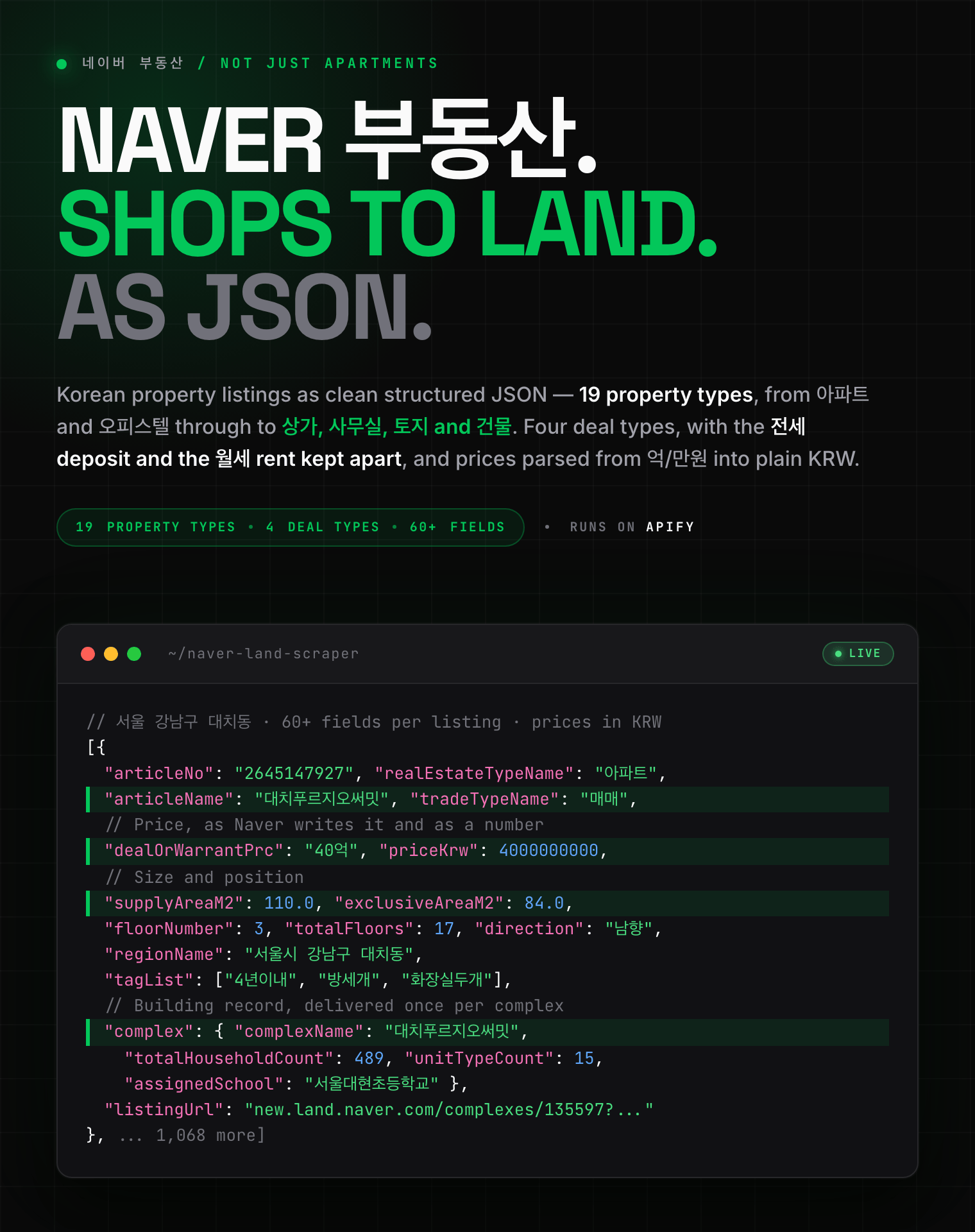
  - [Naver Real Estate Scraper](https://apify.com/zen-studio/naver-land-scraper)
- <img src="https://apify-image-uploads-prod.s3.us-east-1.amazonaws.com/NWYsOG96fMDy8ycdf-actor-1tAzNSf8Kz0v7Q2Lr-AINJ7FsZVU-anjuke-scraper-logo.jpg" width="16" height="16" style="vertical-align:middle;border-radius:3px"> **Anjuke 安居客**

  - [Anjuke For-Sale Listings Scraper](https://apify.com/zen-studio/anjuke-real-estate-scraper)
  - [Anjuke New-Home Scraper](https://apify.com/zen-studio/anjuke-new-home-scraper)
  - [Anjuke Rental Listings Scraper](https://apify.com/zen-studio/anjuke-rent-scraper)
  - [Anjuke Listing Detail Scraper](https://apify.com/zen-studio/anjuke-sale-detail-scraper)
- <img src="https://apify-image-uploads-prod.s3.us-east-1.amazonaws.com/NWYsOG96fMDy8ycdf-actor-32OkWqsiUywoq2ci3-7JhFlW1qg3-58__-real-estate-scraper-logo.jpg" width="16" height="16" style="vertical-align:middle;border-radius:3px"> **58.com 58同城**

  - [58.com Real Estate Scraper](https://apify.com/zen-studio/58-real-estate-scraper)
- <img src="https://apify-image-uploads-prod.s3.us-east-1.amazonaws.com/NWYsOG96fMDy8ycdf-actor-ytaE4YpSmjXDmibPv-L1UMPHa2bO-che168-autohome-scraper-logo.png" width="16" height="16" style="vertical-align:middle;border-radius:3px"> **Autohome 汽车之家**

  - [Autohome (Che168) Used-Car Scraper](https://apify.com/zen-studio/che168-car-scraper)

### 문의 | Support

버그를 발견했거나 필요한 필드가 없다면 Issues 탭에 남겨 주세요. 특정 실행에 대한 문의는 run ID를 함께 주시면 가장 빠릅니다.
*Found a bug or need a field? Open an issue on the Issues tab; a run ID helps.*

### 법적 고지 | Legal Compliance

공개된 페이지만 접근합니다. 로그인하지 않고, 접근 제한을 우회하지 않으며, 비공개 데이터를 수집하지 않습니다. 가입제 카페는 우회하지 않고 그 사실을 표시합니다. 데이터 사용에 대한 책임은 이용자에게 있으며 네이버 이용약관, GDPR, CCPA, 개인정보 보호법(PIPA)을 준수해야 합니다.

*Only publicly available pages. No login, no bypassing access controls, no private data; members-only cafes are reported, not circumvented. You remain responsible for compliance with Naver's terms, GDPR, CCPA and Korea's PIPA.*

***

*네이버 카페·블로그 콘텐츠 수집: 본문, 작성자, 작성일, 이미지, 댓글까지. 키워드·기간·카페 전체·블로그 전체, 1,000개 제한 없이. Naver Cafe and Naver Blog content for Korea: post text, authors, dates, images and comment threads, with no 1,000-post ceiling.*

# Actor input Schema

## `keywords` (type: `array`):

What to search for across Naver Blog and Naver Cafe. Korean terms return by far the most, e.g. <b>강남 맛집</b> (Gangnam restaurants) or <b>다이슨 청소기</b> (Dyson vacuum). Each keyword is searched separately.<br><br>Blog search sweeps as deep as you ask. <b>Cafe search stops at about 1,000 posts per keyword</b>. To go past that, use <b>Cafe addresses</b> below.

## `blogIds` (type: `array`):

Collect every post a blog has published, newest first.<br><br>Any of these work:<br>• <b>https://blog.naver.com/rabochang</b> (the blog address)<br>• <b>https://blog.naver.com/rabochang/224370104013</b> (a link to any post in it)<br>• <b>rabochang</b> (just the blog ID)

## `cafeIds` (type: `array`):

Collect posts from whole cafes instead of searching. <b>This is how you get more than 1,000 posts</b>: a keyword search stops there, browsing a cafe does not.<br><br>Any of these work:<br>• <b>https://cafe.naver.com/ungsangjang</b> (the cafe address)<br>• <b>https://cafe.naver.com/ungsangjang/867017</b> (a link to any post in it)<br>• <b>https://cafe.naver.com/f-e/cafes/26334430</b> (the newer address format)<br>• <b>ungsangjang</b> or <b>26334430</b> (just the name or number)<br><br>Anything that is not a cafe is skipped with a note in the log.

## `includeBlogs` (type: `boolean`):

Posts from Naver Blog, Korea's dominant blogging platform.

## `includeCafes` (type: `boolean`):

Posts from Naver Cafe, Korea's community forums: the discussion blogs do not have. Adds the post text and its comment thread where the cafe is open to non-members; members-only cafes return the preview text, and every row says which you got.

## `includeNews` (type: `boolean`):

Articles from Naver News, Korea's main news portal. Each article arrives with its full text, publisher, section, publish and edit times, images and reader comment thread.<br><br>Off by default so existing runs keep returning exactly what they returned before.

## `includePostBody` (type: `boolean`):

Fetch each blog post's whole text and images. Much slower and heavier; the search results already include a preview of every post.

## `includeCafeBodies` (type: `boolean`):

Fetch the full text and comments for each cafe post. Switch off for a much faster, preview-only run.

## `includeNewsBodies` (type: `boolean`):

Fetch the full article text and its comment thread. Switch off for a much faster, headline-only run.

## `includeNewsComments` (type: `boolean`):

The reader discussion under each article. Roughly 4 in 10 Korean news articles have one; the rest have comments switched off by their publisher.

## `maxItemsPerKeyword` (type: `integer`):

키워드 하나당 몇 개까지 수집할지. <b>0</b>이면 가능한 만큼 전부.<br><br>블로그·카페·뉴스를 함께 켜면 각각 이 개수만큼 수집하므로, 셋 다 켜면 최대 3배가 됩니다.<br><br><i>Max per keyword, applied to each content type you switch on: with blogs, cafes and news all on, one keyword can return up to three times this number.</i>

## `maxCommentsPerArticle` (type: `integer`):

How many comments to collect per news article, best-rated first. Every row also reports how many the article has in total, so you can tell a quiet article from a truncated one.

## `sortBy` (type: `string`):

<b>Both</b> is the default because relevance and recency return completely different results on this source, and running both is what gets you past the 1,000-result limit.<br><br><i>News uses best-match unless you pick newest-first; it has no 'both' mode.</i>

## `dateFrom` (type: `string`):

Only posts published on or after this date, e.g. <b>2026-01-01</b>.<br><br><i>Applies to blog posts and news articles. Naver Cafe search has no date filter.</i>

## `dateTo` (type: `string`):

Only posts published on or before this date.

## Actor input object example

```json
{
  "keywords": [
    "강남 맛집"
  ],
  "cafeIds": [],
  "includeBlogs": true,
  "includeCafes": true,
  "includeNews": false,
  "includePostBody": false,
  "includeCafeBodies": true,
  "includeNewsBodies": true,
  "includeNewsComments": true,
  "maxItemsPerKeyword": 1000,
  "maxCommentsPerArticle": 20,
  "sortBy": "both"
}
```

# Actor output Schema

## `results` (type: `string`):

Default dataset: one row per blog post, cafe post or news article, with title, text, author, date, images and (for cafe posts and news articles) the comment thread.

# API

You can run this Actor programmatically using our API. Below are code examples in JavaScript, Python, and CLI, as well as the OpenAPI specification and MCP server setup.

## JavaScript example

```javascript
import { ApifyClient } from 'apify-client';

// Initialize the ApifyClient with your Apify API token
// Replace the '<YOUR_API_TOKEN>' with your token
const client = new ApifyClient({
    token: '<YOUR_API_TOKEN>',
});

// Prepare Actor input
const input = {
    "keywords": [
        "강남 맛집"
    ],
    "cafeIds": []
};

// Run the Actor and wait for it to finish
const run = await client.actor("zen-studio/naver-blog-cafe-scraper").call(input);

// Fetch and print Actor results from the run's dataset (if any)
console.log('Results from dataset');
console.log(`💾 Check your data here: https://console.apify.com/storage/datasets/${run.defaultDatasetId}`);
const { items } = await client.dataset(run.defaultDatasetId).listItems();
items.forEach((item) => {
    console.dir(item);
});

// 📚 Want to learn more 📖? Go to → https://docs.apify.com/api/client/js/docs

```

## Python example

```python
from apify_client import ApifyClient

# Initialize the ApifyClient with your Apify API token
# Replace '<YOUR_API_TOKEN>' with your token.
client = ApifyClient("<YOUR_API_TOKEN>")

# Prepare the Actor input
run_input = {
    "keywords": ["강남 맛집"],
    "cafeIds": [],
}

# Run the Actor and wait for it to finish
run = client.actor("zen-studio/naver-blog-cafe-scraper").call(run_input=run_input)

# Fetch and print Actor results from the run's dataset (if there are any)
print(f"💾 Check your data here: https://console.apify.com/storage/datasets/{run.default_dataset_id}")
for item in client.dataset(run.default_dataset_id).iterate_items():
    print(item)

# 📚 Want to learn more 📖? Go to → https://docs.apify.com/api/client/python/docs/quick-start

```

## CLI example

```bash
echo '{
  "keywords": [
    "강남 맛집"
  ],
  "cafeIds": []
}' |
apify call zen-studio/naver-blog-cafe-scraper --silent --output-dataset

```

## MCP server setup

```json
{
    "mcpServers": {
        "apify": {
            "type": "http",
            "url": "https://mcp.apify.com/?tools=fetch-actor-details,zen-studio/naver-blog-cafe-scraper"
        }
    }
}

```

The hosted server signs you in with OAuth on first connect, so no API token belongs in this config. Clients without OAuth support can send an `Authorization: Bearer <APIFY_API_TOKEN>` header instead, using a token from API & Integrations in Apify Console (https://console.apify.com/settings/integrations).

## OpenAPI specification

Download the OpenAPI definition: https://api.apify.com/v2/actors/49Zb7Ewj7OXyRFnLp/builds/dSkHCfRMJObxTGIgD/openapi.json