
Naver Shopping Scraper (네이버쇼핑) - Prices, Specs & Reviews
Pricing
from $2.99 / 1,000 product / additional seller offers
Naver Shopping Scraper (네이버쇼핑) - Prices, Specs & Reviews
Extract Naver Shopping products by keyword, link or category: prices, discounts, stock, ratings, review counts, sellers and images. 111 fields per product, plus specification tables, every seller's price, six months of price history, and reviews with photos. Export to JSON, CSV or Excel.
Pricing
from $2.99 / 1,000 product / additional seller offers
Rating
0.0
(0)
Developer

Zen Studio
Maintained by CommunityActor stats
0
Bookmarked
2.2K
Total users
2.1K
Monthly active users
2.6 hours
Issues response
6 days ago
Last modified
Categories
Share
Naver Shopping Scraper (네이버쇼핑) | Korea Product Prices, Specs & Reviews (2026)
From Zen Studio, creators of the Coupang scraper suite and the #1-ranked 1688 scraper on Apify, used by 1,800+ users. Built for Korean marketplace research, from product discovery to detailed seller comparisons.
Why choose this actor?
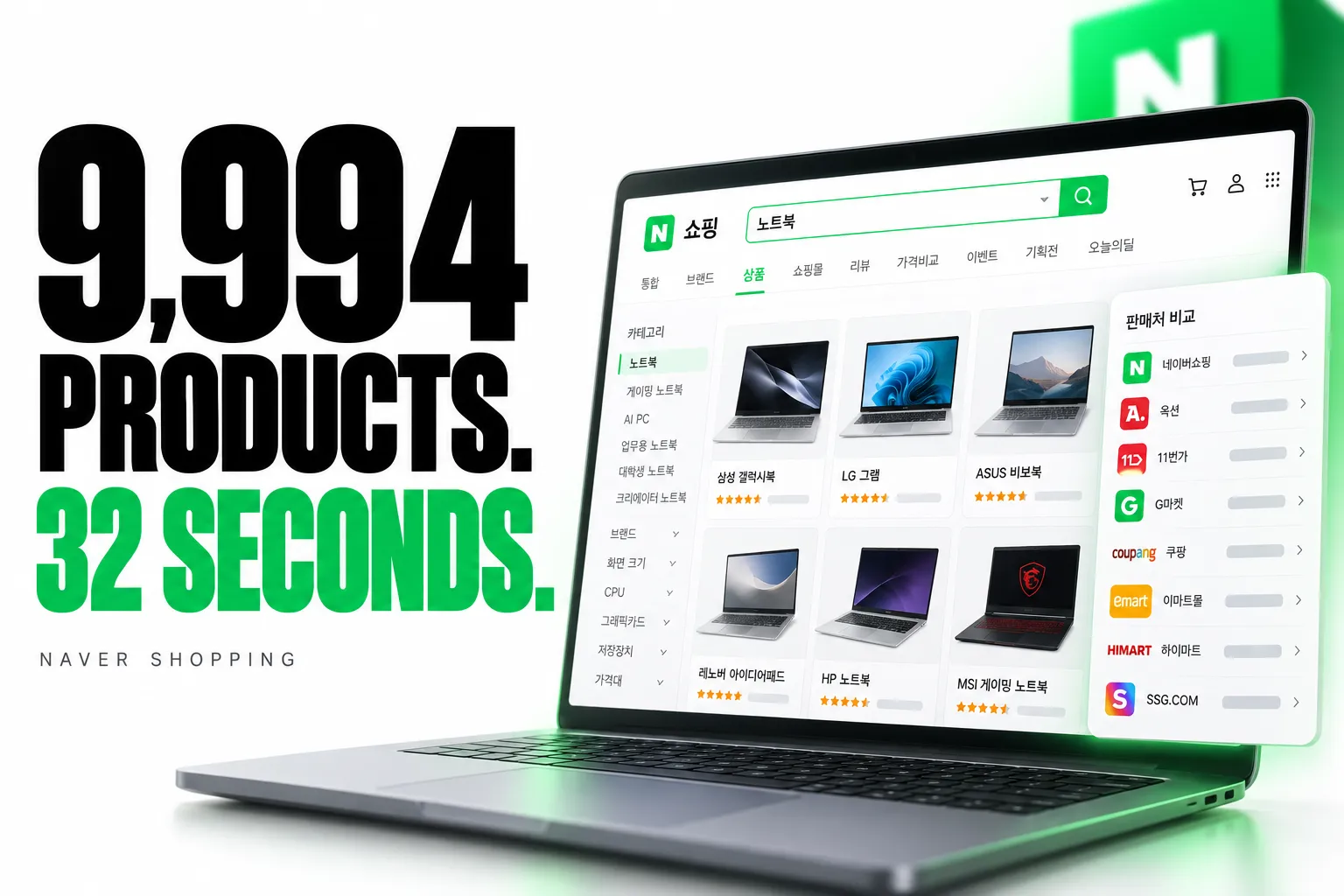
9,994 products in 32 seconds.
Collect Naver Shopping search results in bulk for catalogue research and price monitoring. Use search-only mode for fast collection, or enable additional product and seller details when you need more depth.
Variant stock, seller disclosures and delivery performance.
Optional seller records add stock by option, materials, country of origin, manufacturer, warranty and shipping-time statistics for supported official-brand stores. Useful details for assessing both the product and the seller.
Seller prices, coupon discounts and price history.
Compare shop offers with card and coupon discounts, delivery charges and shop ratings. Optional daily price history shows how catalogue prices have changed, where available.

Quick start
Start with 20 laptop search results. This example uses the fast search-only mode behind the speed headline.
Open actor input to choose your keyword or paste product and category links. Korean keywords usually provide the richest results. Export JSON, CSV or Excel.
For richer output, enable includeDetail. Add includeSellers for shop offers, includePriceHistory for daily prices, and includeSellerRecord for supported official-brand store records. Seller records require includeDetail. Product details, seller records and reviews can add charges. Seller offers include the first 30 per product; each started block of 10 additional delivered offers adds one Product charge unit. Richer modes take longer than search-only collection. Fields depend on the product and source coverage.
| Zen Studio · Korean Commerce | |||
 Naver Shopping Naver ShoppingYou are here |  Naver Detail Naver DetailProducts & sellers |  Naver Reviews Naver ReviewsReviews & photos |  Coupang Search Coupang SearchKorean products |
Copy to your AI assistant
Key Features
- 111 fields per product: price, discount, stock, rating, review count, images, delivery, seller, brand, manufacturer and the full category path, on every row.
- Both kinds of listing, fully covered: products Naver lists in its price comparison come back with the full comparison record; products sold by a single store come back with that seller's own detail. Two flags on every row,
hasCatalogDataandhasStoreData, say which kind a product is. - Reviews with photos, videos and the purchased option: written to a separate
reviewsdataset and linked back to products bycatalogId. - Every seller's price: an optional per-shop table with card and coupon discounts, delivery cost and shop rating, plus a daily price history.
- Four ways in: search keywords, product links, product ID numbers, and category links.
How to Scrape Naver Shopping Product Data
- Open the Naver Shopping Scraper and go to the Input tab.
- Type a search keyword in Korean or English, or paste a product or category link.
- Set how many products you want per keyword, up to 10,000.
- Turn on reviews, sellers or price history if you need them.
- Click Start and download the results as JSON, CSV, Excel, XML or HTML.
Basic: one keyword
Several keywords with a product cap
Cheapest sellers in a price band
Specific products by link
Keywords work in Korean and in English. Korean terms return far more products, since that is what Korean shoppers type; 노트북 returns millions of results where laptop returns a fraction.
Review score breakdown and Naver's AI summary
Two optional additions to each product row.
includeReviewStats adds how the reviews split across 1 to 5 stars, plus how many carry photos,
videos or plain text, how many the source marks as best, and how many were written after a month
of use (한달사용):
includeAiSummary adds Naver's own AI digest of the product and its reviews: a one-line summary,
who it suits, the features it highlights, and what reviewers agree on. It is available for
products with at least ten reviews. The text is generated, so it can change between runs and
should never be used to match or de-duplicate products; the IDs beside it are what identify them.
The breakdown covers products sold through a Naver store.
Input Parameters
| Parameter | Type | Default | Description |
|---|---|---|---|
keywords | array | Search terms, Korean or English. Each is searched separately. | |
productUrls | array | Product links, category links, or bare product ID numbers. A search ID from an export (Naver Open API productId) needs the product name with it, as `91171893265 | |
maxProductsPerKeyword | integer | 100 | Products per keyword, up to 10,000. |
sort | string | REL | REL, LOW_PRICE, HIGH_PRICE, REVIEW, RECENT, PURCHASE. |
minPrice / maxPrice | integer | Price band in Korean won. | |
categories | array | Keep only products in these categories. Pick from the list or paste a category ID. | |
makerName | string | One manufacturer, e.g. 삼성전자. | |
brandName | string | One brand or product line, e.g. 갤럭시북4. | |
includeDetail | boolean | true | Specification table, brand, all images, lowest price, seller count. |
includeReviews | boolean | false | Customer reviews into the separate reviews dataset, for catalogue and store products alike. |
maxReviewsPerProduct | integer | 20 | Up to 500 per product. Set to 0 to switch reviews off. For deeper review work, use the Naver Shopping Review Scraper. |
reviewSort | string | RANKING | RANKING or RECENT. The two orders reach different reviews on price-comparison products. |
reviewType | string | ALL | ALL, PHOTO, VIDEO, QUALITY. |
includeQna | boolean | false | Buyers' questions about the product (상품문의) with the seller's answers, into a separate qna dataset, newest first. Secret questions carry no text and are only counted. |
maxQnaPerProduct | integer | 20 | Up to 10,000 per product. Set to 0 to switch Q&A off. |
includeSellers | boolean | false | Seller offers for catalogue products, including retailer name, price, shipping fee and purchase link. First 30 offers per product included; each started block of 10 additional delivered offers adds one Product charge unit. |
sellerMode | string | PER_MALL | PER_MALL: one representative offer per retailer. ALL_LISTINGS: additional listings from the same retailers too. |
maxSellersPerProduct | integer | 30 | Up to 1,000 offers per catalogue product, in either mode. Above 30, each started block of 10 additional delivered offers adds one Product charge unit. Larger limits also increase run time and output size; the run cost limit can shorten collection. |
includeSellerRecord | boolean | false | The seller's own record: options with stock, the product disclosure table (상품정보제공고시), delivery speed statistics, after-sales terms, in full for brand official stores; other store products get the disclosure table. A heavier request than the rest, so it lengthens a brand-heavy run. |
includeDetailContent | boolean | false | The seller's own detail page below the buy box: every content image URL on it, in page order, and the editor it was written with. The long picture-and-copy description, not the one-line detailContentText summary. Needs includeDetail. |
includeDetailHtml | boolean | false | The detail page's markup too, exactly as the store renders it. Often 50-250 KB per product. Needs includeDetail. |
includePriceHistory | boolean | false | Daily price points over roughly the past six months. |
includeReviewStats | boolean | false | Adds the 1-5 star breakdown of each product's reviews, plus photo, video, text, best and after-a-month counts. Also how reviewers answered Naver's questions for the product's kind (reviewEvaluationStats: 사이즈 잘 맞아요 81%), the top 20 review topics (reviewTopTags) and the last six months' count and average. |
includeAiSummary | boolean | false | Adds Naver's own AI digest of the product and its reviews. Generated text, so it can change between runs. |
Retrieve individual seller prices
With includeSellers, Products and Prices show sellers. Fetch full JSON from GET /v2/datasets/{datasetId}/items?format=json with your token and without view.
Offers retain mallName, standard price, deliveryFee, and purchase links (pcProductUrl or crUrlInfo.DEFAULT). Coupon prices may have conditions. Coupang, 11st and Gmarket appear when Naver lists them.
PER_MALL keeps one offer per retailer and may favor coupon prices. sellerMode: "ALL_LISTINGS" adds listings from those retailers. maxSellersPerProduct caps either mode at up to 1,000 offers.
The first 30 offers per product are included in its Product charge in either mode. Each started block of 10 additional offers actually delivered adds one Product charge unit, using your plan's existing Product rate. For example, 31–40 offers adds 1 unit, 80 adds 5, and 1,000 adds 97. Raising the requested cap alone does not incur those units: unavailable or undelivered offers are not billed. sellersExtraChargeUnits reports the extra units for each product. Seller offers remain nested in one product row; the Product event count includes product rows plus these extra units.
sellerCount counts catalogue listings. sellersTotal counts offers in the selected mode; sellersFetched counts collected offers. sellersComplete means collection succeeded up to your configured cap; sellersLimited means that cap excluded offers. sellersBudgetLimited means the run cost limit shortened the requested collection, which also makes sellersComplete: false. Raise the run cost limit for budget-limited rows; rerun other incomplete rows. Single-store rows have their own seller fields.
What Data Can You Extract from Naver Shopping?
Every product row includes:
- Identity: product name, catalog ID, product ID, store product ID, direct link, search rank, the keyword that found it.
- Price: list price, discounted price, discount percentage, lowest price across all sellers, and the unit price (
unitPrice) with the pack size it is measured in (packQuantity,packUnit) so packs of different sizes compare directly. - Ratings and stock: average score, total review count, six-month score and count, units in stock.
- Seller: shop name, shop grade, official certification type, number of competing sellers.
- Delivery: fee, free-delivery flag, arrival guarantee, fast-delivery type, dispatch address.
- Catalogue: brand, manufacturer, brand ID, manufacturer ID, model year and season, registration date, full four-level category path and IDs.
- Media: every product image, catalogue images, size-chart images, video.
- Specifications: the full spec table as
specs(grouped) andspecsFlat(one flat map for spreadsheets). - Optional:
sellers[]with 97 fields per shop,priceHistory[]as daily price points. - Optional, the product's Q&A: buyers' public questions with the seller's answers, one row each in a separate
qnadataset (questionText,questionDate,answered,answerText,answerDate, every reply inanswers, plus the source's own fields). Each product row says how many questions it has (qnaCount, secret ones included), how many are public (qnaPublicCount) and how many this run collected (qnaFetched). - With the review score breakdown on: the star counts, plus
reviewEvaluationStats(each question Naver asks reviewers of this kind of product, such as 사이즈 or 촉촉함, with every answer's count and share),reviewTopTags(the 20 topics reviews mention most, scored) andrecentReviewCount/recentReviewAverageScorefor the last six months. - The store's own signals:
isStoreBestProductandisStoreNewProduct(the store's BEST and NEW badges),storeCoupons(every coupon the store offers any visitor, with value, minimum order, validity and whether it covers the whole store, a category or chosen products), and for cosmetics and hair carebuyerPreferences(which skin and scalp types and concerns this product's buyers over-index on, as percentiles). On store-listed products, and on price-comparison products too when the seller record or detail page option is on; Naver Shopping Product Detail carries them on every product. - Optional, from the seller's own record:
options[]with the stock left for each variant,productDisclosure(상품정보제공고시: materials, sizes, country of origin, manufacturer, warranty terms), andsellerRecordwith delivery-speed statistics for that seller, after-sales terms, certification, manufacture date and instalment availability. - Optional, the detail page itself:
detailContentImages(its content image URLs, in page order) anddetailContentEditorType, and withincludeDetailHtmlalsodetailContentHtml(its markup). An empty image list means a text-only description.
Two flags tell you what a row got: hasCatalogData for products in Naver's price comparison, hasStoreData for the rest. Reviews are collected for both.
Output Example
One product from a keyword search. This is a complete row: every key and every value a real result carries, at every level of nesting. Only two things are shortened. Arrays are cut to one item, since a 181-point price history or a 97-field seller teaches nothing after the first; where items of one list carry different keys, that item shows them all. And single values longer than 120 characters are middle-ellipsised, which in practice only affects click-tracking URLs. detailContentHtml is cut harder: in a real row it is a 50-250 KB page. No key is omitted anywhere. Where one item lacks a key that others of its kind carry, the value shown comes from another real item of the same kind, so every key appears.
Store Product Example
A product sold by a single store, with no price comparison behind it, so it carries no specification table and no competing sellers. This is a complete row: every key at every level of nesting. Arrays are cut to one item and values over 120 characters are shortened in the middle. Where one item lacks a key that others of its kind carry, the value shown comes from another real item of the same kind, so every key appears.
Review Examples
With includeReviews on, reviews go to a separate reviews dataset in the same run, one row per review. They join to the product rows by productId, which is the product's channelProductId, and price-comparison reviews by catalogId as well. reviewSource says which listing a review came from: catalog for a price-comparison product, store for a product sold by a single store. Whichever listing answered, every row carries the same columns for the essentials: reviewId, reviewText, reviewRating, reviewDate, reviewerId, hasImages, hasVideos and scrapedAt. Everything else keeps the source's own names, so the two kinds of row differ:
- Price-comparison reviews:
contentandstarScore, the option bought inbuyOption,imagesandvideos, the selling store (mallName,mallId,mallProductId),qualityScore, and topic tags with their sentiment intopics. - Store reviews:
reviewContentandreviewScore, the option bought inproductOptionContent, every photo and video inreviewAttaches(reviewAttachmentTypeisIfor a photo andMfor a video),helpCount, the reviewer's own answers such as skin type inreviewUserInfoValues, and the product's category IDs. The coded choices also arrive in words:reviewEvaluations(사이즈 → 잘 맞아요, with the part that ran large or small),reviewerProfile(키 168 cm, 피부 타입 지성) andreviewSummaryTags(each sentence Naver's analysis tagged, with its topic). Where the store acted on a review: its replies inreviewComments,bestReviewwith the date it was chosen, and the store's review event ineventTitle;repThumbnailTagNameDescriptionis the photo the review leads with and its tag.
Each example is a complete row built from real rows of one kind, so every key and every value is real. Arrays are cut to one item and values longer than 120 characters are middle-ellipsised. Where one row lacks a key that others of its kind carry (detailCategorizeCategoryId and parentReviewId appear on some store reviews only), the value shown comes from another real row, so every key appears.
A price-comparison review
A store review
Q&A Example
With includeQna on, buyers' public questions go to a separate qna dataset in the same run, one row per question, newest first, joined to the product row by productId. A group product's questions are pooled across its listings, as its page shows them, and the listing each was asked on stays in channelProductNo. Secret questions carry no text and their answers are not shown to other visitors, so they are counted on the product row (qnaCount against qnaPublicCount) rather than delivered. This is a complete row: every key at every level, arrays cut to one item. Where one item lacks a key that others of its kind carry, the value shown comes from another real item of the same kind, so every key appears.
Advanced Usage
Ready-made configurations for competitor price monitoring, brand share tracking, category research, review mining, and building a product catalogue.
Track one brand across a category
Search within a category
Category IDs appear on every row this Actor returns, as lCatId, mCatId, sCatId and ssCatId, so one run tells you what to filter on next time. A category link works too: paste it into productUrls and the Actor searches inside that category.
Mine reviews for one product line
Watch how prices moved
Break past 10,000 products for one keyword
Naver serves at most 10,000 products for any one keyword. Run the same keyword again in a different price band, or under a different sort order, to reach further into the catalogue.
How Much Does It Cost to Scrape Naver Shopping?
Product charges: $3.99 per 1,000 units on the Free plan. Each returned product uses one unit and includes its first 30 seller offers when requested. Each started block of 10 additional delivered offers adds one more Product unit, in either seller mode. Detail, reviews and seller records are billed separately.
Bronze pays $3.79 per 1,000 Product units, Silver $3.29, and Gold and above $2.99. The extra seller-offer blocks receive the same plan rate.
| Event | Free-plan price per unit | Per 1,000 units |
|---|---|---|
| Product or additional seller-offer block | $0.00399 | $3.99 |
| Product detail | $0.00199 | $1.99 |
| Review | $0.00099 | $0.99 |
| Product Q&A (question with its answers) | $0.00099 | $0.99 |
| Seller record | $0.00099 | $0.99 |
Free-plan event charges, before Apify's start and result fees:
| What you run | Cost |
|---|---|
| 1,000 products, listing data only | $3.99 |
| 1,000 products with full details | $5.98 |
| 100 products with details and 20 reviews each | $2.58 |
For one product with 1,000 delivered seller offers, the offer collection adds 97 Product units: approximately $0.387 on the Free plan, plus the normal product and any enabled enrichment charges. The run's spending limit bounds additional collection; check sellersBudgetLimited in partial results.
Product detail is charged only when detail actually comes back. A product that returns listing data alone is billed as a product and nothing more. The seller record is the same: it is billed only for products that have one, so switching it on for a mixed run costs nothing on the rows without it.
Scheduling and Integrations
Price and stock move daily on Naver, so most price-tracking setups run this Actor on a daily schedule and append each run to the same store. Weekly is enough for catalogue or specification research; hourly only pays off for a small watchlist of products during a sale period.
Results flow straight into Google Sheets, Make, Zapier, Slack, or your own endpoint through webhooks, all configured from the Integrations tab. No extra setup in the Actor itself.
FAQ
What is Naver Shopping (네이버쇼핑)? The shopping arm of Naver, Korea's dominant search portal: a price-comparison catalogue plus SmartStore (스마트스토어), the storefront platform millions of Korean sellers run on. This Actor covers both.
How many products can I collect per keyword? Up to 10,000, Naver's own depth limit per keyword. To go further, rerun the keyword in another price band or sort order, or add related keywords.
What happens when two of my keywords find the same product?
It is delivered and charged once per run, under the keyword that reached it first; the other keyword fills its quota with further products. searchRank stays the true position for its own keyword, and keywordTotalResults is Naver's total for that keyword.
What is the difference between hasCatalogData and hasStoreData?
hasCatalogData: true rows are in Naver's price-comparison catalogue and carry its record: the specification table, seller offers, price history and reviews. hasStoreData: true rows are sold by one store and carry the seller's own detail instead (name, price, stock, review counts, images, promotions, delivery, category path, review text), plus the option list with per-option stock for brand-store variants with the seller record on. They lack only what exists for catalogued products alone: specifications, the per-seller price list and price history.
Do I need a Naver account or cookies? No. Enter a keyword or a link and run it. Nothing is exported from a browser and no sign-in is involved.
Can I browse an entire category?
Category input is a search within the category, bounded by the same 10,000-product window. Precise categories land almost entirely on target; broad ones such as 패션잡화 are around half on target. Filter on lCatId, mCatId, sCatId and ssCatId to make it exact.
Does every product come back with full details?
Listing data always comes back. In a large run some rows may arrive with listing data alone; detail is charged only on rows that receive it, and hasCatalogData and hasStoreData mark exactly which did.
How fresh is the data? Live: every field is read when the run executes, never cached.
What currency are prices in? Korean won (KRW), as integers with no decimals or separators.
Where do reviews end up?
In a separate reviews dataset in the same run's storage, not mixed into the product rows. Join them to products on catalogId. Each review carries the star rating, title, full text, photos, videos, the option the buyer actually purchased, the shop, and Naver's own topic sentiment tags. Store reviews also carry the reviewer's answers and profile in words (reviewEvaluations, reviewerProfile) and the tagged sentences with their topics (reviewSummaryTags).
Can I get a star-rating breakdown per product?
Yes, for products sold through a Naver store: turn on Include review score breakdown and each row carries reviewCountByScore (how many reviews sit at 1 to 5 stars) with the photo, video, text and 한달사용 counts beside it. The same option adds how reviewers answered Naver's questions for the product's kind (reviewEvaluationStats, e.g. 사이즈: 잘 맞아요 81%), the top 20 topics and the last six months' count and average. Every row also carries the average score and review count without any toggle. Price-comparison listings publish no breakdown of their own, so for those pull the reviews themselves and count reviewRating.
How do I compare packs of different sizes?
unitPrice is the price of one unit in won, from the price the buyer pays; packQuantity and packUnit say what a unit is (30개입, 800 g, 36,000 ml). They come from the seller's own declaration (food, drink, cosmetics), never guessed from the product name.
Are sponsored listings included?
No. Every row is an organic result at the rank the source gave it (searchRank), so there is nothing to filter out and no advertisement flag. Naver's paid placements are not part of what this Actor collects.
Can I search in English? Yes, but Korean returns far more, since listings are indexed in Korean. Use English for international brand names.
Does Naver have a shopping API I could use instead? Naver's developer search API returns a small fixed set of listing fields, caps paging depth and needs a registered application. It has no specification table, per-seller prices, price history or review text; this Actor returns all of those with nothing to register.
How do I export the data?
JSON, CSV, Excel, XML or HTML from the Storage tab or the Apify API. JSON keeps nested fields (specs, sellers, priceHistory); for spreadsheets use specsFlat.
Is there a free tier? Accounts on Apify's free plan can try this Actor: 25 runs per account, each up to 100 products, and 50 reviews and 50 questions per product. Any paid Apify plan removes those limits.
Can I also get Coupang data? Yes: Coupang Search Scraper, Coupang Detail Scraper and Coupang Review Scraper. Together with Naver Shopping they cover most of Korean online retail.
Is it legal to scrape Naver Shopping data? This Actor collects only publicly visible data, nothing behind a login. You are responsible for complying with Naver's terms of service and with applicable data protection law: GDPR, CCPA, and Korea's Personal Information Protection Act (PIPA). Review content includes personal data such as reviewer names and photos, so treat it accordingly.
More Zen Studio scrapers for Asian platforms
🛒 E-commerce
 TikTok Shop
 Lazada
 Naver Search 네이버 검색
 AliExpress 全球速卖通
 Naver Blog & Cafe 네이버 블로그·카페
 Naver Place 네이버 플레이스
- Naver Shopping 네이버쇼핑
 Coupang 쿠팡
 Taobao 淘宝
 JD.com 京东
 1688 阿里巴巴
 Weidian 微店
 Goofish 闲鱼
🎬 Short-video & social
 Douban 豆瓣
 Weibo 微博
 Kwai (Brazil)
 Kuaishou 快手
 Douyin 抖音
 RedNote 小红书
 Xigua 西瓜视频
 Bilibili 哔哩哔哩
🏠 Real estate & autos
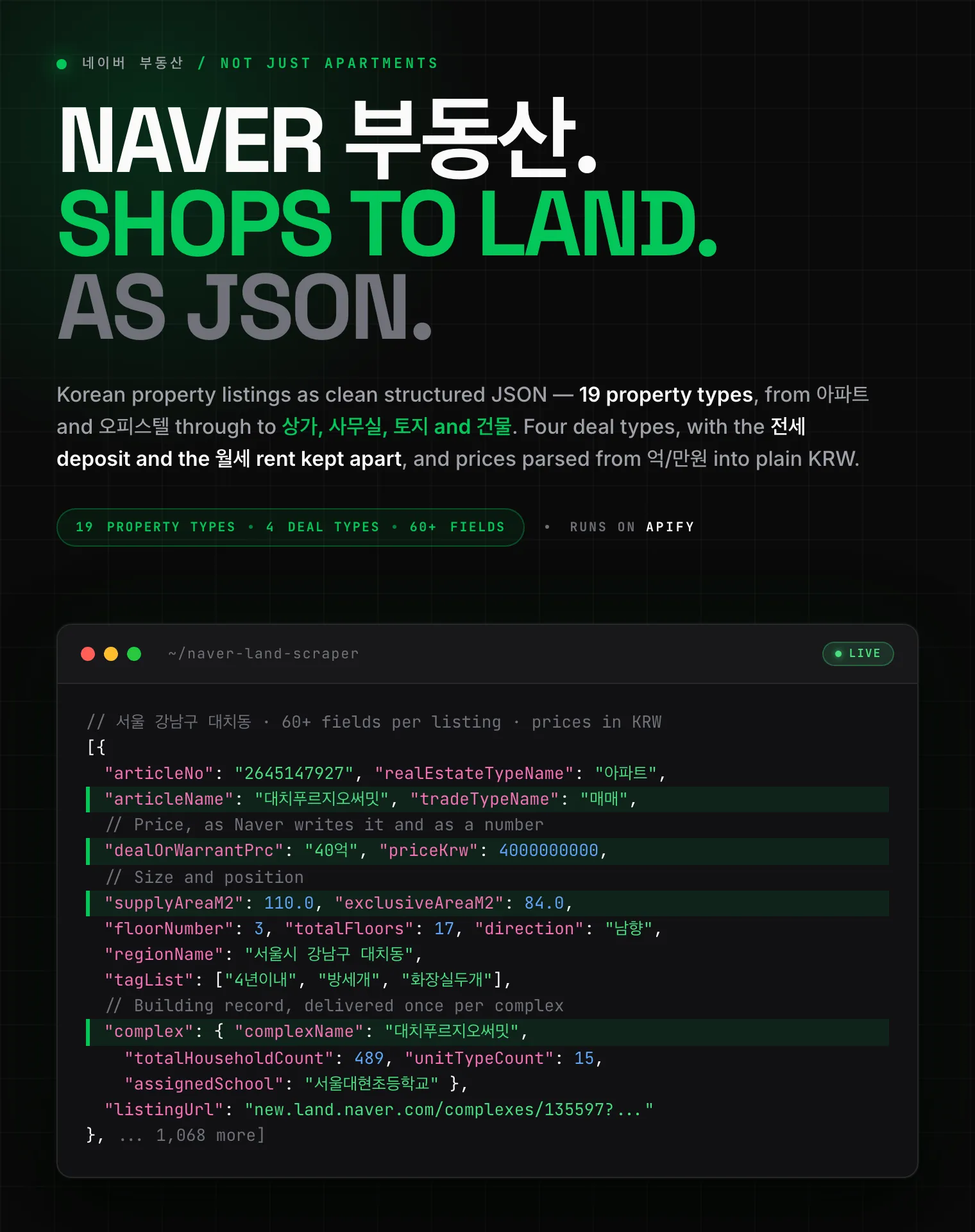 Naver 부동산
 Anjuke 安居客
 58.com 58同城
 Autohome 汽车之家
Support
- Bugs: Issues tab
- Features: Issues tab
Legal Compliance
Extracts publicly available data. Users must comply with Naver's terms and data protection regulations (GDPR, CCPA, and Korea's PIPA).
Naver Shopping product data: prices, specifications, every seller, price history and customer reviews, from keywords, links or categories.


