
# Xiaohongshu (RedNote) Live Stream Recorder - MP4 + Chat (`zen-studio/rednote-live-recorder`) Actor

Record Xiaohongshu (RedNote) live streams to MP4 video, with room metadata, host profile, viewer counts, and the live chat stream. Auto-pick a live room or target a specific broadcast, up to 4 hours per run.

- **URL**: https://apify.com/zen-studio/rednote-live-recorder.md
- **Developed by:** [Zen Studio](https://apify.com/zen-studio) (community)
- **Categories:** E-commerce, Videos, Social media
- **Stats:** 2 total users, 1 monthly users, 100.0% runs succeeded, NaN bookmarks
- **User rating**: No ratings yet

## Pricing

from $1.20 / 1,000 recording (per second)s

This Actor is paid per event. You are not charged for the Apify platform usage, but only a fixed price for specific events.
Since this Actor supports Apify Store discounts, the price gets lower the higher subscription plan you have.

Learn more: https://docs.apify.com/platform/actors/running/actors-in-store#pay-per-event

## What's an Apify Actor?

Actors are a software tools running on the Apify platform, for all kinds of web data extraction and automation use cases.
In Batch mode, an Actor accepts a well-defined JSON input, performs an action which can take anything from a few seconds to a few hours,
and optionally produces a well-defined JSON output, datasets with results, or files in key-value store.
In Standby mode, an Actor provides a web server which can be used as a website, API, or an MCP server.
Actors are written with capital "A".

## How to integrate an Actor?

If asked about integration, you help developers integrate Actors into their projects.
You adapt to their stack and deliver integrations that are safe, well-documented, and production-ready.
The best way to integrate Actors is as follows.

In JavaScript/TypeScript projects, use official [JavaScript/TypeScript client](https://docs.apify.com/api/client/js.md):

```bash
npm install apify-client
```

In Python projects, use official [Python client library](https://docs.apify.com/api/client/python.md):

```bash
pip install apify-client
```

In shell scripts, use [Apify CLI](https://docs.apify.com/cli/docs.md):

````bash
# MacOS / Linux
curl -fsSL https://apify.com/install-cli.sh | bash
# Windows
irm https://apify.com/install-cli.ps1 | iex
```bash

In AI frameworks, you might use the [Apify MCP server](https://docs.apify.com/platform/integrations/mcp.md).

If your project is in a different language, use the [REST API](https://docs.apify.com/api/v2.md).

For usage examples, see the [API](#api) section below.

For more details, see Apify documentation as [Markdown index](https://docs.apify.com/llms.txt) and [Markdown full-text](https://docs.apify.com/llms-full.txt).


# README

## RedNote (Xiaohongshu / 小红书) Live Recorder | Record Live Streams to MP4, Chat + Room Data (2026)

<blockquote style="border-left:4px solid #4C945E;background:#F0FDF4;padding:12px 16px">
<span style="font-size:16px;font-weight:700;color:#1C1917">Segmented MP4 recording, room metadata, host profile, and live chat</span> <span style="font-size:15px;color:#57534E"> from any Xiaohongshu (小红书) live broadcast, unattended for up to 4 hours per run. Auto-pick a live room or target a specific stream.</span>
</blockquote>

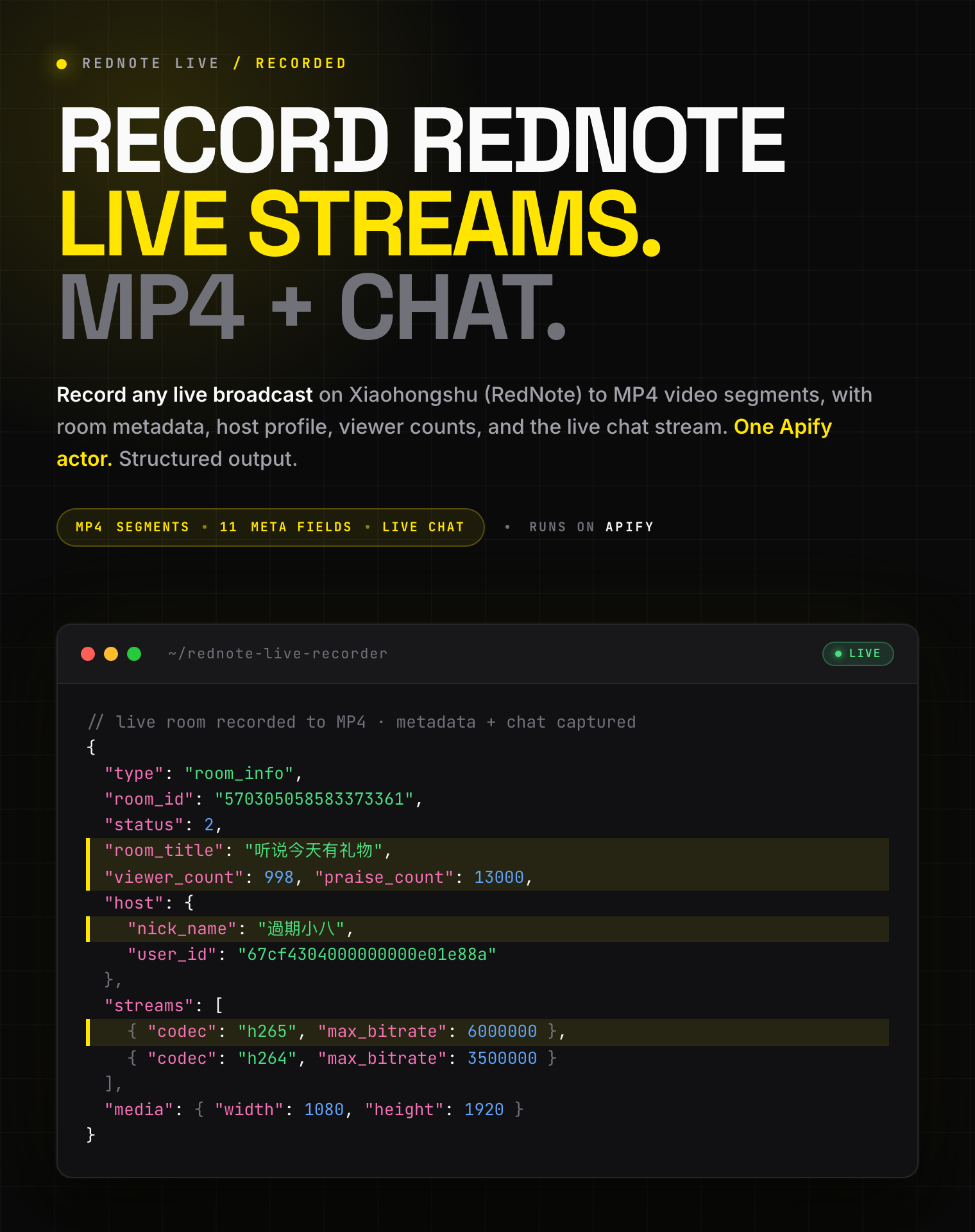
![RedNote (Xiaohongshu) live recorder: live broadcasts saved to MP4 with room metadata, host profile, and chat messages](https://iili.io/CK8Kfja.png)

<table>
<tr>
<td colspan="4" style="padding:10px 14px;background:#4C945E;border:none;border-radius:4px 4px 0 0">
<span style="color:#FAFAF9;font-size:14px;font-weight:700;letter-spacing:0.5px">Zen Studio · RedNote (小红书) suite</span>
<span style="color:#E8F5E9;font-size:13px">&nbsp;&nbsp;&bull;&nbsp;&nbsp;Search, note detail, comments, profiles, and live recording from Xiaohongshu</span>
</td>
</tr>
<tr>
<td style="padding:10px 12px;border:1px solid #E7E5E4;background:#E8F5E9;border-right:none;border-top:none;vertical-align:top;width:25%">
<span style="white-space:nowrap"><img src="https://apify-image-uploads-prod.s3.us-east-1.amazonaws.com/NWYsOG96fMDy8ycdf-actor-sAWbV6wp5XO5aEapx-C7gOsPJt9Q-xiaohongshu-search-scraper-logo-square.png" width="20" height="20" style="vertical-align:middle;border-radius:4px"> &nbsp;<a href="https://apify.com/zen-studio/rednote-live-recorder" style="color:#4C945E;text-decoration:none;font-weight:700;font-size:13px">RedNote&nbsp;Live&nbsp;Recorder</a></span><br>
<span style="color:#4C945E;font-size:11px;font-weight:600">&#10148; You are here</span>
</td>
<td style="padding:10px 12px;border:1px solid #E7E5E4;border-right:none;border-top:none;vertical-align:top;width:25%">
<span style="white-space:nowrap"><img src="https://apify-image-uploads-prod.s3.us-east-1.amazonaws.com/NWYsOG96fMDy8ycdf-actor-sAWbV6wp5XO5aEapx-C7gOsPJt9Q-xiaohongshu-search-scraper-logo-square.png" width="20" height="20" style="vertical-align:middle;border-radius:4px"> &nbsp;<a href="https://apify.com/zen-studio/rednote-note-detail-scraper" style="color:#1C1917;text-decoration:none;font-weight:700;font-size:13px">RedNote&nbsp;Note&nbsp;Detail</a></span><br>
<span style="color:#78716C;font-size:11px">Full note, video streams</span>
</td>
<td style="padding:10px 12px;border:1px solid #E7E5E4;border-right:none;border-top:none;vertical-align:top;width:25%">
<span style="white-space:nowrap"><img src="https://apify-image-uploads-prod.s3.us-east-1.amazonaws.com/NWYsOG96fMDy8ycdf-actor-sAWbV6wp5XO5aEapx-C7gOsPJt9Q-xiaohongshu-search-scraper-logo-square.png" width="20" height="20" style="vertical-align:middle;border-radius:4px"> &nbsp;<a href="https://apify.com/zen-studio/rednote-search-scraper" style="color:#1C1917;text-decoration:none;font-weight:700;font-size:13px">RedNote&nbsp;Search</a></span><br>
<span style="color:#78716C;font-size:11px">500 notes / 30s, 24 fields</span>
</td>
<td style="padding:10px 12px;border:1px solid #E7E5E4;border-top:none;vertical-align:top;width:25%">
<span style="white-space:nowrap"><img src="https://apify-image-uploads-prod.s3.us-east-1.amazonaws.com/NWYsOG96fMDy8ycdf-actor-hO5NqsA6aC1bz3jra-MjB05eVFEt-xiaohongshu-search-scraper-logo-square.png" width="20" height="20" style="vertical-align:middle;border-radius:4px"> &nbsp;<a href="https://apify.com/zen-studio/rednote-comments-scraper" style="color:#1C1917;text-decoration:none;font-weight:700;font-size:13px">RedNote&nbsp;Comments</a></span><br>
<span style="color:#78716C;font-size:11px">Nested replies, IP city</span>
</td>
</tr>
</table>

#### Copy to your AI assistant

````

zen-studio/rednote-live-recorder on Apify. Records any Xiaohongshu (小红书) live broadcast to MP4 video segments in your key-value store, and emits room metadata (title, host profile, viewer / member / like counts, stream quality ladder) plus, optionally, the live chat stream (one dataset row per message). Input liveUrls accepts a xiaohongshu.com/livestream/<id> URL, a numeric room id, or "auto" to pick a currently-live room; runTime caps the recording in minutes (0 = until the broadcaster ends). Call ApifyClient("TOKEN").actor("zen-studio/rednote-live-recorder").call(run\_input={"liveUrls":\["auto"],"captureChat":true,"runTime":10}), then read dataset rows via client.dataset(run\["defaultDatasetId"]).list\_items().items and the recordings\[] manifest via client.key\_value\_store(run\["defaultKeyValueStoreId"]).get\_record("OUTPUT"). Full spec: GET https://api.apify.com/v2/acts/zen-studio~rednote-live-recorder/builds/default (Bearer TOKEN) → inputSchema, actorDefinition.storages.dataset, readme. Token: https://console.apify.com/account/integrations

````

### Key Features

- **MP4 recording, saved as you go**: the broadcast is recorded to video segments that land in your storage while the stream is still live, so nothing is lost if the run ends early
- **Room metadata + host profile**: title, cover, host nickname and id, viewer / member / like counts, and the available quality ladder (codec and bitrate per stream)
- **Optional live chat**: capture chat messages into the dataset, one row per message, with sender, fan-club badge, and language
- **Auto or targeted**: paste a live-stream URL or numeric room id, or use `auto` to record a currently-live room
- **Free tier**: 5 lifetime runs, 60 seconds each, no credit card

### How to Record a Xiaohongshu Live Stream

#### Basic: auto-pick a currently-live room

```json
{
    "liveUrls": ["auto"]
}
````

#### Record a specific live stream

```json
{
    "liveUrls": ["https://www.xiaohongshu.com/livestream/570305058583373361"]
}
```

#### Record with live chat, capped at 30 minutes

```json
{
    "liveUrls": ["570305058583373361"],
    "captureChat": true,
    "runTime": 30
}
```

#### Long unattended recording into a reusable store

```json
{
    "liveUrls": ["auto"],
    "runTime": 120,
    "uploadEvery": 5,
    "recordingsKvStore": "my-rednote-recordings"
}
```

### Where Do I Get a Live-Stream Link?

Open a live room in the Xiaohongshu app or on the web and copy the link. Any of these work:

| Format | Example | Works |
|--------|---------|-------|
| Live-stream URL | `https://www.xiaohongshu.com/livestream/570305058583373361` | ✅ |
| Numeric room id | `570305058583373361` | ✅ |
| `auto` keyword | `auto` | ✅ picks a live room for you |

A broadcast has to be **live** at the moment the run starts. If it has already ended, there is nothing to record.

### Input Parameters

| Parameter | Type | Default | Description |
|-----------|------|---------|-------------|
| `liveUrls` | array | `["auto"]` | One or more live streams: a `xiaohongshu.com/livestream/<id>` URL, a numeric room id, or `auto`. The first entry is recorded. |
| `runTime` | integer | `0` | How long to record, in minutes. `0` = until the broadcaster ends the stream (capped at the 4-hour platform limit). |
| `recordVideo` | boolean | `true` | Save the broadcast as MP4 video segments to your storage. |
| `videoQuality` | string | `highest` | `highest` for the best available resolution, or `lowest` for smaller files. |
| `uploadEvery` | integer | `5` | Minutes of footage per MP4 segment. Shorter segments appear in your storage sooner; longer segments mean fewer files. |
| `recordingsKvStore` | string | `""` | Name of a storage to save recordings to. Named storages persist beyond the default 7-day cleanup. Leave blank for the run's default storage. |
| `captureChat` | boolean | `false` | Also capture live chat messages into the dataset, one row per message. |

### What Data Do You Get?

The dataset holds three kinds of rows, and the run's key-value store holds the MP4 files plus an `OUTPUT` manifest that lists them.

**Room info** (one row): `room_id`, `status`, `room_title`, `room_cover`, `viewer_count`, `member_count`, `praise_count`, `host` (nickname, id, avatar), `streams[]` (quality name, codec, bitrate), and `media` (width, height).

**Chat** (one row per message, when `captureChat` is on): `comment_id`, `user_id`, `nick_name`, `msg`, `fans_group`, `role`, `at_users`, `origin_language`.

**Summary** (one row): the run outcome, including segment count, total bytes, recorded duration, chat message count, and `reason_for_exit`.

**Recordings manifest** (`OUTPUT` record): one entry per saved MP4 with `key`, `seq`, `started_at_ms`, `ended_at_ms`, `duration_s`, `bytes`, `quality`, `codec`, and `kv_url` (a direct download link).

#### Output Example

Room info row:

```json
{
  "type": "room_info",
  "room_id": "570305058583373361",
  "status": 2,
  "room_title": "听说今天有礼物",
  "room_cover": "http://sns-na-i1.xhscdn.com/alpha_image/...webp",
  "viewer_count": 998,
  "member_count": 16,
  "praise_count": 13000,
  "host": {
    "nick_name": "過期小八",
    "user_id": "67cf4304000000000e01e88a",
    "avatar": "https://sns-avatar-qc.xhscdn.com/avatar/...jpg"
  },
  "streams": [
    { "quality_type_name": "蓝光(高帧率)", "codec": "h265", "max_bitrate": 6000000, "protocol": "flv" },
    { "quality_type_name": "超清", "codec": "h265", "max_bitrate": 2000000, "protocol": "flv" },
    { "quality_type_name": "原画", "codec": "h264", "max_bitrate": 3500000, "protocol": "" }
  ],
  "media": { "width": 1080, "height": 1920 }
}
```

Chat row:

```json
{
  "type": "chat",
  "room_id": "570305058583373361",
  "comment_id": "7647528465717583404",
  "user_id": "52d8c541b4c4d60e6c867480",
  "nick_name": "拽姐的内心~",
  "msg": "这歌有什么问题啊？",
  "fans_group": { "has_join": true, "fans_level": 20, "group_name": "小八", "intimate_name": "钟爱粉" },
  "role": 0,
  "at_users": [],
  "origin_language": "zh_cn"
}
```

Summary row, and the recordings manifest from the `OUTPUT` record:

```json
{
  "type": "summary",
  "room_id": "570305058583373361",
  "record_video": true,
  "capture_chat": true,
  "video_quality": "highest",
  "duration_seconds": 75.5,
  "recording_segments": 1,
  "recording_total_bytes": 15092562,
  "recording_total_duration_s": 59.1,
  "chat_emitted": 9,
  "reason_for_exit": "runtime_cap"
}
```

```json
{
  "recordings": [
    {
      "key": "recording_570305058583373361_0000.mp4",
      "seq": 0,
      "started_at_ms": 1780579004088,
      "ended_at_ms": 1780579063147,
      "duration_s": 59.1,
      "bytes": 15092562,
      "quality": "highest",
      "codec": "h265",
      "kv_url": "https://api.apify.com/v2/key-value-stores/<storeId>/records/recording_570305058583373361_0000.mp4"
    }
  ]
}
```

### Advanced Usage

#### Record the whole broadcast, however long it runs

```json
{ "liveUrls": ["auto"], "runTime": 0, "uploadEvery": 5 }
```

#### Capture only the live chat, no video

```json
{ "liveUrls": ["570305058583373361"], "recordVideo": false, "captureChat": true, "runTime": 60 }
```

#### Smaller files for a long session

```json
{ "liveUrls": ["auto"], "videoQuality": "lowest", "uploadEvery": 10, "runTime": 180 }
```

### Pricing: Pay Per Event (PPE)

You are billed for connected time, by the second, with no per-file or per-message charge. Two events:

- **Recording** accrues while video is being captured.
- **Live chat** accrues only while chat capture is on. A video-only run never incurs it.

Rates drop with your Apify plan:

| Your Apify plan | Recording / hour | Live chat / hour |
|-----------------|------------------|------------------|
| Free | $5.40 | $3.60 |
| Bronze | $5.04 | $3.35 |
| Silver | $4.68 | $3.13 |
| Gold and above | $4.32 | $2.88 |

A 30-minute recording with live chat on the Free plan is about **$4.50** ($2.70 recording + $1.80 chat). Video only is about **$2.70**.

Free tier: 5 lifetime runs, 60 seconds each. No credit card.

### FAQ

**What is RedNote (Xiaohongshu / Little Red Book)?**
RedNote is the international name of Xiaohongshu (小红书, literally "Little Red Book", often abbreviated XHS), China's leading lifestyle and social-commerce platform. Creators and shops there run live broadcasts for product launches, sales, and Q\&A sessions, which is what this actor records.

**How long can I record?**
Up to 4 hours per run. Set `runTime` in minutes, or `0` to record until the broadcaster ends the stream.

**What video format do I get?**
Standard MP4 files, playable in any modern player. Long broadcasts are split into segments so they appear in your storage while the stream is still live.

**Where do the recordings go?**
Into your run's key-value store by default, or a named store you set with `recordingsKvStore`. The `OUTPUT` record lists every segment with a direct download link.

**Can I record without saving video?**
Yes. Set `recordVideo` to `false` and `captureChat` to `true` to collect just the live chat.

**What does `auto` do?**
It picks a currently-live room for you, useful when you just want a sample or don't have a specific stream in mind.

**What happens when the stream ends?**
The run finishes cleanly, saves the final segment, and writes the summary. The `reason_for_exit` field tells you whether it ended because the broadcast stopped, the run time was reached, or the stream went quiet.

**Are the viewer and like counts exact?**
They are returned as integers. Counts that Xiaohongshu rounds for display (e.g. `1.3万`) become best-effort integers (`13000`).

**Why did a recording stop early?**
A broadcast can end at any time, or briefly drop out. The recorder confirms the room is offline before stopping, so short network blips do not cut the recording short.

**What's the free tier?**
5 lifetime runs, each capped at 60 seconds of recording, one room. Enough to see a real MP4 sample and the data shape.

**How fresh is the data?**
Live from the broadcast at run time. There is no cache.

**Do I need a Xiaohongshu account or cookies?**
No. Paste a live-stream URL, a room id, or `auto` and run; no account, cookie export, or QR login is involved.

**Can I scrape regular notes, comments, or profiles too?**
Not with this actor; it records live broadcasts only. Use [RedNote Search Scraper](https://apify.com/zen-studio/rednote-search-scraper) for keyword search, [RedNote Note Detail Scraper](https://apify.com/zen-studio/rednote-note-detail-scraper) for full notes, and [RedNote User Profile Scraper](https://apify.com/zen-studio/rednote-user-profile-scraper) for creator back-catalogues.

**Is it legal to record Xiaohongshu live streams?**
The actor records publicly broadcast streams only, nothing behind a login. You are responsible for complying with Xiaohongshu's terms of service, broadcasters' rights, and applicable data protection law (GDPR, CCPA, PIPL), especially before republishing recordings or chat data.

### More Zen Studio scrapers for Chinese platforms

**🎬 Short-video & social**

- <img src="https://apify-image-uploads-prod.s3.us-east-1.amazonaws.com/NWYsOG96fMDy8ycdf-actor-mHKEEgoDqr6btQQer-fUs5ZquIeN-xiaohongshu-search-scraper-logo-square.png" width="16" height="16" style="vertical-align:middle;border-radius:3px"> **RedNote 小红书**
  - [RedNote User Profile Scraper](https://apify.com/zen-studio/rednote-user-profile-scraper)
  - [RedNote Search Scraper](https://apify.com/zen-studio/rednote-search-scraper)
  - [RedNote Note Detail Scraper](https://apify.com/zen-studio/rednote-note-detail-scraper)
  - [RedNote Comments Scraper](https://apify.com/zen-studio/rednote-comments-scraper)
  - [RedNote Product Search Scraper](https://apify.com/zen-studio/rednote-product-search-scraper)
  - [RedNote Product Reviews Scraper](https://apify.com/zen-studio/rednote-product-reviews-scraper)
- <img src="https://apify-image-uploads-prod.s3.us-east-1.amazonaws.com/NWYsOG96fMDy8ycdf-actor-3TJaaOJDU1AMiOoJM-Vu2eVr0P6N-douyin-profile-scraper-logo.png" width="16" height="16" style="vertical-align:middle;border-radius:3px"> **Douyin 抖音**

  - [Douyin Search Scraper](https://apify.com/zen-studio/douyin-search-scraper)
  - [Douyin Profile Scraper](https://apify.com/zen-studio/douyin-profile-scraper)
  - [Douyin Video Scraper](https://apify.com/zen-studio/douyin-video-scraper)
  - [Douyin Comments Scraper](https://apify.com/zen-studio/douyin-comments-scraper)
  - [Douyin Transcripts Scraper](https://apify.com/zen-studio/douyin-transcripts-scraper)
  - [Douyin Creator Rankings Scraper](https://apify.com/zen-studio/douyin-xingtu-rankings-scraper)
  - [Douyin Live Recorder](https://apify.com/zen-studio/douyin-live-recorder)
  - [Douyin Hot Search Scraper](https://apify.com/zen-studio/douyin-hot-search-scraper)
  - [Douyin Product Search Scraper](https://apify.com/zen-studio/douyin-product-search-scraper)
- <img src="https://apify-image-uploads-prod.s3.us-east-1.amazonaws.com/NWYsOG96fMDy8ycdf-actor-dexCSKEZtKS8hg4fT-lD4weyiYga-shigua-____-scraper-logo.jpg" width="16" height="16" style="vertical-align:middle;border-radius:3px"> **Xigua 西瓜视频**

  - [Xigua Video Search Scraper](https://apify.com/zen-studio/xigua-video-search-scraper)
  - [Xigua Video Detail Scraper](https://apify.com/zen-studio/xigua-video-detail-scraper)

**🛒 E-commerce**

- <img src="https://apify-image-uploads-prod.s3.us-east-1.amazonaws.com/NWYsOG96fMDy8ycdf-actor-PsAKYWM55HG4AHXjK-ItywU7Bp0s-taobao-search-scraper-logo.png" width="16" height="16" style="vertical-align:middle;border-radius:3px"> **Taobao 淘宝**

  - [Taobao Search Scraper](https://apify.com/zen-studio/taobao-search-scraper)
  - [Taobao Product Detail Scraper](https://apify.com/zen-studio/taobao-detail-scraper)
  - [Taobao Seller Products Scraper](https://apify.com/zen-studio/taobao-seller-products-scraper)
- <img src="https://apify-image-uploads-prod.s3.us-east-1.amazonaws.com/NWYsOG96fMDy8ycdf-actor-uZy6tbKLKnSVtT4BN-emXnT123uR-jd-com-scraper-logo-square.png" width="16" height="16" style="vertical-align:middle;border-radius:3px"> **JD.com 京东**

  - [JD.com Search Scraper](https://apify.com/zen-studio/jd-com-search-scraper)
- <img src="https://apify-image-uploads-prod.s3.us-east-1.amazonaws.com/NWYsOG96fMDy8ycdf-actor-ghXSMZcW3GxsCrkiR-5hnvsKv4Yt-1688-wholesale-scraper-logo.png" width="16" height="16" style="vertical-align:middle;border-radius:3px"> **1688 阿里巴巴**

  - [1688 Wholesale Scraper](https://apify.com/zen-studio/1688-wholesale-scraper)
- <img src="https://apify-image-uploads-prod.s3.us-east-1.amazonaws.com/NWYsOG96fMDy8ycdf-actor-5QcLc4BHaLMBUKYs3-f3CWQ60Row-goofish-search-scraper-logo.png" width="16" height="16" style="vertical-align:middle;border-radius:3px"> **Goofish 闲鱼**

  - [Goofish (Xianyu) Search Scraper](https://apify.com/zen-studio/goofish-xianyu-search-scraper)
  - [Goofish (Xianyu) Seller Scraper](https://apify.com/zen-studio/goofish-xianyu-seller-scraper)
  - [Goofish (Xianyu) Item Detail Scraper](https://apify.com/zen-studio/goofish-xianyu-item-detail-scraper)
  - [Goofish (Xianyu) Item Comments & Q\&A Scraper](https://apify.com/zen-studio/goofish-xianyu-item-comments-scraper)

**🏠 Real estate & autos**

- <img src="https://apify-image-uploads-prod.s3.us-east-1.amazonaws.com/NWYsOG96fMDy8ycdf-actor-1tAzNSf8Kz0v7Q2Lr-AINJ7FsZVU-anjuke-scraper-logo.jpg" width="16" height="16" style="vertical-align:middle;border-radius:3px"> **Anjuke 安居客**

  - [Anjuke For-Sale Listings Scraper](https://apify.com/zen-studio/anjuke-real-estate-scraper)
  - [Anjuke New-Home Scraper](https://apify.com/zen-studio/anjuke-new-home-scraper)
  - [Anjuke Rental Listings Scraper](https://apify.com/zen-studio/anjuke-rent-scraper)
  - [Anjuke Listing Detail Scraper](https://apify.com/zen-studio/anjuke-sale-detail-scraper)
- <img src="https://apify-image-uploads-prod.s3.us-east-1.amazonaws.com/NWYsOG96fMDy8ycdf-actor-32OkWqsiUywoq2ci3-7JhFlW1qg3-58__-real-estate-scraper-logo.jpg" width="16" height="16" style="vertical-align:middle;border-radius:3px"> **58.com 58同城**

  - [58.com Real Estate Scraper](https://apify.com/zen-studio/58-real-estate-scraper)
- <img src="https://apify-image-uploads-prod.s3.us-east-1.amazonaws.com/NWYsOG96fMDy8ycdf-actor-ytaE4YpSmjXDmibPv-L1UMPHa2bO-che168-autohome-scraper-logo.png" width="16" height="16" style="vertical-align:middle;border-radius:3px"> **Autohome 汽车之家**

  - [Autohome (Che168) Used-Car Scraper](https://apify.com/zen-studio/che168-car-scraper)

### Support

- **Bugs**: Issues tab
- **Features**: Issues tab

### Legal Compliance

Extracts publicly available data. Users must comply with Xiaohongshu's terms and data protection regulations (GDPR, CCPA, PIPL).

***

*Record any Xiaohongshu (小红书) live broadcast to MP4 video segments, with room metadata, host profile, viewer counts, and the live chat stream, unattended for up to 4 hours per run.*

# Actor input Schema

## `liveUrls` (type: `array`):

Add one or more live streams to record. Each entry can be a live-stream URL (<code>https://www.xiaohongshu.com/livestream/\<id></code>), a bare numeric room ID, or the keyword <code>auto</code> to let the actor pick a currently-live room. v1 records the first entry.

## `runTime` (type: `integer`):

How long to record, in minutes. <b>0 = until the broadcaster ends the stream</b> (capped at the 4-hour platform limit). Set a positive value to stop after that many minutes regardless of whether the stream is still live.

## `recordVideo` (type: `boolean`):

Save the broadcast as MP4 video segments to your storage.

## `videoQuality` (type: `string`):

Recording quality. <b>Highest</b> gives the best available resolution; <b>Lowest</b> produces smaller files at reduced bitrate.

## `uploadEvery` (type: `integer`):

Each MP4 segment covers this many minutes before a new one starts. Shorter segments mean files appear in your storage sooner; longer segments reduce the total number of files.

## `recordingsKvStore` (type: `string`):

Optional: name of a storage to save recordings to. Named storages persist beyond the default 7-day cleanup. Leave blank to use this run's default storage.

## `captureChat` (type: `boolean`):

Also capture live chat messages into the dataset, one row per message. Billed separately while active.

## Actor input object example

```json
{
  "liveUrls": [
    "auto"
  ],
  "runTime": 0,
  "recordVideo": true,
  "videoQuality": "highest",
  "uploadEvery": 5,
  "captureChat": false
}
```

# Actor output Schema

## `results` (type: `string`):

Dataset of live stream rows: one room\_info row, zero or more chat rows, and one summary row.

# API

You can run this Actor programmatically using our API. Below are code examples in JavaScript, Python, and CLI, as well as the OpenAPI specification and MCP server setup.

## JavaScript example

```javascript
import { ApifyClient } from 'apify-client';

// Initialize the ApifyClient with your Apify API token
// Replace the '<YOUR_API_TOKEN>' with your token
const client = new ApifyClient({
    token: '<YOUR_API_TOKEN>',
});

// Prepare Actor input
const input = {
    "liveUrls": [
        "auto"
    ]
};

// Run the Actor and wait for it to finish
const run = await client.actor("zen-studio/rednote-live-recorder").call(input);

// Fetch and print Actor results from the run's dataset (if any)
console.log('Results from dataset');
console.log(`💾 Check your data here: https://console.apify.com/storage/datasets/${run.defaultDatasetId}`);
const { items } = await client.dataset(run.defaultDatasetId).listItems();
items.forEach((item) => {
    console.dir(item);
});

// 📚 Want to learn more 📖? Go to → https://docs.apify.com/api/client/js/docs

```

## Python example

```python
from apify_client import ApifyClient

# Initialize the ApifyClient with your Apify API token
# Replace '<YOUR_API_TOKEN>' with your token.
client = ApifyClient("<YOUR_API_TOKEN>")

# Prepare the Actor input
run_input = { "liveUrls": ["auto"] }

# Run the Actor and wait for it to finish
run = client.actor("zen-studio/rednote-live-recorder").call(run_input=run_input)

# Fetch and print Actor results from the run's dataset (if there are any)
print("💾 Check your data here: https://console.apify.com/storage/datasets/" + run["defaultDatasetId"])
for item in client.dataset(run["defaultDatasetId"]).iterate_items():
    print(item)

# 📚 Want to learn more 📖? Go to → https://docs.apify.com/api/client/python/docs/quick-start

```

## CLI example

```bash
echo '{
  "liveUrls": [
    "auto"
  ]
}' |
apify call zen-studio/rednote-live-recorder --silent --output-dataset

```

## MCP server setup

```json
{
    "mcpServers": {
        "apify": {
            "command": "npx",
            "args": [
                "mcp-remote",
                "https://mcp.apify.com/?tools=zen-studio/rednote-live-recorder",
                "--header",
                "Authorization: Bearer <YOUR_API_TOKEN>"
            ]
        }
    }
}

```

## OpenAPI specification

```json
{
    "openapi": "3.0.1",
    "info": {
        "title": "Xiaohongshu (RedNote) Live Stream Recorder - MP4 + Chat",
        "description": "Record Xiaohongshu (RedNote) live streams to MP4 video, with room metadata, host profile, viewer counts, and the live chat stream. Auto-pick a live room or target a specific broadcast, up to 4 hours per run.",
        "version": "0.0",
        "x-build-id": "rMuCHdmK1wpNbfSFq"
    },
    "servers": [
        {
            "url": "https://api.apify.com/v2"
        }
    ],
    "paths": {
        "/acts/zen-studio~rednote-live-recorder/run-sync-get-dataset-items": {
            "post": {
                "operationId": "run-sync-get-dataset-items-zen-studio-rednote-live-recorder",
                "x-openai-isConsequential": false,
                "summary": "Executes an Actor, waits for its completion, and returns Actor's dataset items in response.",
                "tags": [
                    "Run Actor"
                ],
                "requestBody": {
                    "required": true,
                    "content": {
                        "application/json": {
                            "schema": {
                                "$ref": "#/components/schemas/inputSchema"
                            }
                        }
                    }
                },
                "parameters": [
                    {
                        "name": "token",
                        "in": "query",
                        "required": true,
                        "schema": {
                            "type": "string"
                        },
                        "description": "Enter your Apify token here"
                    }
                ],
                "responses": {
                    "200": {
                        "description": "OK"
                    }
                }
            }
        },
        "/acts/zen-studio~rednote-live-recorder/runs": {
            "post": {
                "operationId": "runs-sync-zen-studio-rednote-live-recorder",
                "x-openai-isConsequential": false,
                "summary": "Executes an Actor and returns information about the initiated run in response.",
                "tags": [
                    "Run Actor"
                ],
                "requestBody": {
                    "required": true,
                    "content": {
                        "application/json": {
                            "schema": {
                                "$ref": "#/components/schemas/inputSchema"
                            }
                        }
                    }
                },
                "parameters": [
                    {
                        "name": "token",
                        "in": "query",
                        "required": true,
                        "schema": {
                            "type": "string"
                        },
                        "description": "Enter your Apify token here"
                    }
                ],
                "responses": {
                    "200": {
                        "description": "OK",
                        "content": {
                            "application/json": {
                                "schema": {
                                    "$ref": "#/components/schemas/runsResponseSchema"
                                }
                            }
                        }
                    }
                }
            }
        },
        "/acts/zen-studio~rednote-live-recorder/run-sync": {
            "post": {
                "operationId": "run-sync-zen-studio-rednote-live-recorder",
                "x-openai-isConsequential": false,
                "summary": "Executes an Actor, waits for completion, and returns the OUTPUT from Key-value store in response.",
                "tags": [
                    "Run Actor"
                ],
                "requestBody": {
                    "required": true,
                    "content": {
                        "application/json": {
                            "schema": {
                                "$ref": "#/components/schemas/inputSchema"
                            }
                        }
                    }
                },
                "parameters": [
                    {
                        "name": "token",
                        "in": "query",
                        "required": true,
                        "schema": {
                            "type": "string"
                        },
                        "description": "Enter your Apify token here"
                    }
                ],
                "responses": {
                    "200": {
                        "description": "OK"
                    }
                }
            }
        }
    },
    "components": {
        "schemas": {
            "inputSchema": {
                "type": "object",
                "required": [
                    "liveUrls"
                ],
                "properties": {
                    "liveUrls": {
                        "title": "🎥 Live stream URLs or room IDs",
                        "minItems": 1,
                        "type": "array",
                        "description": "Add one or more live streams to record. Each entry can be a live-stream URL (<code>https://www.xiaohongshu.com/livestream/&lt;id&gt;</code>), a bare numeric room ID, or the keyword <code>auto</code> to let the actor pick a currently-live room. v1 records the first entry.",
                        "items": {
                            "type": "string"
                        }
                    },
                    "runTime": {
                        "title": "⏱ Run time (minutes)",
                        "minimum": 0,
                        "maximum": 240,
                        "type": "integer",
                        "description": "How long to record, in minutes. <b>0 = until the broadcaster ends the stream</b> (capped at the 4-hour platform limit). Set a positive value to stop after that many minutes regardless of whether the stream is still live.",
                        "default": 0
                    },
                    "recordVideo": {
                        "title": "Record video",
                        "type": "boolean",
                        "description": "Save the broadcast as MP4 video segments to your storage.",
                        "default": true
                    },
                    "videoQuality": {
                        "title": "📺 Video quality",
                        "enum": [
                            "highest",
                            "lowest"
                        ],
                        "type": "string",
                        "description": "Recording quality. <b>Highest</b> gives the best available resolution; <b>Lowest</b> produces smaller files at reduced bitrate.",
                        "default": "highest"
                    },
                    "uploadEvery": {
                        "title": "✂️ Segment length (minutes)",
                        "minimum": 1,
                        "maximum": 60,
                        "type": "integer",
                        "description": "Each MP4 segment covers this many minutes before a new one starts. Shorter segments mean files appear in your storage sooner; longer segments reduce the total number of files.",
                        "default": 5
                    },
                    "recordingsKvStore": {
                        "title": "🗄️ Recordings storage name",
                        "type": "string",
                        "description": "Optional: name of a storage to save recordings to. Named storages persist beyond the default 7-day cleanup. Leave blank to use this run's default storage."
                    },
                    "captureChat": {
                        "title": "Capture live chat",
                        "type": "boolean",
                        "description": "Also capture live chat messages into the dataset, one row per message. Billed separately while active.",
                        "default": false
                    }
                }
            },
            "runsResponseSchema": {
                "type": "object",
                "properties": {
                    "data": {
                        "type": "object",
                        "properties": {
                            "id": {
                                "type": "string"
                            },
                            "actId": {
                                "type": "string"
                            },
                            "userId": {
                                "type": "string"
                            },
                            "startedAt": {
                                "type": "string",
                                "format": "date-time",
                                "example": "2025-01-08T00:00:00.000Z"
                            },
                            "finishedAt": {
                                "type": "string",
                                "format": "date-time",
                                "example": "2025-01-08T00:00:00.000Z"
                            },
                            "status": {
                                "type": "string",
                                "example": "READY"
                            },
                            "meta": {
                                "type": "object",
                                "properties": {
                                    "origin": {
                                        "type": "string",
                                        "example": "API"
                                    },
                                    "userAgent": {
                                        "type": "string"
                                    }
                                }
                            },
                            "stats": {
                                "type": "object",
                                "properties": {
                                    "inputBodyLen": {
                                        "type": "integer",
                                        "example": 2000
                                    },
                                    "rebootCount": {
                                        "type": "integer",
                                        "example": 0
                                    },
                                    "restartCount": {
                                        "type": "integer",
                                        "example": 0
                                    },
                                    "resurrectCount": {
                                        "type": "integer",
                                        "example": 0
                                    },
                                    "computeUnits": {
                                        "type": "integer",
                                        "example": 0
                                    }
                                }
                            },
                            "options": {
                                "type": "object",
                                "properties": {
                                    "build": {
                                        "type": "string",
                                        "example": "latest"
                                    },
                                    "timeoutSecs": {
                                        "type": "integer",
                                        "example": 300
                                    },
                                    "memoryMbytes": {
                                        "type": "integer",
                                        "example": 1024
                                    },
                                    "diskMbytes": {
                                        "type": "integer",
                                        "example": 2048
                                    }
                                }
                            },
                            "buildId": {
                                "type": "string"
                            },
                            "defaultKeyValueStoreId": {
                                "type": "string"
                            },
                            "defaultDatasetId": {
                                "type": "string"
                            },
                            "defaultRequestQueueId": {
                                "type": "string"
                            },
                            "buildNumber": {
                                "type": "string",
                                "example": "1.0.0"
                            },
                            "containerUrl": {
                                "type": "string"
                            },
                            "usage": {
                                "type": "object",
                                "properties": {
                                    "ACTOR_COMPUTE_UNITS": {
                                        "type": "integer",
                                        "example": 0
                                    },
                                    "DATASET_READS": {
                                        "type": "integer",
                                        "example": 0
                                    },
                                    "DATASET_WRITES": {
                                        "type": "integer",
                                        "example": 0
                                    },
                                    "KEY_VALUE_STORE_READS": {
                                        "type": "integer",
                                        "example": 0
                                    },
                                    "KEY_VALUE_STORE_WRITES": {
                                        "type": "integer",
                                        "example": 1
                                    },
                                    "KEY_VALUE_STORE_LISTS": {
                                        "type": "integer",
                                        "example": 0
                                    },
                                    "REQUEST_QUEUE_READS": {
                                        "type": "integer",
                                        "example": 0
                                    },
                                    "REQUEST_QUEUE_WRITES": {
                                        "type": "integer",
                                        "example": 0
                                    },
                                    "DATA_TRANSFER_INTERNAL_GBYTES": {
                                        "type": "integer",
                                        "example": 0
                                    },
                                    "DATA_TRANSFER_EXTERNAL_GBYTES": {
                                        "type": "integer",
                                        "example": 0
                                    },
                                    "PROXY_RESIDENTIAL_TRANSFER_GBYTES": {
                                        "type": "integer",
                                        "example": 0
                                    },
                                    "PROXY_SERPS": {
                                        "type": "integer",
                                        "example": 0
                                    }
                                }
                            },
                            "usageTotalUsd": {
                                "type": "number",
                                "example": 0.00005
                            },
                            "usageUsd": {
                                "type": "object",
                                "properties": {
                                    "ACTOR_COMPUTE_UNITS": {
                                        "type": "integer",
                                        "example": 0
                                    },
                                    "DATASET_READS": {
                                        "type": "integer",
                                        "example": 0
                                    },
                                    "DATASET_WRITES": {
                                        "type": "integer",
                                        "example": 0
                                    },
                                    "KEY_VALUE_STORE_READS": {
                                        "type": "integer",
                                        "example": 0
                                    },
                                    "KEY_VALUE_STORE_WRITES": {
                                        "type": "number",
                                        "example": 0.00005
                                    },
                                    "KEY_VALUE_STORE_LISTS": {
                                        "type": "integer",
                                        "example": 0
                                    },
                                    "REQUEST_QUEUE_READS": {
                                        "type": "integer",
                                        "example": 0
                                    },
                                    "REQUEST_QUEUE_WRITES": {
                                        "type": "integer",
                                        "example": 0
                                    },
                                    "DATA_TRANSFER_INTERNAL_GBYTES": {
                                        "type": "integer",
                                        "example": 0
                                    },
                                    "DATA_TRANSFER_EXTERNAL_GBYTES": {
                                        "type": "integer",
                                        "example": 0
                                    },
                                    "PROXY_RESIDENTIAL_TRANSFER_GBYTES": {
                                        "type": "integer",
                                        "example": 0
                                    },
                                    "PROXY_SERPS": {
                                        "type": "integer",
                                        "example": 0
                                    }
                                }
                            }
                        }
                    }
                }
            }
        }
    }
}
```