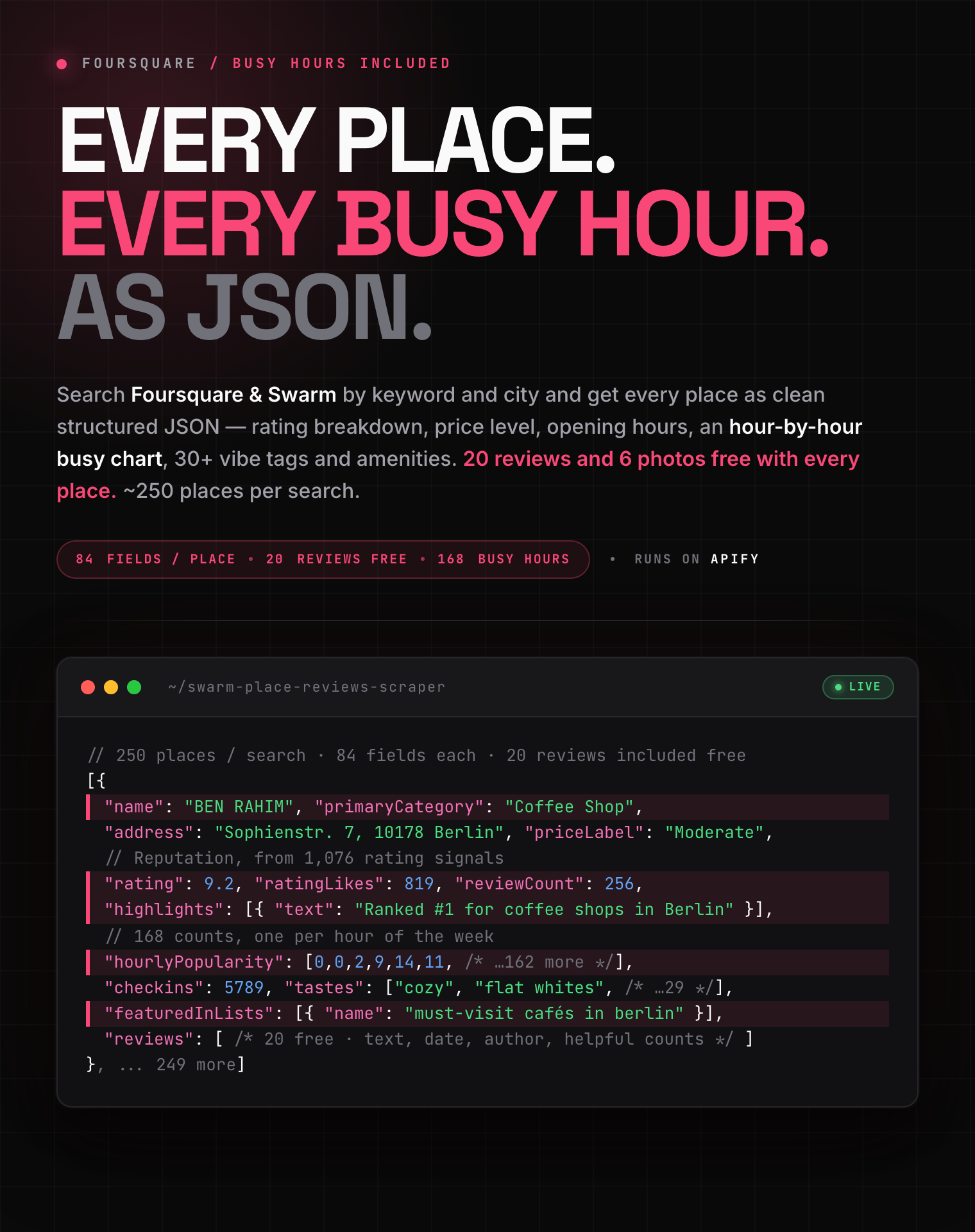
# Foursquare & Swarm Scraper: Places, Reviews, Busy Hours (`zen-studio/swarm-place-reviews-scraper`) Actor

Extract Foursquare and Swarm places with reviews, ratings, price level, phone, email and opening hours. Search by keyword and city, expand curated guides, or refresh place IDs. Includes an hour-by-hour busy chart, 30+ vibe tags and city rankings. 20 reviews free per place. Export CSV, JSON, Excel.

- **URL**: https://apify.com/zen-studio/swarm-place-reviews-scraper.md
- **Developed by:** [Zen Studio](https://apify.com/zen-studio) (community)
- **Categories:** Travel, Lead generation
- **Stats:** 2 total users, 1 monthly users, 100.0% runs succeeded, 0 bookmarks
- **User rating**: No ratings yet

## Pricing

from $3.29 / 1,000 places

This Actor is paid per event. You are not charged for the Apify platform usage, but only a fixed price for specific events.
Since this Actor supports Apify Store discounts, the price gets lower the higher subscription plan you have.

Learn more: https://docs.apify.com/actors/running/actors-in-store.md#pay-per-event

## What's an Apify Actor?

Actors are web data automations that power AI and operations. They run on the Apify platform to scrape websites, process data, connect APIs, and automate workflows.
In Batch mode, an Actor accepts a well-defined JSON input, performs an action which can take anything from a few seconds to a few hours,
and optionally produces a well-defined JSON output, datasets with results, or files in key-value store.
In Standby mode, an Actor provides a web server which can be used as a website, API, or an MCP server.
Actors are written with capital "A".

## How to integrate an Actor?

If asked about integration, you help developers integrate Actors into their projects.
You adapt to their stack and deliver integrations that are safe, well-documented, and production-ready.
The best way to integrate Actors is as follows.

- **AI agents and MCP clients** — the [Apify MCP server](https://docs.apify.com/integrations/mcp.md) at `https://mcp.apify.com` (remote, streamable HTTP, OAuth on first use).
- **Agentic workflows and local Actor development** — [Agent Skills](https://apify.com/.well-known/agent-skills/index.json) with the [Apify CLI](https://docs.apify.com/cli/docs.md): `npm install -g apify-cli`, then `apify login`.
- **JavaScript/TypeScript projects** — the official [JS/TS client](https://docs.apify.com/api/client/js/docs.md): `npm install apify-client`.
- **Python projects** — the official [Python client](https://docs.apify.com/api/client/python/docs.md): `pip install apify-client`.
- **Any other language** — the [REST API](https://docs.apify.com/api/v2.md).

For usage examples, see the [API](#api) section below.

For more details, see Apify documentation as [Markdown index](https://docs.apify.com/llms.txt) and [Markdown full-text](https://docs.apify.com/llms-full.txt).

# README

## Foursquare & Swarm Scraper | Places, Reviews, Ratings, Busy Hours & Curated Guides (2026)

Extract places from Foursquare and Swarm with their reviews, ratings, price level,
opening hours, **hour-by-hour busy chart**, amenities, vibe tags and photos. Search by
keyword and city, expand curated guides, or refresh places you already track.

<blockquote style="border-left:4px solid #F94877; padding-left:14px; margin:12px 0;">
<strong>Every place comes with 20 reviews and 6 photos, free.</strong> Five places off a
Berlin coffee search in 6 seconds, each with its rating breakdown, price level, opening
hours and an hour-by-hour busy chart. You only pay extra if you ask for more than the
included set.
</blockquote>

<a href="https://console.apify.com/actors/sv8jAMKDT0AnGB24l/input"><img src="https://api.apify.com/v2/key-value-stores/pJ7iaZsTFhR3k9tjV/records/swarm-place-reviews-scraper-hero.png" alt="Foursquare and Swarm place scraper: ratings, reviews, price level, opening hours and an hour-by-hour busy chart as structured JSON" style="max-width:100%"></a>

<table>
<tr><td colspan="4" style="padding:10px 14px;background:#4C945E;border:none"><span style="color:#FFFFFF;font-size:14px;font-weight:700">Place and review tools</span></td></tr>
<tr>
<td style="width:25%;padding:10px 12px;background:#D3EDD9;border:none;vertical-align:top"><img src="https://apify-image-uploads-prod.s3.us-east-1.amazonaws.com/NWYsOG96fMDy8ycdf-actor-sv8jAMKDT0AnGB24l-NYt0D11tLA-swarm-foursquare-scraper-logo.png" alt="Swarm / Foursquare" width="24" height="24" style="vertical-align:middle;border-radius:3px"> &nbsp;<a href="https://apify.com/zen-studio/swarm-place-reviews-scraper" style="color:#1C1917;text-decoration:none;font-size:14px;font-weight:700">Swarm / Foursquare</a><br><span style="color:#44403C;font-size:12px">➤ You are here</span></td>
<td style="width:25%;padding:10px 12px;background:#E8F5E9;border:none;vertical-align:top"><img src="https://apify-image-uploads-prod.s3.us-east-1.amazonaws.com/NWYsOG96fMDy8ycdf-actor-2EJcvIYcO9H0KQOIO-RfOMRAFXbQ-local-business-leads-scraper.png" alt="Place Aggregator" width="24" height="24" style="vertical-align:middle;border-radius:3px"> &nbsp;<a href="https://apify.com/zen-studio/place-review-aggregator" style="color:#1C1917;text-decoration:none;font-size:14px;font-weight:700">Place Aggregator</a><br><span style="color:#44403C;font-size:12px">5 platforms, one export</span></td>
<td style="width:25%;padding:10px 12px;background:#E8F5E9;border:none;vertical-align:top"><img src="https://apify-image-uploads-prod.s3.us-east-1.amazonaws.com/NWYsOG96fMDy8ycdf-actor-ojjo6BxQiOiLYRca1-RU3DuH650K-google-maps-directions-api-logo.png" alt="Google Reviews" width="24" height="24" style="vertical-align:middle;border-radius:3px"> &nbsp;<a href="https://apify.com/zen-studio/google-maps-reviews-scraper" style="color:#1C1917;text-decoration:none;font-size:14px;font-weight:700">Google Reviews</a><br><span style="color:#44403C;font-size:12px">Reviews from Google only</span></td>
<td style="width:25%;padding:10px 12px;background:#E8F5E9;border:none;vertical-align:top"><img src="https://apify-image-uploads-prod.s3.us-east-1.amazonaws.com/NWYsOG96fMDy8ycdf-actor-vBUd2ObzJUemitHHP-IYaavrd0t8-google-maps-directions-api-logo.png" alt="Google Maps" width="24" height="24" style="vertical-align:middle;border-radius:3px"> &nbsp;<a href="https://apify.com/zen-studio/google-maps-scraper" style="color:#1C1917;text-decoration:none;font-size:14px;font-weight:700">Google Maps</a><br><span style="color:#44403C;font-size:12px">Find places by area</span></td>
</tr>
</table>

Use a Swarm or Foursquare place link in [Place Review Aggregator](https://apify.com/zen-studio/place-review-aggregator) to combine its tips with Google Maps, Yelp and Tripadvisor reviews for the same location.

#### Copy to your AI assistant

```
zen-studio/swarm-place-reviews-scraper on Apify. Scrapes Foursquare and Swarm places with reviews, ratings, hours and busy-hour data. Call ApifyClient("TOKEN").actor("zen-studio/swarm-place-reviews-scraper").call(run_input={...}), then client.dataset(run["defaultDatasetId"]).list_items().items. Needs location unless you pass venueIds or listUrls. Full spec: GET https://api.apify.com/v2/acts/zen-studio~swarm-place-reviews-scraper/builds/default (Bearer TOKEN) → inputSchema, actorDefinition.storages.dataset, readme. Token: https://console.apify.com/account/integrations
```

⚡ **What makes this different:** one search returns **about 250 places**, not 30.

Every record also carries data other Foursquare scrapers do not return at all:

- an **hour-by-hour busy chart**, 168 counts across the week
- **30+ crowd-sourced vibe tags**, each with the number of reviews behind it
- the community's own **summary of what to know** about the place
- the place's **ranking in its city** ("Ranked #1 for breakfast food in New York")

### What data can you extract from Foursquare and Swarm?

Every result includes all of this, in one record:

| | |
|---|---|
| **Identity** | Name, categories with taxonomy codes, chain, address, neighbourhood, coordinates, full geo hierarchy |
| **Contact** | Phone, email, website, Facebook, Twitter, Instagram |
| **Reputation** | Rating out of 10, rating count, likes / mehs / dislikes breakdown, saves |
| **Commercial** | Price level and label, menu link, delivery, reservation and ticket links for that specific place |
| **Opening hours** | Regular, seasonal and popular hours |
| **Busy hours** | An hour-by-hour popularity chart across the whole week |
| **Foot traffic** | Check-ins, total visitors, visit count, people here right now |
| **Character** | 30+ crowd-sourced vibe tags with their weights, plus amenities (Wi-Fi, outdoor seating, reservations, cards, music) |
| **Rankings** | Where the place ranks in its city, with a link to that ranking |
| **Key points** | The community's own summary of what to know, each backed by a review count |
| **Reviews** | **20 included free**, with full text, helpful counts, author and date. Thousands available |
| **Photos** | **6 included free**, with dimensions, date and author |
| **Guides** | The curated guides that feature this place, with follower counts |

### Five ways to start a run

| Give it | You get |
|---|---|
| A keyword and a location | Places matching that keyword in that area, up to ~250 |
| Just a location | The top recommended places there |
| A guide search | Curated guides, expanded into every place on them |
| Guide links | Every place on those specific guides |
| Place links or IDs | Exactly those places, for scheduled refreshes |

Guide runs also fill a separate **guides** dataset (name, curator, follower count, and
every place on the guide **with the curator's own note about it**), and tag each place
with the guide it came from.

### How to scrape Foursquare reviews

1. Put a keyword in *What to search for* and a city in *Location*.
2. Leave *Reviews per place* at 20 to stay inside the free allowance, or raise it.
3. Run it. Results stream into the dataset as they are collected.
4. Export to JSON, CSV, Excel or XML, or pull them with the API.

### Foursquare Places API alternative

The official Places API does not return reviews at all. This actor does, along with the
busy-hours chart, vibe tags and rankings that no API endpoint exposes. No API key, no
quota negotiation, no per-endpoint billing.

### Pricing

You pay per place. Reviews and photos are included up to the free allowance, so most
runs cost nothing beyond the place itself.

| Event | Price per 1,000 |
|---|---|
| Place | $3.99 |
| Review, **beyond the free 20 per place** | $0.9999 |
| Photo, **beyond the free 6 per place** | $0.4999 |
| Similar places, per place | $0.99 |

Leaving *Reviews per place* at 20 or below, and *Photos per place* at 6 or below, adds no
charge at all. Only what you ask for beyond the included set is billed.

### Integrations and scheduling

Send results straight to **Google Sheets**, **Make**, **Zapier**, or your own endpoint
with a **webhook**, or pull them from the **Apify API**.

For monitoring, schedule a **weekly** run over a fixed list of place IDs to track ratings
and new reviews. Use **daily** only if you care about people-here-now and busy-hour
shifts, which change far faster than ratings do.

Apify's own walkthrough of scheduling and integrations:
https://www.youtube.com/watch?v=oJlLD-4QRB4

### Example output

One place record, trimmed for length. `hourlyPopularity` is 168 counts, one per hour of
the week; only the first day is shown.

```json
{
  "name": "BEN RAHIM",
  "primaryCategory": "Coffee Shop",
  "address": "Sophienstr. 7\n10178 Berlin\nDeutschland",
  "city": "Berlin",
  "countryCode": "DE",
  "lat": 52.52516780214338,
  "lng": 13.402005953945544,
  "rating": 9.2,
  "ratingSignals": 1076,
  "ratingCount": 872,
  "ratingLikes": 819,
  "ratingMehs": 41,
  "ratingDislikes": 12,
  "likes": 820,
  "saves": 0,
  "priceTier": 2,
  "priceLabel": "Moderate",
  "reviewCount": 256,
  "checkins": 5789,
  "totalVisitors": 4769,
  "phone": "+491759560022",
  "website": "http://benrahim.de",
  "highlights": [
    {
      "text": "Ranked #1 for coffee shops in Berlin",
      "type": "BestXinGeo",
      "url": "https://foursquare.com/top-places/berlin/best-coffee-shops"
    }
  ],
  "keyPoints": [
    {
      "text": "Definitely the best coffee in Berlin!small place but cozy.",
      "reviewCount": 9,
      "topic": "coffee in berlin"
    }
  ],
  "tastes": [
    "coffee",
    "restaurants",
    "espresso drinks",
    "cozy",
    "flat whites",
    "friendly staff",
    "..."
  ],
  "attributes": {
    "Menus": "Breakfast, Brunch, Lunch, Dessert",
    "Drinks": "Cocktails",
    "Credit Cards": "Yes (incl. Google Wallet & Visa)",
    "Outdoor Seating": "Yes",
    "Music": "Yes",
    "Wi-Fi": "Free",
    "Parking": "Public Lot",
    "Restroom": "Yes",
    "Wheelchair Accessible": "Yes"
  },
  "geoHierarchy": [
    {
      "name": "Berlin",
      "type": 7
    },
    {
      "name": "Berlin",
      "type": 8
    },
    {
      "name": "Deutschland",
      "type": 12
    }
  ],
  "featuredInLists": [
    {
      "id": "4e5a0c4f922ea6b1b748165e",
      "name": "must-visit cafés in berlin",
      "followers": 39
    }
  ],
  "hourlyPopularity": [
    0,
    0,
    0,
    0,
    0,
    0,
    0,
    2,
    17,
    26,
    28,
    27,
    28,
    27,
    19,
    10,
    2,
    3,
    14,
    15,
    12,
    7,
    3,
    1
  ],
  "reviews": [
    {
      "text": "Tiny hidden coffee place in the Hackescher Höfe backyard. Incredibly nice owner, lovely little green tables outside.",
      "createdAtIso": "2015-09-26T11:54:07+00:00",
      "agreeCount": 5,
      "author": {
        "name": "D. E.",
        "handle": "d.e3999371"
      }
    }
  ],
  "photos": [
    {
      "url": "https://fastly.4sqi.net/img/general/original/58023446_wBcV-ZLubXo4KBwDaKihkIhXQm7ObqT_3qNGzRrFi-o.jpg",
      "width": 1440,
      "height": 1920
    }
  ]
}
```

### FAQ

**How many places does one search return?**
About 250 per keyword and location. For a whole city, run several keywords or several
neighbourhoods rather than one broad search.

**How many reviews can I get per place?**
As many as the place has, and popular places carry thousands. The first 20 are free; set
*Reviews per place* higher to go deeper.

**Can I get busy hours and foot traffic?**
Yes. Every place carries `hourlyPopularity` (168 counts, one per hour of the week),
`popularHours`, check-ins, total visitors and people here right now.

**Foursquare shut down its City Guide app. Does this still work?**
Yes. The City Guide app closed in December 2024 and its website in April 2025, but the
place data itself is very much alive and Swarm is still running. Every run here fetches
current data, which is why ratings, hours and people-here-now keep changing between runs.

**Is this an alternative to the Foursquare Places API?**
Yes, and it returns things the API does not have: reviews, busy hours, vibe tags and city
rankings. No API key needed.

**Can I get reviews for places I already have?**
Yes. Paste place links or IDs into *Or specific places* and the actor scrapes only those,
which is the cheapest way to run a scheduled refresh.

**How do I refresh the same places on a schedule?**
Save a run with your place IDs as a task, then schedule it. Only the places you listed are
scraped, so the cost is predictable.

**Is the data live?**
Yes, every run fetches current data, including ratings, hours and people here now.

**Can I export to Google Sheets or Excel?**
Yes. Every run's dataset exports to JSON, CSV, Excel, XML and RSS, or connects straight to
Sheets.

### Legal

This actor collects publicly visible place information. You are responsible for how you
use the data, including compliance with GDPR and any other applicable regulation. Do not
use it to collect personal data you have no lawful basis to process.

### More Zen Studio & Clearpath scrapers for maps & local data

- <img src="https://apify-image-uploads-prod.s3.us-east-1.amazonaws.com/NWYsOG96fMDy8ycdf-actor-vBUd2ObzJUemitHHP-IYaavrd0t8-google-maps-directions-api-logo.png" width="16" height="16" style="vertical-align:middle;border-radius:3px"> **Google Maps**
  - [Google Maps Scraper](https://apify.com/zen-studio/google-maps-scraper)
  - [Google Maps Directions & Routes API](https://apify.com/zen-studio/google-maps-directions-api)

- <img src="https://apify-image-uploads-prod.s3.us-east-1.amazonaws.com/NWYsOG96fMDy8ycdf-actor-5bSvAQKSK3LPq9OXb-AgVhcT1mQC-apple-maps-scraper-logo.png" width="16" height="16" style="vertical-align:middle;border-radius:3px"> **Apple Maps**

  - [Apple Maps Scraper](https://apify.com/zen-studio/apple-maps-scraper-pro)
  - [Apple Maps Directions & Route API](https://apify.com/zen-studio/apple-maps-directions-route-api)

- <img src="https://apify-image-uploads-prod.s3.us-east-1.amazonaws.com/NWYsOG96fMDy8ycdf-actor-fRSgBvgbsRB4o7t30-UkaIbH1Yhq-yandex-maps-scraper-logo.png" width="16" height="16" style="vertical-align:middle;border-radius:3px"> **Yandex Maps Яндекс Карты**

  - [Yandex Maps Scraper](https://apify.com/zen-studio/yandex-maps-scraper)
  - [Yandex Maps Reviews Scraper](https://apify.com/zen-studio/yandex-maps-reviews-scraper)

- <img src="https://apify-image-uploads-prod.s3.us-east-1.amazonaws.com/NWYsOG96fMDy8ycdf-actor-NBmcHCtkUEhA0DNP3-SrXbUedsVm-2gis-scraper-api-logo.png" width="16" height="16" style="vertical-align:middle;border-radius:3px"> **2GIS 2ГИС**

  - [2GIS Places Scraper](https://apify.com/zen-studio/2gis-places-scraper-api)
  - [2GIS Reviews Scraper](https://apify.com/zen-studio/2gis-reviews-scraper)

- <img src="https://apify-image-uploads-prod.s3.us-east-1.amazonaws.com/NWYsOG96fMDy8ycdf-actor-EgDf0I1X8lNhCes2E-kpZCa398Jg-baidu-maps-scraper-logo.png" width="16" height="16" style="vertical-align:middle;border-radius:3px"> **Baidu Maps 百度地图**

  - [Baidu Maps Scraper](https://apify.com/zen-studio/baidu-maps-scraper)

- <img src="https://apify-image-uploads-prod.s3.us-east-1.amazonaws.com/NWYsOG96fMDy8ycdf-actor-F5g6zADHgY9XgfKpv-uUDQtIEe9Q-naver-place-maps-scraper-logo.png" width="16" height="16" style="vertical-align:middle;border-radius:3px"> **Naver Map & Place 네이버 지도**

  - [Naver Map & Place Scraper](https://apify.com/zen-studio/naver-place-scraper)

- <img src="https://apify-image-uploads-prod.s3.us-east-1.amazonaws.com/NWYsOG96fMDy8ycdf-actor-Qn4Jh4wff6sgCEvQ5-X3AegHM3lL-kakao-map-scraper-logo.png" width="16" height="16" style="vertical-align:middle;border-radius:3px"> **Kakao Map 카카오맵**

  - [Kakao Map Scraper](https://apify.com/zen-studio/kakao-map-scraper)

- <img src="https://apify-image-uploads-prod.s3.us-east-1.amazonaws.com/NWYsOG96fMDy8ycdf-actor-vBUd2ObzJUemitHHP-IYaavrd0t8-google-maps-directions-api-logo.png" width="16" height="16" style="vertical-align:middle;border-radius:3px"> **Bing Maps**
  - [Bing Maps Scraper](https://apify.com/zen-studio/bing-maps-scraper)
    **🔗 Review aggregators**

- <img src="https://apify-image-uploads-prod.s3.us-east-1.amazonaws.com/NWYsOG96fMDy8ycdf-actor-2EJcvIYcO9H0KQOIO-RfOMRAFXbQ-local-business-leads-scraper.png" width="16" height="16" style="vertical-align:middle;border-radius:3px"> **Place reviews**
  - [Place Review Aggregator](https://apify.com/zen-studio/place-review-aggregator)

***

*Foursquare scraper for places, reviews, ratings, price level, opening hours, busy-hour
data, vibe tags and curated city guides. Runs on Apify, no API key required.*

# Actor input Schema

## `searchTerm` (type: `string`):

A keyword or category, for example <b>coffee</b>, <b>ramen</b>, <b>rooftop bar</b> or <b>museum</b>. Leave empty to get the top recommended places in the location instead.<br><br>Each search returns up to about <b>250 places</b>. For wider coverage, run several searches or several locations.

## `location` (type: `string`):

City, neighbourhood or address in plain text, for example <b>Berlin, Germany</b>, <b>Brooklyn NY</b> or <b>Shibuya, Tokyo</b>.<br><br>Required unless you supply place or guide links below.

## `guideSearch` (type: `string`):

Find curated guides ("best brunch", "date night", "hidden gems") and scrape every place on them. Each place is tagged with the guide it came from, and the guides themselves are saved to a separate <b>guides</b> dataset.<br><br>Takes priority over the keyword search above.

## `venueIds` (type: `array`):

Place links or IDs to scrape directly, for refreshing places you already track. Takes priority over every other option.

## `listUrls` (type: `array`):

Links to specific curated guides. Every place on each guide is scraped.

## `includeReviews` (type: `boolean`):

Add reviews to every place: full text, rating signals, helpful counts, author and date.

## `maxReviewsPerPlace` (type: `integer`):

How many reviews to collect for each place.<br><br><b>You are not billed for the first 20.</b> Every place already includes 20 reviews, so setting this to 20 or below adds no extra cost. Only reviews beyond 20 are billed.<br><br>Popular places can have thousands.

## `reviewsSort` (type: `string`):

<b>Most helpful</b> surfaces the reviews the community rated highest. <b>Newest</b> is better for tracking what people are saying lately.

## `includePhotos` (type: `boolean`):

Add photo URLs with dimensions, date and author.

## `maxPhotosPerPlace` (type: `integer`):

How many photos to collect for each place.<br><br><b>You are not billed for the first 6.</b> Every place already includes 6 photos, so 6 or below adds no extra cost.

## `includeSimilar` (type: `boolean`):

Add around 15-20 comparable places nearby for each result, with name, category, rating and address. Useful for competitor sets and recommendations.

## `maxPlaces` (type: `integer`):

Stop after this many places. A single search returns up to about 250; use several searches or locations for more.

## `maxGuides` (type: `integer`):

When searching guides, how many to expand.

## `maxPlacesPerGuide` (type: `integer`):

Cap how many places to take from each guide.

## Actor input object example

```json
{
  "searchTerm": "coffee",
  "location": "New York, NY",
  "includeReviews": true,
  "maxReviewsPerPlace": 20,
  "reviewsSort": "popular",
  "includePhotos": false,
  "maxPhotosPerPlace": 6,
  "includeSimilar": false,
  "maxPlaces": 100,
  "maxGuides": 10,
  "maxPlacesPerGuide": 50
}
```

# Actor output Schema

## `results` (type: `string`):

No description

# API

You can run this Actor programmatically using our API. Below are code examples in JavaScript, Python, and CLI, as well as the OpenAPI specification and MCP server setup.

## JavaScript example

```javascript
import { ApifyClient } from 'apify-client';

// Initialize the ApifyClient with your Apify API token
// Replace the '<YOUR_API_TOKEN>' with your token
const client = new ApifyClient({
    token: '<YOUR_API_TOKEN>',
});

// Prepare Actor input
const input = {
    "searchTerm": "coffee",
    "location": "New York, NY"
};

// Run the Actor and wait for it to finish
const run = await client.actor("zen-studio/swarm-place-reviews-scraper").call(input);

// Fetch and print Actor results from the run's dataset (if any)
console.log('Results from dataset');
console.log(`💾 Check your data here: https://console.apify.com/storage/datasets/${run.defaultDatasetId}`);
const { items } = await client.dataset(run.defaultDatasetId).listItems();
items.forEach((item) => {
    console.dir(item);
});

// 📚 Want to learn more 📖? Go to → https://docs.apify.com/api/client/js/docs

```

## Python example

```python
from apify_client import ApifyClient

# Initialize the ApifyClient with your Apify API token
# Replace '<YOUR_API_TOKEN>' with your token.
client = ApifyClient("<YOUR_API_TOKEN>")

# Prepare the Actor input
run_input = {
    "searchTerm": "coffee",
    "location": "New York, NY",
}

# Run the Actor and wait for it to finish
run = client.actor("zen-studio/swarm-place-reviews-scraper").call(run_input=run_input)

# Fetch and print Actor results from the run's dataset (if there are any)
print(f"💾 Check your data here: https://console.apify.com/storage/datasets/{run.default_dataset_id}")
for item in client.dataset(run.default_dataset_id).iterate_items():
    print(item)

# 📚 Want to learn more 📖? Go to → https://docs.apify.com/api/client/python/docs/quick-start

```

## CLI example

```bash
echo '{
  "searchTerm": "coffee",
  "location": "New York, NY"
}' |
apify call zen-studio/swarm-place-reviews-scraper --silent --output-dataset

```

## MCP server setup

```json
{
    "mcpServers": {
        "apify": {
            "type": "http",
            "url": "https://mcp.apify.com/?tools=fetch-actor-details,zen-studio/swarm-place-reviews-scraper"
        }
    }
}

```

The hosted server signs you in with OAuth on first connect, so no API token belongs in this config. Clients without OAuth support can send an `Authorization: Bearer <APIFY_API_TOKEN>` header instead, using a token from API & Integrations in Apify Console (https://console.apify.com/settings/integrations).

## OpenAPI specification

Download the OpenAPI definition: https://api.apify.com/v2/actors/sv8jAMKDT0AnGB24l/builds/1J24JpojntyveqYCG/openapi.json