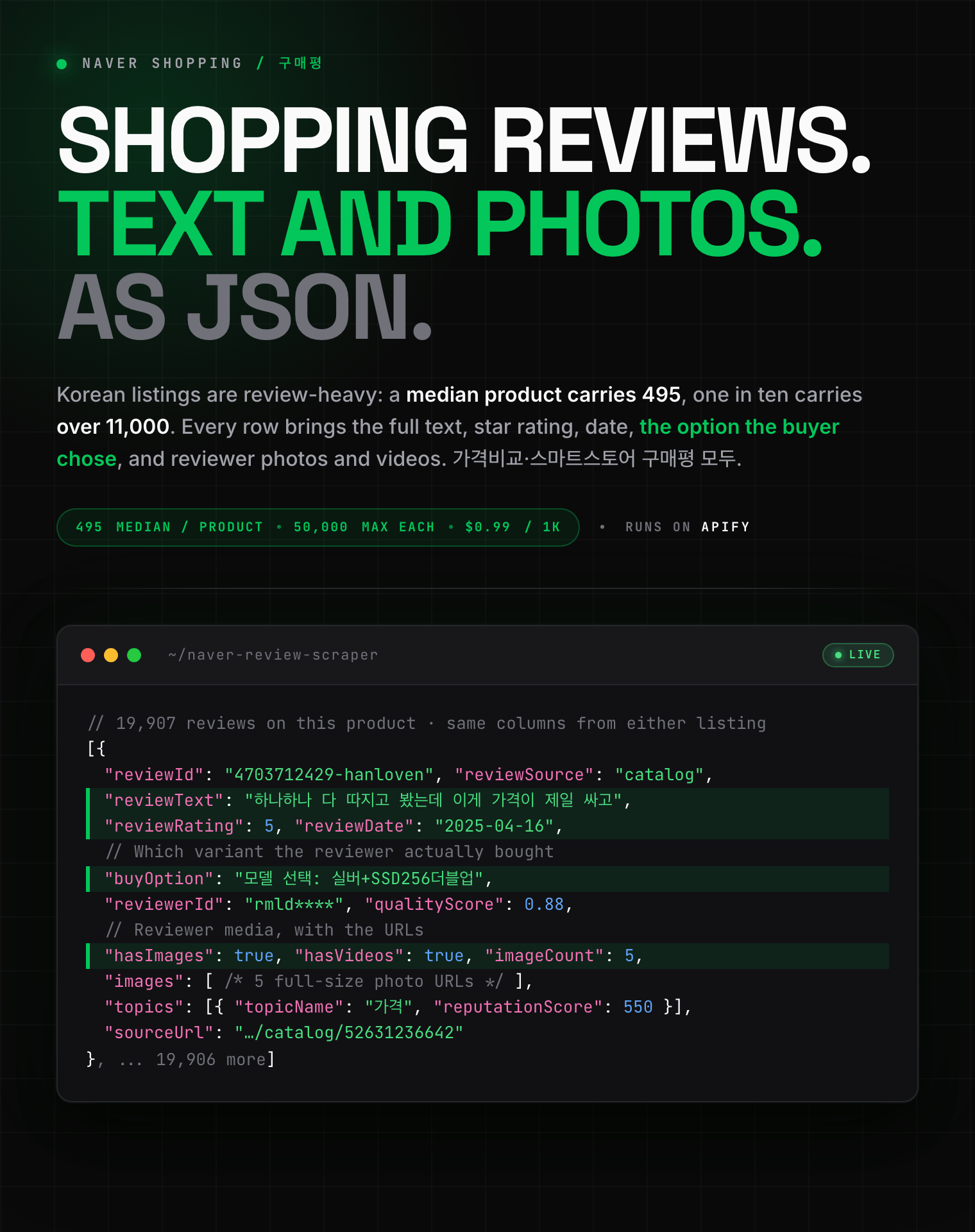
# Naver Shopping Review Scraper (네이버쇼핑) - Ratings & Photos (`zen-studio/naver-review-scraper`) Actor

Scrape customer reviews from Naver Shopping (네이버 쇼핑) by product link or ID. Get the full review text, star rating, date, purchased option and reviewer photos and videos, up to 50,000 per product. Filter by photos, videos or top-rated. Export to JSON, CSV or Excel.

- **URL**: https://apify.com/zen-studio/naver-review-scraper.md
- **Developed by:** [Zen Studio](https://apify.com/zen-studio) (community)
- **Categories:** E-commerce
- **Stats:** 2 total users, 1 monthly users, 50.0% runs succeeded, 0 bookmarks
- **User rating**: No ratings yet

## Pricing

from $0.99 / 1,000 reviews

This Actor is paid per event. You are not charged for the Apify platform usage, but only a fixed price for specific events.
Since this Actor supports Apify Store discounts, the price gets lower the higher subscription plan you have.

Learn more: https://docs.apify.com/platform/actors/running/actors-in-store#pay-per-event

## What's an Apify Actor?

Actors are web data automations that power AI and operations. They run on the Apify platform to scrape websites, process data, connect APIs, and automate workflows.
In Batch mode, an Actor accepts a well-defined JSON input, performs an action which can take anything from a few seconds to a few hours,
and optionally produces a well-defined JSON output, datasets with results, or files in key-value store.
In Standby mode, an Actor provides a web server which can be used as a website, API, or an MCP server.
Actors are written with capital "A".

## How to integrate an Actor?

If asked about integration, you help developers integrate Actors into their projects.
You adapt to their stack and deliver integrations that are safe, well-documented, and production-ready.
The best way to integrate Actors is as follows.

- **AI agents and MCP clients** — the [Apify MCP server](https://docs.apify.com/integrations/mcp.md) at `https://mcp.apify.com` (remote, streamable HTTP, OAuth on first use).
- **Agentic workflows and local Actor development** — [Agent Skills](https://apify.com/.well-known/agent-skills/index.json) with the [Apify CLI](https://docs.apify.com/cli/docs.md): `npm install -g apify-cli`, then `apify login`.
- **JavaScript/TypeScript projects** — the official [JS/TS client](https://docs.apify.com/api/client/js/docs.md): `npm install apify-client`.
- **Python projects** — the official [Python client](https://docs.apify.com/api/client/python/docs.md): `pip install apify-client`.
- **Any other language** — the [REST API](https://docs.apify.com/api/v2.md).

For usage examples, see the [API](#api) section below.

For more details, see Apify documentation as [Markdown index](https://docs.apify.com/llms.txt) and [Markdown full-text](https://docs.apify.com/llms-full.txt).

# README

## Naver Shopping Review Scraper (네이버쇼핑 구매평) | Korean Product Reviews, Photos & Ratings (2026)

<blockquote style="border-left:4px solid #4C945E;background:#F0FDF4;padding:14px 18px;margin:14px 0">
<span style="font-size:20px;font-weight:800;color:#1C1917">Korean products carry a median of 495 reviews. This Actor takes all of them.</span>
</blockquote>

<a href="https://console.apify.com/actors/REhyatWcBlDEfFhQN/input"><img src="https://api.apify.com/v2/key-value-stores/pJ7iaZsTFhR3k9tjV/records/naver-review-scraper-hero.png" alt="Naver Shopping (네이버 쇼핑) review scraper: full review text, star ratings, purchased option and reviewer photos and videos as structured JSON" style="max-width:100%"></a>

<blockquote style="border-left:4px solid #4C945E;padding:10px 16px;margin:12px 0">
<span style="font-size:17px;font-weight:700">⚡ 1,000 reviews in under 30 seconds.</span>
</blockquote>

<table>
<tr>
<td colspan="3" style="padding:10px 14px;background:#4C945E;border:none;border-radius:4px 4px 0 0">
<span style="color:#FAFAF9;font-size:14px;font-weight:700;letter-spacing:0.5px">Zen Studio Korea Marketplace Scrapers</span>
<span style="color:#E8F5E9;font-size:13px">&nbsp;&nbsp;&bull;&nbsp;&nbsp;Product, price and review data from Korea's two biggest storefronts</span>
</td>
</tr>
<tr>
<td style="padding:14px 16px;border:1px solid #E7E5E4;background:#E8F5E9;border-right:none;border-top:none;vertical-align:top;width:33%">
<img src="https://apify-image-uploads-prod.s3.us-east-1.amazonaws.com/NWYsOG96fMDy8ycdf-actor-DHVT6jhgablck1CTx-kFq5oLPY2n-naver-shopping-scraper.png" width="22" height="22" alt="Naver Shopping scraper" style="vertical-align:middle;border-radius:4px">&nbsp;<a href="https://apify.com/zen-studio/naver-shopping-scraper" style="color:#1C1917;text-decoration:none;font-weight:700;font-size:15px">Naver Shopping</a><br>
<span style="color:#44403C;font-size:14px">Keyword &amp; category search</span>
</td>
<td style="padding:14px 16px;border:1px solid #E7E5E4;background:#E8F5E9;border-right:none;border-top:none;vertical-align:top;width:33%">
<img src="https://apify-image-uploads-prod.s3.us-east-1.amazonaws.com/NWYsOG96fMDy8ycdf-actor-DHVT6jhgablck1CTx-kFq5oLPY2n-naver-shopping-scraper.png" width="22" height="22" alt="Naver Detail scraper" style="vertical-align:middle;border-radius:4px">&nbsp;<a href="https://apify.com/zen-studio/naver-product-detail-scraper" style="color:#1C1917;text-decoration:none;font-weight:700;font-size:15px">Naver Detail</a><br>
<span style="color:#44403C;font-size:14px">Specs, sellers, history</span>
</td>
<td style="padding:14px 16px;border:1px solid #E7E5E4;background:#D3EDD9;border-top:none;vertical-align:top;width:33%">
<img src="https://apify-image-uploads-prod.s3.us-east-1.amazonaws.com/NWYsOG96fMDy8ycdf-actor-DHVT6jhgablck1CTx-kFq5oLPY2n-naver-shopping-scraper.png" width="22" height="22" alt="Naver Review scraper" style="vertical-align:middle;border-radius:4px">&nbsp;<a href="https://apify.com/zen-studio/naver-review-scraper" style="color:#4C945E;text-decoration:none;font-weight:700;font-size:15px">Naver Review</a><br>
<span style="color:#4C945E;font-size:14px;font-weight:700">&#10148; You are here</span>
</td>
</tr>
<tr>
<td style="padding:14px 16px;border:1px solid #E7E5E4;border-radius:0 0 0 4px;background:#E8F5E9;border-right:none;border-top:none;vertical-align:top;width:33%">
<img src="https://apify-image-uploads-prod.s3.us-east-1.amazonaws.com/NWYsOG96fMDy8ycdf-actor-vmxh49iJNTXdWaAwE-5U1C2nq87Q-coupang-review-scraper-logo.png" width="22" height="22" alt="Coupang Search scraper" style="vertical-align:middle;border-radius:4px">&nbsp;<a href="https://apify.com/zen-studio/coupang-search-scraper" style="color:#1C1917;text-decoration:none;font-weight:700;font-size:15px">Coupang Search</a><br>
<span style="color:#44403C;font-size:14px">Keyword product search</span>
</td>
<td style="padding:14px 16px;border:1px solid #E7E5E4;background:#E8F5E9;border-right:none;border-top:none;vertical-align:top;width:33%">
<img src="https://apify-image-uploads-prod.s3.us-east-1.amazonaws.com/NWYsOG96fMDy8ycdf-actor-1rTROFmqS9xoIA87q-2lhFGw7gfO-coupang-review-scraper-logo.png" width="22" height="22" alt="Coupang Detail scraper" style="vertical-align:middle;border-radius:4px">&nbsp;<a href="https://apify.com/zen-studio/coupang-detail-scraper" style="color:#1C1917;text-decoration:none;font-weight:700;font-size:15px">Coupang Detail</a><br>
<span style="color:#44403C;font-size:14px">Specs, options, sellers</span>
</td>
<td style="padding:14px 16px;border:1px solid #E7E5E4;border-radius:0 0 4px 0;background:#E8F5E9;border-top:none;vertical-align:top;width:33%">
<img src="https://apify-image-uploads-prod.s3.us-east-1.amazonaws.com/NWYsOG96fMDy8ycdf-actor-0hS9yNh3RU8DC6puG-LozxRJkdHN-coupang-review-scraper-logo.png" width="22" height="22" alt="Coupang Review scraper" style="vertical-align:middle;border-radius:4px">&nbsp;<a href="https://apify.com/zen-studio/coupang-review-scraper" style="color:#1C1917;text-decoration:none;font-weight:700;font-size:15px">Coupang Review</a><br>
<span style="color:#44403C;font-size:14px">Reviews, photos, ratings</span>
</td>
</tr>
</table>

#### Copy to your AI assistant

```
zen-studio/naver-review-scraper on Apify. Takes Naver Shopping product URLs or bare IDs and returns one row per customer review in the DEFAULT dataset: reviewText, reviewRating, reviewDate, reviewerId, purchased option, photos and videos. Call ApifyClient("TOKEN").actor("zen-studio/naver-review-scraper").call(run_input={"productUrls": ["https://search.shopping.naver.com/catalog/52631236642"], "maxReviewsPerProduct": 200}), then client.dataset(run["defaultDatasetId"]).list_items().items. Leave maxReviewsPerProduct unset for all reviews. reviewSource says which listing served each row. Full spec: GET https://api.apify.com/v2/acts/zen-studio~naver-review-scraper/builds/default (Bearer TOKEN) → inputSchema, actorDefinition.storages.dataset, readme. Token: https://console.apify.com/account/integrations
```

### Key Features

- **Fast enough for bulk work**: around **1,000 reviews in under 30 seconds**, so a shortlist of products is a coffee break rather than an afternoon.
- **Reviews at real depth.** Korean marketplace listings are review-heavy in a way most sources are not: a median product carries around 500 reviews, one in ten carries more than 11,000, and the deepest we measured had 572,422. Clear the per-product limit and the Actor takes them all.
- **Both kinds of link.** A price-comparison link returns the reviews gathered against that listing; a store link returns that seller's own. Whichever you paste is what you get, and `reviewSource` records it.
- **One table, whichever listing answered.** `reviewText`, `reviewRating`, `reviewDate` and `reviewerId` read the same on every row, so a mixed dataset sorts and exports as one sheet. The source's own field names are kept alongside them, so nothing is lost.
- **Photos and videos**, with `hasImages` and `hasVideos` flags and the full attachment URLs.
- **The purchased option**, which is what makes a review usable for product analysis: which colour, size or variant the reviewer actually bought.
- **Filter by kind**: all reviews, photo reviews, video reviews, or the ones the source itself scores highest for usefulness.

### How to Scrape Naver Shopping Reviews

1. Open the Actor and paste your product links into **Product links or IDs**.
2. Adjust **Max reviews per product**. It starts at 30, one page. Set it to 0 to collect every review.
3. Press **Start**.
4. Download the results as JSON, CSV or Excel, or pull them from the API.

#### Basic: the top reviews for a product

```json
{
  "productUrls": ["https://search.shopping.naver.com/catalog/52631236642"],
  "maxReviewsPerProduct": 100
}
```

#### Every review a product has

```json
{
  "productUrls": ["https://smartstore.naver.com/nestlestore/products/10503912668"],
  "maxReviewsPerProduct": null
}
```

#### Photo reviews only, newest first

```json
{
  "productUrls": ["https://brand.naver.com/dunkin/products/10011140914"],
  "reviewType": "PHOTO",
  "reviewSort": "RECENT",
  "maxReviewsPerProduct": 500
}
```

#### A shortlist of competing products

```json
{
  "productUrls": [
    "https://search.shopping.naver.com/catalog/52631236642",
    "https://search.shopping.naver.com/catalog/58509823828",
    "https://smartstore.naver.com/nestlestore/products/10503912668"
  ],
  "maxReviewsPerProduct": 300
}
```

### Input Parameters

| Field | Type | Default | Description |
|---|---|---|---|
| `productUrls` | array | **required** | Naver Shopping product links or bare ID numbers. Price-comparison and store links both work. Max 1,000 per run; duplicates are removed. |
| `maxReviewsPerProduct` | integer | `30` | How many reviews per product, one page by default. Clear the field for every review available, up to 50,000 per product. |
| `reviewSort` | string | `RANKING` | `RANKING` (top ranked) or `RECENT` (newest first). On price-comparison listings the two orders reach different reviews. |
| `reviewType` | string | `ALL` | `ALL`, `PHOTO`, `VIDEO` or `QUALITY`. |

### What Data Can You Extract from a Naver Shopping Review?

Every review row includes:

- **The same four columns whichever listing answered**: `reviewText`, `reviewRating`, `reviewDate`, `reviewerId`.
- **Identity and joins**: `reviewId`, `productId`, `catalogId`, `reviewSource`, and `sourceUrl`, the exact link you supplied, so a multi-product dataset groups without a lookup.
- **The purchased option**: `buyOption` on price-comparison rows, `productOptionContent` on store rows.
- **Media**: `hasImages`, `hasVideos`, and the attachment URLs: `images` and `videos` on price-comparison rows, `reviewAttaches` on store rows.
- **Signals**: `qualityScore` and topic tags with sentiment on price-comparison rows, `helpCount` and the reviewer's badge on store rows.
- **Everything else the source publishes**, under its own field names.

`reviewSource` is `catalog` for reviews served by a price-comparison listing and `store` for a seller's own. The two surfaces publish different extras, so a row from one carries fields the other does not; the four unified columns above are always present on both.

#### Output Example: a price-comparison review

This is a complete row: every key and every value a real result carries, at every level of nesting. Only two things are shortened. Arrays are cut to their first item or two, since a 181-point price history or a 97-field seller teaches nothing after the first. And single values longer than 200 characters are middle-ellipsised, which in practice only affects click-tracking URLs. No key is omitted anywhere.

```json
{
  "id": "4703712429-hanloven-10098450194",
  "buyOption": "모델 선택: 실버+SSD256더블업",
  "content": "하나하나 다 따지고 봤는데 이게 가격이 제일 싸고 가성비 있어 보여서 선택하게 되었어요.<br><br>성능도 나쁘지 않았고 세일도 많이 하다보니 눈길이 갔구요.<br><br>주…기다니기에도 편할 것 같습니다.<br><br>삼성의 노예라서 모든 기기를 삼성으로 쓰고 있는 사람이라서.. 본인 핸드폰이 삼성이다 ?? 그러면 100퍼센트 추천드리는 바입니다.",
  "imageCount": 5,
  "isImage": true,
  "images": [
    "https://phinf.pstatic.net/checkout/20250416_271/1744730042745Rew7r_JPEG/1000024798.jpg",
    "https://phinf.pstatic.net/checkout/20250416_137/1744730042500Gvd16_JPEG/1000024799.jpg",
    "https://phinf.pstatic.net/checkout/20250416_67/1744730042479Jt13I_JPEG/1000024801.jpg"
  ],
  "mallName": "삼성mall 한사랑씨앤씨",
  "mallId": "hanloven",
  "mallProductId": "10098450194",
  "mallReviewId": "4703712429",
  "mallSequence": "376289",
  "mallLogoUrl": "https://shopping-phinf.pstatic.net/20241001_23/1c579383-f040-40aa-9b69-9143c78cfa8d.jpg",
  "matchNvMid": "52631236642",
  "modifyDate": "2025-04-16",
  "nvMid": "87642952896",
  "pageUrl": "https://smartstore.naver.com/main/products/10098450194",
  "qualityScore": 0.881631,
  "registerDate": "2025-04-16",
  "starScore": 5,
  "title": "하나하나 다 따지고 봤는데 이게 가격이 제일 싸고 가성비 있어 보여서 선택하게 되었어요.성능도 나쁘지 않았고 세일도 많이 하다보니 눈길이 갔구요.주말에 ssd 더블업 이벤트하길래 ",
  "topicCount": 10,
  "isTopic": true,
  "topics": [
    {
      "topicName": "가격",
      "topicCode": "price",
      "reputationScore": 550,
      "startPosition": 37,
      "endPosition": 66,
      "isPositive": true
    }
  ],
  "userId": "rmld****",
  "videoCount": 1,
  "isVideo": true,
  "videos": [
    {
      "videoId": "B43F2D1B59016C0190EF1ACB85409E055D8A",
      "videoThumbnailUrl": "https://phinf.pstatic.net/image.nmv/shopnbuyer_2025_04_16_917/qfzVQbj1ae_03.jpg"
    }
  ],
  "catalogId": "52631236642",
  "productId": null,
  "reviewSource": "catalog",
  "reviewId": "4703712429-hanloven-10098450194",
  "reviewText": "하나하나 다 따지고 봤는데 이게 가격이 제일 싸고 가성비 있어 보여서 선택하게 되었어요.<br><br>성능도 나쁘지 않았고 세일도 많이 하다보니 눈길이 갔구요.<br><br>주…기다니기에도 편할 것 같습니다.<br><br>삼성의 노예라서 모든 기기를 삼성으로 쓰고 있는 사람이라서.. 본인 핸드폰이 삼성이다 ?? 그러면 100퍼센트 추천드리는 바입니다.",
  "reviewRating": 5,
  "reviewDate": "2025-04-16",
  "reviewerId": "rmld****",
  "hasImages": true,
  "hasVideos": true,
  "scrapedAt": "2026-08-20T12:12:51.181787+00:00",
  "sourceUrl": "https://search.shopping.naver.com/catalog/52631236642"
}
```

#### Output Example: a store review

This is a complete row: every key and every value a real result carries, at every level of nesting. Only two things are shortened. Arrays are cut to their first item or two, since a 181-point price history or a 97-field seller teaches nothing after the first. And single values longer than 200 characters are middle-ellipsised, which in practice only affects click-tracking URLs. No key is omitted anywhere.

```json
{
  "id": 5042808714,
  "reviewType": "NORMAL",
  "reviewServiceType": "SELLBLOG",
  "reviewContentClassType": "PHOTO",
  "reviewScore": 1,
  "reviewContent": "스타벅스 브랜드를 믿었는데 정말 정말 정말 실망스럽네요. 유통 기한이 4개월도 남지않은 제품을 라이브 행사하듯이 판매하다니..... 캡슐 구매한지 20년도 넘었지만 이렇게 임박…!!!! 사은품이라는 샘플도 1개는 품질유지기한 2달도 안남은 드립백.... 이건 사은품이 아니라 처분 아닌가요? 차라리 임박상품이라고 할인해서 판매를 하던지 어이가 없습니다.",
  "contentsStatusType": "NORMAL",
  "createDate": "2026-08-13T13:58:47.453+00:00",
  "freeTrial": false,
  "repurchase": false,
  "helpCount": 5,
  "writerId": "snow****",
  "maskedWriterId": "snow****",
  "writerIdNo": "",
  "writerMemberNo": 0,
  "writerProfileImageUrl": "https://profile-phinf.pstatic.net/404/default.png",
  "storeType": "STOREFARM",
  "storeNo": 100586493,
  "checkoutMerchantId": "",
  "checkoutMerchantNo": 0,
  "orderNo": "",
  "productOrderNo": "2026081122629351",
  "productNo": "10503912668",
  "productName": "[슈퍼적립]스타벅스 네스프레소 캡슐 대표5종2세트(하우스 리스트레토 파이크 에스프 헤이즐)",
  "productUrl": "https://smartstore.naver.com/main/products/10503912668",
  "largeCategorizeCategoryId": "50000006",
  "middleCategorizeCategoryId": "50000148",
  "smallCategorizeCategoryId": "50001081",
  "detailCategorizeCategoryId": "50009600",
  "productOptionContent": "▼ 구성 선택: 10개입x10박스 / ▼ 제품 선택: 리스트레토샷 10",
  "knowledgeShoppingMallProductId": "10503912668",
  "originProductNo": 10453374171,
  "reviewAttaches": [
    {
      "id": 3677974611,
      "reviewAttachmentType": "I",
      "attachUrl": "https://phinf.pstatic.net/checkout.phinf/20260813_269/1786629381967DVcsR_JPEG/1000062722.jpg",
      "attachWidth": 3024,
      "attachHeight": 4032,
      "attachPath": "https://phinf.pstatic.net/checkout.phinf/20260813_269/1786629381967DVcsR_JPEG/1000062722.jpg",
      "attachSize": 6778174,
      "attachDescription": "",
      "sortOrder": 0,
      "attachName": "1000062722.jpg",
      "attachDirectoryName": "/20260813_269/1786629381967DVcsR_JPEG"
    }
  ],
  "reviewCommentIds": [
    3177665108
  ],
  "reviewComments": [
    {
      "reviewId": 5042808714,
      "commentId": 3177665108,
      "commentContent": "안녕하세요 고객님, 네슬레 공식몰입니다.\n먼저 소중한 시간 할애하시어 저희 제품 구매해주셨으나 소비기한에 있어 불편을 드려 죄송합니다.\n다만, 소비기한의 경우 구매 전 상세 페이지를 통해 확인이 가능하오니 구매 전 참고 부탁드립니다.\n늘 최선을 다해 만족 드릴 수 있는 서비스 제공하도록 노력하겠습니다.\n저희 네슬레 공식몰샵을 이용해 주셔서 감사드립니다.",
      "createDate": "2026-08-14T00:19:53.057+00:00",
      "writerMerchantId": "",
      "writerMerchantNo": 0,
      "contentsStatusType": "NORMAL",
      "unescapeCommentContent": "안녕하세요 고객님, 네슬레 공식몰입니다.\n먼저 소중한 시간 할애하시어 저희 제품 구매해주셨으나 소비기한에 있어 불편을 드려 죄송합니다.\n다만, 소비기한의 경우 구매 전 상세 페이지를 통해 확인이 가능하오니 구매 전 참고 부탁드립니다.\n늘 최선을 다해 만족 드릴 수 있는 서비스 제공하도록 노력하겠습니다.\n저희 네슬레 공식몰샵을 이용해 주셔서 감사드립니다."
    }
  ],
  "reviewEvaluationValueIds": [
    1000222,
    1000234,
    1000244
  ],
  "subReviewEvaluationValueIds": [],
  "reviewUserInfoValues": [
    {
      "itemId": 104002,
      "itemOptionId": 1,
      "itemValue": "다이어트"
    },
    {
      "itemId": 104002,
      "itemOptionId": 3,
      "itemValue": "저당"
    },
    {
      "itemId": 104002,
      "itemOptionId": 4,
      "itemValue": "저속노화"
    }
  ],
  "reviewTopics": [
    {
      "topicCode": "total",
      "topicCodeName": "만족도",
      "patternStartNo": 24,
      "patternEndNo": 29
    }
  ],
  "reviewContentAnalysisSummaryTags": [
    {
      "tagGroupNo": 101559,
      "representTagNo": 124591,
      "tagPatternStartNo": 0,
      "tagPatternEndNo": 29
    }
  ],
  "eventTitle": "",
  "profileImageSourceType": "DEFAULT",
  "repThumbnailAttach": {
    "id": 3677974611,
    "reviewAttachmentType": "I",
    "attachUrl": "https://phinf.pstatic.net/checkout.phinf/20260813_269/1786629381967DVcsR_JPEG/1000062722.jpg",
    "attachWidth": 3024,
    "attachHeight": 4032,
    "attachPath": "https://phinf.pstatic.net/checkout.phinf/20260813_269/1786629381967DVcsR_JPEG/1000062722.jpg",
    "attachSize": 6778174,
    "attachDescription": "",
    "sortOrder": 0,
    "attachName": "1000062722.jpg",
    "attachDirectoryName": "/20260813_269/1786629381967DVcsR_JPEG"
  },
  "repThumbnailTagNameDescription": {},
  "isMyReview": false,
  "catalogId": null,
  "productId": "10503912668",
  "reviewSource": "store",
  "reviewId": 5042808714,
  "reviewText": "스타벅스 브랜드를 믿었는데 정말 정말 정말 실망스럽네요. 유통 기한이 4개월도 남지않은 제품을 라이브 행사하듯이 판매하다니..... 캡슐 구매한지 20년도 넘었지만 이렇게 임박…!!!! 사은품이라는 샘플도 1개는 품질유지기한 2달도 안남은 드립백.... 이건 사은품이 아니라 처분 아닌가요? 차라리 임박상품이라고 할인해서 판매를 하던지 어이가 없습니다.",
  "reviewRating": 1,
  "reviewDate": "2026-08-13T13:58:47.453+00:00",
  "reviewerId": "snow****",
  "hasImages": true,
  "hasVideos": false,
  "scrapedAt": "2026-08-20T12:12:51.181854+00:00",
  "sourceUrl": "https://smartstore.naver.com/nestlestore/products/10503912668"
}
```

### Advanced Usage

#### Get past 10,000 reviews on a price-comparison product

A price-comparison listing serves at most 10,000 reviews in any one order, however many it says it has. The two orders reach genuinely different reviews. Measured overlap between **Top ranked** and **Newest first** was zero out of 60, so running the same product twice, once in each order, roughly doubles what you can reach. Store listings have no such limit, so a store link is the better route to a very deep pull.

#### Rating distribution over time

`reviewRating` and `reviewDate` are on every row whichever listing answered, so a pivot on month and rating works across a mixed dataset without any cleaning. `reviewDate` is a calendar date on price-comparison rows and a full timestamp on store rows, as each listing publishes it; both start with the year, so they still sort together.

#### Which variant disappoints

`buyOption` and `productOptionContent` carry the exact variant the reviewer bought. Grouping ratings by option is the fastest way to find the colour, size or bundle that is dragging a product's average down.

#### Photo and video reviews for creative work

`reviewType: "PHOTO"` returns reviews with reviewer photos; `"VIDEO"` returns the ones with video, which are genuinely rare: on a product with 323,490 reviews, only 969 had video. Expect far fewer rows from that filter than from the others.

#### Feed it from the search Actor

Run the **Naver Shopping Scraper** on a keyword or category, take the `productPageUrl` column, and paste it here to collect reviews for a whole shortlist.

### How Much Does It Cost to Scrape Naver Shopping Reviews?

Pay per event, so you pay for reviews rather than for run time.

| Event | Price per 1,000 |
|---|---|
| Review | $0.99 |
| Actor start | $0.005 per run, per GB |
| Result (each row stored) | $0.01 |

You pay for the reviews you get back, so a product with twelve of them costs twelve reviews' worth.

### Scheduling and Integrations

Run on a schedule from the Apify Console, or trigger it from the API, the Apify MCP server, Zapier, Make, n8n, Airbyte or a webhook. Results export to JSON, CSV, Excel, XML or RSS, and can be pushed straight into Google Sheets or a database.

### FAQ

**Which links work?**
Price-comparison links (`search.shopping.naver.com/catalog/…`), SmartStore links (`smartstore.naver.com/…`), brand store links (`brand.naver.com/…`), mobile versions of any of those, and bare ID numbers.

**A price-comparison link and a store link for the same product give different reviews. Which is right?**
Both. A price-comparison listing has its own review collection; a store listing has the seller's. They are not subsets of one another, and neither is a superset: measured across 32 products that have both, the counts track each other closely and the store side is often the larger. Paste whichever listing you care about.

**How many reviews can I get from one product?**
Store listings: no limit we have found, bounded only by the per-product cap you set, which goes to 50,000. Price-comparison listings: 10,000 per review order, so up to about 20,000 by running both orders.

**Why did I get fewer reviews than I asked for?**
Either the product has fewer, or you used a filter. `VIDEO` in particular is very selective. The run log reports what was actually collected.

**Are the reviews in a separate dataset?**
No. Reviews are this Actor's output, so they go in the default dataset, one row per review. The Naver Shopping Scraper and Naver Shopping Product Detail Scraper put reviews in a separate `reviews` dataset instead, because products own their default one.

**Does it include reviewer personal data?**
Reviewer IDs are published by Naver already masked (`rmld****`). Review text and photos are user-generated content and may contain personal data, so handle them under GDPR, CCPA and Korea's PIPA as applicable.

**Is there a free tier?**
There is no separate free tier. Runs draw on your Apify platform credit like any other Actor, including the free credit every account gets each month.

**Can I also get Coupang reviews?**
Yes, from the [Coupang Review Scraper](https://apify.com/zen-studio/coupang-review-scraper). Naver Shopping and Coupang together cover most of Korean online retail.

**Is it legal to scrape Naver Shopping reviews?**
This Actor collects only publicly visible data, nothing behind a login. You are responsible for complying with Naver's terms of service and with applicable data protection law: GDPR, CCPA, and Korea's Personal Information Protection Act (PIPA). Review content includes personal data such as reviewer names and photos, so treat it accordingly.

### More Zen Studio scrapers for Asian platforms

**🛒 E-commerce**

- <img src="https://apify-image-uploads-prod.s3.us-east-1.amazonaws.com/NWYsOG96fMDy8ycdf-actor-OFZVXeeKVlKMMXsJk-wE33BzvwYy-aliexpress-scraper-logo.jpg" width="16" height="16" style="vertical-align:middle;border-radius:3px"> **AliExpress 全球速卖通**
  - [AliExpress Product Scraper](https://apify.com/zen-studio/aliexpress-scraper)
- <img src="https://apify-image-uploads-prod.s3.us-east-1.amazonaws.com/NWYsOG96fMDy8ycdf-actor-49Zb7Ewj7OXyRFnLp-kYOJCOdhrR-naver-cafe-scraper-logo.png" width="16" height="16" style="vertical-align:middle;border-radius:3px"> **Naver Blog & Cafe 네이버 블로그·카페**

  - [Naver Blog & Cafe Scraper](https://apify.com/zen-studio/naver-blog-cafe-scraper)
- <img src="https://apify-image-uploads-prod.s3.us-east-1.amazonaws.com/NWYsOG96fMDy8ycdf-actor-F5g6zADHgY9XgfKpv-uUDQtIEe9Q-naver-place-maps-scraper-logo.png" width="16" height="16" style="vertical-align:middle;border-radius:3px"> **Naver Place 네이버 플레이스**

  - [Naver Place Scraper](https://apify.com/zen-studio/naver-place-scraper)
- <img src="https://apify-image-uploads-prod.s3.us-east-1.amazonaws.com/NWYsOG96fMDy8ycdf-actor-DHVT6jhgablck1CTx-kFq5oLPY2n-naver-shopping-scraper.png" width="16" height="16" style="vertical-align:middle;border-radius:3px"> **Naver Shopping 네이버쇼핑**
  - [Naver Shopping Scraper](https://apify.com/zen-studio/naver-shopping-scraper)
  - [Naver Shopping Product Detail Scraper](https://apify.com/zen-studio/naver-product-detail-scraper)
  - [Naver Shopping Review Scraper](https://apify.com/zen-studio/naver-review-scraper)
- <img src="https://apify-image-uploads-prod.s3.us-east-1.amazonaws.com/NWYsOG96fMDy8ycdf-actor-0hS9yNh3RU8DC6puG-LozxRJkdHN-coupang-review-scraper-logo.png" width="16" height="16" style="vertical-align:middle;border-radius:3px"> **Coupang 쿠팡**
  - [Coupang Search Scraper](https://apify.com/zen-studio/coupang-search-scraper)
  - [Coupang Product Detail Scraper](https://apify.com/zen-studio/coupang-detail-scraper)
  - [Coupang Review Scraper](https://apify.com/zen-studio/coupang-review-scraper)
- <img src="https://apify-image-uploads-prod.s3.us-east-1.amazonaws.com/NWYsOG96fMDy8ycdf-actor-PsAKYWM55HG4AHXjK-ItywU7Bp0s-taobao-search-scraper-logo.png" width="16" height="16" style="vertical-align:middle;border-radius:3px"> **Taobao 淘宝**

  - [Taobao Search Scraper](https://apify.com/zen-studio/taobao-search-scraper)
  - [Taobao Product Detail Scraper](https://apify.com/zen-studio/taobao-detail-scraper)
  - [Taobao Seller Products Scraper](https://apify.com/zen-studio/taobao-seller-products-scraper)
- <img src="https://apify-image-uploads-prod.s3.us-east-1.amazonaws.com/NWYsOG96fMDy8ycdf-actor-uZy6tbKLKnSVtT4BN-emXnT123uR-jd-com-scraper-logo-square.png" width="16" height="16" style="vertical-align:middle;border-radius:3px"> **JD.com 京东**

  - [JD.com Search Scraper](https://apify.com/zen-studio/jd-com-search-scraper)
- <img src="https://apify-image-uploads-prod.s3.us-east-1.amazonaws.com/NWYsOG96fMDy8ycdf-actor-ghXSMZcW3GxsCrkiR-5hnvsKv4Yt-1688-wholesale-scraper-logo.png" width="16" height="16" style="vertical-align:middle;border-radius:3px"> **1688 阿里巴巴**

  - [1688 Wholesale Scraper](https://apify.com/zen-studio/1688-wholesale-scraper)
  - [Alibaba Scraper](https://apify.com/zen-studio/alibaba-scraper)
  - [1688 Reviews Scraper](https://apify.com/zen-studio/1688-reviews-scraper)
- <img src="https://apify-image-uploads-prod.s3.us-east-1.amazonaws.com/NWYsOG96fMDy8ycdf-actor-5QcLc4BHaLMBUKYs3-f3CWQ60Row-goofish-search-scraper-logo.png" width="16" height="16" style="vertical-align:middle;border-radius:3px"> **Goofish 闲鱼**

  - [Goofish (Xianyu) Search Scraper](https://apify.com/zen-studio/goofish-xianyu-search-scraper)
  - [Goofish (Xianyu) Seller Scraper](https://apify.com/zen-studio/goofish-xianyu-seller-scraper)
  - [Goofish (Xianyu) Item Detail Scraper](https://apify.com/zen-studio/goofish-xianyu-item-detail-scraper)
  - [Goofish (Xianyu) Item Comments & Q\&A Scraper](https://apify.com/zen-studio/goofish-xianyu-item-comments-scraper)
  - [Goofish (Xianyu) Reverse Image Search Scraper](https://apify.com/zen-studio/goofish-xianyu-visual-search-scraper)

**🎬 Short-video & social**

- <img src="https://apify-image-uploads-prod.s3.us-east-1.amazonaws.com/NWYsOG96fMDy8ycdf-actor-3TJaaOJDU1AMiOoJM-Vu2eVr0P6N-douyin-profile-scraper-logo.png" width="16" height="16" style="vertical-align:middle;border-radius:3px"> **Douyin 抖音**

  - [Douyin Search Scraper](https://apify.com/zen-studio/douyin-search-scraper)
  - [Douyin Profile Scraper](https://apify.com/zen-studio/douyin-profile-scraper)
  - [Douyin Video Scraper](https://apify.com/zen-studio/douyin-video-scraper)
  - [Douyin Comments Scraper](https://apify.com/zen-studio/douyin-comments-scraper)
  - [Douyin Transcripts Scraper](https://apify.com/zen-studio/douyin-transcripts-scraper)
  - [Douyin Creator Rankings Scraper](https://apify.com/zen-studio/douyin-xingtu-rankings-scraper)
  - [Douyin Live Recorder](https://apify.com/zen-studio/douyin-live-recorder)
  - [Douyin Hot Search Scraper](https://apify.com/zen-studio/douyin-hot-search-scraper)
  - [Douyin Product Search Scraper](https://apify.com/zen-studio/douyin-product-search-scraper)
- <img src="https://apify-image-uploads-prod.s3.us-east-1.amazonaws.com/NWYsOG96fMDy8ycdf-actor-mHKEEgoDqr6btQQer-fUs5ZquIeN-xiaohongshu-search-scraper-logo-square.png" width="16" height="16" style="vertical-align:middle;border-radius:3px"> **RedNote 小红书**

  - [RedNote User Profile Scraper](https://apify.com/zen-studio/rednote-user-profile-scraper)
  - [RedNote Search Scraper](https://apify.com/zen-studio/rednote-search-scraper)
  - [RedNote Comments Scraper](https://apify.com/zen-studio/rednote-comments-scraper)
  - [RedNote Product Search Scraper](https://apify.com/zen-studio/rednote-product-search-scraper)
  - [RedNote Note Detail Scraper](https://apify.com/zen-studio/rednote-note-detail-scraper)
  - [RedNote Product Reviews Scraper](https://apify.com/zen-studio/rednote-product-reviews-scraper)
  - [RedNote Live Recorder](https://apify.com/zen-studio/rednote-live-recorder)
- <img src="https://apify-image-uploads-prod.s3.us-east-1.amazonaws.com/NWYsOG96fMDy8ycdf-actor-dexCSKEZtKS8hg4fT-lD4weyiYga-shigua-____-scraper-logo.jpg" width="16" height="16" style="vertical-align:middle;border-radius:3px"> **Xigua 西瓜视频**

  - [Xigua Video Search Scraper](https://apify.com/zen-studio/xigua-video-search-scraper)
  - [Xigua Video Detail Scraper](https://apify.com/zen-studio/xigua-video-detail-scraper)
- <img src="https://apify-image-uploads-prod.s3.us-east-1.amazonaws.com/NWYsOG96fMDy8ycdf-actor-oSxuPDE1h3HAsHZSu-x3uV98mgTe-bilibili-scraper-logo.png" width="16" height="16" style="vertical-align:middle;border-radius:3px"> **Bilibili 哔哩哔哩**

  - [Bilibili Video Scraper](https://apify.com/zen-studio/bilibili-video-scraper)
  - [Bilibili Danmaku Scraper](https://apify.com/zen-studio/bilibili-danmaku-scraper)

**🏠 Real estate & autos**

- <img src="https://api.apify.com/v2/key-value-stores/pJ7iaZsTFhR3k9tjV/records/naver-land-scraper-hero.png" width="16" height="16" style="vertical-align:middle;border-radius:3px"> **Naver 부동산**
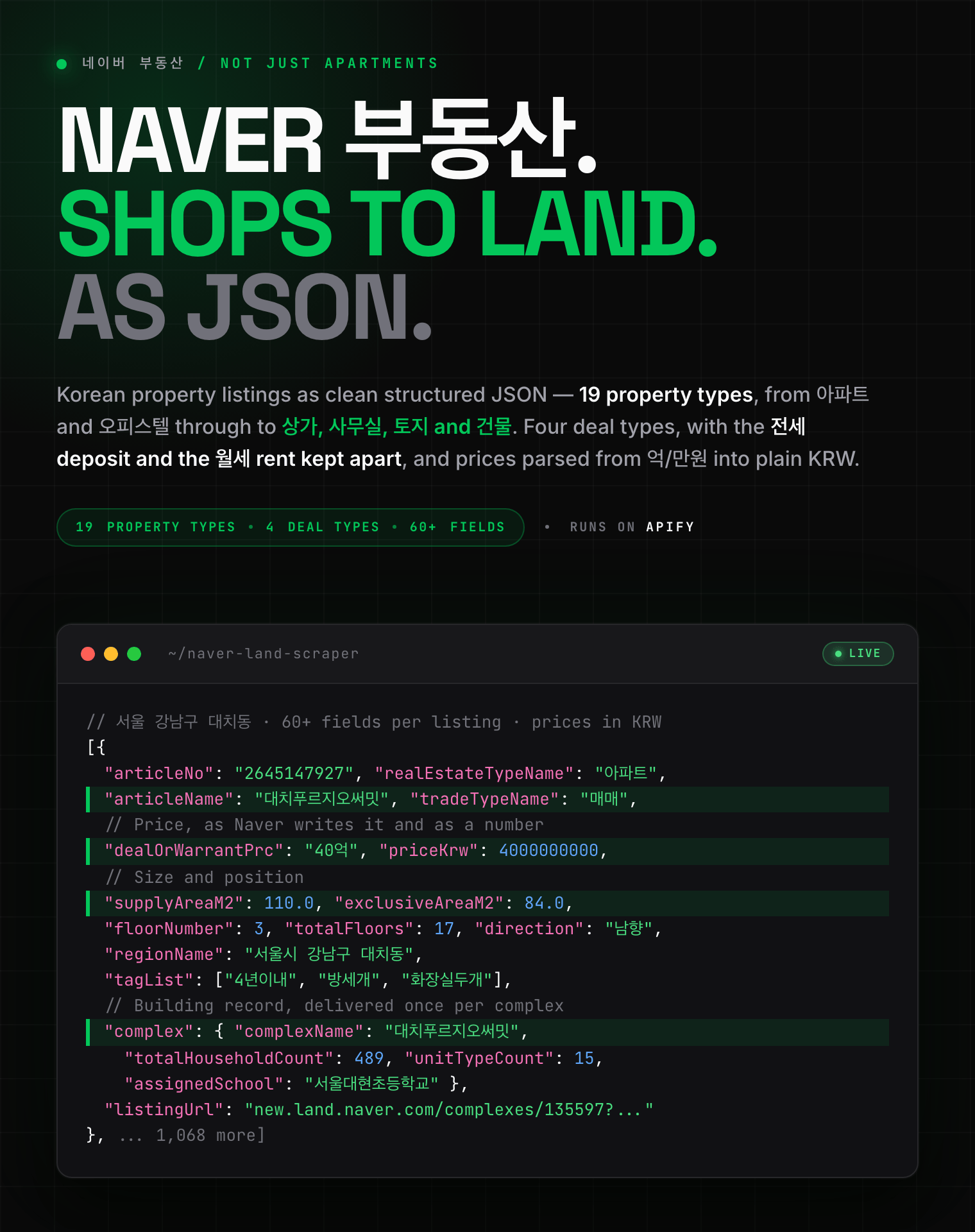
  - [Naver Real Estate Scraper](https://apify.com/zen-studio/naver-land-scraper)
- <img src="https://apify-image-uploads-prod.s3.us-east-1.amazonaws.com/NWYsOG96fMDy8ycdf-actor-1tAzNSf8Kz0v7Q2Lr-AINJ7FsZVU-anjuke-scraper-logo.jpg" width="16" height="16" style="vertical-align:middle;border-radius:3px"> **Anjuke 安居客**

  - [Anjuke For-Sale Listings Scraper](https://apify.com/zen-studio/anjuke-real-estate-scraper)
  - [Anjuke New-Home Scraper](https://apify.com/zen-studio/anjuke-new-home-scraper)
  - [Anjuke Rental Listings Scraper](https://apify.com/zen-studio/anjuke-rent-scraper)
  - [Anjuke Listing Detail Scraper](https://apify.com/zen-studio/anjuke-sale-detail-scraper)
- <img src="https://apify-image-uploads-prod.s3.us-east-1.amazonaws.com/NWYsOG96fMDy8ycdf-actor-32OkWqsiUywoq2ci3-7JhFlW1qg3-58__-real-estate-scraper-logo.jpg" width="16" height="16" style="vertical-align:middle;border-radius:3px"> **58.com 58同城**

  - [58.com Real Estate Scraper](https://apify.com/zen-studio/58-real-estate-scraper)
- <img src="https://apify-image-uploads-prod.s3.us-east-1.amazonaws.com/NWYsOG96fMDy8ycdf-actor-ytaE4YpSmjXDmibPv-L1UMPHa2bO-che168-autohome-scraper-logo.png" width="16" height="16" style="vertical-align:middle;border-radius:3px"> **Autohome 汽车之家**

  - [Autohome (Che168) Used-Car Scraper](https://apify.com/zen-studio/che168-car-scraper)

### Support

Found a bug, or need a field that is not here yet? Open an issue on the Actor's Issues tab. Questions about a specific run are answered fastest with the run ID.

### Legal Compliance

This Actor accesses only publicly available product pages. It does not log in, does not bypass access controls, and does not collect private data. You remain responsible for how you use the data, including compliance with Naver's terms of service, GDPR, CCPA and Korea's PIPA. Personal data appearing in reviews should be handled under the applicable regime.

***

*Naver Shopping customer reviews by product link or ID: full text, star ratings, purchased options, reviewer photos and videos, from price-comparison and store listings alike.*

# Actor input Schema

## `productUrls` (type: `array`):

Paste any Naver Shopping product link. Both kinds work: a <b>price-comparison</b> link (<code>search.shopping.naver.com/catalog/…</code>) returns the reviews collected against that listing, and a <b>store</b> link (<code>smartstore.naver.com/…</code> or <code>brand.naver.com/…</code>) returns that seller's own. Bare ID numbers work too. <b>Max 1,000 per run</b>; duplicates are removed.

## `maxReviewsPerProduct` (type: `integer`):

How many reviews to collect for each product, up to <b>50,000</b>. Starts at <b>30</b>, one page, so a first run is quick and costs almost nothing. <b>Clear the field to collect every review available.</b> Korean products carry far more reviews than most marketplaces: a typical one has around 500, and popular ones run into the hundreds of thousands, so this is the main way to control cost and run time. Price-comparison listings serve at most <b>10,000</b> per review order, and running each order reaches a different set. Set <b>0</b> to collect every review a product has.

## `reviewSort` (type: `string`):

Which reviews to collect first. On price-comparison listings the two orders reach <b>completely different</b> reviews, so running once in each order is how to get past the 10,000 limit.

## `reviewType` (type: `string`):

Limit reviews to a particular kind. <b>Detailed reviews</b> returns the ones the source itself scores highest for usefulness. Video reviews are genuinely rare, so asking for them returns far fewer rows than the other options.

## Actor input object example

```json
{
  "productUrls": [
    "https://search.shopping.naver.com/catalog/52631236642"
  ],
  "maxReviewsPerProduct": 30,
  "reviewSort": "RANKING",
  "reviewType": "ALL"
}
```

# Actor output Schema

## `results` (type: `string`):

Default dataset — one row per review, with the full text, star rating, date, purchased option, reviewer and any photos or videos.

# API

You can run this Actor programmatically using our API. Below are code examples in JavaScript, Python, and CLI, as well as the OpenAPI specification and MCP server setup.

## JavaScript example

```javascript
import { ApifyClient } from 'apify-client';

// Initialize the ApifyClient with your Apify API token
// Replace the '<YOUR_API_TOKEN>' with your token
const client = new ApifyClient({
    token: '<YOUR_API_TOKEN>',
});

// Prepare Actor input
const input = {
    "productUrls": [
        "https://search.shopping.naver.com/catalog/52631236642"
    ]
};

// Run the Actor and wait for it to finish
const run = await client.actor("zen-studio/naver-review-scraper").call(input);

// Fetch and print Actor results from the run's dataset (if any)
console.log('Results from dataset');
console.log(`💾 Check your data here: https://console.apify.com/storage/datasets/${run.defaultDatasetId}`);
const { items } = await client.dataset(run.defaultDatasetId).listItems();
items.forEach((item) => {
    console.dir(item);
});

// 📚 Want to learn more 📖? Go to → https://docs.apify.com/api/client/js/docs

```

## Python example

```python
from apify_client import ApifyClient

# Initialize the ApifyClient with your Apify API token
# Replace '<YOUR_API_TOKEN>' with your token.
client = ApifyClient("<YOUR_API_TOKEN>")

# Prepare the Actor input
run_input = { "productUrls": ["https://search.shopping.naver.com/catalog/52631236642"] }

# Run the Actor and wait for it to finish
run = client.actor("zen-studio/naver-review-scraper").call(run_input=run_input)

# Fetch and print Actor results from the run's dataset (if there are any)
print(f"💾 Check your data here: https://console.apify.com/storage/datasets/{run.default_dataset_id}")
for item in client.dataset(run.default_dataset_id).iterate_items():
    print(item)

# 📚 Want to learn more 📖? Go to → https://docs.apify.com/api/client/python/docs/quick-start

```

## CLI example

```bash
echo '{
  "productUrls": [
    "https://search.shopping.naver.com/catalog/52631236642"
  ]
}' |
apify call zen-studio/naver-review-scraper --silent --output-dataset

```

## MCP server setup

```json
{
    "mcpServers": {
        "apify": {
            "type": "http",
            "url": "https://mcp.apify.com/?tools=fetch-actor-details,zen-studio/naver-review-scraper"
        }
    }
}

```

The hosted server signs you in with OAuth on first connect, so no API token belongs in this config. Clients without OAuth support can send an `Authorization: Bearer <APIFY_API_TOKEN>` header instead, using a token from API & Integrations in Apify Console (https://console.apify.com/settings/integrations).

## OpenAPI specification

Download the OpenAPI definition: https://api.apify.com/v2/actors/REhyatWcBlDEfFhQN/builds/XEcRtCdpFbKM4qRub/openapi.json