
# RedNote (Xiaohongshu) Note Detail Scraper - 500 Notes/60s (`zen-studio/rednote-note-detail-scraper`) Actor

Get the full detail of any Xiaohongshu (RedNote) note from one link: title, description, images, video stream URLs, like, collect, comment and share counts, author profile, tags, and location. Optionally download the MP4, cover, and gallery images to your storage. Export to JSON, CSV, or Excel.

- **URL**: https://apify.com/zen-studio/rednote-note-detail-scraper.md
- **Developed by:** [Zen Studio](https://apify.com/zen-studio) (community)
- **Categories:** Social media, Videos, Automation
- **Stats:** 2 total users, 1 monthly users, 100.0% runs succeeded, NaN bookmarks
- **User rating**: No ratings yet

## Pricing

from $7.99 / 1,000 note details

This Actor is paid per event. You are not charged for the Apify platform usage, but only a fixed price for specific events.
Since this Actor supports Apify Store discounts, the price gets lower the higher subscription plan you have.

Learn more: https://docs.apify.com/platform/actors/running/actors-in-store#pay-per-event

## What's an Apify Actor?

Actors are a software tools running on the Apify platform, for all kinds of web data extraction and automation use cases.
In Batch mode, an Actor accepts a well-defined JSON input, performs an action which can take anything from a few seconds to a few hours,
and optionally produces a well-defined JSON output, datasets with results, or files in key-value store.
In Standby mode, an Actor provides a web server which can be used as a website, API, or an MCP server.
Actors are written with capital "A".

## How to integrate an Actor?

If asked about integration, you help developers integrate Actors into their projects.
You adapt to their stack and deliver integrations that are safe, well-documented, and production-ready.
The best way to integrate Actors is as follows.

In JavaScript/TypeScript projects, use official [JavaScript/TypeScript client](https://docs.apify.com/api/client/js.md):

```bash
npm install apify-client
```

In Python projects, use official [Python client library](https://docs.apify.com/api/client/python.md):

```bash
pip install apify-client
```

In shell scripts, use [Apify CLI](https://docs.apify.com/cli/docs.md):

````bash
# MacOS / Linux
curl -fsSL https://apify.com/install-cli.sh | bash
# Windows
irm https://apify.com/install-cli.ps1 | iex
```bash

In AI frameworks, you might use the [Apify MCP server](https://docs.apify.com/platform/integrations/mcp.md).

If your project is in a different language, use the [REST API](https://docs.apify.com/api/v2.md).

For usage examples, see the [API](#api) section below.

For more details, see Apify documentation as [Markdown index](https://docs.apify.com/llms.txt) and [Markdown full-text](https://docs.apify.com/llms-full.txt).


# README

## RedNote (Xiaohongshu) Note Detail Scraper | Full Note, Video Streams, Image Downloads (2026)

<blockquote style="border-left:4px solid #4C945E;background:#F0FDF4;padding:12px 16px">
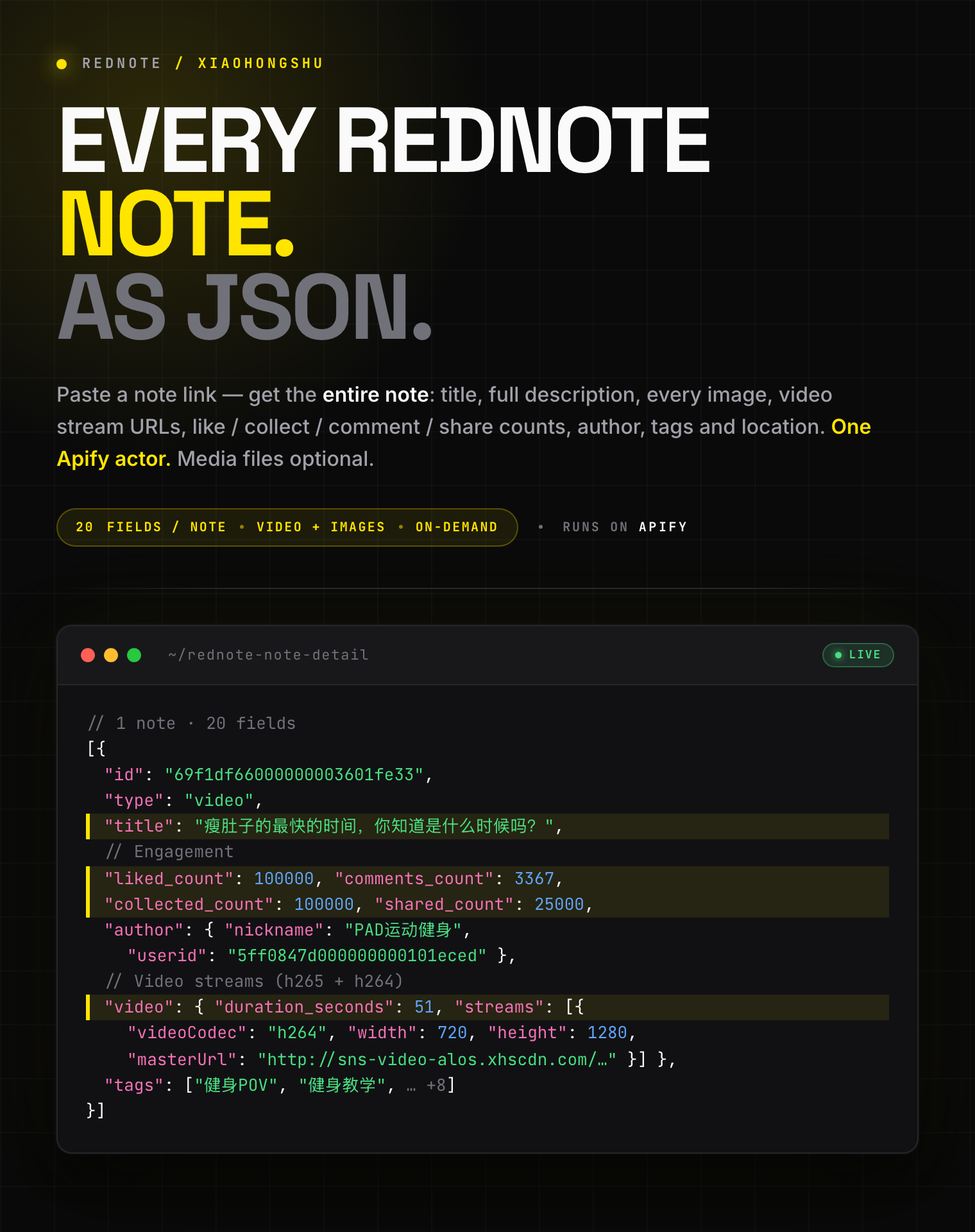
<span style="font-size:16px;font-weight:700;color:#1C1917">20 fields per note:</span> <span style="font-size:15px;color:#57534E"> title, full description, every image URL, video stream URLs (h265 + h264), like / collect / comment / share counts, author profile, tags, and location from any Xiaohongshu (小红书) note. Optional MP4 and image file download.</span>
</blockquote>

![RedNote Note Detail Scraper](https://iili.io/CKHRBNp.png)

<table>
<tr>
<td colspan="4" style="padding:10px 14px;background:#4C945E;border:none;border-radius:4px 4px 0 0">
<span style="color:#FAFAF9;font-size:14px;font-weight:700;letter-spacing:0.5px">Zen Studio · RedNote (小红书) suite</span>
<span style="color:#E8F5E9;font-size:13px">&nbsp;&nbsp;&bull;&nbsp;&nbsp;Search, note detail, comments, and profiles from Xiaohongshu</span>
</td>
</tr>
<tr>
<td style="padding:10px 12px;border:1px solid #E7E5E4;background:#E8F5E9;border-right:none;border-top:none;vertical-align:top;width:25%">
<span style="white-space:nowrap"><img src="https://apify-image-uploads-prod.s3.us-east-1.amazonaws.com/NWYsOG96fMDy8ycdf-actor-sAWbV6wp5XO5aEapx-C7gOsPJt9Q-xiaohongshu-search-scraper-logo-square.png" width="20" height="20" style="vertical-align:middle;border-radius:4px"> &nbsp;<a href="https://apify.com/zen-studio/rednote-note-detail-scraper" style="color:#4C945E;text-decoration:none;font-weight:700;font-size:13px">RedNote&nbsp;Note&nbsp;Detail</a></span><br>
<span style="color:#4C945E;font-size:11px;font-weight:600">&#10148; You are here</span>
</td>
<td style="padding:10px 12px;border:1px solid #E7E5E4;border-right:none;border-top:none;vertical-align:top;width:25%">
<span style="white-space:nowrap"><img src="https://apify-image-uploads-prod.s3.us-east-1.amazonaws.com/NWYsOG96fMDy8ycdf-actor-sAWbV6wp5XO5aEapx-C7gOsPJt9Q-xiaohongshu-search-scraper-logo-square.png" width="20" height="20" style="vertical-align:middle;border-radius:4px"> &nbsp;<a href="https://apify.com/zen-studio/rednote-search-scraper" style="color:#1C1917;text-decoration:none;font-weight:700;font-size:13px">RedNote&nbsp;Search</a></span><br>
<span style="color:#78716C;font-size:11px">500 notes / 30s, 24 fields</span>
</td>
<td style="padding:10px 12px;border:1px solid #E7E5E4;border-right:none;border-top:none;vertical-align:top;width:25%">
<span style="white-space:nowrap"><img src="https://apify-image-uploads-prod.s3.us-east-1.amazonaws.com/NWYsOG96fMDy8ycdf-actor-hO5NqsA6aC1bz3jra-MjB05eVFEt-xiaohongshu-search-scraper-logo-square.png" width="20" height="20" style="vertical-align:middle;border-radius:4px"> &nbsp;<a href="https://apify.com/zen-studio/rednote-comments-scraper" style="color:#1C1917;text-decoration:none;font-weight:700;font-size:13px">RedNote&nbsp;Comments</a></span><br>
<span style="color:#78716C;font-size:11px">Nested replies, IP city</span>
</td>
<td style="padding:10px 12px;border:1px solid #E7E5E4;border-top:none;vertical-align:top;width:25%">
<span style="white-space:nowrap"><img src="https://apify-image-uploads-prod.s3.us-east-1.amazonaws.com/NWYsOG96fMDy8ycdf-actor-sAWbV6wp5XO5aEapx-C7gOsPJt9Q-xiaohongshu-search-scraper-logo-square.png" width="20" height="20" style="vertical-align:middle;border-radius:4px"> &nbsp;<a href="https://apify.com/zen-studio/rednote-user-profile-scraper" style="color:#1C1917;text-decoration:none;font-weight:700;font-size:13px">RedNote&nbsp;User&nbsp;Profile</a></span><br>
<span style="color:#78716C;font-size:11px">Profile + every post, 68 fields</span>
</td>
</tr>
</table>

#### Copy to your AI assistant

````

zen-studio/rednote-note-detail-scraper on Apify. Returns the full detail of any Xiaohongshu (小红书) note from its share link or note URL: title, full description, every image URL, video stream URLs (h265 + h264), like / collect / comment / share counts, author profile, tags, location. Optionally downloads the MP4, cover, and gallery images to your key-value store. Call ApifyClient("TOKEN").actor("zen-studio/rednote-note-detail-scraper").call(run\_input={...}), then client.dataset(run\["defaultDatasetId"]).list\_items().items. noteUrls accepts xhslink.com share links or full note URLs that include their xsec\_token. Full spec: GET https://api.apify.com/v2/acts/zen-studio~rednote-note-detail-scraper/builds/default (Bearer TOKEN) → inputSchema, actorDefinition.storages.dataset, readme. Token: https://console.apify.com/account/integrations

````

### Key Features

- **20 structured fields per note**: title, description, every image, video streams, engagement counts, author, tags, location
- **Video stream URLs**: direct MP4 links in h265 and h264, with a `url_720p` convenience link and per-stream codec, bitrate, and resolution
- **Optional media download**: save the actual MP4, cover frame, and gallery images to your key-value store before the source links expire
- **One link in, one row out**: paste a share link or note URL; each note runs independently and counts as one result
- **Free tier**: 25 lifetime runs, up to 20 notes per run, no credit card

### How to Scrape a Xiaohongshu Note

#### Basic: single note from a share link

```json
{
    "noteUrls": ["http://xhslink.com/o/6oKW7wkJf09"]
}
````

#### Multiple notes from full URLs

```json
{
    "noteUrls": [
        "https://www.xiaohongshu.com/discovery/item/69f1df66000000003601fe33?xsec_token=YB8dFv3w...&xsec_source=app_share",
        "https://www.xiaohongshu.com/explore/6a06c9360000000036001d5a?xsec_token=CBMGWfsL...&xsec_source=pc_search"
    ]
}
```

#### Download the video and its cover

```json
{
    "noteUrls": ["http://xhslink.com/o/6oKW7wkJf09"],
    "downloadVideos": true,
    "downloadCovers": true
}
```

#### Download a photo note's full gallery to a reusable store

```json
{
    "noteUrls": ["http://xhslink.com/o/6oKW7wkJf09"],
    "downloadImages": true,
    "mediaKvStoreName": "my-rednote-media"
}
```

### Where Do I Get a Note Link?

Note links must include their access token. The easiest source is the app's **Share → Copy link**, which gives you an `xhslink.com` link. A full `xiaohongshu.com` URL works too, as long as it still contains `xsec_token=`.

| Format | Example | Works |
|--------|---------|-------|
| Share link | `http://xhslink.com/o/6oKW7wkJf09` | ✅ |
| Full URL with token | `https://www.xiaohongshu.com/discovery/item/<id>?xsec_token=...` | ✅ |
| `/explore/<id>` with token | `https://www.xiaohongshu.com/explore/<id>?xsec_token=...` | ✅ |
| Bare 24-character ID | `6a06c9360000000036001d5a` | ❌ no access token |

You can also paste the whole share-text the app copies; the link inside it is detected automatically.

### Input Parameters

| Parameter | Type | Default | Description |
|-----------|------|---------|-------------|
| `noteUrls` | array | *required* | Xiaohongshu share links or full note URLs that include their `xsec_token`. Each note runs independently and counts as one result. |
| `downloadVideos` | boolean | `false` | Save each video note's MP4 to your key-value store. Image notes have no video. |
| `downloadCovers` | boolean | `false` | Save each video note's cover image (JPEG). |
| `downloadImages` | boolean | `false` | For image notes, save every gallery image (JPEG). No effect on video notes. |
| `mediaKvStoreName` | string | `""` | Save downloaded media to a named, persistent key-value store. Leave blank to use the run's default store. Letters, digits, and dashes only. |

### What Data Can You Extract from a Xiaohongshu Note?

Every dataset row is one note with rich, structured fields.

**Core fields:**

- `id`, `type` (`normal` or `video`), `title`, `desc`, `url`, `xsec_token`
- `timestamp`, `last_update_time` (Unix milliseconds), `ip_location`
- `ai_generated_flag`, `at_user_list`

**Engagement (`engagement`):**

- `liked_count`, `comments_count`, `collected_count`, `shared_count`

**Author (`author`):**

- `userid`, `nickname`, `avatar` (CDN URL), `xsec_token`

**Media:**

- `images[]`: every image with `url`, `url_pre`, `width`, `height`, `live_photo`, `live_photo_url`
- `video`: `duration_seconds`, `streams[]` (`codec`, `quality`, resolution, `fps`, `url`, `backup_urls`), and a `url_720p` convenience link
- `tags[]`: topic and other tags with `id`, `name`, `type`

**Downloaded files (when enabled):**

- `videoFile`, `coverFile`, `imageFiles[]`: key-value store key, size, MIME type, and the source URL for each saved file

#### Output Example

```json
{
  "id": "69f1df66000000003601fe33",
  "type": "video",
  "title": "瘦肚子的最快的时间，你知道是什么时候吗？",
  "desc": "练前热身动作 - 三个动作各做30秒左右\n正式训练\n#健身POV[话题]## #健身教学[话题]#",
  "url": "https://www.xiaohongshu.com/discovery/item/69f1df66000000003601fe33?xsec_token=YB8dFv3w...&xsec_source=app_share",
  "xsec_token": "YB8dFv3wVEO6i_9lMS4rZrZXJv71XdlpWrT8TJkKHET74=",
  "timestamp": 1777459046000,
  "last_update_time": 1777459051000,
  "ip_location": "上海",
  "engagement": {
    "liked_count": 100000,
    "comments_count": 3367,
    "collected_count": 100000,
    "shared_count": 25000
  },
  "author": {
    "userid": "5ff0847d000000000101eced",
    "nickname": "PAD运动健身",
    "avatar": "https://sns-avatar-qc.xhscdn.com/avatar/1040g2jo31...jpg",
    "xsec_token": "ABmFY2_5n_PuwIaXcQnMBu_FEZ931s7vbp41QbKTgmzcQ="
  },
  "images": [
    {
      "url": "http://sns-webpic-qc.xhscdn.com/.../01e9f1df...!nd_dft_wlteh_jpg_3",
      "url_pre": "http://sns-webpic-qc.xhscdn.com/.../01e9f1df...!nd_prv_wlteh_jpg_3",
      "width": 720,
      "height": 1280,
      "live_photo": false,
      "live_photo_url": ""
    }
  ],
  "video": {
    "duration_seconds": 51,
    "url_720p": "http://sns-video-alos.xhscdn.com/stream/1/110/258/01e9f1df...258.mp4?sign=...",
    "streams": [
      {
        "url": "http://sns-video-alos.xhscdn.com/stream/1/110/258/01e9f1df...258.mp4?sign=...",
        "backup_urls": ["http://sns-video-hw.xhscdn.com/stream/1/110/258/01e9f1df...258.mp4?sign=..."],
        "quality": "HD",
        "width": 720,
        "height": 1280,
        "fps": 30,
        "duration": 51467,
        "format": "mp4",
        "codec": "h265",
        "size": 8556814,
        "avg_bitrate": 1330066
      }
      // ... more streams (h265 + h264)
    ]
  },
  "tags": [
    { "id": "5f7f...", "name": "健身POV", "type": "topic" },
    { "id": "5d09...", "name": "健身教学", "type": "topic" }
    // ... 8 more
  ],
  "at_user_list": [],
  "ai_generated_flag": null,
  "videoFile": {
    "kvStoreKey": "69f1df66000000003601fe33.mp4",
    "kvStoreId": "Q11ZEQN9Usl2fKunQ",
    "kvUrl": "https://api.apify.com/v2/key-value-stores/Q11ZEQN9Usl2fKunQ/records/69f1df66000000003601fe33.mp4",
    "sizeBytes": 8556814,
    "mimeType": "video/mp4",
    "sourceUrl": "http://sns-video-alos.xhscdn.com/stream/1/110/258/01e9f1df...258.mp4?sign=..."
  },
  "coverFile": {
    "kvStoreKey": "69f1df66000000003601fe33_cover.jpg",
    "kvStoreId": "Q11ZEQN9Usl2fKunQ",
    "kvUrl": "https://api.apify.com/v2/key-value-stores/Q11ZEQN9Usl2fKunQ/records/69f1df66000000003601fe33_cover.jpg",
    "sizeBytes": 131408,
    "mimeType": "image/jpeg",
    "sourceUrl": "http://sns-webpic-qc.xhscdn.com/.../01e9f1df...!nd_dft_wlteh_jpg_3"
  },
  "imageFiles": null,
  "_input": "http://xhslink.com/o/6oKW7wkJf09"
}
```

`videoFile`, `coverFile`, and `imageFiles` are `null` unless you turn on the matching download toggle.

### Advanced Usage

#### Archive a video note before its links expire

```json
{ "noteUrls": ["http://xhslink.com/o/6oKW7wkJf09"], "downloadVideos": true, "downloadCovers": true, "mediaKvStoreName": "rednote-archive" }
```

#### Bulk-fetch a known set of notes

```json
{
  "noteUrls": [
    "https://www.xiaohongshu.com/discovery/item/69f1df66000000003601fe33?xsec_token=YB8dFv3w...&xsec_source=app_share",
    "https://www.xiaohongshu.com/discovery/item/6a06c9360000000036001d5a?xsec_token=CBMGWfsL...&xsec_source=app_share"
  ]
}
```

#### Pull just the metadata, skip media files

```json
{ "noteUrls": ["http://xhslink.com/o/6oKW7wkJf09"] }
```

### Pricing: Pay Per Event (PPE)

**From $7.99 to $9.99 per 1,000 notes, depending on your Apify plan.** Each note returned counts as one billable result. Media downloads are optional add-ons, billed only for files actually saved.

| Your Apify plan | Per 1,000 notes |
|-----------------|-----------------|
| Free | $9.99 |
| Bronze | $8.99 |
| Silver | $8.79 |
| Gold and above | $7.99 |

Optional media downloads (Free-plan rate; higher plans get the same tier discount):

| Add-on | Per 1,000 |
|--------|-----------|
| Video downloaded (MP4) | $4.99 |
| Image downloaded (cover or gallery, JPEG) | $1.99 |

### FAQ

**Which note link formats are accepted?**
`xhslink.com` share links and full `xiaohongshu.com` URLs (`/discovery/item/<id>` or `/explore/<id>`) that include an `xsec_token`. You can also paste the whole share-text the app copies. Bare 24-character IDs can't be opened because they carry no access token.

**Why do I need the access token?**
The token is the credential that unlocks a note's full detail. Without it, the note can't be opened. The app's Share → Copy link always includes one.

**What's the difference between a video note and an image note?**
Video notes have a populated `video` object with stream URLs; their `images` array holds a single cover frame. Image notes have `video: null` and a multi-image `images` gallery.

**Why are the media URLs time-limited?**
Xiaohongshu's image and video CDN links are signed and expire a few hours after they are issued. Turn on the download toggles to save the actual files to your key-value store while the links are still valid.

**Are engagement counts exact?**
Counts are returned as integers. Large counts that Xiaohongshu rounds for display (e.g. `10万+`) become best-effort integers (`100000`).

**Where do downloaded files go?**
Into your run's key-value store by default, or a named store you set with `mediaKvStoreName`. Each `videoFile` / `coverFile` / `imageFiles[]` entry includes the store key and a direct record URL.

**Can I download images from a video note?**
`downloadCovers` saves a video note's cover frame. `downloadImages` applies to image notes only.

**What happens if a note is removed or the link expired?**
That note is skipped with a short note in the log, and the run continues with the rest.

**How fresh is the data?**
Live from Xiaohongshu at run time, no cache.

### More Zen Studio scrapers for Chinese platforms

**🎬 Short-video & social**

- <img src="https://apify-image-uploads-prod.s3.us-east-1.amazonaws.com/NWYsOG96fMDy8ycdf-actor-mHKEEgoDqr6btQQer-fUs5ZquIeN-xiaohongshu-search-scraper-logo-square.png" width="16" height="16" style="vertical-align:middle;border-radius:3px"> **RedNote 小红书**
  - [RedNote User Profile Scraper](https://apify.com/zen-studio/rednote-user-profile-scraper)
  - [RedNote Search Scraper](https://apify.com/zen-studio/rednote-search-scraper)
  - [RedNote Comments Scraper](https://apify.com/zen-studio/rednote-comments-scraper)
  - [RedNote Product Search Scraper](https://apify.com/zen-studio/rednote-product-search-scraper)
  - [RedNote Product Reviews Scraper](https://apify.com/zen-studio/rednote-product-reviews-scraper)
- <img src="https://apify-image-uploads-prod.s3.us-east-1.amazonaws.com/NWYsOG96fMDy8ycdf-actor-3TJaaOJDU1AMiOoJM-Vu2eVr0P6N-douyin-profile-scraper-logo.png" width="16" height="16" style="vertical-align:middle;border-radius:3px"> **Douyin 抖音**

  - [Douyin Search Scraper](https://apify.com/zen-studio/douyin-search-scraper)
  - [Douyin Profile Scraper](https://apify.com/zen-studio/douyin-profile-scraper)
  - [Douyin Video Scraper](https://apify.com/zen-studio/douyin-video-scraper)
  - [Douyin Comments Scraper](https://apify.com/zen-studio/douyin-comments-scraper)
  - [Douyin Transcripts Scraper](https://apify.com/zen-studio/douyin-transcripts-scraper)
  - [Douyin Creator Rankings Scraper](https://apify.com/zen-studio/douyin-xingtu-rankings-scraper)
  - [Douyin Live Recorder](https://apify.com/zen-studio/douyin-live-recorder)
  - [Douyin Hot Search Scraper](https://apify.com/zen-studio/douyin-hot-search-scraper)
- <img src="https://apify-image-uploads-prod.s3.us-east-1.amazonaws.com/NWYsOG96fMDy8ycdf-actor-dexCSKEZtKS8hg4fT-lD4weyiYga-shigua-____-scraper-logo.jpg" width="16" height="16" style="vertical-align:middle;border-radius:3px"> **Xigua 西瓜视频**

  - [Xigua Video Search Scraper](https://apify.com/zen-studio/xigua-video-search-scraper)
  - [Xigua Video Detail Scraper](https://apify.com/zen-studio/xigua-video-detail-scraper)

**🛒 E-commerce**

- <img src="https://apify-image-uploads-prod.s3.us-east-1.amazonaws.com/NWYsOG96fMDy8ycdf-actor-PsAKYWM55HG4AHXjK-ItywU7Bp0s-taobao-search-scraper-logo.png" width="16" height="16" style="vertical-align:middle;border-radius:3px"> **Taobao 淘宝**

  - [Taobao Search Scraper](https://apify.com/zen-studio/taobao-search-scraper)
  - [Taobao Product Detail Scraper](https://apify.com/zen-studio/taobao-detail-scraper)
  - [Taobao Seller Products Scraper](https://apify.com/zen-studio/taobao-seller-products-scraper)
- <img src="https://apify-image-uploads-prod.s3.us-east-1.amazonaws.com/NWYsOG96fMDy8ycdf-actor-uZy6tbKLKnSVtT4BN-emXnT123uR-jd-com-scraper-logo-square.png" width="16" height="16" style="vertical-align:middle;border-radius:3px"> **JD.com 京东**

  - [JD.com Search Scraper](https://apify.com/zen-studio/jd-com-search-scraper)
- <img src="https://apify-image-uploads-prod.s3.us-east-1.amazonaws.com/NWYsOG96fMDy8ycdf-actor-ghXSMZcW3GxsCrkiR-5hnvsKv4Yt-1688-wholesale-scraper-logo.png" width="16" height="16" style="vertical-align:middle;border-radius:3px"> **1688 阿里巴巴**

  - [1688 Wholesale Scraper](https://apify.com/zen-studio/1688-wholesale-scraper)
- <img src="https://apify-image-uploads-prod.s3.us-east-1.amazonaws.com/NWYsOG96fMDy8ycdf-actor-5QcLc4BHaLMBUKYs3-f3CWQ60Row-goofish-search-scraper-logo.png" width="16" height="16" style="vertical-align:middle;border-radius:3px"> **Goofish 闲鱼**

  - [Goofish (Xianyu) Search Scraper](https://apify.com/zen-studio/goofish-xianyu-search-scraper)
  - [Goofish (Xianyu) Seller Scraper](https://apify.com/zen-studio/goofish-xianyu-seller-scraper)

**🏠 Real estate & autos**

- <img src="https://apify-image-uploads-prod.s3.us-east-1.amazonaws.com/NWYsOG96fMDy8ycdf-actor-1tAzNSf8Kz0v7Q2Lr-AINJ7FsZVU-anjuke-scraper-logo.jpg" width="16" height="16" style="vertical-align:middle;border-radius:3px"> **Anjuke 安居客**

  - [Anjuke For-Sale Listings Scraper](https://apify.com/zen-studio/anjuke-real-estate-scraper)
  - [Anjuke New-Home Scraper](https://apify.com/zen-studio/anjuke-new-home-scraper)
  - [Anjuke Rental Listings Scraper](https://apify.com/zen-studio/anjuke-rent-scraper)
  - [Anjuke Listing Detail Scraper](https://apify.com/zen-studio/anjuke-sale-detail-scraper)
- <img src="https://apify-image-uploads-prod.s3.us-east-1.amazonaws.com/NWYsOG96fMDy8ycdf-actor-32OkWqsiUywoq2ci3-7JhFlW1qg3-58__-real-estate-scraper-logo.jpg" width="16" height="16" style="vertical-align:middle;border-radius:3px"> **58.com 58同城**

  - [58.com Real Estate Scraper](https://apify.com/zen-studio/58-real-estate-scraper)
- <img src="https://apify-image-uploads-prod.s3.us-east-1.amazonaws.com/NWYsOG96fMDy8ycdf-actor-ytaE4YpSmjXDmibPv-L1UMPHa2bO-che168-autohome-scraper-logo.png" width="16" height="16" style="vertical-align:middle;border-radius:3px"> **Autohome 汽车之家**

  - [Autohome (Che168) Used-Car Scraper](https://apify.com/zen-studio/che168-car-scraper)

### Support

- **Bugs**: Issues tab
- **Features**: Issues tab

### Legal Compliance

Extracts publicly available data. Users must comply with Xiaohongshu's terms and data protection regulations (GDPR, CCPA).

***

*Get the full detail of any Xiaohongshu (小红书) note from its share link: title, description, every image, video stream URLs, engagement counts, author profile, tags, location, with optional MP4 and image download.*

# Actor input Schema

## `noteUrls` (type: `array`):

Xiaohongshu note links. Each runs independently and counts as one result.<br><br>• Share link: <code>http://xhslink.com/o/XXXXXXX</code><br>• Full URL: <code>https://www.xiaohongshu.com/discovery/item/\<id>?xsec\_token=...\&xsec\_source=...</code><br><br>You can also paste the whole share-text the app copies; the link inside it is detected automatically.

## `downloadVideos` (type: `boolean`):

Save each video note's MP4 to your key-value store. Adds <b>$4.99 per 1,000 videos</b> downloaded. Image notes have no video.

## `downloadCovers` (type: `boolean`):

Save each video note's cover image. Adds <b>$1.99 per 1,000 images</b> downloaded.

## `downloadImages` (type: `boolean`):

For image notes, save every gallery image. Adds <b>$1.99 per 1,000 images</b> downloaded. Has no effect on video notes.

## `mediaKvStoreName` (type: `string`):

Save downloaded media to a <b>named, persistent</b> key-value store you can reuse across runs. Leave blank to use this run's default store (deleted after the platform retention period). Letters, digits, and dashes only (max 63 characters).

## Actor input object example

```json
{
  "noteUrls": [
    "http://xhslink.com/o/6oKW7wkJf09"
  ],
  "downloadVideos": false,
  "downloadCovers": false,
  "downloadImages": false,
  "mediaKvStoreName": ""
}
```

# Actor output Schema

## `results` (type: `string`):

Dataset of notes — one row per note.

# API

You can run this Actor programmatically using our API. Below are code examples in JavaScript, Python, and CLI, as well as the OpenAPI specification and MCP server setup.

## JavaScript example

```javascript
import { ApifyClient } from 'apify-client';

// Initialize the ApifyClient with your Apify API token
// Replace the '<YOUR_API_TOKEN>' with your token
const client = new ApifyClient({
    token: '<YOUR_API_TOKEN>',
});

// Prepare Actor input
const input = {
    "noteUrls": [
        "http://xhslink.com/o/6oKW7wkJf09"
    ]
};

// Run the Actor and wait for it to finish
const run = await client.actor("zen-studio/rednote-note-detail-scraper").call(input);

// Fetch and print Actor results from the run's dataset (if any)
console.log('Results from dataset');
console.log(`💾 Check your data here: https://console.apify.com/storage/datasets/${run.defaultDatasetId}`);
const { items } = await client.dataset(run.defaultDatasetId).listItems();
items.forEach((item) => {
    console.dir(item);
});

// 📚 Want to learn more 📖? Go to → https://docs.apify.com/api/client/js/docs

```

## Python example

```python
from apify_client import ApifyClient

# Initialize the ApifyClient with your Apify API token
# Replace '<YOUR_API_TOKEN>' with your token.
client = ApifyClient("<YOUR_API_TOKEN>")

# Prepare the Actor input
run_input = { "noteUrls": ["http://xhslink.com/o/6oKW7wkJf09"] }

# Run the Actor and wait for it to finish
run = client.actor("zen-studio/rednote-note-detail-scraper").call(run_input=run_input)

# Fetch and print Actor results from the run's dataset (if there are any)
print("💾 Check your data here: https://console.apify.com/storage/datasets/" + run["defaultDatasetId"])
for item in client.dataset(run["defaultDatasetId"]).iterate_items():
    print(item)

# 📚 Want to learn more 📖? Go to → https://docs.apify.com/api/client/python/docs/quick-start

```

## CLI example

```bash
echo '{
  "noteUrls": [
    "http://xhslink.com/o/6oKW7wkJf09"
  ]
}' |
apify call zen-studio/rednote-note-detail-scraper --silent --output-dataset

```

## MCP server setup

```json
{
    "mcpServers": {
        "apify": {
            "command": "npx",
            "args": [
                "mcp-remote",
                "https://mcp.apify.com/?tools=zen-studio/rednote-note-detail-scraper",
                "--header",
                "Authorization: Bearer <YOUR_API_TOKEN>"
            ]
        }
    }
}

```

## OpenAPI specification

```json
{
    "openapi": "3.0.1",
    "info": {
        "title": "RedNote (Xiaohongshu) Note Detail Scraper - 500 Notes/60s",
        "description": "Get the full detail of any Xiaohongshu (RedNote) note from one link: title, description, images, video stream URLs, like, collect, comment and share counts, author profile, tags, and location. Optionally download the MP4, cover, and gallery images to your storage. Export to JSON, CSV, or Excel.",
        "version": "0.0",
        "x-build-id": "NO1W8xoF0lLrPBWcm"
    },
    "servers": [
        {
            "url": "https://api.apify.com/v2"
        }
    ],
    "paths": {
        "/acts/zen-studio~rednote-note-detail-scraper/run-sync-get-dataset-items": {
            "post": {
                "operationId": "run-sync-get-dataset-items-zen-studio-rednote-note-detail-scraper",
                "x-openai-isConsequential": false,
                "summary": "Executes an Actor, waits for its completion, and returns Actor's dataset items in response.",
                "tags": [
                    "Run Actor"
                ],
                "requestBody": {
                    "required": true,
                    "content": {
                        "application/json": {
                            "schema": {
                                "$ref": "#/components/schemas/inputSchema"
                            }
                        }
                    }
                },
                "parameters": [
                    {
                        "name": "token",
                        "in": "query",
                        "required": true,
                        "schema": {
                            "type": "string"
                        },
                        "description": "Enter your Apify token here"
                    }
                ],
                "responses": {
                    "200": {
                        "description": "OK"
                    }
                }
            }
        },
        "/acts/zen-studio~rednote-note-detail-scraper/runs": {
            "post": {
                "operationId": "runs-sync-zen-studio-rednote-note-detail-scraper",
                "x-openai-isConsequential": false,
                "summary": "Executes an Actor and returns information about the initiated run in response.",
                "tags": [
                    "Run Actor"
                ],
                "requestBody": {
                    "required": true,
                    "content": {
                        "application/json": {
                            "schema": {
                                "$ref": "#/components/schemas/inputSchema"
                            }
                        }
                    }
                },
                "parameters": [
                    {
                        "name": "token",
                        "in": "query",
                        "required": true,
                        "schema": {
                            "type": "string"
                        },
                        "description": "Enter your Apify token here"
                    }
                ],
                "responses": {
                    "200": {
                        "description": "OK",
                        "content": {
                            "application/json": {
                                "schema": {
                                    "$ref": "#/components/schemas/runsResponseSchema"
                                }
                            }
                        }
                    }
                }
            }
        },
        "/acts/zen-studio~rednote-note-detail-scraper/run-sync": {
            "post": {
                "operationId": "run-sync-zen-studio-rednote-note-detail-scraper",
                "x-openai-isConsequential": false,
                "summary": "Executes an Actor, waits for completion, and returns the OUTPUT from Key-value store in response.",
                "tags": [
                    "Run Actor"
                ],
                "requestBody": {
                    "required": true,
                    "content": {
                        "application/json": {
                            "schema": {
                                "$ref": "#/components/schemas/inputSchema"
                            }
                        }
                    }
                },
                "parameters": [
                    {
                        "name": "token",
                        "in": "query",
                        "required": true,
                        "schema": {
                            "type": "string"
                        },
                        "description": "Enter your Apify token here"
                    }
                ],
                "responses": {
                    "200": {
                        "description": "OK"
                    }
                }
            }
        }
    },
    "components": {
        "schemas": {
            "inputSchema": {
                "type": "object",
                "required": [
                    "noteUrls"
                ],
                "properties": {
                    "noteUrls": {
                        "title": "🔗 Note links",
                        "minItems": 1,
                        "type": "array",
                        "description": "Xiaohongshu note links. Each runs independently and counts as one result.<br><br>• Share link: <code>http://xhslink.com/o/XXXXXXX</code><br>• Full URL: <code>https://www.xiaohongshu.com/discovery/item/&lt;id&gt;?xsec_token=...&xsec_source=...</code><br><br>You can also paste the whole share-text the app copies; the link inside it is detected automatically.",
                        "items": {
                            "type": "string"
                        }
                    },
                    "downloadVideos": {
                        "title": "📥 Download videos (MP4)",
                        "type": "boolean",
                        "description": "Save each video note's MP4 to your key-value store. Adds <b>$4.99 per 1,000 videos</b> downloaded. Image notes have no video.",
                        "default": false
                    },
                    "downloadCovers": {
                        "title": "🖼️ Download video covers (JPEG)",
                        "type": "boolean",
                        "description": "Save each video note's cover image. Adds <b>$1.99 per 1,000 images</b> downloaded.",
                        "default": false
                    },
                    "downloadImages": {
                        "title": "🎴 Download gallery images (JPEG)",
                        "type": "boolean",
                        "description": "For image notes, save every gallery image. Adds <b>$1.99 per 1,000 images</b> downloaded. Has no effect on video notes.",
                        "default": false
                    },
                    "mediaKvStoreName": {
                        "title": "Key-value store name",
                        "type": "string",
                        "description": "Save downloaded media to a <b>named, persistent</b> key-value store you can reuse across runs. Leave blank to use this run's default store (deleted after the platform retention period). Letters, digits, and dashes only (max 63 characters).",
                        "default": ""
                    }
                }
            },
            "runsResponseSchema": {
                "type": "object",
                "properties": {
                    "data": {
                        "type": "object",
                        "properties": {
                            "id": {
                                "type": "string"
                            },
                            "actId": {
                                "type": "string"
                            },
                            "userId": {
                                "type": "string"
                            },
                            "startedAt": {
                                "type": "string",
                                "format": "date-time",
                                "example": "2025-01-08T00:00:00.000Z"
                            },
                            "finishedAt": {
                                "type": "string",
                                "format": "date-time",
                                "example": "2025-01-08T00:00:00.000Z"
                            },
                            "status": {
                                "type": "string",
                                "example": "READY"
                            },
                            "meta": {
                                "type": "object",
                                "properties": {
                                    "origin": {
                                        "type": "string",
                                        "example": "API"
                                    },
                                    "userAgent": {
                                        "type": "string"
                                    }
                                }
                            },
                            "stats": {
                                "type": "object",
                                "properties": {
                                    "inputBodyLen": {
                                        "type": "integer",
                                        "example": 2000
                                    },
                                    "rebootCount": {
                                        "type": "integer",
                                        "example": 0
                                    },
                                    "restartCount": {
                                        "type": "integer",
                                        "example": 0
                                    },
                                    "resurrectCount": {
                                        "type": "integer",
                                        "example": 0
                                    },
                                    "computeUnits": {
                                        "type": "integer",
                                        "example": 0
                                    }
                                }
                            },
                            "options": {
                                "type": "object",
                                "properties": {
                                    "build": {
                                        "type": "string",
                                        "example": "latest"
                                    },
                                    "timeoutSecs": {
                                        "type": "integer",
                                        "example": 300
                                    },
                                    "memoryMbytes": {
                                        "type": "integer",
                                        "example": 1024
                                    },
                                    "diskMbytes": {
                                        "type": "integer",
                                        "example": 2048
                                    }
                                }
                            },
                            "buildId": {
                                "type": "string"
                            },
                            "defaultKeyValueStoreId": {
                                "type": "string"
                            },
                            "defaultDatasetId": {
                                "type": "string"
                            },
                            "defaultRequestQueueId": {
                                "type": "string"
                            },
                            "buildNumber": {
                                "type": "string",
                                "example": "1.0.0"
                            },
                            "containerUrl": {
                                "type": "string"
                            },
                            "usage": {
                                "type": "object",
                                "properties": {
                                    "ACTOR_COMPUTE_UNITS": {
                                        "type": "integer",
                                        "example": 0
                                    },
                                    "DATASET_READS": {
                                        "type": "integer",
                                        "example": 0
                                    },
                                    "DATASET_WRITES": {
                                        "type": "integer",
                                        "example": 0
                                    },
                                    "KEY_VALUE_STORE_READS": {
                                        "type": "integer",
                                        "example": 0
                                    },
                                    "KEY_VALUE_STORE_WRITES": {
                                        "type": "integer",
                                        "example": 1
                                    },
                                    "KEY_VALUE_STORE_LISTS": {
                                        "type": "integer",
                                        "example": 0
                                    },
                                    "REQUEST_QUEUE_READS": {
                                        "type": "integer",
                                        "example": 0
                                    },
                                    "REQUEST_QUEUE_WRITES": {
                                        "type": "integer",
                                        "example": 0
                                    },
                                    "DATA_TRANSFER_INTERNAL_GBYTES": {
                                        "type": "integer",
                                        "example": 0
                                    },
                                    "DATA_TRANSFER_EXTERNAL_GBYTES": {
                                        "type": "integer",
                                        "example": 0
                                    },
                                    "PROXY_RESIDENTIAL_TRANSFER_GBYTES": {
                                        "type": "integer",
                                        "example": 0
                                    },
                                    "PROXY_SERPS": {
                                        "type": "integer",
                                        "example": 0
                                    }
                                }
                            },
                            "usageTotalUsd": {
                                "type": "number",
                                "example": 0.00005
                            },
                            "usageUsd": {
                                "type": "object",
                                "properties": {
                                    "ACTOR_COMPUTE_UNITS": {
                                        "type": "integer",
                                        "example": 0
                                    },
                                    "DATASET_READS": {
                                        "type": "integer",
                                        "example": 0
                                    },
                                    "DATASET_WRITES": {
                                        "type": "integer",
                                        "example": 0
                                    },
                                    "KEY_VALUE_STORE_READS": {
                                        "type": "integer",
                                        "example": 0
                                    },
                                    "KEY_VALUE_STORE_WRITES": {
                                        "type": "number",
                                        "example": 0.00005
                                    },
                                    "KEY_VALUE_STORE_LISTS": {
                                        "type": "integer",
                                        "example": 0
                                    },
                                    "REQUEST_QUEUE_READS": {
                                        "type": "integer",
                                        "example": 0
                                    },
                                    "REQUEST_QUEUE_WRITES": {
                                        "type": "integer",
                                        "example": 0
                                    },
                                    "DATA_TRANSFER_INTERNAL_GBYTES": {
                                        "type": "integer",
                                        "example": 0
                                    },
                                    "DATA_TRANSFER_EXTERNAL_GBYTES": {
                                        "type": "integer",
                                        "example": 0
                                    },
                                    "PROXY_RESIDENTIAL_TRANSFER_GBYTES": {
                                        "type": "integer",
                                        "example": 0
                                    },
                                    "PROXY_SERPS": {
                                        "type": "integer",
                                        "example": 0
                                    }
                                }
                            }
                        }
                    }
                }
            }
        }
    }
}
```